codediff.js is a two-column JavaScript diff visualization with syntax highlighting and character-by-character differences.
It was originally based on jsdifflib, but has been rewritten almost entirely.
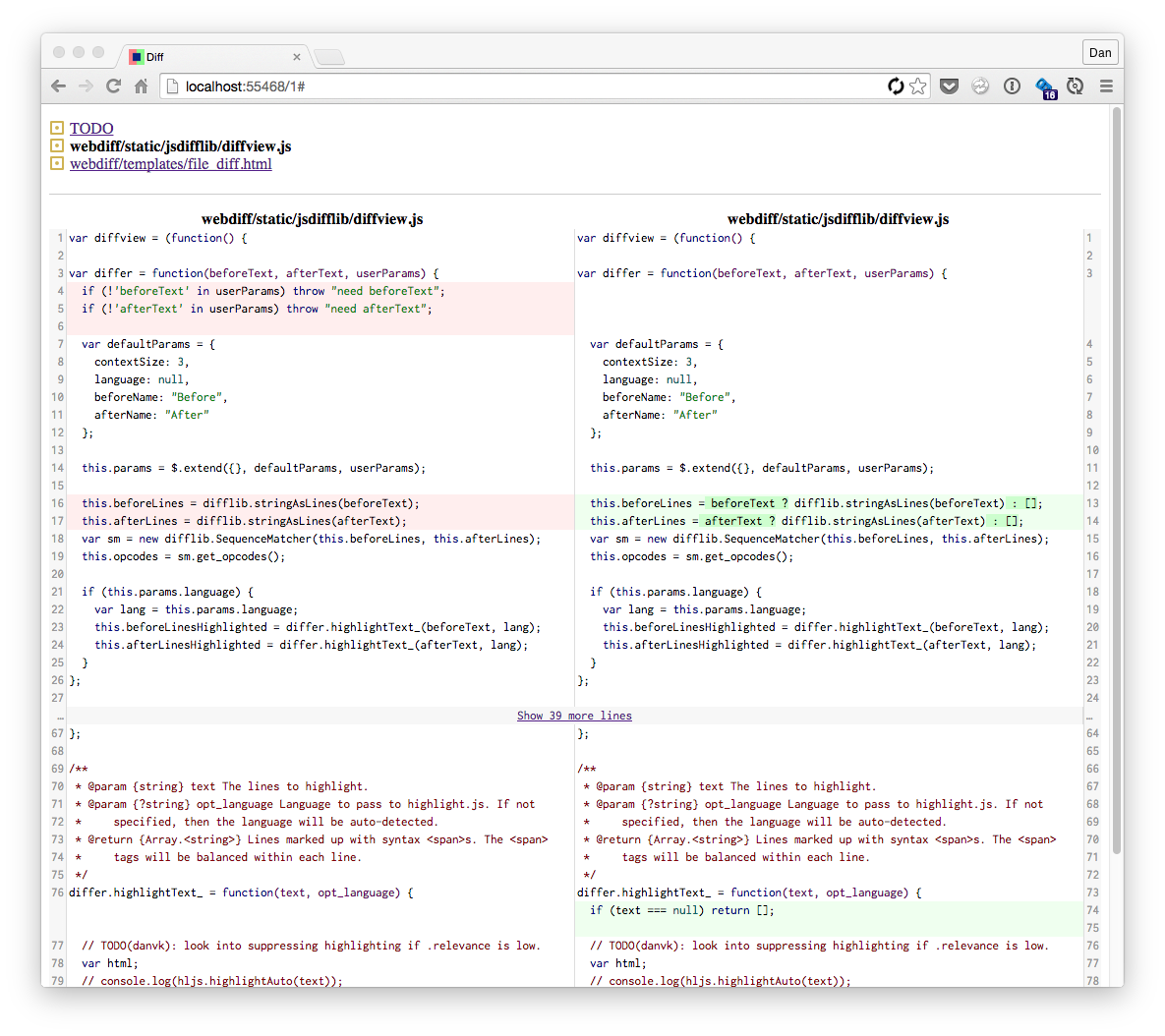
codediff.js is used by webdiff.
<!-- Third-party dependencies --><scriptsrc="jquery.min.js"></script><scriptsrc="highlight.min.js"></script><linkrel="stylesheet" href="googlecode.css"><!-- highlight.js theme --><!-- codediff --><scriptsrc="difflib.js"></script><scriptsrc="codediff.js"></script><linkrel="stylesheet" href="codediff.css"><!-- DOM --><p>Here's the diff!</p><divid="diffview"></div><!-- Usage --><scripttype="text/javascript">$('#diffview').append(codediff.buildView(codeBefore,codeAfter,{/* options -- see below */}));// or provide your own diff:codediff.buildViewFromOps(codeBefore,codeAfter,diffOps,options)</script>Here are possible keys you can pass through the options parameter:
language: Language to use for syntax highlighting. This parameter is passed through to highlight.js, which does the highlighting. Any value it will accept is fine. You can dohljs.getLanguage(language)to see if a language code is valid. A null value (the default) will disable syntax highlighting. Example values include "python" or "javascript". (default: null)beforeName: Text to place above the left side of the diff.afterName: Text to place above the right side of the diff.contextSize: Minimum number of lines of context to show around each diff hunk. (default: 3).minJumpSize: Minimum number of equal lines to collapse into a "Show N more lines" link. (default: 10)expandLines: Number of lines to offer to expand at a time ("Show 10 more lines below"). (default: 10)wordWrap: By default, code will go all the way to the right margin of the diff. If there are 60 characters of space, character 61 will wrap to the next line, even mid-word. To wrap at word boundaries instead, set this option.
Here's an example usage with a filled-out options parameter:
$('#diffview').append(codediff.buildView(codeBefore,codeAfter,{language: 'python',beforeName: 'oldfilename.py',afterName: 'newfilename.py',contextSize: 8,minJumpSize: 5,expandLines: 5,wordWrap: true}));To iterate on the project locally, open one of the test*.html files.
To run the tests, run:
npm install
npm run watch
open test/index.html
To build, run:
npm run build