DEPRECATION NOTICE: FOR THE LATEST UPDATES, PLEASE USE JUMP INSTEAD.
Jumpy provides fast cursor movement, inspired by Atom's package of the same name.
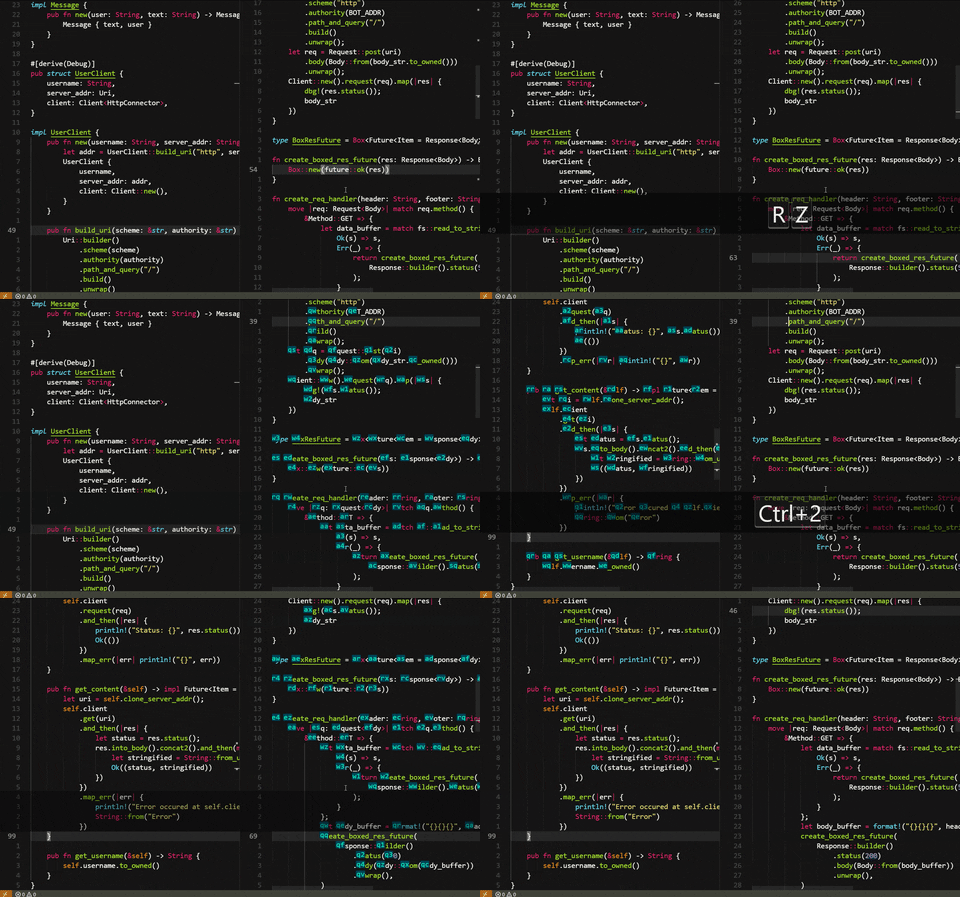
Default keybindings
[
    {
        // Exit jump mode.
        "key": "alt+j",
        "command": "extension.jumpy-exit",
        "when": "editorTextFocus && jumpy.isInJumpMode"
    },
    {
        // Exit jump mode.
        "key": "alt+k",
        "command": "extension.jumpy-exit",
        "when": "editorTextFocus && jumpy.isInJumpMode"
    },
    {
        // Enter jump to the start of the word mode.
        "key": "alt+j",
        "command": "extension.jumpy-enter",
        "when": "editorTextFocus && !jumpy.isInJumpMode"
    },
    {
        // Enter jump to the end of the word mode.
        "key": "alt+k",
        "command": "extension.jumpy-enter-end-of-word",
        "when": "editorTextFocus && !jumpy.isInJumpMode"
    },
    {
        // Exit jump mode.
        "key": "shift+alt+j",
        "command": "extension.jumpy-exit",
        "when": "editorTextFocus && jumpy.isInJumpMode"
    },
    {
        // Exit jump mode.
        "key": "shift+alt+k",
        "command": "extension.jumpy-exit",
        "when": "editorTextFocus && jumpy.isInJumpMode"
    },
    {
        // Enter expand selection mode to the start of the word.
        "key": "shift+alt+j",
        "command": "extension.jumpy-enter-select",
        "when": "editorTextFocus && !jumpy.isInJumpMode"
    },
    {
        // Enter expand selection mode to the end of the word.
        "key": "shift+alt+k",
        "command": "extension.jumpy-enter-select-end-of-word",
        "when": "editorTextFocus && !jumpy.isInJumpMode"
    }
]
To set up the keybindings like Atom (Shift+Enter), add the following to your keybindings.json (File/Code -> Preferences -> Keyboard Shortcuts):
    {
        "key": "shift+enter",
        "command": "extension.jumpy-exit",
        "when": "editorTextFocus && jumpy.isInJumpMode"
    },
    {
        "key": "shift+enter",
        "command": "extension.jumpy-enter",
        "when": "editorTextFocus && !jumpy.isInJumpMode"
    }
You can also set up a special keybinding to exit Jumpy mode, for example ESC:
    {
        "key": "Escape",
        "command": "extension.jumpy-exit",
        "when": "editorTextFocus && jumpy.isInJumpMode"
    }
Jumpy settings can be configured by adding entries into your settings.json (File -> Preferences -> User Settings). The following settings are available:
"jumpy.wordRegexp": The Regexp to use to match words in Jumpy Word Mode. The default is "\\w{2,}" which matches a string of characters [A-Za-z0-9_], length two or more. To match individual words inside camel case, for example, override with "([A-Z]+([0-9a-z])*)|[a-z0-9]{2,}".
"jumpy.wordRegexpFlags": The Regexp flags used when creating Regexp instance to match words.
"jumpy.primaryCharset": Set of characters used to create jump key combinations. First letters will occur the closes to the current active line.
"jumpy.useIcons": Defines whether markers should be rendered as flowing icons or prepending text.
"jumpy.display.backgroundColor": Background of Jumpy decoration.
"jumpy.display.color": Text color of Jumpy decoration.
1.0.4- Ignore duplicated
primaryCharsetcharacters #6.
- Ignore duplicated
1.0.3- Added
shift+alt+j/shift+alt+kkeybindings which map to the commands allowing user to expand selection rather than change the cursor location. - Detached the decoration positions from the cursor position. Now, the decoration can appear on the screen even if the cursor is not in the visible range.
- Added