A wrapper for WebGL buffer objects.
View this demo in your browser
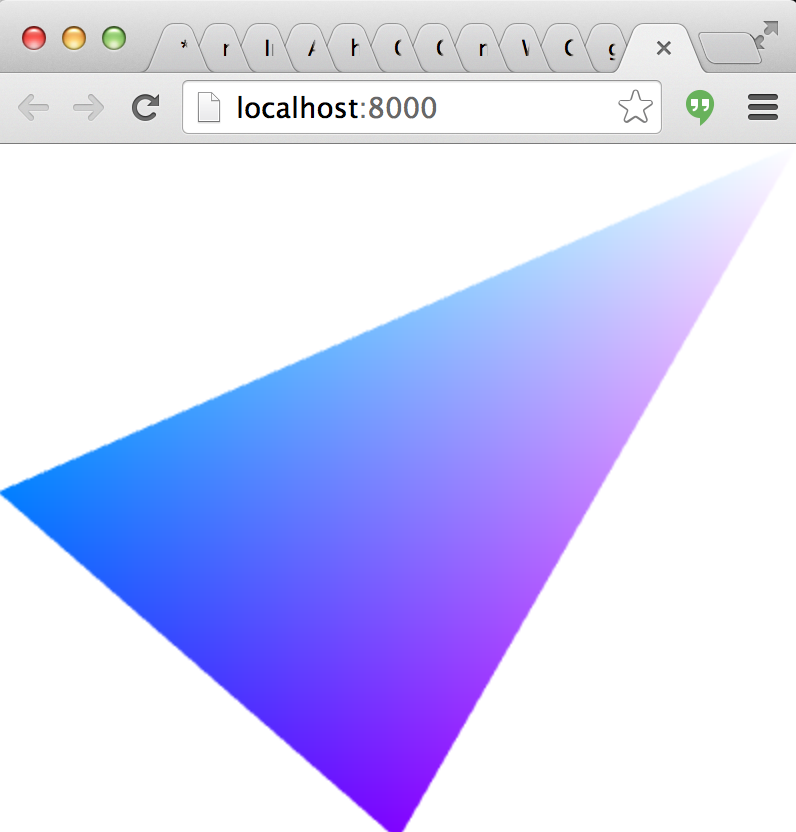
varshell=require("gl-now")()varglslify=require("glslify")varcreateBuffer=require("gl-buffer")varcreateShader=glslify({vertex: "\ attribute vec2 position;\ varying vec2 uv;\ void main() {\ gl_Position = vec4(position, 0.0, 1.0);\ uv = position.xy;\ }",fragment: "\ precision highp float;\ uniform float tick;\ varying vec2 uv;\ void main() {\ gl_FragColor = vec4(0.5*(uv+1.0), 0.5*(cos(tick)+1.0), 1.0);\ }",inline: true})varbuffer,shadershell.on("gl-init",function(){vargl=shell.gl//Create bufferbuffer=createBuffer(gl,[-1,0,0,-1,1,1])//Create shadershader=createShader(gl)shader.attributes.position.location=0})shell.on("gl-render",function(t){vargl=shell.glshader.bind()buffer.bind()shader.attributes.position.pointer()shader.uniforms.tick=Date.now()/1000.0gl.drawArrays(gl.TRIANGLES,0,3)})Output:

npm install gl-buffer
varcreateBuffer=require("gl-buffer")The constructor for a GL buffer works as follows:
glis a WebGL contextdatais either an integer, an array, a typed array, an array buffer or an ndarray representing the data of the buffer. Default is0typeis an optional parameter specifying the type of the webgl buffer. Default isgl.ARRAY_BUFFER.usageis an optional parameter representing the intended usage for the buffer (in the WebGL sense). It is not clear this does anything in current WebGL implementations. Defaultgl.DYNAMIC_DRAW
A reference to the buffer's WebGL context
A handle to the underlying WebGLBuffer object
The type of the buffer (either gl.ARRAY_BUFFER or gl.ELEMENT_ARRAY_BUFFER)
The size of the buffer in bytes
The internal WebGL usage for the buffer.
Binds the buffer to the appropriate target. Equivalent to gl.bindBuffer( ... )
Deletes the buffer releasing all associated resources. Equivalent to gl.deleteBuffer(...)
Updates the data in the buffer. There are two basic modes to this function. In the first, it calls gl.bufferSubData to update a portion of the buffer in place, and in the second it calls gl.bufferData to completely resize the buffer.
datathe new data to add to the buffer. This follows the same semantics as in the constructor.offsetthe offset in bytes to copy data into the buffer from or if unspecified then the buffer is resized by callinggl.bufferDatainstead ofgl.bufferSubData. Default0.
(c) 2013-2014 Mikola Lysenko. MIT License