


Xserverpy makes it possible to use Xcode bots from the command line.
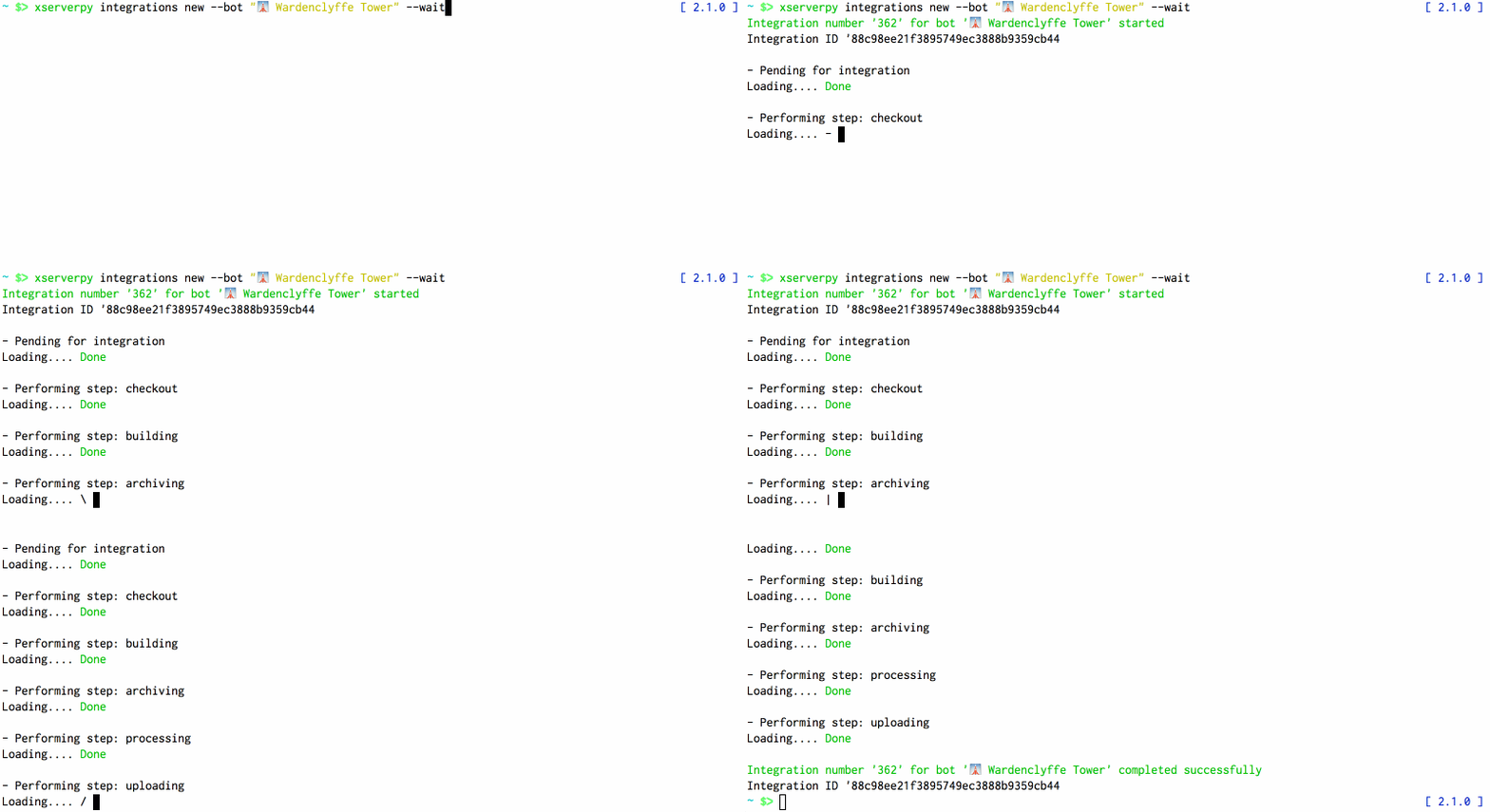
- Running Xcode server tasks, like new integration (ie. Build project) or list bots, without the need to install or run Xcode.
- Build Xcode bots from another CI tool like Jenkins (see Future milestones and improvements.
- You love ASCII progress bars (or Nikola Tesla's inventions)
brew tap oarrabi/tap
brew install xserverpy
pip install xserverpy
All of xserverpy command accept authentication and Xcode server host/port as flags. For example, in order to list all the bots you would run:
xserverpy bots --host HOST --port PORT --user USER --pass PASS
To reduce duplication in calling consequent or future commands, you can run init subcommand to store these configuration on your machine.
xserverpy init --host HOST --port PORT --user USER --pass PASS Now that you stored them, you can call all of xcserverpy subcommands without passing these stored arguments:
xserverpy bots
xserverpy integrations list
xserverpy init flags:
 --host HOST Xcode server host
--port PORT Xcode server host port, default 443
--user USER Username to use for authentication
--password PASSWORD Password to use for authentication
--local Store configuration file in the local directory
Note:
- Running
initsotres a configuration file at~/.xserverpy. - Using
init --localstores the configuration in the current directory
List all bots Demo
xserverpy bots # pass host/user info or load from stored
List integrations per bot Demo
xserverpy integrations list --bot <Bot name or ID>
Integrate (build project) Demo
xserverpy integrations new --bot <Bot name or ID>
Integrate and wait Demo
xserverpy integrations new --bot <Bot name or ID> --wait
Show running integrations Demo
xserverpy integrations running
Cancel integrations (build project) Demo
xserverpy integrations cancel --id <Integration ID>
When using xserverpy integrations new --wait, xserverpy keeps polling Xcode server for updates on the running integrations. The default interval is .5s, you can control the behavior and the format of the progress using the following flags:
--interval INTERVAL Interval to poll the server for updates, default .5s
--no-tty Force non tty progress reporting
- Create Jenkins plugin to embed Xcode server tasks in Jenkins
- Implement show all pending integrations
- Improve code coverage
Omar Abdelhafith nsomar, nsomar medium, @ifnottrue