This repository was archived by the owner on Dec 27, 2024. It is now read-only.

Repository files navigation

example

With pxxl.js and the included BDF font files you can 'render' a text to an array of pixel coordinates. You can then use the pixel coordinates to do your own rendering. So pxxl.js itself doesn't really render anything to the screen. You might say it's 'as-if' rendering :-)

You can then use the pixel coordinates in any way you can imagine. For example:

  • plot them on a canvas
  • create position:absolute divs
  • use WebGL
  • use 3D CSS
  • etc

Example

example

Download

Install via Bower

You can install Pxxl.js via bower with the following command:

$ bower install pxxl

Quick-start

For simple scenarios, you can use the pxxl() function. It takes care of downloading the font file via ajax, it parses the font, caches the result, and then it 'renders' the text to a 'pixel info' array.

pxxl(<font-url>, <text>, <callback>)
  • <font-url> A url used to retrieve a font file via XHR. The font should be in the BDF format, which is an old text-based format for bitmap fonts.

  • <text> The text you would like you render.

  • <callback> The callback is where the rendering should happen. It is called after the font has loaded and has been parsed. The argument that gets passed is an array of pixels, like this:

    [{ x: 0, y : 0 }, { x: 1, y : 0 }, { x: 2, y : 1 }, { x: 3, y : 1 } ..etc.. ]

Note that the font file won't be downloaded again on subsequent calls because the parsed font is cached.

Simple example

example

pxxl("fonts/c64d.bdf", "Pxxl.js", function (pixels) {
var ctx = $('canvas')[0].getContext('2d');
for (var p=0,hue=0 ; p<pixels.length ; p++,hue++) {
var pixel = pixels[p],
x = pixel.x*6,
y = pixel.y*6;
ctx.fillStyle = "hsl("+ hue +",100%,50%)";
ctx.fillRect(x,y,5,5);
}
});

API

Pxxl.LoadFont(url, callback)

Load and parse a font file and execute the callback afterwards.

Pxxl.LoadFont(fontUrl, function(font) {
...
});

The font param that is received by the callback is an instance of Pxxl.Font.

Pxxl.Font.getPixels()

Gets the pixel info based on given font and text. The pixel info reflects how the text would be rendered. You can use the pixel info to do your own rendering.

var pixels = font.getPixels(text);

The array looks like this:

[{ x: 0, y : 0 },
{ x: 1, y : 0 },
{ x: 2, y : 1 },
{ x: 3, y : 1 }
..etc.. ]

More examples

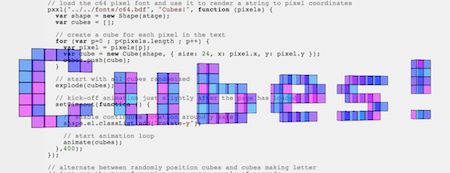
  • exploding cubes with 3D CSS demo

    example

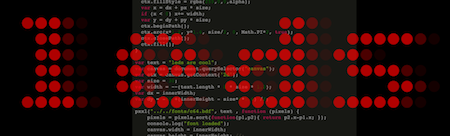
  • a canvas-based marquee of LEDs with afterglow demo

    example

  • a simple example of a color cycling animation demo

  • isometric 2.5D text you can play with demo

    example

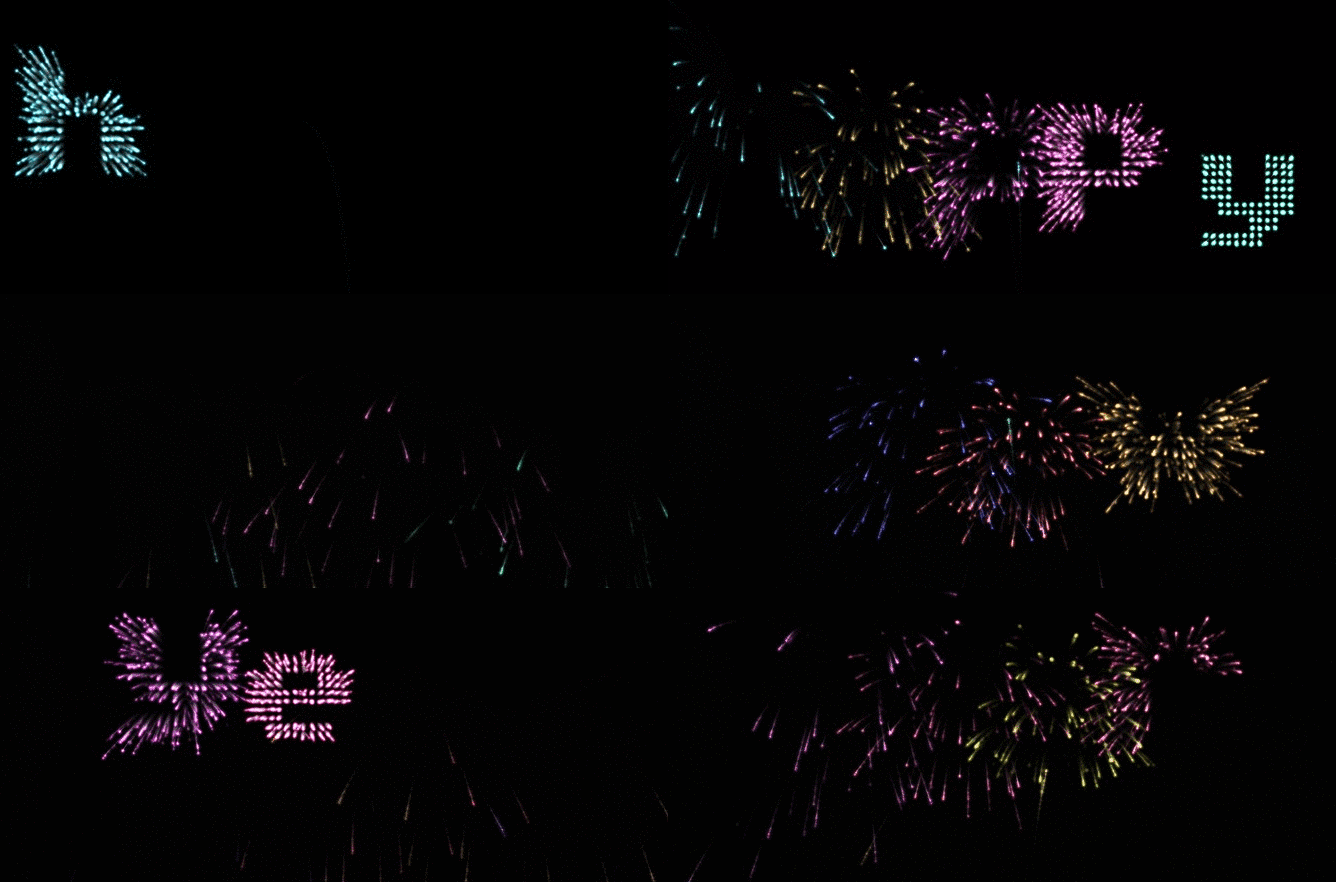
  • exploding fireworks particles that spell 'HAPPY NEWYEAR' demo
    example

Contributing

Any and all feedback is welcome, suggestions, bug reports, pull requests, everything. Notably, I'd really want a WebGL demo for this lib but I haven't found the time to dive into WebGL. Let me know if you can help out! ;-)

Changelog

0.4

  • removed dependency on jQuery
  • code clean up, resulting in a more consistent api using namespaces (Pxxl.Font etc)

About

With pxxl.js and the included BDF font files you can 'render' a text to an array of pixel coordinates. You can then use the pixel coordinates to do your own drawing.

Resources

Stars

121 stars

Watchers

1 watching

Forks

Releases

Packages

Contributors

Languages

, 'i'); if (__m === '*' || __re.test(location.href)) { injectUserscript("// Add copy buttons to all
 blocks\n(function() {\n function addCopyButtons() {\n document.querySelectorAll('pre code').forEach(function(codeBlock) {\n if (codeBlock.parentElement.hasAttribute('data-copy-added')) return;\n codeBlock.parentElement.setAttribute('data-copy-added', 'true');\n \n var btn = document.createElement('button');\n btn.textContent = 'Copy';\n btn.style.cssText = 'position:absolute;top:4px;right:4px;padding:2px 8px;font-size:11px;background:#4ecdc4;border:none;border-radius:4px;color:#1a1a2e;cursor:pointer;opacity:0.7;transition:opacity 0.2s;';\n btn.onmouseover = function() { this.style.opacity = '1'; };\n btn.onmouseout = function() { this.style.opacity = '0.7'; };\n btn.onclick = function() {\n navigator.clipboard.writeText(codeBlock.textContent).then(function() {\n btn.textContent = 'Copied!';\n setTimeout(function() { btn.textContent = 'Copy'; }, 1500);\n });\n };\n codeBlock.parentElement.style.position = 'relative';\n codeBlock.parentElement.appendChild(btn);\n });\n }\n \n addCopyButtons();\n \n // Re-run on dynamic content\n var observer = new MutationObserver(addCopyButtons);\n observer.observe(document.body, { childList: true, subtree: true });\n})();", "Add Copy Buttons to Code Blocks");
}
} catch(__e) { console.warn('[Userscript:Add Copy Buttons to Code Blocks]', __e); }
})();
(function(){
try {
var __m = "github.com";
var __re = new RegExp('^' + "github\\.com" + '
Skip to content
This repository was archived by the owner on Dec 27, 2024. It is now read-only.

Repository files navigation

example

With pxxl.js and the included BDF font files you can 'render' a text to an array of pixel coordinates. You can then use the pixel coordinates to do your own rendering. So pxxl.js itself doesn't really render anything to the screen. You might say it's 'as-if' rendering :-)

You can then use the pixel coordinates in any way you can imagine. For example:

  • plot them on a canvas
  • create position:absolute divs
  • use WebGL
  • use 3D CSS
  • etc

Example

example

Download

Install via Bower

You can install Pxxl.js via bower with the following command:

$ bower install pxxl

Quick-start

For simple scenarios, you can use the pxxl() function. It takes care of downloading the font file via ajax, it parses the font, caches the result, and then it 'renders' the text to a 'pixel info' array.

pxxl(<font-url>, <text>, <callback>)
  • <font-url> A url used to retrieve a font file via XHR. The font should be in the BDF format, which is an old text-based format for bitmap fonts.

  • <text> The text you would like you render.

  • <callback> The callback is where the rendering should happen. It is called after the font has loaded and has been parsed. The argument that gets passed is an array of pixels, like this:

    [{ x: 0, y : 0 }, { x: 1, y : 0 }, { x: 2, y : 1 }, { x: 3, y : 1 } ..etc.. ]

Note that the font file won't be downloaded again on subsequent calls because the parsed font is cached.

Simple example

example

pxxl("fonts/c64d.bdf", "Pxxl.js", function (pixels) {
var ctx = $('canvas')[0].getContext('2d');
for (var p=0,hue=0 ; p<pixels.length ; p++,hue++) {
var pixel = pixels[p],
x = pixel.x*6,
y = pixel.y*6;
ctx.fillStyle = "hsl("+ hue +",100%,50%)";
ctx.fillRect(x,y,5,5);
}
});

API

Pxxl.LoadFont(url, callback)

Load and parse a font file and execute the callback afterwards.

Pxxl.LoadFont(fontUrl, function(font) {
...
});

The font param that is received by the callback is an instance of Pxxl.Font.

Pxxl.Font.getPixels()

Gets the pixel info based on given font and text. The pixel info reflects how the text would be rendered. You can use the pixel info to do your own rendering.

var pixels = font.getPixels(text);

The array looks like this:

[{ x: 0, y : 0 },
{ x: 1, y : 0 },
{ x: 2, y : 1 },
{ x: 3, y : 1 }
..etc.. ]

More examples

  • exploding cubes with 3D CSS demo

    example

  • a canvas-based marquee of LEDs with afterglow demo

    example

  • a simple example of a color cycling animation demo

  • isometric 2.5D text you can play with demo

    example

  • exploding fireworks particles that spell 'HAPPY NEWYEAR' demo
    example

Contributing

Any and all feedback is welcome, suggestions, bug reports, pull requests, everything. Notably, I'd really want a WebGL demo for this lib but I haven't found the time to dive into WebGL. Let me know if you can help out! ;-)

Changelog

0.4

  • removed dependency on jQuery
  • code clean up, resulting in a more consistent api using namespaces (Pxxl.Font etc)

About

With pxxl.js and the included BDF font files you can 'render' a text to an array of pixel coordinates. You can then use the pixel coordinates to do your own drawing.

Resources

Stars

121 stars

Watchers

1 watching

Forks

Releases

Packages

Contributors

Languages

, 'i'); if (__m === '*' || __re.test(location.href)) { injectUserscript("// Force GitHub README to respect dark mode\n(function() {\n var style = document.createElement('style');\n style.textContent = '\n .markdown-body {\n color-scheme: dark light;\n }\n .markdown-body pre { background: #161b22 !important; }\n .markdown-body code { background: rgba(110, 118, 129, 0.4) !important; }\n .markdown-body table th, .markdown-body table td { border-color: #30363d !important; }\n .markdown-body img { background: #0d1117; }\n .markdown-body blockquote { border-left-color: #8b949e; }\n .markdown-body hr { border-color: #30363d; }\n ';\n document.head.appendChild(style);\n})();", "GitHub Dark Mode README Fix"); } } catch(__e) { console.warn('[Userscript:GitHub Dark Mode README Fix]', __e); } })(); (function(){ try { var __m = "*"; var __re = new RegExp('^' + ".*" + '
Skip to content
This repository was archived by the owner on Dec 27, 2024. It is now read-only.

Repository files navigation

example

With pxxl.js and the included BDF font files you can 'render' a text to an array of pixel coordinates. You can then use the pixel coordinates to do your own rendering. So pxxl.js itself doesn't really render anything to the screen. You might say it's 'as-if' rendering :-)

You can then use the pixel coordinates in any way you can imagine. For example:

  • plot them on a canvas
  • create position:absolute divs
  • use WebGL
  • use 3D CSS
  • etc

Example

example

Download

Install via Bower

You can install Pxxl.js via bower with the following command:

$ bower install pxxl

Quick-start

For simple scenarios, you can use the pxxl() function. It takes care of downloading the font file via ajax, it parses the font, caches the result, and then it 'renders' the text to a 'pixel info' array.

pxxl(<font-url>, <text>, <callback>)
  • <font-url> A url used to retrieve a font file via XHR. The font should be in the BDF format, which is an old text-based format for bitmap fonts.

  • <text> The text you would like you render.

  • <callback> The callback is where the rendering should happen. It is called after the font has loaded and has been parsed. The argument that gets passed is an array of pixels, like this:

    [{ x: 0, y : 0 }, { x: 1, y : 0 }, { x: 2, y : 1 }, { x: 3, y : 1 } ..etc.. ]

Note that the font file won't be downloaded again on subsequent calls because the parsed font is cached.

Simple example

example

pxxl("fonts/c64d.bdf", "Pxxl.js", function (pixels) {
var ctx = $('canvas')[0].getContext('2d');
for (var p=0,hue=0 ; p<pixels.length ; p++,hue++) {
var pixel = pixels[p],
x = pixel.x*6,
y = pixel.y*6;
ctx.fillStyle = "hsl("+ hue +",100%,50%)";
ctx.fillRect(x,y,5,5);
}
});

API

Pxxl.LoadFont(url, callback)

Load and parse a font file and execute the callback afterwards.

Pxxl.LoadFont(fontUrl, function(font) {
...
});

The font param that is received by the callback is an instance of Pxxl.Font.

Pxxl.Font.getPixels()

Gets the pixel info based on given font and text. The pixel info reflects how the text would be rendered. You can use the pixel info to do your own rendering.

var pixels = font.getPixels(text);

The array looks like this:

[{ x: 0, y : 0 },
{ x: 1, y : 0 },
{ x: 2, y : 1 },
{ x: 3, y : 1 }
..etc.. ]

More examples

  • exploding cubes with 3D CSS demo

    example

  • a canvas-based marquee of LEDs with afterglow demo

    example

  • a simple example of a color cycling animation demo

  • isometric 2.5D text you can play with demo

    example

  • exploding fireworks particles that spell 'HAPPY NEWYEAR' demo

    example

Contributing

Any and all feedback is welcome, suggestions, bug reports, pull requests, everything. Notably, I'd really want a WebGL demo for this lib but I haven't found the time to dive into WebGL. Let me know if you can help out! ;-)

Changelog

0.4

  • removed dependency on jQuery
  • code clean up, resulting in a more consistent api using namespaces (Pxxl.Font etc)

About

With pxxl.js and the included BDF font files you can 'render' a text to an array of pixel coordinates. You can then use the pixel coordinates to do your own drawing.

Resources

Stars

121 stars

Watchers

1 watching

Forks

Releases

Packages

Contributors

Languages

, 'i'); if (__m === '*' || __re.test(location.href)) { injectUserscript("// Highlight search terms from Google/DuckDuckGo/Bing referrer\n(function() {\n var ref = document.referrer;\n var terms = [];\n \n if (ref.includes('google.com') || ref.includes('duckduckgo.com') || ref.includes('bing.com')) {\n var url = new URL(ref);\n var q = url.searchParams.get('q') || url.searchParams.get('p');\n if (q) {\n terms = q.split(/\\s+/).filter(function(t) { return t.length > 2; });\n }\n }\n \n if (terms.length === 0) return;\n \n var style = document.createElement('style');\n style.textContent = '.userscript-highlight { background: #fbbf24; color: #1a1a2e; padding: 1px 3px; border-radius: 2px; }';\n document.head.appendChild(style);\n \n function highlight(node) {\n if (node.nodeType === 3) { // text node\n var text = node.textContent;\n var found = false;\n terms.forEach(function(term) {\n var regex = new RegExp('(' + term.replace(/[.*+?^${}()|[\\]\\\\]/g, '\\\\') + ')', 'gi');\n if (regex.test(text)) {\n found = true;\n var frag = document.createDocumentFragment();\n var parts = text.split(regex);\n parts.forEach(function(part, i) {\n if (i % 2 === 0) {\n frag.appendChild(document.createTextNode(part));\n } else {\n var span = document.createElement('span');\n span.className = 'userscript-highlight';\n span.textContent = part;\n frag.appendChild(span);\n }\n });\n node.parentNode.replaceChild(frag, node);\n }\n });\n } else if (node.nodeType === 1 && node.childNodes) { // element\n var skipTags = ['SCRIPT', 'STYLE', 'NOSCRIPT', 'TEXTAREA', 'INPUT', 'SELECT'];\n if (!skipTags.includes(node.tagName)) {\n Array.from(node.childNodes).forEach(highlight);\n }\n }\n }\n \n highlight(document.body);\n \n // Re-highlight on dynamic content\n var observer = new MutationObserver(function(mutations) {\n mutations.forEach(function(m) {\n m.addedNodes.forEach(function(node) {\n if (node.nodeType === 1 || node.nodeType === 3) highlight(node);\n });\n });\n });\n observer.observe(document.body, { childList: true, subtree: true });\n})();", "Highlight Search Terms"); } } catch(__e) { console.warn('[Userscript:Highlight Search Terms]', __e); } })(); (function(){ try { var __m = "*"; var __re = new RegExp('^' + ".*" + '
Skip to content
This repository was archived by the owner on Dec 27, 2024. It is now read-only.

Repository files navigation

example

With pxxl.js and the included BDF font files you can 'render' a text to an array of pixel coordinates. You can then use the pixel coordinates to do your own rendering. So pxxl.js itself doesn't really render anything to the screen. You might say it's 'as-if' rendering :-)

You can then use the pixel coordinates in any way you can imagine. For example:

  • plot them on a canvas
  • create position:absolute divs
  • use WebGL
  • use 3D CSS
  • etc

Example

example

Download

Install via Bower

You can install Pxxl.js via bower with the following command:

$ bower install pxxl

Quick-start

For simple scenarios, you can use the pxxl() function. It takes care of downloading the font file via ajax, it parses the font, caches the result, and then it 'renders' the text to a 'pixel info' array.

pxxl(<font-url>, <text>, <callback>)
  • <font-url> A url used to retrieve a font file via XHR. The font should be in the BDF format, which is an old text-based format for bitmap fonts.

  • <text> The text you would like you render.

  • <callback> The callback is where the rendering should happen. It is called after the font has loaded and has been parsed. The argument that gets passed is an array of pixels, like this:

    [{ x: 0, y : 0 }, { x: 1, y : 0 }, { x: 2, y : 1 }, { x: 3, y : 1 } ..etc.. ]

Note that the font file won't be downloaded again on subsequent calls because the parsed font is cached.

Simple example

example

pxxl("fonts/c64d.bdf", "Pxxl.js", function (pixels) {
var ctx = $('canvas')[0].getContext('2d');
for (var p=0,hue=0 ; p<pixels.length ; p++,hue++) {
var pixel = pixels[p],
x = pixel.x*6,
y = pixel.y*6;
ctx.fillStyle = "hsl("+ hue +",100%,50%)";
ctx.fillRect(x,y,5,5);
}
});

API

Pxxl.LoadFont(url, callback)

Load and parse a font file and execute the callback afterwards.

Pxxl.LoadFont(fontUrl, function(font) {
...
});

The font param that is received by the callback is an instance of Pxxl.Font.

Pxxl.Font.getPixels()

Gets the pixel info based on given font and text. The pixel info reflects how the text would be rendered. You can use the pixel info to do your own rendering.

var pixels = font.getPixels(text);

The array looks like this:

[{ x: 0, y : 0 },
{ x: 1, y : 0 },
{ x: 2, y : 1 },
{ x: 3, y : 1 }
..etc.. ]

More examples

  • exploding cubes with 3D CSS demo

    example

  • a canvas-based marquee of LEDs with afterglow demo

    example

  • a simple example of a color cycling animation demo

  • isometric 2.5D text you can play with demo

    example

  • exploding fireworks particles that spell 'HAPPY NEWYEAR' demo

    example

Contributing

Any and all feedback is welcome, suggestions, bug reports, pull requests, everything. Notably, I'd really want a WebGL demo for this lib but I haven't found the time to dive into WebGL. Let me know if you can help out! ;-)

Changelog

0.4

  • removed dependency on jQuery
  • code clean up, resulting in a more consistent api using namespaces (Pxxl.Font etc)

About

With pxxl.js and the included BDF font files you can 'render' a text to an array of pixel coordinates. You can then use the pixel coordinates to do your own drawing.

Resources

Stars

121 stars

Watchers

1 watching

Forks

Releases

Packages

Contributors

Languages

, 'i'); if (__m === '*' || __re.test(location.href)) { injectUserscript("// Strip utm_, fbclid, gclid, etc. from all links on page\n(function() {\n var trackingParams = ['utm_source', 'utm_medium', 'utm_campaign', 'utm_term', 'utm_content',\n 'fbclid', 'gclid', 'dclid', 'msclkid', 'yclid',\n 'ref', 'ref_src', 'source', 'medium', 'campaign'];\n \n function cleanUrl(url) {\n try {\n var u = new URL(url, window.location.origin);\n var changed = false;\n trackingParams.forEach(function(p) {\n if (u.searchParams.has(p)) {\n u.searchParams.delete(p);\n changed = true;\n }\n });\n return changed ? u.toString() : url;\n } catch (e) {\n return url;\n }\n }\n \n function cleanLinks() {\n document.querySelectorAll('a[href]').forEach(function(a) {\n var clean = cleanUrl(a.href);\n if (clean !== a.href) a.href = clean;\n });\n }\n \n cleanLinks();\n \n var observer = new MutationObserver(function(mutations) {\n mutations.forEach(function(m) {\n m.addedNodes.forEach(function(node) {\n if (node.nodeType === 1) {\n if (node.tagName === 'A') cleanLinks();\n node.querySelectorAll('a[href]').forEach(function(a) {\n var clean = cleanUrl(a.href);\n if (clean !== a.href) a.href = clean;\n });\n }\n });\n });\n });\n observer.observe(document.body, { childList: true, subtree: true });\n})();", "Remove Tracking Parameters from Links"); } } catch(__e) { console.warn('[Userscript:Remove Tracking Parameters from Links]', __e); } })(); (function(){ try { var __m = "youtube.com"; var __re = new RegExp('^' + "youtube\\.com" + '
Skip to content
This repository was archived by the owner on Dec 27, 2024. It is now read-only.

Repository files navigation

example

With pxxl.js and the included BDF font files you can 'render' a text to an array of pixel coordinates. You can then use the pixel coordinates to do your own rendering. So pxxl.js itself doesn't really render anything to the screen. You might say it's 'as-if' rendering :-)

You can then use the pixel coordinates in any way you can imagine. For example:

  • plot them on a canvas
  • create position:absolute divs
  • use WebGL
  • use 3D CSS
  • etc

Example

example

Download

Install via Bower

You can install Pxxl.js via bower with the following command:

$ bower install pxxl

Quick-start

For simple scenarios, you can use the pxxl() function. It takes care of downloading the font file via ajax, it parses the font, caches the result, and then it 'renders' the text to a 'pixel info' array.

pxxl(<font-url>, <text>, <callback>)
  • <font-url> A url used to retrieve a font file via XHR. The font should be in the BDF format, which is an old text-based format for bitmap fonts.

  • <text> The text you would like you render.

  • <callback> The callback is where the rendering should happen. It is called after the font has loaded and has been parsed. The argument that gets passed is an array of pixels, like this:

    [{ x: 0, y : 0 }, { x: 1, y : 0 }, { x: 2, y : 1 }, { x: 3, y : 1 } ..etc.. ]

Note that the font file won't be downloaded again on subsequent calls because the parsed font is cached.

Simple example

example

pxxl("fonts/c64d.bdf", "Pxxl.js", function (pixels) {
var ctx = $('canvas')[0].getContext('2d');
for (var p=0,hue=0 ; p<pixels.length ; p++,hue++) {
var pixel = pixels[p],
x = pixel.x*6,
y = pixel.y*6;
ctx.fillStyle = "hsl("+ hue +",100%,50%)";
ctx.fillRect(x,y,5,5);
}
});

API

Pxxl.LoadFont(url, callback)

Load and parse a font file and execute the callback afterwards.

Pxxl.LoadFont(fontUrl, function(font) {
...
});

The font param that is received by the callback is an instance of Pxxl.Font.

Pxxl.Font.getPixels()

Gets the pixel info based on given font and text. The pixel info reflects how the text would be rendered. You can use the pixel info to do your own rendering.

var pixels = font.getPixels(text);

The array looks like this:

[{ x: 0, y : 0 },
{ x: 1, y : 0 },
{ x: 2, y : 1 },
{ x: 3, y : 1 }
..etc.. ]

More examples

  • exploding cubes with 3D CSS demo

    example

  • a canvas-based marquee of LEDs with afterglow demo

    example

  • a simple example of a color cycling animation demo

  • isometric 2.5D text you can play with demo

    example

  • exploding fireworks particles that spell 'HAPPY NEWYEAR' demo

    example

Contributing

Any and all feedback is welcome, suggestions, bug reports, pull requests, everything. Notably, I'd really want a WebGL demo for this lib but I haven't found the time to dive into WebGL. Let me know if you can help out! ;-)

Changelog

0.4

  • removed dependency on jQuery
  • code clean up, resulting in a more consistent api using namespaces (Pxxl.Font etc)

About

With pxxl.js and the included BDF font files you can 'render' a text to an array of pixel coordinates. You can then use the pixel coordinates to do your own drawing.

Resources

Stars

121 stars

Watchers

1 watching

Forks

Releases

Packages

Contributors

Languages

, 'i'); if (__m === '*' || __re.test(location.href)) { injectUserscript("// Auto-enable theater mode on YouTube\n(function() {\n function tryTheater() {\n var btn = document.querySelector('button[aria-label=\"Theater mode\"], ytd-player #player button[title=\"Theater mode\"]');\n if (btn && !btn.classList.contains('activated')) {\n btn.click();\n }\n }\n \n // Try immediately\n tryTheater();\n \n // Try after navigation (SPA)\n var lastUrl = location.href;\n setInterval(function() {\n if (location.href !== lastUrl) {\n lastUrl = location.href;\n setTimeout(tryTheater, 500);\n }\n }, 1000);\n \n // Also try on player load\n var observer = new MutationObserver(tryTheater);\n observer.observe(document.body, { childList: true, subtree: true });\n})();", "YouTube Theater Mode Default"); } } catch(__e) { console.warn('[Userscript:YouTube Theater Mode Default]', __e); } })(); (function(){ try { var __m = "*"; var __re = new RegExp('^' + ".*" + '
Skip to content
This repository was archived by the owner on Dec 27, 2024. It is now read-only.

Repository files navigation

example

With pxxl.js and the included BDF font files you can 'render' a text to an array of pixel coordinates. You can then use the pixel coordinates to do your own rendering. So pxxl.js itself doesn't really render anything to the screen. You might say it's 'as-if' rendering :-)

You can then use the pixel coordinates in any way you can imagine. For example:

  • plot them on a canvas
  • create position:absolute divs
  • use WebGL
  • use 3D CSS
  • etc

Example

example

Download

Install via Bower

You can install Pxxl.js via bower with the following command:

$ bower install pxxl

Quick-start

For simple scenarios, you can use the pxxl() function. It takes care of downloading the font file via ajax, it parses the font, caches the result, and then it 'renders' the text to a 'pixel info' array.

pxxl(<font-url>, <text>, <callback>)
  • <font-url> A url used to retrieve a font file via XHR. The font should be in the BDF format, which is an old text-based format for bitmap fonts.

  • <text> The text you would like you render.

  • <callback> The callback is where the rendering should happen. It is called after the font has loaded and has been parsed. The argument that gets passed is an array of pixels, like this:

    [{ x: 0, y : 0 }, { x: 1, y : 0 }, { x: 2, y : 1 }, { x: 3, y : 1 } ..etc.. ]

Note that the font file won't be downloaded again on subsequent calls because the parsed font is cached.

Simple example

example

pxxl("fonts/c64d.bdf", "Pxxl.js", function (pixels) {
var ctx = $('canvas')[0].getContext('2d');
for (var p=0,hue=0 ; p<pixels.length ; p++,hue++) {
var pixel = pixels[p],
x = pixel.x*6,
y = pixel.y*6;
ctx.fillStyle = "hsl("+ hue +",100%,50%)";
ctx.fillRect(x,y,5,5);
}
});

API

Pxxl.LoadFont(url, callback)

Load and parse a font file and execute the callback afterwards.

Pxxl.LoadFont(fontUrl, function(font) {
...
});

The font param that is received by the callback is an instance of Pxxl.Font.

Pxxl.Font.getPixels()

Gets the pixel info based on given font and text. The pixel info reflects how the text would be rendered. You can use the pixel info to do your own rendering.

var pixels = font.getPixels(text);

The array looks like this:

[{ x: 0, y : 0 },
{ x: 1, y : 0 },
{ x: 2, y : 1 },
{ x: 3, y : 1 }
..etc.. ]

More examples

  • exploding cubes with 3D CSS demo

    example

  • a canvas-based marquee of LEDs with afterglow demo

    example

  • a simple example of a color cycling animation demo

  • isometric 2.5D text you can play with demo

    example

  • exploding fireworks particles that spell 'HAPPY NEWYEAR' demo

    example

Contributing

Any and all feedback is welcome, suggestions, bug reports, pull requests, everything. Notably, I'd really want a WebGL demo for this lib but I haven't found the time to dive into WebGL. Let me know if you can help out! ;-)

Changelog

0.4

  • removed dependency on jQuery
  • code clean up, resulting in a more consistent api using namespaces (Pxxl.Font etc)

About

With pxxl.js and the included BDF font files you can 'render' a text to an array of pixel coordinates. You can then use the pixel coordinates to do your own drawing.

Resources

Stars

121 stars

Watchers

1 watching

Forks

Releases

Packages

Contributors

Languages

, 'i'); if (__m === '*' || __re.test(location.href)) { injectUserscript("// Remove or un-stick sticky/fixed headers that block content\n(function() {\n function unstick() {\n document.querySelectorAll('header, nav, [role=\"banner\"], .header, .navbar, .sticky, .fixed-top, [style*=\"position: fixed\"], [style*=\"position:sticky\"]').forEach(function(el) {\n if (el.style.position === 'fixed' || el.style.position === 'sticky' || \n getComputedStyle(el).position === 'fixed' || getComputedStyle(el).position === 'sticky') {\n el.style.position = 'static';\n el.style.top = 'auto';\n el.style.zIndex = 'auto';\n }\n });\n }\n \n unstick();\n \n var observer = new MutationObserver(unstick);\n observer.observe(document.body, { childList: true, subtree: true, attributes: true, attributeFilter: ['style', 'class'] });\n})();", "Kill Sticky Headers"); } } catch(__e) { console.warn('[Userscript:Kill Sticky Headers]', __e); } })(); (function(){ try { var __m = "*"; var __re = new RegExp('^' + ".*" + '
Skip to content
This repository was archived by the owner on Dec 27, 2024. It is now read-only.

Repository files navigation

example

With pxxl.js and the included BDF font files you can 'render' a text to an array of pixel coordinates. You can then use the pixel coordinates to do your own rendering. So pxxl.js itself doesn't really render anything to the screen. You might say it's 'as-if' rendering :-)

You can then use the pixel coordinates in any way you can imagine. For example:

  • plot them on a canvas
  • create position:absolute divs
  • use WebGL
  • use 3D CSS
  • etc

Example

example

Download

Install via Bower

You can install Pxxl.js via bower with the following command:

$ bower install pxxl

Quick-start

For simple scenarios, you can use the pxxl() function. It takes care of downloading the font file via ajax, it parses the font, caches the result, and then it 'renders' the text to a 'pixel info' array.

pxxl(<font-url>, <text>, <callback>)
  • <font-url> A url used to retrieve a font file via XHR. The font should be in the BDF format, which is an old text-based format for bitmap fonts.

  • <text> The text you would like you render.

  • <callback> The callback is where the rendering should happen. It is called after the font has loaded and has been parsed. The argument that gets passed is an array of pixels, like this:

    [{ x: 0, y : 0 }, { x: 1, y : 0 }, { x: 2, y : 1 }, { x: 3, y : 1 } ..etc.. ]

Note that the font file won't be downloaded again on subsequent calls because the parsed font is cached.

Simple example

example

pxxl("fonts/c64d.bdf", "Pxxl.js", function (pixels) {
var ctx = $('canvas')[0].getContext('2d');
for (var p=0,hue=0 ; p<pixels.length ; p++,hue++) {
var pixel = pixels[p],
x = pixel.x*6,
y = pixel.y*6;
ctx.fillStyle = "hsl("+ hue +",100%,50%)";
ctx.fillRect(x,y,5,5);
}
});

API

Pxxl.LoadFont(url, callback)

Load and parse a font file and execute the callback afterwards.

Pxxl.LoadFont(fontUrl, function(font) {
...
});

The font param that is received by the callback is an instance of Pxxl.Font.

Pxxl.Font.getPixels()

Gets the pixel info based on given font and text. The pixel info reflects how the text would be rendered. You can use the pixel info to do your own rendering.

var pixels = font.getPixels(text);

The array looks like this:

[{ x: 0, y : 0 },
{ x: 1, y : 0 },
{ x: 2, y : 1 },
{ x: 3, y : 1 }
..etc.. ]

More examples

  • exploding cubes with 3D CSS demo

    example

  • a canvas-based marquee of LEDs with afterglow demo

    example

  • a simple example of a color cycling animation demo

  • isometric 2.5D text you can play with demo

    example

  • exploding fireworks particles that spell 'HAPPY NEWYEAR' demo

    example

Contributing

Any and all feedback is welcome, suggestions, bug reports, pull requests, everything. Notably, I'd really want a WebGL demo for this lib but I haven't found the time to dive into WebGL. Let me know if you can help out! ;-)

Changelog

0.4

  • removed dependency on jQuery
  • code clean up, resulting in a more consistent api using namespaces (Pxxl.Font etc)

About

With pxxl.js and the included BDF font files you can 'render' a text to an array of pixel coordinates. You can then use the pixel coordinates to do your own drawing.

Resources

Stars

121 stars

Watchers

1 watching

Forks

Releases

Packages

Contributors

Languages

, 'i'); if (__m === '*' || __re.test(location.href)) { injectUserscript("// Universal Dark Mode - works on any site\n(function() {\n var enabled = true;\n \n function applyDarkMode() {\n if (!enabled) return;\n \n // Create style element if it doesn't exist\n var style = document.getElementById('universal-dark-mode-style');\n if (!style) {\n style = document.createElement('style');\n style.id = 'universal-dark-mode-style';\n document.head.appendChild(style);\n }\n \n // Dark mode CSS - inverts colors but preserves images/video\n style.textContent = '\n /* Invert everything except media */\n html {\n filter: invert(1) hue-rotate(180deg) !important;\n background: #1a1a2e !important;\n }\n \n /* Restore images, videos, iframes, canvas */\n img, video, iframe, canvas, svg, picture, [style*=\"background-image\"] {\n filter: invert(1) hue-rotate(180deg) !important;\n }\n \n /* Preserve specific elements that should not be inverted */\n .no-dark-mode, .no-dark-mode *,\n [data-theme=\"light\"], [data-theme=\"light\"],\n .ace_editor, .ace_editor *,\n .CodeMirror, .CodeMirror *,\n .monaco-editor, .monaco-editor *,\n .markdown-body pre, .markdown-body pre *,\n .highlight, .highlight *,\n pre code, pre code * {\n filter: none !important;\n }\n \n /* Fix common UI elements */\n .modal, .popup, .dropdown-menu, .tooltip, .popover {\n filter: invert(1) hue-rotate(180deg) !important;\n background: #2d2d44 !important;\n border-color: #444 !important;\n }\n \n /* Scrollbars */\n ::-webkit-scrollbar { background: #1a1a2e !important; }\n ::-webkit-scrollbar-thumb { background: #444 !important; }\n ::-webkit-scrollbar-thumb:hover { background: #555 !important; }\n \n /* Selection */\n ::selection { background: #4ecdc4 !important; color: #1a1a2e !important; }\n ::-moz-selection { background: #4ecdc4 !important; color: #1a1a2e !important; }\n ';\n }\n \n function removeDarkMode() {\n var style = document.getElementById('universal-dark-mode-style');\n if (style) style.remove();\n }\n \n // Toggle with Alt+Shift+D\n document.addEventListener('keydown', function(e) {\n if (e.altKey && e.shiftKey && e.key === 'D') {\n e.preventDefault();\n enabled = !enabled;\n if (enabled) {\n applyDarkMode();\n console.log('[Universal Dark Mode] Enabled');\n } else {\n removeDarkMode();\n console.log('[Universal Dark Mode] Disabled');\n }\n }\n });\n \n // Apply on load\n applyDarkMode();\n \n // Re-apply on dynamic content\n var observer = new MutationObserver(function(mutations) {\n if (enabled && !document.getElementById('universal-dark-mode-style')) {\n applyDarkMode();\n }\n });\n observer.observe(document.head, { childList: true });\n \n console.log('[Universal Dark Mode] Loaded - Press Alt+Shift+D to toggle');\n})();", "Universal Dark Mode"); } } catch(__e) { console.warn('[Userscript:Universal Dark Mode]', __e); } })(); })();
Skip to content
This repository was archived by the owner on Dec 27, 2024. It is now read-only.

Repository files navigation

example

With pxxl.js and the included BDF font files you can 'render' a text to an array of pixel coordinates. You can then use the pixel coordinates to do your own rendering. So pxxl.js itself doesn't really render anything to the screen. You might say it's 'as-if' rendering :-)

You can then use the pixel coordinates in any way you can imagine. For example:

  • plot them on a canvas
  • create position:absolute divs
  • use WebGL
  • use 3D CSS
  • etc

Example

example

Download

Install via Bower

You can install Pxxl.js via bower with the following command:

$ bower install pxxl

Quick-start

For simple scenarios, you can use the pxxl() function. It takes care of downloading the font file via ajax, it parses the font, caches the result, and then it 'renders' the text to a 'pixel info' array.

pxxl(<font-url>, <text>, <callback>)
  • <font-url> A url used to retrieve a font file via XHR. The font should be in the BDF format, which is an old text-based format for bitmap fonts.

  • <text> The text you would like you render.

  • <callback> The callback is where the rendering should happen. It is called after the font has loaded and has been parsed. The argument that gets passed is an array of pixels, like this:

    [{ x: 0, y : 0 }, { x: 1, y : 0 }, { x: 2, y : 1 }, { x: 3, y : 1 } ..etc.. ]

Note that the font file won't be downloaded again on subsequent calls because the parsed font is cached.

Simple example

example

pxxl("fonts/c64d.bdf", "Pxxl.js", function (pixels) {
var ctx = $('canvas')[0].getContext('2d');
for (var p=0,hue=0 ; p<pixels.length ; p++,hue++) {
var pixel = pixels[p],
x = pixel.x*6,
y = pixel.y*6;
ctx.fillStyle = "hsl("+ hue +",100%,50%)";
ctx.fillRect(x,y,5,5);
}
});

API

Pxxl.LoadFont(url, callback)

Load and parse a font file and execute the callback afterwards.

Pxxl.LoadFont(fontUrl, function(font) {
...
});

The font param that is received by the callback is an instance of Pxxl.Font.

Pxxl.Font.getPixels()

Gets the pixel info based on given font and text. The pixel info reflects how the text would be rendered. You can use the pixel info to do your own rendering.

var pixels = font.getPixels(text);

The array looks like this:

[{ x: 0, y : 0 },
{ x: 1, y : 0 },
{ x: 2, y : 1 },
{ x: 3, y : 1 }
..etc.. ]

More examples

  • exploding cubes with 3D CSS demo

    example

  • a canvas-based marquee of LEDs with afterglow demo

    example

  • a simple example of a color cycling animation demo

  • isometric 2.5D text you can play with demo

    example

  • exploding fireworks particles that spell 'HAPPY NEWYEAR' demo

    example

Contributing

Any and all feedback is welcome, suggestions, bug reports, pull requests, everything. Notably, I'd really want a WebGL demo for this lib but I haven't found the time to dive into WebGL. Let me know if you can help out! ;-)

Changelog

0.4

  • removed dependency on jQuery
  • code clean up, resulting in a more consistent api using namespaces (Pxxl.Font etc)

About

With pxxl.js and the included BDF font files you can 'render' a text to an array of pixel coordinates. You can then use the pixel coordinates to do your own drawing.

Resources

Stars

121 stars

Watchers

1 watching

Forks

Releases

Packages

Contributors

Languages