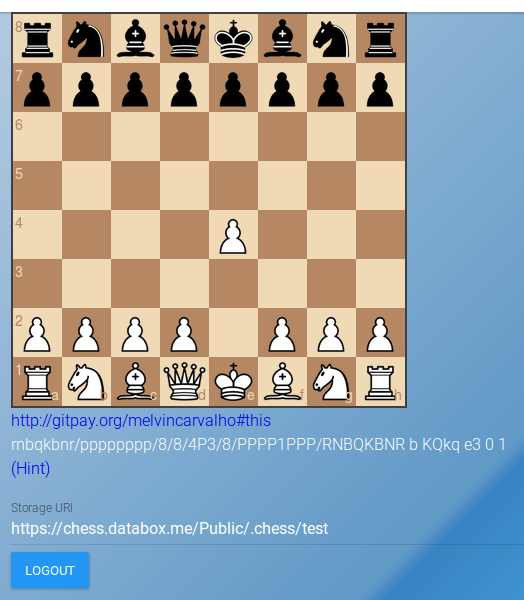
In this tutorial we will cover how to play a game of chess in realtime using Solid and Websockets updates. A JavaScript board is embedded in the page, updates occur in realtime, and a link is provided to a chess engine to enable hints.
What you will learn
- How to add Websockets support
- How to send moves to a Pod in realtime
- How to update the board when a new move is made remotely
- How to create your own vocabulary
- How to embed a JavaScript chess widget in a page
- How to link to a chess engine for hints
The main aspect of this tutorial is realtime updates via Websockets. Solid uses a pub/sub mechanism to allow users to subscribe to a resource, and will send out updates when one of those resources changes.
Websockets are built into the browser, and are started using the:
newWebSocket(uri)syntax. After opening the socket, we then have access to the onopen,
onclose, onerror and onmessage functions. When a socket closes or errors,
we would like to restart it by calling a restart function.
socket.onerror=function(){console.log('socket error');setTimeout(connect,RECONNECT);};After a socket has been opened, we will send a subscription to a resource:
socket.onopen=function(){console.log(sub);$scope.socket=socket;socket.send('sub '+sub,socket);if(!quiet){setInterval(function(){socket.send('ping');},INTERVAL);}};Additionally, some web servers silently time out if not periodically pinged, so we will send a ping message every 4 minutes. If we get a message, we check for the 'pub' command and if found we will fire a callback for further processing.
socket.onmessage=function(msg){vara=msg.data.split(' ');if(a[0]!=='pub')return;processSocket(a[1]);};When we get a message, the server will tell us which resource updated. So we can now drop the cache, notify the user and fetch the resource again.
functionprocessSocket(uri){$scope.invalidate(uri);$scope.fetchBoard();$scope.audio.play();}More Coming soon ...