



🕺 Extremely Lightweight:codeblock.css is only 263 bytes big. Yep, only 263.
🌐 Works Everywhere:codeblock.css uses nothing except pure-CSS that works everywhere on every browser.
📱 Responsive:codeblock.css works even on mobiles and small screens.
🎨 Themeable: Theme it however you want. Change the font, the background, the foreground, the title...anything.
😐 Simple:codeblock.css does not make you learn anything new. All you have to do is assign ids to HTML elements. That's it.
⚙️ So simple, even GitHub can handle it (if it supported inline styles :D).
Simply add this in your <head>:
<linkrel="stylesheet" href="https://unpkg.com/codeblock.css" />The most simplest way of using codeblock.css is:
<divclass="code"><spanclass="lang">html</span><pre>
const validateNumber = n => !isNaN(parseFloat(n)) && isFinite(n) && Number(n) == n;
validateNumber('10'); // true</pre></div>
You will get something like this:

If you'd like to add a title to the code block, you'll have to do this:
<divclass="code"><divclass="info"><spanclass="title">unfold</span><spanclass="lang">javascript</span></div><pre>
const unfold = (fn, seed) => {
let result = [],
val = [null, seed];
while ((val = fn(val[1]))) result.push(val[0]);
return result;
};
var f = n => (n > 50 ? false : [-n, n + 10]);
unfold(f, 10); // [-10, -20, -30, -40, -50]</pre></div>
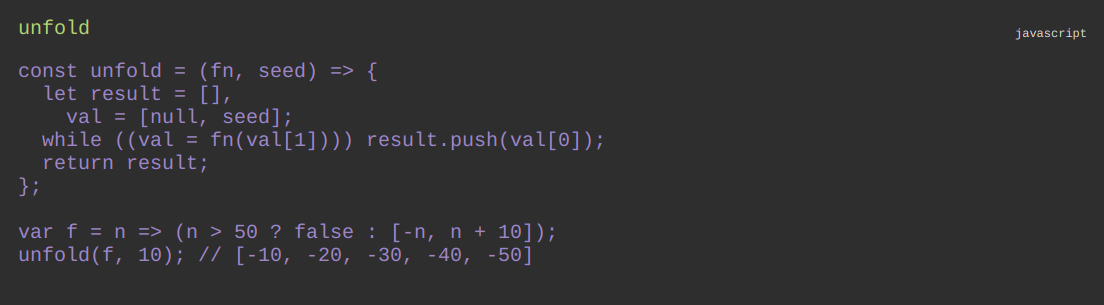
Which will look like this:
By default, codeblock.css uses these variables for theming:
--code-bg:#ededed;
--code-fg:#000;
--code-title-fg:#7b7b7b;
--code-lang-fg:#6b6b6b;
--code-font: monospace;
You can modify these to your heart's content to get the desired effect.
There are also some themes in the /themes directory which you can directly link to by adding this to your <head>:
<linkrel="stylesheet"
href="https://unpkg.com/codeblock.css/themes/<theme-name-here>.css"
/>Copyright (c) 2020 Abdullah Atta under MIT.