单引号可以直接把包括的特殊字符进行输出。
- 使用
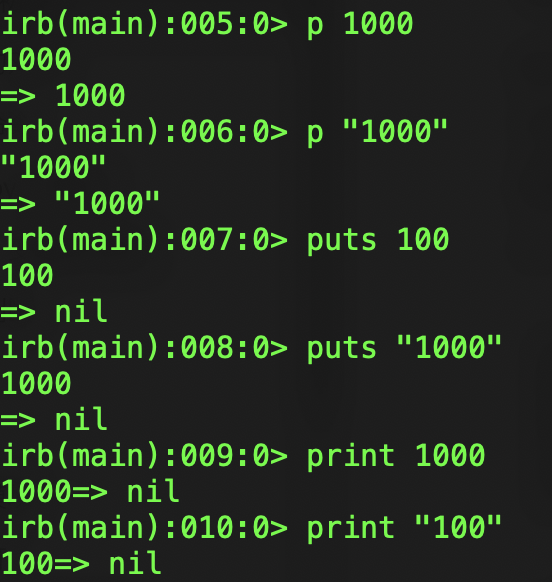
p进行输出,特殊字符不会被转义。
print "表面积 = #{area}\n"
100.timesdoprint"All work and no play makes Jack a dull boy.\n"endsym=:foo# 表示符号“:foo”sym2=:"foo"# 意思同上> irb --simple-prompt
>> sym=:foo=>:foo
>> sym.to_s# 将符号转换为字符串=>"foo"
>> "foo".to_sym# 将字符串转换为符号=>:fooaddress={:name=>"高桥",:pinyin=>"gaoqiao",:postal=>"1234567"}将符号当作键来使用时,程序还可以像下面这么写:
address={name: "高桥",pinyin: "gaoqiao",postal: "1234567"}puts"首个参数: #{ARGV[0]}"puts"第2 个参数: #{ARGV[1]}"puts"第3 个参数: #{ARGV[2]}"> ruby print_argv.rb 1st 2nd 3rd
首个参数: 1st
第 2 个参数: 2nd
第 3 个参数: 3rd以英文字母或者 _ 开头。
全大写
以 $ 开头。
以 @ 开头。
以 @@ 开头
- 变量前加上*,表示 Ruby 会将未分配的值封装为数组赋值给该变量。
a,b, *c=1,2,3,4,5p[a,b,c]#=> [1, 2, [3, 4, 5]]a, * b,c=1,2,3,4,5p[a,b,c]#-> [1, [2, 3, 4], 5]
The =~ operator matches the regular expression against a string, and it returns either the offset of the match from the string if it is found, otherwise nil.