
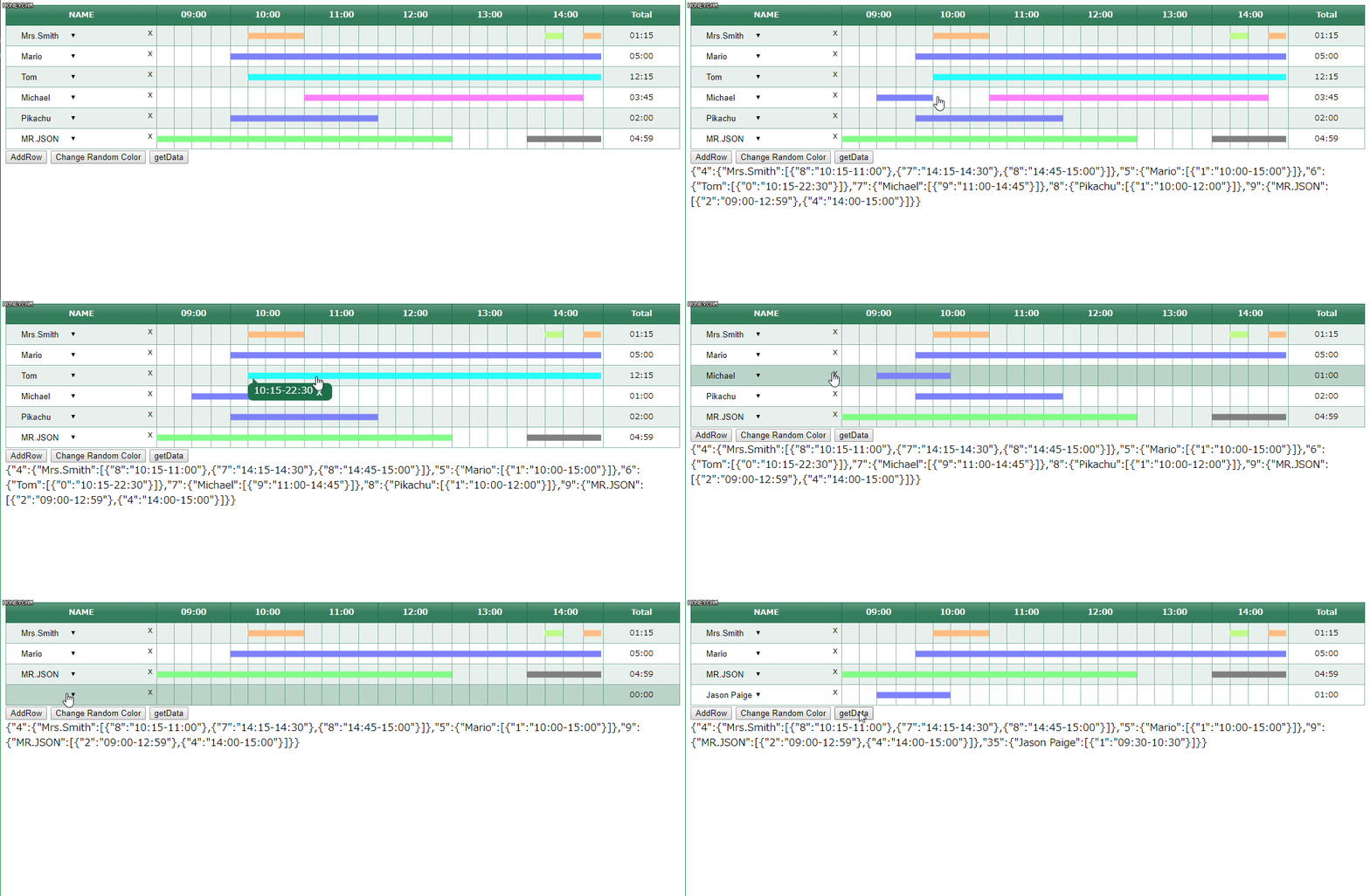
JavaScript (ES2015) library for creating time table.
Requires jQuery 1.9.1+, CreateJS 1.0.0.
- Chrome
- Load TimeTable.js, TimeTable.css, and jQuery in html.
<linkrel="stylesheet" href="./TimeTable.css"/><scriptsrc="https://ajax.googleapis.com/ajax/libs/jquery/1.4.1/jquery.min.js"></script><scriptsrc="https://code.createjs.com/1.0.0/createjs.min.js"></script><scriptsrc="./TimeTable.js"></script>
- Add division and class where you want to create Time Table.
<divid="timetable"></div>
- Create object to draw in TimeTable.js
varObject=newTimeTable({// Beginning Time[Necessary]startTime: "10:00",// Ending Time[Necessary]endTime: "15:00",// Time to divide(minute)[Necessary]divTime: "15",// Time Table Data[Necessary]shift: {"1" : {"Sir Isaac Newton": {"1" : "10:00-12:00","2" : "13:00-14:00"}},"2" : {"Galileo Galilei": {"3" : "11:00-12:45"}}},// Other optionsoption: {// Default value: "NAME"firstColumnCaption: "Scholar"// Display Total Timeworktime: true,// Bar Color// Able to apply till 10 colorsbgcolor: ["#00ffff","#ff0000"],// Selectbox for Name Column[Necessary]// selectBox index and shift index should be same//{index : name, : index: name,,..}// Give random if shift index was not in selectBox indexselectBox: {"1": "Sir Isaac Newton","2": "Galileo Galilei","3": "Mr.Smith"},// Set false if you want the rows to be static i.e. as defined in your shift objectdeleteRows: true,// Set true when using TimeTable inside of BootStrap class rowuseBootstrap: false,}});
- Create Instance
// Set Object as class parametervarinstance=newTimeTable(Object);
- Start create TimeTable
// Parameter is the selector where Time Table appendinstance.init("#timetable");
- Please refer sample of index.html
yn1323
TimeTable.js is licensed under MIT