线稿可以让空无一物的画纸产生正形负形,更能以长短虚实、疏密深淡、张弛得当之势自然勾勒物象之形、神、光、色、体积、质感等,不同造诣的画者能驾驭出不同的画面,难度之大深不可测,变化多端甚是神奇。
线描技法源远流长,可以追溯到我们中国画的白描,中国古代有许多白描大师,如顾恺之、李公麟等都为我国留下了文艺瑰宝。
但线稿的另一种意义是从某个图片转变而来,只有黑色线条,便于临摹,十分方便。
由开发者Mr.郑先生_提供 【PaddleHub模型贡献】一行代码实现从彩色图提取素描线稿转换成PaddleHub让大家更方便的使用



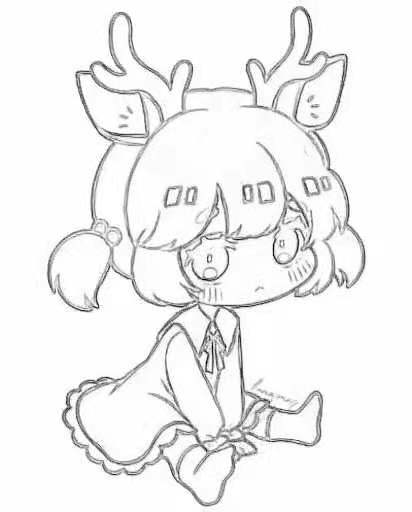

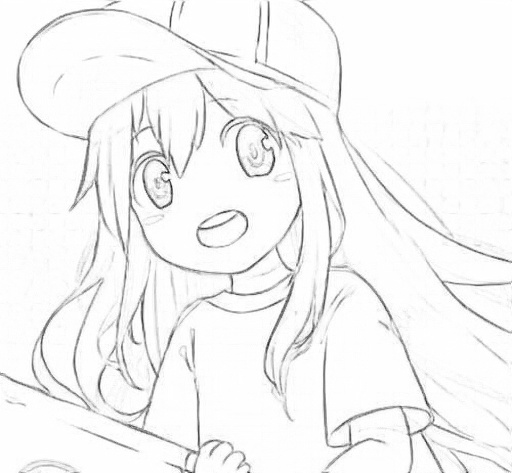
原始视频链接: https://player.bilibili.com/player.html?aid=373068021&bvid=BV14Z4y1g7uG&cid=264240737&page=1
将视频内容转换为线稿: https://player.bilibili.com/player.html?aid=800614383&bvid=BV1zy4y1v7kQ&cid=262900480&page=1
importcv2fromscipyimportndimagefrommodelimportModelimportnumpyasnpimportosos.environ['CUDA_VISIBLE_DEVICES']='0'model=Model('inference_model',use_gpu=True,use_mkldnn=False,combined=False)将视频按帧进行处理,并保存到images文件夹中。
deftransform_video_to_image(video_file_path, img_path):
''' 将视频中每一帧保存成图片 '''video_capture=cv2.VideoCapture(video_file_path)
fps=video_capture.get(cv2.CAP_PROP_FPS)
count=0while(True):
ret, frame=video_capture.read() ifret:
cv2.imwrite(img_path+'%d.jpg'%count, frame)
count+=1else:
breakvideo_capture.release()
print('视频图片保存成功, 共有 %d 张'%count)
returnfpsfps=transform_video_to_image('shipin.mp4', 'images/')fromfunctionimport*forhome, dirs, filesinos.walk('images'):
forfilenameinfiles:
fullname=os.path.join(home, filename)
from_mat=cv2.imread(fullname)
width=float(from_mat.shape[1])
height=float(from_mat.shape[0])
new_width=0new_height=0if (width>height):
from_mat=cv2.resize(from_mat, (512, int(512/width*height)), interpolation=cv2.INTER_AREA)
new_width=512new_height=int(512/width*height)
else:
from_mat=cv2.resize(from_mat, (int(512/height*width), 512), interpolation=cv2.INTER_AREA)
new_width=int(512/height*width)
new_height=512from_mat=from_mat.transpose((2, 0, 1))
light_map=np.zeros(from_mat.shape, dtype=np.float)
forchannelinrange(3):
light_map[channel] =get_light_map_single(from_mat[channel])
light_map=normalize_pic(light_map)
light_map=resize_img_512_3d(light_map)
light_map=light_map.astype('float32')
line_mat=model.predict(np.expand_dims(light_map, axis=0).astype('float32'))
# 去除 batch 维度 (512, 512, 3)line_mat=line_mat.transpose((3, 1, 2, 0))[0]
# 裁剪 (512, 384, 3)line_mat=line_mat[0:int(new_height), 0:int(new_width), :]
line_mat=np.amax(line_mat, 2)
# 降噪show_active_img_and_save_denoise(line_mat, './output/'+filename)
print('图片'+filename+'已经完成')
print('全部图片转换成功。')defcombine_image_to_video(comb_path, output_file_path, fps=30, is_print=False):
''' 合并图像到视频 '''fourcc=cv2.VideoWriter_fourcc(*'MP4V') file_items=os.listdir(comb_path)
file_len=len(file_items)
# print(comb_path, file_items)iffile_len>0 :
temp_img=cv2.imread(os.path.join(comb_path, file_items[0]))
img_height, img_width=temp_img.shape[0], temp_img.shape[1]
out=cv2.VideoWriter(output_file_path, fourcc, fps, (img_width, img_height))
foriinrange(file_len):
pic_name=os.path.join(comb_path, str(i)+".jpg")
ifis_print:
print(i+1,'/', file_len, ' ', pic_name)
img=cv2.imread(pic_name)
out.write(img)
out.release()
combine_image_to_video('output', 'work/mp4_analysis.mp4', fps)#音频获取defgetMusic(video_name):
""" 获取指定视频的音频 """# 读取视频文件video=VideoFileClip(video_name)
# 返回音频returnvideo.audio#音频添加defaddMusic(video_name, audio,output_video):
"""实现混流,给video_name添加音频"""# 读取视频video=VideoFileClip(video_name)
# 设置视频的音频video=video.set_audio(audio)
# 保存新的视频文件video.write_videofile(output_video)
frommoviepy.editorimport*addMusic('work/mp4_analysis.mp4',getMusic('shipin.mp4'),'work/mp4_analysisnew.mp4')