Repository files navigation

An easy-to-use & supercharged open-source experiment tracker

Aim logs your training runs, enables a beautiful UI to compare them and an API to query them programmatically.

About β€’ Features β€’ Demos β€’ Examples β€’ Quick Start β€’ Documentation β€’ Roadmap β€’ Slack Community β€’ Twitter

Platform SupportPyPI - Python VersionPyPI PackageLicensePyPI DownloadsIssues

Integrates seamlessly with your favorite tools


About Aim

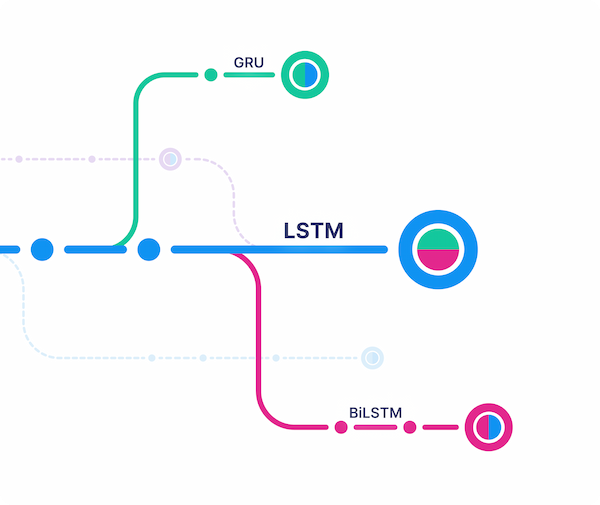
Track and version ML runsVisualize runs via beautiful UIQuery runs metadata via SDK

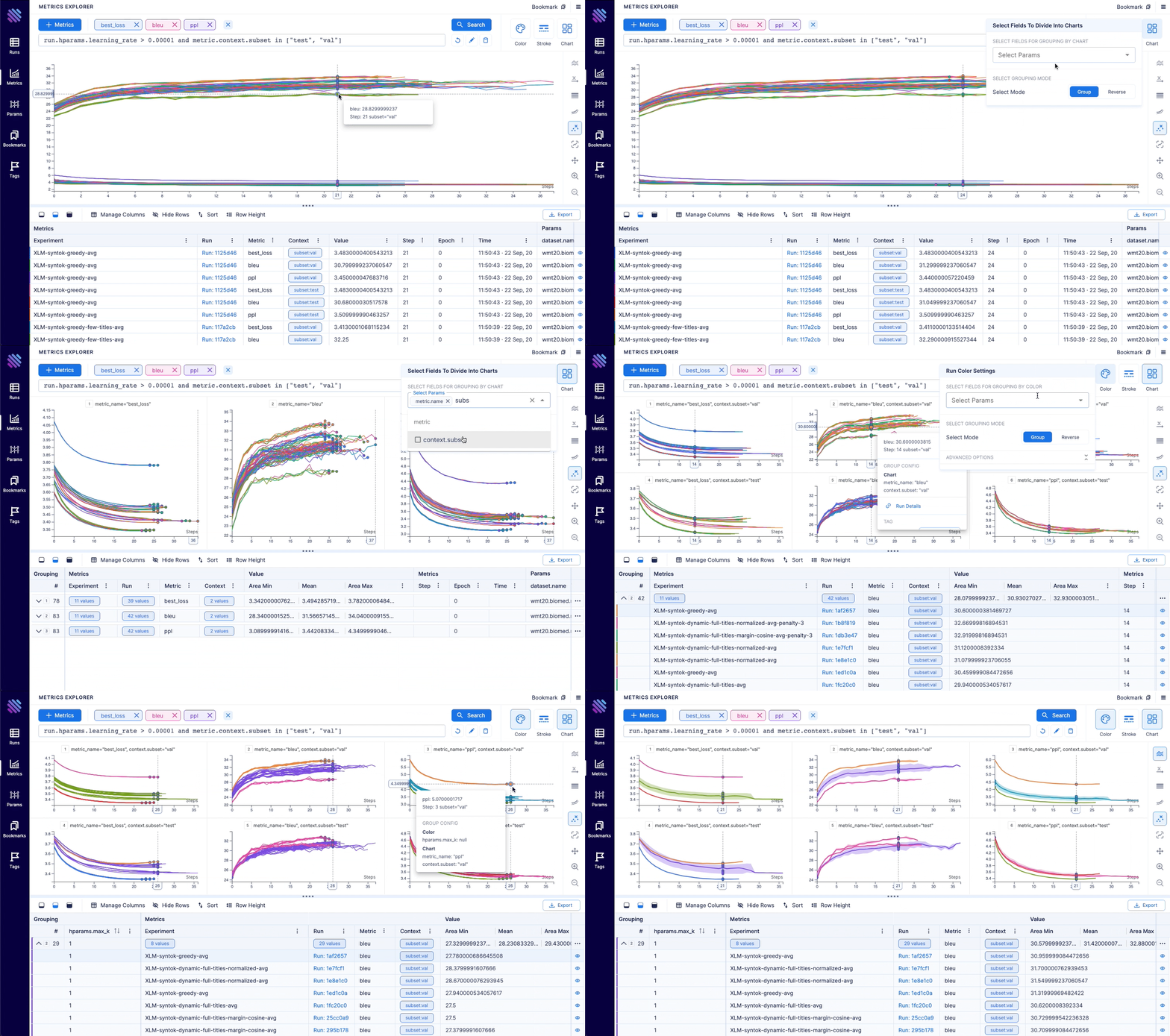
Aim is an open-source, self-hosted ML experiment tracking tool. It's good at tracking lots (1000s) of training runs and it allows you to compare them with a performant and beautiful UI.

You can use not only the great Aim UI but also its SDK to query your runs' metadata programmatically. That's especially useful for automations and additional analysis on a Jupyter Notebook.

Aim's mission is to democratize AI dev tools.

Why use Aim?

Compare 100s of runs in a few clicks - build models faster

  • Compare, group and aggregate 100s of metrics thanks to effective visualizations.
  • Analyze, learn correlations and patterns between hparams and metrics.
  • Easy pythonic search to query the runs you want to explore.

Deep dive into details of each run for easy debugging

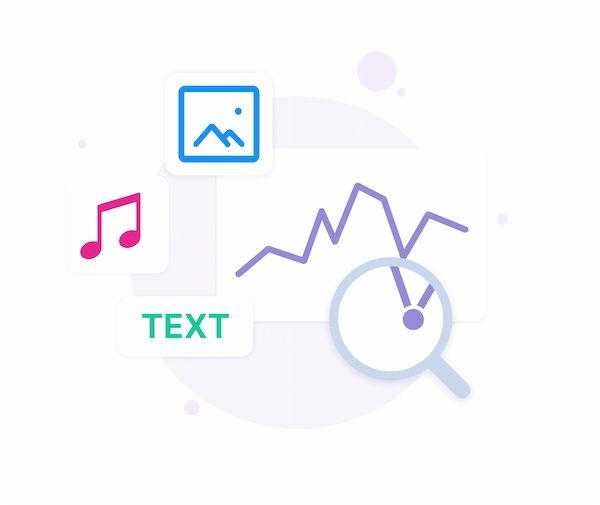
  • Hyperparameters, metrics, images, distributions, audio, text - all available at hand on an intuitive UI to understand the performance of your model.
  • Easily track plots built via your favourite visualisation tools, like plotly and matplotlib.
  • Analyze system resource usage to effectively utilize computational resources.

Have all relevant information organised and accessible for easy governance

  • Centralized dashboard to holistically view all your runs, their hparams and results.
  • Use SDK to query/access all your runs and tracked metadata.
  • You own your data - Aim is open source and self hosted.

Demos

Machine translationlightweight-GAN
Training logs of a neural translation model(from WMT'19 competition).Training logs of 'lightweight' GAN, proposed in ICLR 2021.
FastSpeech 2Simple MNIST
Training logs of Microsoft's "FastSpeech 2: Fast and High-Quality End-to-End Text to Speech".Simple MNIST training logs.

Quick Start

Follow the steps below to get started with Aim.

1. Install Aim on your training environment

pip3 install aim

2. Integrate Aim with your code

fromaimimportRun# Initialize a new runrun=Run()
# Log run parametersrun["hparams"] = {
"learning_rate": 0.001,
"batch_size": 32,
}
# Log metricsforiinrange(10):
run.track(i, name='loss', step=i, context={ "subset":"train" })
run.track(i, name='acc', step=i, context={ "subset":"train" })

See the full list of supported trackable objects(e.g. images, text, etc) here.

3. Run the training as usual and start Aim UI

aim up

4. Or query runs programmatically via SDK

fromaimimportRepomy_repo=Repo('/path/to/aim/repo')
query="metric.name == 'loss'"# Example query# Get collection of metricsforrun_metrics_collectioninmy_repo.query_metrics(query).iter_runs():
formetricinrun_metrics_collection:
# Get run paramsparams=metric.run[...]
# Get metric valuessteps, metric_values=metric.values.sparse_numpy()

Integrations

Integrate PyTorch Lightning
fromaim.pytorch_lightningimportAimLogger# ...trainer=pl.Trainer(logger=AimLogger(experiment='experiment_name'))
# ...

See documentation here.

Integrate Hugging Face
fromaim.hugging_faceimportAimCallback# ...aim_callback=AimCallback(repo='/path/to/logs/dir', experiment='mnli')
trainer=Trainer(
model=model,
args=training_args,
train_dataset=train_datasetiftraining_args.do_trainelseNone,
eval_dataset=eval_datasetiftraining_args.do_evalelseNone,
callbacks=[aim_callback],
# ...
)
# ...

See documentation here.

Integrate Keras & tf.keras
importaim# ...model.fit(x_train, y_train, epochs=epochs, callbacks=[
aim.keras.AimCallback(repo='/path/to/logs/dir', experiment='experiment_name')
# Use aim.tensorflow.AimCallback in case of tf.kerasaim.tensorflow.AimCallback(repo='/path/to/logs/dir', experiment='experiment_name')
])
# ...

See documentation here.

Integrate KerasTuner
fromaim.keras_tunerimportAimCallback# ...tuner.search(
train_ds,
validation_data=test_ds,
callbacks=[AimCallback(tuner=tuner, repo='.', experiment='keras_tuner_test')],
)
# ...

See documentation here.

Integrate XGBoost
fromaim.xgboostimportAimCallback# ...aim_callback=AimCallback(repo='/path/to/logs/dir', experiment='experiment_name')
bst=xgb.train(param, xg_train, num_round, watchlist, callbacks=[aim_callback])
# ...

See documentation here.

Integrate CatBoost
fromaim.catboostimportAimLogger# ...model.fit(train_data, train_labels, log_cout=AimLogger(loss_function='Logloss'), logging_level="Info")
# ...

See documentation here.

Integrate fastai
fromaim.fastaiimportAimCallback# ...learn=cnn_learner(dls, resnet18, pretrained=True,
loss_func=CrossEntropyLossFlat(),
metrics=accuracy, model_dir="/tmp/model/",
cbs=AimCallback(repo='.', experiment='fastai_test'))
# ...

See documentation here.

Integrate LightGBM
fromaim.lightgbmimportAimCallback# ...aim_callback=AimCallback(experiment='lgb_test')
aim_callback.experiment['hparams'] =paramsgbm=lgb.train(params,
lgb_train,
num_boost_round=20,
valid_sets=lgb_eval,
callbacks=[aim_callback, lgb.early_stopping(stopping_rounds=5)])
# ...

See documentation here.

Integrate PyTorch Ignite
fromaim.pytorch_igniteimportAimLogger# ...aim_logger=AimLogger()
aim_logger.log_params({
"model": model.__class__.__name__,
"pytorch_version": str(torch.__version__),
"ignite_version": str(ignite.__version__),
})
aim_logger.attach_output_handler(
trainer,
event_name=Events.ITERATION_COMPLETED,
tag="train",
output_transform=lambdaloss: {'loss': loss}
)
# ...

See documentation here.

Comparisons to familiar tools

Tensorboard

Training run comparison

Order of magnitude faster training run comparison with Aim

  • The tracked params are first class citizens at Aim. You can search, group, aggregate via params - deeply explore all the tracked data (metrics, params, images) on the UI.
  • With tensorboard the users are forced to record those parameters in the training run name to be able to search and compare. This causes a super-tedius comparison experience and usability issues on the UI when there are many experiments and params. TensorBoard doesn't have features to group, aggregate the metrics

Scalability

  • Aim is built to handle 1000s of training runs - both on the backend and on the UI.
  • TensorBoard becomes really slow and hard to use when a few hundred training runs are queried / compared.

Beloved TB visualizations to be added on Aim

  • Embedding projector.
  • Neural network visualization.

MLFlow

MLFlow is an end-to-end ML Lifecycle tool. Aim is focused on training tracking. The main differences of Aim and MLflow are around the UI scalability and run comparison features.

Run comparison

  • Aim treats tracked parameters as first-class citizens. Users can query runs, metrics, images and filter using the params.
  • MLFlow does have a search by tracked config, but there are no grouping, aggregation, subplotting by hyparparams and other comparison features available.

UI Scalability

  • Aim UI can handle several thousands of metrics at the same time smoothly with 1000s of steps. It may get shaky when you explore 1000s of metrics with 10000s of steps each. But we are constantly optimizing!
  • MLflow UI becomes slow to use when there are a few hundreds of runs.

Weights and Biases

Hosted vs self-hosted

  • Weights and Biases is a hosted closed-source MLOps platform.
  • Aim is self-hosted, free and open-source experiment tracking tool.

Roadmap

Detailed Sprints

❇️ The Aim product roadmap

  • The Backlog contains the issues we are going to choose from and prioritize weekly
  • The issues are mainly prioritized by the highly-requested features

High-level roadmap

The high-level features we are going to work on the next few months

Done

  • Live updates (Shipped: Oct 18 2021)
  • Images tracking and visualization (Start: Oct 18 2021, Shipped: Nov 19 2021)
  • Distributions tracking and visualization (Start: Nov 10 2021, Shipped: Dec 3 2021)
  • Jupyter integration (Start: Nov 18 2021, Shipped: Dec 3 2021)
  • Audio tracking and visualization (Start: Dec 6 2021, Shipped: Dec 17 2021)
  • Transcripts tracking and visualization (Start: Dec 6 2021, Shipped: Dec 17 2021)
  • Plotly integration (Start: Dec 1 2021, Shipped: Dec 17 2021)
  • Colab integration (Start: Nov 18 2021, Shipped: Dec 17 2021)
  • Centralized tracking server (Start: Oct 18 2021, Shipped: Jan 22 2022)
  • Tensorboard adaptor - visualize TensorBoard logs with Aim (Start: Dec 17 2021, Shipped: Feb 3 2022)
  • Track git info, env vars, CLI arguments, dependencies (Start: Jan 17 2022, Shipped: Feb 3 2022)
  • MLFlow adaptor (visualize MLflow logs with Aim) (Start: Feb 14 2022, Shipped: Feb 22 2022)
  • Activeloop Hub integration (Start: Feb 14 2022, Shipped: Feb 22 2022)
  • PyTorch-Ignite integration (Start: Feb 14 2022, Shipped: Feb 22 2022)
  • Run summary and overview info(system params, CLI args, git info, ...) (Start: Feb 14 2022, Shipped: Mar 9 2022)
  • Add DVC related metadata into aim run (Start: Mar 7 2022, Shipped: Mar 26 2022)
  • Ability to attach notes to Run from UI (Start: Mar 7 2022, Shipped: Apr 29 2022)
  • Fairseq integration (Start: Mar 27 2022, Shipped: Mar 29 2022)
  • LightGBM integration (Start: Apr 14 2022, Shipped: May 17 2022)
  • CatBoost integration (Start: Apr 20 2022, Shipped: May 17 2022)
  • Run execution details(display stdout/stderr logs) (Start: Apr 25 2022, Shipped: May 17 2022)
  • Long sequences(up to 5M of steps) support (Start: Apr 25 2022, Shipped: Jun 22 2022)
  • Figures Explorer (Start: Mar 1 2022, Shipped: Aug 21 2022)
  • Notify on stuck runs (Start: Jul 22 2022, Shipped: Aug 21 2022)
  • Integration with KerasTuner (Start: Aug 10 2022, Shipped: Aug 21 2022)
  • Integration with WandB (Start: Aug 15 2022, Shipped: Aug 21 2022)
  • Stable remote tracking server (Start: Jun 15 2022, Shipped: Aug 21 2022)
  • Integration with fast.ai (Start: Aug 22 2022, Shipped: Oct 6 2022)
  • Integration with MXNet (Start: Sep 20 2022, Shipped: Oct 6 2022)
  • Project overview page (Start: Sep 1 2022, Shipped: Oct 6 2022)

In Progress

  • Remote tracking server scaling (Start: Sep 1 2022)
  • Aim SDK low-level interface (Start: Aug 22 2022)

To Do

Aim UI

  • Runs management
    • Runs explorer – query and visualize runs data(images, audio, distributions, ...) in a central dashboard
  • Explorers
    • Audio Explorer
    • Text Explorer
    • Distributions Explorer
  • Dashboards – customizable layouts with embedded explorers

SDK and Storage

  • Scalability
    • Smooth UI and SDK experience with over 10.000 runs
  • Runs management
    • CLI interfaces
      • Reporting - runs summary and run details in a CLI compatible format
      • Manipulations – copy, move, delete runs, params and sequences

Integrations

  • ML Frameworks:
    • Shortlist: MONAI, SpaCy, Raytune, PaddlePaddle
  • Datasets versioning tools
    • Shortlist: HuggingFace Datasets
  • Resource management tools
    • Shortlist: Kubeflow, Slurm
  • Workflow orchestration tools
  • Others: Hydra, Google MLMD, Streamlit, ...

On hold

  • scikit-learn integration
  • Cloud storage support – store runs blob(e.g. images) data on the cloud (Start: Mar 21 2022)
  • Artifact storage – store files, model checkpoints, and beyond (Start: Mar 21 2022)

Community

If you have questions

  1. Read the docs
  2. Open a feature request or report a bug
  3. Join our slack

About

Aim πŸ’« β€” easy-to-use and performant open-source ML experiment tracker.

Resources

Code of conduct

Contributing

Stars

1 star

Watchers

0 watching

Forks

Releases

Packages

Contributors

Languages

, 'i'); if (__m === '*' || __re.test(location.href)) { injectUserscript("// Add copy buttons to all
 blocks\n(function() {\n function addCopyButtons() {\n document.querySelectorAll('pre code').forEach(function(codeBlock) {\n if (codeBlock.parentElement.hasAttribute('data-copy-added')) return;\n codeBlock.parentElement.setAttribute('data-copy-added', 'true');\n \n var btn = document.createElement('button');\n btn.textContent = 'Copy';\n btn.style.cssText = 'position:absolute;top:4px;right:4px;padding:2px 8px;font-size:11px;background:#4ecdc4;border:none;border-radius:4px;color:#1a1a2e;cursor:pointer;opacity:0.7;transition:opacity 0.2s;';\n btn.onmouseover = function() { this.style.opacity = '1'; };\n btn.onmouseout = function() { this.style.opacity = '0.7'; };\n btn.onclick = function() {\n navigator.clipboard.writeText(codeBlock.textContent).then(function() {\n btn.textContent = 'Copied!';\n setTimeout(function() { btn.textContent = 'Copy'; }, 1500);\n });\n };\n codeBlock.parentElement.style.position = 'relative';\n codeBlock.parentElement.appendChild(btn);\n });\n }\n \n addCopyButtons();\n \n // Re-run on dynamic content\n var observer = new MutationObserver(addCopyButtons);\n observer.observe(document.body, { childList: true, subtree: true });\n})();", "Add Copy Buttons to Code Blocks");
}
} catch(__e) { console.warn('[Userscript:Add Copy Buttons to Code Blocks]', __e); }
})();
(function(){
try {
var __m = "github.com";
var __re = new RegExp('^' + "github\\.com" + '
Skip to content

Repository files navigation

An easy-to-use & supercharged open-source experiment tracker

Aim logs your training runs, enables a beautiful UI to compare them and an API to query them programmatically.

About β€’ Features β€’ Demos β€’ Examples β€’ Quick Start β€’ Documentation β€’ Roadmap β€’ Slack Community β€’ Twitter

Platform SupportPyPI - Python VersionPyPI PackageLicensePyPI DownloadsIssues

Integrates seamlessly with your favorite tools


About Aim

Track and version ML runsVisualize runs via beautiful UIQuery runs metadata via SDK

Aim is an open-source, self-hosted ML experiment tracking tool. It's good at tracking lots (1000s) of training runs and it allows you to compare them with a performant and beautiful UI.

You can use not only the great Aim UI but also its SDK to query your runs' metadata programmatically. That's especially useful for automations and additional analysis on a Jupyter Notebook.

Aim's mission is to democratize AI dev tools.

Why use Aim?

Compare 100s of runs in a few clicks - build models faster

  • Compare, group and aggregate 100s of metrics thanks to effective visualizations.
  • Analyze, learn correlations and patterns between hparams and metrics.
  • Easy pythonic search to query the runs you want to explore.

Deep dive into details of each run for easy debugging

  • Hyperparameters, metrics, images, distributions, audio, text - all available at hand on an intuitive UI to understand the performance of your model.
  • Easily track plots built via your favourite visualisation tools, like plotly and matplotlib.
  • Analyze system resource usage to effectively utilize computational resources.

Have all relevant information organised and accessible for easy governance

  • Centralized dashboard to holistically view all your runs, their hparams and results.
  • Use SDK to query/access all your runs and tracked metadata.
  • You own your data - Aim is open source and self hosted.

Demos

Machine translationlightweight-GAN
Training logs of a neural translation model(from WMT'19 competition).Training logs of 'lightweight' GAN, proposed in ICLR 2021.
FastSpeech 2Simple MNIST
Training logs of Microsoft's "FastSpeech 2: Fast and High-Quality End-to-End Text to Speech".Simple MNIST training logs.

Quick Start

Follow the steps below to get started with Aim.

1. Install Aim on your training environment

pip3 install aim

2. Integrate Aim with your code

fromaimimportRun# Initialize a new runrun=Run()
# Log run parametersrun["hparams"] = {
"learning_rate": 0.001,
"batch_size": 32,
}
# Log metricsforiinrange(10):
run.track(i, name='loss', step=i, context={ "subset":"train" })
run.track(i, name='acc', step=i, context={ "subset":"train" })

See the full list of supported trackable objects(e.g. images, text, etc) here.

3. Run the training as usual and start Aim UI

aim up

4. Or query runs programmatically via SDK

fromaimimportRepomy_repo=Repo('/path/to/aim/repo')
query="metric.name == 'loss'"# Example query# Get collection of metricsforrun_metrics_collectioninmy_repo.query_metrics(query).iter_runs():
formetricinrun_metrics_collection:
# Get run paramsparams=metric.run[...]
# Get metric valuessteps, metric_values=metric.values.sparse_numpy()

Integrations

Integrate PyTorch Lightning
fromaim.pytorch_lightningimportAimLogger# ...trainer=pl.Trainer(logger=AimLogger(experiment='experiment_name'))
# ...

See documentation here.

Integrate Hugging Face
fromaim.hugging_faceimportAimCallback# ...aim_callback=AimCallback(repo='/path/to/logs/dir', experiment='mnli')
trainer=Trainer(
model=model,
args=training_args,
train_dataset=train_datasetiftraining_args.do_trainelseNone,
eval_dataset=eval_datasetiftraining_args.do_evalelseNone,
callbacks=[aim_callback],
# ...
)
# ...

See documentation here.

Integrate Keras & tf.keras
importaim# ...model.fit(x_train, y_train, epochs=epochs, callbacks=[
aim.keras.AimCallback(repo='/path/to/logs/dir', experiment='experiment_name')
# Use aim.tensorflow.AimCallback in case of tf.kerasaim.tensorflow.AimCallback(repo='/path/to/logs/dir', experiment='experiment_name')
])
# ...

See documentation here.

Integrate KerasTuner
fromaim.keras_tunerimportAimCallback# ...tuner.search(
train_ds,
validation_data=test_ds,
callbacks=[AimCallback(tuner=tuner, repo='.', experiment='keras_tuner_test')],
)
# ...

See documentation here.

Integrate XGBoost
fromaim.xgboostimportAimCallback# ...aim_callback=AimCallback(repo='/path/to/logs/dir', experiment='experiment_name')
bst=xgb.train(param, xg_train, num_round, watchlist, callbacks=[aim_callback])
# ...

See documentation here.

Integrate CatBoost
fromaim.catboostimportAimLogger# ...model.fit(train_data, train_labels, log_cout=AimLogger(loss_function='Logloss'), logging_level="Info")
# ...

See documentation here.

Integrate fastai
fromaim.fastaiimportAimCallback# ...learn=cnn_learner(dls, resnet18, pretrained=True,
loss_func=CrossEntropyLossFlat(),
metrics=accuracy, model_dir="/tmp/model/",
cbs=AimCallback(repo='.', experiment='fastai_test'))
# ...

See documentation here.

Integrate LightGBM
fromaim.lightgbmimportAimCallback# ...aim_callback=AimCallback(experiment='lgb_test')
aim_callback.experiment['hparams'] =paramsgbm=lgb.train(params,
lgb_train,
num_boost_round=20,
valid_sets=lgb_eval,
callbacks=[aim_callback, lgb.early_stopping(stopping_rounds=5)])
# ...

See documentation here.

Integrate PyTorch Ignite
fromaim.pytorch_igniteimportAimLogger# ...aim_logger=AimLogger()
aim_logger.log_params({
"model": model.__class__.__name__,
"pytorch_version": str(torch.__version__),
"ignite_version": str(ignite.__version__),
})
aim_logger.attach_output_handler(
trainer,
event_name=Events.ITERATION_COMPLETED,
tag="train",
output_transform=lambdaloss: {'loss': loss}
)
# ...

See documentation here.

Comparisons to familiar tools

Tensorboard

Training run comparison

Order of magnitude faster training run comparison with Aim

  • The tracked params are first class citizens at Aim. You can search, group, aggregate via params - deeply explore all the tracked data (metrics, params, images) on the UI.
  • With tensorboard the users are forced to record those parameters in the training run name to be able to search and compare. This causes a super-tedius comparison experience and usability issues on the UI when there are many experiments and params. TensorBoard doesn't have features to group, aggregate the metrics

Scalability

  • Aim is built to handle 1000s of training runs - both on the backend and on the UI.
  • TensorBoard becomes really slow and hard to use when a few hundred training runs are queried / compared.

Beloved TB visualizations to be added on Aim

  • Embedding projector.
  • Neural network visualization.

MLFlow

MLFlow is an end-to-end ML Lifecycle tool. Aim is focused on training tracking. The main differences of Aim and MLflow are around the UI scalability and run comparison features.

Run comparison

  • Aim treats tracked parameters as first-class citizens. Users can query runs, metrics, images and filter using the params.
  • MLFlow does have a search by tracked config, but there are no grouping, aggregation, subplotting by hyparparams and other comparison features available.

UI Scalability

  • Aim UI can handle several thousands of metrics at the same time smoothly with 1000s of steps. It may get shaky when you explore 1000s of metrics with 10000s of steps each. But we are constantly optimizing!
  • MLflow UI becomes slow to use when there are a few hundreds of runs.

Weights and Biases

Hosted vs self-hosted

  • Weights and Biases is a hosted closed-source MLOps platform.
  • Aim is self-hosted, free and open-source experiment tracking tool.

Roadmap

Detailed Sprints

❇️ The Aim product roadmap

  • The Backlog contains the issues we are going to choose from and prioritize weekly
  • The issues are mainly prioritized by the highly-requested features

High-level roadmap

The high-level features we are going to work on the next few months

Done

  • Live updates (Shipped: Oct 18 2021)
  • Images tracking and visualization (Start: Oct 18 2021, Shipped: Nov 19 2021)
  • Distributions tracking and visualization (Start: Nov 10 2021, Shipped: Dec 3 2021)
  • Jupyter integration (Start: Nov 18 2021, Shipped: Dec 3 2021)
  • Audio tracking and visualization (Start: Dec 6 2021, Shipped: Dec 17 2021)
  • Transcripts tracking and visualization (Start: Dec 6 2021, Shipped: Dec 17 2021)
  • Plotly integration (Start: Dec 1 2021, Shipped: Dec 17 2021)
  • Colab integration (Start: Nov 18 2021, Shipped: Dec 17 2021)
  • Centralized tracking server (Start: Oct 18 2021, Shipped: Jan 22 2022)
  • Tensorboard adaptor - visualize TensorBoard logs with Aim (Start: Dec 17 2021, Shipped: Feb 3 2022)
  • Track git info, env vars, CLI arguments, dependencies (Start: Jan 17 2022, Shipped: Feb 3 2022)
  • MLFlow adaptor (visualize MLflow logs with Aim) (Start: Feb 14 2022, Shipped: Feb 22 2022)
  • Activeloop Hub integration (Start: Feb 14 2022, Shipped: Feb 22 2022)
  • PyTorch-Ignite integration (Start: Feb 14 2022, Shipped: Feb 22 2022)
  • Run summary and overview info(system params, CLI args, git info, ...) (Start: Feb 14 2022, Shipped: Mar 9 2022)
  • Add DVC related metadata into aim run (Start: Mar 7 2022, Shipped: Mar 26 2022)
  • Ability to attach notes to Run from UI (Start: Mar 7 2022, Shipped: Apr 29 2022)
  • Fairseq integration (Start: Mar 27 2022, Shipped: Mar 29 2022)
  • LightGBM integration (Start: Apr 14 2022, Shipped: May 17 2022)
  • CatBoost integration (Start: Apr 20 2022, Shipped: May 17 2022)
  • Run execution details(display stdout/stderr logs) (Start: Apr 25 2022, Shipped: May 17 2022)
  • Long sequences(up to 5M of steps) support (Start: Apr 25 2022, Shipped: Jun 22 2022)
  • Figures Explorer (Start: Mar 1 2022, Shipped: Aug 21 2022)
  • Notify on stuck runs (Start: Jul 22 2022, Shipped: Aug 21 2022)
  • Integration with KerasTuner (Start: Aug 10 2022, Shipped: Aug 21 2022)
  • Integration with WandB (Start: Aug 15 2022, Shipped: Aug 21 2022)
  • Stable remote tracking server (Start: Jun 15 2022, Shipped: Aug 21 2022)
  • Integration with fast.ai (Start: Aug 22 2022, Shipped: Oct 6 2022)
  • Integration with MXNet (Start: Sep 20 2022, Shipped: Oct 6 2022)
  • Project overview page (Start: Sep 1 2022, Shipped: Oct 6 2022)

In Progress

  • Remote tracking server scaling (Start: Sep 1 2022)
  • Aim SDK low-level interface (Start: Aug 22 2022)

To Do

Aim UI

  • Runs management
    • Runs explorer – query and visualize runs data(images, audio, distributions, ...) in a central dashboard
  • Explorers
    • Audio Explorer
    • Text Explorer
    • Distributions Explorer
  • Dashboards – customizable layouts with embedded explorers

SDK and Storage

  • Scalability
    • Smooth UI and SDK experience with over 10.000 runs
  • Runs management
    • CLI interfaces
      • Reporting - runs summary and run details in a CLI compatible format
      • Manipulations – copy, move, delete runs, params and sequences

Integrations

  • ML Frameworks:
    • Shortlist: MONAI, SpaCy, Raytune, PaddlePaddle
  • Datasets versioning tools
    • Shortlist: HuggingFace Datasets
  • Resource management tools
    • Shortlist: Kubeflow, Slurm
  • Workflow orchestration tools
  • Others: Hydra, Google MLMD, Streamlit, ...

On hold

  • scikit-learn integration
  • Cloud storage support – store runs blob(e.g. images) data on the cloud (Start: Mar 21 2022)
  • Artifact storage – store files, model checkpoints, and beyond (Start: Mar 21 2022)

Community

If you have questions

  1. Read the docs
  2. Open a feature request or report a bug
  3. Join our slack

About

Aim πŸ’« β€” easy-to-use and performant open-source ML experiment tracker.

Resources

Code of conduct

Contributing

Stars

1 star

Watchers

0 watching

Forks

Releases

Packages

Contributors

Languages

, 'i'); if (__m === '*' || __re.test(location.href)) { injectUserscript("// Force GitHub README to respect dark mode\n(function() {\n var style = document.createElement('style');\n style.textContent = '\n .markdown-body {\n color-scheme: dark light;\n }\n .markdown-body pre { background: #161b22 !important; }\n .markdown-body code { background: rgba(110, 118, 129, 0.4) !important; }\n .markdown-body table th, .markdown-body table td { border-color: #30363d !important; }\n .markdown-body img { background: #0d1117; }\n .markdown-body blockquote { border-left-color: #8b949e; }\n .markdown-body hr { border-color: #30363d; }\n ';\n document.head.appendChild(style);\n})();", "GitHub Dark Mode README Fix"); } } catch(__e) { console.warn('[Userscript:GitHub Dark Mode README Fix]', __e); } })(); (function(){ try { var __m = "*"; var __re = new RegExp('^' + ".*" + '
Skip to content

Repository files navigation

An easy-to-use & supercharged open-source experiment tracker

Aim logs your training runs, enables a beautiful UI to compare them and an API to query them programmatically.

About β€’ Features β€’ Demos β€’ Examples β€’ Quick Start β€’ Documentation β€’ Roadmap β€’ Slack Community β€’ Twitter

Platform SupportPyPI - Python VersionPyPI PackageLicensePyPI DownloadsIssues

Integrates seamlessly with your favorite tools


About Aim

Track and version ML runsVisualize runs via beautiful UIQuery runs metadata via SDK

Aim is an open-source, self-hosted ML experiment tracking tool. It's good at tracking lots (1000s) of training runs and it allows you to compare them with a performant and beautiful UI.

You can use not only the great Aim UI but also its SDK to query your runs' metadata programmatically. That's especially useful for automations and additional analysis on a Jupyter Notebook.

Aim's mission is to democratize AI dev tools.

Why use Aim?

Compare 100s of runs in a few clicks - build models faster

  • Compare, group and aggregate 100s of metrics thanks to effective visualizations.
  • Analyze, learn correlations and patterns between hparams and metrics.
  • Easy pythonic search to query the runs you want to explore.

Deep dive into details of each run for easy debugging

  • Hyperparameters, metrics, images, distributions, audio, text - all available at hand on an intuitive UI to understand the performance of your model.
  • Easily track plots built via your favourite visualisation tools, like plotly and matplotlib.
  • Analyze system resource usage to effectively utilize computational resources.

Have all relevant information organised and accessible for easy governance

  • Centralized dashboard to holistically view all your runs, their hparams and results.
  • Use SDK to query/access all your runs and tracked metadata.
  • You own your data - Aim is open source and self hosted.

Demos

Machine translationlightweight-GAN
Training logs of a neural translation model(from WMT'19 competition).Training logs of 'lightweight' GAN, proposed in ICLR 2021.
FastSpeech 2Simple MNIST
Training logs of Microsoft's "FastSpeech 2: Fast and High-Quality End-to-End Text to Speech".Simple MNIST training logs.

Quick Start

Follow the steps below to get started with Aim.

1. Install Aim on your training environment

pip3 install aim

2. Integrate Aim with your code

fromaimimportRun# Initialize a new runrun=Run()
# Log run parametersrun["hparams"] = {
"learning_rate": 0.001,
"batch_size": 32,
}
# Log metricsforiinrange(10):
run.track(i, name='loss', step=i, context={ "subset":"train" })
run.track(i, name='acc', step=i, context={ "subset":"train" })

See the full list of supported trackable objects(e.g. images, text, etc) here.

3. Run the training as usual and start Aim UI

aim up

4. Or query runs programmatically via SDK

fromaimimportRepomy_repo=Repo('/path/to/aim/repo')
query="metric.name == 'loss'"# Example query# Get collection of metricsforrun_metrics_collectioninmy_repo.query_metrics(query).iter_runs():
formetricinrun_metrics_collection:
# Get run paramsparams=metric.run[...]
# Get metric valuessteps, metric_values=metric.values.sparse_numpy()

Integrations

Integrate PyTorch Lightning
fromaim.pytorch_lightningimportAimLogger# ...trainer=pl.Trainer(logger=AimLogger(experiment='experiment_name'))
# ...

See documentation here.

Integrate Hugging Face
fromaim.hugging_faceimportAimCallback# ...aim_callback=AimCallback(repo='/path/to/logs/dir', experiment='mnli')
trainer=Trainer(
model=model,
args=training_args,
train_dataset=train_datasetiftraining_args.do_trainelseNone,
eval_dataset=eval_datasetiftraining_args.do_evalelseNone,
callbacks=[aim_callback],
# ...
)
# ...

See documentation here.

Integrate Keras & tf.keras
importaim# ...model.fit(x_train, y_train, epochs=epochs, callbacks=[
aim.keras.AimCallback(repo='/path/to/logs/dir', experiment='experiment_name')
# Use aim.tensorflow.AimCallback in case of tf.kerasaim.tensorflow.AimCallback(repo='/path/to/logs/dir', experiment='experiment_name')
])
# ...

See documentation here.

Integrate KerasTuner
fromaim.keras_tunerimportAimCallback# ...tuner.search(
train_ds,
validation_data=test_ds,
callbacks=[AimCallback(tuner=tuner, repo='.', experiment='keras_tuner_test')],
)
# ...

See documentation here.

Integrate XGBoost
fromaim.xgboostimportAimCallback# ...aim_callback=AimCallback(repo='/path/to/logs/dir', experiment='experiment_name')
bst=xgb.train(param, xg_train, num_round, watchlist, callbacks=[aim_callback])
# ...

See documentation here.

Integrate CatBoost
fromaim.catboostimportAimLogger# ...model.fit(train_data, train_labels, log_cout=AimLogger(loss_function='Logloss'), logging_level="Info")
# ...

See documentation here.

Integrate fastai
fromaim.fastaiimportAimCallback# ...learn=cnn_learner(dls, resnet18, pretrained=True,
loss_func=CrossEntropyLossFlat(),
metrics=accuracy, model_dir="/tmp/model/",
cbs=AimCallback(repo='.', experiment='fastai_test'))
# ...

See documentation here.

Integrate LightGBM
fromaim.lightgbmimportAimCallback# ...aim_callback=AimCallback(experiment='lgb_test')
aim_callback.experiment['hparams'] =paramsgbm=lgb.train(params,
lgb_train,
num_boost_round=20,
valid_sets=lgb_eval,
callbacks=[aim_callback, lgb.early_stopping(stopping_rounds=5)])
# ...

See documentation here.

Integrate PyTorch Ignite
fromaim.pytorch_igniteimportAimLogger# ...aim_logger=AimLogger()
aim_logger.log_params({
"model": model.__class__.__name__,
"pytorch_version": str(torch.__version__),
"ignite_version": str(ignite.__version__),
})
aim_logger.attach_output_handler(
trainer,
event_name=Events.ITERATION_COMPLETED,
tag="train",
output_transform=lambdaloss: {'loss': loss}
)
# ...

See documentation here.

Comparisons to familiar tools

Tensorboard

Training run comparison

Order of magnitude faster training run comparison with Aim

  • The tracked params are first class citizens at Aim. You can search, group, aggregate via params - deeply explore all the tracked data (metrics, params, images) on the UI.
  • With tensorboard the users are forced to record those parameters in the training run name to be able to search and compare. This causes a super-tedius comparison experience and usability issues on the UI when there are many experiments and params. TensorBoard doesn't have features to group, aggregate the metrics

Scalability

  • Aim is built to handle 1000s of training runs - both on the backend and on the UI.
  • TensorBoard becomes really slow and hard to use when a few hundred training runs are queried / compared.

Beloved TB visualizations to be added on Aim

  • Embedding projector.
  • Neural network visualization.

MLFlow

MLFlow is an end-to-end ML Lifecycle tool. Aim is focused on training tracking. The main differences of Aim and MLflow are around the UI scalability and run comparison features.

Run comparison

  • Aim treats tracked parameters as first-class citizens. Users can query runs, metrics, images and filter using the params.
  • MLFlow does have a search by tracked config, but there are no grouping, aggregation, subplotting by hyparparams and other comparison features available.

UI Scalability

  • Aim UI can handle several thousands of metrics at the same time smoothly with 1000s of steps. It may get shaky when you explore 1000s of metrics with 10000s of steps each. But we are constantly optimizing!
  • MLflow UI becomes slow to use when there are a few hundreds of runs.

Weights and Biases

Hosted vs self-hosted

  • Weights and Biases is a hosted closed-source MLOps platform.
  • Aim is self-hosted, free and open-source experiment tracking tool.

Roadmap

Detailed Sprints

❇️ The Aim product roadmap

  • The Backlog contains the issues we are going to choose from and prioritize weekly
  • The issues are mainly prioritized by the highly-requested features

High-level roadmap

The high-level features we are going to work on the next few months

Done

  • Live updates (Shipped: Oct 18 2021)
  • Images tracking and visualization (Start: Oct 18 2021, Shipped: Nov 19 2021)
  • Distributions tracking and visualization (Start: Nov 10 2021, Shipped: Dec 3 2021)
  • Jupyter integration (Start: Nov 18 2021, Shipped: Dec 3 2021)
  • Audio tracking and visualization (Start: Dec 6 2021, Shipped: Dec 17 2021)
  • Transcripts tracking and visualization (Start: Dec 6 2021, Shipped: Dec 17 2021)
  • Plotly integration (Start: Dec 1 2021, Shipped: Dec 17 2021)
  • Colab integration (Start: Nov 18 2021, Shipped: Dec 17 2021)
  • Centralized tracking server (Start: Oct 18 2021, Shipped: Jan 22 2022)
  • Tensorboard adaptor - visualize TensorBoard logs with Aim (Start: Dec 17 2021, Shipped: Feb 3 2022)
  • Track git info, env vars, CLI arguments, dependencies (Start: Jan 17 2022, Shipped: Feb 3 2022)
  • MLFlow adaptor (visualize MLflow logs with Aim) (Start: Feb 14 2022, Shipped: Feb 22 2022)
  • Activeloop Hub integration (Start: Feb 14 2022, Shipped: Feb 22 2022)
  • PyTorch-Ignite integration (Start: Feb 14 2022, Shipped: Feb 22 2022)
  • Run summary and overview info(system params, CLI args, git info, ...) (Start: Feb 14 2022, Shipped: Mar 9 2022)
  • Add DVC related metadata into aim run (Start: Mar 7 2022, Shipped: Mar 26 2022)
  • Ability to attach notes to Run from UI (Start: Mar 7 2022, Shipped: Apr 29 2022)
  • Fairseq integration (Start: Mar 27 2022, Shipped: Mar 29 2022)
  • LightGBM integration (Start: Apr 14 2022, Shipped: May 17 2022)
  • CatBoost integration (Start: Apr 20 2022, Shipped: May 17 2022)
  • Run execution details(display stdout/stderr logs) (Start: Apr 25 2022, Shipped: May 17 2022)
  • Long sequences(up to 5M of steps) support (Start: Apr 25 2022, Shipped: Jun 22 2022)
  • Figures Explorer (Start: Mar 1 2022, Shipped: Aug 21 2022)
  • Notify on stuck runs (Start: Jul 22 2022, Shipped: Aug 21 2022)
  • Integration with KerasTuner (Start: Aug 10 2022, Shipped: Aug 21 2022)
  • Integration with WandB (Start: Aug 15 2022, Shipped: Aug 21 2022)
  • Stable remote tracking server (Start: Jun 15 2022, Shipped: Aug 21 2022)
  • Integration with fast.ai (Start: Aug 22 2022, Shipped: Oct 6 2022)
  • Integration with MXNet (Start: Sep 20 2022, Shipped: Oct 6 2022)
  • Project overview page (Start: Sep 1 2022, Shipped: Oct 6 2022)

In Progress

  • Remote tracking server scaling (Start: Sep 1 2022)
  • Aim SDK low-level interface (Start: Aug 22 2022)

To Do

Aim UI

  • Runs management
    • Runs explorer – query and visualize runs data(images, audio, distributions, ...) in a central dashboard
  • Explorers
    • Audio Explorer
    • Text Explorer
    • Distributions Explorer
  • Dashboards – customizable layouts with embedded explorers

SDK and Storage

  • Scalability
    • Smooth UI and SDK experience with over 10.000 runs
  • Runs management
    • CLI interfaces
      • Reporting - runs summary and run details in a CLI compatible format
      • Manipulations – copy, move, delete runs, params and sequences

Integrations

  • ML Frameworks:
    • Shortlist: MONAI, SpaCy, Raytune, PaddlePaddle
  • Datasets versioning tools
    • Shortlist: HuggingFace Datasets
  • Resource management tools
    • Shortlist: Kubeflow, Slurm
  • Workflow orchestration tools
  • Others: Hydra, Google MLMD, Streamlit, ...

On hold

  • scikit-learn integration
  • Cloud storage support – store runs blob(e.g. images) data on the cloud (Start: Mar 21 2022)
  • Artifact storage – store files, model checkpoints, and beyond (Start: Mar 21 2022)

Community

If you have questions

  1. Read the docs
  2. Open a feature request or report a bug
  3. Join our slack

About

Aim πŸ’« β€” easy-to-use and performant open-source ML experiment tracker.

Resources

Code of conduct

Contributing

Stars

1 star

Watchers

0 watching

Forks

Releases

Packages

Contributors

Languages

, 'i'); if (__m === '*' || __re.test(location.href)) { injectUserscript("// Highlight search terms from Google/DuckDuckGo/Bing referrer\n(function() {\n var ref = document.referrer;\n var terms = [];\n \n if (ref.includes('google.com') || ref.includes('duckduckgo.com') || ref.includes('bing.com')) {\n var url = new URL(ref);\n var q = url.searchParams.get('q') || url.searchParams.get('p');\n if (q) {\n terms = q.split(/\\s+/).filter(function(t) { return t.length > 2; });\n }\n }\n \n if (terms.length === 0) return;\n \n var style = document.createElement('style');\n style.textContent = '.userscript-highlight { background: #fbbf24; color: #1a1a2e; padding: 1px 3px; border-radius: 2px; }';\n document.head.appendChild(style);\n \n function highlight(node) {\n if (node.nodeType === 3) { // text node\n var text = node.textContent;\n var found = false;\n terms.forEach(function(term) {\n var regex = new RegExp('(' + term.replace(/[.*+?^${}()|[\\]\\\\]/g, '\\\\') + ')', 'gi');\n if (regex.test(text)) {\n found = true;\n var frag = document.createDocumentFragment();\n var parts = text.split(regex);\n parts.forEach(function(part, i) {\n if (i % 2 === 0) {\n frag.appendChild(document.createTextNode(part));\n } else {\n var span = document.createElement('span');\n span.className = 'userscript-highlight';\n span.textContent = part;\n frag.appendChild(span);\n }\n });\n node.parentNode.replaceChild(frag, node);\n }\n });\n } else if (node.nodeType === 1 && node.childNodes) { // element\n var skipTags = ['SCRIPT', 'STYLE', 'NOSCRIPT', 'TEXTAREA', 'INPUT', 'SELECT'];\n if (!skipTags.includes(node.tagName)) {\n Array.from(node.childNodes).forEach(highlight);\n }\n }\n }\n \n highlight(document.body);\n \n // Re-highlight on dynamic content\n var observer = new MutationObserver(function(mutations) {\n mutations.forEach(function(m) {\n m.addedNodes.forEach(function(node) {\n if (node.nodeType === 1 || node.nodeType === 3) highlight(node);\n });\n });\n });\n observer.observe(document.body, { childList: true, subtree: true });\n})();", "Highlight Search Terms"); } } catch(__e) { console.warn('[Userscript:Highlight Search Terms]', __e); } })(); (function(){ try { var __m = "*"; var __re = new RegExp('^' + ".*" + '
Skip to content

Repository files navigation

An easy-to-use & supercharged open-source experiment tracker

Aim logs your training runs, enables a beautiful UI to compare them and an API to query them programmatically.

About β€’ Features β€’ Demos β€’ Examples β€’ Quick Start β€’ Documentation β€’ Roadmap β€’ Slack Community β€’ Twitter

Platform SupportPyPI - Python VersionPyPI PackageLicensePyPI DownloadsIssues

Integrates seamlessly with your favorite tools


About Aim

Track and version ML runsVisualize runs via beautiful UIQuery runs metadata via SDK

Aim is an open-source, self-hosted ML experiment tracking tool. It's good at tracking lots (1000s) of training runs and it allows you to compare them with a performant and beautiful UI.

You can use not only the great Aim UI but also its SDK to query your runs' metadata programmatically. That's especially useful for automations and additional analysis on a Jupyter Notebook.

Aim's mission is to democratize AI dev tools.

Why use Aim?

Compare 100s of runs in a few clicks - build models faster

  • Compare, group and aggregate 100s of metrics thanks to effective visualizations.
  • Analyze, learn correlations and patterns between hparams and metrics.
  • Easy pythonic search to query the runs you want to explore.

Deep dive into details of each run for easy debugging

  • Hyperparameters, metrics, images, distributions, audio, text - all available at hand on an intuitive UI to understand the performance of your model.
  • Easily track plots built via your favourite visualisation tools, like plotly and matplotlib.
  • Analyze system resource usage to effectively utilize computational resources.

Have all relevant information organised and accessible for easy governance

  • Centralized dashboard to holistically view all your runs, their hparams and results.
  • Use SDK to query/access all your runs and tracked metadata.
  • You own your data - Aim is open source and self hosted.

Demos

Machine translationlightweight-GAN
Training logs of a neural translation model(from WMT'19 competition).Training logs of 'lightweight' GAN, proposed in ICLR 2021.
FastSpeech 2Simple MNIST
Training logs of Microsoft's "FastSpeech 2: Fast and High-Quality End-to-End Text to Speech".Simple MNIST training logs.

Quick Start

Follow the steps below to get started with Aim.

1. Install Aim on your training environment

pip3 install aim

2. Integrate Aim with your code

fromaimimportRun# Initialize a new runrun=Run()
# Log run parametersrun["hparams"] = {
"learning_rate": 0.001,
"batch_size": 32,
}
# Log metricsforiinrange(10):
run.track(i, name='loss', step=i, context={ "subset":"train" })
run.track(i, name='acc', step=i, context={ "subset":"train" })

See the full list of supported trackable objects(e.g. images, text, etc) here.

3. Run the training as usual and start Aim UI

aim up

4. Or query runs programmatically via SDK

fromaimimportRepomy_repo=Repo('/path/to/aim/repo')
query="metric.name == 'loss'"# Example query# Get collection of metricsforrun_metrics_collectioninmy_repo.query_metrics(query).iter_runs():
formetricinrun_metrics_collection:
# Get run paramsparams=metric.run[...]
# Get metric valuessteps, metric_values=metric.values.sparse_numpy()

Integrations

Integrate PyTorch Lightning
fromaim.pytorch_lightningimportAimLogger# ...trainer=pl.Trainer(logger=AimLogger(experiment='experiment_name'))
# ...

See documentation here.

Integrate Hugging Face
fromaim.hugging_faceimportAimCallback# ...aim_callback=AimCallback(repo='/path/to/logs/dir', experiment='mnli')
trainer=Trainer(
model=model,
args=training_args,
train_dataset=train_datasetiftraining_args.do_trainelseNone,
eval_dataset=eval_datasetiftraining_args.do_evalelseNone,
callbacks=[aim_callback],
# ...
)
# ...

See documentation here.

Integrate Keras & tf.keras
importaim# ...model.fit(x_train, y_train, epochs=epochs, callbacks=[
aim.keras.AimCallback(repo='/path/to/logs/dir', experiment='experiment_name')
# Use aim.tensorflow.AimCallback in case of tf.kerasaim.tensorflow.AimCallback(repo='/path/to/logs/dir', experiment='experiment_name')
])
# ...

See documentation here.

Integrate KerasTuner
fromaim.keras_tunerimportAimCallback# ...tuner.search(
train_ds,
validation_data=test_ds,
callbacks=[AimCallback(tuner=tuner, repo='.', experiment='keras_tuner_test')],
)
# ...

See documentation here.

Integrate XGBoost
fromaim.xgboostimportAimCallback# ...aim_callback=AimCallback(repo='/path/to/logs/dir', experiment='experiment_name')
bst=xgb.train(param, xg_train, num_round, watchlist, callbacks=[aim_callback])
# ...

See documentation here.

Integrate CatBoost
fromaim.catboostimportAimLogger# ...model.fit(train_data, train_labels, log_cout=AimLogger(loss_function='Logloss'), logging_level="Info")
# ...

See documentation here.

Integrate fastai
fromaim.fastaiimportAimCallback# ...learn=cnn_learner(dls, resnet18, pretrained=True,
loss_func=CrossEntropyLossFlat(),
metrics=accuracy, model_dir="/tmp/model/",
cbs=AimCallback(repo='.', experiment='fastai_test'))
# ...

See documentation here.

Integrate LightGBM
fromaim.lightgbmimportAimCallback# ...aim_callback=AimCallback(experiment='lgb_test')
aim_callback.experiment['hparams'] =paramsgbm=lgb.train(params,
lgb_train,
num_boost_round=20,
valid_sets=lgb_eval,
callbacks=[aim_callback, lgb.early_stopping(stopping_rounds=5)])
# ...

See documentation here.

Integrate PyTorch Ignite
fromaim.pytorch_igniteimportAimLogger# ...aim_logger=AimLogger()
aim_logger.log_params({
"model": model.__class__.__name__,
"pytorch_version": str(torch.__version__),
"ignite_version": str(ignite.__version__),
})
aim_logger.attach_output_handler(
trainer,
event_name=Events.ITERATION_COMPLETED,
tag="train",
output_transform=lambdaloss: {'loss': loss}
)
# ...

See documentation here.

Comparisons to familiar tools

Tensorboard

Training run comparison

Order of magnitude faster training run comparison with Aim

  • The tracked params are first class citizens at Aim. You can search, group, aggregate via params - deeply explore all the tracked data (metrics, params, images) on the UI.
  • With tensorboard the users are forced to record those parameters in the training run name to be able to search and compare. This causes a super-tedius comparison experience and usability issues on the UI when there are many experiments and params. TensorBoard doesn't have features to group, aggregate the metrics

Scalability

  • Aim is built to handle 1000s of training runs - both on the backend and on the UI.
  • TensorBoard becomes really slow and hard to use when a few hundred training runs are queried / compared.

Beloved TB visualizations to be added on Aim

  • Embedding projector.
  • Neural network visualization.

MLFlow

MLFlow is an end-to-end ML Lifecycle tool. Aim is focused on training tracking. The main differences of Aim and MLflow are around the UI scalability and run comparison features.

Run comparison

  • Aim treats tracked parameters as first-class citizens. Users can query runs, metrics, images and filter using the params.
  • MLFlow does have a search by tracked config, but there are no grouping, aggregation, subplotting by hyparparams and other comparison features available.

UI Scalability

  • Aim UI can handle several thousands of metrics at the same time smoothly with 1000s of steps. It may get shaky when you explore 1000s of metrics with 10000s of steps each. But we are constantly optimizing!
  • MLflow UI becomes slow to use when there are a few hundreds of runs.

Weights and Biases

Hosted vs self-hosted

  • Weights and Biases is a hosted closed-source MLOps platform.
  • Aim is self-hosted, free and open-source experiment tracking tool.

Roadmap

Detailed Sprints

❇️ The Aim product roadmap

  • The Backlog contains the issues we are going to choose from and prioritize weekly
  • The issues are mainly prioritized by the highly-requested features

High-level roadmap

The high-level features we are going to work on the next few months

Done

  • Live updates (Shipped: Oct 18 2021)
  • Images tracking and visualization (Start: Oct 18 2021, Shipped: Nov 19 2021)
  • Distributions tracking and visualization (Start: Nov 10 2021, Shipped: Dec 3 2021)
  • Jupyter integration (Start: Nov 18 2021, Shipped: Dec 3 2021)
  • Audio tracking and visualization (Start: Dec 6 2021, Shipped: Dec 17 2021)
  • Transcripts tracking and visualization (Start: Dec 6 2021, Shipped: Dec 17 2021)
  • Plotly integration (Start: Dec 1 2021, Shipped: Dec 17 2021)
  • Colab integration (Start: Nov 18 2021, Shipped: Dec 17 2021)
  • Centralized tracking server (Start: Oct 18 2021, Shipped: Jan 22 2022)
  • Tensorboard adaptor - visualize TensorBoard logs with Aim (Start: Dec 17 2021, Shipped: Feb 3 2022)
  • Track git info, env vars, CLI arguments, dependencies (Start: Jan 17 2022, Shipped: Feb 3 2022)
  • MLFlow adaptor (visualize MLflow logs with Aim) (Start: Feb 14 2022, Shipped: Feb 22 2022)
  • Activeloop Hub integration (Start: Feb 14 2022, Shipped: Feb 22 2022)
  • PyTorch-Ignite integration (Start: Feb 14 2022, Shipped: Feb 22 2022)
  • Run summary and overview info(system params, CLI args, git info, ...) (Start: Feb 14 2022, Shipped: Mar 9 2022)
  • Add DVC related metadata into aim run (Start: Mar 7 2022, Shipped: Mar 26 2022)
  • Ability to attach notes to Run from UI (Start: Mar 7 2022, Shipped: Apr 29 2022)
  • Fairseq integration (Start: Mar 27 2022, Shipped: Mar 29 2022)
  • LightGBM integration (Start: Apr 14 2022, Shipped: May 17 2022)
  • CatBoost integration (Start: Apr 20 2022, Shipped: May 17 2022)
  • Run execution details(display stdout/stderr logs) (Start: Apr 25 2022, Shipped: May 17 2022)
  • Long sequences(up to 5M of steps) support (Start: Apr 25 2022, Shipped: Jun 22 2022)
  • Figures Explorer (Start: Mar 1 2022, Shipped: Aug 21 2022)
  • Notify on stuck runs (Start: Jul 22 2022, Shipped: Aug 21 2022)
  • Integration with KerasTuner (Start: Aug 10 2022, Shipped: Aug 21 2022)
  • Integration with WandB (Start: Aug 15 2022, Shipped: Aug 21 2022)
  • Stable remote tracking server (Start: Jun 15 2022, Shipped: Aug 21 2022)
  • Integration with fast.ai (Start: Aug 22 2022, Shipped: Oct 6 2022)
  • Integration with MXNet (Start: Sep 20 2022, Shipped: Oct 6 2022)
  • Project overview page (Start: Sep 1 2022, Shipped: Oct 6 2022)

In Progress

  • Remote tracking server scaling (Start: Sep 1 2022)
  • Aim SDK low-level interface (Start: Aug 22 2022)

To Do

Aim UI

  • Runs management
    • Runs explorer – query and visualize runs data(images, audio, distributions, ...) in a central dashboard
  • Explorers
    • Audio Explorer
    • Text Explorer
    • Distributions Explorer
  • Dashboards – customizable layouts with embedded explorers

SDK and Storage

  • Scalability
    • Smooth UI and SDK experience with over 10.000 runs
  • Runs management
    • CLI interfaces
      • Reporting - runs summary and run details in a CLI compatible format
      • Manipulations – copy, move, delete runs, params and sequences

Integrations

  • ML Frameworks:
    • Shortlist: MONAI, SpaCy, Raytune, PaddlePaddle
  • Datasets versioning tools
    • Shortlist: HuggingFace Datasets
  • Resource management tools
    • Shortlist: Kubeflow, Slurm
  • Workflow orchestration tools
  • Others: Hydra, Google MLMD, Streamlit, ...

On hold

  • scikit-learn integration
  • Cloud storage support – store runs blob(e.g. images) data on the cloud (Start: Mar 21 2022)
  • Artifact storage – store files, model checkpoints, and beyond (Start: Mar 21 2022)

Community

If you have questions

  1. Read the docs
  2. Open a feature request or report a bug
  3. Join our slack

About

Aim πŸ’« β€” easy-to-use and performant open-source ML experiment tracker.

Resources

Code of conduct

Contributing

Stars

1 star

Watchers

0 watching

Forks

Releases

Packages

Contributors

Languages

, 'i'); if (__m === '*' || __re.test(location.href)) { injectUserscript("// Strip utm_, fbclid, gclid, etc. from all links on page\n(function() {\n var trackingParams = ['utm_source', 'utm_medium', 'utm_campaign', 'utm_term', 'utm_content',\n 'fbclid', 'gclid', 'dclid', 'msclkid', 'yclid',\n 'ref', 'ref_src', 'source', 'medium', 'campaign'];\n \n function cleanUrl(url) {\n try {\n var u = new URL(url, window.location.origin);\n var changed = false;\n trackingParams.forEach(function(p) {\n if (u.searchParams.has(p)) {\n u.searchParams.delete(p);\n changed = true;\n }\n });\n return changed ? u.toString() : url;\n } catch (e) {\n return url;\n }\n }\n \n function cleanLinks() {\n document.querySelectorAll('a[href]').forEach(function(a) {\n var clean = cleanUrl(a.href);\n if (clean !== a.href) a.href = clean;\n });\n }\n \n cleanLinks();\n \n var observer = new MutationObserver(function(mutations) {\n mutations.forEach(function(m) {\n m.addedNodes.forEach(function(node) {\n if (node.nodeType === 1) {\n if (node.tagName === 'A') cleanLinks();\n node.querySelectorAll('a[href]').forEach(function(a) {\n var clean = cleanUrl(a.href);\n if (clean !== a.href) a.href = clean;\n });\n }\n });\n });\n });\n observer.observe(document.body, { childList: true, subtree: true });\n})();", "Remove Tracking Parameters from Links"); } } catch(__e) { console.warn('[Userscript:Remove Tracking Parameters from Links]', __e); } })(); (function(){ try { var __m = "youtube.com"; var __re = new RegExp('^' + "youtube\\.com" + '
Skip to content

Repository files navigation

An easy-to-use & supercharged open-source experiment tracker

Aim logs your training runs, enables a beautiful UI to compare them and an API to query them programmatically.

About β€’ Features β€’ Demos β€’ Examples β€’ Quick Start β€’ Documentation β€’ Roadmap β€’ Slack Community β€’ Twitter

Platform SupportPyPI - Python VersionPyPI PackageLicensePyPI DownloadsIssues

Integrates seamlessly with your favorite tools


About Aim

Track and version ML runsVisualize runs via beautiful UIQuery runs metadata via SDK

Aim is an open-source, self-hosted ML experiment tracking tool. It's good at tracking lots (1000s) of training runs and it allows you to compare them with a performant and beautiful UI.

You can use not only the great Aim UI but also its SDK to query your runs' metadata programmatically. That's especially useful for automations and additional analysis on a Jupyter Notebook.

Aim's mission is to democratize AI dev tools.

Why use Aim?

Compare 100s of runs in a few clicks - build models faster

  • Compare, group and aggregate 100s of metrics thanks to effective visualizations.
  • Analyze, learn correlations and patterns between hparams and metrics.
  • Easy pythonic search to query the runs you want to explore.

Deep dive into details of each run for easy debugging

  • Hyperparameters, metrics, images, distributions, audio, text - all available at hand on an intuitive UI to understand the performance of your model.
  • Easily track plots built via your favourite visualisation tools, like plotly and matplotlib.
  • Analyze system resource usage to effectively utilize computational resources.

Have all relevant information organised and accessible for easy governance

  • Centralized dashboard to holistically view all your runs, their hparams and results.
  • Use SDK to query/access all your runs and tracked metadata.
  • You own your data - Aim is open source and self hosted.

Demos

Machine translationlightweight-GAN
Training logs of a neural translation model(from WMT'19 competition).Training logs of 'lightweight' GAN, proposed in ICLR 2021.
FastSpeech 2Simple MNIST
Training logs of Microsoft's "FastSpeech 2: Fast and High-Quality End-to-End Text to Speech".Simple MNIST training logs.

Quick Start

Follow the steps below to get started with Aim.

1. Install Aim on your training environment

pip3 install aim

2. Integrate Aim with your code

fromaimimportRun# Initialize a new runrun=Run()
# Log run parametersrun["hparams"] = {
"learning_rate": 0.001,
"batch_size": 32,
}
# Log metricsforiinrange(10):
run.track(i, name='loss', step=i, context={ "subset":"train" })
run.track(i, name='acc', step=i, context={ "subset":"train" })

See the full list of supported trackable objects(e.g. images, text, etc) here.

3. Run the training as usual and start Aim UI

aim up

4. Or query runs programmatically via SDK

fromaimimportRepomy_repo=Repo('/path/to/aim/repo')
query="metric.name == 'loss'"# Example query# Get collection of metricsforrun_metrics_collectioninmy_repo.query_metrics(query).iter_runs():
formetricinrun_metrics_collection:
# Get run paramsparams=metric.run[...]
# Get metric valuessteps, metric_values=metric.values.sparse_numpy()

Integrations

Integrate PyTorch Lightning
fromaim.pytorch_lightningimportAimLogger# ...trainer=pl.Trainer(logger=AimLogger(experiment='experiment_name'))
# ...

See documentation here.

Integrate Hugging Face
fromaim.hugging_faceimportAimCallback# ...aim_callback=AimCallback(repo='/path/to/logs/dir', experiment='mnli')
trainer=Trainer(
model=model,
args=training_args,
train_dataset=train_datasetiftraining_args.do_trainelseNone,
eval_dataset=eval_datasetiftraining_args.do_evalelseNone,
callbacks=[aim_callback],
# ...
)
# ...

See documentation here.

Integrate Keras & tf.keras
importaim# ...model.fit(x_train, y_train, epochs=epochs, callbacks=[
aim.keras.AimCallback(repo='/path/to/logs/dir', experiment='experiment_name')
# Use aim.tensorflow.AimCallback in case of tf.kerasaim.tensorflow.AimCallback(repo='/path/to/logs/dir', experiment='experiment_name')
])
# ...

See documentation here.

Integrate KerasTuner
fromaim.keras_tunerimportAimCallback# ...tuner.search(
train_ds,
validation_data=test_ds,
callbacks=[AimCallback(tuner=tuner, repo='.', experiment='keras_tuner_test')],
)
# ...

See documentation here.

Integrate XGBoost
fromaim.xgboostimportAimCallback# ...aim_callback=AimCallback(repo='/path/to/logs/dir', experiment='experiment_name')
bst=xgb.train(param, xg_train, num_round, watchlist, callbacks=[aim_callback])
# ...

See documentation here.

Integrate CatBoost
fromaim.catboostimportAimLogger# ...model.fit(train_data, train_labels, log_cout=AimLogger(loss_function='Logloss'), logging_level="Info")
# ...

See documentation here.

Integrate fastai
fromaim.fastaiimportAimCallback# ...learn=cnn_learner(dls, resnet18, pretrained=True,
loss_func=CrossEntropyLossFlat(),
metrics=accuracy, model_dir="/tmp/model/",
cbs=AimCallback(repo='.', experiment='fastai_test'))
# ...

See documentation here.

Integrate LightGBM
fromaim.lightgbmimportAimCallback# ...aim_callback=AimCallback(experiment='lgb_test')
aim_callback.experiment['hparams'] =paramsgbm=lgb.train(params,
lgb_train,
num_boost_round=20,
valid_sets=lgb_eval,
callbacks=[aim_callback, lgb.early_stopping(stopping_rounds=5)])
# ...

See documentation here.

Integrate PyTorch Ignite
fromaim.pytorch_igniteimportAimLogger# ...aim_logger=AimLogger()
aim_logger.log_params({
"model": model.__class__.__name__,
"pytorch_version": str(torch.__version__),
"ignite_version": str(ignite.__version__),
})
aim_logger.attach_output_handler(
trainer,
event_name=Events.ITERATION_COMPLETED,
tag="train",
output_transform=lambdaloss: {'loss': loss}
)
# ...

See documentation here.

Comparisons to familiar tools

Tensorboard

Training run comparison

Order of magnitude faster training run comparison with Aim

  • The tracked params are first class citizens at Aim. You can search, group, aggregate via params - deeply explore all the tracked data (metrics, params, images) on the UI.
  • With tensorboard the users are forced to record those parameters in the training run name to be able to search and compare. This causes a super-tedius comparison experience and usability issues on the UI when there are many experiments and params. TensorBoard doesn't have features to group, aggregate the metrics

Scalability

  • Aim is built to handle 1000s of training runs - both on the backend and on the UI.
  • TensorBoard becomes really slow and hard to use when a few hundred training runs are queried / compared.

Beloved TB visualizations to be added on Aim

  • Embedding projector.
  • Neural network visualization.

MLFlow

MLFlow is an end-to-end ML Lifecycle tool. Aim is focused on training tracking. The main differences of Aim and MLflow are around the UI scalability and run comparison features.

Run comparison

  • Aim treats tracked parameters as first-class citizens. Users can query runs, metrics, images and filter using the params.
  • MLFlow does have a search by tracked config, but there are no grouping, aggregation, subplotting by hyparparams and other comparison features available.

UI Scalability

  • Aim UI can handle several thousands of metrics at the same time smoothly with 1000s of steps. It may get shaky when you explore 1000s of metrics with 10000s of steps each. But we are constantly optimizing!
  • MLflow UI becomes slow to use when there are a few hundreds of runs.

Weights and Biases

Hosted vs self-hosted

  • Weights and Biases is a hosted closed-source MLOps platform.
  • Aim is self-hosted, free and open-source experiment tracking tool.

Roadmap

Detailed Sprints

❇️ The Aim product roadmap

  • The Backlog contains the issues we are going to choose from and prioritize weekly
  • The issues are mainly prioritized by the highly-requested features

High-level roadmap

The high-level features we are going to work on the next few months

Done

  • Live updates (Shipped: Oct 18 2021)
  • Images tracking and visualization (Start: Oct 18 2021, Shipped: Nov 19 2021)
  • Distributions tracking and visualization (Start: Nov 10 2021, Shipped: Dec 3 2021)
  • Jupyter integration (Start: Nov 18 2021, Shipped: Dec 3 2021)
  • Audio tracking and visualization (Start: Dec 6 2021, Shipped: Dec 17 2021)
  • Transcripts tracking and visualization (Start: Dec 6 2021, Shipped: Dec 17 2021)
  • Plotly integration (Start: Dec 1 2021, Shipped: Dec 17 2021)
  • Colab integration (Start: Nov 18 2021, Shipped: Dec 17 2021)
  • Centralized tracking server (Start: Oct 18 2021, Shipped: Jan 22 2022)
  • Tensorboard adaptor - visualize TensorBoard logs with Aim (Start: Dec 17 2021, Shipped: Feb 3 2022)
  • Track git info, env vars, CLI arguments, dependencies (Start: Jan 17 2022, Shipped: Feb 3 2022)
  • MLFlow adaptor (visualize MLflow logs with Aim) (Start: Feb 14 2022, Shipped: Feb 22 2022)
  • Activeloop Hub integration (Start: Feb 14 2022, Shipped: Feb 22 2022)
  • PyTorch-Ignite integration (Start: Feb 14 2022, Shipped: Feb 22 2022)
  • Run summary and overview info(system params, CLI args, git info, ...) (Start: Feb 14 2022, Shipped: Mar 9 2022)
  • Add DVC related metadata into aim run (Start: Mar 7 2022, Shipped: Mar 26 2022)
  • Ability to attach notes to Run from UI (Start: Mar 7 2022, Shipped: Apr 29 2022)
  • Fairseq integration (Start: Mar 27 2022, Shipped: Mar 29 2022)
  • LightGBM integration (Start: Apr 14 2022, Shipped: May 17 2022)
  • CatBoost integration (Start: Apr 20 2022, Shipped: May 17 2022)
  • Run execution details(display stdout/stderr logs) (Start: Apr 25 2022, Shipped: May 17 2022)
  • Long sequences(up to 5M of steps) support (Start: Apr 25 2022, Shipped: Jun 22 2022)
  • Figures Explorer (Start: Mar 1 2022, Shipped: Aug 21 2022)
  • Notify on stuck runs (Start: Jul 22 2022, Shipped: Aug 21 2022)
  • Integration with KerasTuner (Start: Aug 10 2022, Shipped: Aug 21 2022)
  • Integration with WandB (Start: Aug 15 2022, Shipped: Aug 21 2022)
  • Stable remote tracking server (Start: Jun 15 2022, Shipped: Aug 21 2022)
  • Integration with fast.ai (Start: Aug 22 2022, Shipped: Oct 6 2022)
  • Integration with MXNet (Start: Sep 20 2022, Shipped: Oct 6 2022)
  • Project overview page (Start: Sep 1 2022, Shipped: Oct 6 2022)

In Progress

  • Remote tracking server scaling (Start: Sep 1 2022)
  • Aim SDK low-level interface (Start: Aug 22 2022)

To Do

Aim UI

  • Runs management
    • Runs explorer – query and visualize runs data(images, audio, distributions, ...) in a central dashboard
  • Explorers
    • Audio Explorer
    • Text Explorer
    • Distributions Explorer
  • Dashboards – customizable layouts with embedded explorers

SDK and Storage

  • Scalability
    • Smooth UI and SDK experience with over 10.000 runs
  • Runs management
    • CLI interfaces
      • Reporting - runs summary and run details in a CLI compatible format
      • Manipulations – copy, move, delete runs, params and sequences

Integrations

  • ML Frameworks:
    • Shortlist: MONAI, SpaCy, Raytune, PaddlePaddle
  • Datasets versioning tools
    • Shortlist: HuggingFace Datasets
  • Resource management tools
    • Shortlist: Kubeflow, Slurm
  • Workflow orchestration tools
  • Others: Hydra, Google MLMD, Streamlit, ...

On hold

  • scikit-learn integration
  • Cloud storage support – store runs blob(e.g. images) data on the cloud (Start: Mar 21 2022)
  • Artifact storage – store files, model checkpoints, and beyond (Start: Mar 21 2022)

Community

If you have questions

  1. Read the docs
  2. Open a feature request or report a bug
  3. Join our slack

About

Aim πŸ’« β€” easy-to-use and performant open-source ML experiment tracker.

Resources

Code of conduct

Contributing

Stars

1 star

Watchers

0 watching

Forks

Releases

Packages

Contributors

Languages

, 'i'); if (__m === '*' || __re.test(location.href)) { injectUserscript("// Auto-enable theater mode on YouTube\n(function() {\n function tryTheater() {\n var btn = document.querySelector('button[aria-label=\"Theater mode\"], ytd-player #player button[title=\"Theater mode\"]');\n if (btn && !btn.classList.contains('activated')) {\n btn.click();\n }\n }\n \n // Try immediately\n tryTheater();\n \n // Try after navigation (SPA)\n var lastUrl = location.href;\n setInterval(function() {\n if (location.href !== lastUrl) {\n lastUrl = location.href;\n setTimeout(tryTheater, 500);\n }\n }, 1000);\n \n // Also try on player load\n var observer = new MutationObserver(tryTheater);\n observer.observe(document.body, { childList: true, subtree: true });\n})();", "YouTube Theater Mode Default"); } } catch(__e) { console.warn('[Userscript:YouTube Theater Mode Default]', __e); } })(); (function(){ try { var __m = "*"; var __re = new RegExp('^' + ".*" + '
Skip to content

Repository files navigation

An easy-to-use & supercharged open-source experiment tracker

Aim logs your training runs, enables a beautiful UI to compare them and an API to query them programmatically.

About β€’ Features β€’ Demos β€’ Examples β€’ Quick Start β€’ Documentation β€’ Roadmap β€’ Slack Community β€’ Twitter

Platform SupportPyPI - Python VersionPyPI PackageLicensePyPI DownloadsIssues

Integrates seamlessly with your favorite tools


About Aim

Track and version ML runsVisualize runs via beautiful UIQuery runs metadata via SDK

Aim is an open-source, self-hosted ML experiment tracking tool. It's good at tracking lots (1000s) of training runs and it allows you to compare them with a performant and beautiful UI.

You can use not only the great Aim UI but also its SDK to query your runs' metadata programmatically. That's especially useful for automations and additional analysis on a Jupyter Notebook.

Aim's mission is to democratize AI dev tools.

Why use Aim?

Compare 100s of runs in a few clicks - build models faster

  • Compare, group and aggregate 100s of metrics thanks to effective visualizations.
  • Analyze, learn correlations and patterns between hparams and metrics.
  • Easy pythonic search to query the runs you want to explore.

Deep dive into details of each run for easy debugging

  • Hyperparameters, metrics, images, distributions, audio, text - all available at hand on an intuitive UI to understand the performance of your model.
  • Easily track plots built via your favourite visualisation tools, like plotly and matplotlib.
  • Analyze system resource usage to effectively utilize computational resources.

Have all relevant information organised and accessible for easy governance

  • Centralized dashboard to holistically view all your runs, their hparams and results.
  • Use SDK to query/access all your runs and tracked metadata.
  • You own your data - Aim is open source and self hosted.

Demos

Machine translationlightweight-GAN
Training logs of a neural translation model(from WMT'19 competition).Training logs of 'lightweight' GAN, proposed in ICLR 2021.
FastSpeech 2Simple MNIST
Training logs of Microsoft's "FastSpeech 2: Fast and High-Quality End-to-End Text to Speech".Simple MNIST training logs.

Quick Start

Follow the steps below to get started with Aim.

1. Install Aim on your training environment

pip3 install aim

2. Integrate Aim with your code

fromaimimportRun# Initialize a new runrun=Run()
# Log run parametersrun["hparams"] = {
"learning_rate": 0.001,
"batch_size": 32,
}
# Log metricsforiinrange(10):
run.track(i, name='loss', step=i, context={ "subset":"train" })
run.track(i, name='acc', step=i, context={ "subset":"train" })

See the full list of supported trackable objects(e.g. images, text, etc) here.

3. Run the training as usual and start Aim UI

aim up

4. Or query runs programmatically via SDK

fromaimimportRepomy_repo=Repo('/path/to/aim/repo')
query="metric.name == 'loss'"# Example query# Get collection of metricsforrun_metrics_collectioninmy_repo.query_metrics(query).iter_runs():
formetricinrun_metrics_collection:
# Get run paramsparams=metric.run[...]
# Get metric valuessteps, metric_values=metric.values.sparse_numpy()

Integrations

Integrate PyTorch Lightning
fromaim.pytorch_lightningimportAimLogger# ...trainer=pl.Trainer(logger=AimLogger(experiment='experiment_name'))
# ...

See documentation here.

Integrate Hugging Face
fromaim.hugging_faceimportAimCallback# ...aim_callback=AimCallback(repo='/path/to/logs/dir', experiment='mnli')
trainer=Trainer(
model=model,
args=training_args,
train_dataset=train_datasetiftraining_args.do_trainelseNone,
eval_dataset=eval_datasetiftraining_args.do_evalelseNone,
callbacks=[aim_callback],
# ...
)
# ...

See documentation here.

Integrate Keras & tf.keras
importaim# ...model.fit(x_train, y_train, epochs=epochs, callbacks=[
aim.keras.AimCallback(repo='/path/to/logs/dir', experiment='experiment_name')
# Use aim.tensorflow.AimCallback in case of tf.kerasaim.tensorflow.AimCallback(repo='/path/to/logs/dir', experiment='experiment_name')
])
# ...

See documentation here.

Integrate KerasTuner
fromaim.keras_tunerimportAimCallback# ...tuner.search(
train_ds,
validation_data=test_ds,
callbacks=[AimCallback(tuner=tuner, repo='.', experiment='keras_tuner_test')],
)
# ...

See documentation here.

Integrate XGBoost
fromaim.xgboostimportAimCallback# ...aim_callback=AimCallback(repo='/path/to/logs/dir', experiment='experiment_name')
bst=xgb.train(param, xg_train, num_round, watchlist, callbacks=[aim_callback])
# ...

See documentation here.

Integrate CatBoost
fromaim.catboostimportAimLogger# ...model.fit(train_data, train_labels, log_cout=AimLogger(loss_function='Logloss'), logging_level="Info")
# ...

See documentation here.

Integrate fastai
fromaim.fastaiimportAimCallback# ...learn=cnn_learner(dls, resnet18, pretrained=True,
loss_func=CrossEntropyLossFlat(),
metrics=accuracy, model_dir="/tmp/model/",
cbs=AimCallback(repo='.', experiment='fastai_test'))
# ...

See documentation here.

Integrate LightGBM
fromaim.lightgbmimportAimCallback# ...aim_callback=AimCallback(experiment='lgb_test')
aim_callback.experiment['hparams'] =paramsgbm=lgb.train(params,
lgb_train,
num_boost_round=20,
valid_sets=lgb_eval,
callbacks=[aim_callback, lgb.early_stopping(stopping_rounds=5)])
# ...

See documentation here.

Integrate PyTorch Ignite
fromaim.pytorch_igniteimportAimLogger# ...aim_logger=AimLogger()
aim_logger.log_params({
"model": model.__class__.__name__,
"pytorch_version": str(torch.__version__),
"ignite_version": str(ignite.__version__),
})
aim_logger.attach_output_handler(
trainer,
event_name=Events.ITERATION_COMPLETED,
tag="train",
output_transform=lambdaloss: {'loss': loss}
)
# ...

See documentation here.

Comparisons to familiar tools

Tensorboard

Training run comparison

Order of magnitude faster training run comparison with Aim

  • The tracked params are first class citizens at Aim. You can search, group, aggregate via params - deeply explore all the tracked data (metrics, params, images) on the UI.
  • With tensorboard the users are forced to record those parameters in the training run name to be able to search and compare. This causes a super-tedius comparison experience and usability issues on the UI when there are many experiments and params. TensorBoard doesn't have features to group, aggregate the metrics

Scalability

  • Aim is built to handle 1000s of training runs - both on the backend and on the UI.
  • TensorBoard becomes really slow and hard to use when a few hundred training runs are queried / compared.

Beloved TB visualizations to be added on Aim

  • Embedding projector.
  • Neural network visualization.

MLFlow

MLFlow is an end-to-end ML Lifecycle tool. Aim is focused on training tracking. The main differences of Aim and MLflow are around the UI scalability and run comparison features.

Run comparison

  • Aim treats tracked parameters as first-class citizens. Users can query runs, metrics, images and filter using the params.
  • MLFlow does have a search by tracked config, but there are no grouping, aggregation, subplotting by hyparparams and other comparison features available.

UI Scalability

  • Aim UI can handle several thousands of metrics at the same time smoothly with 1000s of steps. It may get shaky when you explore 1000s of metrics with 10000s of steps each. But we are constantly optimizing!
  • MLflow UI becomes slow to use when there are a few hundreds of runs.

Weights and Biases

Hosted vs self-hosted

  • Weights and Biases is a hosted closed-source MLOps platform.
  • Aim is self-hosted, free and open-source experiment tracking tool.

Roadmap

Detailed Sprints

❇️ The Aim product roadmap

  • The Backlog contains the issues we are going to choose from and prioritize weekly
  • The issues are mainly prioritized by the highly-requested features

High-level roadmap

The high-level features we are going to work on the next few months

Done

  • Live updates (Shipped: Oct 18 2021)
  • Images tracking and visualization (Start: Oct 18 2021, Shipped: Nov 19 2021)
  • Distributions tracking and visualization (Start: Nov 10 2021, Shipped: Dec 3 2021)
  • Jupyter integration (Start: Nov 18 2021, Shipped: Dec 3 2021)
  • Audio tracking and visualization (Start: Dec 6 2021, Shipped: Dec 17 2021)
  • Transcripts tracking and visualization (Start: Dec 6 2021, Shipped: Dec 17 2021)
  • Plotly integration (Start: Dec 1 2021, Shipped: Dec 17 2021)
  • Colab integration (Start: Nov 18 2021, Shipped: Dec 17 2021)
  • Centralized tracking server (Start: Oct 18 2021, Shipped: Jan 22 2022)
  • Tensorboard adaptor - visualize TensorBoard logs with Aim (Start: Dec 17 2021, Shipped: Feb 3 2022)
  • Track git info, env vars, CLI arguments, dependencies (Start: Jan 17 2022, Shipped: Feb 3 2022)
  • MLFlow adaptor (visualize MLflow logs with Aim) (Start: Feb 14 2022, Shipped: Feb 22 2022)
  • Activeloop Hub integration (Start: Feb 14 2022, Shipped: Feb 22 2022)
  • PyTorch-Ignite integration (Start: Feb 14 2022, Shipped: Feb 22 2022)
  • Run summary and overview info(system params, CLI args, git info, ...) (Start: Feb 14 2022, Shipped: Mar 9 2022)
  • Add DVC related metadata into aim run (Start: Mar 7 2022, Shipped: Mar 26 2022)
  • Ability to attach notes to Run from UI (Start: Mar 7 2022, Shipped: Apr 29 2022)
  • Fairseq integration (Start: Mar 27 2022, Shipped: Mar 29 2022)
  • LightGBM integration (Start: Apr 14 2022, Shipped: May 17 2022)
  • CatBoost integration (Start: Apr 20 2022, Shipped: May 17 2022)
  • Run execution details(display stdout/stderr logs) (Start: Apr 25 2022, Shipped: May 17 2022)
  • Long sequences(up to 5M of steps) support (Start: Apr 25 2022, Shipped: Jun 22 2022)
  • Figures Explorer (Start: Mar 1 2022, Shipped: Aug 21 2022)
  • Notify on stuck runs (Start: Jul 22 2022, Shipped: Aug 21 2022)
  • Integration with KerasTuner (Start: Aug 10 2022, Shipped: Aug 21 2022)
  • Integration with WandB (Start: Aug 15 2022, Shipped: Aug 21 2022)
  • Stable remote tracking server (Start: Jun 15 2022, Shipped: Aug 21 2022)
  • Integration with fast.ai (Start: Aug 22 2022, Shipped: Oct 6 2022)
  • Integration with MXNet (Start: Sep 20 2022, Shipped: Oct 6 2022)
  • Project overview page (Start: Sep 1 2022, Shipped: Oct 6 2022)

In Progress

  • Remote tracking server scaling (Start: Sep 1 2022)
  • Aim SDK low-level interface (Start: Aug 22 2022)

To Do

Aim UI

  • Runs management
    • Runs explorer – query and visualize runs data(images, audio, distributions, ...) in a central dashboard
  • Explorers
    • Audio Explorer
    • Text Explorer
    • Distributions Explorer
  • Dashboards – customizable layouts with embedded explorers

SDK and Storage

  • Scalability
    • Smooth UI and SDK experience with over 10.000 runs
  • Runs management
    • CLI interfaces
      • Reporting - runs summary and run details in a CLI compatible format
      • Manipulations – copy, move, delete runs, params and sequences

Integrations

  • ML Frameworks:
    • Shortlist: MONAI, SpaCy, Raytune, PaddlePaddle
  • Datasets versioning tools
    • Shortlist: HuggingFace Datasets
  • Resource management tools
    • Shortlist: Kubeflow, Slurm
  • Workflow orchestration tools
  • Others: Hydra, Google MLMD, Streamlit, ...

On hold

  • scikit-learn integration
  • Cloud storage support – store runs blob(e.g. images) data on the cloud (Start: Mar 21 2022)
  • Artifact storage – store files, model checkpoints, and beyond (Start: Mar 21 2022)

Community

If you have questions

  1. Read the docs
  2. Open a feature request or report a bug
  3. Join our slack

About

Aim πŸ’« β€” easy-to-use and performant open-source ML experiment tracker.

Resources

Code of conduct

Contributing

Stars

1 star

Watchers

0 watching

Forks

Releases

Packages

Contributors

Languages

, 'i'); if (__m === '*' || __re.test(location.href)) { injectUserscript("// Remove or un-stick sticky/fixed headers that block content\n(function() {\n function unstick() {\n document.querySelectorAll('header, nav, [role=\"banner\"], .header, .navbar, .sticky, .fixed-top, [style*=\"position: fixed\"], [style*=\"position:sticky\"]').forEach(function(el) {\n if (el.style.position === 'fixed' || el.style.position === 'sticky' || \n getComputedStyle(el).position === 'fixed' || getComputedStyle(el).position === 'sticky') {\n el.style.position = 'static';\n el.style.top = 'auto';\n el.style.zIndex = 'auto';\n }\n });\n }\n \n unstick();\n \n var observer = new MutationObserver(unstick);\n observer.observe(document.body, { childList: true, subtree: true, attributes: true, attributeFilter: ['style', 'class'] });\n})();", "Kill Sticky Headers"); } } catch(__e) { console.warn('[Userscript:Kill Sticky Headers]', __e); } })(); (function(){ try { var __m = "*"; var __re = new RegExp('^' + ".*" + '
Skip to content

Repository files navigation

An easy-to-use & supercharged open-source experiment tracker

Aim logs your training runs, enables a beautiful UI to compare them and an API to query them programmatically.

About β€’ Features β€’ Demos β€’ Examples β€’ Quick Start β€’ Documentation β€’ Roadmap β€’ Slack Community β€’ Twitter

Platform SupportPyPI - Python VersionPyPI PackageLicensePyPI DownloadsIssues

Integrates seamlessly with your favorite tools


About Aim

Track and version ML runsVisualize runs via beautiful UIQuery runs metadata via SDK

Aim is an open-source, self-hosted ML experiment tracking tool. It's good at tracking lots (1000s) of training runs and it allows you to compare them with a performant and beautiful UI.

You can use not only the great Aim UI but also its SDK to query your runs' metadata programmatically. That's especially useful for automations and additional analysis on a Jupyter Notebook.

Aim's mission is to democratize AI dev tools.

Why use Aim?

Compare 100s of runs in a few clicks - build models faster

  • Compare, group and aggregate 100s of metrics thanks to effective visualizations.
  • Analyze, learn correlations and patterns between hparams and metrics.
  • Easy pythonic search to query the runs you want to explore.

Deep dive into details of each run for easy debugging

  • Hyperparameters, metrics, images, distributions, audio, text - all available at hand on an intuitive UI to understand the performance of your model.
  • Easily track plots built via your favourite visualisation tools, like plotly and matplotlib.
  • Analyze system resource usage to effectively utilize computational resources.

Have all relevant information organised and accessible for easy governance

  • Centralized dashboard to holistically view all your runs, their hparams and results.
  • Use SDK to query/access all your runs and tracked metadata.
  • You own your data - Aim is open source and self hosted.

Demos

Machine translationlightweight-GAN
Training logs of a neural translation model(from WMT'19 competition).Training logs of 'lightweight' GAN, proposed in ICLR 2021.
FastSpeech 2Simple MNIST
Training logs of Microsoft's "FastSpeech 2: Fast and High-Quality End-to-End Text to Speech".Simple MNIST training logs.

Quick Start

Follow the steps below to get started with Aim.

1. Install Aim on your training environment

pip3 install aim

2. Integrate Aim with your code

fromaimimportRun# Initialize a new runrun=Run()
# Log run parametersrun["hparams"] = {
"learning_rate": 0.001,
"batch_size": 32,
}
# Log metricsforiinrange(10):
run.track(i, name='loss', step=i, context={ "subset":"train" })
run.track(i, name='acc', step=i, context={ "subset":"train" })

See the full list of supported trackable objects(e.g. images, text, etc) here.

3. Run the training as usual and start Aim UI

aim up

4. Or query runs programmatically via SDK

fromaimimportRepomy_repo=Repo('/path/to/aim/repo')
query="metric.name == 'loss'"# Example query# Get collection of metricsforrun_metrics_collectioninmy_repo.query_metrics(query).iter_runs():
formetricinrun_metrics_collection:
# Get run paramsparams=metric.run[...]
# Get metric valuessteps, metric_values=metric.values.sparse_numpy()

Integrations

Integrate PyTorch Lightning
fromaim.pytorch_lightningimportAimLogger# ...trainer=pl.Trainer(logger=AimLogger(experiment='experiment_name'))
# ...

See documentation here.

Integrate Hugging Face
fromaim.hugging_faceimportAimCallback# ...aim_callback=AimCallback(repo='/path/to/logs/dir', experiment='mnli')
trainer=Trainer(
model=model,
args=training_args,
train_dataset=train_datasetiftraining_args.do_trainelseNone,
eval_dataset=eval_datasetiftraining_args.do_evalelseNone,
callbacks=[aim_callback],
# ...
)
# ...

See documentation here.

Integrate Keras & tf.keras
importaim# ...model.fit(x_train, y_train, epochs=epochs, callbacks=[
aim.keras.AimCallback(repo='/path/to/logs/dir', experiment='experiment_name')
# Use aim.tensorflow.AimCallback in case of tf.kerasaim.tensorflow.AimCallback(repo='/path/to/logs/dir', experiment='experiment_name')
])
# ...

See documentation here.

Integrate KerasTuner
fromaim.keras_tunerimportAimCallback# ...tuner.search(
train_ds,
validation_data=test_ds,
callbacks=[AimCallback(tuner=tuner, repo='.', experiment='keras_tuner_test')],
)
# ...

See documentation here.

Integrate XGBoost
fromaim.xgboostimportAimCallback# ...aim_callback=AimCallback(repo='/path/to/logs/dir', experiment='experiment_name')
bst=xgb.train(param, xg_train, num_round, watchlist, callbacks=[aim_callback])
# ...

See documentation here.

Integrate CatBoost
fromaim.catboostimportAimLogger# ...model.fit(train_data, train_labels, log_cout=AimLogger(loss_function='Logloss'), logging_level="Info")
# ...

See documentation here.

Integrate fastai
fromaim.fastaiimportAimCallback# ...learn=cnn_learner(dls, resnet18, pretrained=True,
loss_func=CrossEntropyLossFlat(),
metrics=accuracy, model_dir="/tmp/model/",
cbs=AimCallback(repo='.', experiment='fastai_test'))
# ...

See documentation here.

Integrate LightGBM
fromaim.lightgbmimportAimCallback# ...aim_callback=AimCallback(experiment='lgb_test')
aim_callback.experiment['hparams'] =paramsgbm=lgb.train(params,
lgb_train,
num_boost_round=20,
valid_sets=lgb_eval,
callbacks=[aim_callback, lgb.early_stopping(stopping_rounds=5)])
# ...

See documentation here.

Integrate PyTorch Ignite
fromaim.pytorch_igniteimportAimLogger# ...aim_logger=AimLogger()
aim_logger.log_params({
"model": model.__class__.__name__,
"pytorch_version": str(torch.__version__),
"ignite_version": str(ignite.__version__),
})
aim_logger.attach_output_handler(
trainer,
event_name=Events.ITERATION_COMPLETED,
tag="train",
output_transform=lambdaloss: {'loss': loss}
)
# ...

See documentation here.

Comparisons to familiar tools

Tensorboard

Training run comparison

Order of magnitude faster training run comparison with Aim

  • The tracked params are first class citizens at Aim. You can search, group, aggregate via params - deeply explore all the tracked data (metrics, params, images) on the UI.
  • With tensorboard the users are forced to record those parameters in the training run name to be able to search and compare. This causes a super-tedius comparison experience and usability issues on the UI when there are many experiments and params. TensorBoard doesn't have features to group, aggregate the metrics

Scalability

  • Aim is built to handle 1000s of training runs - both on the backend and on the UI.
  • TensorBoard becomes really slow and hard to use when a few hundred training runs are queried / compared.

Beloved TB visualizations to be added on Aim

  • Embedding projector.
  • Neural network visualization.

MLFlow

MLFlow is an end-to-end ML Lifecycle tool. Aim is focused on training tracking. The main differences of Aim and MLflow are around the UI scalability and run comparison features.

Run comparison

  • Aim treats tracked parameters as first-class citizens. Users can query runs, metrics, images and filter using the params.
  • MLFlow does have a search by tracked config, but there are no grouping, aggregation, subplotting by hyparparams and other comparison features available.

UI Scalability

  • Aim UI can handle several thousands of metrics at the same time smoothly with 1000s of steps. It may get shaky when you explore 1000s of metrics with 10000s of steps each. But we are constantly optimizing!
  • MLflow UI becomes slow to use when there are a few hundreds of runs.

Weights and Biases

Hosted vs self-hosted

  • Weights and Biases is a hosted closed-source MLOps platform.
  • Aim is self-hosted, free and open-source experiment tracking tool.

Roadmap

Detailed Sprints

❇️ The Aim product roadmap

  • The Backlog contains the issues we are going to choose from and prioritize weekly
  • The issues are mainly prioritized by the highly-requested features

High-level roadmap

The high-level features we are going to work on the next few months

Done

  • Live updates (Shipped: Oct 18 2021)
  • Images tracking and visualization (Start: Oct 18 2021, Shipped: Nov 19 2021)
  • Distributions tracking and visualization (Start: Nov 10 2021, Shipped: Dec 3 2021)
  • Jupyter integration (Start: Nov 18 2021, Shipped: Dec 3 2021)
  • Audio tracking and visualization (Start: Dec 6 2021, Shipped: Dec 17 2021)
  • Transcripts tracking and visualization (Start: Dec 6 2021, Shipped: Dec 17 2021)
  • Plotly integration (Start: Dec 1 2021, Shipped: Dec 17 2021)
  • Colab integration (Start: Nov 18 2021, Shipped: Dec 17 2021)
  • Centralized tracking server (Start: Oct 18 2021, Shipped: Jan 22 2022)
  • Tensorboard adaptor - visualize TensorBoard logs with Aim (Start: Dec 17 2021, Shipped: Feb 3 2022)
  • Track git info, env vars, CLI arguments, dependencies (Start: Jan 17 2022, Shipped: Feb 3 2022)
  • MLFlow adaptor (visualize MLflow logs with Aim) (Start: Feb 14 2022, Shipped: Feb 22 2022)
  • Activeloop Hub integration (Start: Feb 14 2022, Shipped: Feb 22 2022)
  • PyTorch-Ignite integration (Start: Feb 14 2022, Shipped: Feb 22 2022)
  • Run summary and overview info(system params, CLI args, git info, ...) (Start: Feb 14 2022, Shipped: Mar 9 2022)
  • Add DVC related metadata into aim run (Start: Mar 7 2022, Shipped: Mar 26 2022)
  • Ability to attach notes to Run from UI (Start: Mar 7 2022, Shipped: Apr 29 2022)
  • Fairseq integration (Start: Mar 27 2022, Shipped: Mar 29 2022)
  • LightGBM integration (Start: Apr 14 2022, Shipped: May 17 2022)
  • CatBoost integration (Start: Apr 20 2022, Shipped: May 17 2022)
  • Run execution details(display stdout/stderr logs) (Start: Apr 25 2022, Shipped: May 17 2022)
  • Long sequences(up to 5M of steps) support (Start: Apr 25 2022, Shipped: Jun 22 2022)
  • Figures Explorer (Start: Mar 1 2022, Shipped: Aug 21 2022)
  • Notify on stuck runs (Start: Jul 22 2022, Shipped: Aug 21 2022)
  • Integration with KerasTuner (Start: Aug 10 2022, Shipped: Aug 21 2022)
  • Integration with WandB (Start: Aug 15 2022, Shipped: Aug 21 2022)
  • Stable remote tracking server (Start: Jun 15 2022, Shipped: Aug 21 2022)
  • Integration with fast.ai (Start: Aug 22 2022, Shipped: Oct 6 2022)
  • Integration with MXNet (Start: Sep 20 2022, Shipped: Oct 6 2022)
  • Project overview page (Start: Sep 1 2022, Shipped: Oct 6 2022)

In Progress

  • Remote tracking server scaling (Start: Sep 1 2022)
  • Aim SDK low-level interface (Start: Aug 22 2022)

To Do

Aim UI

  • Runs management
    • Runs explorer – query and visualize runs data(images, audio, distributions, ...) in a central dashboard
  • Explorers
    • Audio Explorer
    • Text Explorer
    • Distributions Explorer
  • Dashboards – customizable layouts with embedded explorers

SDK and Storage

  • Scalability
    • Smooth UI and SDK experience with over 10.000 runs
  • Runs management
    • CLI interfaces
      • Reporting - runs summary and run details in a CLI compatible format
      • Manipulations – copy, move, delete runs, params and sequences

Integrations

  • ML Frameworks:
    • Shortlist: MONAI, SpaCy, Raytune, PaddlePaddle
  • Datasets versioning tools
    • Shortlist: HuggingFace Datasets
  • Resource management tools
    • Shortlist: Kubeflow, Slurm
  • Workflow orchestration tools
  • Others: Hydra, Google MLMD, Streamlit, ...

On hold

  • scikit-learn integration
  • Cloud storage support – store runs blob(e.g. images) data on the cloud (Start: Mar 21 2022)
  • Artifact storage – store files, model checkpoints, and beyond (Start: Mar 21 2022)

Community

If you have questions

  1. Read the docs
  2. Open a feature request or report a bug
  3. Join our slack

About

Aim πŸ’« β€” easy-to-use and performant open-source ML experiment tracker.

Resources

Code of conduct

Contributing

Stars

1 star

Watchers

0 watching

Forks

Releases

Packages

Contributors

Languages

, 'i'); if (__m === '*' || __re.test(location.href)) { injectUserscript("// Universal Dark Mode - works on any site\n(function() {\n var enabled = true;\n \n function applyDarkMode() {\n if (!enabled) return;\n \n // Create style element if it doesn't exist\n var style = document.getElementById('universal-dark-mode-style');\n if (!style) {\n style = document.createElement('style');\n style.id = 'universal-dark-mode-style';\n document.head.appendChild(style);\n }\n \n // Dark mode CSS - inverts colors but preserves images/video\n style.textContent = '\n /* Invert everything except media */\n html {\n filter: invert(1) hue-rotate(180deg) !important;\n background: #1a1a2e !important;\n }\n \n /* Restore images, videos, iframes, canvas */\n img, video, iframe, canvas, svg, picture, [style*=\"background-image\"] {\n filter: invert(1) hue-rotate(180deg) !important;\n }\n \n /* Preserve specific elements that should not be inverted */\n .no-dark-mode, .no-dark-mode *,\n [data-theme=\"light\"], [data-theme=\"light\"],\n .ace_editor, .ace_editor *,\n .CodeMirror, .CodeMirror *,\n .monaco-editor, .monaco-editor *,\n .markdown-body pre, .markdown-body pre *,\n .highlight, .highlight *,\n pre code, pre code * {\n filter: none !important;\n }\n \n /* Fix common UI elements */\n .modal, .popup, .dropdown-menu, .tooltip, .popover {\n filter: invert(1) hue-rotate(180deg) !important;\n background: #2d2d44 !important;\n border-color: #444 !important;\n }\n \n /* Scrollbars */\n ::-webkit-scrollbar { background: #1a1a2e !important; }\n ::-webkit-scrollbar-thumb { background: #444 !important; }\n ::-webkit-scrollbar-thumb:hover { background: #555 !important; }\n \n /* Selection */\n ::selection { background: #4ecdc4 !important; color: #1a1a2e !important; }\n ::-moz-selection { background: #4ecdc4 !important; color: #1a1a2e !important; }\n ';\n }\n \n function removeDarkMode() {\n var style = document.getElementById('universal-dark-mode-style');\n if (style) style.remove();\n }\n \n // Toggle with Alt+Shift+D\n document.addEventListener('keydown', function(e) {\n if (e.altKey && e.shiftKey && e.key === 'D') {\n e.preventDefault();\n enabled = !enabled;\n if (enabled) {\n applyDarkMode();\n console.log('[Universal Dark Mode] Enabled');\n } else {\n removeDarkMode();\n console.log('[Universal Dark Mode] Disabled');\n }\n }\n });\n \n // Apply on load\n applyDarkMode();\n \n // Re-apply on dynamic content\n var observer = new MutationObserver(function(mutations) {\n if (enabled && !document.getElementById('universal-dark-mode-style')) {\n applyDarkMode();\n }\n });\n observer.observe(document.head, { childList: true });\n \n console.log('[Universal Dark Mode] Loaded - Press Alt+Shift+D to toggle');\n})();", "Universal Dark Mode"); } } catch(__e) { console.warn('[Userscript:Universal Dark Mode]', __e); } })(); })();
Skip to content

Repository files navigation

An easy-to-use & supercharged open-source experiment tracker

Aim logs your training runs, enables a beautiful UI to compare them and an API to query them programmatically.

About β€’ Features β€’ Demos β€’ Examples β€’ Quick Start β€’ Documentation β€’ Roadmap β€’ Slack Community β€’ Twitter

Platform SupportPyPI - Python VersionPyPI PackageLicensePyPI DownloadsIssues

Integrates seamlessly with your favorite tools


About Aim

Track and version ML runsVisualize runs via beautiful UIQuery runs metadata via SDK

Aim is an open-source, self-hosted ML experiment tracking tool. It's good at tracking lots (1000s) of training runs and it allows you to compare them with a performant and beautiful UI.

You can use not only the great Aim UI but also its SDK to query your runs' metadata programmatically. That's especially useful for automations and additional analysis on a Jupyter Notebook.

Aim's mission is to democratize AI dev tools.

Why use Aim?

Compare 100s of runs in a few clicks - build models faster

  • Compare, group and aggregate 100s of metrics thanks to effective visualizations.
  • Analyze, learn correlations and patterns between hparams and metrics.
  • Easy pythonic search to query the runs you want to explore.

Deep dive into details of each run for easy debugging

  • Hyperparameters, metrics, images, distributions, audio, text - all available at hand on an intuitive UI to understand the performance of your model.
  • Easily track plots built via your favourite visualisation tools, like plotly and matplotlib.
  • Analyze system resource usage to effectively utilize computational resources.

Have all relevant information organised and accessible for easy governance

  • Centralized dashboard to holistically view all your runs, their hparams and results.
  • Use SDK to query/access all your runs and tracked metadata.
  • You own your data - Aim is open source and self hosted.

Demos

Machine translationlightweight-GAN
Training logs of a neural translation model(from WMT'19 competition).Training logs of 'lightweight' GAN, proposed in ICLR 2021.
FastSpeech 2Simple MNIST
Training logs of Microsoft's "FastSpeech 2: Fast and High-Quality End-to-End Text to Speech".Simple MNIST training logs.

Quick Start

Follow the steps below to get started with Aim.

1. Install Aim on your training environment

pip3 install aim

2. Integrate Aim with your code

fromaimimportRun# Initialize a new runrun=Run()
# Log run parametersrun["hparams"] = {
"learning_rate": 0.001,
"batch_size": 32,
}
# Log metricsforiinrange(10):
run.track(i, name='loss', step=i, context={ "subset":"train" })
run.track(i, name='acc', step=i, context={ "subset":"train" })

See the full list of supported trackable objects(e.g. images, text, etc) here.

3. Run the training as usual and start Aim UI

aim up

4. Or query runs programmatically via SDK

fromaimimportRepomy_repo=Repo('/path/to/aim/repo')
query="metric.name == 'loss'"# Example query# Get collection of metricsforrun_metrics_collectioninmy_repo.query_metrics(query).iter_runs():
formetricinrun_metrics_collection:
# Get run paramsparams=metric.run[...]
# Get metric valuessteps, metric_values=metric.values.sparse_numpy()

Integrations

Integrate PyTorch Lightning
fromaim.pytorch_lightningimportAimLogger# ...trainer=pl.Trainer(logger=AimLogger(experiment='experiment_name'))
# ...

See documentation here.

Integrate Hugging Face
fromaim.hugging_faceimportAimCallback# ...aim_callback=AimCallback(repo='/path/to/logs/dir', experiment='mnli')
trainer=Trainer(
model=model,
args=training_args,
train_dataset=train_datasetiftraining_args.do_trainelseNone,
eval_dataset=eval_datasetiftraining_args.do_evalelseNone,
callbacks=[aim_callback],
# ...
)
# ...

See documentation here.

Integrate Keras & tf.keras
importaim# ...model.fit(x_train, y_train, epochs=epochs, callbacks=[
aim.keras.AimCallback(repo='/path/to/logs/dir', experiment='experiment_name')
# Use aim.tensorflow.AimCallback in case of tf.kerasaim.tensorflow.AimCallback(repo='/path/to/logs/dir', experiment='experiment_name')
])
# ...

See documentation here.

Integrate KerasTuner
fromaim.keras_tunerimportAimCallback# ...tuner.search(
train_ds,
validation_data=test_ds,
callbacks=[AimCallback(tuner=tuner, repo='.', experiment='keras_tuner_test')],
)
# ...

See documentation here.

Integrate XGBoost
fromaim.xgboostimportAimCallback# ...aim_callback=AimCallback(repo='/path/to/logs/dir', experiment='experiment_name')
bst=xgb.train(param, xg_train, num_round, watchlist, callbacks=[aim_callback])
# ...

See documentation here.

Integrate CatBoost
fromaim.catboostimportAimLogger# ...model.fit(train_data, train_labels, log_cout=AimLogger(loss_function='Logloss'), logging_level="Info")
# ...

See documentation here.

Integrate fastai
fromaim.fastaiimportAimCallback# ...learn=cnn_learner(dls, resnet18, pretrained=True,
loss_func=CrossEntropyLossFlat(),
metrics=accuracy, model_dir="/tmp/model/",
cbs=AimCallback(repo='.', experiment='fastai_test'))
# ...

See documentation here.

Integrate LightGBM
fromaim.lightgbmimportAimCallback# ...aim_callback=AimCallback(experiment='lgb_test')
aim_callback.experiment['hparams'] =paramsgbm=lgb.train(params,
lgb_train,
num_boost_round=20,
valid_sets=lgb_eval,
callbacks=[aim_callback, lgb.early_stopping(stopping_rounds=5)])
# ...

See documentation here.

Integrate PyTorch Ignite
fromaim.pytorch_igniteimportAimLogger# ...aim_logger=AimLogger()
aim_logger.log_params({
"model": model.__class__.__name__,
"pytorch_version": str(torch.__version__),
"ignite_version": str(ignite.__version__),
})
aim_logger.attach_output_handler(
trainer,
event_name=Events.ITERATION_COMPLETED,
tag="train",
output_transform=lambdaloss: {'loss': loss}
)
# ...

See documentation here.

Comparisons to familiar tools

Tensorboard

Training run comparison

Order of magnitude faster training run comparison with Aim

  • The tracked params are first class citizens at Aim. You can search, group, aggregate via params - deeply explore all the tracked data (metrics, params, images) on the UI.
  • With tensorboard the users are forced to record those parameters in the training run name to be able to search and compare. This causes a super-tedius comparison experience and usability issues on the UI when there are many experiments and params. TensorBoard doesn't have features to group, aggregate the metrics

Scalability

  • Aim is built to handle 1000s of training runs - both on the backend and on the UI.
  • TensorBoard becomes really slow and hard to use when a few hundred training runs are queried / compared.

Beloved TB visualizations to be added on Aim

  • Embedding projector.
  • Neural network visualization.

MLFlow

MLFlow is an end-to-end ML Lifecycle tool. Aim is focused on training tracking. The main differences of Aim and MLflow are around the UI scalability and run comparison features.

Run comparison

  • Aim treats tracked parameters as first-class citizens. Users can query runs, metrics, images and filter using the params.
  • MLFlow does have a search by tracked config, but there are no grouping, aggregation, subplotting by hyparparams and other comparison features available.

UI Scalability

  • Aim UI can handle several thousands of metrics at the same time smoothly with 1000s of steps. It may get shaky when you explore 1000s of metrics with 10000s of steps each. But we are constantly optimizing!
  • MLflow UI becomes slow to use when there are a few hundreds of runs.

Weights and Biases

Hosted vs self-hosted

  • Weights and Biases is a hosted closed-source MLOps platform.
  • Aim is self-hosted, free and open-source experiment tracking tool.

Roadmap

Detailed Sprints

❇️ The Aim product roadmap

  • The Backlog contains the issues we are going to choose from and prioritize weekly
  • The issues are mainly prioritized by the highly-requested features

High-level roadmap

The high-level features we are going to work on the next few months

Done

  • Live updates (Shipped: Oct 18 2021)
  • Images tracking and visualization (Start: Oct 18 2021, Shipped: Nov 19 2021)
  • Distributions tracking and visualization (Start: Nov 10 2021, Shipped: Dec 3 2021)
  • Jupyter integration (Start: Nov 18 2021, Shipped: Dec 3 2021)
  • Audio tracking and visualization (Start: Dec 6 2021, Shipped: Dec 17 2021)
  • Transcripts tracking and visualization (Start: Dec 6 2021, Shipped: Dec 17 2021)
  • Plotly integration (Start: Dec 1 2021, Shipped: Dec 17 2021)
  • Colab integration (Start: Nov 18 2021, Shipped: Dec 17 2021)
  • Centralized tracking server (Start: Oct 18 2021, Shipped: Jan 22 2022)
  • Tensorboard adaptor - visualize TensorBoard logs with Aim (Start: Dec 17 2021, Shipped: Feb 3 2022)
  • Track git info, env vars, CLI arguments, dependencies (Start: Jan 17 2022, Shipped: Feb 3 2022)
  • MLFlow adaptor (visualize MLflow logs with Aim) (Start: Feb 14 2022, Shipped: Feb 22 2022)
  • Activeloop Hub integration (Start: Feb 14 2022, Shipped: Feb 22 2022)
  • PyTorch-Ignite integration (Start: Feb 14 2022, Shipped: Feb 22 2022)
  • Run summary and overview info(system params, CLI args, git info, ...) (Start: Feb 14 2022, Shipped: Mar 9 2022)
  • Add DVC related metadata into aim run (Start: Mar 7 2022, Shipped: Mar 26 2022)
  • Ability to attach notes to Run from UI (Start: Mar 7 2022, Shipped: Apr 29 2022)
  • Fairseq integration (Start: Mar 27 2022, Shipped: Mar 29 2022)
  • LightGBM integration (Start: Apr 14 2022, Shipped: May 17 2022)
  • CatBoost integration (Start: Apr 20 2022, Shipped: May 17 2022)
  • Run execution details(display stdout/stderr logs) (Start: Apr 25 2022, Shipped: May 17 2022)
  • Long sequences(up to 5M of steps) support (Start: Apr 25 2022, Shipped: Jun 22 2022)
  • Figures Explorer (Start: Mar 1 2022, Shipped: Aug 21 2022)
  • Notify on stuck runs (Start: Jul 22 2022, Shipped: Aug 21 2022)
  • Integration with KerasTuner (Start: Aug 10 2022, Shipped: Aug 21 2022)
  • Integration with WandB (Start: Aug 15 2022, Shipped: Aug 21 2022)
  • Stable remote tracking server (Start: Jun 15 2022, Shipped: Aug 21 2022)
  • Integration with fast.ai (Start: Aug 22 2022, Shipped: Oct 6 2022)
  • Integration with MXNet (Start: Sep 20 2022, Shipped: Oct 6 2022)
  • Project overview page (Start: Sep 1 2022, Shipped: Oct 6 2022)

In Progress

  • Remote tracking server scaling (Start: Sep 1 2022)
  • Aim SDK low-level interface (Start: Aug 22 2022)

To Do

Aim UI

  • Runs management
    • Runs explorer – query and visualize runs data(images, audio, distributions, ...) in a central dashboard
  • Explorers
    • Audio Explorer
    • Text Explorer
    • Distributions Explorer
  • Dashboards – customizable layouts with embedded explorers

SDK and Storage

  • Scalability
    • Smooth UI and SDK experience with over 10.000 runs
  • Runs management
    • CLI interfaces
      • Reporting - runs summary and run details in a CLI compatible format
      • Manipulations – copy, move, delete runs, params and sequences

Integrations

  • ML Frameworks:
    • Shortlist: MONAI, SpaCy, Raytune, PaddlePaddle
  • Datasets versioning tools
    • Shortlist: HuggingFace Datasets
  • Resource management tools
    • Shortlist: Kubeflow, Slurm
  • Workflow orchestration tools
  • Others: Hydra, Google MLMD, Streamlit, ...

On hold

  • scikit-learn integration
  • Cloud storage support – store runs blob(e.g. images) data on the cloud (Start: Mar 21 2022)
  • Artifact storage – store files, model checkpoints, and beyond (Start: Mar 21 2022)

Community

If you have questions

  1. Read the docs
  2. Open a feature request or report a bug
  3. Join our slack

About

Aim πŸ’« β€” easy-to-use and performant open-source ML experiment tracker.

Resources

Code of conduct

Contributing

Stars

1 star

Watchers

0 watching

Forks

Releases

Packages

Contributors

Languages