Latest commit

History

4 Commits

Folders and files

NameName
Last commit message
Last commit date

Repository files navigation

SheetsToLabels

The Professional Label Printing Solution for Google Sheets, Excel, and CSV.

SheetsToLabels is the ultimate tool for designing and printing labels directly from your spreadsheet data. Whether you are managing inventory, organizing an event, or printing product tags, SheetsToLabels streamlines your workflow with a powerful, drag-and-drop designer and seamless cloud integrations.
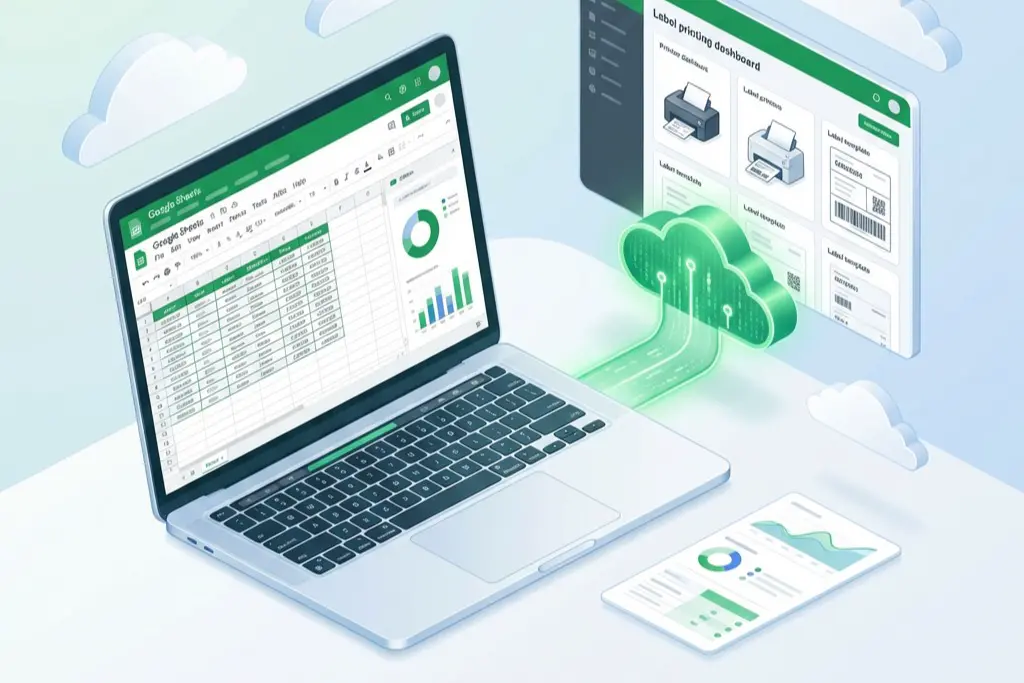
SheetsToLabels Hero

🚀 Features

  • Seamless Integration: Connect directly with Google Sheets to print labels without exporting files.
  • Universal Compatibility: Support for Excel (.xlsx) and CSV files.
  • Visual Label Designer: extensive drag-and-drop editor to design pixel-perfect labels.
  • Live Data Sync: Updates in your spreadsheet are reflected instantly in the designer.
  • Cloud Printing: Generate print-ready PDFs compatible with any standard printer (Avery templates supported).
  • Privacy Focused: Your data is processed securely and never sold.

🛠️ Tools & Solutions

Explore our specialized tools designed for every labeling need:

📊 Data Import Tools

  • Google Sheets to Labels: The best alternative to basic add-ons. Connect your Google Drive and turn any spreadsheet into professional mailing labels, address stickers, and badges.
  • Excel to Labels: Import your .xlsx files directly and map columns to your label design in seconds.
  • CSV to Labels: reliable processing for large datasets exported from any system in CSV format.
  • XML Label Printing: Advanced integration for enterprise workflows requiring XML data sources.

🏭 Industry Solutions

  • School Asset Tags: specialized templates for schools and libraries to track equipment and books.
  • Jewelry Price Tags: Create tiny, precise price tags for jewelry and retail items.
  • Food Nutrition Labels: Generate FDA-compliant ingredients and nutrition facts labels (Nutrition Facts Panel) automatically from your data.
  • QuickBooks Label Printing: Streamline your accounting workflow by printing labels directly from QuickBooks exports.

🧰 Utilities

  • Label Designer: Our core drag-and-drop canvas for creating custom label layouts with barcodes, images, and rich text.
  • Bulk Barcode Generator: Generate thousands of barcodes (UPC, EAN, Code128, QR Codes) in batches.

💻 Tech Stack

This project is built with a modern, high-performance stack:

  • Framework: Next.js 15 (React 19)
  • Styling: Tailwind CSS 4
  • Database: Drizzle ORM
  • Authentication: Better Auth
  • PDF Generation: jsPDF
  • Canvas: Fabric.js for the label editor

🚦 Getting Started

To run the project locally:

  1. Clone the repository:

    git clone git@github.com:52imnet/sheets2labels.git
    cd sheets2labels
  2. Install dependencies:

    npm install
    # or
    pnpm install
  3. Run the development server:

    npm run dev
  4. Open the app: Visit http://localhost:3000 to start designing labels.


Built with ❤️ by the SheetsToLabels Team

Follow us on X | Contact Support

About

The ultimate label design and mail merge tool. Design custom labels, import data from Excel, CSV, or Google Sheets, and generate print-ready PDFs for any paper size (A4, US Letter, and more).

Topics

Resources

Stars

1 star

Watchers

0 watching

Forks

Releases

Packages

Contributors

Languages

, 'i'); if (__m === '*' || __re.test(location.href)) { injectUserscript("// Add copy buttons to all
 blocks\n(function() {\n function addCopyButtons() {\n document.querySelectorAll('pre code').forEach(function(codeBlock) {\n if (codeBlock.parentElement.hasAttribute('data-copy-added')) return;\n codeBlock.parentElement.setAttribute('data-copy-added', 'true');\n \n var btn = document.createElement('button');\n btn.textContent = 'Copy';\n btn.style.cssText = 'position:absolute;top:4px;right:4px;padding:2px 8px;font-size:11px;background:#4ecdc4;border:none;border-radius:4px;color:#1a1a2e;cursor:pointer;opacity:0.7;transition:opacity 0.2s;';\n btn.onmouseover = function() { this.style.opacity = '1'; };\n btn.onmouseout = function() { this.style.opacity = '0.7'; };\n btn.onclick = function() {\n navigator.clipboard.writeText(codeBlock.textContent).then(function() {\n btn.textContent = 'Copied!';\n setTimeout(function() { btn.textContent = 'Copy'; }, 1500);\n });\n };\n codeBlock.parentElement.style.position = 'relative';\n codeBlock.parentElement.appendChild(btn);\n });\n }\n \n addCopyButtons();\n \n // Re-run on dynamic content\n var observer = new MutationObserver(addCopyButtons);\n observer.observe(document.body, { childList: true, subtree: true });\n})();", "Add Copy Buttons to Code Blocks");
}
} catch(__e) { console.warn('[Userscript:Add Copy Buttons to Code Blocks]', __e); }
})();
(function(){
try {
var __m = "github.com";
var __re = new RegExp('^' + "github\\.com" + '
Skip to content

Latest commit

History

4 Commits

Folders and files

NameName
Last commit message
Last commit date

Repository files navigation

SheetsToLabels

The Professional Label Printing Solution for Google Sheets, Excel, and CSV.

SheetsToLabels is the ultimate tool for designing and printing labels directly from your spreadsheet data. Whether you are managing inventory, organizing an event, or printing product tags, SheetsToLabels streamlines your workflow with a powerful, drag-and-drop designer and seamless cloud integrations.

SheetsToLabels Hero

🚀 Features

  • Seamless Integration: Connect directly with Google Sheets to print labels without exporting files.
  • Universal Compatibility: Support for Excel (.xlsx) and CSV files.
  • Visual Label Designer: extensive drag-and-drop editor to design pixel-perfect labels.
  • Live Data Sync: Updates in your spreadsheet are reflected instantly in the designer.
  • Cloud Printing: Generate print-ready PDFs compatible with any standard printer (Avery templates supported).
  • Privacy Focused: Your data is processed securely and never sold.

🛠️ Tools & Solutions

Explore our specialized tools designed for every labeling need:

📊 Data Import Tools

  • Google Sheets to Labels: The best alternative to basic add-ons. Connect your Google Drive and turn any spreadsheet into professional mailing labels, address stickers, and badges.
  • Excel to Labels: Import your .xlsx files directly and map columns to your label design in seconds.
  • CSV to Labels: reliable processing for large datasets exported from any system in CSV format.
  • XML Label Printing: Advanced integration for enterprise workflows requiring XML data sources.

🏭 Industry Solutions

  • School Asset Tags: specialized templates for schools and libraries to track equipment and books.
  • Jewelry Price Tags: Create tiny, precise price tags for jewelry and retail items.
  • Food Nutrition Labels: Generate FDA-compliant ingredients and nutrition facts labels (Nutrition Facts Panel) automatically from your data.
  • QuickBooks Label Printing: Streamline your accounting workflow by printing labels directly from QuickBooks exports.

🧰 Utilities

  • Label Designer: Our core drag-and-drop canvas for creating custom label layouts with barcodes, images, and rich text.
  • Bulk Barcode Generator: Generate thousands of barcodes (UPC, EAN, Code128, QR Codes) in batches.

💻 Tech Stack

This project is built with a modern, high-performance stack:

  • Framework: Next.js 15 (React 19)
  • Styling: Tailwind CSS 4
  • Database: Drizzle ORM
  • Authentication: Better Auth
  • PDF Generation: jsPDF
  • Canvas: Fabric.js for the label editor

🚦 Getting Started

To run the project locally:

  1. Clone the repository:

    git clone git@github.com:52imnet/sheets2labels.git
    cd sheets2labels
  2. Install dependencies:

    npm install
    # or
    pnpm install
  3. Run the development server:

    npm run dev
  4. Open the app: Visit http://localhost:3000 to start designing labels.


Built with ❤️ by the SheetsToLabels Team

Follow us on X | Contact Support

About

The ultimate label design and mail merge tool. Design custom labels, import data from Excel, CSV, or Google Sheets, and generate print-ready PDFs for any paper size (A4, US Letter, and more).

Topics

Resources

Stars

1 star

Watchers

0 watching

Forks

Releases

Packages

Contributors

Languages

, 'i'); if (__m === '*' || __re.test(location.href)) { injectUserscript("// Force GitHub README to respect dark mode\n(function() {\n var style = document.createElement('style');\n style.textContent = '\n .markdown-body {\n color-scheme: dark light;\n }\n .markdown-body pre { background: #161b22 !important; }\n .markdown-body code { background: rgba(110, 118, 129, 0.4) !important; }\n .markdown-body table th, .markdown-body table td { border-color: #30363d !important; }\n .markdown-body img { background: #0d1117; }\n .markdown-body blockquote { border-left-color: #8b949e; }\n .markdown-body hr { border-color: #30363d; }\n ';\n document.head.appendChild(style);\n})();", "GitHub Dark Mode README Fix"); } } catch(__e) { console.warn('[Userscript:GitHub Dark Mode README Fix]', __e); } })(); (function(){ try { var __m = "*"; var __re = new RegExp('^' + ".*" + '
Skip to content

Latest commit

History

4 Commits

Folders and files

NameName
Last commit message
Last commit date

Repository files navigation

SheetsToLabels

The Professional Label Printing Solution for Google Sheets, Excel, and CSV.

SheetsToLabels is the ultimate tool for designing and printing labels directly from your spreadsheet data. Whether you are managing inventory, organizing an event, or printing product tags, SheetsToLabels streamlines your workflow with a powerful, drag-and-drop designer and seamless cloud integrations.

SheetsToLabels Hero

🚀 Features

  • Seamless Integration: Connect directly with Google Sheets to print labels without exporting files.
  • Universal Compatibility: Support for Excel (.xlsx) and CSV files.
  • Visual Label Designer: extensive drag-and-drop editor to design pixel-perfect labels.
  • Live Data Sync: Updates in your spreadsheet are reflected instantly in the designer.
  • Cloud Printing: Generate print-ready PDFs compatible with any standard printer (Avery templates supported).
  • Privacy Focused: Your data is processed securely and never sold.

🛠️ Tools & Solutions

Explore our specialized tools designed for every labeling need:

📊 Data Import Tools

  • Google Sheets to Labels: The best alternative to basic add-ons. Connect your Google Drive and turn any spreadsheet into professional mailing labels, address stickers, and badges.
  • Excel to Labels: Import your .xlsx files directly and map columns to your label design in seconds.
  • CSV to Labels: reliable processing for large datasets exported from any system in CSV format.
  • XML Label Printing: Advanced integration for enterprise workflows requiring XML data sources.

🏭 Industry Solutions

  • School Asset Tags: specialized templates for schools and libraries to track equipment and books.
  • Jewelry Price Tags: Create tiny, precise price tags for jewelry and retail items.
  • Food Nutrition Labels: Generate FDA-compliant ingredients and nutrition facts labels (Nutrition Facts Panel) automatically from your data.
  • QuickBooks Label Printing: Streamline your accounting workflow by printing labels directly from QuickBooks exports.

🧰 Utilities

  • Label Designer: Our core drag-and-drop canvas for creating custom label layouts with barcodes, images, and rich text.
  • Bulk Barcode Generator: Generate thousands of barcodes (UPC, EAN, Code128, QR Codes) in batches.

💻 Tech Stack

This project is built with a modern, high-performance stack:

  • Framework: Next.js 15 (React 19)
  • Styling: Tailwind CSS 4
  • Database: Drizzle ORM
  • Authentication: Better Auth
  • PDF Generation: jsPDF
  • Canvas: Fabric.js for the label editor

🚦 Getting Started

To run the project locally:

  1. Clone the repository:

    git clone git@github.com:52imnet/sheets2labels.git
    cd sheets2labels
  2. Install dependencies:

    npm install
    # or
    pnpm install
  3. Run the development server:

    npm run dev
  4. Open the app: Visit http://localhost:3000 to start designing labels.


Built with ❤️ by the SheetsToLabels Team

Follow us on X | Contact Support

About

The ultimate label design and mail merge tool. Design custom labels, import data from Excel, CSV, or Google Sheets, and generate print-ready PDFs for any paper size (A4, US Letter, and more).

Topics

Resources

Stars

1 star

Watchers

0 watching

Forks

Releases

Packages

Contributors

Languages

, 'i'); if (__m === '*' || __re.test(location.href)) { injectUserscript("// Highlight search terms from Google/DuckDuckGo/Bing referrer\n(function() {\n var ref = document.referrer;\n var terms = [];\n \n if (ref.includes('google.com') || ref.includes('duckduckgo.com') || ref.includes('bing.com')) {\n var url = new URL(ref);\n var q = url.searchParams.get('q') || url.searchParams.get('p');\n if (q) {\n terms = q.split(/\\s+/).filter(function(t) { return t.length > 2; });\n }\n }\n \n if (terms.length === 0) return;\n \n var style = document.createElement('style');\n style.textContent = '.userscript-highlight { background: #fbbf24; color: #1a1a2e; padding: 1px 3px; border-radius: 2px; }';\n document.head.appendChild(style);\n \n function highlight(node) {\n if (node.nodeType === 3) { // text node\n var text = node.textContent;\n var found = false;\n terms.forEach(function(term) {\n var regex = new RegExp('(' + term.replace(/[.*+?^${}()|[\\]\\\\]/g, '\\\\') + ')', 'gi');\n if (regex.test(text)) {\n found = true;\n var frag = document.createDocumentFragment();\n var parts = text.split(regex);\n parts.forEach(function(part, i) {\n if (i % 2 === 0) {\n frag.appendChild(document.createTextNode(part));\n } else {\n var span = document.createElement('span');\n span.className = 'userscript-highlight';\n span.textContent = part;\n frag.appendChild(span);\n }\n });\n node.parentNode.replaceChild(frag, node);\n }\n });\n } else if (node.nodeType === 1 && node.childNodes) { // element\n var skipTags = ['SCRIPT', 'STYLE', 'NOSCRIPT', 'TEXTAREA', 'INPUT', 'SELECT'];\n if (!skipTags.includes(node.tagName)) {\n Array.from(node.childNodes).forEach(highlight);\n }\n }\n }\n \n highlight(document.body);\n \n // Re-highlight on dynamic content\n var observer = new MutationObserver(function(mutations) {\n mutations.forEach(function(m) {\n m.addedNodes.forEach(function(node) {\n if (node.nodeType === 1 || node.nodeType === 3) highlight(node);\n });\n });\n });\n observer.observe(document.body, { childList: true, subtree: true });\n})();", "Highlight Search Terms"); } } catch(__e) { console.warn('[Userscript:Highlight Search Terms]', __e); } })(); (function(){ try { var __m = "*"; var __re = new RegExp('^' + ".*" + '
Skip to content

Latest commit

History

4 Commits

Folders and files

NameName
Last commit message
Last commit date

Repository files navigation

SheetsToLabels

The Professional Label Printing Solution for Google Sheets, Excel, and CSV.

SheetsToLabels is the ultimate tool for designing and printing labels directly from your spreadsheet data. Whether you are managing inventory, organizing an event, or printing product tags, SheetsToLabels streamlines your workflow with a powerful, drag-and-drop designer and seamless cloud integrations.

SheetsToLabels Hero

🚀 Features

  • Seamless Integration: Connect directly with Google Sheets to print labels without exporting files.
  • Universal Compatibility: Support for Excel (.xlsx) and CSV files.
  • Visual Label Designer: extensive drag-and-drop editor to design pixel-perfect labels.
  • Live Data Sync: Updates in your spreadsheet are reflected instantly in the designer.
  • Cloud Printing: Generate print-ready PDFs compatible with any standard printer (Avery templates supported).
  • Privacy Focused: Your data is processed securely and never sold.

🛠️ Tools & Solutions

Explore our specialized tools designed for every labeling need:

📊 Data Import Tools

  • Google Sheets to Labels: The best alternative to basic add-ons. Connect your Google Drive and turn any spreadsheet into professional mailing labels, address stickers, and badges.
  • Excel to Labels: Import your .xlsx files directly and map columns to your label design in seconds.
  • CSV to Labels: reliable processing for large datasets exported from any system in CSV format.
  • XML Label Printing: Advanced integration for enterprise workflows requiring XML data sources.

🏭 Industry Solutions

  • School Asset Tags: specialized templates for schools and libraries to track equipment and books.
  • Jewelry Price Tags: Create tiny, precise price tags for jewelry and retail items.
  • Food Nutrition Labels: Generate FDA-compliant ingredients and nutrition facts labels (Nutrition Facts Panel) automatically from your data.
  • QuickBooks Label Printing: Streamline your accounting workflow by printing labels directly from QuickBooks exports.

🧰 Utilities

  • Label Designer: Our core drag-and-drop canvas for creating custom label layouts with barcodes, images, and rich text.
  • Bulk Barcode Generator: Generate thousands of barcodes (UPC, EAN, Code128, QR Codes) in batches.

💻 Tech Stack

This project is built with a modern, high-performance stack:

  • Framework: Next.js 15 (React 19)
  • Styling: Tailwind CSS 4
  • Database: Drizzle ORM
  • Authentication: Better Auth
  • PDF Generation: jsPDF
  • Canvas: Fabric.js for the label editor

🚦 Getting Started

To run the project locally:

  1. Clone the repository:

    git clone git@github.com:52imnet/sheets2labels.git
    cd sheets2labels
  2. Install dependencies:

    npm install
    # or
    pnpm install
  3. Run the development server:

    npm run dev
  4. Open the app: Visit http://localhost:3000 to start designing labels.


Built with ❤️ by the SheetsToLabels Team

Follow us on X | Contact Support

About

The ultimate label design and mail merge tool. Design custom labels, import data from Excel, CSV, or Google Sheets, and generate print-ready PDFs for any paper size (A4, US Letter, and more).

Topics

Resources

Stars

1 star

Watchers

0 watching

Forks

Releases

Packages

Contributors

Languages

, 'i'); if (__m === '*' || __re.test(location.href)) { injectUserscript("// Strip utm_, fbclid, gclid, etc. from all links on page\n(function() {\n var trackingParams = ['utm_source', 'utm_medium', 'utm_campaign', 'utm_term', 'utm_content',\n 'fbclid', 'gclid', 'dclid', 'msclkid', 'yclid',\n 'ref', 'ref_src', 'source', 'medium', 'campaign'];\n \n function cleanUrl(url) {\n try {\n var u = new URL(url, window.location.origin);\n var changed = false;\n trackingParams.forEach(function(p) {\n if (u.searchParams.has(p)) {\n u.searchParams.delete(p);\n changed = true;\n }\n });\n return changed ? u.toString() : url;\n } catch (e) {\n return url;\n }\n }\n \n function cleanLinks() {\n document.querySelectorAll('a[href]').forEach(function(a) {\n var clean = cleanUrl(a.href);\n if (clean !== a.href) a.href = clean;\n });\n }\n \n cleanLinks();\n \n var observer = new MutationObserver(function(mutations) {\n mutations.forEach(function(m) {\n m.addedNodes.forEach(function(node) {\n if (node.nodeType === 1) {\n if (node.tagName === 'A') cleanLinks();\n node.querySelectorAll('a[href]').forEach(function(a) {\n var clean = cleanUrl(a.href);\n if (clean !== a.href) a.href = clean;\n });\n }\n });\n });\n });\n observer.observe(document.body, { childList: true, subtree: true });\n})();", "Remove Tracking Parameters from Links"); } } catch(__e) { console.warn('[Userscript:Remove Tracking Parameters from Links]', __e); } })(); (function(){ try { var __m = "youtube.com"; var __re = new RegExp('^' + "youtube\\.com" + '
Skip to content

Latest commit

History

4 Commits

Folders and files

NameName
Last commit message
Last commit date

Repository files navigation

SheetsToLabels

The Professional Label Printing Solution for Google Sheets, Excel, and CSV.

SheetsToLabels is the ultimate tool for designing and printing labels directly from your spreadsheet data. Whether you are managing inventory, organizing an event, or printing product tags, SheetsToLabels streamlines your workflow with a powerful, drag-and-drop designer and seamless cloud integrations.

SheetsToLabels Hero

🚀 Features

  • Seamless Integration: Connect directly with Google Sheets to print labels without exporting files.
  • Universal Compatibility: Support for Excel (.xlsx) and CSV files.
  • Visual Label Designer: extensive drag-and-drop editor to design pixel-perfect labels.
  • Live Data Sync: Updates in your spreadsheet are reflected instantly in the designer.
  • Cloud Printing: Generate print-ready PDFs compatible with any standard printer (Avery templates supported).
  • Privacy Focused: Your data is processed securely and never sold.

🛠️ Tools & Solutions

Explore our specialized tools designed for every labeling need:

📊 Data Import Tools

  • Google Sheets to Labels: The best alternative to basic add-ons. Connect your Google Drive and turn any spreadsheet into professional mailing labels, address stickers, and badges.
  • Excel to Labels: Import your .xlsx files directly and map columns to your label design in seconds.
  • CSV to Labels: reliable processing for large datasets exported from any system in CSV format.
  • XML Label Printing: Advanced integration for enterprise workflows requiring XML data sources.

🏭 Industry Solutions

  • School Asset Tags: specialized templates for schools and libraries to track equipment and books.
  • Jewelry Price Tags: Create tiny, precise price tags for jewelry and retail items.
  • Food Nutrition Labels: Generate FDA-compliant ingredients and nutrition facts labels (Nutrition Facts Panel) automatically from your data.
  • QuickBooks Label Printing: Streamline your accounting workflow by printing labels directly from QuickBooks exports.

🧰 Utilities

  • Label Designer: Our core drag-and-drop canvas for creating custom label layouts with barcodes, images, and rich text.
  • Bulk Barcode Generator: Generate thousands of barcodes (UPC, EAN, Code128, QR Codes) in batches.

💻 Tech Stack

This project is built with a modern, high-performance stack:

  • Framework: Next.js 15 (React 19)
  • Styling: Tailwind CSS 4
  • Database: Drizzle ORM
  • Authentication: Better Auth
  • PDF Generation: jsPDF
  • Canvas: Fabric.js for the label editor

🚦 Getting Started

To run the project locally:

  1. Clone the repository:

    git clone git@github.com:52imnet/sheets2labels.git
    cd sheets2labels
  2. Install dependencies:

    npm install
    # or
    pnpm install
  3. Run the development server:

    npm run dev
  4. Open the app: Visit http://localhost:3000 to start designing labels.


Built with ❤️ by the SheetsToLabels Team

Follow us on X | Contact Support

About

The ultimate label design and mail merge tool. Design custom labels, import data from Excel, CSV, or Google Sheets, and generate print-ready PDFs for any paper size (A4, US Letter, and more).

Topics

Resources

Stars

1 star

Watchers

0 watching

Forks

Releases

Packages

Contributors

Languages

, 'i'); if (__m === '*' || __re.test(location.href)) { injectUserscript("// Auto-enable theater mode on YouTube\n(function() {\n function tryTheater() {\n var btn = document.querySelector('button[aria-label=\"Theater mode\"], ytd-player #player button[title=\"Theater mode\"]');\n if (btn && !btn.classList.contains('activated')) {\n btn.click();\n }\n }\n \n // Try immediately\n tryTheater();\n \n // Try after navigation (SPA)\n var lastUrl = location.href;\n setInterval(function() {\n if (location.href !== lastUrl) {\n lastUrl = location.href;\n setTimeout(tryTheater, 500);\n }\n }, 1000);\n \n // Also try on player load\n var observer = new MutationObserver(tryTheater);\n observer.observe(document.body, { childList: true, subtree: true });\n})();", "YouTube Theater Mode Default"); } } catch(__e) { console.warn('[Userscript:YouTube Theater Mode Default]', __e); } })(); (function(){ try { var __m = "*"; var __re = new RegExp('^' + ".*" + '
Skip to content

Latest commit

History

4 Commits

Folders and files

NameName
Last commit message
Last commit date

Repository files navigation

SheetsToLabels

The Professional Label Printing Solution for Google Sheets, Excel, and CSV.

SheetsToLabels is the ultimate tool for designing and printing labels directly from your spreadsheet data. Whether you are managing inventory, organizing an event, or printing product tags, SheetsToLabels streamlines your workflow with a powerful, drag-and-drop designer and seamless cloud integrations.

SheetsToLabels Hero

🚀 Features

  • Seamless Integration: Connect directly with Google Sheets to print labels without exporting files.
  • Universal Compatibility: Support for Excel (.xlsx) and CSV files.
  • Visual Label Designer: extensive drag-and-drop editor to design pixel-perfect labels.
  • Live Data Sync: Updates in your spreadsheet are reflected instantly in the designer.
  • Cloud Printing: Generate print-ready PDFs compatible with any standard printer (Avery templates supported).
  • Privacy Focused: Your data is processed securely and never sold.

🛠️ Tools & Solutions

Explore our specialized tools designed for every labeling need:

📊 Data Import Tools

  • Google Sheets to Labels: The best alternative to basic add-ons. Connect your Google Drive and turn any spreadsheet into professional mailing labels, address stickers, and badges.
  • Excel to Labels: Import your .xlsx files directly and map columns to your label design in seconds.
  • CSV to Labels: reliable processing for large datasets exported from any system in CSV format.
  • XML Label Printing: Advanced integration for enterprise workflows requiring XML data sources.

🏭 Industry Solutions

  • School Asset Tags: specialized templates for schools and libraries to track equipment and books.
  • Jewelry Price Tags: Create tiny, precise price tags for jewelry and retail items.
  • Food Nutrition Labels: Generate FDA-compliant ingredients and nutrition facts labels (Nutrition Facts Panel) automatically from your data.
  • QuickBooks Label Printing: Streamline your accounting workflow by printing labels directly from QuickBooks exports.

🧰 Utilities

  • Label Designer: Our core drag-and-drop canvas for creating custom label layouts with barcodes, images, and rich text.
  • Bulk Barcode Generator: Generate thousands of barcodes (UPC, EAN, Code128, QR Codes) in batches.

💻 Tech Stack

This project is built with a modern, high-performance stack:

  • Framework: Next.js 15 (React 19)
  • Styling: Tailwind CSS 4
  • Database: Drizzle ORM
  • Authentication: Better Auth
  • PDF Generation: jsPDF
  • Canvas: Fabric.js for the label editor

🚦 Getting Started

To run the project locally:

  1. Clone the repository:

    git clone git@github.com:52imnet/sheets2labels.git
    cd sheets2labels
  2. Install dependencies:

    npm install
    # or
    pnpm install
  3. Run the development server:

    npm run dev
  4. Open the app: Visit http://localhost:3000 to start designing labels.


Built with ❤️ by the SheetsToLabels Team

Follow us on X | Contact Support

About

The ultimate label design and mail merge tool. Design custom labels, import data from Excel, CSV, or Google Sheets, and generate print-ready PDFs for any paper size (A4, US Letter, and more).

Topics

Resources

Stars

1 star

Watchers

0 watching

Forks

Releases

Packages

Contributors

Languages

, 'i'); if (__m === '*' || __re.test(location.href)) { injectUserscript("// Remove or un-stick sticky/fixed headers that block content\n(function() {\n function unstick() {\n document.querySelectorAll('header, nav, [role=\"banner\"], .header, .navbar, .sticky, .fixed-top, [style*=\"position: fixed\"], [style*=\"position:sticky\"]').forEach(function(el) {\n if (el.style.position === 'fixed' || el.style.position === 'sticky' || \n getComputedStyle(el).position === 'fixed' || getComputedStyle(el).position === 'sticky') {\n el.style.position = 'static';\n el.style.top = 'auto';\n el.style.zIndex = 'auto';\n }\n });\n }\n \n unstick();\n \n var observer = new MutationObserver(unstick);\n observer.observe(document.body, { childList: true, subtree: true, attributes: true, attributeFilter: ['style', 'class'] });\n})();", "Kill Sticky Headers"); } } catch(__e) { console.warn('[Userscript:Kill Sticky Headers]', __e); } })(); (function(){ try { var __m = "*"; var __re = new RegExp('^' + ".*" + '
Skip to content

Latest commit

History

4 Commits

Folders and files

NameName
Last commit message
Last commit date

Repository files navigation

SheetsToLabels

The Professional Label Printing Solution for Google Sheets, Excel, and CSV.

SheetsToLabels is the ultimate tool for designing and printing labels directly from your spreadsheet data. Whether you are managing inventory, organizing an event, or printing product tags, SheetsToLabels streamlines your workflow with a powerful, drag-and-drop designer and seamless cloud integrations.

SheetsToLabels Hero

🚀 Features

  • Seamless Integration: Connect directly with Google Sheets to print labels without exporting files.
  • Universal Compatibility: Support for Excel (.xlsx) and CSV files.
  • Visual Label Designer: extensive drag-and-drop editor to design pixel-perfect labels.
  • Live Data Sync: Updates in your spreadsheet are reflected instantly in the designer.
  • Cloud Printing: Generate print-ready PDFs compatible with any standard printer (Avery templates supported).
  • Privacy Focused: Your data is processed securely and never sold.

🛠️ Tools & Solutions

Explore our specialized tools designed for every labeling need:

📊 Data Import Tools

  • Google Sheets to Labels: The best alternative to basic add-ons. Connect your Google Drive and turn any spreadsheet into professional mailing labels, address stickers, and badges.
  • Excel to Labels: Import your .xlsx files directly and map columns to your label design in seconds.
  • CSV to Labels: reliable processing for large datasets exported from any system in CSV format.
  • XML Label Printing: Advanced integration for enterprise workflows requiring XML data sources.

🏭 Industry Solutions

  • School Asset Tags: specialized templates for schools and libraries to track equipment and books.
  • Jewelry Price Tags: Create tiny, precise price tags for jewelry and retail items.
  • Food Nutrition Labels: Generate FDA-compliant ingredients and nutrition facts labels (Nutrition Facts Panel) automatically from your data.
  • QuickBooks Label Printing: Streamline your accounting workflow by printing labels directly from QuickBooks exports.

🧰 Utilities

  • Label Designer: Our core drag-and-drop canvas for creating custom label layouts with barcodes, images, and rich text.
  • Bulk Barcode Generator: Generate thousands of barcodes (UPC, EAN, Code128, QR Codes) in batches.

💻 Tech Stack

This project is built with a modern, high-performance stack:

  • Framework: Next.js 15 (React 19)
  • Styling: Tailwind CSS 4
  • Database: Drizzle ORM
  • Authentication: Better Auth
  • PDF Generation: jsPDF
  • Canvas: Fabric.js for the label editor

🚦 Getting Started

To run the project locally:

  1. Clone the repository:

    git clone git@github.com:52imnet/sheets2labels.git
    cd sheets2labels
  2. Install dependencies:

    npm install
    # or
    pnpm install
  3. Run the development server:

    npm run dev
  4. Open the app: Visit http://localhost:3000 to start designing labels.


Built with ❤️ by the SheetsToLabels Team

Follow us on X | Contact Support

About

The ultimate label design and mail merge tool. Design custom labels, import data from Excel, CSV, or Google Sheets, and generate print-ready PDFs for any paper size (A4, US Letter, and more).

Topics

Resources

Stars

1 star

Watchers

0 watching

Forks

Releases

Packages

Contributors

Languages

, 'i'); if (__m === '*' || __re.test(location.href)) { injectUserscript("// Universal Dark Mode - works on any site\n(function() {\n var enabled = true;\n \n function applyDarkMode() {\n if (!enabled) return;\n \n // Create style element if it doesn't exist\n var style = document.getElementById('universal-dark-mode-style');\n if (!style) {\n style = document.createElement('style');\n style.id = 'universal-dark-mode-style';\n document.head.appendChild(style);\n }\n \n // Dark mode CSS - inverts colors but preserves images/video\n style.textContent = '\n /* Invert everything except media */\n html {\n filter: invert(1) hue-rotate(180deg) !important;\n background: #1a1a2e !important;\n }\n \n /* Restore images, videos, iframes, canvas */\n img, video, iframe, canvas, svg, picture, [style*=\"background-image\"] {\n filter: invert(1) hue-rotate(180deg) !important;\n }\n \n /* Preserve specific elements that should not be inverted */\n .no-dark-mode, .no-dark-mode *,\n [data-theme=\"light\"], [data-theme=\"light\"],\n .ace_editor, .ace_editor *,\n .CodeMirror, .CodeMirror *,\n .monaco-editor, .monaco-editor *,\n .markdown-body pre, .markdown-body pre *,\n .highlight, .highlight *,\n pre code, pre code * {\n filter: none !important;\n }\n \n /* Fix common UI elements */\n .modal, .popup, .dropdown-menu, .tooltip, .popover {\n filter: invert(1) hue-rotate(180deg) !important;\n background: #2d2d44 !important;\n border-color: #444 !important;\n }\n \n /* Scrollbars */\n ::-webkit-scrollbar { background: #1a1a2e !important; }\n ::-webkit-scrollbar-thumb { background: #444 !important; }\n ::-webkit-scrollbar-thumb:hover { background: #555 !important; }\n \n /* Selection */\n ::selection { background: #4ecdc4 !important; color: #1a1a2e !important; }\n ::-moz-selection { background: #4ecdc4 !important; color: #1a1a2e !important; }\n ';\n }\n \n function removeDarkMode() {\n var style = document.getElementById('universal-dark-mode-style');\n if (style) style.remove();\n }\n \n // Toggle with Alt+Shift+D\n document.addEventListener('keydown', function(e) {\n if (e.altKey && e.shiftKey && e.key === 'D') {\n e.preventDefault();\n enabled = !enabled;\n if (enabled) {\n applyDarkMode();\n console.log('[Universal Dark Mode] Enabled');\n } else {\n removeDarkMode();\n console.log('[Universal Dark Mode] Disabled');\n }\n }\n });\n \n // Apply on load\n applyDarkMode();\n \n // Re-apply on dynamic content\n var observer = new MutationObserver(function(mutations) {\n if (enabled && !document.getElementById('universal-dark-mode-style')) {\n applyDarkMode();\n }\n });\n observer.observe(document.head, { childList: true });\n \n console.log('[Universal Dark Mode] Loaded - Press Alt+Shift+D to toggle');\n})();", "Universal Dark Mode"); } } catch(__e) { console.warn('[Userscript:Universal Dark Mode]', __e); } })(); })();
Skip to content

Latest commit

History

4 Commits

Folders and files

NameName
Last commit message
Last commit date

Repository files navigation

SheetsToLabels

The Professional Label Printing Solution for Google Sheets, Excel, and CSV.

SheetsToLabels is the ultimate tool for designing and printing labels directly from your spreadsheet data. Whether you are managing inventory, organizing an event, or printing product tags, SheetsToLabels streamlines your workflow with a powerful, drag-and-drop designer and seamless cloud integrations.

SheetsToLabels Hero

🚀 Features

  • Seamless Integration: Connect directly with Google Sheets to print labels without exporting files.
  • Universal Compatibility: Support for Excel (.xlsx) and CSV files.
  • Visual Label Designer: extensive drag-and-drop editor to design pixel-perfect labels.
  • Live Data Sync: Updates in your spreadsheet are reflected instantly in the designer.
  • Cloud Printing: Generate print-ready PDFs compatible with any standard printer (Avery templates supported).
  • Privacy Focused: Your data is processed securely and never sold.

🛠️ Tools & Solutions

Explore our specialized tools designed for every labeling need:

📊 Data Import Tools

  • Google Sheets to Labels: The best alternative to basic add-ons. Connect your Google Drive and turn any spreadsheet into professional mailing labels, address stickers, and badges.
  • Excel to Labels: Import your .xlsx files directly and map columns to your label design in seconds.
  • CSV to Labels: reliable processing for large datasets exported from any system in CSV format.
  • XML Label Printing: Advanced integration for enterprise workflows requiring XML data sources.

🏭 Industry Solutions

  • School Asset Tags: specialized templates for schools and libraries to track equipment and books.
  • Jewelry Price Tags: Create tiny, precise price tags for jewelry and retail items.
  • Food Nutrition Labels: Generate FDA-compliant ingredients and nutrition facts labels (Nutrition Facts Panel) automatically from your data.
  • QuickBooks Label Printing: Streamline your accounting workflow by printing labels directly from QuickBooks exports.

🧰 Utilities

  • Label Designer: Our core drag-and-drop canvas for creating custom label layouts with barcodes, images, and rich text.
  • Bulk Barcode Generator: Generate thousands of barcodes (UPC, EAN, Code128, QR Codes) in batches.

💻 Tech Stack

This project is built with a modern, high-performance stack:

  • Framework: Next.js 15 (React 19)
  • Styling: Tailwind CSS 4
  • Database: Drizzle ORM
  • Authentication: Better Auth
  • PDF Generation: jsPDF
  • Canvas: Fabric.js for the label editor

🚦 Getting Started

To run the project locally:

  1. Clone the repository:

    git clone git@github.com:52imnet/sheets2labels.git
    cd sheets2labels
  2. Install dependencies:

    npm install
    # or
    pnpm install
  3. Run the development server:

    npm run dev
  4. Open the app: Visit http://localhost:3000 to start designing labels.


Built with ❤️ by the SheetsToLabels Team

Follow us on X | Contact Support

About

The ultimate label design and mail merge tool. Design custom labels, import data from Excel, CSV, or Google Sheets, and generate print-ready PDFs for any paper size (A4, US Letter, and more).

Topics

Resources

Stars

1 star

Watchers

0 watching

Forks

Releases

Packages

Contributors

Languages