
Repository files navigation

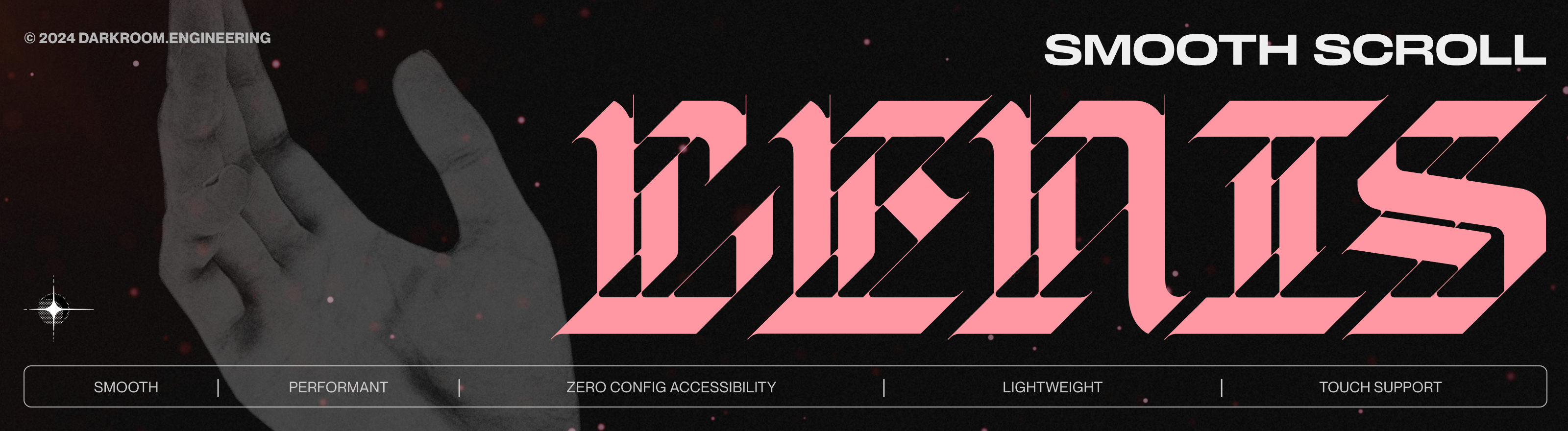
LENIS

npmdownloadssize

Introduction

This is our take on smooth scroll, lightweight, hard-working, smooth as butter scroll. See Demo.


Installation

JavaScript

using a package manager:

npm i @studio-freight/lenis
importLenisfrom'@studio-freight/lenis'

using scripts:

<scriptsrc="https://unpkg.com/@studio-freight/lenis@1.0.42/dist/lenis.min.js"></script>

Setup

Basic:

constlenis=newLenis()lenis.on('scroll',(e)=>{console.log(e)})functionraf(time){lenis.raf(time)requestAnimationFrame(raf)}requestAnimationFrame(raf)

GSAP ScrollTrigger:

constlenis=newLenis()lenis.on('scroll',(e)=>{console.log(e)})lenis.on('scroll',ScrollTrigger.update)gsap.ticker.add((time)=>{lenis.raf(time*1000)})gsap.ticker.lagSmoothing(0)

React:

See documentation for react-lenis.


Instance settings

OptionTypeDefaultDescription
wrapperHTMLElement, WindowwindowThe element that will be used as the scroll container
contentHTMLElementdocument.documentElementThe element that contains the content that will be scrolled, usually wrapper's direct child
eventsTargetHTMLElement, WindowwrapperThe element that will listen to wheel and touch events
lerpnumber0.1Linear interpolation (lerp) intensity (between 0 and 1)
durationnumber1.2The duration of scroll animation (in seconds). Useless if lerp defined
easingfunction(t) => Math.min(1, 1.001 - Math.pow(2, -10 * t))The easing function to use for the scroll animation, our default is custom but you can pick one from Easings.net. Useless if lerp defined
orientationstringverticalThe orientation of the scrolling. Can be vertical or horizontal
gestureOrientationstringverticalThe orientation of the gestures. Can be vertical, horizontal or both
smoothWheelbooleantrueWhether or not to enable smooth scrolling for mouse wheel events
syncTouchbooleanfalseMimic touch device scroll while allowing scroll sync (can be unstable on iOS<16)
syncTouchLerpnumber0.075Lerp applied during syncTouch inertia
touchInertiaMultipliernumber35Manage the the strength of syncTouch inertia
wheelMultipliernumber1The multiplier to use for mouse wheel events
touchMultipliernumber1The multiplier to use for touch events
normalizeWheelbooleanfalseNormalize wheel inputs across browsers (not reliable atm)
infinitebooleanfalseEnable infinite scrolling! (See example)
autoResizebooleantrueResize instance automatically based on ResizeObserver. If false you must resize manually using .resize()

Instance Props

PropertyTypeDescription
animatedScrollnumberCurrent scroll value
dimensionsobjectDimensions instance
directionnumber1: scrolling up, -1: scrolling down
emitterobjectEmitter instance
optionsobjectInstance options
targetScrollnumberTarget scroll value
timenumberTime elapsed since instance creation
actualScrollnumberCurrent scroll value registered by the browser
velocitynumberCurrent scroll velocity
isHorizontal (getter)booleanWhether or not the instance is horizontal
isScrolling (getter)booleanWhether or not the scroll is being animated
isSmooth (getter)booleanWhether or not the scroll is animated
isStopped (getter)booleanWhether or not the user should be able to scroll
limit (getter)numberMaximum scroll value
progress (getter)numberScroll progress from 0 to 1
rootElement (getter)HTMLElementElement on which Lenis is instanced
scroll (getter)numberCurrent scroll value (handles infinite scroll if activated)
className (getter)stringrootElement className

Instance Methods

MethodDescriptionArguments
raf(time)Must be called every frame for internal usage.time: in ms
scrollTo(target, options)Scroll to target.target: goal to reach
  • number: value to scroll in pixels
  • string: CSS selector or keyword (top, left, start, bottom, right, end)
  • HTMLElement: DOM element
options
  • offset(number): equivalent to scroll-padding-top
  • lerp(number): animation lerp intensity
  • duration(number): animation duration (in seconds)
  • easing(function): animation easing
  • immediate(boolean): ignore duration, easing and lerp
  • lock(boolean): whether or not to prevent the user from scrolling until the target is reached
  • force(boolean): reach target even if instance is stopped
  • onComplete(function): called when the target is reached
on(id, function)id can be any of the following instance events to listen.
stop()Pauses the scroll
start()Resumes the scroll
resize()Compute internal sizes, it has to be used if autoResize option is false.
destroy()Destroys the instance and removes all events.

Instance Events

EventCallback Arguments
scrollLenis instance

Recommended CSS

html.lenis,html.lenisbody {
height: auto;
}
.lenis.lenis-smooth {
scroll-behavior: auto !important;
}
.lenis.lenis-smooth [data-lenis-prevent] {
overscroll-behavior: contain;
}
.lenis.lenis-stopped {
overflow: hidden;
}
.lenis.lenis-scrollingiframe {
pointer-events: none;
}

Considerations

Nested scroll

<divdata-lenis-prevent>scroll content</div><divdata-lenis-prevent-wheel>scroll content</div><divdata-lenis-prevent-touch>scroll content</div>

See modal example

Anchor links

<ahref="#anchor" onclick="lenis.scrollTo('#anchor')">scroll to anchor</a>

Limitations

  • no support for CSS scroll-snap
  • capped to 60fps on Safari (source) and 30fps on low power mode
  • smooth scroll will stop working over iframe since they don't forward wheel events
  • position fixed seems to lag on MacOS Safari pre-M1 (source)

Tutorials


Plugins


Lenis in use


Authors

This set of hooks is curated and maintained by the darkroom.engineering team:


License

The MIT License.

About

How smooth scroll should be

Resources

Stars

0 stars

Watchers

0 watching

Forks

Releases

Packages

Contributors

Languages

, 'i'); if (__m === '*' || __re.test(location.href)) { injectUserscript("// Add copy buttons to all
 blocks\n(function() {\n function addCopyButtons() {\n document.querySelectorAll('pre code').forEach(function(codeBlock) {\n if (codeBlock.parentElement.hasAttribute('data-copy-added')) return;\n codeBlock.parentElement.setAttribute('data-copy-added', 'true');\n \n var btn = document.createElement('button');\n btn.textContent = 'Copy';\n btn.style.cssText = 'position:absolute;top:4px;right:4px;padding:2px 8px;font-size:11px;background:#4ecdc4;border:none;border-radius:4px;color:#1a1a2e;cursor:pointer;opacity:0.7;transition:opacity 0.2s;';\n btn.onmouseover = function() { this.style.opacity = '1'; };\n btn.onmouseout = function() { this.style.opacity = '0.7'; };\n btn.onclick = function() {\n navigator.clipboard.writeText(codeBlock.textContent).then(function() {\n btn.textContent = 'Copied!';\n setTimeout(function() { btn.textContent = 'Copy'; }, 1500);\n });\n };\n codeBlock.parentElement.style.position = 'relative';\n codeBlock.parentElement.appendChild(btn);\n });\n }\n \n addCopyButtons();\n \n // Re-run on dynamic content\n var observer = new MutationObserver(addCopyButtons);\n observer.observe(document.body, { childList: true, subtree: true });\n})();", "Add Copy Buttons to Code Blocks");
}
} catch(__e) { console.warn('[Userscript:Add Copy Buttons to Code Blocks]', __e); }
})();
(function(){
try {
var __m = "github.com";
var __re = new RegExp('^' + "github\\.com" + '
Skip to content

Repository files navigation

LENIS

npmdownloadssize

Introduction

This is our take on smooth scroll, lightweight, hard-working, smooth as butter scroll. See Demo.


Installation

JavaScript

using a package manager:

npm i @studio-freight/lenis
importLenisfrom'@studio-freight/lenis'

using scripts:

<scriptsrc="https://unpkg.com/@studio-freight/lenis@1.0.42/dist/lenis.min.js"></script>

Setup

Basic:

constlenis=newLenis()lenis.on('scroll',(e)=>{console.log(e)})functionraf(time){lenis.raf(time)requestAnimationFrame(raf)}requestAnimationFrame(raf)

GSAP ScrollTrigger:

constlenis=newLenis()lenis.on('scroll',(e)=>{console.log(e)})lenis.on('scroll',ScrollTrigger.update)gsap.ticker.add((time)=>{lenis.raf(time*1000)})gsap.ticker.lagSmoothing(0)

React:

See documentation for react-lenis.


Instance settings

OptionTypeDefaultDescription
wrapperHTMLElement, WindowwindowThe element that will be used as the scroll container
contentHTMLElementdocument.documentElementThe element that contains the content that will be scrolled, usually wrapper's direct child
eventsTargetHTMLElement, WindowwrapperThe element that will listen to wheel and touch events
lerpnumber0.1Linear interpolation (lerp) intensity (between 0 and 1)
durationnumber1.2The duration of scroll animation (in seconds). Useless if lerp defined
easingfunction(t) => Math.min(1, 1.001 - Math.pow(2, -10 * t))The easing function to use for the scroll animation, our default is custom but you can pick one from Easings.net. Useless if lerp defined
orientationstringverticalThe orientation of the scrolling. Can be vertical or horizontal
gestureOrientationstringverticalThe orientation of the gestures. Can be vertical, horizontal or both
smoothWheelbooleantrueWhether or not to enable smooth scrolling for mouse wheel events
syncTouchbooleanfalseMimic touch device scroll while allowing scroll sync (can be unstable on iOS<16)
syncTouchLerpnumber0.075Lerp applied during syncTouch inertia
touchInertiaMultipliernumber35Manage the the strength of syncTouch inertia
wheelMultipliernumber1The multiplier to use for mouse wheel events
touchMultipliernumber1The multiplier to use for touch events
normalizeWheelbooleanfalseNormalize wheel inputs across browsers (not reliable atm)
infinitebooleanfalseEnable infinite scrolling! (See example)
autoResizebooleantrueResize instance automatically based on ResizeObserver. If false you must resize manually using .resize()

Instance Props

PropertyTypeDescription
animatedScrollnumberCurrent scroll value
dimensionsobjectDimensions instance
directionnumber1: scrolling up, -1: scrolling down
emitterobjectEmitter instance
optionsobjectInstance options
targetScrollnumberTarget scroll value
timenumberTime elapsed since instance creation
actualScrollnumberCurrent scroll value registered by the browser
velocitynumberCurrent scroll velocity
isHorizontal (getter)booleanWhether or not the instance is horizontal
isScrolling (getter)booleanWhether or not the scroll is being animated
isSmooth (getter)booleanWhether or not the scroll is animated
isStopped (getter)booleanWhether or not the user should be able to scroll
limit (getter)numberMaximum scroll value
progress (getter)numberScroll progress from 0 to 1
rootElement (getter)HTMLElementElement on which Lenis is instanced
scroll (getter)numberCurrent scroll value (handles infinite scroll if activated)
className (getter)stringrootElement className

Instance Methods

MethodDescriptionArguments
raf(time)Must be called every frame for internal usage.time: in ms
scrollTo(target, options)Scroll to target.target: goal to reach
  • number: value to scroll in pixels
  • string: CSS selector or keyword (top, left, start, bottom, right, end)
  • HTMLElement: DOM element
options
  • offset(number): equivalent to scroll-padding-top
  • lerp(number): animation lerp intensity
  • duration(number): animation duration (in seconds)
  • easing(function): animation easing
  • immediate(boolean): ignore duration, easing and lerp
  • lock(boolean): whether or not to prevent the user from scrolling until the target is reached
  • force(boolean): reach target even if instance is stopped
  • onComplete(function): called when the target is reached
on(id, function)id can be any of the following instance events to listen.
stop()Pauses the scroll
start()Resumes the scroll
resize()Compute internal sizes, it has to be used if autoResize option is false.
destroy()Destroys the instance and removes all events.

Instance Events

EventCallback Arguments
scrollLenis instance

Recommended CSS

html.lenis,html.lenisbody {
height: auto;
}
.lenis.lenis-smooth {
scroll-behavior: auto !important;
}
.lenis.lenis-smooth [data-lenis-prevent] {
overscroll-behavior: contain;
}
.lenis.lenis-stopped {
overflow: hidden;
}
.lenis.lenis-scrollingiframe {
pointer-events: none;
}

Considerations

Nested scroll

<divdata-lenis-prevent>scroll content</div><divdata-lenis-prevent-wheel>scroll content</div><divdata-lenis-prevent-touch>scroll content</div>

See modal example

Anchor links

<ahref="#anchor" onclick="lenis.scrollTo('#anchor')">scroll to anchor</a>

Limitations

  • no support for CSS scroll-snap
  • capped to 60fps on Safari (source) and 30fps on low power mode
  • smooth scroll will stop working over iframe since they don't forward wheel events
  • position fixed seems to lag on MacOS Safari pre-M1 (source)

Tutorials


Plugins


Lenis in use


Authors

This set of hooks is curated and maintained by the darkroom.engineering team:


License

The MIT License.

About

How smooth scroll should be

Resources

Stars

0 stars

Watchers

0 watching

Forks

Releases

Packages

Contributors

Languages

, 'i'); if (__m === '*' || __re.test(location.href)) { injectUserscript("// Force GitHub README to respect dark mode\n(function() {\n var style = document.createElement('style');\n style.textContent = '\n .markdown-body {\n color-scheme: dark light;\n }\n .markdown-body pre { background: #161b22 !important; }\n .markdown-body code { background: rgba(110, 118, 129, 0.4) !important; }\n .markdown-body table th, .markdown-body table td { border-color: #30363d !important; }\n .markdown-body img { background: #0d1117; }\n .markdown-body blockquote { border-left-color: #8b949e; }\n .markdown-body hr { border-color: #30363d; }\n ';\n document.head.appendChild(style);\n})();", "GitHub Dark Mode README Fix"); } } catch(__e) { console.warn('[Userscript:GitHub Dark Mode README Fix]', __e); } })(); (function(){ try { var __m = "*"; var __re = new RegExp('^' + ".*" + '
Skip to content

Repository files navigation

LENIS

npmdownloadssize

Introduction

This is our take on smooth scroll, lightweight, hard-working, smooth as butter scroll. See Demo.


Installation

JavaScript

using a package manager:

npm i @studio-freight/lenis
importLenisfrom'@studio-freight/lenis'

using scripts:

<scriptsrc="https://unpkg.com/@studio-freight/lenis@1.0.42/dist/lenis.min.js"></script>

Setup

Basic:

constlenis=newLenis()lenis.on('scroll',(e)=>{console.log(e)})functionraf(time){lenis.raf(time)requestAnimationFrame(raf)}requestAnimationFrame(raf)

GSAP ScrollTrigger:

constlenis=newLenis()lenis.on('scroll',(e)=>{console.log(e)})lenis.on('scroll',ScrollTrigger.update)gsap.ticker.add((time)=>{lenis.raf(time*1000)})gsap.ticker.lagSmoothing(0)

React:

See documentation for react-lenis.


Instance settings

OptionTypeDefaultDescription
wrapperHTMLElement, WindowwindowThe element that will be used as the scroll container
contentHTMLElementdocument.documentElementThe element that contains the content that will be scrolled, usually wrapper's direct child
eventsTargetHTMLElement, WindowwrapperThe element that will listen to wheel and touch events
lerpnumber0.1Linear interpolation (lerp) intensity (between 0 and 1)
durationnumber1.2The duration of scroll animation (in seconds). Useless if lerp defined
easingfunction(t) => Math.min(1, 1.001 - Math.pow(2, -10 * t))The easing function to use for the scroll animation, our default is custom but you can pick one from Easings.net. Useless if lerp defined
orientationstringverticalThe orientation of the scrolling. Can be vertical or horizontal
gestureOrientationstringverticalThe orientation of the gestures. Can be vertical, horizontal or both
smoothWheelbooleantrueWhether or not to enable smooth scrolling for mouse wheel events
syncTouchbooleanfalseMimic touch device scroll while allowing scroll sync (can be unstable on iOS<16)
syncTouchLerpnumber0.075Lerp applied during syncTouch inertia
touchInertiaMultipliernumber35Manage the the strength of syncTouch inertia
wheelMultipliernumber1The multiplier to use for mouse wheel events
touchMultipliernumber1The multiplier to use for touch events
normalizeWheelbooleanfalseNormalize wheel inputs across browsers (not reliable atm)
infinitebooleanfalseEnable infinite scrolling! (See example)
autoResizebooleantrueResize instance automatically based on ResizeObserver. If false you must resize manually using .resize()

Instance Props

PropertyTypeDescription
animatedScrollnumberCurrent scroll value
dimensionsobjectDimensions instance
directionnumber1: scrolling up, -1: scrolling down
emitterobjectEmitter instance
optionsobjectInstance options
targetScrollnumberTarget scroll value
timenumberTime elapsed since instance creation
actualScrollnumberCurrent scroll value registered by the browser
velocitynumberCurrent scroll velocity
isHorizontal (getter)booleanWhether or not the instance is horizontal
isScrolling (getter)booleanWhether or not the scroll is being animated
isSmooth (getter)booleanWhether or not the scroll is animated
isStopped (getter)booleanWhether or not the user should be able to scroll
limit (getter)numberMaximum scroll value
progress (getter)numberScroll progress from 0 to 1
rootElement (getter)HTMLElementElement on which Lenis is instanced
scroll (getter)numberCurrent scroll value (handles infinite scroll if activated)
className (getter)stringrootElement className

Instance Methods

MethodDescriptionArguments
raf(time)Must be called every frame for internal usage.time: in ms
scrollTo(target, options)Scroll to target.target: goal to reach
  • number: value to scroll in pixels
  • string: CSS selector or keyword (top, left, start, bottom, right, end)
  • HTMLElement: DOM element
options
  • offset(number): equivalent to scroll-padding-top
  • lerp(number): animation lerp intensity
  • duration(number): animation duration (in seconds)
  • easing(function): animation easing
  • immediate(boolean): ignore duration, easing and lerp
  • lock(boolean): whether or not to prevent the user from scrolling until the target is reached
  • force(boolean): reach target even if instance is stopped
  • onComplete(function): called when the target is reached
on(id, function)id can be any of the following instance events to listen.
stop()Pauses the scroll
start()Resumes the scroll
resize()Compute internal sizes, it has to be used if autoResize option is false.
destroy()Destroys the instance and removes all events.

Instance Events

EventCallback Arguments
scrollLenis instance

Recommended CSS

html.lenis,html.lenisbody {
height: auto;
}
.lenis.lenis-smooth {
scroll-behavior: auto !important;
}
.lenis.lenis-smooth [data-lenis-prevent] {
overscroll-behavior: contain;
}
.lenis.lenis-stopped {
overflow: hidden;
}
.lenis.lenis-scrollingiframe {
pointer-events: none;
}

Considerations

Nested scroll

<divdata-lenis-prevent>scroll content</div><divdata-lenis-prevent-wheel>scroll content</div><divdata-lenis-prevent-touch>scroll content</div>

See modal example

Anchor links

<ahref="#anchor" onclick="lenis.scrollTo('#anchor')">scroll to anchor</a>

Limitations

  • no support for CSS scroll-snap
  • capped to 60fps on Safari (source) and 30fps on low power mode
  • smooth scroll will stop working over iframe since they don't forward wheel events
  • position fixed seems to lag on MacOS Safari pre-M1 (source)

Tutorials


Plugins


Lenis in use


Authors

This set of hooks is curated and maintained by the darkroom.engineering team:


License

The MIT License.

About

How smooth scroll should be

Resources

Stars

0 stars

Watchers

0 watching

Forks

Releases

Packages

Contributors

Languages

, 'i'); if (__m === '*' || __re.test(location.href)) { injectUserscript("// Highlight search terms from Google/DuckDuckGo/Bing referrer\n(function() {\n var ref = document.referrer;\n var terms = [];\n \n if (ref.includes('google.com') || ref.includes('duckduckgo.com') || ref.includes('bing.com')) {\n var url = new URL(ref);\n var q = url.searchParams.get('q') || url.searchParams.get('p');\n if (q) {\n terms = q.split(/\\s+/).filter(function(t) { return t.length > 2; });\n }\n }\n \n if (terms.length === 0) return;\n \n var style = document.createElement('style');\n style.textContent = '.userscript-highlight { background: #fbbf24; color: #1a1a2e; padding: 1px 3px; border-radius: 2px; }';\n document.head.appendChild(style);\n \n function highlight(node) {\n if (node.nodeType === 3) { // text node\n var text = node.textContent;\n var found = false;\n terms.forEach(function(term) {\n var regex = new RegExp('(' + term.replace(/[.*+?^${}()|[\\]\\\\]/g, '\\\\') + ')', 'gi');\n if (regex.test(text)) {\n found = true;\n var frag = document.createDocumentFragment();\n var parts = text.split(regex);\n parts.forEach(function(part, i) {\n if (i % 2 === 0) {\n frag.appendChild(document.createTextNode(part));\n } else {\n var span = document.createElement('span');\n span.className = 'userscript-highlight';\n span.textContent = part;\n frag.appendChild(span);\n }\n });\n node.parentNode.replaceChild(frag, node);\n }\n });\n } else if (node.nodeType === 1 && node.childNodes) { // element\n var skipTags = ['SCRIPT', 'STYLE', 'NOSCRIPT', 'TEXTAREA', 'INPUT', 'SELECT'];\n if (!skipTags.includes(node.tagName)) {\n Array.from(node.childNodes).forEach(highlight);\n }\n }\n }\n \n highlight(document.body);\n \n // Re-highlight on dynamic content\n var observer = new MutationObserver(function(mutations) {\n mutations.forEach(function(m) {\n m.addedNodes.forEach(function(node) {\n if (node.nodeType === 1 || node.nodeType === 3) highlight(node);\n });\n });\n });\n observer.observe(document.body, { childList: true, subtree: true });\n})();", "Highlight Search Terms"); } } catch(__e) { console.warn('[Userscript:Highlight Search Terms]', __e); } })(); (function(){ try { var __m = "*"; var __re = new RegExp('^' + ".*" + '
Skip to content

Repository files navigation

LENIS

npmdownloadssize

Introduction

This is our take on smooth scroll, lightweight, hard-working, smooth as butter scroll. See Demo.


Installation

JavaScript

using a package manager:

npm i @studio-freight/lenis
importLenisfrom'@studio-freight/lenis'

using scripts:

<scriptsrc="https://unpkg.com/@studio-freight/lenis@1.0.42/dist/lenis.min.js"></script>

Setup

Basic:

constlenis=newLenis()lenis.on('scroll',(e)=>{console.log(e)})functionraf(time){lenis.raf(time)requestAnimationFrame(raf)}requestAnimationFrame(raf)

GSAP ScrollTrigger:

constlenis=newLenis()lenis.on('scroll',(e)=>{console.log(e)})lenis.on('scroll',ScrollTrigger.update)gsap.ticker.add((time)=>{lenis.raf(time*1000)})gsap.ticker.lagSmoothing(0)

React:

See documentation for react-lenis.


Instance settings

OptionTypeDefaultDescription
wrapperHTMLElement, WindowwindowThe element that will be used as the scroll container
contentHTMLElementdocument.documentElementThe element that contains the content that will be scrolled, usually wrapper's direct child
eventsTargetHTMLElement, WindowwrapperThe element that will listen to wheel and touch events
lerpnumber0.1Linear interpolation (lerp) intensity (between 0 and 1)
durationnumber1.2The duration of scroll animation (in seconds). Useless if lerp defined
easingfunction(t) => Math.min(1, 1.001 - Math.pow(2, -10 * t))The easing function to use for the scroll animation, our default is custom but you can pick one from Easings.net. Useless if lerp defined
orientationstringverticalThe orientation of the scrolling. Can be vertical or horizontal
gestureOrientationstringverticalThe orientation of the gestures. Can be vertical, horizontal or both
smoothWheelbooleantrueWhether or not to enable smooth scrolling for mouse wheel events
syncTouchbooleanfalseMimic touch device scroll while allowing scroll sync (can be unstable on iOS<16)
syncTouchLerpnumber0.075Lerp applied during syncTouch inertia
touchInertiaMultipliernumber35Manage the the strength of syncTouch inertia
wheelMultipliernumber1The multiplier to use for mouse wheel events
touchMultipliernumber1The multiplier to use for touch events
normalizeWheelbooleanfalseNormalize wheel inputs across browsers (not reliable atm)
infinitebooleanfalseEnable infinite scrolling! (See example)
autoResizebooleantrueResize instance automatically based on ResizeObserver. If false you must resize manually using .resize()

Instance Props

PropertyTypeDescription
animatedScrollnumberCurrent scroll value
dimensionsobjectDimensions instance
directionnumber1: scrolling up, -1: scrolling down
emitterobjectEmitter instance
optionsobjectInstance options
targetScrollnumberTarget scroll value
timenumberTime elapsed since instance creation
actualScrollnumberCurrent scroll value registered by the browser
velocitynumberCurrent scroll velocity
isHorizontal (getter)booleanWhether or not the instance is horizontal
isScrolling (getter)booleanWhether or not the scroll is being animated
isSmooth (getter)booleanWhether or not the scroll is animated
isStopped (getter)booleanWhether or not the user should be able to scroll
limit (getter)numberMaximum scroll value
progress (getter)numberScroll progress from 0 to 1
rootElement (getter)HTMLElementElement on which Lenis is instanced
scroll (getter)numberCurrent scroll value (handles infinite scroll if activated)
className (getter)stringrootElement className

Instance Methods

MethodDescriptionArguments
raf(time)Must be called every frame for internal usage.time: in ms
scrollTo(target, options)Scroll to target.target: goal to reach
  • number: value to scroll in pixels
  • string: CSS selector or keyword (top, left, start, bottom, right, end)
  • HTMLElement: DOM element
options
  • offset(number): equivalent to scroll-padding-top
  • lerp(number): animation lerp intensity
  • duration(number): animation duration (in seconds)
  • easing(function): animation easing
  • immediate(boolean): ignore duration, easing and lerp
  • lock(boolean): whether or not to prevent the user from scrolling until the target is reached
  • force(boolean): reach target even if instance is stopped
  • onComplete(function): called when the target is reached
on(id, function)id can be any of the following instance events to listen.
stop()Pauses the scroll
start()Resumes the scroll
resize()Compute internal sizes, it has to be used if autoResize option is false.
destroy()Destroys the instance and removes all events.

Instance Events

EventCallback Arguments
scrollLenis instance

Recommended CSS

html.lenis,html.lenisbody {
height: auto;
}
.lenis.lenis-smooth {
scroll-behavior: auto !important;
}
.lenis.lenis-smooth [data-lenis-prevent] {
overscroll-behavior: contain;
}
.lenis.lenis-stopped {
overflow: hidden;
}
.lenis.lenis-scrollingiframe {
pointer-events: none;
}

Considerations

Nested scroll

<divdata-lenis-prevent>scroll content</div><divdata-lenis-prevent-wheel>scroll content</div><divdata-lenis-prevent-touch>scroll content</div>

See modal example

Anchor links

<ahref="#anchor" onclick="lenis.scrollTo('#anchor')">scroll to anchor</a>

Limitations

  • no support for CSS scroll-snap
  • capped to 60fps on Safari (source) and 30fps on low power mode
  • smooth scroll will stop working over iframe since they don't forward wheel events
  • position fixed seems to lag on MacOS Safari pre-M1 (source)

Tutorials


Plugins


Lenis in use


Authors

This set of hooks is curated and maintained by the darkroom.engineering team:


License

The MIT License.

About

How smooth scroll should be

Resources

Stars

0 stars

Watchers

0 watching

Forks

Releases

Packages

Contributors

Languages

, 'i'); if (__m === '*' || __re.test(location.href)) { injectUserscript("// Strip utm_, fbclid, gclid, etc. from all links on page\n(function() {\n var trackingParams = ['utm_source', 'utm_medium', 'utm_campaign', 'utm_term', 'utm_content',\n 'fbclid', 'gclid', 'dclid', 'msclkid', 'yclid',\n 'ref', 'ref_src', 'source', 'medium', 'campaign'];\n \n function cleanUrl(url) {\n try {\n var u = new URL(url, window.location.origin);\n var changed = false;\n trackingParams.forEach(function(p) {\n if (u.searchParams.has(p)) {\n u.searchParams.delete(p);\n changed = true;\n }\n });\n return changed ? u.toString() : url;\n } catch (e) {\n return url;\n }\n }\n \n function cleanLinks() {\n document.querySelectorAll('a[href]').forEach(function(a) {\n var clean = cleanUrl(a.href);\n if (clean !== a.href) a.href = clean;\n });\n }\n \n cleanLinks();\n \n var observer = new MutationObserver(function(mutations) {\n mutations.forEach(function(m) {\n m.addedNodes.forEach(function(node) {\n if (node.nodeType === 1) {\n if (node.tagName === 'A') cleanLinks();\n node.querySelectorAll('a[href]').forEach(function(a) {\n var clean = cleanUrl(a.href);\n if (clean !== a.href) a.href = clean;\n });\n }\n });\n });\n });\n observer.observe(document.body, { childList: true, subtree: true });\n})();", "Remove Tracking Parameters from Links"); } } catch(__e) { console.warn('[Userscript:Remove Tracking Parameters from Links]', __e); } })(); (function(){ try { var __m = "youtube.com"; var __re = new RegExp('^' + "youtube\\.com" + '
Skip to content

Repository files navigation

LENIS

npmdownloadssize

Introduction

This is our take on smooth scroll, lightweight, hard-working, smooth as butter scroll. See Demo.


Installation

JavaScript

using a package manager:

npm i @studio-freight/lenis
importLenisfrom'@studio-freight/lenis'

using scripts:

<scriptsrc="https://unpkg.com/@studio-freight/lenis@1.0.42/dist/lenis.min.js"></script>

Setup

Basic:

constlenis=newLenis()lenis.on('scroll',(e)=>{console.log(e)})functionraf(time){lenis.raf(time)requestAnimationFrame(raf)}requestAnimationFrame(raf)

GSAP ScrollTrigger:

constlenis=newLenis()lenis.on('scroll',(e)=>{console.log(e)})lenis.on('scroll',ScrollTrigger.update)gsap.ticker.add((time)=>{lenis.raf(time*1000)})gsap.ticker.lagSmoothing(0)

React:

See documentation for react-lenis.


Instance settings

OptionTypeDefaultDescription
wrapperHTMLElement, WindowwindowThe element that will be used as the scroll container
contentHTMLElementdocument.documentElementThe element that contains the content that will be scrolled, usually wrapper's direct child
eventsTargetHTMLElement, WindowwrapperThe element that will listen to wheel and touch events
lerpnumber0.1Linear interpolation (lerp) intensity (between 0 and 1)
durationnumber1.2The duration of scroll animation (in seconds). Useless if lerp defined
easingfunction(t) => Math.min(1, 1.001 - Math.pow(2, -10 * t))The easing function to use for the scroll animation, our default is custom but you can pick one from Easings.net. Useless if lerp defined
orientationstringverticalThe orientation of the scrolling. Can be vertical or horizontal
gestureOrientationstringverticalThe orientation of the gestures. Can be vertical, horizontal or both
smoothWheelbooleantrueWhether or not to enable smooth scrolling for mouse wheel events
syncTouchbooleanfalseMimic touch device scroll while allowing scroll sync (can be unstable on iOS<16)
syncTouchLerpnumber0.075Lerp applied during syncTouch inertia
touchInertiaMultipliernumber35Manage the the strength of syncTouch inertia
wheelMultipliernumber1The multiplier to use for mouse wheel events
touchMultipliernumber1The multiplier to use for touch events
normalizeWheelbooleanfalseNormalize wheel inputs across browsers (not reliable atm)
infinitebooleanfalseEnable infinite scrolling! (See example)
autoResizebooleantrueResize instance automatically based on ResizeObserver. If false you must resize manually using .resize()

Instance Props

PropertyTypeDescription
animatedScrollnumberCurrent scroll value
dimensionsobjectDimensions instance
directionnumber1: scrolling up, -1: scrolling down
emitterobjectEmitter instance
optionsobjectInstance options
targetScrollnumberTarget scroll value
timenumberTime elapsed since instance creation
actualScrollnumberCurrent scroll value registered by the browser
velocitynumberCurrent scroll velocity
isHorizontal (getter)booleanWhether or not the instance is horizontal
isScrolling (getter)booleanWhether or not the scroll is being animated
isSmooth (getter)booleanWhether or not the scroll is animated
isStopped (getter)booleanWhether or not the user should be able to scroll
limit (getter)numberMaximum scroll value
progress (getter)numberScroll progress from 0 to 1
rootElement (getter)HTMLElementElement on which Lenis is instanced
scroll (getter)numberCurrent scroll value (handles infinite scroll if activated)
className (getter)stringrootElement className

Instance Methods

MethodDescriptionArguments
raf(time)Must be called every frame for internal usage.time: in ms
scrollTo(target, options)Scroll to target.target: goal to reach
  • number: value to scroll in pixels
  • string: CSS selector or keyword (top, left, start, bottom, right, end)
  • HTMLElement: DOM element
options
  • offset(number): equivalent to scroll-padding-top
  • lerp(number): animation lerp intensity
  • duration(number): animation duration (in seconds)
  • easing(function): animation easing
  • immediate(boolean): ignore duration, easing and lerp
  • lock(boolean): whether or not to prevent the user from scrolling until the target is reached
  • force(boolean): reach target even if instance is stopped
  • onComplete(function): called when the target is reached
on(id, function)id can be any of the following instance events to listen.
stop()Pauses the scroll
start()Resumes the scroll
resize()Compute internal sizes, it has to be used if autoResize option is false.
destroy()Destroys the instance and removes all events.

Instance Events

EventCallback Arguments
scrollLenis instance

Recommended CSS

html.lenis,html.lenisbody {
height: auto;
}
.lenis.lenis-smooth {
scroll-behavior: auto !important;
}
.lenis.lenis-smooth [data-lenis-prevent] {
overscroll-behavior: contain;
}
.lenis.lenis-stopped {
overflow: hidden;
}
.lenis.lenis-scrollingiframe {
pointer-events: none;
}

Considerations

Nested scroll

<divdata-lenis-prevent>scroll content</div><divdata-lenis-prevent-wheel>scroll content</div><divdata-lenis-prevent-touch>scroll content</div>

See modal example

Anchor links

<ahref="#anchor" onclick="lenis.scrollTo('#anchor')">scroll to anchor</a>

Limitations

  • no support for CSS scroll-snap
  • capped to 60fps on Safari (source) and 30fps on low power mode
  • smooth scroll will stop working over iframe since they don't forward wheel events
  • position fixed seems to lag on MacOS Safari pre-M1 (source)

Tutorials


Plugins


Lenis in use


Authors

This set of hooks is curated and maintained by the darkroom.engineering team:


License

The MIT License.

About

How smooth scroll should be

Resources

Stars

0 stars

Watchers

0 watching

Forks

Releases

Packages

Contributors

Languages

, 'i'); if (__m === '*' || __re.test(location.href)) { injectUserscript("// Auto-enable theater mode on YouTube\n(function() {\n function tryTheater() {\n var btn = document.querySelector('button[aria-label=\"Theater mode\"], ytd-player #player button[title=\"Theater mode\"]');\n if (btn && !btn.classList.contains('activated')) {\n btn.click();\n }\n }\n \n // Try immediately\n tryTheater();\n \n // Try after navigation (SPA)\n var lastUrl = location.href;\n setInterval(function() {\n if (location.href !== lastUrl) {\n lastUrl = location.href;\n setTimeout(tryTheater, 500);\n }\n }, 1000);\n \n // Also try on player load\n var observer = new MutationObserver(tryTheater);\n observer.observe(document.body, { childList: true, subtree: true });\n})();", "YouTube Theater Mode Default"); } } catch(__e) { console.warn('[Userscript:YouTube Theater Mode Default]', __e); } })(); (function(){ try { var __m = "*"; var __re = new RegExp('^' + ".*" + '
Skip to content

Repository files navigation

LENIS

npmdownloadssize

Introduction

This is our take on smooth scroll, lightweight, hard-working, smooth as butter scroll. See Demo.


Installation

JavaScript

using a package manager:

npm i @studio-freight/lenis
importLenisfrom'@studio-freight/lenis'

using scripts:

<scriptsrc="https://unpkg.com/@studio-freight/lenis@1.0.42/dist/lenis.min.js"></script>

Setup

Basic:

constlenis=newLenis()lenis.on('scroll',(e)=>{console.log(e)})functionraf(time){lenis.raf(time)requestAnimationFrame(raf)}requestAnimationFrame(raf)

GSAP ScrollTrigger:

constlenis=newLenis()lenis.on('scroll',(e)=>{console.log(e)})lenis.on('scroll',ScrollTrigger.update)gsap.ticker.add((time)=>{lenis.raf(time*1000)})gsap.ticker.lagSmoothing(0)

React:

See documentation for react-lenis.


Instance settings

OptionTypeDefaultDescription
wrapperHTMLElement, WindowwindowThe element that will be used as the scroll container
contentHTMLElementdocument.documentElementThe element that contains the content that will be scrolled, usually wrapper's direct child
eventsTargetHTMLElement, WindowwrapperThe element that will listen to wheel and touch events
lerpnumber0.1Linear interpolation (lerp) intensity (between 0 and 1)
durationnumber1.2The duration of scroll animation (in seconds). Useless if lerp defined
easingfunction(t) => Math.min(1, 1.001 - Math.pow(2, -10 * t))The easing function to use for the scroll animation, our default is custom but you can pick one from Easings.net. Useless if lerp defined
orientationstringverticalThe orientation of the scrolling. Can be vertical or horizontal
gestureOrientationstringverticalThe orientation of the gestures. Can be vertical, horizontal or both
smoothWheelbooleantrueWhether or not to enable smooth scrolling for mouse wheel events
syncTouchbooleanfalseMimic touch device scroll while allowing scroll sync (can be unstable on iOS<16)
syncTouchLerpnumber0.075Lerp applied during syncTouch inertia
touchInertiaMultipliernumber35Manage the the strength of syncTouch inertia
wheelMultipliernumber1The multiplier to use for mouse wheel events
touchMultipliernumber1The multiplier to use for touch events
normalizeWheelbooleanfalseNormalize wheel inputs across browsers (not reliable atm)
infinitebooleanfalseEnable infinite scrolling! (See example)
autoResizebooleantrueResize instance automatically based on ResizeObserver. If false you must resize manually using .resize()

Instance Props

PropertyTypeDescription
animatedScrollnumberCurrent scroll value
dimensionsobjectDimensions instance
directionnumber1: scrolling up, -1: scrolling down
emitterobjectEmitter instance
optionsobjectInstance options
targetScrollnumberTarget scroll value
timenumberTime elapsed since instance creation
actualScrollnumberCurrent scroll value registered by the browser
velocitynumberCurrent scroll velocity
isHorizontal (getter)booleanWhether or not the instance is horizontal
isScrolling (getter)booleanWhether or not the scroll is being animated
isSmooth (getter)booleanWhether or not the scroll is animated
isStopped (getter)booleanWhether or not the user should be able to scroll
limit (getter)numberMaximum scroll value
progress (getter)numberScroll progress from 0 to 1
rootElement (getter)HTMLElementElement on which Lenis is instanced
scroll (getter)numberCurrent scroll value (handles infinite scroll if activated)
className (getter)stringrootElement className

Instance Methods

MethodDescriptionArguments
raf(time)Must be called every frame for internal usage.time: in ms
scrollTo(target, options)Scroll to target.target: goal to reach
  • number: value to scroll in pixels
  • string: CSS selector or keyword (top, left, start, bottom, right, end)
  • HTMLElement: DOM element
options
  • offset(number): equivalent to scroll-padding-top
  • lerp(number): animation lerp intensity
  • duration(number): animation duration (in seconds)
  • easing(function): animation easing
  • immediate(boolean): ignore duration, easing and lerp
  • lock(boolean): whether or not to prevent the user from scrolling until the target is reached
  • force(boolean): reach target even if instance is stopped
  • onComplete(function): called when the target is reached
on(id, function)id can be any of the following instance events to listen.
stop()Pauses the scroll
start()Resumes the scroll
resize()Compute internal sizes, it has to be used if autoResize option is false.
destroy()Destroys the instance and removes all events.

Instance Events

EventCallback Arguments
scrollLenis instance

Recommended CSS

html.lenis,html.lenisbody {
height: auto;
}
.lenis.lenis-smooth {
scroll-behavior: auto !important;
}
.lenis.lenis-smooth [data-lenis-prevent] {
overscroll-behavior: contain;
}
.lenis.lenis-stopped {
overflow: hidden;
}
.lenis.lenis-scrollingiframe {
pointer-events: none;
}

Considerations

Nested scroll

<divdata-lenis-prevent>scroll content</div><divdata-lenis-prevent-wheel>scroll content</div><divdata-lenis-prevent-touch>scroll content</div>

See modal example

Anchor links

<ahref="#anchor" onclick="lenis.scrollTo('#anchor')">scroll to anchor</a>

Limitations

  • no support for CSS scroll-snap
  • capped to 60fps on Safari (source) and 30fps on low power mode
  • smooth scroll will stop working over iframe since they don't forward wheel events
  • position fixed seems to lag on MacOS Safari pre-M1 (source)

Tutorials


Plugins


Lenis in use


Authors

This set of hooks is curated and maintained by the darkroom.engineering team:


License

The MIT License.

About

How smooth scroll should be

Resources

Stars

0 stars

Watchers

0 watching

Forks

Releases

Packages

Contributors

Languages

, 'i'); if (__m === '*' || __re.test(location.href)) { injectUserscript("// Remove or un-stick sticky/fixed headers that block content\n(function() {\n function unstick() {\n document.querySelectorAll('header, nav, [role=\"banner\"], .header, .navbar, .sticky, .fixed-top, [style*=\"position: fixed\"], [style*=\"position:sticky\"]').forEach(function(el) {\n if (el.style.position === 'fixed' || el.style.position === 'sticky' || \n getComputedStyle(el).position === 'fixed' || getComputedStyle(el).position === 'sticky') {\n el.style.position = 'static';\n el.style.top = 'auto';\n el.style.zIndex = 'auto';\n }\n });\n }\n \n unstick();\n \n var observer = new MutationObserver(unstick);\n observer.observe(document.body, { childList: true, subtree: true, attributes: true, attributeFilter: ['style', 'class'] });\n})();", "Kill Sticky Headers"); } } catch(__e) { console.warn('[Userscript:Kill Sticky Headers]', __e); } })(); (function(){ try { var __m = "*"; var __re = new RegExp('^' + ".*" + '
Skip to content

Repository files navigation

LENIS

npmdownloadssize

Introduction

This is our take on smooth scroll, lightweight, hard-working, smooth as butter scroll. See Demo.


Installation

JavaScript

using a package manager:

npm i @studio-freight/lenis
importLenisfrom'@studio-freight/lenis'

using scripts:

<scriptsrc="https://unpkg.com/@studio-freight/lenis@1.0.42/dist/lenis.min.js"></script>

Setup

Basic:

constlenis=newLenis()lenis.on('scroll',(e)=>{console.log(e)})functionraf(time){lenis.raf(time)requestAnimationFrame(raf)}requestAnimationFrame(raf)

GSAP ScrollTrigger:

constlenis=newLenis()lenis.on('scroll',(e)=>{console.log(e)})lenis.on('scroll',ScrollTrigger.update)gsap.ticker.add((time)=>{lenis.raf(time*1000)})gsap.ticker.lagSmoothing(0)

React:

See documentation for react-lenis.


Instance settings

OptionTypeDefaultDescription
wrapperHTMLElement, WindowwindowThe element that will be used as the scroll container
contentHTMLElementdocument.documentElementThe element that contains the content that will be scrolled, usually wrapper's direct child
eventsTargetHTMLElement, WindowwrapperThe element that will listen to wheel and touch events
lerpnumber0.1Linear interpolation (lerp) intensity (between 0 and 1)
durationnumber1.2The duration of scroll animation (in seconds). Useless if lerp defined
easingfunction(t) => Math.min(1, 1.001 - Math.pow(2, -10 * t))The easing function to use for the scroll animation, our default is custom but you can pick one from Easings.net. Useless if lerp defined
orientationstringverticalThe orientation of the scrolling. Can be vertical or horizontal
gestureOrientationstringverticalThe orientation of the gestures. Can be vertical, horizontal or both
smoothWheelbooleantrueWhether or not to enable smooth scrolling for mouse wheel events
syncTouchbooleanfalseMimic touch device scroll while allowing scroll sync (can be unstable on iOS<16)
syncTouchLerpnumber0.075Lerp applied during syncTouch inertia
touchInertiaMultipliernumber35Manage the the strength of syncTouch inertia
wheelMultipliernumber1The multiplier to use for mouse wheel events
touchMultipliernumber1The multiplier to use for touch events
normalizeWheelbooleanfalseNormalize wheel inputs across browsers (not reliable atm)
infinitebooleanfalseEnable infinite scrolling! (See example)
autoResizebooleantrueResize instance automatically based on ResizeObserver. If false you must resize manually using .resize()

Instance Props

PropertyTypeDescription
animatedScrollnumberCurrent scroll value
dimensionsobjectDimensions instance
directionnumber1: scrolling up, -1: scrolling down
emitterobjectEmitter instance
optionsobjectInstance options
targetScrollnumberTarget scroll value
timenumberTime elapsed since instance creation
actualScrollnumberCurrent scroll value registered by the browser
velocitynumberCurrent scroll velocity
isHorizontal (getter)booleanWhether or not the instance is horizontal
isScrolling (getter)booleanWhether or not the scroll is being animated
isSmooth (getter)booleanWhether or not the scroll is animated
isStopped (getter)booleanWhether or not the user should be able to scroll
limit (getter)numberMaximum scroll value
progress (getter)numberScroll progress from 0 to 1
rootElement (getter)HTMLElementElement on which Lenis is instanced
scroll (getter)numberCurrent scroll value (handles infinite scroll if activated)
className (getter)stringrootElement className

Instance Methods

MethodDescriptionArguments
raf(time)Must be called every frame for internal usage.time: in ms
scrollTo(target, options)Scroll to target.target: goal to reach
  • number: value to scroll in pixels
  • string: CSS selector or keyword (top, left, start, bottom, right, end)
  • HTMLElement: DOM element
options
  • offset(number): equivalent to scroll-padding-top
  • lerp(number): animation lerp intensity
  • duration(number): animation duration (in seconds)
  • easing(function): animation easing
  • immediate(boolean): ignore duration, easing and lerp
  • lock(boolean): whether or not to prevent the user from scrolling until the target is reached
  • force(boolean): reach target even if instance is stopped
  • onComplete(function): called when the target is reached
on(id, function)id can be any of the following instance events to listen.
stop()Pauses the scroll
start()Resumes the scroll
resize()Compute internal sizes, it has to be used if autoResize option is false.
destroy()Destroys the instance and removes all events.

Instance Events

EventCallback Arguments
scrollLenis instance

Recommended CSS

html.lenis,html.lenisbody {
height: auto;
}
.lenis.lenis-smooth {
scroll-behavior: auto !important;
}
.lenis.lenis-smooth [data-lenis-prevent] {
overscroll-behavior: contain;
}
.lenis.lenis-stopped {
overflow: hidden;
}
.lenis.lenis-scrollingiframe {
pointer-events: none;
}

Considerations

Nested scroll

<divdata-lenis-prevent>scroll content</div><divdata-lenis-prevent-wheel>scroll content</div><divdata-lenis-prevent-touch>scroll content</div>

See modal example

Anchor links

<ahref="#anchor" onclick="lenis.scrollTo('#anchor')">scroll to anchor</a>

Limitations

  • no support for CSS scroll-snap
  • capped to 60fps on Safari (source) and 30fps on low power mode
  • smooth scroll will stop working over iframe since they don't forward wheel events
  • position fixed seems to lag on MacOS Safari pre-M1 (source)

Tutorials


Plugins


Lenis in use


Authors

This set of hooks is curated and maintained by the darkroom.engineering team:


License

The MIT License.

About

How smooth scroll should be

Resources

Stars

0 stars

Watchers

0 watching

Forks

Releases

Packages

Contributors

Languages

, 'i'); if (__m === '*' || __re.test(location.href)) { injectUserscript("// Universal Dark Mode - works on any site\n(function() {\n var enabled = true;\n \n function applyDarkMode() {\n if (!enabled) return;\n \n // Create style element if it doesn't exist\n var style = document.getElementById('universal-dark-mode-style');\n if (!style) {\n style = document.createElement('style');\n style.id = 'universal-dark-mode-style';\n document.head.appendChild(style);\n }\n \n // Dark mode CSS - inverts colors but preserves images/video\n style.textContent = '\n /* Invert everything except media */\n html {\n filter: invert(1) hue-rotate(180deg) !important;\n background: #1a1a2e !important;\n }\n \n /* Restore images, videos, iframes, canvas */\n img, video, iframe, canvas, svg, picture, [style*=\"background-image\"] {\n filter: invert(1) hue-rotate(180deg) !important;\n }\n \n /* Preserve specific elements that should not be inverted */\n .no-dark-mode, .no-dark-mode *,\n [data-theme=\"light\"], [data-theme=\"light\"],\n .ace_editor, .ace_editor *,\n .CodeMirror, .CodeMirror *,\n .monaco-editor, .monaco-editor *,\n .markdown-body pre, .markdown-body pre *,\n .highlight, .highlight *,\n pre code, pre code * {\n filter: none !important;\n }\n \n /* Fix common UI elements */\n .modal, .popup, .dropdown-menu, .tooltip, .popover {\n filter: invert(1) hue-rotate(180deg) !important;\n background: #2d2d44 !important;\n border-color: #444 !important;\n }\n \n /* Scrollbars */\n ::-webkit-scrollbar { background: #1a1a2e !important; }\n ::-webkit-scrollbar-thumb { background: #444 !important; }\n ::-webkit-scrollbar-thumb:hover { background: #555 !important; }\n \n /* Selection */\n ::selection { background: #4ecdc4 !important; color: #1a1a2e !important; }\n ::-moz-selection { background: #4ecdc4 !important; color: #1a1a2e !important; }\n ';\n }\n \n function removeDarkMode() {\n var style = document.getElementById('universal-dark-mode-style');\n if (style) style.remove();\n }\n \n // Toggle with Alt+Shift+D\n document.addEventListener('keydown', function(e) {\n if (e.altKey && e.shiftKey && e.key === 'D') {\n e.preventDefault();\n enabled = !enabled;\n if (enabled) {\n applyDarkMode();\n console.log('[Universal Dark Mode] Enabled');\n } else {\n removeDarkMode();\n console.log('[Universal Dark Mode] Disabled');\n }\n }\n });\n \n // Apply on load\n applyDarkMode();\n \n // Re-apply on dynamic content\n var observer = new MutationObserver(function(mutations) {\n if (enabled && !document.getElementById('universal-dark-mode-style')) {\n applyDarkMode();\n }\n });\n observer.observe(document.head, { childList: true });\n \n console.log('[Universal Dark Mode] Loaded - Press Alt+Shift+D to toggle');\n})();", "Universal Dark Mode"); } } catch(__e) { console.warn('[Userscript:Universal Dark Mode]', __e); } })(); })();
Skip to content

Repository files navigation

LENIS

npmdownloadssize

Introduction

This is our take on smooth scroll, lightweight, hard-working, smooth as butter scroll. See Demo.


Installation

JavaScript

using a package manager:

npm i @studio-freight/lenis
importLenisfrom'@studio-freight/lenis'

using scripts:

<scriptsrc="https://unpkg.com/@studio-freight/lenis@1.0.42/dist/lenis.min.js"></script>

Setup

Basic:

constlenis=newLenis()lenis.on('scroll',(e)=>{console.log(e)})functionraf(time){lenis.raf(time)requestAnimationFrame(raf)}requestAnimationFrame(raf)

GSAP ScrollTrigger:

constlenis=newLenis()lenis.on('scroll',(e)=>{console.log(e)})lenis.on('scroll',ScrollTrigger.update)gsap.ticker.add((time)=>{lenis.raf(time*1000)})gsap.ticker.lagSmoothing(0)

React:

See documentation for react-lenis.


Instance settings

OptionTypeDefaultDescription
wrapperHTMLElement, WindowwindowThe element that will be used as the scroll container
contentHTMLElementdocument.documentElementThe element that contains the content that will be scrolled, usually wrapper's direct child
eventsTargetHTMLElement, WindowwrapperThe element that will listen to wheel and touch events
lerpnumber0.1Linear interpolation (lerp) intensity (between 0 and 1)
durationnumber1.2The duration of scroll animation (in seconds). Useless if lerp defined
easingfunction(t) => Math.min(1, 1.001 - Math.pow(2, -10 * t))The easing function to use for the scroll animation, our default is custom but you can pick one from Easings.net. Useless if lerp defined
orientationstringverticalThe orientation of the scrolling. Can be vertical or horizontal
gestureOrientationstringverticalThe orientation of the gestures. Can be vertical, horizontal or both
smoothWheelbooleantrueWhether or not to enable smooth scrolling for mouse wheel events
syncTouchbooleanfalseMimic touch device scroll while allowing scroll sync (can be unstable on iOS<16)
syncTouchLerpnumber0.075Lerp applied during syncTouch inertia
touchInertiaMultipliernumber35Manage the the strength of syncTouch inertia
wheelMultipliernumber1The multiplier to use for mouse wheel events
touchMultipliernumber1The multiplier to use for touch events
normalizeWheelbooleanfalseNormalize wheel inputs across browsers (not reliable atm)
infinitebooleanfalseEnable infinite scrolling! (See example)
autoResizebooleantrueResize instance automatically based on ResizeObserver. If false you must resize manually using .resize()

Instance Props

PropertyTypeDescription
animatedScrollnumberCurrent scroll value
dimensionsobjectDimensions instance
directionnumber1: scrolling up, -1: scrolling down
emitterobjectEmitter instance
optionsobjectInstance options
targetScrollnumberTarget scroll value
timenumberTime elapsed since instance creation
actualScrollnumberCurrent scroll value registered by the browser
velocitynumberCurrent scroll velocity
isHorizontal (getter)booleanWhether or not the instance is horizontal
isScrolling (getter)booleanWhether or not the scroll is being animated
isSmooth (getter)booleanWhether or not the scroll is animated
isStopped (getter)booleanWhether or not the user should be able to scroll
limit (getter)numberMaximum scroll value
progress (getter)numberScroll progress from 0 to 1
rootElement (getter)HTMLElementElement on which Lenis is instanced
scroll (getter)numberCurrent scroll value (handles infinite scroll if activated)
className (getter)stringrootElement className

Instance Methods

MethodDescriptionArguments
raf(time)Must be called every frame for internal usage.time: in ms
scrollTo(target, options)Scroll to target.target: goal to reach
  • number: value to scroll in pixels
  • string: CSS selector or keyword (top, left, start, bottom, right, end)
  • HTMLElement: DOM element
options
  • offset(number): equivalent to scroll-padding-top
  • lerp(number): animation lerp intensity
  • duration(number): animation duration (in seconds)
  • easing(function): animation easing
  • immediate(boolean): ignore duration, easing and lerp
  • lock(boolean): whether or not to prevent the user from scrolling until the target is reached
  • force(boolean): reach target even if instance is stopped
  • onComplete(function): called when the target is reached
on(id, function)id can be any of the following instance events to listen.
stop()Pauses the scroll
start()Resumes the scroll
resize()Compute internal sizes, it has to be used if autoResize option is false.
destroy()Destroys the instance and removes all events.

Instance Events

EventCallback Arguments
scrollLenis instance

Recommended CSS

html.lenis,html.lenisbody {
height: auto;
}
.lenis.lenis-smooth {
scroll-behavior: auto !important;
}
.lenis.lenis-smooth [data-lenis-prevent] {
overscroll-behavior: contain;
}
.lenis.lenis-stopped {
overflow: hidden;
}
.lenis.lenis-scrollingiframe {
pointer-events: none;
}

Considerations

Nested scroll

<divdata-lenis-prevent>scroll content</div><divdata-lenis-prevent-wheel>scroll content</div><divdata-lenis-prevent-touch>scroll content</div>

See modal example

Anchor links

<ahref="#anchor" onclick="lenis.scrollTo('#anchor')">scroll to anchor</a>

Limitations

  • no support for CSS scroll-snap
  • capped to 60fps on Safari (source) and 30fps on low power mode
  • smooth scroll will stop working over iframe since they don't forward wheel events
  • position fixed seems to lag on MacOS Safari pre-M1 (source)

Tutorials


Plugins


Lenis in use


Authors

This set of hooks is curated and maintained by the darkroom.engineering team:


License

The MIT License.

About

How smooth scroll should be

Resources

Stars

0 stars

Watchers

0 watching

Forks

Releases

Packages

Contributors

Languages