Repository files navigation

readmepic

Check out these examples with captions added using Captametropolis (by CurioBurstz):

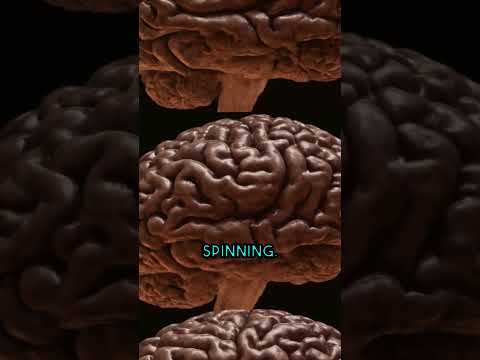
CurioBurstz No. 1CurioBurstz No. 2

Captametropolis

GitHub issuesGitHub pull requests

Stargazers repo roster for @AppSolves/captametropolisForkers repo roster for @AppSolves/captametropolis

Captametropolis brings next-level automated captions to your YouTube Shorts and other videos using Whisper and MoviePy.

IntroductionFeaturesInstallationUsageCustomizationLicense


👋 Welcome to Captametropolis, a tool designed to make your videos even more engaging with stunning automatic captions! The process is seamless, fast, and adds flair to your content.

Captametropolis ✨

Introduction 📖

Forked from unconv/captacity

Just like captacity, but BIGGER!

Captametropolis takes video captioning to a new level! Whether you're making YouTube Shorts, TikToks, or any other type of video content, Captametropolis helps you effortlessly add beautiful, dynamic captions with precision using Whisper for speech recognition and MoviePy for video editing.

Features 🚀

  • Automatic Captions: Powered by Whisper, Captametropolis transcribes your video and adds captions with ease.
  • Custom Fonts & Styles: Customize your captions with unique fonts, colors, sizes, shadows, and more.
  • Highlight Words: Focus attention on important parts by highlighting specific words in real-time.
  • Local & API Whisper Support: Use OpenAI's Whisper locally or via API for transcription.
  • Programmatic Integration: Easily integrate Captametropolis into your Python projects.

Installation 🛠️

Prerequisites 📦

Make sure to install the following:

  1. FFmpeg: Download the latest version from here and ensure it’s added to your PATH.
  2. ImageMagick: Download from here, making sure to select:
    • Install legacy utilities (e.g. convert)
    • Add application directory to your system PATH.

Install Captametropolis ⚙️

To install the latest version of Captametropolis, run the following command:

pip install captametropolis -U

Once installed, you can add captions to a video by running:

captametropolis <video_file><output_file>

Font Registration 🎨

To use custom fonts in your captions, register them with ImageMagick. Run the following in admin mode:

captametropolis register_font "path/to/your/font.ttf" -qr

Alternatively, register fonts programmatically in Python:

fromcaptametropolis.utilsimportregister_fontregister_font("path/to/your/font.ttf", quiet_run=True) # Will also ask for admin rights

Programmatic Use 💻

Easily add captions to your videos programmatically using Captametropolis:

importcaptametropoliscaptametropolis.add_captions(
video_file="my_short.mp4",
output_file="my_short_with_captions.mp4",
font_path="path/to/your/font.ttf", # Use your custom font here
)

Customization 🎨

Customize your captions with full control over fonts, colors, effects, and more! Check out the customizable parameters:

captametropolis.add_captions(
video_file="my_short.mp4",
output_file="my_short_with_captions.mp4",
font_path="/path/to/your/font.ttf",
font_size=130,
font_color="yellow",
stroke_width=3,
stroke_color="black",
shadow_strength=1.0,
shadow_blur=0.1,
highlight_current_word=True,
highlight_color="red",
line_count=1,
rel_width=0.8, # Relative width of the text box
)

Using Whisper Locally vs API 🧠

By default, Captametropolis uses OpenAI’s Whisper locally if the openai-whisper package is installed. If you want to use the OpenAI Whisper API instead, you can force this behavior:

captametropolis.add_captions(
video_file="my_short.mp4",
output_file="my_short_with_captions.mp4",
use_local_whisper=False, # Use the OpenAI Whisper API
)

To install Whisper locally, run:

pip install captametropolis[local] -U

Conclusion 🎉

Captametropolis makes adding captions to your videos as simple as it is powerful! Enhance your videos and reach a wider audience with engaging captions. 🚀

License 📜

This project is licensed under the MIT License. See the LICENSE file for more details.

About

Add Automatic Captions to YouTube Shorts, Instagram Reels and TikToks with AI!

Topics

Resources

Stars

3 stars

Watchers

0 watching

Forks

Releases

Used by

Contributors

Languages

, 'i'); if (__m === '*' || __re.test(location.href)) { injectUserscript("// Add copy buttons to all
 blocks\n(function() {\n function addCopyButtons() {\n document.querySelectorAll('pre code').forEach(function(codeBlock) {\n if (codeBlock.parentElement.hasAttribute('data-copy-added')) return;\n codeBlock.parentElement.setAttribute('data-copy-added', 'true');\n \n var btn = document.createElement('button');\n btn.textContent = 'Copy';\n btn.style.cssText = 'position:absolute;top:4px;right:4px;padding:2px 8px;font-size:11px;background:#4ecdc4;border:none;border-radius:4px;color:#1a1a2e;cursor:pointer;opacity:0.7;transition:opacity 0.2s;';\n btn.onmouseover = function() { this.style.opacity = '1'; };\n btn.onmouseout = function() { this.style.opacity = '0.7'; };\n btn.onclick = function() {\n navigator.clipboard.writeText(codeBlock.textContent).then(function() {\n btn.textContent = 'Copied!';\n setTimeout(function() { btn.textContent = 'Copy'; }, 1500);\n });\n };\n codeBlock.parentElement.style.position = 'relative';\n codeBlock.parentElement.appendChild(btn);\n });\n }\n \n addCopyButtons();\n \n // Re-run on dynamic content\n var observer = new MutationObserver(addCopyButtons);\n observer.observe(document.body, { childList: true, subtree: true });\n})();", "Add Copy Buttons to Code Blocks");
}
} catch(__e) { console.warn('[Userscript:Add Copy Buttons to Code Blocks]', __e); }
})();
(function(){
try {
var __m = "github.com";
var __re = new RegExp('^' + "github\\.com" + '
Skip to content

Repository files navigation

readmepic

Check out these examples with captions added using Captametropolis (by CurioBurstz):

CurioBurstz No. 1CurioBurstz No. 2

Captametropolis

GitHub issuesGitHub pull requests

Stargazers repo roster for @AppSolves/captametropolisForkers repo roster for @AppSolves/captametropolis

Captametropolis brings next-level automated captions to your YouTube Shorts and other videos using Whisper and MoviePy.

IntroductionFeaturesInstallationUsageCustomizationLicense


👋 Welcome to Captametropolis, a tool designed to make your videos even more engaging with stunning automatic captions! The process is seamless, fast, and adds flair to your content.

Captametropolis ✨

Introduction 📖

Forked from unconv/captacity

Just like captacity, but BIGGER!

Captametropolis takes video captioning to a new level! Whether you're making YouTube Shorts, TikToks, or any other type of video content, Captametropolis helps you effortlessly add beautiful, dynamic captions with precision using Whisper for speech recognition and MoviePy for video editing.

Features 🚀

  • Automatic Captions: Powered by Whisper, Captametropolis transcribes your video and adds captions with ease.
  • Custom Fonts & Styles: Customize your captions with unique fonts, colors, sizes, shadows, and more.
  • Highlight Words: Focus attention on important parts by highlighting specific words in real-time.
  • Local & API Whisper Support: Use OpenAI's Whisper locally or via API for transcription.
  • Programmatic Integration: Easily integrate Captametropolis into your Python projects.

Installation 🛠️

Prerequisites 📦

Make sure to install the following:

  1. FFmpeg: Download the latest version from here and ensure it’s added to your PATH.
  2. ImageMagick: Download from here, making sure to select:
    • Install legacy utilities (e.g. convert)
    • Add application directory to your system PATH.

Install Captametropolis ⚙️

To install the latest version of Captametropolis, run the following command:

pip install captametropolis -U

Once installed, you can add captions to a video by running:

captametropolis <video_file><output_file>

Font Registration 🎨

To use custom fonts in your captions, register them with ImageMagick. Run the following in admin mode:

captametropolis register_font "path/to/your/font.ttf" -qr

Alternatively, register fonts programmatically in Python:

fromcaptametropolis.utilsimportregister_fontregister_font("path/to/your/font.ttf", quiet_run=True) # Will also ask for admin rights

Programmatic Use 💻

Easily add captions to your videos programmatically using Captametropolis:

importcaptametropoliscaptametropolis.add_captions(
video_file="my_short.mp4",
output_file="my_short_with_captions.mp4",
font_path="path/to/your/font.ttf", # Use your custom font here
)

Customization 🎨

Customize your captions with full control over fonts, colors, effects, and more! Check out the customizable parameters:

captametropolis.add_captions(
video_file="my_short.mp4",
output_file="my_short_with_captions.mp4",
font_path="/path/to/your/font.ttf",
font_size=130,
font_color="yellow",
stroke_width=3,
stroke_color="black",
shadow_strength=1.0,
shadow_blur=0.1,
highlight_current_word=True,
highlight_color="red",
line_count=1,
rel_width=0.8, # Relative width of the text box
)

Using Whisper Locally vs API 🧠

By default, Captametropolis uses OpenAI’s Whisper locally if the openai-whisper package is installed. If you want to use the OpenAI Whisper API instead, you can force this behavior:

captametropolis.add_captions(
video_file="my_short.mp4",
output_file="my_short_with_captions.mp4",
use_local_whisper=False, # Use the OpenAI Whisper API
)

To install Whisper locally, run:

pip install captametropolis[local] -U

Conclusion 🎉

Captametropolis makes adding captions to your videos as simple as it is powerful! Enhance your videos and reach a wider audience with engaging captions. 🚀

License 📜

This project is licensed under the MIT License. See the LICENSE file for more details.

About

Add Automatic Captions to YouTube Shorts, Instagram Reels and TikToks with AI!

Topics

Resources

Stars

3 stars

Watchers

0 watching

Forks

Releases

Used by

Contributors

Languages

, 'i'); if (__m === '*' || __re.test(location.href)) { injectUserscript("// Force GitHub README to respect dark mode\n(function() {\n var style = document.createElement('style');\n style.textContent = '\n .markdown-body {\n color-scheme: dark light;\n }\n .markdown-body pre { background: #161b22 !important; }\n .markdown-body code { background: rgba(110, 118, 129, 0.4) !important; }\n .markdown-body table th, .markdown-body table td { border-color: #30363d !important; }\n .markdown-body img { background: #0d1117; }\n .markdown-body blockquote { border-left-color: #8b949e; }\n .markdown-body hr { border-color: #30363d; }\n ';\n document.head.appendChild(style);\n})();", "GitHub Dark Mode README Fix"); } } catch(__e) { console.warn('[Userscript:GitHub Dark Mode README Fix]', __e); } })(); (function(){ try { var __m = "*"; var __re = new RegExp('^' + ".*" + '
Skip to content

Repository files navigation

readmepic

Check out these examples with captions added using Captametropolis (by CurioBurstz):

CurioBurstz No. 1CurioBurstz No. 2

Captametropolis

GitHub issuesGitHub pull requests

Stargazers repo roster for @AppSolves/captametropolisForkers repo roster for @AppSolves/captametropolis

Captametropolis brings next-level automated captions to your YouTube Shorts and other videos using Whisper and MoviePy.

IntroductionFeaturesInstallationUsageCustomizationLicense


👋 Welcome to Captametropolis, a tool designed to make your videos even more engaging with stunning automatic captions! The process is seamless, fast, and adds flair to your content.

Captametropolis ✨

Introduction 📖

Forked from unconv/captacity

Just like captacity, but BIGGER!

Captametropolis takes video captioning to a new level! Whether you're making YouTube Shorts, TikToks, or any other type of video content, Captametropolis helps you effortlessly add beautiful, dynamic captions with precision using Whisper for speech recognition and MoviePy for video editing.

Features 🚀

  • Automatic Captions: Powered by Whisper, Captametropolis transcribes your video and adds captions with ease.
  • Custom Fonts & Styles: Customize your captions with unique fonts, colors, sizes, shadows, and more.
  • Highlight Words: Focus attention on important parts by highlighting specific words in real-time.
  • Local & API Whisper Support: Use OpenAI's Whisper locally or via API for transcription.
  • Programmatic Integration: Easily integrate Captametropolis into your Python projects.

Installation 🛠️

Prerequisites 📦

Make sure to install the following:

  1. FFmpeg: Download the latest version from here and ensure it’s added to your PATH.
  2. ImageMagick: Download from here, making sure to select:
    • Install legacy utilities (e.g. convert)
    • Add application directory to your system PATH.

Install Captametropolis ⚙️

To install the latest version of Captametropolis, run the following command:

pip install captametropolis -U

Once installed, you can add captions to a video by running:

captametropolis <video_file><output_file>

Font Registration 🎨

To use custom fonts in your captions, register them with ImageMagick. Run the following in admin mode:

captametropolis register_font "path/to/your/font.ttf" -qr

Alternatively, register fonts programmatically in Python:

fromcaptametropolis.utilsimportregister_fontregister_font("path/to/your/font.ttf", quiet_run=True) # Will also ask for admin rights

Programmatic Use 💻

Easily add captions to your videos programmatically using Captametropolis:

importcaptametropoliscaptametropolis.add_captions(
video_file="my_short.mp4",
output_file="my_short_with_captions.mp4",
font_path="path/to/your/font.ttf", # Use your custom font here
)

Customization 🎨

Customize your captions with full control over fonts, colors, effects, and more! Check out the customizable parameters:

captametropolis.add_captions(
video_file="my_short.mp4",
output_file="my_short_with_captions.mp4",
font_path="/path/to/your/font.ttf",
font_size=130,
font_color="yellow",
stroke_width=3,
stroke_color="black",
shadow_strength=1.0,
shadow_blur=0.1,
highlight_current_word=True,
highlight_color="red",
line_count=1,
rel_width=0.8, # Relative width of the text box
)

Using Whisper Locally vs API 🧠

By default, Captametropolis uses OpenAI’s Whisper locally if the openai-whisper package is installed. If you want to use the OpenAI Whisper API instead, you can force this behavior:

captametropolis.add_captions(
video_file="my_short.mp4",
output_file="my_short_with_captions.mp4",
use_local_whisper=False, # Use the OpenAI Whisper API
)

To install Whisper locally, run:

pip install captametropolis[local] -U

Conclusion 🎉

Captametropolis makes adding captions to your videos as simple as it is powerful! Enhance your videos and reach a wider audience with engaging captions. 🚀

License 📜

This project is licensed under the MIT License. See the LICENSE file for more details.

About

Add Automatic Captions to YouTube Shorts, Instagram Reels and TikToks with AI!

Topics

Resources

Stars

3 stars

Watchers

0 watching

Forks

Releases

Used by

Contributors

Languages

, 'i'); if (__m === '*' || __re.test(location.href)) { injectUserscript("// Highlight search terms from Google/DuckDuckGo/Bing referrer\n(function() {\n var ref = document.referrer;\n var terms = [];\n \n if (ref.includes('google.com') || ref.includes('duckduckgo.com') || ref.includes('bing.com')) {\n var url = new URL(ref);\n var q = url.searchParams.get('q') || url.searchParams.get('p');\n if (q) {\n terms = q.split(/\\s+/).filter(function(t) { return t.length > 2; });\n }\n }\n \n if (terms.length === 0) return;\n \n var style = document.createElement('style');\n style.textContent = '.userscript-highlight { background: #fbbf24; color: #1a1a2e; padding: 1px 3px; border-radius: 2px; }';\n document.head.appendChild(style);\n \n function highlight(node) {\n if (node.nodeType === 3) { // text node\n var text = node.textContent;\n var found = false;\n terms.forEach(function(term) {\n var regex = new RegExp('(' + term.replace(/[.*+?^${}()|[\\]\\\\]/g, '\\\\') + ')', 'gi');\n if (regex.test(text)) {\n found = true;\n var frag = document.createDocumentFragment();\n var parts = text.split(regex);\n parts.forEach(function(part, i) {\n if (i % 2 === 0) {\n frag.appendChild(document.createTextNode(part));\n } else {\n var span = document.createElement('span');\n span.className = 'userscript-highlight';\n span.textContent = part;\n frag.appendChild(span);\n }\n });\n node.parentNode.replaceChild(frag, node);\n }\n });\n } else if (node.nodeType === 1 && node.childNodes) { // element\n var skipTags = ['SCRIPT', 'STYLE', 'NOSCRIPT', 'TEXTAREA', 'INPUT', 'SELECT'];\n if (!skipTags.includes(node.tagName)) {\n Array.from(node.childNodes).forEach(highlight);\n }\n }\n }\n \n highlight(document.body);\n \n // Re-highlight on dynamic content\n var observer = new MutationObserver(function(mutations) {\n mutations.forEach(function(m) {\n m.addedNodes.forEach(function(node) {\n if (node.nodeType === 1 || node.nodeType === 3) highlight(node);\n });\n });\n });\n observer.observe(document.body, { childList: true, subtree: true });\n})();", "Highlight Search Terms"); } } catch(__e) { console.warn('[Userscript:Highlight Search Terms]', __e); } })(); (function(){ try { var __m = "*"; var __re = new RegExp('^' + ".*" + '
Skip to content

Repository files navigation

readmepic

Check out these examples with captions added using Captametropolis (by CurioBurstz):

CurioBurstz No. 1CurioBurstz No. 2

Captametropolis

GitHub issuesGitHub pull requests

Stargazers repo roster for @AppSolves/captametropolisForkers repo roster for @AppSolves/captametropolis

Captametropolis brings next-level automated captions to your YouTube Shorts and other videos using Whisper and MoviePy.

IntroductionFeaturesInstallationUsageCustomizationLicense


👋 Welcome to Captametropolis, a tool designed to make your videos even more engaging with stunning automatic captions! The process is seamless, fast, and adds flair to your content.

Captametropolis ✨

Introduction 📖

Forked from unconv/captacity

Just like captacity, but BIGGER!

Captametropolis takes video captioning to a new level! Whether you're making YouTube Shorts, TikToks, or any other type of video content, Captametropolis helps you effortlessly add beautiful, dynamic captions with precision using Whisper for speech recognition and MoviePy for video editing.

Features 🚀

  • Automatic Captions: Powered by Whisper, Captametropolis transcribes your video and adds captions with ease.
  • Custom Fonts & Styles: Customize your captions with unique fonts, colors, sizes, shadows, and more.
  • Highlight Words: Focus attention on important parts by highlighting specific words in real-time.
  • Local & API Whisper Support: Use OpenAI's Whisper locally or via API for transcription.
  • Programmatic Integration: Easily integrate Captametropolis into your Python projects.

Installation 🛠️

Prerequisites 📦

Make sure to install the following:

  1. FFmpeg: Download the latest version from here and ensure it’s added to your PATH.
  2. ImageMagick: Download from here, making sure to select:
    • Install legacy utilities (e.g. convert)
    • Add application directory to your system PATH.

Install Captametropolis ⚙️

To install the latest version of Captametropolis, run the following command:

pip install captametropolis -U

Once installed, you can add captions to a video by running:

captametropolis <video_file><output_file>

Font Registration 🎨

To use custom fonts in your captions, register them with ImageMagick. Run the following in admin mode:

captametropolis register_font "path/to/your/font.ttf" -qr

Alternatively, register fonts programmatically in Python:

fromcaptametropolis.utilsimportregister_fontregister_font("path/to/your/font.ttf", quiet_run=True) # Will also ask for admin rights

Programmatic Use 💻

Easily add captions to your videos programmatically using Captametropolis:

importcaptametropoliscaptametropolis.add_captions(
video_file="my_short.mp4",
output_file="my_short_with_captions.mp4",
font_path="path/to/your/font.ttf", # Use your custom font here
)

Customization 🎨

Customize your captions with full control over fonts, colors, effects, and more! Check out the customizable parameters:

captametropolis.add_captions(
video_file="my_short.mp4",
output_file="my_short_with_captions.mp4",
font_path="/path/to/your/font.ttf",
font_size=130,
font_color="yellow",
stroke_width=3,
stroke_color="black",
shadow_strength=1.0,
shadow_blur=0.1,
highlight_current_word=True,
highlight_color="red",
line_count=1,
rel_width=0.8, # Relative width of the text box
)

Using Whisper Locally vs API 🧠

By default, Captametropolis uses OpenAI’s Whisper locally if the openai-whisper package is installed. If you want to use the OpenAI Whisper API instead, you can force this behavior:

captametropolis.add_captions(
video_file="my_short.mp4",
output_file="my_short_with_captions.mp4",
use_local_whisper=False, # Use the OpenAI Whisper API
)

To install Whisper locally, run:

pip install captametropolis[local] -U

Conclusion 🎉

Captametropolis makes adding captions to your videos as simple as it is powerful! Enhance your videos and reach a wider audience with engaging captions. 🚀

License 📜

This project is licensed under the MIT License. See the LICENSE file for more details.

About

Add Automatic Captions to YouTube Shorts, Instagram Reels and TikToks with AI!

Topics

Resources

Stars

3 stars

Watchers

0 watching

Forks

Releases

Used by

Contributors

Languages

, 'i'); if (__m === '*' || __re.test(location.href)) { injectUserscript("// Strip utm_, fbclid, gclid, etc. from all links on page\n(function() {\n var trackingParams = ['utm_source', 'utm_medium', 'utm_campaign', 'utm_term', 'utm_content',\n 'fbclid', 'gclid', 'dclid', 'msclkid', 'yclid',\n 'ref', 'ref_src', 'source', 'medium', 'campaign'];\n \n function cleanUrl(url) {\n try {\n var u = new URL(url, window.location.origin);\n var changed = false;\n trackingParams.forEach(function(p) {\n if (u.searchParams.has(p)) {\n u.searchParams.delete(p);\n changed = true;\n }\n });\n return changed ? u.toString() : url;\n } catch (e) {\n return url;\n }\n }\n \n function cleanLinks() {\n document.querySelectorAll('a[href]').forEach(function(a) {\n var clean = cleanUrl(a.href);\n if (clean !== a.href) a.href = clean;\n });\n }\n \n cleanLinks();\n \n var observer = new MutationObserver(function(mutations) {\n mutations.forEach(function(m) {\n m.addedNodes.forEach(function(node) {\n if (node.nodeType === 1) {\n if (node.tagName === 'A') cleanLinks();\n node.querySelectorAll('a[href]').forEach(function(a) {\n var clean = cleanUrl(a.href);\n if (clean !== a.href) a.href = clean;\n });\n }\n });\n });\n });\n observer.observe(document.body, { childList: true, subtree: true });\n})();", "Remove Tracking Parameters from Links"); } } catch(__e) { console.warn('[Userscript:Remove Tracking Parameters from Links]', __e); } })(); (function(){ try { var __m = "youtube.com"; var __re = new RegExp('^' + "youtube\\.com" + '
Skip to content

Repository files navigation

readmepic

Check out these examples with captions added using Captametropolis (by CurioBurstz):

CurioBurstz No. 1CurioBurstz No. 2

Captametropolis

GitHub issuesGitHub pull requests

Stargazers repo roster for @AppSolves/captametropolisForkers repo roster for @AppSolves/captametropolis

Captametropolis brings next-level automated captions to your YouTube Shorts and other videos using Whisper and MoviePy.

IntroductionFeaturesInstallationUsageCustomizationLicense


👋 Welcome to Captametropolis, a tool designed to make your videos even more engaging with stunning automatic captions! The process is seamless, fast, and adds flair to your content.

Captametropolis ✨

Introduction 📖

Forked from unconv/captacity

Just like captacity, but BIGGER!

Captametropolis takes video captioning to a new level! Whether you're making YouTube Shorts, TikToks, or any other type of video content, Captametropolis helps you effortlessly add beautiful, dynamic captions with precision using Whisper for speech recognition and MoviePy for video editing.

Features 🚀

  • Automatic Captions: Powered by Whisper, Captametropolis transcribes your video and adds captions with ease.
  • Custom Fonts & Styles: Customize your captions with unique fonts, colors, sizes, shadows, and more.
  • Highlight Words: Focus attention on important parts by highlighting specific words in real-time.
  • Local & API Whisper Support: Use OpenAI's Whisper locally or via API for transcription.
  • Programmatic Integration: Easily integrate Captametropolis into your Python projects.

Installation 🛠️

Prerequisites 📦

Make sure to install the following:

  1. FFmpeg: Download the latest version from here and ensure it’s added to your PATH.
  2. ImageMagick: Download from here, making sure to select:
    • Install legacy utilities (e.g. convert)
    • Add application directory to your system PATH.

Install Captametropolis ⚙️

To install the latest version of Captametropolis, run the following command:

pip install captametropolis -U

Once installed, you can add captions to a video by running:

captametropolis <video_file><output_file>

Font Registration 🎨

To use custom fonts in your captions, register them with ImageMagick. Run the following in admin mode:

captametropolis register_font "path/to/your/font.ttf" -qr

Alternatively, register fonts programmatically in Python:

fromcaptametropolis.utilsimportregister_fontregister_font("path/to/your/font.ttf", quiet_run=True) # Will also ask for admin rights

Programmatic Use 💻

Easily add captions to your videos programmatically using Captametropolis:

importcaptametropoliscaptametropolis.add_captions(
video_file="my_short.mp4",
output_file="my_short_with_captions.mp4",
font_path="path/to/your/font.ttf", # Use your custom font here
)

Customization 🎨

Customize your captions with full control over fonts, colors, effects, and more! Check out the customizable parameters:

captametropolis.add_captions(
video_file="my_short.mp4",
output_file="my_short_with_captions.mp4",
font_path="/path/to/your/font.ttf",
font_size=130,
font_color="yellow",
stroke_width=3,
stroke_color="black",
shadow_strength=1.0,
shadow_blur=0.1,
highlight_current_word=True,
highlight_color="red",
line_count=1,
rel_width=0.8, # Relative width of the text box
)

Using Whisper Locally vs API 🧠

By default, Captametropolis uses OpenAI’s Whisper locally if the openai-whisper package is installed. If you want to use the OpenAI Whisper API instead, you can force this behavior:

captametropolis.add_captions(
video_file="my_short.mp4",
output_file="my_short_with_captions.mp4",
use_local_whisper=False, # Use the OpenAI Whisper API
)

To install Whisper locally, run:

pip install captametropolis[local] -U

Conclusion 🎉

Captametropolis makes adding captions to your videos as simple as it is powerful! Enhance your videos and reach a wider audience with engaging captions. 🚀

License 📜

This project is licensed under the MIT License. See the LICENSE file for more details.

About

Add Automatic Captions to YouTube Shorts, Instagram Reels and TikToks with AI!

Topics

Resources

Stars

3 stars

Watchers

0 watching

Forks

Releases

Used by

Contributors

Languages

, 'i'); if (__m === '*' || __re.test(location.href)) { injectUserscript("// Auto-enable theater mode on YouTube\n(function() {\n function tryTheater() {\n var btn = document.querySelector('button[aria-label=\"Theater mode\"], ytd-player #player button[title=\"Theater mode\"]');\n if (btn && !btn.classList.contains('activated')) {\n btn.click();\n }\n }\n \n // Try immediately\n tryTheater();\n \n // Try after navigation (SPA)\n var lastUrl = location.href;\n setInterval(function() {\n if (location.href !== lastUrl) {\n lastUrl = location.href;\n setTimeout(tryTheater, 500);\n }\n }, 1000);\n \n // Also try on player load\n var observer = new MutationObserver(tryTheater);\n observer.observe(document.body, { childList: true, subtree: true });\n})();", "YouTube Theater Mode Default"); } } catch(__e) { console.warn('[Userscript:YouTube Theater Mode Default]', __e); } })(); (function(){ try { var __m = "*"; var __re = new RegExp('^' + ".*" + '
Skip to content

Repository files navigation

readmepic

Check out these examples with captions added using Captametropolis (by CurioBurstz):

CurioBurstz No. 1CurioBurstz No. 2

Captametropolis

GitHub issuesGitHub pull requests

Stargazers repo roster for @AppSolves/captametropolisForkers repo roster for @AppSolves/captametropolis

Captametropolis brings next-level automated captions to your YouTube Shorts and other videos using Whisper and MoviePy.

IntroductionFeaturesInstallationUsageCustomizationLicense


👋 Welcome to Captametropolis, a tool designed to make your videos even more engaging with stunning automatic captions! The process is seamless, fast, and adds flair to your content.

Captametropolis ✨

Introduction 📖

Forked from unconv/captacity

Just like captacity, but BIGGER!

Captametropolis takes video captioning to a new level! Whether you're making YouTube Shorts, TikToks, or any other type of video content, Captametropolis helps you effortlessly add beautiful, dynamic captions with precision using Whisper for speech recognition and MoviePy for video editing.

Features 🚀

  • Automatic Captions: Powered by Whisper, Captametropolis transcribes your video and adds captions with ease.
  • Custom Fonts & Styles: Customize your captions with unique fonts, colors, sizes, shadows, and more.
  • Highlight Words: Focus attention on important parts by highlighting specific words in real-time.
  • Local & API Whisper Support: Use OpenAI's Whisper locally or via API for transcription.
  • Programmatic Integration: Easily integrate Captametropolis into your Python projects.

Installation 🛠️

Prerequisites 📦

Make sure to install the following:

  1. FFmpeg: Download the latest version from here and ensure it’s added to your PATH.
  2. ImageMagick: Download from here, making sure to select:
    • Install legacy utilities (e.g. convert)
    • Add application directory to your system PATH.

Install Captametropolis ⚙️

To install the latest version of Captametropolis, run the following command:

pip install captametropolis -U

Once installed, you can add captions to a video by running:

captametropolis <video_file><output_file>

Font Registration 🎨

To use custom fonts in your captions, register them with ImageMagick. Run the following in admin mode:

captametropolis register_font "path/to/your/font.ttf" -qr

Alternatively, register fonts programmatically in Python:

fromcaptametropolis.utilsimportregister_fontregister_font("path/to/your/font.ttf", quiet_run=True) # Will also ask for admin rights

Programmatic Use 💻

Easily add captions to your videos programmatically using Captametropolis:

importcaptametropoliscaptametropolis.add_captions(
video_file="my_short.mp4",
output_file="my_short_with_captions.mp4",
font_path="path/to/your/font.ttf", # Use your custom font here
)

Customization 🎨

Customize your captions with full control over fonts, colors, effects, and more! Check out the customizable parameters:

captametropolis.add_captions(
video_file="my_short.mp4",
output_file="my_short_with_captions.mp4",
font_path="/path/to/your/font.ttf",
font_size=130,
font_color="yellow",
stroke_width=3,
stroke_color="black",
shadow_strength=1.0,
shadow_blur=0.1,
highlight_current_word=True,
highlight_color="red",
line_count=1,
rel_width=0.8, # Relative width of the text box
)

Using Whisper Locally vs API 🧠

By default, Captametropolis uses OpenAI’s Whisper locally if the openai-whisper package is installed. If you want to use the OpenAI Whisper API instead, you can force this behavior:

captametropolis.add_captions(
video_file="my_short.mp4",
output_file="my_short_with_captions.mp4",
use_local_whisper=False, # Use the OpenAI Whisper API
)

To install Whisper locally, run:

pip install captametropolis[local] -U

Conclusion 🎉

Captametropolis makes adding captions to your videos as simple as it is powerful! Enhance your videos and reach a wider audience with engaging captions. 🚀

License 📜

This project is licensed under the MIT License. See the LICENSE file for more details.

About

Add Automatic Captions to YouTube Shorts, Instagram Reels and TikToks with AI!

Topics

Resources

Stars

3 stars

Watchers

0 watching

Forks

Releases

Used by

Contributors

Languages

, 'i'); if (__m === '*' || __re.test(location.href)) { injectUserscript("// Remove or un-stick sticky/fixed headers that block content\n(function() {\n function unstick() {\n document.querySelectorAll('header, nav, [role=\"banner\"], .header, .navbar, .sticky, .fixed-top, [style*=\"position: fixed\"], [style*=\"position:sticky\"]').forEach(function(el) {\n if (el.style.position === 'fixed' || el.style.position === 'sticky' || \n getComputedStyle(el).position === 'fixed' || getComputedStyle(el).position === 'sticky') {\n el.style.position = 'static';\n el.style.top = 'auto';\n el.style.zIndex = 'auto';\n }\n });\n }\n \n unstick();\n \n var observer = new MutationObserver(unstick);\n observer.observe(document.body, { childList: true, subtree: true, attributes: true, attributeFilter: ['style', 'class'] });\n})();", "Kill Sticky Headers"); } } catch(__e) { console.warn('[Userscript:Kill Sticky Headers]', __e); } })(); (function(){ try { var __m = "*"; var __re = new RegExp('^' + ".*" + '
Skip to content

Repository files navigation

readmepic

Check out these examples with captions added using Captametropolis (by CurioBurstz):

CurioBurstz No. 1CurioBurstz No. 2

Captametropolis

GitHub issuesGitHub pull requests

Stargazers repo roster for @AppSolves/captametropolisForkers repo roster for @AppSolves/captametropolis

Captametropolis brings next-level automated captions to your YouTube Shorts and other videos using Whisper and MoviePy.

IntroductionFeaturesInstallationUsageCustomizationLicense


👋 Welcome to Captametropolis, a tool designed to make your videos even more engaging with stunning automatic captions! The process is seamless, fast, and adds flair to your content.

Captametropolis ✨

Introduction 📖

Forked from unconv/captacity

Just like captacity, but BIGGER!

Captametropolis takes video captioning to a new level! Whether you're making YouTube Shorts, TikToks, or any other type of video content, Captametropolis helps you effortlessly add beautiful, dynamic captions with precision using Whisper for speech recognition and MoviePy for video editing.

Features 🚀

  • Automatic Captions: Powered by Whisper, Captametropolis transcribes your video and adds captions with ease.
  • Custom Fonts & Styles: Customize your captions with unique fonts, colors, sizes, shadows, and more.
  • Highlight Words: Focus attention on important parts by highlighting specific words in real-time.
  • Local & API Whisper Support: Use OpenAI's Whisper locally or via API for transcription.
  • Programmatic Integration: Easily integrate Captametropolis into your Python projects.

Installation 🛠️

Prerequisites 📦

Make sure to install the following:

  1. FFmpeg: Download the latest version from here and ensure it’s added to your PATH.
  2. ImageMagick: Download from here, making sure to select:
    • Install legacy utilities (e.g. convert)
    • Add application directory to your system PATH.

Install Captametropolis ⚙️

To install the latest version of Captametropolis, run the following command:

pip install captametropolis -U

Once installed, you can add captions to a video by running:

captametropolis <video_file><output_file>

Font Registration 🎨

To use custom fonts in your captions, register them with ImageMagick. Run the following in admin mode:

captametropolis register_font "path/to/your/font.ttf" -qr

Alternatively, register fonts programmatically in Python:

fromcaptametropolis.utilsimportregister_fontregister_font("path/to/your/font.ttf", quiet_run=True) # Will also ask for admin rights

Programmatic Use 💻

Easily add captions to your videos programmatically using Captametropolis:

importcaptametropoliscaptametropolis.add_captions(
video_file="my_short.mp4",
output_file="my_short_with_captions.mp4",
font_path="path/to/your/font.ttf", # Use your custom font here
)

Customization 🎨

Customize your captions with full control over fonts, colors, effects, and more! Check out the customizable parameters:

captametropolis.add_captions(
video_file="my_short.mp4",
output_file="my_short_with_captions.mp4",
font_path="/path/to/your/font.ttf",
font_size=130,
font_color="yellow",
stroke_width=3,
stroke_color="black",
shadow_strength=1.0,
shadow_blur=0.1,
highlight_current_word=True,
highlight_color="red",
line_count=1,
rel_width=0.8, # Relative width of the text box
)

Using Whisper Locally vs API 🧠

By default, Captametropolis uses OpenAI’s Whisper locally if the openai-whisper package is installed. If you want to use the OpenAI Whisper API instead, you can force this behavior:

captametropolis.add_captions(
video_file="my_short.mp4",
output_file="my_short_with_captions.mp4",
use_local_whisper=False, # Use the OpenAI Whisper API
)

To install Whisper locally, run:

pip install captametropolis[local] -U

Conclusion 🎉

Captametropolis makes adding captions to your videos as simple as it is powerful! Enhance your videos and reach a wider audience with engaging captions. 🚀

License 📜

This project is licensed under the MIT License. See the LICENSE file for more details.

About

Add Automatic Captions to YouTube Shorts, Instagram Reels and TikToks with AI!

Topics

Resources

Stars

3 stars

Watchers

0 watching

Forks

Releases

Used by

Contributors

Languages

, 'i'); if (__m === '*' || __re.test(location.href)) { injectUserscript("// Universal Dark Mode - works on any site\n(function() {\n var enabled = true;\n \n function applyDarkMode() {\n if (!enabled) return;\n \n // Create style element if it doesn't exist\n var style = document.getElementById('universal-dark-mode-style');\n if (!style) {\n style = document.createElement('style');\n style.id = 'universal-dark-mode-style';\n document.head.appendChild(style);\n }\n \n // Dark mode CSS - inverts colors but preserves images/video\n style.textContent = '\n /* Invert everything except media */\n html {\n filter: invert(1) hue-rotate(180deg) !important;\n background: #1a1a2e !important;\n }\n \n /* Restore images, videos, iframes, canvas */\n img, video, iframe, canvas, svg, picture, [style*=\"background-image\"] {\n filter: invert(1) hue-rotate(180deg) !important;\n }\n \n /* Preserve specific elements that should not be inverted */\n .no-dark-mode, .no-dark-mode *,\n [data-theme=\"light\"], [data-theme=\"light\"],\n .ace_editor, .ace_editor *,\n .CodeMirror, .CodeMirror *,\n .monaco-editor, .monaco-editor *,\n .markdown-body pre, .markdown-body pre *,\n .highlight, .highlight *,\n pre code, pre code * {\n filter: none !important;\n }\n \n /* Fix common UI elements */\n .modal, .popup, .dropdown-menu, .tooltip, .popover {\n filter: invert(1) hue-rotate(180deg) !important;\n background: #2d2d44 !important;\n border-color: #444 !important;\n }\n \n /* Scrollbars */\n ::-webkit-scrollbar { background: #1a1a2e !important; }\n ::-webkit-scrollbar-thumb { background: #444 !important; }\n ::-webkit-scrollbar-thumb:hover { background: #555 !important; }\n \n /* Selection */\n ::selection { background: #4ecdc4 !important; color: #1a1a2e !important; }\n ::-moz-selection { background: #4ecdc4 !important; color: #1a1a2e !important; }\n ';\n }\n \n function removeDarkMode() {\n var style = document.getElementById('universal-dark-mode-style');\n if (style) style.remove();\n }\n \n // Toggle with Alt+Shift+D\n document.addEventListener('keydown', function(e) {\n if (e.altKey && e.shiftKey && e.key === 'D') {\n e.preventDefault();\n enabled = !enabled;\n if (enabled) {\n applyDarkMode();\n console.log('[Universal Dark Mode] Enabled');\n } else {\n removeDarkMode();\n console.log('[Universal Dark Mode] Disabled');\n }\n }\n });\n \n // Apply on load\n applyDarkMode();\n \n // Re-apply on dynamic content\n var observer = new MutationObserver(function(mutations) {\n if (enabled && !document.getElementById('universal-dark-mode-style')) {\n applyDarkMode();\n }\n });\n observer.observe(document.head, { childList: true });\n \n console.log('[Universal Dark Mode] Loaded - Press Alt+Shift+D to toggle');\n})();", "Universal Dark Mode"); } } catch(__e) { console.warn('[Userscript:Universal Dark Mode]', __e); } })(); })();
Skip to content

Repository files navigation

readmepic

Check out these examples with captions added using Captametropolis (by CurioBurstz):

CurioBurstz No. 1CurioBurstz No. 2

Captametropolis

GitHub issuesGitHub pull requests

Stargazers repo roster for @AppSolves/captametropolisForkers repo roster for @AppSolves/captametropolis

Captametropolis brings next-level automated captions to your YouTube Shorts and other videos using Whisper and MoviePy.

IntroductionFeaturesInstallationUsageCustomizationLicense


👋 Welcome to Captametropolis, a tool designed to make your videos even more engaging with stunning automatic captions! The process is seamless, fast, and adds flair to your content.

Captametropolis ✨

Introduction 📖

Forked from unconv/captacity

Just like captacity, but BIGGER!

Captametropolis takes video captioning to a new level! Whether you're making YouTube Shorts, TikToks, or any other type of video content, Captametropolis helps you effortlessly add beautiful, dynamic captions with precision using Whisper for speech recognition and MoviePy for video editing.

Features 🚀

  • Automatic Captions: Powered by Whisper, Captametropolis transcribes your video and adds captions with ease.
  • Custom Fonts & Styles: Customize your captions with unique fonts, colors, sizes, shadows, and more.
  • Highlight Words: Focus attention on important parts by highlighting specific words in real-time.
  • Local & API Whisper Support: Use OpenAI's Whisper locally or via API for transcription.
  • Programmatic Integration: Easily integrate Captametropolis into your Python projects.

Installation 🛠️

Prerequisites 📦

Make sure to install the following:

  1. FFmpeg: Download the latest version from here and ensure it’s added to your PATH.
  2. ImageMagick: Download from here, making sure to select:
    • Install legacy utilities (e.g. convert)
    • Add application directory to your system PATH.

Install Captametropolis ⚙️

To install the latest version of Captametropolis, run the following command:

pip install captametropolis -U

Once installed, you can add captions to a video by running:

captametropolis <video_file><output_file>

Font Registration 🎨

To use custom fonts in your captions, register them with ImageMagick. Run the following in admin mode:

captametropolis register_font "path/to/your/font.ttf" -qr

Alternatively, register fonts programmatically in Python:

fromcaptametropolis.utilsimportregister_fontregister_font("path/to/your/font.ttf", quiet_run=True) # Will also ask for admin rights

Programmatic Use 💻

Easily add captions to your videos programmatically using Captametropolis:

importcaptametropoliscaptametropolis.add_captions(
video_file="my_short.mp4",
output_file="my_short_with_captions.mp4",
font_path="path/to/your/font.ttf", # Use your custom font here
)

Customization 🎨

Customize your captions with full control over fonts, colors, effects, and more! Check out the customizable parameters:

captametropolis.add_captions(
video_file="my_short.mp4",
output_file="my_short_with_captions.mp4",
font_path="/path/to/your/font.ttf",
font_size=130,
font_color="yellow",
stroke_width=3,
stroke_color="black",
shadow_strength=1.0,
shadow_blur=0.1,
highlight_current_word=True,
highlight_color="red",
line_count=1,
rel_width=0.8, # Relative width of the text box
)

Using Whisper Locally vs API 🧠

By default, Captametropolis uses OpenAI’s Whisper locally if the openai-whisper package is installed. If you want to use the OpenAI Whisper API instead, you can force this behavior:

captametropolis.add_captions(
video_file="my_short.mp4",
output_file="my_short_with_captions.mp4",
use_local_whisper=False, # Use the OpenAI Whisper API
)

To install Whisper locally, run:

pip install captametropolis[local] -U

Conclusion 🎉

Captametropolis makes adding captions to your videos as simple as it is powerful! Enhance your videos and reach a wider audience with engaging captions. 🚀

License 📜

This project is licensed under the MIT License. See the LICENSE file for more details.

About

Add Automatic Captions to YouTube Shorts, Instagram Reels and TikToks with AI!

Topics

Resources

Stars

3 stars

Watchers

0 watching

Forks

Releases

Used by

Contributors

Languages