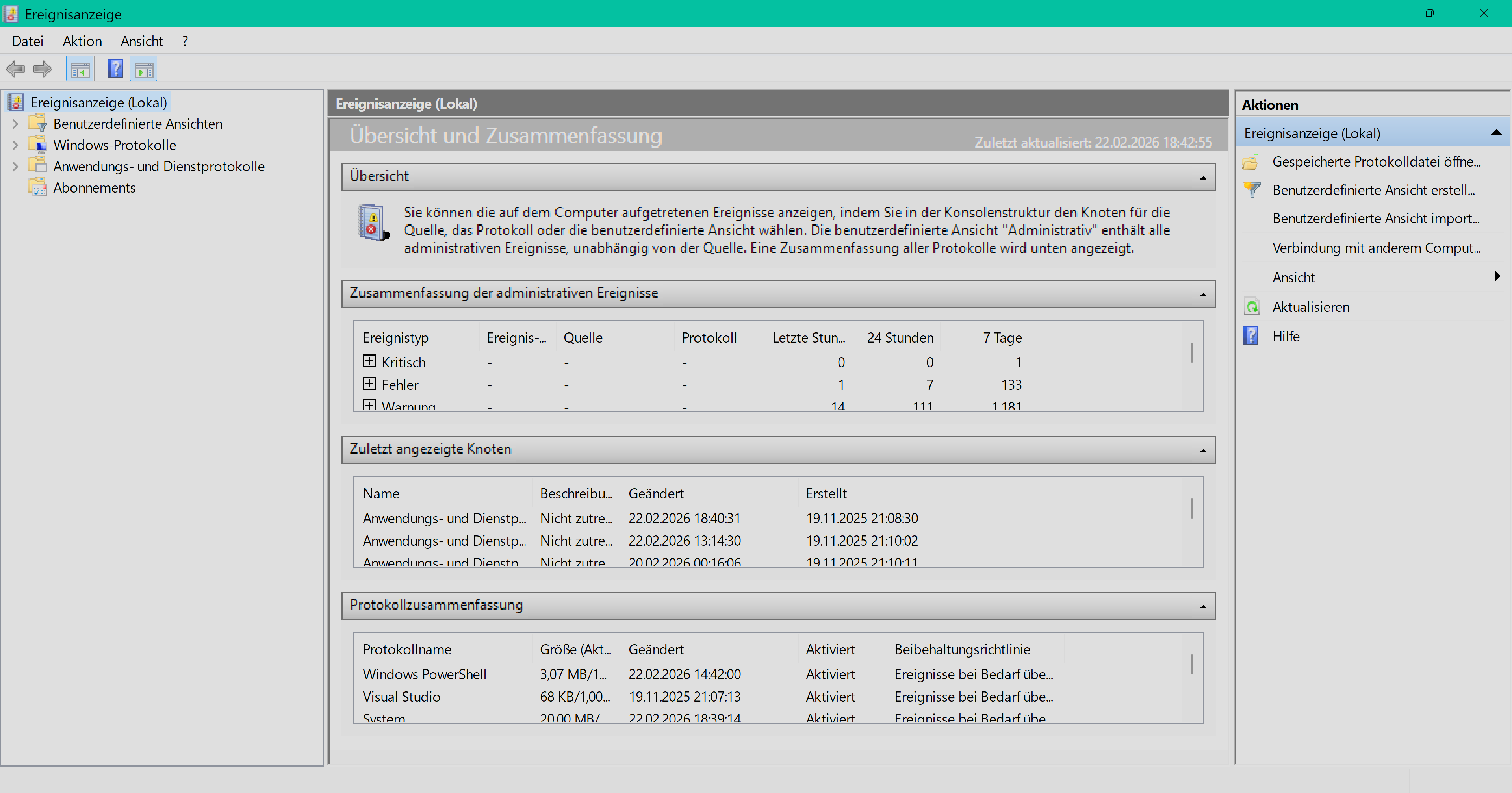




A comprehensive Flutter plugin for accessing the Windows Event Log (Event Viewer)
Monitor system events in real-time, query historical events, and manage event subscriptions across Windows Event Log channels with native Win32 integration.

Real-time event monitoring and historical queries in action
🎯 Real-time Event Monitoring - Subscribe to live events as they occur 📊 Historical Event Queries - Search past events with powerful filtering 🔍 Event Retrieval by ID - Get specific events by their record ID 📝 Channel Management - List and inspect all event log channels 🎨 Advanced Filtering - Filter by level, time range, event ID, provider, and more ⚡ High Performance - Efficient C++ implementation using Windows Event Log API 🔒 Type Safe - Fully typed Dart API with comprehensive error handling
- Demo
- Features
- Platform Support
- Installation
- Quick Start
- Usage Examples
- API Reference
- Example App
- Contributing
- License
| Platform | Support |
|---|---|
| Windows | ✅ |
| Linux | ❌ |
| macOS | ❌ |
| Android | ❌ |
| iOS | ❌ |
Run the following command in your terminal:
flutter pub add event_logOr add this to your package's pubspec.yaml file:
dependencies:
event_log: ^1.0.1
Then run:
flutter pub getGet up and running in 3 simple steps:
import'package:event_log/event_log.dart';final events =awaitEventLog.query(
constEventFilter(channel:'System', maxEvents:10),
);final subscription =awaitEventLog.subscribe(
constEventFilter(channel:'System'),
);
subscription.listen((event) =>print('🔔 ${event.message}'));// Get all available event log channelsfinal channels =awaitEventLog.listChannels();
for (final channel in channels) {
print('${channel.name}: ${channel.enabled ? "Enabled" : "Disabled"}');
}// Query the last 100 events from the System channelfinal events =awaitEventLog.query(
constEventFilter(
channel:'System',
maxEvents:100,
reverse:true, // Most recent first
),
);
for (final event in events) {
print('${event.timeCreated}: Event ${event.eventId} - ${event.level}');
}For Analytic and Debug channels, Windows does not allow reverse-native reads.
If you set reverse: true, the plugin automatically queries forward and
reorders the results in memory so your Dart code still receives newest-first
events.
// Get only errors and critical eventsfinal errorEvents =awaitEventLog.query(
EventFilter(
channel:'Application',
levels: [EventLevel.error, EventLevel.critical],
maxEvents:50,
),
);// Get events from the last 24 hoursfinal recentEvents =awaitEventLog.query(
EventFilter(
channel:'System',
startTime:DateTime.now().subtract(constDuration(hours:24)),
endTime:DateTime.now(),
),
);// Monitor System events in real-timefinal subscription =awaitEventLog.subscribe(
constEventFilter(channel:'System'),
);
subscription.listen(
(event) {
print('New event: ${event.eventId} - ${event.message}');
},
onError: (error) {
print('Subscription error: $error');
},
);
// Later: cancel the subscriptionawait subscription.cancel();// Use custom XPath queries for complex filteringfinal events =awaitEventLog.query(
constEventFilter(
channel:'Security',
xpathQuery:'*[System[(EventID=4624 or EventID=4625) and TimeCreated[@SystemTime>=\'2026-01-01T00:00:00.000Z\']]]',
),
);// Retrieve a specific event by its record IDfinal event =awaitEventLog.getById(
12345,
channel:'System', // Optional: specify channel for faster lookup
);
if (event !=null) {
print('Found event: ${event.providerName}');
print('Message: ${event.message}');
print('Time: ${event.timeCreated}');
}// Get detailed information about a channelfinal channelInfo =awaitEventLog.getChannelInfo('System');
if (channelInfo !=null) {
print('Channel: ${channelInfo.name}');
print('Type: ${channelInfo.type}');
print('Enabled: ${channelInfo.enabled}');
print('Log Path: ${channelInfo.logFilePath}');
}
⚠️ Requires Administrator Privileges
// Clear all events from a channeltry {
awaitEventLog.clear(
'Application',
backupPath:r'C:\Backups\app_events.evtx', // Optional: backup before clearing
);
print('Channel cleared successfully');
} onAccessDeniedException {
print('Access denied: Administrator privileges required');
} onChannelNotFoundException {
print('Channel not found');
}Each EventRecord contains comprehensive event information:
classEventRecord {
finalint eventRecordId; // Unique event record IDfinalint eventId; // Event identifierfinalEventLevel level; // Severity levelfinalDateTime timeCreated; // TimestampfinalString channel; // Channel namefinalString computer; // Computer namefinalString providerName; // Event providerfinalString? providerGuid; // Provider GUIDfinalint? task; // Task categoryfinalint? opcode; // Operation codefinalint? keywords; // Keywords bitmaskfinalint? processId; // Process IDfinalint? threadId; // Thread IDfinalString? userId; // User SIDfinalString? activityId; // Activity correlation IDfinalString? message; // Formatted messagefinalString? xml; // Event as XMLfinalMap<String, dynamic>? eventData; // Event-specific data
}enumEventLevel {
critical, // Level 1
error, // Level 2
warning, // Level 3
information, // Level 4
verbose, // Level 5
logAlways, // Level 0
}- System - System events (hardware, drivers, OS)
- Application - Application events
- Security - Security audit events (requires admin for read access)
- Setup - Setup and deployment events
- Windows PowerShell - PowerShell events
- Microsoft-Windows-* - Various Windows component logs
The plugin provides specific exception types:
try {
final events =awaitEventLog.query(filter);
} onAccessDeniedExceptioncatch (e) {
print('Access denied: ${e.message}');
} onChannelNotFoundExceptioncatch (e) {
print('Channel not found: ${e.message}');
} onInvalidQueryExceptioncatch (e) {
print('Invalid query: ${e.message}');
} onUnsupportedChannelExceptioncatch (e) {
print('Unsupported channel operation: ${e.message}');
} onEventLogExceptioncatch (e) {
print('Event log error: ${e.message}');
}
UnsupportedChannelException is raised when Windows rejects the requested
operation for that channel, such as attempting a live subscription on an
Analytic or Debug log.
Live subscriptions are supported for Admin and Operational channels. Analytic and Debug channels are the specific channel types that do not support live subscriptions through the Windows Event Log subscription API.
- Channel-specific queries are faster than cross-channel queries
- XPath queries with specific filters are more efficient than wildcard queries
- Subscriptions use Windows Event Log's native callbacks for optimal performance
- Limit maxEvents to avoid loading excessive data
- Time range filters help narrow down results
- Basic queries - Standard user privileges
- Security channel - Often requires administrator privileges
- Clear channel - Requires administrator privileges
- Some subscriptions - May require elevated privileges depending on the channel
- Live subscriptions - Supported for Admin and Operational channels
- Analytic and Debug channels - Historical queries are forward-only at the Windows API layer. The plugin transparently emulates
reverse: truefor queries, but live subscriptions are not supported by the Windows Event Log subscription API and will throwUnsupportedChannelException
Run the example app to see all features in action:
cd example
flutter run -d windows- ✅ Channel Browser - Browse and select from all system channels
- ✅ Historical Queries - Query past events with filtering
- ✅ Event Filtering - Filter by severity level (errors only, warnings, etc.)
- ✅ Live Monitoring - Subscribe to real-time events with visual indicators
- ✅ Event Details - Expandable cards showing all event properties
- ✅ Material Design 3 - Beautiful, modern UI
Install the repository-managed Git hooks to auto-format staged Dart and C/C++ files before each commit:
pwsh -File scripts/install-git-hooks.ps1The pre-commit hook runs:
dart formatfor staged.dartfilesclang-format -ifor staged C/C++ source and header files
To format every tracked Dart and C/C++ file in the repository once:
pwsh -File scripts/format_all.ps1The plugin uses:
- Dart Layer: Clean API with Stream support and Flutter integration
- Platform Interface: Pluggable architecture for future platform support
- Windows C++: Native implementation using Windows Event Log API (winevt.h)
- Method Channels: For synchronous operations (queries, channel info)
- Event Channels: For asynchronous event streaming (subscriptions)
This plugin wraps the following Windows APIs:
EvtQuery- Query historical eventsEvtSubscribe- Subscribe to live eventsEvtNext- Iterate through eventsEvtRender- Render event dataEvtOpenChannelEnum- Enumerate channelsEvtClearLog- Clear channel events
Contributions are welcome! Here's how you can help:
- 🐛 Report bugs - Open an issue with details
- 💡 Suggest features - Share your ideas
- 🔧 Submit PRs - Fix bugs or add features
- 📖 Improve docs - Help others understand the plugin
Please read our Contributing Guidelines before submitting PRs.
Copyright © 2026 Kaan Gönüldinc
Licensed under the Apache License, Version 2.0 (the "License"); you may not use this file except in compliance with the License. You may obtain a copy of the License at
http://www.apache.org/licenses/LICENSE-2.0
Unless required by applicable law or agreed to in writing, software distributed under the License is distributed on an "AS IS" BASIS, WITHOUT WARRANTIES OR CONDITIONS OF ANY KIND, either express or implied. See the License for the specific language governing permissions and limitations under the License.
See LICENSE for more details.