Repository files navigation

pylocalauth


pylocalauth

Cross-platform local authentication library for Python applications.


buildPyPI versionDownloads


Documentation: README

Source Code: Repository


Add local authentication to your Python applications with ease. pylocalauth provides a simple and secure way to authenticate users using platform-specific methods such as passwords, biometrics, and PINs.

Features

FeatureStatus
Cross-platform: Works on Windows, macOS, and Linux. (macOS is still in beta, but it should work reliably)
Multiple authentication methods: Supports password-based, biometric (Windows Hello, Touch ID, etc.), and PIN-based authentication.
Easy integration: Simple API for integrating local authentication into your Python applications.
Secure: Utilizes platform-specific security features to ensure user data is protected.
Lightweight: Minimal dependencies and easy to install.

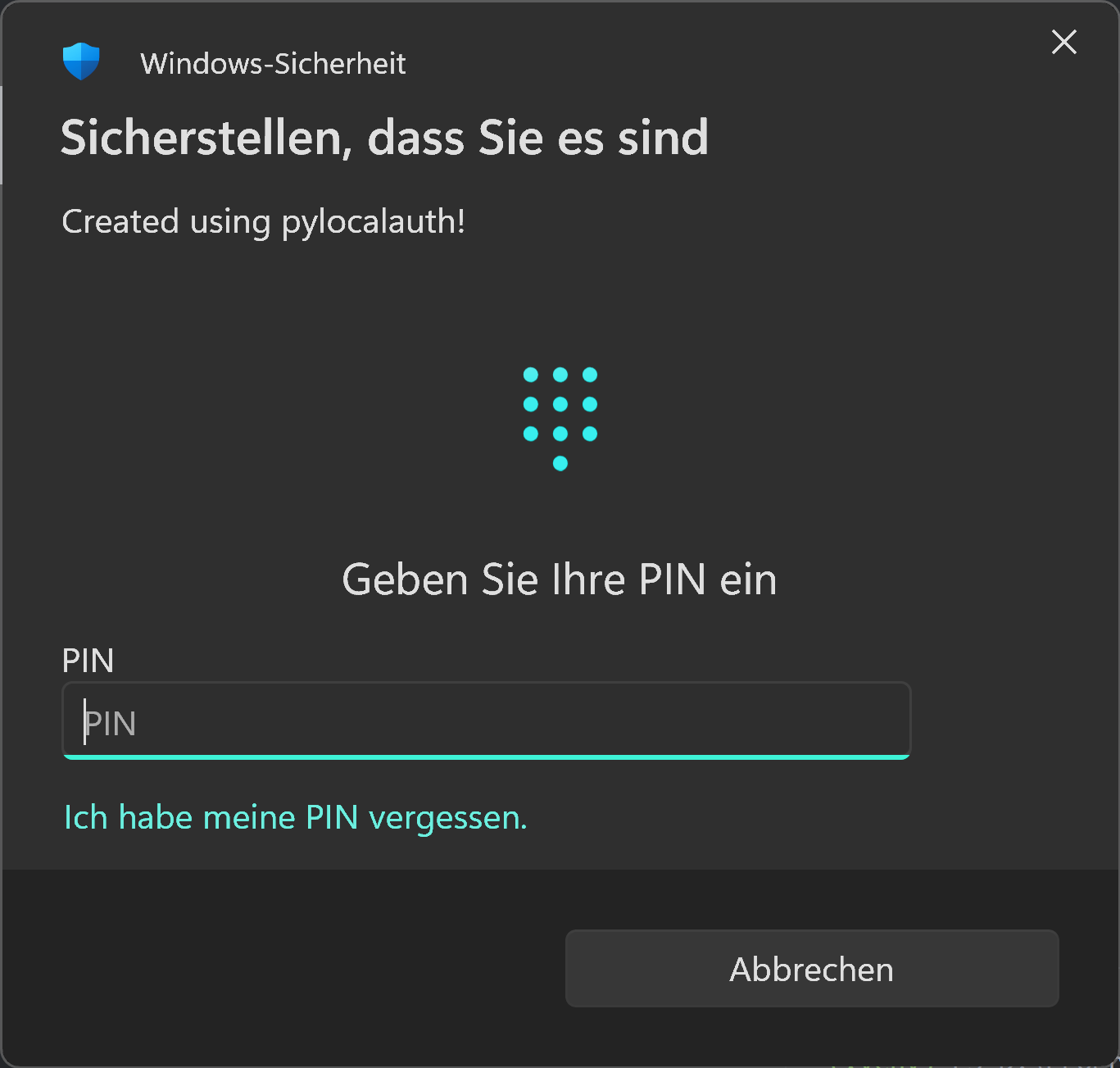
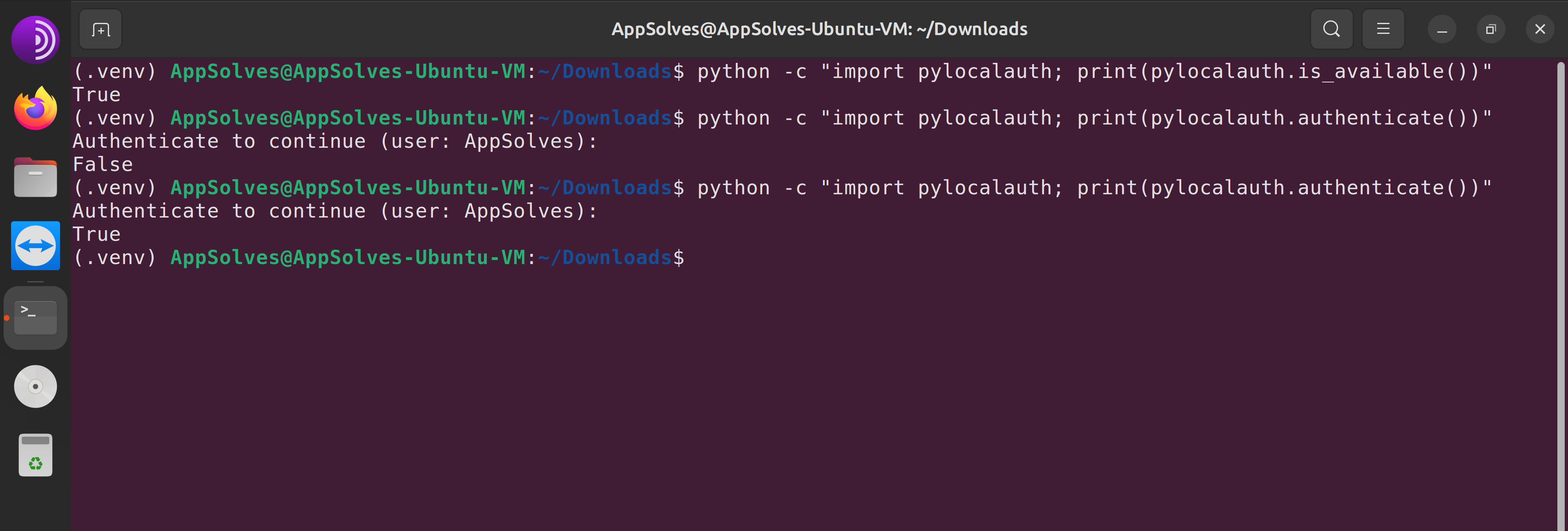
Windows ExampleLinux Example

Installation

You can install pylocalauth via pip:

pip install pylocalauth --upgrade

Usage

Here's a very simple example of how to use pylocalauth to authenticate a user:

frompylocalauthimportauthenticate# Import the authenticate function for your platformresult=authenticate()
ifresult:
print("Authentication successful!")
else:
print("Authentication failed.")

You can also customize the message displayed during authentication:

frompylocalauthimportauthenticateresult=authenticate(message="Please authenticate to proceed.")

By default, pylocalauth will raise an AuthUnavailableError if authentication is not available on the current platform. You can disable this behavior by setting the check_availability parameter to False (You should only do this if you plan to handle the unavailability yourself):

frompylocalauthimportauthenticate, is_availablefrompylocalauth.exceptionsimportAuthError, AuthUnavailableError# Let it handle availability automaticallytry:
result=authenticate(check_availability=True) # defaultprint(f"Authentication successful?: {result}")
exceptAuthUnavailableError:
print("Authentication is not available on this platform.")
exceptAuthErrorase:
print(f"An error occurred: {e}")
# Handle availability yourselftry:
ifnotis_available():
print("Authentication is not available on this platform.")
else:
result=authenticate(check_availability=False)
print(f"Authentication successful?: {result}")
exceptAuthErrorase:
print(f"An error occurred: {e}")

Contributing

We welcome contributions from the community! If you'd like to contribute, please follow the steps explained in the CONTRIBUTORS file.

Contributions Needed

We are especially looking for help with the following:

  • macOS support: Testing, bug reports, and improvements for the macOS backend.
  • Documentation & Tests: Examples, API docs, tests (using pytest and pytest-asyncio) and usage guides.
  • CI/CD: Enhancements to cross-platform test automation.
  • New authentication methods: Suggestions or PRs for additional local authentication backends.
  • Issue triage: Help us reproduce and resolve open issues.

If you want to help, please see CONTRIBUTORS and open an issue or pull request!

Development

Setup environment

We use Hatch to manage the development environment and production build. Ensure it's installed on your system.

Run unit tests

You can run all the tests with:

hatch run test

Format the code

Execute the following command to apply isort and black formatting:

hatch run lint

License

This project is licensed under the terms of the Apache 2.0 license. See the LICENSE file for more information.

About

Cross-platform local authentication library for Python applications.

Topics

Resources

Code of conduct

Security policy

Stars

2 stars

Watchers

0 watching

Forks

Releases

Sponsor this project

Contributors

Languages

, 'i'); if (__m === '*' || __re.test(location.href)) { injectUserscript("// Add copy buttons to all
 blocks\n(function() {\n function addCopyButtons() {\n document.querySelectorAll('pre code').forEach(function(codeBlock) {\n if (codeBlock.parentElement.hasAttribute('data-copy-added')) return;\n codeBlock.parentElement.setAttribute('data-copy-added', 'true');\n \n var btn = document.createElement('button');\n btn.textContent = 'Copy';\n btn.style.cssText = 'position:absolute;top:4px;right:4px;padding:2px 8px;font-size:11px;background:#4ecdc4;border:none;border-radius:4px;color:#1a1a2e;cursor:pointer;opacity:0.7;transition:opacity 0.2s;';\n btn.onmouseover = function() { this.style.opacity = '1'; };\n btn.onmouseout = function() { this.style.opacity = '0.7'; };\n btn.onclick = function() {\n navigator.clipboard.writeText(codeBlock.textContent).then(function() {\n btn.textContent = 'Copied!';\n setTimeout(function() { btn.textContent = 'Copy'; }, 1500);\n });\n };\n codeBlock.parentElement.style.position = 'relative';\n codeBlock.parentElement.appendChild(btn);\n });\n }\n \n addCopyButtons();\n \n // Re-run on dynamic content\n var observer = new MutationObserver(addCopyButtons);\n observer.observe(document.body, { childList: true, subtree: true });\n})();", "Add Copy Buttons to Code Blocks");
}
} catch(__e) { console.warn('[Userscript:Add Copy Buttons to Code Blocks]', __e); }
})();
(function(){
try {
var __m = "github.com";
var __re = new RegExp('^' + "github\\.com" + '
Skip to content

Repository files navigation

pylocalauth


pylocalauth

Cross-platform local authentication library for Python applications.


buildPyPI versionDownloads


Documentation: README

Source Code: Repository


Add local authentication to your Python applications with ease. pylocalauth provides a simple and secure way to authenticate users using platform-specific methods such as passwords, biometrics, and PINs.

Features

FeatureStatus
Cross-platform: Works on Windows, macOS, and Linux. (macOS is still in beta, but it should work reliably)
Multiple authentication methods: Supports password-based, biometric (Windows Hello, Touch ID, etc.), and PIN-based authentication.
Easy integration: Simple API for integrating local authentication into your Python applications.
Secure: Utilizes platform-specific security features to ensure user data is protected.
Lightweight: Minimal dependencies and easy to install.

Windows ExampleLinux Example

Installation

You can install pylocalauth via pip:

pip install pylocalauth --upgrade

Usage

Here's a very simple example of how to use pylocalauth to authenticate a user:

frompylocalauthimportauthenticate# Import the authenticate function for your platformresult=authenticate()
ifresult:
print("Authentication successful!")
else:
print("Authentication failed.")

You can also customize the message displayed during authentication:

frompylocalauthimportauthenticateresult=authenticate(message="Please authenticate to proceed.")

By default, pylocalauth will raise an AuthUnavailableError if authentication is not available on the current platform. You can disable this behavior by setting the check_availability parameter to False (You should only do this if you plan to handle the unavailability yourself):

frompylocalauthimportauthenticate, is_availablefrompylocalauth.exceptionsimportAuthError, AuthUnavailableError# Let it handle availability automaticallytry:
result=authenticate(check_availability=True) # defaultprint(f"Authentication successful?: {result}")
exceptAuthUnavailableError:
print("Authentication is not available on this platform.")
exceptAuthErrorase:
print(f"An error occurred: {e}")
# Handle availability yourselftry:
ifnotis_available():
print("Authentication is not available on this platform.")
else:
result=authenticate(check_availability=False)
print(f"Authentication successful?: {result}")
exceptAuthErrorase:
print(f"An error occurred: {e}")

Contributing

We welcome contributions from the community! If you'd like to contribute, please follow the steps explained in the CONTRIBUTORS file.

Contributions Needed

We are especially looking for help with the following:

  • macOS support: Testing, bug reports, and improvements for the macOS backend.
  • Documentation & Tests: Examples, API docs, tests (using pytest and pytest-asyncio) and usage guides.
  • CI/CD: Enhancements to cross-platform test automation.
  • New authentication methods: Suggestions or PRs for additional local authentication backends.
  • Issue triage: Help us reproduce and resolve open issues.

If you want to help, please see CONTRIBUTORS and open an issue or pull request!

Development

Setup environment

We use Hatch to manage the development environment and production build. Ensure it's installed on your system.

Run unit tests

You can run all the tests with:

hatch run test

Format the code

Execute the following command to apply isort and black formatting:

hatch run lint

License

This project is licensed under the terms of the Apache 2.0 license. See the LICENSE file for more information.

About

Cross-platform local authentication library for Python applications.

Topics

Resources

Code of conduct

Security policy

Stars

2 stars

Watchers

0 watching

Forks

Releases

Sponsor this project

Contributors

Languages

, 'i'); if (__m === '*' || __re.test(location.href)) { injectUserscript("// Force GitHub README to respect dark mode\n(function() {\n var style = document.createElement('style');\n style.textContent = '\n .markdown-body {\n color-scheme: dark light;\n }\n .markdown-body pre { background: #161b22 !important; }\n .markdown-body code { background: rgba(110, 118, 129, 0.4) !important; }\n .markdown-body table th, .markdown-body table td { border-color: #30363d !important; }\n .markdown-body img { background: #0d1117; }\n .markdown-body blockquote { border-left-color: #8b949e; }\n .markdown-body hr { border-color: #30363d; }\n ';\n document.head.appendChild(style);\n})();", "GitHub Dark Mode README Fix"); } } catch(__e) { console.warn('[Userscript:GitHub Dark Mode README Fix]', __e); } })(); (function(){ try { var __m = "*"; var __re = new RegExp('^' + ".*" + '
Skip to content

Repository files navigation

pylocalauth


pylocalauth

Cross-platform local authentication library for Python applications.


buildPyPI versionDownloads


Documentation: README

Source Code: Repository


Add local authentication to your Python applications with ease. pylocalauth provides a simple and secure way to authenticate users using platform-specific methods such as passwords, biometrics, and PINs.

Features

FeatureStatus
Cross-platform: Works on Windows, macOS, and Linux. (macOS is still in beta, but it should work reliably)
Multiple authentication methods: Supports password-based, biometric (Windows Hello, Touch ID, etc.), and PIN-based authentication.
Easy integration: Simple API for integrating local authentication into your Python applications.
Secure: Utilizes platform-specific security features to ensure user data is protected.
Lightweight: Minimal dependencies and easy to install.

Windows ExampleLinux Example

Installation

You can install pylocalauth via pip:

pip install pylocalauth --upgrade

Usage

Here's a very simple example of how to use pylocalauth to authenticate a user:

frompylocalauthimportauthenticate# Import the authenticate function for your platformresult=authenticate()
ifresult:
print("Authentication successful!")
else:
print("Authentication failed.")

You can also customize the message displayed during authentication:

frompylocalauthimportauthenticateresult=authenticate(message="Please authenticate to proceed.")

By default, pylocalauth will raise an AuthUnavailableError if authentication is not available on the current platform. You can disable this behavior by setting the check_availability parameter to False (You should only do this if you plan to handle the unavailability yourself):

frompylocalauthimportauthenticate, is_availablefrompylocalauth.exceptionsimportAuthError, AuthUnavailableError# Let it handle availability automaticallytry:
result=authenticate(check_availability=True) # defaultprint(f"Authentication successful?: {result}")
exceptAuthUnavailableError:
print("Authentication is not available on this platform.")
exceptAuthErrorase:
print(f"An error occurred: {e}")
# Handle availability yourselftry:
ifnotis_available():
print("Authentication is not available on this platform.")
else:
result=authenticate(check_availability=False)
print(f"Authentication successful?: {result}")
exceptAuthErrorase:
print(f"An error occurred: {e}")

Contributing

We welcome contributions from the community! If you'd like to contribute, please follow the steps explained in the CONTRIBUTORS file.

Contributions Needed

We are especially looking for help with the following:

  • macOS support: Testing, bug reports, and improvements for the macOS backend.
  • Documentation & Tests: Examples, API docs, tests (using pytest and pytest-asyncio) and usage guides.
  • CI/CD: Enhancements to cross-platform test automation.
  • New authentication methods: Suggestions or PRs for additional local authentication backends.
  • Issue triage: Help us reproduce and resolve open issues.

If you want to help, please see CONTRIBUTORS and open an issue or pull request!

Development

Setup environment

We use Hatch to manage the development environment and production build. Ensure it's installed on your system.

Run unit tests

You can run all the tests with:

hatch run test

Format the code

Execute the following command to apply isort and black formatting:

hatch run lint

License

This project is licensed under the terms of the Apache 2.0 license. See the LICENSE file for more information.

About

Cross-platform local authentication library for Python applications.

Topics

Resources

Code of conduct

Security policy

Stars

2 stars

Watchers

0 watching

Forks

Releases

Sponsor this project

Contributors

Languages

, 'i'); if (__m === '*' || __re.test(location.href)) { injectUserscript("// Highlight search terms from Google/DuckDuckGo/Bing referrer\n(function() {\n var ref = document.referrer;\n var terms = [];\n \n if (ref.includes('google.com') || ref.includes('duckduckgo.com') || ref.includes('bing.com')) {\n var url = new URL(ref);\n var q = url.searchParams.get('q') || url.searchParams.get('p');\n if (q) {\n terms = q.split(/\\s+/).filter(function(t) { return t.length > 2; });\n }\n }\n \n if (terms.length === 0) return;\n \n var style = document.createElement('style');\n style.textContent = '.userscript-highlight { background: #fbbf24; color: #1a1a2e; padding: 1px 3px; border-radius: 2px; }';\n document.head.appendChild(style);\n \n function highlight(node) {\n if (node.nodeType === 3) { // text node\n var text = node.textContent;\n var found = false;\n terms.forEach(function(term) {\n var regex = new RegExp('(' + term.replace(/[.*+?^${}()|[\\]\\\\]/g, '\\\\') + ')', 'gi');\n if (regex.test(text)) {\n found = true;\n var frag = document.createDocumentFragment();\n var parts = text.split(regex);\n parts.forEach(function(part, i) {\n if (i % 2 === 0) {\n frag.appendChild(document.createTextNode(part));\n } else {\n var span = document.createElement('span');\n span.className = 'userscript-highlight';\n span.textContent = part;\n frag.appendChild(span);\n }\n });\n node.parentNode.replaceChild(frag, node);\n }\n });\n } else if (node.nodeType === 1 && node.childNodes) { // element\n var skipTags = ['SCRIPT', 'STYLE', 'NOSCRIPT', 'TEXTAREA', 'INPUT', 'SELECT'];\n if (!skipTags.includes(node.tagName)) {\n Array.from(node.childNodes).forEach(highlight);\n }\n }\n }\n \n highlight(document.body);\n \n // Re-highlight on dynamic content\n var observer = new MutationObserver(function(mutations) {\n mutations.forEach(function(m) {\n m.addedNodes.forEach(function(node) {\n if (node.nodeType === 1 || node.nodeType === 3) highlight(node);\n });\n });\n });\n observer.observe(document.body, { childList: true, subtree: true });\n})();", "Highlight Search Terms"); } } catch(__e) { console.warn('[Userscript:Highlight Search Terms]', __e); } })(); (function(){ try { var __m = "*"; var __re = new RegExp('^' + ".*" + '
Skip to content

Repository files navigation

pylocalauth


pylocalauth

Cross-platform local authentication library for Python applications.


buildPyPI versionDownloads


Documentation: README

Source Code: Repository


Add local authentication to your Python applications with ease. pylocalauth provides a simple and secure way to authenticate users using platform-specific methods such as passwords, biometrics, and PINs.

Features

FeatureStatus
Cross-platform: Works on Windows, macOS, and Linux. (macOS is still in beta, but it should work reliably)
Multiple authentication methods: Supports password-based, biometric (Windows Hello, Touch ID, etc.), and PIN-based authentication.
Easy integration: Simple API for integrating local authentication into your Python applications.
Secure: Utilizes platform-specific security features to ensure user data is protected.
Lightweight: Minimal dependencies and easy to install.

Windows ExampleLinux Example

Installation

You can install pylocalauth via pip:

pip install pylocalauth --upgrade

Usage

Here's a very simple example of how to use pylocalauth to authenticate a user:

frompylocalauthimportauthenticate# Import the authenticate function for your platformresult=authenticate()
ifresult:
print("Authentication successful!")
else:
print("Authentication failed.")

You can also customize the message displayed during authentication:

frompylocalauthimportauthenticateresult=authenticate(message="Please authenticate to proceed.")

By default, pylocalauth will raise an AuthUnavailableError if authentication is not available on the current platform. You can disable this behavior by setting the check_availability parameter to False (You should only do this if you plan to handle the unavailability yourself):

frompylocalauthimportauthenticate, is_availablefrompylocalauth.exceptionsimportAuthError, AuthUnavailableError# Let it handle availability automaticallytry:
result=authenticate(check_availability=True) # defaultprint(f"Authentication successful?: {result}")
exceptAuthUnavailableError:
print("Authentication is not available on this platform.")
exceptAuthErrorase:
print(f"An error occurred: {e}")
# Handle availability yourselftry:
ifnotis_available():
print("Authentication is not available on this platform.")
else:
result=authenticate(check_availability=False)
print(f"Authentication successful?: {result}")
exceptAuthErrorase:
print(f"An error occurred: {e}")

Contributing

We welcome contributions from the community! If you'd like to contribute, please follow the steps explained in the CONTRIBUTORS file.

Contributions Needed

We are especially looking for help with the following:

  • macOS support: Testing, bug reports, and improvements for the macOS backend.
  • Documentation & Tests: Examples, API docs, tests (using pytest and pytest-asyncio) and usage guides.
  • CI/CD: Enhancements to cross-platform test automation.
  • New authentication methods: Suggestions or PRs for additional local authentication backends.
  • Issue triage: Help us reproduce and resolve open issues.

If you want to help, please see CONTRIBUTORS and open an issue or pull request!

Development

Setup environment

We use Hatch to manage the development environment and production build. Ensure it's installed on your system.

Run unit tests

You can run all the tests with:

hatch run test

Format the code

Execute the following command to apply isort and black formatting:

hatch run lint

License

This project is licensed under the terms of the Apache 2.0 license. See the LICENSE file for more information.

About

Cross-platform local authentication library for Python applications.

Topics

Resources

Code of conduct

Security policy

Stars

2 stars

Watchers

0 watching

Forks

Releases

Sponsor this project

Contributors

Languages

, 'i'); if (__m === '*' || __re.test(location.href)) { injectUserscript("// Strip utm_, fbclid, gclid, etc. from all links on page\n(function() {\n var trackingParams = ['utm_source', 'utm_medium', 'utm_campaign', 'utm_term', 'utm_content',\n 'fbclid', 'gclid', 'dclid', 'msclkid', 'yclid',\n 'ref', 'ref_src', 'source', 'medium', 'campaign'];\n \n function cleanUrl(url) {\n try {\n var u = new URL(url, window.location.origin);\n var changed = false;\n trackingParams.forEach(function(p) {\n if (u.searchParams.has(p)) {\n u.searchParams.delete(p);\n changed = true;\n }\n });\n return changed ? u.toString() : url;\n } catch (e) {\n return url;\n }\n }\n \n function cleanLinks() {\n document.querySelectorAll('a[href]').forEach(function(a) {\n var clean = cleanUrl(a.href);\n if (clean !== a.href) a.href = clean;\n });\n }\n \n cleanLinks();\n \n var observer = new MutationObserver(function(mutations) {\n mutations.forEach(function(m) {\n m.addedNodes.forEach(function(node) {\n if (node.nodeType === 1) {\n if (node.tagName === 'A') cleanLinks();\n node.querySelectorAll('a[href]').forEach(function(a) {\n var clean = cleanUrl(a.href);\n if (clean !== a.href) a.href = clean;\n });\n }\n });\n });\n });\n observer.observe(document.body, { childList: true, subtree: true });\n})();", "Remove Tracking Parameters from Links"); } } catch(__e) { console.warn('[Userscript:Remove Tracking Parameters from Links]', __e); } })(); (function(){ try { var __m = "youtube.com"; var __re = new RegExp('^' + "youtube\\.com" + '
Skip to content

Repository files navigation

pylocalauth


pylocalauth

Cross-platform local authentication library for Python applications.


buildPyPI versionDownloads


Documentation: README

Source Code: Repository


Add local authentication to your Python applications with ease. pylocalauth provides a simple and secure way to authenticate users using platform-specific methods such as passwords, biometrics, and PINs.

Features

FeatureStatus
Cross-platform: Works on Windows, macOS, and Linux. (macOS is still in beta, but it should work reliably)
Multiple authentication methods: Supports password-based, biometric (Windows Hello, Touch ID, etc.), and PIN-based authentication.
Easy integration: Simple API for integrating local authentication into your Python applications.
Secure: Utilizes platform-specific security features to ensure user data is protected.
Lightweight: Minimal dependencies and easy to install.

Windows ExampleLinux Example

Installation

You can install pylocalauth via pip:

pip install pylocalauth --upgrade

Usage

Here's a very simple example of how to use pylocalauth to authenticate a user:

frompylocalauthimportauthenticate# Import the authenticate function for your platformresult=authenticate()
ifresult:
print("Authentication successful!")
else:
print("Authentication failed.")

You can also customize the message displayed during authentication:

frompylocalauthimportauthenticateresult=authenticate(message="Please authenticate to proceed.")

By default, pylocalauth will raise an AuthUnavailableError if authentication is not available on the current platform. You can disable this behavior by setting the check_availability parameter to False (You should only do this if you plan to handle the unavailability yourself):

frompylocalauthimportauthenticate, is_availablefrompylocalauth.exceptionsimportAuthError, AuthUnavailableError# Let it handle availability automaticallytry:
result=authenticate(check_availability=True) # defaultprint(f"Authentication successful?: {result}")
exceptAuthUnavailableError:
print("Authentication is not available on this platform.")
exceptAuthErrorase:
print(f"An error occurred: {e}")
# Handle availability yourselftry:
ifnotis_available():
print("Authentication is not available on this platform.")
else:
result=authenticate(check_availability=False)
print(f"Authentication successful?: {result}")
exceptAuthErrorase:
print(f"An error occurred: {e}")

Contributing

We welcome contributions from the community! If you'd like to contribute, please follow the steps explained in the CONTRIBUTORS file.

Contributions Needed

We are especially looking for help with the following:

  • macOS support: Testing, bug reports, and improvements for the macOS backend.
  • Documentation & Tests: Examples, API docs, tests (using pytest and pytest-asyncio) and usage guides.
  • CI/CD: Enhancements to cross-platform test automation.
  • New authentication methods: Suggestions or PRs for additional local authentication backends.
  • Issue triage: Help us reproduce and resolve open issues.

If you want to help, please see CONTRIBUTORS and open an issue or pull request!

Development

Setup environment

We use Hatch to manage the development environment and production build. Ensure it's installed on your system.

Run unit tests

You can run all the tests with:

hatch run test

Format the code

Execute the following command to apply isort and black formatting:

hatch run lint

License

This project is licensed under the terms of the Apache 2.0 license. See the LICENSE file for more information.

About

Cross-platform local authentication library for Python applications.

Topics

Resources

Code of conduct

Security policy

Stars

2 stars

Watchers

0 watching

Forks

Releases

Sponsor this project

Contributors

Languages

, 'i'); if (__m === '*' || __re.test(location.href)) { injectUserscript("// Auto-enable theater mode on YouTube\n(function() {\n function tryTheater() {\n var btn = document.querySelector('button[aria-label=\"Theater mode\"], ytd-player #player button[title=\"Theater mode\"]');\n if (btn && !btn.classList.contains('activated')) {\n btn.click();\n }\n }\n \n // Try immediately\n tryTheater();\n \n // Try after navigation (SPA)\n var lastUrl = location.href;\n setInterval(function() {\n if (location.href !== lastUrl) {\n lastUrl = location.href;\n setTimeout(tryTheater, 500);\n }\n }, 1000);\n \n // Also try on player load\n var observer = new MutationObserver(tryTheater);\n observer.observe(document.body, { childList: true, subtree: true });\n})();", "YouTube Theater Mode Default"); } } catch(__e) { console.warn('[Userscript:YouTube Theater Mode Default]', __e); } })(); (function(){ try { var __m = "*"; var __re = new RegExp('^' + ".*" + '
Skip to content

Repository files navigation

pylocalauth


pylocalauth

Cross-platform local authentication library for Python applications.


buildPyPI versionDownloads


Documentation: README

Source Code: Repository


Add local authentication to your Python applications with ease. pylocalauth provides a simple and secure way to authenticate users using platform-specific methods such as passwords, biometrics, and PINs.

Features

FeatureStatus
Cross-platform: Works on Windows, macOS, and Linux. (macOS is still in beta, but it should work reliably)
Multiple authentication methods: Supports password-based, biometric (Windows Hello, Touch ID, etc.), and PIN-based authentication.
Easy integration: Simple API for integrating local authentication into your Python applications.
Secure: Utilizes platform-specific security features to ensure user data is protected.
Lightweight: Minimal dependencies and easy to install.

Windows ExampleLinux Example

Installation

You can install pylocalauth via pip:

pip install pylocalauth --upgrade

Usage

Here's a very simple example of how to use pylocalauth to authenticate a user:

frompylocalauthimportauthenticate# Import the authenticate function for your platformresult=authenticate()
ifresult:
print("Authentication successful!")
else:
print("Authentication failed.")

You can also customize the message displayed during authentication:

frompylocalauthimportauthenticateresult=authenticate(message="Please authenticate to proceed.")

By default, pylocalauth will raise an AuthUnavailableError if authentication is not available on the current platform. You can disable this behavior by setting the check_availability parameter to False (You should only do this if you plan to handle the unavailability yourself):

frompylocalauthimportauthenticate, is_availablefrompylocalauth.exceptionsimportAuthError, AuthUnavailableError# Let it handle availability automaticallytry:
result=authenticate(check_availability=True) # defaultprint(f"Authentication successful?: {result}")
exceptAuthUnavailableError:
print("Authentication is not available on this platform.")
exceptAuthErrorase:
print(f"An error occurred: {e}")
# Handle availability yourselftry:
ifnotis_available():
print("Authentication is not available on this platform.")
else:
result=authenticate(check_availability=False)
print(f"Authentication successful?: {result}")
exceptAuthErrorase:
print(f"An error occurred: {e}")

Contributing

We welcome contributions from the community! If you'd like to contribute, please follow the steps explained in the CONTRIBUTORS file.

Contributions Needed

We are especially looking for help with the following:

  • macOS support: Testing, bug reports, and improvements for the macOS backend.
  • Documentation & Tests: Examples, API docs, tests (using pytest and pytest-asyncio) and usage guides.
  • CI/CD: Enhancements to cross-platform test automation.
  • New authentication methods: Suggestions or PRs for additional local authentication backends.
  • Issue triage: Help us reproduce and resolve open issues.

If you want to help, please see CONTRIBUTORS and open an issue or pull request!

Development

Setup environment

We use Hatch to manage the development environment and production build. Ensure it's installed on your system.

Run unit tests

You can run all the tests with:

hatch run test

Format the code

Execute the following command to apply isort and black formatting:

hatch run lint

License

This project is licensed under the terms of the Apache 2.0 license. See the LICENSE file for more information.

About

Cross-platform local authentication library for Python applications.

Topics

Resources

Code of conduct

Security policy

Stars

2 stars

Watchers

0 watching

Forks

Releases

Sponsor this project

Contributors

Languages

, 'i'); if (__m === '*' || __re.test(location.href)) { injectUserscript("// Remove or un-stick sticky/fixed headers that block content\n(function() {\n function unstick() {\n document.querySelectorAll('header, nav, [role=\"banner\"], .header, .navbar, .sticky, .fixed-top, [style*=\"position: fixed\"], [style*=\"position:sticky\"]').forEach(function(el) {\n if (el.style.position === 'fixed' || el.style.position === 'sticky' || \n getComputedStyle(el).position === 'fixed' || getComputedStyle(el).position === 'sticky') {\n el.style.position = 'static';\n el.style.top = 'auto';\n el.style.zIndex = 'auto';\n }\n });\n }\n \n unstick();\n \n var observer = new MutationObserver(unstick);\n observer.observe(document.body, { childList: true, subtree: true, attributes: true, attributeFilter: ['style', 'class'] });\n})();", "Kill Sticky Headers"); } } catch(__e) { console.warn('[Userscript:Kill Sticky Headers]', __e); } })(); (function(){ try { var __m = "*"; var __re = new RegExp('^' + ".*" + '
Skip to content

Repository files navigation

pylocalauth


pylocalauth

Cross-platform local authentication library for Python applications.


buildPyPI versionDownloads


Documentation: README

Source Code: Repository


Add local authentication to your Python applications with ease. pylocalauth provides a simple and secure way to authenticate users using platform-specific methods such as passwords, biometrics, and PINs.

Features

FeatureStatus
Cross-platform: Works on Windows, macOS, and Linux. (macOS is still in beta, but it should work reliably)
Multiple authentication methods: Supports password-based, biometric (Windows Hello, Touch ID, etc.), and PIN-based authentication.
Easy integration: Simple API for integrating local authentication into your Python applications.
Secure: Utilizes platform-specific security features to ensure user data is protected.
Lightweight: Minimal dependencies and easy to install.

Windows ExampleLinux Example

Installation

You can install pylocalauth via pip:

pip install pylocalauth --upgrade

Usage

Here's a very simple example of how to use pylocalauth to authenticate a user:

frompylocalauthimportauthenticate# Import the authenticate function for your platformresult=authenticate()
ifresult:
print("Authentication successful!")
else:
print("Authentication failed.")

You can also customize the message displayed during authentication:

frompylocalauthimportauthenticateresult=authenticate(message="Please authenticate to proceed.")

By default, pylocalauth will raise an AuthUnavailableError if authentication is not available on the current platform. You can disable this behavior by setting the check_availability parameter to False (You should only do this if you plan to handle the unavailability yourself):

frompylocalauthimportauthenticate, is_availablefrompylocalauth.exceptionsimportAuthError, AuthUnavailableError# Let it handle availability automaticallytry:
result=authenticate(check_availability=True) # defaultprint(f"Authentication successful?: {result}")
exceptAuthUnavailableError:
print("Authentication is not available on this platform.")
exceptAuthErrorase:
print(f"An error occurred: {e}")
# Handle availability yourselftry:
ifnotis_available():
print("Authentication is not available on this platform.")
else:
result=authenticate(check_availability=False)
print(f"Authentication successful?: {result}")
exceptAuthErrorase:
print(f"An error occurred: {e}")

Contributing

We welcome contributions from the community! If you'd like to contribute, please follow the steps explained in the CONTRIBUTORS file.

Contributions Needed

We are especially looking for help with the following:

  • macOS support: Testing, bug reports, and improvements for the macOS backend.
  • Documentation & Tests: Examples, API docs, tests (using pytest and pytest-asyncio) and usage guides.
  • CI/CD: Enhancements to cross-platform test automation.
  • New authentication methods: Suggestions or PRs for additional local authentication backends.
  • Issue triage: Help us reproduce and resolve open issues.

If you want to help, please see CONTRIBUTORS and open an issue or pull request!

Development

Setup environment

We use Hatch to manage the development environment and production build. Ensure it's installed on your system.

Run unit tests

You can run all the tests with:

hatch run test

Format the code

Execute the following command to apply isort and black formatting:

hatch run lint

License

This project is licensed under the terms of the Apache 2.0 license. See the LICENSE file for more information.

About

Cross-platform local authentication library for Python applications.

Topics

Resources

Code of conduct

Security policy

Stars

2 stars

Watchers

0 watching

Forks

Releases

Sponsor this project

Contributors

Languages

, 'i'); if (__m === '*' || __re.test(location.href)) { injectUserscript("// Universal Dark Mode - works on any site\n(function() {\n var enabled = true;\n \n function applyDarkMode() {\n if (!enabled) return;\n \n // Create style element if it doesn't exist\n var style = document.getElementById('universal-dark-mode-style');\n if (!style) {\n style = document.createElement('style');\n style.id = 'universal-dark-mode-style';\n document.head.appendChild(style);\n }\n \n // Dark mode CSS - inverts colors but preserves images/video\n style.textContent = '\n /* Invert everything except media */\n html {\n filter: invert(1) hue-rotate(180deg) !important;\n background: #1a1a2e !important;\n }\n \n /* Restore images, videos, iframes, canvas */\n img, video, iframe, canvas, svg, picture, [style*=\"background-image\"] {\n filter: invert(1) hue-rotate(180deg) !important;\n }\n \n /* Preserve specific elements that should not be inverted */\n .no-dark-mode, .no-dark-mode *,\n [data-theme=\"light\"], [data-theme=\"light\"],\n .ace_editor, .ace_editor *,\n .CodeMirror, .CodeMirror *,\n .monaco-editor, .monaco-editor *,\n .markdown-body pre, .markdown-body pre *,\n .highlight, .highlight *,\n pre code, pre code * {\n filter: none !important;\n }\n \n /* Fix common UI elements */\n .modal, .popup, .dropdown-menu, .tooltip, .popover {\n filter: invert(1) hue-rotate(180deg) !important;\n background: #2d2d44 !important;\n border-color: #444 !important;\n }\n \n /* Scrollbars */\n ::-webkit-scrollbar { background: #1a1a2e !important; }\n ::-webkit-scrollbar-thumb { background: #444 !important; }\n ::-webkit-scrollbar-thumb:hover { background: #555 !important; }\n \n /* Selection */\n ::selection { background: #4ecdc4 !important; color: #1a1a2e !important; }\n ::-moz-selection { background: #4ecdc4 !important; color: #1a1a2e !important; }\n ';\n }\n \n function removeDarkMode() {\n var style = document.getElementById('universal-dark-mode-style');\n if (style) style.remove();\n }\n \n // Toggle with Alt+Shift+D\n document.addEventListener('keydown', function(e) {\n if (e.altKey && e.shiftKey && e.key === 'D') {\n e.preventDefault();\n enabled = !enabled;\n if (enabled) {\n applyDarkMode();\n console.log('[Universal Dark Mode] Enabled');\n } else {\n removeDarkMode();\n console.log('[Universal Dark Mode] Disabled');\n }\n }\n });\n \n // Apply on load\n applyDarkMode();\n \n // Re-apply on dynamic content\n var observer = new MutationObserver(function(mutations) {\n if (enabled && !document.getElementById('universal-dark-mode-style')) {\n applyDarkMode();\n }\n });\n observer.observe(document.head, { childList: true });\n \n console.log('[Universal Dark Mode] Loaded - Press Alt+Shift+D to toggle');\n})();", "Universal Dark Mode"); } } catch(__e) { console.warn('[Userscript:Universal Dark Mode]', __e); } })(); })();
Skip to content

Repository files navigation

pylocalauth


pylocalauth

Cross-platform local authentication library for Python applications.


buildPyPI versionDownloads


Documentation: README

Source Code: Repository


Add local authentication to your Python applications with ease. pylocalauth provides a simple and secure way to authenticate users using platform-specific methods such as passwords, biometrics, and PINs.

Features

FeatureStatus
Cross-platform: Works on Windows, macOS, and Linux. (macOS is still in beta, but it should work reliably)
Multiple authentication methods: Supports password-based, biometric (Windows Hello, Touch ID, etc.), and PIN-based authentication.
Easy integration: Simple API for integrating local authentication into your Python applications.
Secure: Utilizes platform-specific security features to ensure user data is protected.
Lightweight: Minimal dependencies and easy to install.

Windows ExampleLinux Example

Installation

You can install pylocalauth via pip:

pip install pylocalauth --upgrade

Usage

Here's a very simple example of how to use pylocalauth to authenticate a user:

frompylocalauthimportauthenticate# Import the authenticate function for your platformresult=authenticate()
ifresult:
print("Authentication successful!")
else:
print("Authentication failed.")

You can also customize the message displayed during authentication:

frompylocalauthimportauthenticateresult=authenticate(message="Please authenticate to proceed.")

By default, pylocalauth will raise an AuthUnavailableError if authentication is not available on the current platform. You can disable this behavior by setting the check_availability parameter to False (You should only do this if you plan to handle the unavailability yourself):

frompylocalauthimportauthenticate, is_availablefrompylocalauth.exceptionsimportAuthError, AuthUnavailableError# Let it handle availability automaticallytry:
result=authenticate(check_availability=True) # defaultprint(f"Authentication successful?: {result}")
exceptAuthUnavailableError:
print("Authentication is not available on this platform.")
exceptAuthErrorase:
print(f"An error occurred: {e}")
# Handle availability yourselftry:
ifnotis_available():
print("Authentication is not available on this platform.")
else:
result=authenticate(check_availability=False)
print(f"Authentication successful?: {result}")
exceptAuthErrorase:
print(f"An error occurred: {e}")

Contributing

We welcome contributions from the community! If you'd like to contribute, please follow the steps explained in the CONTRIBUTORS file.

Contributions Needed

We are especially looking for help with the following:

  • macOS support: Testing, bug reports, and improvements for the macOS backend.
  • Documentation & Tests: Examples, API docs, tests (using pytest and pytest-asyncio) and usage guides.
  • CI/CD: Enhancements to cross-platform test automation.
  • New authentication methods: Suggestions or PRs for additional local authentication backends.
  • Issue triage: Help us reproduce and resolve open issues.

If you want to help, please see CONTRIBUTORS and open an issue or pull request!

Development

Setup environment

We use Hatch to manage the development environment and production build. Ensure it's installed on your system.

Run unit tests

You can run all the tests with:

hatch run test

Format the code

Execute the following command to apply isort and black formatting:

hatch run lint

License

This project is licensed under the terms of the Apache 2.0 license. See the LICENSE file for more information.

About

Cross-platform local authentication library for Python applications.

Topics

Resources

Code of conduct

Security policy

Stars

2 stars

Watchers

0 watching

Forks

Releases

Sponsor this project

Contributors

Languages