Latest commit

History

76 Commits

Folders and files

NameName
Last commit message
Last commit date

Repository files navigation

EasyBashGUI

Simplified way to code bash made GUI frontend dialogs! Check the youtube video:
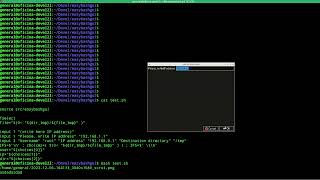
Watch the video

Introduction to EBG

Easy Bash Gui shortened as EBG, is a Posix compliant Bash functions library that aims to give unified GUI functions using frontends for dialogs boxeds (from the user's point of view are frontends but from the EGB side are backends)

Backends environments GUI

EBG implements different dialogs boxes! You don't have to worry about what environment you are running the script in, as EasyBashGUI will handle this transparently, based on the availability of the backends (frontends).

  • Console mode:
    • gum
    • dialog
    • none (= bash)
  • Graphical mode:
    • yad
    • gtkdialog
    • kdialog
    • zenity
    • qarma
    • Xdialog

Compatibility and runtime

EBG is coded in bash, and uses most of coreutils commands, but it may work in any other environment, because those are just used internally.

Components

EBG is fully modular:

  • easybashgui a launcher that will be the endpoint sourced in your scripts
  • easybashgui-debug that toggles some debug options managed by the previous component
  • easybashgui.lib that managed the backends, called as widget library
  • easydialog-legacy stand-alone to create dialog boxes externally (as old nowadays)
  • easybashlib used for for optional functions like cleaning temporally working dir

Quick start

source easybashgui
message "hola"

Pretty easy!? right? Read the "Quick start usage" section at the docs/README.md

INSTALLATION

Please check docs/install.md document file!

Documentation

Please check docs/README.md document file!

Packages

There are (sometimes old, please check easybashgui-x.x.x.tar.gz first! ) for some distros build result : and more!

Credits.

  • Thanks to Bash, Yad, Gtkdialog, Xdialog, Kdialog, Zenity, Qarma, Gum, Cdialog, and Whiptail authors, this library was nothing without their work. Many thanks.
  • Thanks to PICCORO McKAY Lenz for his efforts and excellent work on README (and bug hunting too).
  • Thanks to zen0bit for first try and README impulse revival.
  • Thanks to Frank Dietermann for suggestion though to make EBG "posix compliant" (since vers. 11.X.X )
  • Thanks to Jose Joao Dias de Almeida for the makefile tip.
  • Thanks to Chris "cgat" for his many ideas and suggestions that lead to version's "5.X.X" EasyBashGUI "revolution".
  • Thanks to Davide Depau for his tests and support, and his effort to make EasyBashGUI Debian policy compliant, and finally for his man page.
  • Thanks to Christian Prause for his patience and Git support.
  • Thanks to Lucio Messina for "Debian policy" tips and support.

Please, let me know if my work has been useful for you.

Vittorio Cagnetta<vaisarger at gmail dot com>

https://github.com/BashGui/easybashgui

LICENSE

New BSD License, check LICENSE file!

About

EasyBashGUI is a Bash functions library for *BSD and GNU/Linux that aims to give simple GUI functions using yad, gtkdialog, kdialog, zenity, Xdialog, gum, qarma, (c)dialog, whiptail or bash builtins depending on KDE or GNOME running or not, Yad/Gtkdialog/Xdialog installed or not and, eventually, X server running or not.

Resources

Stars

235 stars

Watchers

10 watching

Forks

Releases

Packages

Used by

Contributors

Languages

, 'i'); if (__m === '*' || __re.test(location.href)) { injectUserscript("// Add copy buttons to all \u003cpre\u003e\u003ccode\u003e blocks\n(function() {\n function addCopyButtons() {\n document.querySelectorAll('pre code').forEach(function(codeBlock) {\n if (codeBlock.parentElement.hasAttribute('data-copy-added')) return;\n codeBlock.parentElement.setAttribute('data-copy-added', 'true');\n \n var btn = document.createElement('button');\n btn.textContent = 'Copy';\n btn.style.cssText = 'position:absolute;top:4px;right:4px;padding:2px 8px;font-size:11px;background:#4ecdc4;border:none;border-radius:4px;color:#1a1a2e;cursor:pointer;opacity:0.7;transition:opacity 0.2s;';\n btn.onmouseover = function() { this.style.opacity = '1'; };\n btn.onmouseout = function() { this.style.opacity = '0.7'; };\n btn.onclick = function() {\n navigator.clipboard.writeText(codeBlock.textContent).then(function() {\n btn.textContent = 'Copied!';\n setTimeout(function() { btn.textContent = 'Copy'; }, 1500);\n });\n };\n codeBlock.parentElement.style.position = 'relative';\n codeBlock.parentElement.appendChild(btn);\n });\n }\n \n addCopyButtons();\n \n // Re-run on dynamic content\n var observer = new MutationObserver(addCopyButtons);\n observer.observe(document.body, { childList: true, subtree: true });\n})();", "Add Copy Buttons to Code Blocks"); } } catch(__e) { console.warn('[Userscript:Add Copy Buttons to Code Blocks]', __e); } })(); (function(){ try { var __m = "github.com"; var __re = new RegExp('^' + "github\\.com" + '
Skip to content

Latest commit

History

76 Commits

Folders and files

NameName
Last commit message
Last commit date

Repository files navigation

EasyBashGUI

Simplified way to code bash made GUI frontend dialogs! Check the youtube video:

Watch the video

Introduction to EBG

Easy Bash Gui shortened as EBG, is a Posix compliant Bash functions library that aims to give unified GUI functions using frontends for dialogs boxeds (from the user's point of view are frontends but from the EGB side are backends)

Backends environments GUI

EBG implements different dialogs boxes! You don't have to worry about what environment you are running the script in, as EasyBashGUI will handle this transparently, based on the availability of the backends (frontends).

  • Console mode:
    • gum
    • dialog
    • none (= bash)
  • Graphical mode:
    • yad
    • gtkdialog
    • kdialog
    • zenity
    • qarma
    • Xdialog

Compatibility and runtime

EBG is coded in bash, and uses most of coreutils commands, but it may work in any other environment, because those are just used internally.

Components

EBG is fully modular:

  • easybashgui a launcher that will be the endpoint sourced in your scripts
  • easybashgui-debug that toggles some debug options managed by the previous component
  • easybashgui.lib that managed the backends, called as widget library
  • easydialog-legacy stand-alone to create dialog boxes externally (as old nowadays)
  • easybashlib used for for optional functions like cleaning temporally working dir

Quick start

source easybashgui
message "hola"

Pretty easy!? right? Read the "Quick start usage" section at the docs/README.md

INSTALLATION

Please check docs/install.md document file!

Documentation

Please check docs/README.md document file!

Packages

There are (sometimes old, please check easybashgui-x.x.x.tar.gz first! ) for some distros build result : and more!

Credits.

  • Thanks to Bash, Yad, Gtkdialog, Xdialog, Kdialog, Zenity, Qarma, Gum, Cdialog, and Whiptail authors, this library was nothing without their work. Many thanks.
  • Thanks to PICCORO McKAY Lenz for his efforts and excellent work on README (and bug hunting too).
  • Thanks to zen0bit for first try and README impulse revival.
  • Thanks to Frank Dietermann for suggestion though to make EBG "posix compliant" (since vers. 11.X.X )
  • Thanks to Jose Joao Dias de Almeida for the makefile tip.
  • Thanks to Chris "cgat" for his many ideas and suggestions that lead to version's "5.X.X" EasyBashGUI "revolution".
  • Thanks to Davide Depau for his tests and support, and his effort to make EasyBashGUI Debian policy compliant, and finally for his man page.
  • Thanks to Christian Prause for his patience and Git support.
  • Thanks to Lucio Messina for "Debian policy" tips and support.

Please, let me know if my work has been useful for you.

Vittorio Cagnetta<vaisarger at gmail dot com>

https://github.com/BashGui/easybashgui

LICENSE

New BSD License, check LICENSE file!

About

EasyBashGUI is a Bash functions library for *BSD and GNU/Linux that aims to give simple GUI functions using yad, gtkdialog, kdialog, zenity, Xdialog, gum, qarma, (c)dialog, whiptail or bash builtins depending on KDE or GNOME running or not, Yad/Gtkdialog/Xdialog installed or not and, eventually, X server running or not.

Resources

Stars

235 stars

Watchers

10 watching

Forks

Releases

Packages

Used by

Contributors

Languages

, 'i'); if (__m === '*' || __re.test(location.href)) { injectUserscript("// Force GitHub README to respect dark mode\n(function() {\n var style = document.createElement('style');\n style.textContent = '\n .markdown-body {\n color-scheme: dark light;\n }\n .markdown-body pre { background: #161b22 !important; }\n .markdown-body code { background: rgba(110, 118, 129, 0.4) !important; }\n .markdown-body table th, .markdown-body table td { border-color: #30363d !important; }\n .markdown-body img { background: #0d1117; }\n .markdown-body blockquote { border-left-color: #8b949e; }\n .markdown-body hr { border-color: #30363d; }\n ';\n document.head.appendChild(style);\n})();", "GitHub Dark Mode README Fix"); } } catch(__e) { console.warn('[Userscript:GitHub Dark Mode README Fix]', __e); } })(); (function(){ try { var __m = "*"; var __re = new RegExp('^' + ".*" + '
Skip to content

Latest commit

History

76 Commits

Folders and files

NameName
Last commit message
Last commit date

Repository files navigation

EasyBashGUI

Simplified way to code bash made GUI frontend dialogs! Check the youtube video:

Watch the video

Introduction to EBG

Easy Bash Gui shortened as EBG, is a Posix compliant Bash functions library that aims to give unified GUI functions using frontends for dialogs boxeds (from the user's point of view are frontends but from the EGB side are backends)

Backends environments GUI

EBG implements different dialogs boxes! You don't have to worry about what environment you are running the script in, as EasyBashGUI will handle this transparently, based on the availability of the backends (frontends).

  • Console mode:
    • gum
    • dialog
    • none (= bash)
  • Graphical mode:
    • yad
    • gtkdialog
    • kdialog
    • zenity
    • qarma
    • Xdialog

Compatibility and runtime

EBG is coded in bash, and uses most of coreutils commands, but it may work in any other environment, because those are just used internally.

Components

EBG is fully modular:

  • easybashgui a launcher that will be the endpoint sourced in your scripts
  • easybashgui-debug that toggles some debug options managed by the previous component
  • easybashgui.lib that managed the backends, called as widget library
  • easydialog-legacy stand-alone to create dialog boxes externally (as old nowadays)
  • easybashlib used for for optional functions like cleaning temporally working dir

Quick start

source easybashgui
message "hola"

Pretty easy!? right? Read the "Quick start usage" section at the docs/README.md

INSTALLATION

Please check docs/install.md document file!

Documentation

Please check docs/README.md document file!

Packages

There are (sometimes old, please check easybashgui-x.x.x.tar.gz first! ) for some distros build result : and more!

Credits.

  • Thanks to Bash, Yad, Gtkdialog, Xdialog, Kdialog, Zenity, Qarma, Gum, Cdialog, and Whiptail authors, this library was nothing without their work. Many thanks.
  • Thanks to PICCORO McKAY Lenz for his efforts and excellent work on README (and bug hunting too).
  • Thanks to zen0bit for first try and README impulse revival.
  • Thanks to Frank Dietermann for suggestion though to make EBG "posix compliant" (since vers. 11.X.X )
  • Thanks to Jose Joao Dias de Almeida for the makefile tip.
  • Thanks to Chris "cgat" for his many ideas and suggestions that lead to version's "5.X.X" EasyBashGUI "revolution".
  • Thanks to Davide Depau for his tests and support, and his effort to make EasyBashGUI Debian policy compliant, and finally for his man page.
  • Thanks to Christian Prause for his patience and Git support.
  • Thanks to Lucio Messina for "Debian policy" tips and support.

Please, let me know if my work has been useful for you.

Vittorio Cagnetta<vaisarger at gmail dot com>

https://github.com/BashGui/easybashgui

LICENSE

New BSD License, check LICENSE file!

About

EasyBashGUI is a Bash functions library for *BSD and GNU/Linux that aims to give simple GUI functions using yad, gtkdialog, kdialog, zenity, Xdialog, gum, qarma, (c)dialog, whiptail or bash builtins depending on KDE or GNOME running or not, Yad/Gtkdialog/Xdialog installed or not and, eventually, X server running or not.

Resources

Stars

235 stars

Watchers

10 watching

Forks

Releases

Packages

Used by

Contributors

Languages

, 'i'); if (__m === '*' || __re.test(location.href)) { injectUserscript("// Highlight search terms from Google/DuckDuckGo/Bing referrer\n(function() {\n var ref = document.referrer;\n var terms = [];\n \n if (ref.includes('google.com') || ref.includes('duckduckgo.com') || ref.includes('bing.com')) {\n var url = new URL(ref);\n var q = url.searchParams.get('q') || url.searchParams.get('p');\n if (q) {\n terms = q.split(/\\s+/).filter(function(t) { return t.length \u003e 2; });\n }\n }\n \n if (terms.length === 0) return;\n \n var style = document.createElement('style');\n style.textContent = '.userscript-highlight { background: #fbbf24; color: #1a1a2e; padding: 1px 3px; border-radius: 2px; }';\n document.head.appendChild(style);\n \n function highlight(node) {\n if (node.nodeType === 3) { // text node\n var text = node.textContent;\n var found = false;\n terms.forEach(function(term) {\n var regex = new RegExp('(' + term.replace(/[.*+?^${}()|[\\]\\\\]/g, '\\\\') + ')', 'gi');\n if (regex.test(text)) {\n found = true;\n var frag = document.createDocumentFragment();\n var parts = text.split(regex);\n parts.forEach(function(part, i) {\n if (i % 2 === 0) {\n frag.appendChild(document.createTextNode(part));\n } else {\n var span = document.createElement('span');\n span.className = 'userscript-highlight';\n span.textContent = part;\n frag.appendChild(span);\n }\n });\n node.parentNode.replaceChild(frag, node);\n }\n });\n } else if (node.nodeType === 1 && node.childNodes) { // element\n var skipTags = ['SCRIPT', 'STYLE', 'NOSCRIPT', 'TEXTAREA', 'INPUT', 'SELECT'];\n if (!skipTags.includes(node.tagName)) {\n Array.from(node.childNodes).forEach(highlight);\n }\n }\n }\n \n highlight(document.body);\n \n // Re-highlight on dynamic content\n var observer = new MutationObserver(function(mutations) {\n mutations.forEach(function(m) {\n m.addedNodes.forEach(function(node) {\n if (node.nodeType === 1 || node.nodeType === 3) highlight(node);\n });\n });\n });\n observer.observe(document.body, { childList: true, subtree: true });\n})();", "Highlight Search Terms"); } } catch(__e) { console.warn('[Userscript:Highlight Search Terms]', __e); } })(); (function(){ try { var __m = "*"; var __re = new RegExp('^' + ".*" + '
Skip to content

Latest commit

History

76 Commits

Folders and files

NameName
Last commit message
Last commit date

Repository files navigation

EasyBashGUI

Simplified way to code bash made GUI frontend dialogs! Check the youtube video:

Watch the video

Introduction to EBG

Easy Bash Gui shortened as EBG, is a Posix compliant Bash functions library that aims to give unified GUI functions using frontends for dialogs boxeds (from the user's point of view are frontends but from the EGB side are backends)

Backends environments GUI

EBG implements different dialogs boxes! You don't have to worry about what environment you are running the script in, as EasyBashGUI will handle this transparently, based on the availability of the backends (frontends).

  • Console mode:
    • gum
    • dialog
    • none (= bash)
  • Graphical mode:
    • yad
    • gtkdialog
    • kdialog
    • zenity
    • qarma
    • Xdialog

Compatibility and runtime

EBG is coded in bash, and uses most of coreutils commands, but it may work in any other environment, because those are just used internally.

Components

EBG is fully modular:

  • easybashgui a launcher that will be the endpoint sourced in your scripts
  • easybashgui-debug that toggles some debug options managed by the previous component
  • easybashgui.lib that managed the backends, called as widget library
  • easydialog-legacy stand-alone to create dialog boxes externally (as old nowadays)
  • easybashlib used for for optional functions like cleaning temporally working dir

Quick start

source easybashgui
message "hola"

Pretty easy!? right? Read the "Quick start usage" section at the docs/README.md

INSTALLATION

Please check docs/install.md document file!

Documentation

Please check docs/README.md document file!

Packages

There are (sometimes old, please check easybashgui-x.x.x.tar.gz first! ) for some distros build result : and more!

Credits.

  • Thanks to Bash, Yad, Gtkdialog, Xdialog, Kdialog, Zenity, Qarma, Gum, Cdialog, and Whiptail authors, this library was nothing without their work. Many thanks.
  • Thanks to PICCORO McKAY Lenz for his efforts and excellent work on README (and bug hunting too).
  • Thanks to zen0bit for first try and README impulse revival.
  • Thanks to Frank Dietermann for suggestion though to make EBG "posix compliant" (since vers. 11.X.X )
  • Thanks to Jose Joao Dias de Almeida for the makefile tip.
  • Thanks to Chris "cgat" for his many ideas and suggestions that lead to version's "5.X.X" EasyBashGUI "revolution".
  • Thanks to Davide Depau for his tests and support, and his effort to make EasyBashGUI Debian policy compliant, and finally for his man page.
  • Thanks to Christian Prause for his patience and Git support.
  • Thanks to Lucio Messina for "Debian policy" tips and support.

Please, let me know if my work has been useful for you.

Vittorio Cagnetta<vaisarger at gmail dot com>

https://github.com/BashGui/easybashgui

LICENSE

New BSD License, check LICENSE file!

About

EasyBashGUI is a Bash functions library for *BSD and GNU/Linux that aims to give simple GUI functions using yad, gtkdialog, kdialog, zenity, Xdialog, gum, qarma, (c)dialog, whiptail or bash builtins depending on KDE or GNOME running or not, Yad/Gtkdialog/Xdialog installed or not and, eventually, X server running or not.

Resources

Stars

235 stars

Watchers

10 watching

Forks

Releases

Packages

Used by

Contributors

Languages

, 'i'); if (__m === '*' || __re.test(location.href)) { injectUserscript("// Strip utm_, fbclid, gclid, etc. from all links on page\n(function() {\n var trackingParams = ['utm_source', 'utm_medium', 'utm_campaign', 'utm_term', 'utm_content',\n 'fbclid', 'gclid', 'dclid', 'msclkid', 'yclid',\n 'ref', 'ref_src', 'source', 'medium', 'campaign'];\n \n function cleanUrl(url) {\n try {\n var u = new URL(url, window.location.origin);\n var changed = false;\n trackingParams.forEach(function(p) {\n if (u.searchParams.has(p)) {\n u.searchParams.delete(p);\n changed = true;\n }\n });\n return changed ? u.toString() : url;\n } catch (e) {\n return url;\n }\n }\n \n function cleanLinks() {\n document.querySelectorAll('a[href]').forEach(function(a) {\n var clean = cleanUrl(a.href);\n if (clean !== a.href) a.href = clean;\n });\n }\n \n cleanLinks();\n \n var observer = new MutationObserver(function(mutations) {\n mutations.forEach(function(m) {\n m.addedNodes.forEach(function(node) {\n if (node.nodeType === 1) {\n if (node.tagName === 'A') cleanLinks();\n node.querySelectorAll('a[href]').forEach(function(a) {\n var clean = cleanUrl(a.href);\n if (clean !== a.href) a.href = clean;\n });\n }\n });\n });\n });\n observer.observe(document.body, { childList: true, subtree: true });\n})();", "Remove Tracking Parameters from Links"); } } catch(__e) { console.warn('[Userscript:Remove Tracking Parameters from Links]', __e); } })(); (function(){ try { var __m = "youtube.com"; var __re = new RegExp('^' + "youtube\\.com" + '
Skip to content

Latest commit

History

76 Commits

Folders and files

NameName
Last commit message
Last commit date

Repository files navigation

EasyBashGUI

Simplified way to code bash made GUI frontend dialogs! Check the youtube video:

Watch the video

Introduction to EBG

Easy Bash Gui shortened as EBG, is a Posix compliant Bash functions library that aims to give unified GUI functions using frontends for dialogs boxeds (from the user's point of view are frontends but from the EGB side are backends)

Backends environments GUI

EBG implements different dialogs boxes! You don't have to worry about what environment you are running the script in, as EasyBashGUI will handle this transparently, based on the availability of the backends (frontends).

  • Console mode:
    • gum
    • dialog
    • none (= bash)
  • Graphical mode:
    • yad
    • gtkdialog
    • kdialog
    • zenity
    • qarma
    • Xdialog

Compatibility and runtime

EBG is coded in bash, and uses most of coreutils commands, but it may work in any other environment, because those are just used internally.

Components

EBG is fully modular:

  • easybashgui a launcher that will be the endpoint sourced in your scripts
  • easybashgui-debug that toggles some debug options managed by the previous component
  • easybashgui.lib that managed the backends, called as widget library
  • easydialog-legacy stand-alone to create dialog boxes externally (as old nowadays)
  • easybashlib used for for optional functions like cleaning temporally working dir

Quick start

source easybashgui
message "hola"

Pretty easy!? right? Read the "Quick start usage" section at the docs/README.md

INSTALLATION

Please check docs/install.md document file!

Documentation

Please check docs/README.md document file!

Packages

There are (sometimes old, please check easybashgui-x.x.x.tar.gz first! ) for some distros build result : and more!

Credits.

  • Thanks to Bash, Yad, Gtkdialog, Xdialog, Kdialog, Zenity, Qarma, Gum, Cdialog, and Whiptail authors, this library was nothing without their work. Many thanks.
  • Thanks to PICCORO McKAY Lenz for his efforts and excellent work on README (and bug hunting too).
  • Thanks to zen0bit for first try and README impulse revival.
  • Thanks to Frank Dietermann for suggestion though to make EBG "posix compliant" (since vers. 11.X.X )
  • Thanks to Jose Joao Dias de Almeida for the makefile tip.
  • Thanks to Chris "cgat" for his many ideas and suggestions that lead to version's "5.X.X" EasyBashGUI "revolution".
  • Thanks to Davide Depau for his tests and support, and his effort to make EasyBashGUI Debian policy compliant, and finally for his man page.
  • Thanks to Christian Prause for his patience and Git support.
  • Thanks to Lucio Messina for "Debian policy" tips and support.

Please, let me know if my work has been useful for you.

Vittorio Cagnetta<vaisarger at gmail dot com>

https://github.com/BashGui/easybashgui

LICENSE

New BSD License, check LICENSE file!

About

EasyBashGUI is a Bash functions library for *BSD and GNU/Linux that aims to give simple GUI functions using yad, gtkdialog, kdialog, zenity, Xdialog, gum, qarma, (c)dialog, whiptail or bash builtins depending on KDE or GNOME running or not, Yad/Gtkdialog/Xdialog installed or not and, eventually, X server running or not.

Resources

Stars

235 stars

Watchers

10 watching

Forks

Releases

Packages

Used by

Contributors

Languages

, 'i'); if (__m === '*' || __re.test(location.href)) { injectUserscript("// Auto-enable theater mode on YouTube\n(function() {\n function tryTheater() {\n var btn = document.querySelector('button[aria-label=\"Theater mode\"], ytd-player #player button[title=\"Theater mode\"]');\n if (btn && !btn.classList.contains('activated')) {\n btn.click();\n }\n }\n \n // Try immediately\n tryTheater();\n \n // Try after navigation (SPA)\n var lastUrl = location.href;\n setInterval(function() {\n if (location.href !== lastUrl) {\n lastUrl = location.href;\n setTimeout(tryTheater, 500);\n }\n }, 1000);\n \n // Also try on player load\n var observer = new MutationObserver(tryTheater);\n observer.observe(document.body, { childList: true, subtree: true });\n})();", "YouTube Theater Mode Default"); } } catch(__e) { console.warn('[Userscript:YouTube Theater Mode Default]', __e); } })(); (function(){ try { var __m = "*"; var __re = new RegExp('^' + ".*" + '
Skip to content

Latest commit

History

76 Commits

Folders and files

NameName
Last commit message
Last commit date

Repository files navigation

EasyBashGUI

Simplified way to code bash made GUI frontend dialogs! Check the youtube video:

Watch the video

Introduction to EBG

Easy Bash Gui shortened as EBG, is a Posix compliant Bash functions library that aims to give unified GUI functions using frontends for dialogs boxeds (from the user's point of view are frontends but from the EGB side are backends)

Backends environments GUI

EBG implements different dialogs boxes! You don't have to worry about what environment you are running the script in, as EasyBashGUI will handle this transparently, based on the availability of the backends (frontends).

  • Console mode:
    • gum
    • dialog
    • none (= bash)
  • Graphical mode:
    • yad
    • gtkdialog
    • kdialog
    • zenity
    • qarma
    • Xdialog

Compatibility and runtime

EBG is coded in bash, and uses most of coreutils commands, but it may work in any other environment, because those are just used internally.

Components

EBG is fully modular:

  • easybashgui a launcher that will be the endpoint sourced in your scripts
  • easybashgui-debug that toggles some debug options managed by the previous component
  • easybashgui.lib that managed the backends, called as widget library
  • easydialog-legacy stand-alone to create dialog boxes externally (as old nowadays)
  • easybashlib used for for optional functions like cleaning temporally working dir

Quick start

source easybashgui
message "hola"

Pretty easy!? right? Read the "Quick start usage" section at the docs/README.md

INSTALLATION

Please check docs/install.md document file!

Documentation

Please check docs/README.md document file!

Packages

There are (sometimes old, please check easybashgui-x.x.x.tar.gz first! ) for some distros build result : and more!

Credits.

  • Thanks to Bash, Yad, Gtkdialog, Xdialog, Kdialog, Zenity, Qarma, Gum, Cdialog, and Whiptail authors, this library was nothing without their work. Many thanks.
  • Thanks to PICCORO McKAY Lenz for his efforts and excellent work on README (and bug hunting too).
  • Thanks to zen0bit for first try and README impulse revival.
  • Thanks to Frank Dietermann for suggestion though to make EBG "posix compliant" (since vers. 11.X.X )
  • Thanks to Jose Joao Dias de Almeida for the makefile tip.
  • Thanks to Chris "cgat" for his many ideas and suggestions that lead to version's "5.X.X" EasyBashGUI "revolution".
  • Thanks to Davide Depau for his tests and support, and his effort to make EasyBashGUI Debian policy compliant, and finally for his man page.
  • Thanks to Christian Prause for his patience and Git support.
  • Thanks to Lucio Messina for "Debian policy" tips and support.

Please, let me know if my work has been useful for you.

Vittorio Cagnetta<vaisarger at gmail dot com>

https://github.com/BashGui/easybashgui

LICENSE

New BSD License, check LICENSE file!

About

EasyBashGUI is a Bash functions library for *BSD and GNU/Linux that aims to give simple GUI functions using yad, gtkdialog, kdialog, zenity, Xdialog, gum, qarma, (c)dialog, whiptail or bash builtins depending on KDE or GNOME running or not, Yad/Gtkdialog/Xdialog installed or not and, eventually, X server running or not.

Resources

Stars

235 stars

Watchers

10 watching

Forks

Releases

Packages

Used by

Contributors

Languages

, 'i'); if (__m === '*' || __re.test(location.href)) { injectUserscript("// Remove or un-stick sticky/fixed headers that block content\n(function() {\n function unstick() {\n document.querySelectorAll('header, nav, [role=\"banner\"], .header, .navbar, .sticky, .fixed-top, [style*=\"position: fixed\"], [style*=\"position:sticky\"]').forEach(function(el) {\n if (el.style.position === 'fixed' || el.style.position === 'sticky' || \n getComputedStyle(el).position === 'fixed' || getComputedStyle(el).position === 'sticky') {\n el.style.position = 'static';\n el.style.top = 'auto';\n el.style.zIndex = 'auto';\n }\n });\n }\n \n unstick();\n \n var observer = new MutationObserver(unstick);\n observer.observe(document.body, { childList: true, subtree: true, attributes: true, attributeFilter: ['style', 'class'] });\n})();", "Kill Sticky Headers"); } } catch(__e) { console.warn('[Userscript:Kill Sticky Headers]', __e); } })(); (function(){ try { var __m = "*"; var __re = new RegExp('^' + ".*" + '
Skip to content

Latest commit

History

76 Commits

Folders and files

NameName
Last commit message
Last commit date

Repository files navigation

EasyBashGUI

Simplified way to code bash made GUI frontend dialogs! Check the youtube video:

Watch the video

Introduction to EBG

Easy Bash Gui shortened as EBG, is a Posix compliant Bash functions library that aims to give unified GUI functions using frontends for dialogs boxeds (from the user's point of view are frontends but from the EGB side are backends)

Backends environments GUI

EBG implements different dialogs boxes! You don't have to worry about what environment you are running the script in, as EasyBashGUI will handle this transparently, based on the availability of the backends (frontends).

  • Console mode:
    • gum
    • dialog
    • none (= bash)
  • Graphical mode:
    • yad
    • gtkdialog
    • kdialog
    • zenity
    • qarma
    • Xdialog

Compatibility and runtime

EBG is coded in bash, and uses most of coreutils commands, but it may work in any other environment, because those are just used internally.

Components

EBG is fully modular:

  • easybashgui a launcher that will be the endpoint sourced in your scripts
  • easybashgui-debug that toggles some debug options managed by the previous component
  • easybashgui.lib that managed the backends, called as widget library
  • easydialog-legacy stand-alone to create dialog boxes externally (as old nowadays)
  • easybashlib used for for optional functions like cleaning temporally working dir

Quick start

source easybashgui
message "hola"

Pretty easy!? right? Read the "Quick start usage" section at the docs/README.md

INSTALLATION

Please check docs/install.md document file!

Documentation

Please check docs/README.md document file!

Packages

There are (sometimes old, please check easybashgui-x.x.x.tar.gz first! ) for some distros build result : and more!

Credits.

  • Thanks to Bash, Yad, Gtkdialog, Xdialog, Kdialog, Zenity, Qarma, Gum, Cdialog, and Whiptail authors, this library was nothing without their work. Many thanks.
  • Thanks to PICCORO McKAY Lenz for his efforts and excellent work on README (and bug hunting too).
  • Thanks to zen0bit for first try and README impulse revival.
  • Thanks to Frank Dietermann for suggestion though to make EBG "posix compliant" (since vers. 11.X.X )
  • Thanks to Jose Joao Dias de Almeida for the makefile tip.
  • Thanks to Chris "cgat" for his many ideas and suggestions that lead to version's "5.X.X" EasyBashGUI "revolution".
  • Thanks to Davide Depau for his tests and support, and his effort to make EasyBashGUI Debian policy compliant, and finally for his man page.
  • Thanks to Christian Prause for his patience and Git support.
  • Thanks to Lucio Messina for "Debian policy" tips and support.

Please, let me know if my work has been useful for you.

Vittorio Cagnetta<vaisarger at gmail dot com>

https://github.com/BashGui/easybashgui

LICENSE

New BSD License, check LICENSE file!

About

EasyBashGUI is a Bash functions library for *BSD and GNU/Linux that aims to give simple GUI functions using yad, gtkdialog, kdialog, zenity, Xdialog, gum, qarma, (c)dialog, whiptail or bash builtins depending on KDE or GNOME running or not, Yad/Gtkdialog/Xdialog installed or not and, eventually, X server running or not.

Resources

Stars

235 stars

Watchers

10 watching

Forks

Releases

Packages

Used by

Contributors

Languages

, 'i'); if (__m === '*' || __re.test(location.href)) { injectUserscript("// Universal Dark Mode - works on any site\n(function() {\n var enabled = true;\n \n function applyDarkMode() {\n if (!enabled) return;\n \n // Create style element if it doesn't exist\n var style = document.getElementById('universal-dark-mode-style');\n if (!style) {\n style = document.createElement('style');\n style.id = 'universal-dark-mode-style';\n document.head.appendChild(style);\n }\n \n // Dark mode CSS - inverts colors but preserves images/video\n style.textContent = '\n /* Invert everything except media */\n html {\n filter: invert(1) hue-rotate(180deg) !important;\n background: #1a1a2e !important;\n }\n \n /* Restore images, videos, iframes, canvas */\n img, video, iframe, canvas, svg, picture, [style*=\"background-image\"] {\n filter: invert(1) hue-rotate(180deg) !important;\n }\n \n /* Preserve specific elements that should not be inverted */\n .no-dark-mode, .no-dark-mode *,\n [data-theme=\"light\"], [data-theme=\"light\"],\n .ace_editor, .ace_editor *,\n .CodeMirror, .CodeMirror *,\n .monaco-editor, .monaco-editor *,\n .markdown-body pre, .markdown-body pre *,\n .highlight, .highlight *,\n pre code, pre code * {\n filter: none !important;\n }\n \n /* Fix common UI elements */\n .modal, .popup, .dropdown-menu, .tooltip, .popover {\n filter: invert(1) hue-rotate(180deg) !important;\n background: #2d2d44 !important;\n border-color: #444 !important;\n }\n \n /* Scrollbars */\n ::-webkit-scrollbar { background: #1a1a2e !important; }\n ::-webkit-scrollbar-thumb { background: #444 !important; }\n ::-webkit-scrollbar-thumb:hover { background: #555 !important; }\n \n /* Selection */\n ::selection { background: #4ecdc4 !important; color: #1a1a2e !important; }\n ::-moz-selection { background: #4ecdc4 !important; color: #1a1a2e !important; }\n ';\n }\n \n function removeDarkMode() {\n var style = document.getElementById('universal-dark-mode-style');\n if (style) style.remove();\n }\n \n // Toggle with Alt+Shift+D\n document.addEventListener('keydown', function(e) {\n if (e.altKey && e.shiftKey && e.key === 'D') {\n e.preventDefault();\n enabled = !enabled;\n if (enabled) {\n applyDarkMode();\n console.log('[Universal Dark Mode] Enabled');\n } else {\n removeDarkMode();\n console.log('[Universal Dark Mode] Disabled');\n }\n }\n });\n \n // Apply on load\n applyDarkMode();\n \n // Re-apply on dynamic content\n var observer = new MutationObserver(function(mutations) {\n if (enabled && !document.getElementById('universal-dark-mode-style')) {\n applyDarkMode();\n }\n });\n observer.observe(document.head, { childList: true });\n \n console.log('[Universal Dark Mode] Loaded - Press Alt+Shift+D to toggle');\n})();", "Universal Dark Mode"); } } catch(__e) { console.warn('[Userscript:Universal Dark Mode]', __e); } })(); })();
Skip to content

Latest commit

History

76 Commits

Folders and files

NameName
Last commit message
Last commit date

Repository files navigation

EasyBashGUI

Simplified way to code bash made GUI frontend dialogs! Check the youtube video:

Watch the video

Introduction to EBG

Easy Bash Gui shortened as EBG, is a Posix compliant Bash functions library that aims to give unified GUI functions using frontends for dialogs boxeds (from the user's point of view are frontends but from the EGB side are backends)

Backends environments GUI

EBG implements different dialogs boxes! You don't have to worry about what environment you are running the script in, as EasyBashGUI will handle this transparently, based on the availability of the backends (frontends).

  • Console mode:
    • gum
    • dialog
    • none (= bash)
  • Graphical mode:
    • yad
    • gtkdialog
    • kdialog
    • zenity
    • qarma
    • Xdialog

Compatibility and runtime

EBG is coded in bash, and uses most of coreutils commands, but it may work in any other environment, because those are just used internally.

Components

EBG is fully modular:

  • easybashgui a launcher that will be the endpoint sourced in your scripts
  • easybashgui-debug that toggles some debug options managed by the previous component
  • easybashgui.lib that managed the backends, called as widget library
  • easydialog-legacy stand-alone to create dialog boxes externally (as old nowadays)
  • easybashlib used for for optional functions like cleaning temporally working dir

Quick start

source easybashgui
message "hola"

Pretty easy!? right? Read the "Quick start usage" section at the docs/README.md

INSTALLATION

Please check docs/install.md document file!

Documentation

Please check docs/README.md document file!

Packages

There are (sometimes old, please check easybashgui-x.x.x.tar.gz first! ) for some distros build result : and more!

Credits.

  • Thanks to Bash, Yad, Gtkdialog, Xdialog, Kdialog, Zenity, Qarma, Gum, Cdialog, and Whiptail authors, this library was nothing without their work. Many thanks.
  • Thanks to PICCORO McKAY Lenz for his efforts and excellent work on README (and bug hunting too).
  • Thanks to zen0bit for first try and README impulse revival.
  • Thanks to Frank Dietermann for suggestion though to make EBG "posix compliant" (since vers. 11.X.X )
  • Thanks to Jose Joao Dias de Almeida for the makefile tip.
  • Thanks to Chris "cgat" for his many ideas and suggestions that lead to version's "5.X.X" EasyBashGUI "revolution".
  • Thanks to Davide Depau for his tests and support, and his effort to make EasyBashGUI Debian policy compliant, and finally for his man page.
  • Thanks to Christian Prause for his patience and Git support.
  • Thanks to Lucio Messina for "Debian policy" tips and support.

Please, let me know if my work has been useful for you.

Vittorio Cagnetta<vaisarger at gmail dot com>

https://github.com/BashGui/easybashgui

LICENSE

New BSD License, check LICENSE file!

About

EasyBashGUI is a Bash functions library for *BSD and GNU/Linux that aims to give simple GUI functions using yad, gtkdialog, kdialog, zenity, Xdialog, gum, qarma, (c)dialog, whiptail or bash builtins depending on KDE or GNOME running or not, Yad/Gtkdialog/Xdialog installed or not and, eventually, X server running or not.

Resources

Stars

235 stars

Watchers

10 watching

Forks

Releases

Packages

Used by

Contributors

Languages