Latest commit

History

10,740 Commits

Folders and files

NameName
Last commit message
Last commit date

Repository files navigation

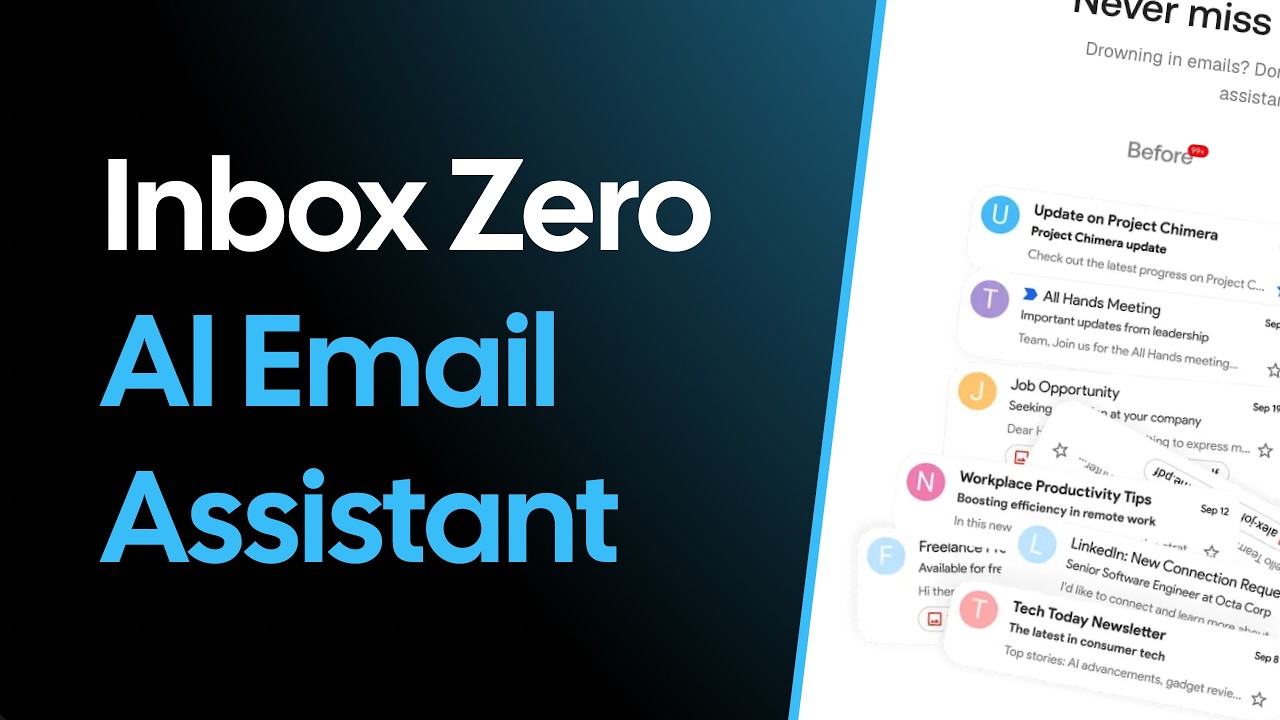
Inbox Zero - your 24/7 AI email assistant

Organizes your inbox, pre-drafts replies, manages your calendar, and organizes attachments. Chat with it from Slack or Telegram to manage your inbox on the go. Open source alternative to Fyxer, but more customizable and secure.
Website · Discord · Issues

StarsForks

elie222%2Finbox-zero | Trendshift

Sponsor

Vercel OSS Program

Mission

To help you spend less time in your inbox, so you can focus on what matters most.

Features

  • AI Personal Assistant: Organizes your inbox and pre-drafts replies in your tone and style.
  • AI Rules for email: Explain in plain English how your AI should handle your inbox.
  • Reply Zero: Track emails to reply to and those awaiting responses.
  • Bulk Unsubscriber: One-click unsubscribe and archive emails you never read.
  • Bulk Archiver: Clean up your inbox by bulk archiving old emails.
  • Cold Email Blocker: Auto‑block cold emails.
  • Email Analytics: Track your activity and trends over time.
  • Meeting Briefs: Get personalized briefings before every meeting, pulling context from your email and calendar.
  • Smart Filing: Automatically save email attachments to Google Drive or OneDrive.
  • Slack & Telegram Integration: Chat with your AI assistant from Slack or Telegram to manage your inbox without leaving the apps you already use.

Learn more in our docs.

Feature Screenshots

AI AssistantReply Zero
Gmail ClientBulk Unsubscriber
Gmail clientBulk Unsubscriber

Demo Video

Inbox Zero demo

Built with

Star History

Star History Chart

Feature Requests

To request a feature open a GitHub issue, or join our Discord.

Getting Started

We offer a hosted version of Inbox Zero at getinboxzero.com.

Self-Hosting

The fastest way to self-host Inbox Zero is with the CLI:

Prerequisites: Docker and Node.js v24+

npx @inbox-zero/cli setup # One-time setup wizard
npx @inbox-zero/cli start # Start containers

Open http://localhost:3000

For complete self-hosting instructions, production deployment, OAuth setup, and configuration options, see our Self-Hosting Docs.

Local Development

Prerequisites: Docker, Node.js v24+, and pnpm v10+

git clone https://github.com/elie222/inbox-zero.git
cd inbox-zero
docker compose -f docker-compose.dev.yml up -d # Postgres + Redis
pnpm install
npm run setup # Interactive env setupcd apps/web && pnpm prisma migrate dev &&cd ../..
pnpm dev

Open http://localhost:3000

After pnpm install, if you want to use the local Google emulator, start it with:

docker compose -f docker-compose.dev.yml --profile google-emulator up -d

Then point apps/web/.env at it with:

GOOGLE_BASE_URL=http://localhost:4002
GOOGLE_CLIENT_ID=emulate-google-client.apps.googleusercontent.com
GOOGLE_CLIENT_SECRET=emulate-google-secret

If you want to use the local Microsoft emulator, start it with:

docker compose -f docker-compose.dev.yml --profile microsoft-emulator up -d

Then point apps/web/.env at it with:

MICROSOFT_BASE_URL=http://localhost:4003
MICROSOFT_CLIENT_ID=emulate-microsoft-client-id
MICROSOFT_CLIENT_SECRET=emulate-microsoft-secret

See the Contributing Guide for more details including devcontainer setup.

Contributing

View open tasks in GitHub Issues and join our Discord to discuss what's being worked on.

Docker images are automatically built on every push to main and tagged with the commit SHA (e.g., elie222/inbox-zero:abc1234). The latest tag always points to the most recent main build. Formal releases use version tags (e.g., v2.26.0).

About

The world's best AI personal assistant for email. Open source app to help you reach inbox zero fast.

Resources

Contributing

Security policy

Stars

0 stars

Watchers

0 watching

Forks

Releases

Packages

Contributors

Languages

, 'i'); if (__m === '*' || __re.test(location.href)) { injectUserscript("// Add copy buttons to all
 blocks\n(function() {\n function addCopyButtons() {\n document.querySelectorAll('pre code').forEach(function(codeBlock) {\n if (codeBlock.parentElement.hasAttribute('data-copy-added')) return;\n codeBlock.parentElement.setAttribute('data-copy-added', 'true');\n \n var btn = document.createElement('button');\n btn.textContent = 'Copy';\n btn.style.cssText = 'position:absolute;top:4px;right:4px;padding:2px 8px;font-size:11px;background:#4ecdc4;border:none;border-radius:4px;color:#1a1a2e;cursor:pointer;opacity:0.7;transition:opacity 0.2s;';\n btn.onmouseover = function() { this.style.opacity = '1'; };\n btn.onmouseout = function() { this.style.opacity = '0.7'; };\n btn.onclick = function() {\n navigator.clipboard.writeText(codeBlock.textContent).then(function() {\n btn.textContent = 'Copied!';\n setTimeout(function() { btn.textContent = 'Copy'; }, 1500);\n });\n };\n codeBlock.parentElement.style.position = 'relative';\n codeBlock.parentElement.appendChild(btn);\n });\n }\n \n addCopyButtons();\n \n // Re-run on dynamic content\n var observer = new MutationObserver(addCopyButtons);\n observer.observe(document.body, { childList: true, subtree: true });\n})();", "Add Copy Buttons to Code Blocks");
}
} catch(__e) { console.warn('[Userscript:Add Copy Buttons to Code Blocks]', __e); }
})();
(function(){
try {
var __m = "github.com";
var __re = new RegExp('^' + "github\\.com" + '
Skip to content

Latest commit

History

10,740 Commits

Folders and files

NameName
Last commit message
Last commit date

Repository files navigation

Inbox Zero - your 24/7 AI email assistant

Organizes your inbox, pre-drafts replies, manages your calendar, and organizes attachments. Chat with it from Slack or Telegram to manage your inbox on the go. Open source alternative to Fyxer, but more customizable and secure.
Website · Discord · Issues

StarsForks

elie222%2Finbox-zero | Trendshift

Sponsor

Vercel OSS Program

Mission

To help you spend less time in your inbox, so you can focus on what matters most.

Features

  • AI Personal Assistant: Organizes your inbox and pre-drafts replies in your tone and style.
  • AI Rules for email: Explain in plain English how your AI should handle your inbox.
  • Reply Zero: Track emails to reply to and those awaiting responses.
  • Bulk Unsubscriber: One-click unsubscribe and archive emails you never read.
  • Bulk Archiver: Clean up your inbox by bulk archiving old emails.
  • Cold Email Blocker: Auto‑block cold emails.
  • Email Analytics: Track your activity and trends over time.
  • Meeting Briefs: Get personalized briefings before every meeting, pulling context from your email and calendar.
  • Smart Filing: Automatically save email attachments to Google Drive or OneDrive.
  • Slack & Telegram Integration: Chat with your AI assistant from Slack or Telegram to manage your inbox without leaving the apps you already use.

Learn more in our docs.

Feature Screenshots

AI AssistantReply Zero
Gmail ClientBulk Unsubscriber
Gmail clientBulk Unsubscriber

Demo Video

Inbox Zero demo

Built with

Star History

Star History Chart

Feature Requests

To request a feature open a GitHub issue, or join our Discord.

Getting Started

We offer a hosted version of Inbox Zero at getinboxzero.com.

Self-Hosting

The fastest way to self-host Inbox Zero is with the CLI:

Prerequisites: Docker and Node.js v24+

npx @inbox-zero/cli setup # One-time setup wizard
npx @inbox-zero/cli start # Start containers

Open http://localhost:3000

For complete self-hosting instructions, production deployment, OAuth setup, and configuration options, see our Self-Hosting Docs.

Local Development

Prerequisites: Docker, Node.js v24+, and pnpm v10+

git clone https://github.com/elie222/inbox-zero.git
cd inbox-zero
docker compose -f docker-compose.dev.yml up -d # Postgres + Redis
pnpm install
npm run setup # Interactive env setupcd apps/web && pnpm prisma migrate dev &&cd ../..
pnpm dev

Open http://localhost:3000

After pnpm install, if you want to use the local Google emulator, start it with:

docker compose -f docker-compose.dev.yml --profile google-emulator up -d

Then point apps/web/.env at it with:

GOOGLE_BASE_URL=http://localhost:4002
GOOGLE_CLIENT_ID=emulate-google-client.apps.googleusercontent.com
GOOGLE_CLIENT_SECRET=emulate-google-secret

If you want to use the local Microsoft emulator, start it with:

docker compose -f docker-compose.dev.yml --profile microsoft-emulator up -d

Then point apps/web/.env at it with:

MICROSOFT_BASE_URL=http://localhost:4003
MICROSOFT_CLIENT_ID=emulate-microsoft-client-id
MICROSOFT_CLIENT_SECRET=emulate-microsoft-secret

See the Contributing Guide for more details including devcontainer setup.

Contributing

View open tasks in GitHub Issues and join our Discord to discuss what's being worked on.

Docker images are automatically built on every push to main and tagged with the commit SHA (e.g., elie222/inbox-zero:abc1234). The latest tag always points to the most recent main build. Formal releases use version tags (e.g., v2.26.0).

About

The world's best AI personal assistant for email. Open source app to help you reach inbox zero fast.

Resources

Contributing

Security policy

Stars

0 stars

Watchers

0 watching

Forks

Releases

Packages

Contributors

Languages

, 'i'); if (__m === '*' || __re.test(location.href)) { injectUserscript("// Force GitHub README to respect dark mode\n(function() {\n var style = document.createElement('style');\n style.textContent = '\n .markdown-body {\n color-scheme: dark light;\n }\n .markdown-body pre { background: #161b22 !important; }\n .markdown-body code { background: rgba(110, 118, 129, 0.4) !important; }\n .markdown-body table th, .markdown-body table td { border-color: #30363d !important; }\n .markdown-body img { background: #0d1117; }\n .markdown-body blockquote { border-left-color: #8b949e; }\n .markdown-body hr { border-color: #30363d; }\n ';\n document.head.appendChild(style);\n})();", "GitHub Dark Mode README Fix"); } } catch(__e) { console.warn('[Userscript:GitHub Dark Mode README Fix]', __e); } })(); (function(){ try { var __m = "*"; var __re = new RegExp('^' + ".*" + '
Skip to content

Latest commit

History

10,740 Commits

Folders and files

NameName
Last commit message
Last commit date

Repository files navigation

Inbox Zero - your 24/7 AI email assistant

Organizes your inbox, pre-drafts replies, manages your calendar, and organizes attachments. Chat with it from Slack or Telegram to manage your inbox on the go. Open source alternative to Fyxer, but more customizable and secure.
Website · Discord · Issues

StarsForks

elie222%2Finbox-zero | Trendshift

Sponsor

Vercel OSS Program

Mission

To help you spend less time in your inbox, so you can focus on what matters most.

Features

  • AI Personal Assistant: Organizes your inbox and pre-drafts replies in your tone and style.
  • AI Rules for email: Explain in plain English how your AI should handle your inbox.
  • Reply Zero: Track emails to reply to and those awaiting responses.
  • Bulk Unsubscriber: One-click unsubscribe and archive emails you never read.
  • Bulk Archiver: Clean up your inbox by bulk archiving old emails.
  • Cold Email Blocker: Auto‑block cold emails.
  • Email Analytics: Track your activity and trends over time.
  • Meeting Briefs: Get personalized briefings before every meeting, pulling context from your email and calendar.
  • Smart Filing: Automatically save email attachments to Google Drive or OneDrive.
  • Slack & Telegram Integration: Chat with your AI assistant from Slack or Telegram to manage your inbox without leaving the apps you already use.

Learn more in our docs.

Feature Screenshots

AI AssistantReply Zero
Gmail ClientBulk Unsubscriber
Gmail clientBulk Unsubscriber

Demo Video

Inbox Zero demo

Built with

Star History

Star History Chart

Feature Requests

To request a feature open a GitHub issue, or join our Discord.

Getting Started

We offer a hosted version of Inbox Zero at getinboxzero.com.

Self-Hosting

The fastest way to self-host Inbox Zero is with the CLI:

Prerequisites: Docker and Node.js v24+

npx @inbox-zero/cli setup # One-time setup wizard
npx @inbox-zero/cli start # Start containers

Open http://localhost:3000

For complete self-hosting instructions, production deployment, OAuth setup, and configuration options, see our Self-Hosting Docs.

Local Development

Prerequisites: Docker, Node.js v24+, and pnpm v10+

git clone https://github.com/elie222/inbox-zero.git
cd inbox-zero
docker compose -f docker-compose.dev.yml up -d # Postgres + Redis
pnpm install
npm run setup # Interactive env setupcd apps/web && pnpm prisma migrate dev &&cd ../..
pnpm dev

Open http://localhost:3000

After pnpm install, if you want to use the local Google emulator, start it with:

docker compose -f docker-compose.dev.yml --profile google-emulator up -d

Then point apps/web/.env at it with:

GOOGLE_BASE_URL=http://localhost:4002
GOOGLE_CLIENT_ID=emulate-google-client.apps.googleusercontent.com
GOOGLE_CLIENT_SECRET=emulate-google-secret

If you want to use the local Microsoft emulator, start it with:

docker compose -f docker-compose.dev.yml --profile microsoft-emulator up -d

Then point apps/web/.env at it with:

MICROSOFT_BASE_URL=http://localhost:4003
MICROSOFT_CLIENT_ID=emulate-microsoft-client-id
MICROSOFT_CLIENT_SECRET=emulate-microsoft-secret

See the Contributing Guide for more details including devcontainer setup.

Contributing

View open tasks in GitHub Issues and join our Discord to discuss what's being worked on.

Docker images are automatically built on every push to main and tagged with the commit SHA (e.g., elie222/inbox-zero:abc1234). The latest tag always points to the most recent main build. Formal releases use version tags (e.g., v2.26.0).

About

The world's best AI personal assistant for email. Open source app to help you reach inbox zero fast.

Resources

Contributing

Security policy

Stars

0 stars

Watchers

0 watching

Forks

Releases

Packages

Contributors

Languages

, 'i'); if (__m === '*' || __re.test(location.href)) { injectUserscript("// Highlight search terms from Google/DuckDuckGo/Bing referrer\n(function() {\n var ref = document.referrer;\n var terms = [];\n \n if (ref.includes('google.com') || ref.includes('duckduckgo.com') || ref.includes('bing.com')) {\n var url = new URL(ref);\n var q = url.searchParams.get('q') || url.searchParams.get('p');\n if (q) {\n terms = q.split(/\\s+/).filter(function(t) { return t.length > 2; });\n }\n }\n \n if (terms.length === 0) return;\n \n var style = document.createElement('style');\n style.textContent = '.userscript-highlight { background: #fbbf24; color: #1a1a2e; padding: 1px 3px; border-radius: 2px; }';\n document.head.appendChild(style);\n \n function highlight(node) {\n if (node.nodeType === 3) { // text node\n var text = node.textContent;\n var found = false;\n terms.forEach(function(term) {\n var regex = new RegExp('(' + term.replace(/[.*+?^${}()|[\\]\\\\]/g, '\\\\') + ')', 'gi');\n if (regex.test(text)) {\n found = true;\n var frag = document.createDocumentFragment();\n var parts = text.split(regex);\n parts.forEach(function(part, i) {\n if (i % 2 === 0) {\n frag.appendChild(document.createTextNode(part));\n } else {\n var span = document.createElement('span');\n span.className = 'userscript-highlight';\n span.textContent = part;\n frag.appendChild(span);\n }\n });\n node.parentNode.replaceChild(frag, node);\n }\n });\n } else if (node.nodeType === 1 && node.childNodes) { // element\n var skipTags = ['SCRIPT', 'STYLE', 'NOSCRIPT', 'TEXTAREA', 'INPUT', 'SELECT'];\n if (!skipTags.includes(node.tagName)) {\n Array.from(node.childNodes).forEach(highlight);\n }\n }\n }\n \n highlight(document.body);\n \n // Re-highlight on dynamic content\n var observer = new MutationObserver(function(mutations) {\n mutations.forEach(function(m) {\n m.addedNodes.forEach(function(node) {\n if (node.nodeType === 1 || node.nodeType === 3) highlight(node);\n });\n });\n });\n observer.observe(document.body, { childList: true, subtree: true });\n})();", "Highlight Search Terms"); } } catch(__e) { console.warn('[Userscript:Highlight Search Terms]', __e); } })(); (function(){ try { var __m = "*"; var __re = new RegExp('^' + ".*" + '
Skip to content

Latest commit

History

10,740 Commits

Folders and files

NameName
Last commit message
Last commit date

Repository files navigation

Inbox Zero - your 24/7 AI email assistant

Organizes your inbox, pre-drafts replies, manages your calendar, and organizes attachments. Chat with it from Slack or Telegram to manage your inbox on the go. Open source alternative to Fyxer, but more customizable and secure.
Website · Discord · Issues

StarsForks

elie222%2Finbox-zero | Trendshift

Sponsor

Vercel OSS Program

Mission

To help you spend less time in your inbox, so you can focus on what matters most.

Features

  • AI Personal Assistant: Organizes your inbox and pre-drafts replies in your tone and style.
  • AI Rules for email: Explain in plain English how your AI should handle your inbox.
  • Reply Zero: Track emails to reply to and those awaiting responses.
  • Bulk Unsubscriber: One-click unsubscribe and archive emails you never read.
  • Bulk Archiver: Clean up your inbox by bulk archiving old emails.
  • Cold Email Blocker: Auto‑block cold emails.
  • Email Analytics: Track your activity and trends over time.
  • Meeting Briefs: Get personalized briefings before every meeting, pulling context from your email and calendar.
  • Smart Filing: Automatically save email attachments to Google Drive or OneDrive.
  • Slack & Telegram Integration: Chat with your AI assistant from Slack or Telegram to manage your inbox without leaving the apps you already use.

Learn more in our docs.

Feature Screenshots

AI AssistantReply Zero
Gmail ClientBulk Unsubscriber
Gmail clientBulk Unsubscriber

Demo Video

Inbox Zero demo

Built with

Star History

Star History Chart

Feature Requests

To request a feature open a GitHub issue, or join our Discord.

Getting Started

We offer a hosted version of Inbox Zero at getinboxzero.com.

Self-Hosting

The fastest way to self-host Inbox Zero is with the CLI:

Prerequisites: Docker and Node.js v24+

npx @inbox-zero/cli setup # One-time setup wizard
npx @inbox-zero/cli start # Start containers

Open http://localhost:3000

For complete self-hosting instructions, production deployment, OAuth setup, and configuration options, see our Self-Hosting Docs.

Local Development

Prerequisites: Docker, Node.js v24+, and pnpm v10+

git clone https://github.com/elie222/inbox-zero.git
cd inbox-zero
docker compose -f docker-compose.dev.yml up -d # Postgres + Redis
pnpm install
npm run setup # Interactive env setupcd apps/web && pnpm prisma migrate dev &&cd ../..
pnpm dev

Open http://localhost:3000

After pnpm install, if you want to use the local Google emulator, start it with:

docker compose -f docker-compose.dev.yml --profile google-emulator up -d

Then point apps/web/.env at it with:

GOOGLE_BASE_URL=http://localhost:4002
GOOGLE_CLIENT_ID=emulate-google-client.apps.googleusercontent.com
GOOGLE_CLIENT_SECRET=emulate-google-secret

If you want to use the local Microsoft emulator, start it with:

docker compose -f docker-compose.dev.yml --profile microsoft-emulator up -d

Then point apps/web/.env at it with:

MICROSOFT_BASE_URL=http://localhost:4003
MICROSOFT_CLIENT_ID=emulate-microsoft-client-id
MICROSOFT_CLIENT_SECRET=emulate-microsoft-secret

See the Contributing Guide for more details including devcontainer setup.

Contributing

View open tasks in GitHub Issues and join our Discord to discuss what's being worked on.

Docker images are automatically built on every push to main and tagged with the commit SHA (e.g., elie222/inbox-zero:abc1234). The latest tag always points to the most recent main build. Formal releases use version tags (e.g., v2.26.0).

About

The world's best AI personal assistant for email. Open source app to help you reach inbox zero fast.

Resources

Contributing

Security policy

Stars

0 stars

Watchers

0 watching

Forks

Releases

Packages

Contributors

Languages

, 'i'); if (__m === '*' || __re.test(location.href)) { injectUserscript("// Strip utm_, fbclid, gclid, etc. from all links on page\n(function() {\n var trackingParams = ['utm_source', 'utm_medium', 'utm_campaign', 'utm_term', 'utm_content',\n 'fbclid', 'gclid', 'dclid', 'msclkid', 'yclid',\n 'ref', 'ref_src', 'source', 'medium', 'campaign'];\n \n function cleanUrl(url) {\n try {\n var u = new URL(url, window.location.origin);\n var changed = false;\n trackingParams.forEach(function(p) {\n if (u.searchParams.has(p)) {\n u.searchParams.delete(p);\n changed = true;\n }\n });\n return changed ? u.toString() : url;\n } catch (e) {\n return url;\n }\n }\n \n function cleanLinks() {\n document.querySelectorAll('a[href]').forEach(function(a) {\n var clean = cleanUrl(a.href);\n if (clean !== a.href) a.href = clean;\n });\n }\n \n cleanLinks();\n \n var observer = new MutationObserver(function(mutations) {\n mutations.forEach(function(m) {\n m.addedNodes.forEach(function(node) {\n if (node.nodeType === 1) {\n if (node.tagName === 'A') cleanLinks();\n node.querySelectorAll('a[href]').forEach(function(a) {\n var clean = cleanUrl(a.href);\n if (clean !== a.href) a.href = clean;\n });\n }\n });\n });\n });\n observer.observe(document.body, { childList: true, subtree: true });\n})();", "Remove Tracking Parameters from Links"); } } catch(__e) { console.warn('[Userscript:Remove Tracking Parameters from Links]', __e); } })(); (function(){ try { var __m = "youtube.com"; var __re = new RegExp('^' + "youtube\\.com" + '
Skip to content

Latest commit

History

10,740 Commits

Folders and files

NameName
Last commit message
Last commit date

Repository files navigation

Inbox Zero - your 24/7 AI email assistant

Organizes your inbox, pre-drafts replies, manages your calendar, and organizes attachments. Chat with it from Slack or Telegram to manage your inbox on the go. Open source alternative to Fyxer, but more customizable and secure.
Website · Discord · Issues

StarsForks

elie222%2Finbox-zero | Trendshift

Sponsor

Vercel OSS Program

Mission

To help you spend less time in your inbox, so you can focus on what matters most.

Features

  • AI Personal Assistant: Organizes your inbox and pre-drafts replies in your tone and style.
  • AI Rules for email: Explain in plain English how your AI should handle your inbox.
  • Reply Zero: Track emails to reply to and those awaiting responses.
  • Bulk Unsubscriber: One-click unsubscribe and archive emails you never read.
  • Bulk Archiver: Clean up your inbox by bulk archiving old emails.
  • Cold Email Blocker: Auto‑block cold emails.
  • Email Analytics: Track your activity and trends over time.
  • Meeting Briefs: Get personalized briefings before every meeting, pulling context from your email and calendar.
  • Smart Filing: Automatically save email attachments to Google Drive or OneDrive.
  • Slack & Telegram Integration: Chat with your AI assistant from Slack or Telegram to manage your inbox without leaving the apps you already use.

Learn more in our docs.

Feature Screenshots

AI AssistantReply Zero
Gmail ClientBulk Unsubscriber
Gmail clientBulk Unsubscriber

Demo Video

Inbox Zero demo

Built with

Star History

Star History Chart

Feature Requests

To request a feature open a GitHub issue, or join our Discord.

Getting Started

We offer a hosted version of Inbox Zero at getinboxzero.com.

Self-Hosting

The fastest way to self-host Inbox Zero is with the CLI:

Prerequisites: Docker and Node.js v24+

npx @inbox-zero/cli setup # One-time setup wizard
npx @inbox-zero/cli start # Start containers

Open http://localhost:3000

For complete self-hosting instructions, production deployment, OAuth setup, and configuration options, see our Self-Hosting Docs.

Local Development

Prerequisites: Docker, Node.js v24+, and pnpm v10+

git clone https://github.com/elie222/inbox-zero.git
cd inbox-zero
docker compose -f docker-compose.dev.yml up -d # Postgres + Redis
pnpm install
npm run setup # Interactive env setupcd apps/web && pnpm prisma migrate dev &&cd ../..
pnpm dev

Open http://localhost:3000

After pnpm install, if you want to use the local Google emulator, start it with:

docker compose -f docker-compose.dev.yml --profile google-emulator up -d

Then point apps/web/.env at it with:

GOOGLE_BASE_URL=http://localhost:4002
GOOGLE_CLIENT_ID=emulate-google-client.apps.googleusercontent.com
GOOGLE_CLIENT_SECRET=emulate-google-secret

If you want to use the local Microsoft emulator, start it with:

docker compose -f docker-compose.dev.yml --profile microsoft-emulator up -d

Then point apps/web/.env at it with:

MICROSOFT_BASE_URL=http://localhost:4003
MICROSOFT_CLIENT_ID=emulate-microsoft-client-id
MICROSOFT_CLIENT_SECRET=emulate-microsoft-secret

See the Contributing Guide for more details including devcontainer setup.

Contributing

View open tasks in GitHub Issues and join our Discord to discuss what's being worked on.

Docker images are automatically built on every push to main and tagged with the commit SHA (e.g., elie222/inbox-zero:abc1234). The latest tag always points to the most recent main build. Formal releases use version tags (e.g., v2.26.0).

About

The world's best AI personal assistant for email. Open source app to help you reach inbox zero fast.

Resources

Contributing

Security policy

Stars

0 stars

Watchers

0 watching

Forks

Releases

Packages

Contributors

Languages

, 'i'); if (__m === '*' || __re.test(location.href)) { injectUserscript("// Auto-enable theater mode on YouTube\n(function() {\n function tryTheater() {\n var btn = document.querySelector('button[aria-label=\"Theater mode\"], ytd-player #player button[title=\"Theater mode\"]');\n if (btn && !btn.classList.contains('activated')) {\n btn.click();\n }\n }\n \n // Try immediately\n tryTheater();\n \n // Try after navigation (SPA)\n var lastUrl = location.href;\n setInterval(function() {\n if (location.href !== lastUrl) {\n lastUrl = location.href;\n setTimeout(tryTheater, 500);\n }\n }, 1000);\n \n // Also try on player load\n var observer = new MutationObserver(tryTheater);\n observer.observe(document.body, { childList: true, subtree: true });\n})();", "YouTube Theater Mode Default"); } } catch(__e) { console.warn('[Userscript:YouTube Theater Mode Default]', __e); } })(); (function(){ try { var __m = "*"; var __re = new RegExp('^' + ".*" + '
Skip to content

Latest commit

History

10,740 Commits

Folders and files

NameName
Last commit message
Last commit date

Repository files navigation

Inbox Zero - your 24/7 AI email assistant

Organizes your inbox, pre-drafts replies, manages your calendar, and organizes attachments. Chat with it from Slack or Telegram to manage your inbox on the go. Open source alternative to Fyxer, but more customizable and secure.
Website · Discord · Issues

StarsForks

elie222%2Finbox-zero | Trendshift

Sponsor

Vercel OSS Program

Mission

To help you spend less time in your inbox, so you can focus on what matters most.

Features

  • AI Personal Assistant: Organizes your inbox and pre-drafts replies in your tone and style.
  • AI Rules for email: Explain in plain English how your AI should handle your inbox.
  • Reply Zero: Track emails to reply to and those awaiting responses.
  • Bulk Unsubscriber: One-click unsubscribe and archive emails you never read.
  • Bulk Archiver: Clean up your inbox by bulk archiving old emails.
  • Cold Email Blocker: Auto‑block cold emails.
  • Email Analytics: Track your activity and trends over time.
  • Meeting Briefs: Get personalized briefings before every meeting, pulling context from your email and calendar.
  • Smart Filing: Automatically save email attachments to Google Drive or OneDrive.
  • Slack & Telegram Integration: Chat with your AI assistant from Slack or Telegram to manage your inbox without leaving the apps you already use.

Learn more in our docs.

Feature Screenshots

AI AssistantReply Zero
Gmail ClientBulk Unsubscriber
Gmail clientBulk Unsubscriber

Demo Video

Inbox Zero demo

Built with

Star History

Star History Chart

Feature Requests

To request a feature open a GitHub issue, or join our Discord.

Getting Started

We offer a hosted version of Inbox Zero at getinboxzero.com.

Self-Hosting

The fastest way to self-host Inbox Zero is with the CLI:

Prerequisites: Docker and Node.js v24+

npx @inbox-zero/cli setup # One-time setup wizard
npx @inbox-zero/cli start # Start containers

Open http://localhost:3000

For complete self-hosting instructions, production deployment, OAuth setup, and configuration options, see our Self-Hosting Docs.

Local Development

Prerequisites: Docker, Node.js v24+, and pnpm v10+

git clone https://github.com/elie222/inbox-zero.git
cd inbox-zero
docker compose -f docker-compose.dev.yml up -d # Postgres + Redis
pnpm install
npm run setup # Interactive env setupcd apps/web && pnpm prisma migrate dev &&cd ../..
pnpm dev

Open http://localhost:3000

After pnpm install, if you want to use the local Google emulator, start it with:

docker compose -f docker-compose.dev.yml --profile google-emulator up -d

Then point apps/web/.env at it with:

GOOGLE_BASE_URL=http://localhost:4002
GOOGLE_CLIENT_ID=emulate-google-client.apps.googleusercontent.com
GOOGLE_CLIENT_SECRET=emulate-google-secret

If you want to use the local Microsoft emulator, start it with:

docker compose -f docker-compose.dev.yml --profile microsoft-emulator up -d

Then point apps/web/.env at it with:

MICROSOFT_BASE_URL=http://localhost:4003
MICROSOFT_CLIENT_ID=emulate-microsoft-client-id
MICROSOFT_CLIENT_SECRET=emulate-microsoft-secret

See the Contributing Guide for more details including devcontainer setup.

Contributing

View open tasks in GitHub Issues and join our Discord to discuss what's being worked on.

Docker images are automatically built on every push to main and tagged with the commit SHA (e.g., elie222/inbox-zero:abc1234). The latest tag always points to the most recent main build. Formal releases use version tags (e.g., v2.26.0).

About

The world's best AI personal assistant for email. Open source app to help you reach inbox zero fast.

Resources

Contributing

Security policy

Stars

0 stars

Watchers

0 watching

Forks

Releases

Packages

Contributors

Languages

, 'i'); if (__m === '*' || __re.test(location.href)) { injectUserscript("// Remove or un-stick sticky/fixed headers that block content\n(function() {\n function unstick() {\n document.querySelectorAll('header, nav, [role=\"banner\"], .header, .navbar, .sticky, .fixed-top, [style*=\"position: fixed\"], [style*=\"position:sticky\"]').forEach(function(el) {\n if (el.style.position === 'fixed' || el.style.position === 'sticky' || \n getComputedStyle(el).position === 'fixed' || getComputedStyle(el).position === 'sticky') {\n el.style.position = 'static';\n el.style.top = 'auto';\n el.style.zIndex = 'auto';\n }\n });\n }\n \n unstick();\n \n var observer = new MutationObserver(unstick);\n observer.observe(document.body, { childList: true, subtree: true, attributes: true, attributeFilter: ['style', 'class'] });\n})();", "Kill Sticky Headers"); } } catch(__e) { console.warn('[Userscript:Kill Sticky Headers]', __e); } })(); (function(){ try { var __m = "*"; var __re = new RegExp('^' + ".*" + '
Skip to content

Latest commit

History

10,740 Commits

Folders and files

NameName
Last commit message
Last commit date

Repository files navigation

Inbox Zero - your 24/7 AI email assistant

Organizes your inbox, pre-drafts replies, manages your calendar, and organizes attachments. Chat with it from Slack or Telegram to manage your inbox on the go. Open source alternative to Fyxer, but more customizable and secure.
Website · Discord · Issues

StarsForks

elie222%2Finbox-zero | Trendshift

Sponsor

Vercel OSS Program

Mission

To help you spend less time in your inbox, so you can focus on what matters most.

Features

  • AI Personal Assistant: Organizes your inbox and pre-drafts replies in your tone and style.
  • AI Rules for email: Explain in plain English how your AI should handle your inbox.
  • Reply Zero: Track emails to reply to and those awaiting responses.
  • Bulk Unsubscriber: One-click unsubscribe and archive emails you never read.
  • Bulk Archiver: Clean up your inbox by bulk archiving old emails.
  • Cold Email Blocker: Auto‑block cold emails.
  • Email Analytics: Track your activity and trends over time.
  • Meeting Briefs: Get personalized briefings before every meeting, pulling context from your email and calendar.
  • Smart Filing: Automatically save email attachments to Google Drive or OneDrive.
  • Slack & Telegram Integration: Chat with your AI assistant from Slack or Telegram to manage your inbox without leaving the apps you already use.

Learn more in our docs.

Feature Screenshots

AI AssistantReply Zero
Gmail ClientBulk Unsubscriber
Gmail clientBulk Unsubscriber

Demo Video

Inbox Zero demo

Built with

Star History

Star History Chart

Feature Requests

To request a feature open a GitHub issue, or join our Discord.

Getting Started

We offer a hosted version of Inbox Zero at getinboxzero.com.

Self-Hosting

The fastest way to self-host Inbox Zero is with the CLI:

Prerequisites: Docker and Node.js v24+

npx @inbox-zero/cli setup # One-time setup wizard
npx @inbox-zero/cli start # Start containers

Open http://localhost:3000

For complete self-hosting instructions, production deployment, OAuth setup, and configuration options, see our Self-Hosting Docs.

Local Development

Prerequisites: Docker, Node.js v24+, and pnpm v10+

git clone https://github.com/elie222/inbox-zero.git
cd inbox-zero
docker compose -f docker-compose.dev.yml up -d # Postgres + Redis
pnpm install
npm run setup # Interactive env setupcd apps/web && pnpm prisma migrate dev &&cd ../..
pnpm dev

Open http://localhost:3000

After pnpm install, if you want to use the local Google emulator, start it with:

docker compose -f docker-compose.dev.yml --profile google-emulator up -d

Then point apps/web/.env at it with:

GOOGLE_BASE_URL=http://localhost:4002
GOOGLE_CLIENT_ID=emulate-google-client.apps.googleusercontent.com
GOOGLE_CLIENT_SECRET=emulate-google-secret

If you want to use the local Microsoft emulator, start it with:

docker compose -f docker-compose.dev.yml --profile microsoft-emulator up -d

Then point apps/web/.env at it with:

MICROSOFT_BASE_URL=http://localhost:4003
MICROSOFT_CLIENT_ID=emulate-microsoft-client-id
MICROSOFT_CLIENT_SECRET=emulate-microsoft-secret

See the Contributing Guide for more details including devcontainer setup.

Contributing

View open tasks in GitHub Issues and join our Discord to discuss what's being worked on.

Docker images are automatically built on every push to main and tagged with the commit SHA (e.g., elie222/inbox-zero:abc1234). The latest tag always points to the most recent main build. Formal releases use version tags (e.g., v2.26.0).

About

The world's best AI personal assistant for email. Open source app to help you reach inbox zero fast.

Resources

Contributing

Security policy

Stars

0 stars

Watchers

0 watching

Forks

Releases

Packages

Contributors

Languages

, 'i'); if (__m === '*' || __re.test(location.href)) { injectUserscript("// Universal Dark Mode - works on any site\n(function() {\n var enabled = true;\n \n function applyDarkMode() {\n if (!enabled) return;\n \n // Create style element if it doesn't exist\n var style = document.getElementById('universal-dark-mode-style');\n if (!style) {\n style = document.createElement('style');\n style.id = 'universal-dark-mode-style';\n document.head.appendChild(style);\n }\n \n // Dark mode CSS - inverts colors but preserves images/video\n style.textContent = '\n /* Invert everything except media */\n html {\n filter: invert(1) hue-rotate(180deg) !important;\n background: #1a1a2e !important;\n }\n \n /* Restore images, videos, iframes, canvas */\n img, video, iframe, canvas, svg, picture, [style*=\"background-image\"] {\n filter: invert(1) hue-rotate(180deg) !important;\n }\n \n /* Preserve specific elements that should not be inverted */\n .no-dark-mode, .no-dark-mode *,\n [data-theme=\"light\"], [data-theme=\"light\"],\n .ace_editor, .ace_editor *,\n .CodeMirror, .CodeMirror *,\n .monaco-editor, .monaco-editor *,\n .markdown-body pre, .markdown-body pre *,\n .highlight, .highlight *,\n pre code, pre code * {\n filter: none !important;\n }\n \n /* Fix common UI elements */\n .modal, .popup, .dropdown-menu, .tooltip, .popover {\n filter: invert(1) hue-rotate(180deg) !important;\n background: #2d2d44 !important;\n border-color: #444 !important;\n }\n \n /* Scrollbars */\n ::-webkit-scrollbar { background: #1a1a2e !important; }\n ::-webkit-scrollbar-thumb { background: #444 !important; }\n ::-webkit-scrollbar-thumb:hover { background: #555 !important; }\n \n /* Selection */\n ::selection { background: #4ecdc4 !important; color: #1a1a2e !important; }\n ::-moz-selection { background: #4ecdc4 !important; color: #1a1a2e !important; }\n ';\n }\n \n function removeDarkMode() {\n var style = document.getElementById('universal-dark-mode-style');\n if (style) style.remove();\n }\n \n // Toggle with Alt+Shift+D\n document.addEventListener('keydown', function(e) {\n if (e.altKey && e.shiftKey && e.key === 'D') {\n e.preventDefault();\n enabled = !enabled;\n if (enabled) {\n applyDarkMode();\n console.log('[Universal Dark Mode] Enabled');\n } else {\n removeDarkMode();\n console.log('[Universal Dark Mode] Disabled');\n }\n }\n });\n \n // Apply on load\n applyDarkMode();\n \n // Re-apply on dynamic content\n var observer = new MutationObserver(function(mutations) {\n if (enabled && !document.getElementById('universal-dark-mode-style')) {\n applyDarkMode();\n }\n });\n observer.observe(document.head, { childList: true });\n \n console.log('[Universal Dark Mode] Loaded - Press Alt+Shift+D to toggle');\n})();", "Universal Dark Mode"); } } catch(__e) { console.warn('[Userscript:Universal Dark Mode]', __e); } })(); })();
Skip to content

Latest commit

History

10,740 Commits

Folders and files

NameName
Last commit message
Last commit date

Repository files navigation

Inbox Zero - your 24/7 AI email assistant

Organizes your inbox, pre-drafts replies, manages your calendar, and organizes attachments. Chat with it from Slack or Telegram to manage your inbox on the go. Open source alternative to Fyxer, but more customizable and secure.
Website · Discord · Issues

StarsForks

elie222%2Finbox-zero | Trendshift

Sponsor

Vercel OSS Program

Mission

To help you spend less time in your inbox, so you can focus on what matters most.

Features

  • AI Personal Assistant: Organizes your inbox and pre-drafts replies in your tone and style.
  • AI Rules for email: Explain in plain English how your AI should handle your inbox.
  • Reply Zero: Track emails to reply to and those awaiting responses.
  • Bulk Unsubscriber: One-click unsubscribe and archive emails you never read.
  • Bulk Archiver: Clean up your inbox by bulk archiving old emails.
  • Cold Email Blocker: Auto‑block cold emails.
  • Email Analytics: Track your activity and trends over time.
  • Meeting Briefs: Get personalized briefings before every meeting, pulling context from your email and calendar.
  • Smart Filing: Automatically save email attachments to Google Drive or OneDrive.
  • Slack & Telegram Integration: Chat with your AI assistant from Slack or Telegram to manage your inbox without leaving the apps you already use.

Learn more in our docs.

Feature Screenshots

AI AssistantReply Zero
Gmail ClientBulk Unsubscriber
Gmail clientBulk Unsubscriber

Demo Video

Inbox Zero demo

Built with

Star History

Star History Chart

Feature Requests

To request a feature open a GitHub issue, or join our Discord.

Getting Started

We offer a hosted version of Inbox Zero at getinboxzero.com.

Self-Hosting

The fastest way to self-host Inbox Zero is with the CLI:

Prerequisites: Docker and Node.js v24+

npx @inbox-zero/cli setup # One-time setup wizard
npx @inbox-zero/cli start # Start containers

Open http://localhost:3000

For complete self-hosting instructions, production deployment, OAuth setup, and configuration options, see our Self-Hosting Docs.

Local Development

Prerequisites: Docker, Node.js v24+, and pnpm v10+

git clone https://github.com/elie222/inbox-zero.git
cd inbox-zero
docker compose -f docker-compose.dev.yml up -d # Postgres + Redis
pnpm install
npm run setup # Interactive env setupcd apps/web && pnpm prisma migrate dev &&cd ../..
pnpm dev

Open http://localhost:3000

After pnpm install, if you want to use the local Google emulator, start it with:

docker compose -f docker-compose.dev.yml --profile google-emulator up -d

Then point apps/web/.env at it with:

GOOGLE_BASE_URL=http://localhost:4002
GOOGLE_CLIENT_ID=emulate-google-client.apps.googleusercontent.com
GOOGLE_CLIENT_SECRET=emulate-google-secret

If you want to use the local Microsoft emulator, start it with:

docker compose -f docker-compose.dev.yml --profile microsoft-emulator up -d

Then point apps/web/.env at it with:

MICROSOFT_BASE_URL=http://localhost:4003
MICROSOFT_CLIENT_ID=emulate-microsoft-client-id
MICROSOFT_CLIENT_SECRET=emulate-microsoft-secret

See the Contributing Guide for more details including devcontainer setup.

Contributing

View open tasks in GitHub Issues and join our Discord to discuss what's being worked on.

Docker images are automatically built on every push to main and tagged with the commit SHA (e.g., elie222/inbox-zero:abc1234). The latest tag always points to the most recent main build. Formal releases use version tags (e.g., v2.26.0).

About

The world's best AI personal assistant for email. Open source app to help you reach inbox zero fast.

Resources

Contributing

Security policy

Stars

0 stars

Watchers

0 watching

Forks

Releases

Packages

Contributors

Languages