This library uses WordPress REST API V2 to provide a way for your application to interact with your WordPress website.
For authentication and usage of administrator level REST APIs, you need to use either of the two popular authentication plugins in your WordPress site:
Find your pubspec.yaml in the root of your project and add flutter_wordpress: ^0.2.0 under dependencies:
import'package:flutter_wordpress/flutter_wordpress.dart'as wp;wp.WordPress wordPress;
// adminName and adminKey is needed only for admin level APIs
wordPress = wp.WordPress(
baseUrl:'http://localhost',
authenticator: wp.WordPressAuthenticator.JWT,
adminName:'',
adminKey:'',
);Future<wp.User> response = wordPress.authenticateUser(
username:'ChiefEditor',
password:'chiefeditor@123',
);
response.then((user) {
createPost(user);
}).catchError((err) {
print('Failed to fetch user: $err');
});Future<List<wp.Post>> posts = wordPress.fetchPosts(
postParams: wp.ParamsPostList(
context: wp.WordPressContext.view,
pageNum:1,
perPage:20,
order: wp.Order.desc,
orderBy: wp.PostOrderBy.date,
),
fetchAuthor:true,
fetchFeaturedMedia:true,
fetchComments:true,
postType:'post'
);Future<List<wp.User>> users = wordPress.fetchUsers(
params: wp.ParamsUserList(
context: wp.WordPressContext.view,
pageNum:1,
perPage:30,
order: wp.Order.asc,
orderBy: wp.UsersOrderBy.name,
roles: ['subscriber'],
),
);Future<List<wp.Comment>> comments = wordPress.fetchComments(
params: wp.ParamsCommentList(
context: wp.WordPressContext.view,
pageNum:1,
perPage:30,
includePostIDs: [1],
),
);Future<void> createUser({@requiredString email, @requiredString username, @requiredString password, @requiredList<String> roles}) async {
await widget.wordPress.createUser(
user: wp.User(
email: email,
password: password,
username: username,
roles: roles
)
).then((p) {
print('User created successfully ${p}');
}).catchError((err) {
print('Failed to create user: $err');
});
}voidcreatePost({@required wp.User user}) {
final post = widget.wordPress.createPost(
post:new wp.Post(
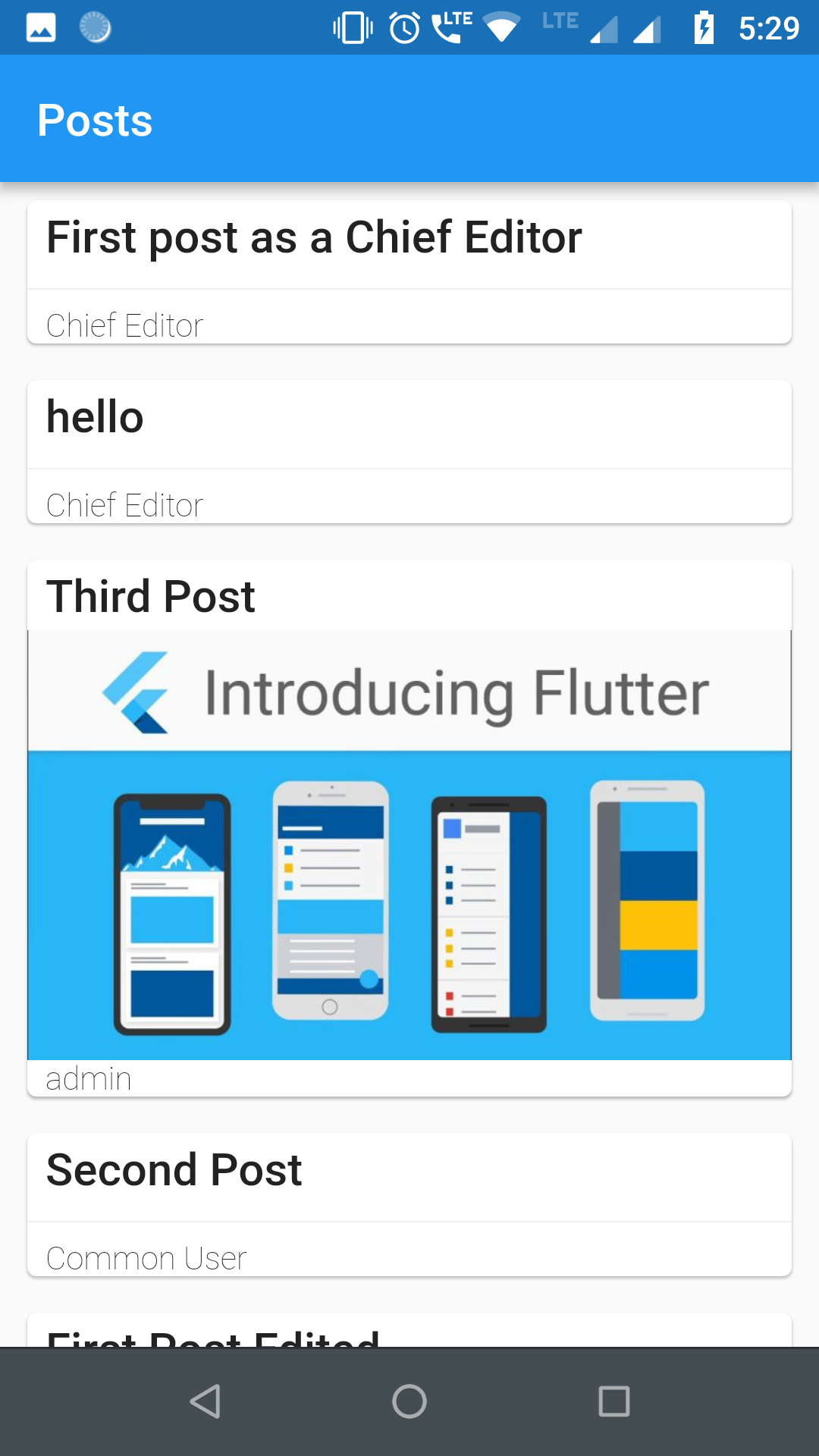
title:'First post as a Chief Editor',
content:'Blah! blah! blah!',
excerpt:'Discussion about blah!',
authorID: user.id,
commentStatus: wp.PostCommentStatus.open,
pingStatus: wp.PostPingStatus.closed,
status: wp.PostPageStatus.publish,
format: wp.PostFormat.standard,
sticky:true,
),
);
post.then((p) {
print('Post created successfully with ID: ${p.id}');
}).catchError((err) {
print('Failed to create post: $err');
});
}voidcreateComment({@requiredint userId, @requiredint postId}) {
final comment = widget.wordPress.createComment(
comment:new wp.Comment(
author: userId,
post: postId,
content:"First!",
parent:0,
),
);
comment.then((c) {
print('Comment successfully posted with ID: ${c.id}');
}).catchError((err) {
print('Failed to comment: $err');
});
}Future<void> updateComment({@requiredint id, @requiredint postId, @required wp.User user}) async {
await widget.wordPress.updateComment(
comment:new wp.Comment(
content:"Comment Updated2!",
author: user.id,
post: postId,
),
id: id,
).then((c) {
print('Comment updated successfully "$c"');
}).catchError((err) {
print('Failed to update Comment: $err');
});
}Future<void> updatePost({@requiredint id, @requiredint userId}) async {
await widget.wordPress.updatePost(
post:new wp.Post(
title:'First post as a Chief Editor',
content:'Blah! blah! blah!',
excerpt:'Discussion about blah!',
authorID: userId,
commentStatus: wp.PostCommentStatus.open,
pingStatus: wp.PostPingStatus.closed,
status: wp.PostPageStatus.publish,
format: wp.PostFormat.standard,
sticky:true,
),
id: id, //
).then((p) {
print('Post updated successfully with ID ${p}');
}).catchError((err) {
print('Failed to update post: $err');
});
}Future<void> updateUser({@requiredint id, @requiredString username, @requiredString email}) async {
await widget.wordPress.updateUser(
user:new wp.User(
description:"This is description for this user",
username: username,
id: id,
email: email
),
id: id,
).then((u) {
print('User updated successfully $u');
}).catchError((err) {
print('Failed to update User: $err');
});
}Future<void> deleteComment({@requiredint id}) async {
await widget.wordPress.deleteComment(id: id).then((c) {
print('Comment Deleted successfully: $c');
}).catchError((err) {
print('Failed to Delete comment: $err');
});
}Future<void> deletePost({@requiredint id}) async {
await widget.wordPress.deletePost(id: id).then((p) {
print('Post Deleted successfully: $p');
}).catchError((err) {
print('Failed to Delete post: $err');
});
}Future<void> deleteUser({@requiredint id, @requiredint reassign}) async {
await widget.wordPress.deleteUser(id: id, reassign: reassign).then((u) {
print('User Deleted successfully: $u');
}).catchError((err) {
print('Failed to Delete user: $err');
});
}uploadMedia(File image) async {
var media =await wordPress.uploadMedia(image).then((m) {
print('Media uploaded successfully: $m');
}).catchError((err) {
print('Failed to upload Media: $err');
});
int mediaID = media['id']; }- Implementing OAuth 2.0 authentication.