
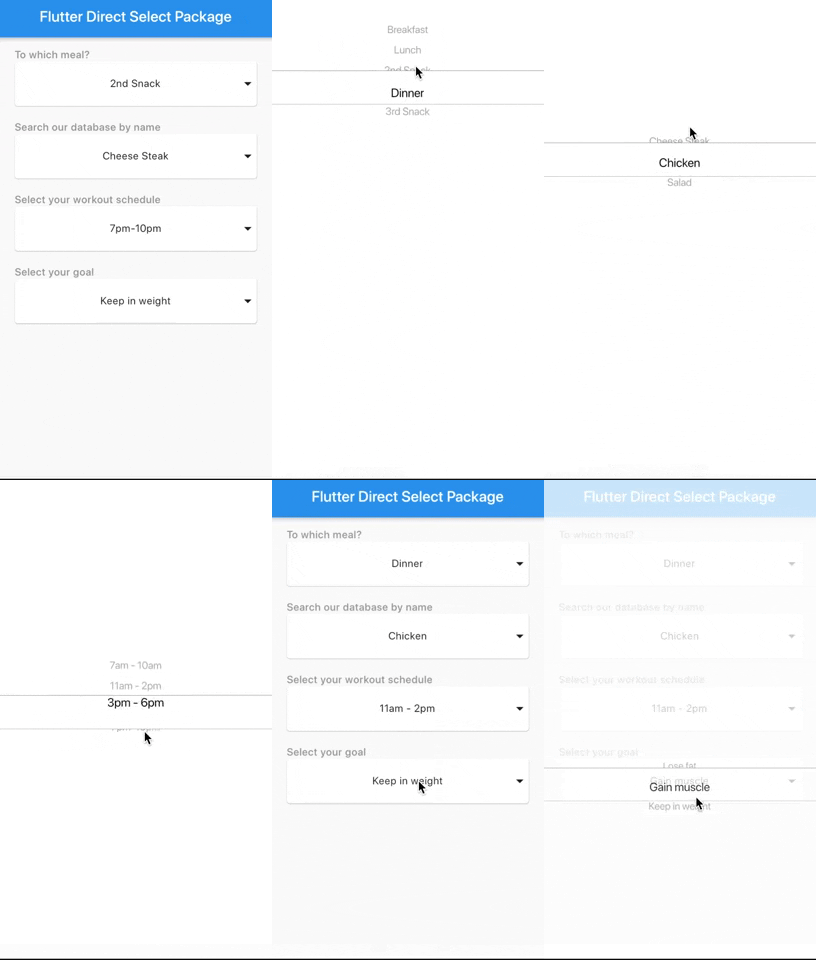
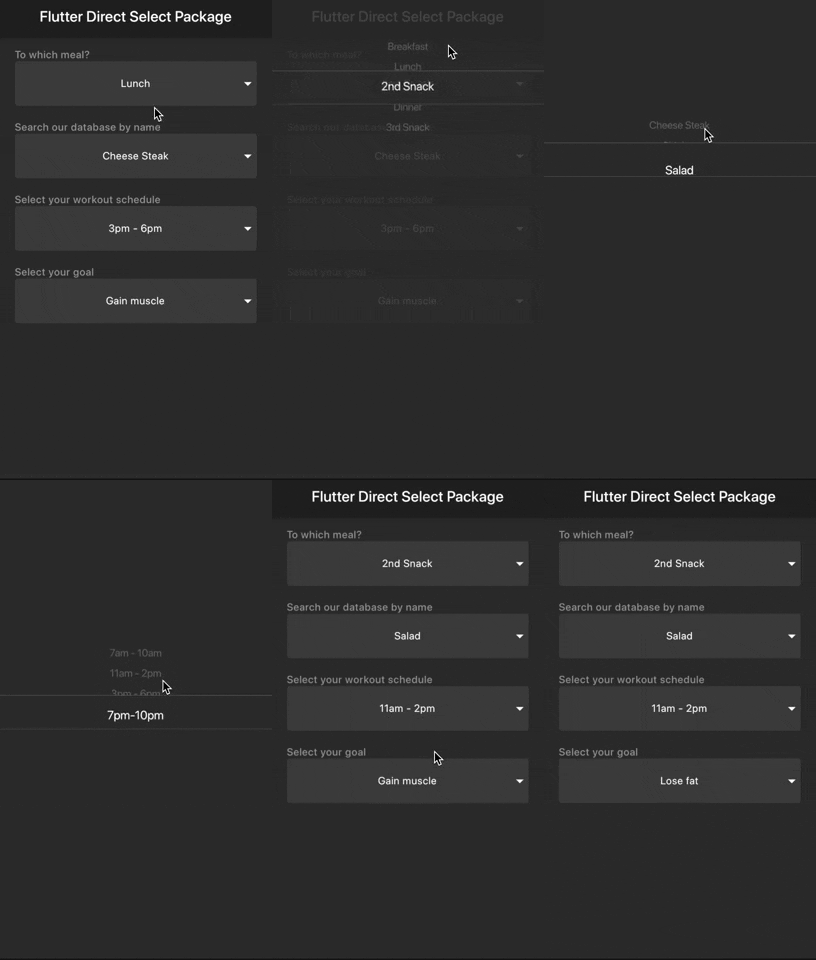
This package allows you to scroll/select the value directly from the dropdown with less effort and time.
Inspired by Virgil Panashot
Samples
Light
Dark
You should ensure that you add the router as a dependency in your flutter project.
dependencies:
direct_select: "^1.0.3"
You should then run flutter packages upgrade or update your packages in IntelliJ.
There is an example project in the example folder. Check it out. Otherwise, keep reading to get up and running.
import'package:flutter/material.dart';
import'package:direct_select/direct_select.dart';
class_MyHomePageStateextendsState<MyHomePage> {
final elements1 = [
"Breakfast",
"Lunch",
"2nd Snack",
"Dinner",
"3rd Snack",
];
final elements2 = [
"Cheese Steak",
"Chicken",
"Salad",
];
final elements3 = [
"7am - 10am",
"11am - 2pm",
"3pm - 6pm",
"7pm-10pm",
];
final elements4 = [
"Lose fat",
"Gain muscle",
"Keep in weight",
];
int selectedIndex1 =0,
selectedIndex2 =0,
selectedIndex3 =0,
selectedIndex4 =0;
List<Widget> _buildItems1() {
return elements1
.map((val) =>MySelectionItem(
title: val,
))
.toList();
}
List<Widget> _buildItems2() {
return elements2
.map((val) =>MySelectionItem(
title: val,
))
.toList();
}
List<Widget> _buildItems3() {
return elements3
.map((val) =>MySelectionItem(
title: val,
))
.toList();
}
List<Widget> _buildItems4() {
return elements4
.map((val) =>MySelectionItem(
title: val,
))
.toList();
}
@overrideWidgetbuild(BuildContext context) {
returnScaffold(
appBar:AppBar(
title:Text(widget.title),
),
body:Padding(
padding:constEdgeInsets.all(15.0),
child:Center(
child:Column(
mainAxisAlignment:MainAxisAlignment.start,
crossAxisAlignment:CrossAxisAlignment.stretch,
children:<Widget>[
Padding(
padding:constEdgeInsets.only(left:10.0),
child:Text(
"To which meal?",
style:TextStyle(
color:Colors.grey, fontWeight:FontWeight.w500),
),
),
DirectSelect(
itemExtent:35.0,
selectedIndex: selectedIndex1,
backgroundColor:Colors.red,
child:MySelectionItem(
isForList:false,
title: elements1[selectedIndex1],
),
onSelectedItemChanged: (index) {
setState(() {
selectedIndex1 = index;
});
},
items:_buildItems1()),
Padding(
padding:constEdgeInsets.only(left:10.0, top:20.0),
child:Text(
"Search our database by name",
style:TextStyle(
color:Colors.grey, fontWeight:FontWeight.w500),
),
),
DirectSelect(
itemExtent:35.0,
selectedIndex: selectedIndex2,
child:MySelectionItem(
isForList:false,
title: elements2[selectedIndex2],
),
onSelectedItemChanged: (index) {
setState(() {
selectedIndex2 = index;
});
},
items:_buildItems2()),
Padding(
padding:constEdgeInsets.only(left:10.0, top:20.0),
child:Text(
"Select your workout schedule",
style:TextStyle(
color:Colors.grey, fontWeight:FontWeight.w500),
),
),
DirectSelect(
itemExtent:35.0,
selectedIndex: selectedIndex3,
child:MySelectionItem(
isForList:false,
title: elements3[selectedIndex3],
),
onSelectedItemChanged: (index) {
setState(() {
selectedIndex3 = index;
});
},
items:_buildItems3()),
Padding(
padding:constEdgeInsets.only(left:10.0, top:20.0),
child:Text(
"Select your goal",
style:TextStyle(
color:Colors.grey, fontWeight:FontWeight.w500),
),
),
DirectSelect(
itemExtent:35.0,
selectedIndex: selectedIndex4,
child:MySelectionItem(
isForList:false,
title: elements4[selectedIndex4],
),
onSelectedItemChanged: (index) {
setState(() {
selectedIndex4 = index;
});
},
items:_buildItems4()),
]),
),
),
);
}
}
//You can use any WidgetclassMySelectionItemextendsStatelessWidget {
finalString title;
finalbool isForList;
constMySelectionItem({Key key, this.title, this.isForList =true})
:super(key: key);
@overrideWidgetbuild(BuildContext context) {
returnSizedBox(
height:60.0,
child: isForList
?Padding(
child:_buildItem(context),
padding:EdgeInsets.all(10.0),
)
:Card(
margin:EdgeInsets.symmetric(horizontal:10.0),
child:Stack(
children:<Widget>[
_buildItem(context),
Align(
alignment:Alignment.centerRight,
child:Icon(Icons.arrow_drop_down),
)
],
),
),
);
}
_buildItem(BuildContext context) {
returnContainer(
width:MediaQuery.of(context).size.width,
alignment:Alignment.center,
child:Text(title),
);
}
}
You can follow me on twitter @diegoveloper