Welcome to this workshop! We're going to build a Discord bot with discord.py and Python. Let's dive right into it!
- Python and Pip
- A Discord account
Make sure you’re logged on to the Discord website.
Navigate to the application page
Click on the “New Application” button.
Give the application a name and click “Create”.
Create a Bot User by navigating to the “Bot” tab and clicking “Add Bot”.
- Click “Yes, do it!” to continue.
If you want others to invite your bot, make sure that Public Bot is ticked. Also, make sure that Require OAuth2 Code Grant is unchecked.
Copy the token using the “Copy” button.
- NOTE: This is not the same thing as the Client Secret on the General Information page
- WARNING: This token is equivalent to your bot's password, so do not share it with anyone.


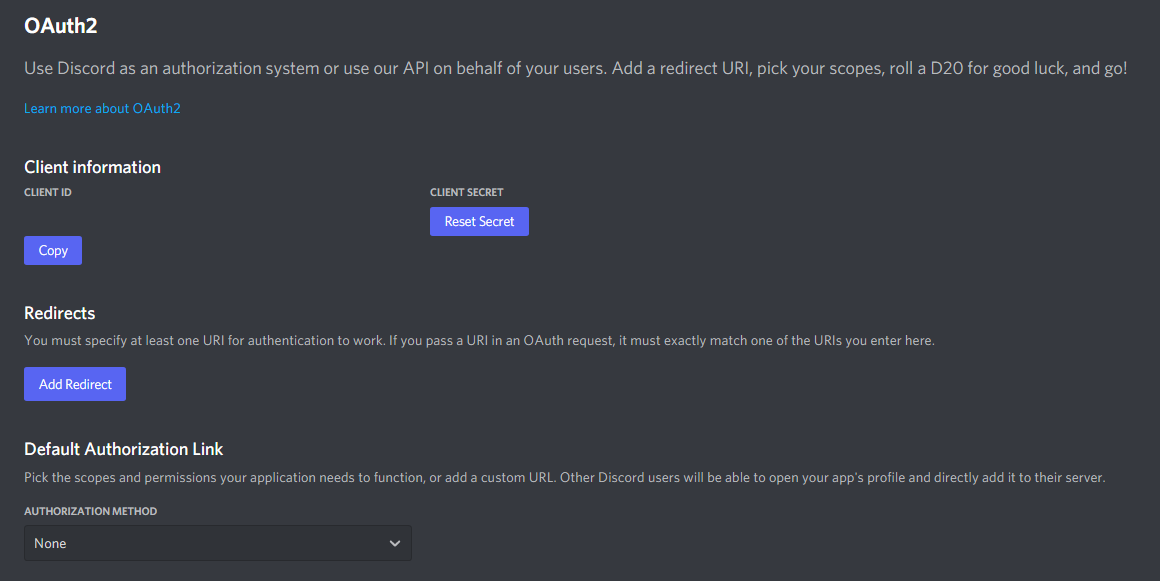
Go to the “OAuth2” tab
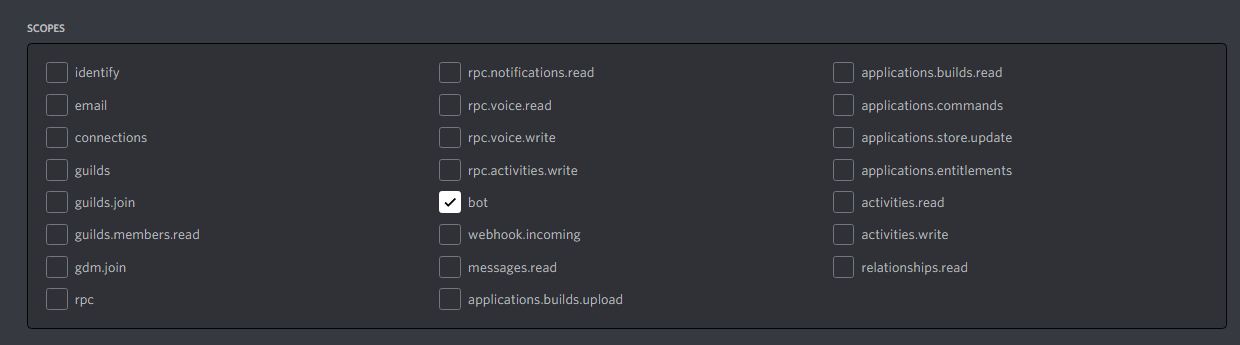
Tick the “bot” checkbox under “scopes”
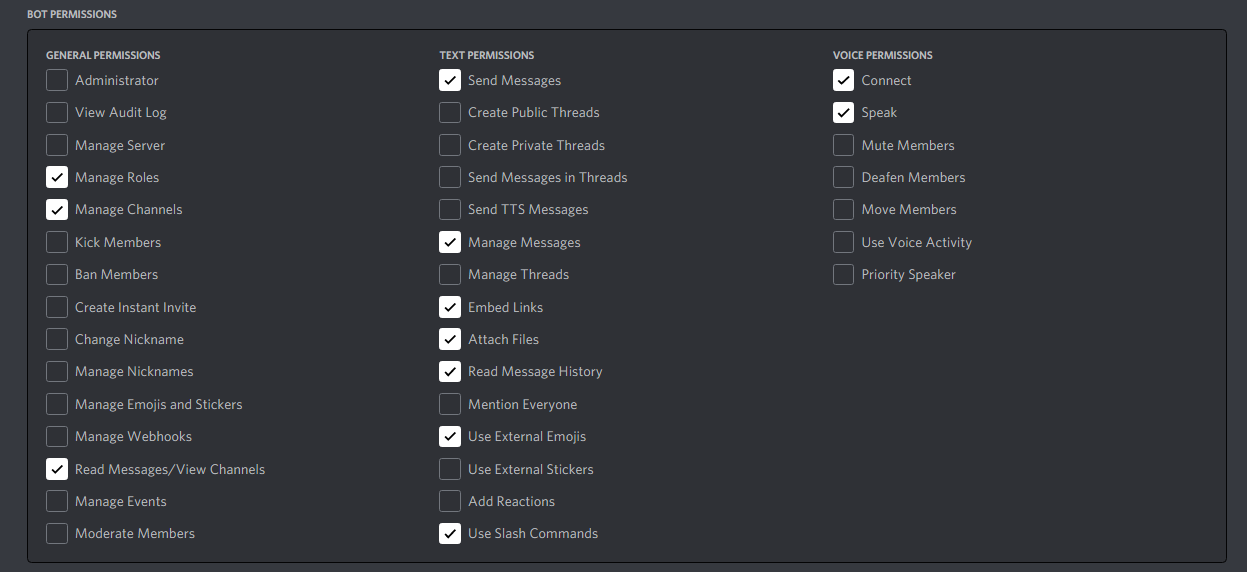
Tick the permissions required for your bot to function under “Bot Permissions”
Now the resulting URL can be used to add your bot to a server. Copy and paste the URL into your browser, choose a server to invite the bot to, and click “Authorize”.
Source: https://discordpy.readthedocs.io/en/latest/discord.html
- Install or upgrade discord.py:
pip3 install -U discord.py- NOTE: you may need to use a variation of the pip command depending on your platform.
- Create a Python file and name it anything, such as
coolio_bot.py - Open the file in your favorite code editor
Start off by importing the discord.py library:
importdiscordclient=discord.Client()
# Add event handlers hereclient.run('Your token from Step 1')
Listen to the
readyevent# Event handlers@client.eventasyncdefon_ready(): print('We have logged in as {0.user}'.format(client))
Listen for a new
message:@client.eventasyncdefon_message(message): ifmessage.author==client.user: returnifmessage.content.startswith('$hello'): awaitmessage.channel.send('Hello!')
importdiscordclient=discord.Client()
# Event handlers@client.eventasyncdefon_ready():
print('We have logged in as {0.user}'.format(client))
@client.eventasyncdefon_message(message):
ifmessage.author==client.user:
returnifmessage.content.startswith('$hello'):
awaitmessage.channel.send('Hello!')
client.run('Your token from Step 1')So now that you've got your bot set up, what's next? Well, of course, start building! Take the next 30 minutes and see what you can come up with. Be ready to share your bot's commands with others for them to try out what you make!
Let's say we want to add a new command. Here's what you would do:
@client.eventasyncdefon_message(message):
ifmessage.author==client.user:
returnifmessage.content.startswith('$hello'):
awaitmessage.channel.send('Hello!')
elifmessage.content.startswith('$hola'):
awaitmessage.channel.send('Hola amigo!')A simple echo bot:
@client.eventasyncdefon_message(message):
ifmessage.author==client.user:
returnawaitmessage.channel.send(message.content)When someone sends $pic, send a link to a random picture from https://picsum.photos/. Note: the ? + randrange() is just for making discord fetch a new picture everytime you send the same link.
fromrandomimportrandrange
...
@client.eventasyncdefon_message(message):
ifmessage.author==client.user:
returnifmessage.content.startswith('$pic'):
awaitmessage.channel.send('https://picsum.photos/400/400?'+str(randrange(1000)))