


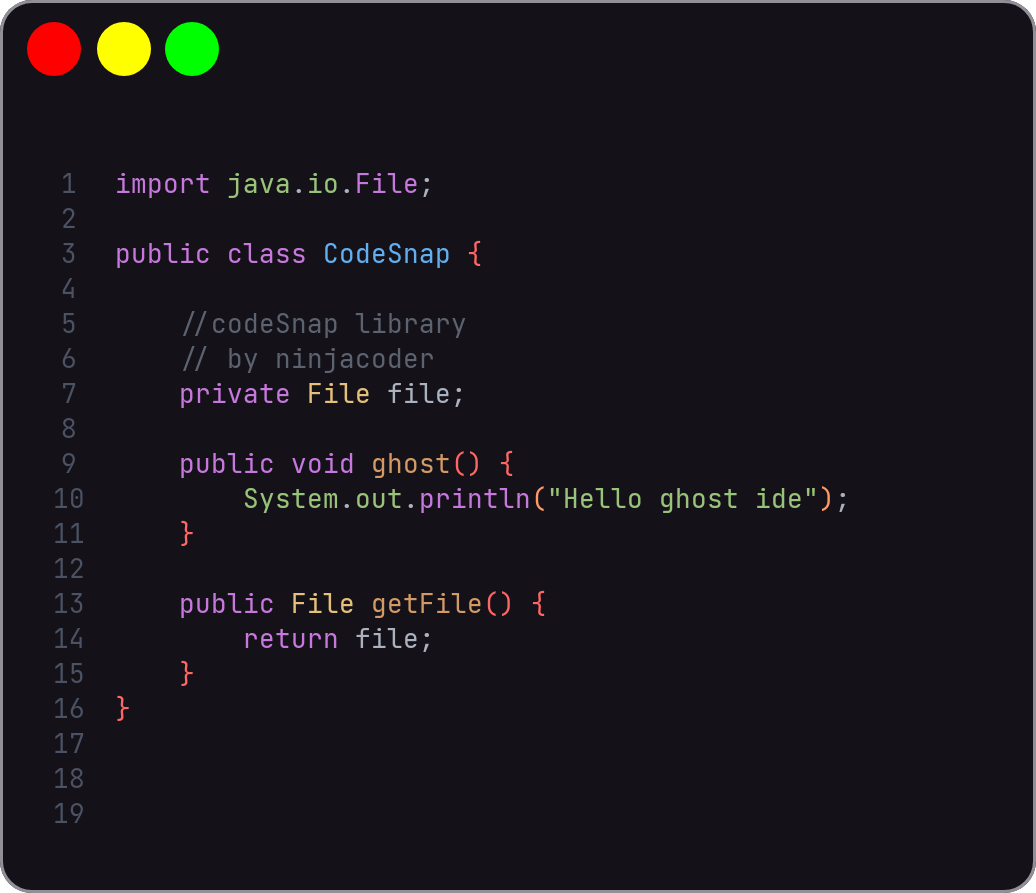
- java
- python
- javascript
- c
- c++
- rust
- php
- html
- css
- kotlin
- typescript
- csharp
- gradle
- markdown(not work fix soon)
- go
- swift
- dart
- ruby
- scala
- perl
- r
- matlab
- lua
- yaml
- json
- xml
- zig
- diff
- It is currently a test program, but will become a library in the future.
- Screenshot capability in Png, jpg, webp format
- Format and screenshot
- Custom theme
- Custom editor
- adding to settings.gradle
dependencyResolutionManagement {
repositoriesMode.set(RepositoriesMode.FAIL_ON_PROJECT_REPOS)
repositories {
mavenCentral()
maven { url 'https://jitpack.io' }
}
}
- adding to build.gradle
dependencies {
implementation ('com.github.HanzoDev1375:Android-code-snap:1.1.3'){
exclude group: "org.jetbrains", module: "annotations"
exclude group: "org.jetbrains", module: "annotations-java5"
}
}
adding xml in your activity
 <ir.ninjacoder.codesnap.LayoutGroup
android:layout_height="wrap_content"android:layout_width="match_parent"android:layout_marginEnd="8dp"android:layout_marginStart="8dp"android:id="@+id/editor"android:layout_gravity="center" />privateLayoutGroupeditor;
editor.setType(#LangType);
editor.takeScreenshot();
editor.takeScreenshot(#FormatImage); //png webp jpg pdf editor.getEditor().showLineNumber(#Boolean);
//set full fonteditor.getEditor().setFont(#TypeFace);
//setEditor font editor.getEditor().setTypeFaceEditor(#TypeFace);
//setLineNumberFonteditor.getEditor().setTypeFaceLineNumber(#TypeFace);
//how to make custom theme? see class #ColorHelpereditor.getEditor().setColorHelper(#ColorHelper);
//how to select theme ?editor.setTheme(#ThemeManager);
//see other method in MainActivityeditor.setText(#String);
// adding 1.1.1editor.setShowHighlighterBracket(#boolean);
//adding 1.1.2editor.setPaddingStroke(#int);
editor.setIsShowCopyIcon(#boolean);
editor.setLangGroup(#Spinner);
editor.setSaveThemeBySpinner(#Spinner);
editor.setIconRgbMod(#boolean);
varcode = newCodeSnapBottomSheet(#PathString, #Context);- If you don't have an application class, create one. This is an example.
importandroid.app.Application;
importir.ninjacoder.codesnap.colorhelper.ThemeLoader;
publicclassAppextendsApplication {
@OverridepublicvoidonCreate() {
super.onCreate();
ThemeLoader.init(this);
// TODO: Implement this method
}
}
- Then call
ThemeLoader.in(this);like the code above to create a custom theme. - Then in Android Manifest adding
android:name=".App"or name your app class note adding in tagapplication - Then the method LayoutGroup#setThemeCustom Call and submit the theme path Currently, one custom theme is supported, in the future, multiple themes will be supported if the project is supported.
{
"keyword": "#FFBD93F9",
"operator": "#FFFF5555",
"method": "#FF50FA7B",
"variable": "#FF8BE9FD",
"symbol": "#FFFFB86C",
"comment": "#FF6272A4",
"lastdot": "#FFFFAE77",
"lastsymi": "#FFFF79C6",
"uppercase": "#FFE8A2FF",
"textnormal": "#FFF8F8F2",
"prebrak": "#FFFF6E6E",
"predot": "#FF5EF38C",
"strings": "#FFF1FA8C",
"linenumbercolor": "#FF9999CC",
"bracketcolor": "#33FF79C6",
"htmlkeyword": "#FFFF79C6",
"htmlattr": "#FF50FA7B",
"csskeyword": "#FFBD93F9",
"cssoprator": "#FFFF79C6",
"cardbackground": "#FF1E1F29",
"cardstorkecolor": "#FF44475A"
}
- using in json