A lightweight JAR that replaces traditional .sh / .bat files for launching Forge and NeoForge servers. It automates installation, configuration, and startup — just drop it in your server directory and go.
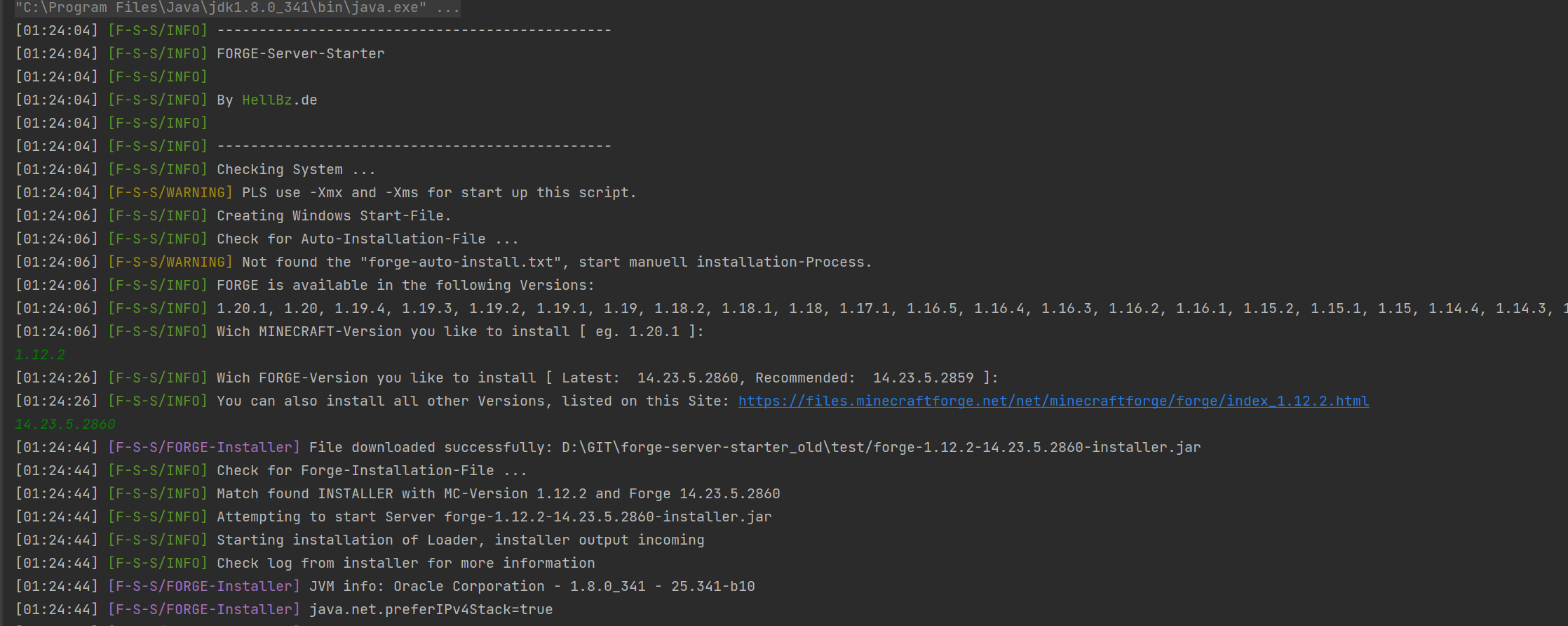
- Forge & NeoForge Support — Works with both loaders, including NeoForge 26.x and legacy Forge down to 1.7.10
- Automatic Installation — Guided console installer or fully automatic via
forge-auto-install.txt - Library Check — Ensures the
librariesfolder exists and detects the installed loader version - System-Specific Arguments — Uses the correct argument files for Windows or Linux
- Server Launch — Starts the server with pre-defined Java arguments
- Console Output & Commands — Full console passthrough with stdin forwarding (Java 17+ compatible)
- Faster Restart — Type
/restartin the server console for a graceful restart without stopping the Server Starter - Auto Loader Update — Optionally update Forge/NeoForge to the latest version on every start
- Network Check Toggle — Skip the internet check for restricted networks (firewalls, proxies)
- Automatic EULA Creation — Creates
eula.txtautomatically for faster first startup - Custom Timezone & Java Path — Configurable in
server_starter.conf - Logging & Debugging — All events logged to file, debug mode available
- Version Checker — Checks for updates on GitHub and notifies in the log
- Auto-Installation File Generation —
generate_auto_installation_file.bat/.shfor easy setup - Java 8–25 Support — Compatible with Java 8 through Java 25
- Download
minecraft_server.jarfrom the latest release - Place it in your server directory
- Start with:
java -Xms1G -Xmx2G -jar minecraft_server.jar nogui - On first start,
server_starter.confand start scripts are created automatically
Create a forge-auto-install.txt next to the JAR:
minecraftVersion=1.21.1
loaderType=NeoForge
loaderVersion=latest
The Server Starter will download and install the loader automatically.
If you just want to run the project, use the pre-built JAR from the Releases page.
To build locally without Maven:
- Windows:
build.bat - Linux/macOS:
./build.sh
Output: out/compiled/minecraft_server.jar
With Maven installed:
mvn packageOutput: target/minecraft_server.jar
server_starter.conf is created on first start with these options:
timezone=UTC                  # Your timezone (e.g. Europe/Berlin)
java_path=java                # Custom Java path
debug=false                   # Enable debug logging
log_to_file=true              # Log to file
network_check=true            # Set to false to skip internet check
auto_update_loader=false      # Set to true for automatic loader updates
unique_id_request=true # Set to false to disable update API callsSee the full CHANGELOG.md for a detailed version history.
Highlights of the latest release:
- Network Check Toggle —
network_check=falseto skip internet check - Faster Restart —
/restartcommand for fast server restarts - Auto Loader Update —
auto_update_loader=truefor automatic updates - Java 21/25 Support — modern Java compatibility
- NeoForge 26.x Support — 4-segment versions and correct mapping
- Binary Download Fix — installer JARs no longer corrupted
- CI/CD Pipeline — automated Maven build and release
Want to help? Please read CONTRIBUTING.md for build instructions and release details.
- @rex2630 — Java 21/25 support, restart feature, auto-update, guided install fixes
- @DerErizzle — 1.7.10 support
We welcome any feedback or suggestions for improvement. Feel free to open an issue or send a bug report.
Optimize your FORGE server launch with our Server Starter and enjoy a seamless gaming experience.