Alternative firmware code for the Relativty head tracker that uses the MPU6050 (or MPU9150) sensor.
Arduino Due (and Uno) boards haven't been tested yet, I don't own a Due so it's up to you.
Connect the sensor corresponding to the defines in the SerialTracker.ino sketch, here are the defaults:
| Sensor | INT | SDA | SCL | VCC | GND |
|---|---|---|---|---|---|
| Board | INT_PIN | SDA_PIN | SCL_PIN | VCC_PIN | |
| Due | 2 | 20 | 21 | 5 | GND |
| STM32 | PA1 | PB6 | PB7 | PB5 | G |
| ESP32 | IO17 | IO18 | IO19 | IO5 | GND |
| Uno | 2 | A4 | A5 | 5 | GND |


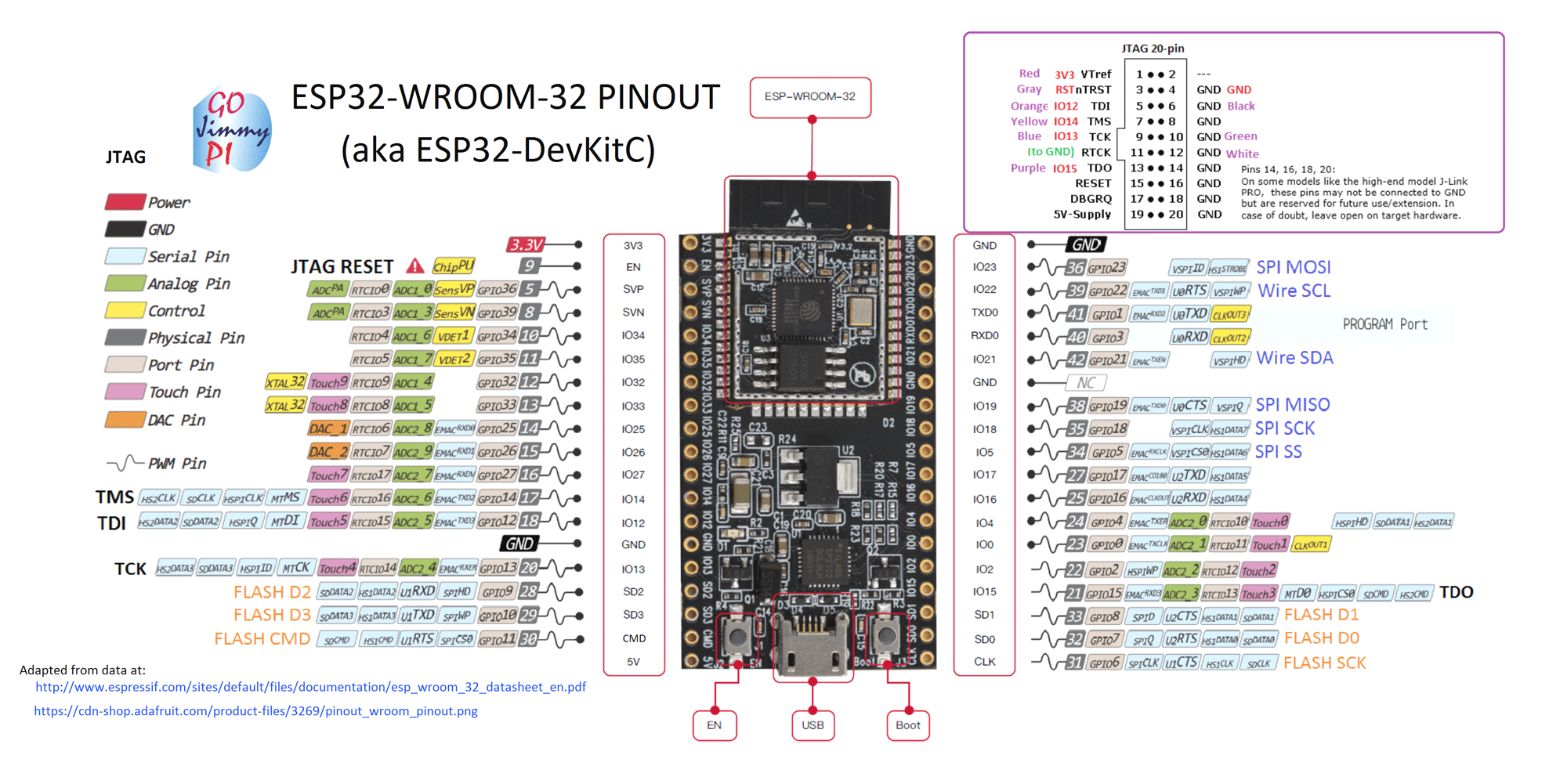
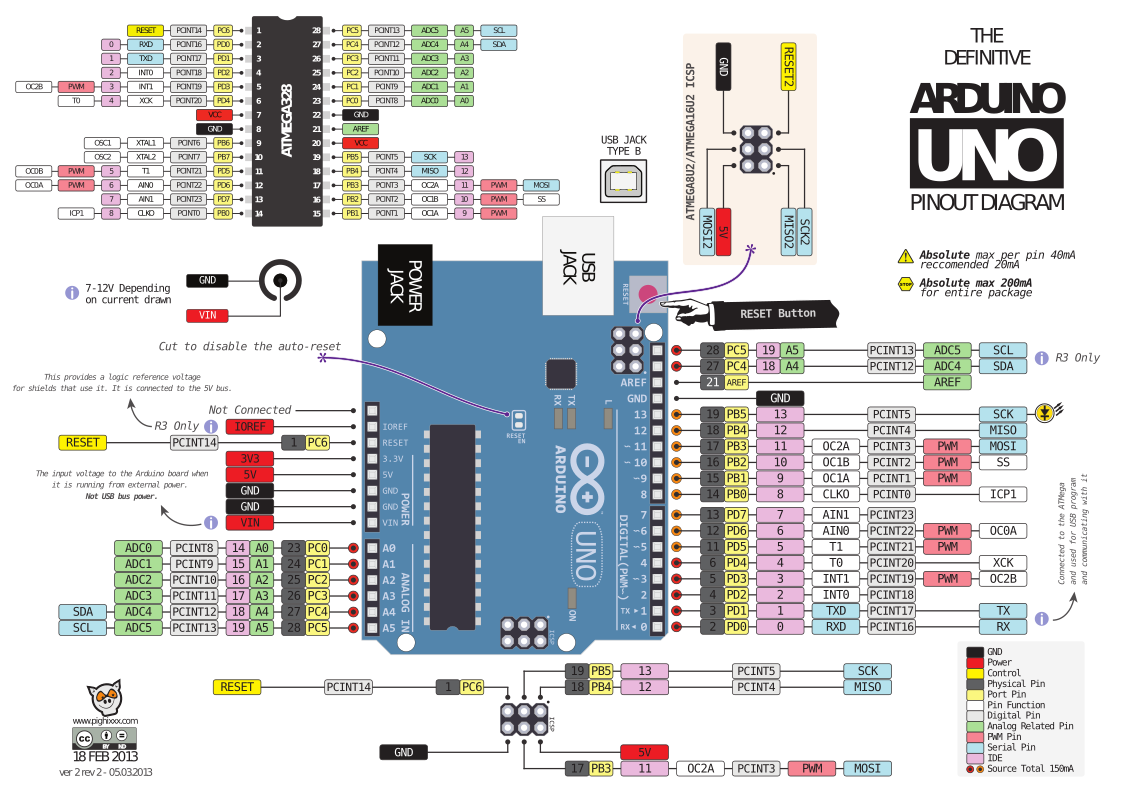
- Install Arduino IDE
- Install Arduino IDE support for your board:
- Arduino Due: Getting started with the Arduino Due
- STM32 Pills: Arduino for STM32
- ESP32: Arduino core for ESP32 WiFi chip
- Install additional libraries for Arduino IDE
- I2CDevLib, for installation simply copy the
I2Cdev,MPU6050andMPU9150folders (below the Arduino folder in the archive) to yourArduino/librariesdirectory.
- I2CDevLib, for installation simply copy the
- Put the folder containing this README.md (and SerialTracker.ino) in your
Arduinodirectory. - Start Arduino IDE, open sketch and upload.