
Learn languages by reading — with smart suggestions and built-in definitions


Learning with Texts (LWT) is a self-hosted web app for language learning through reading. Import any text you want to study — a novel, a news article, song lyrics — or let LWT suggest reading material adapted to your level from open libraries. Either way, words are enriched with translations and definitions from open sources, and you build vocabulary through reading and spaced repetition.
Don't know where to start? LWT suggests books from Project Gutenberg ranked by difficulty, plus curated news feeds in 19 languages. Already have a text you love? Paste it in and start reading. As you mark words, suggestions get smarter and new vocabulary is pre-enriched from Wiktionary.
Important
This is a community-maintained fork and a significant upgrade over the original LWT, created by hapepo23 and first released in 2011. It brings an easy-to-use interface, text suggestions and reading statistics, modern PHP support (8.2–8.5), mobile support, and compatibility with the modern web. The original LWT is still available on SourceForge; a snapshot of its code is also preserved on the official branch of this repository.
Tip
There's a mobile app now: Lukaisu. A new local-first Android client (heading to F-Droid) for learning by reading. It works fully offline with an on-device database; connecting a server is optional and adds Chinese/Japanese word-splitting, text-to-speech, transcription, and online text discovery. LWT 3.1+ servers are compatible, so you can read your existing library on your phone.
The fastest way to get started is with Docker:
git clone https://github.com/HugoFara/lwt.git
cd lwt
docker compose up
Then open http://localhost:8010/ in your browser.
1. Pick a text — Import something you want to read, or browse suggestions matched to your level from Project Gutenberg and curated news feeds.
2. Read and learn — Unknown words are highlighted. Click any word to see its translation (pre-loaded from Wiktionary) and save it to your vocabulary.
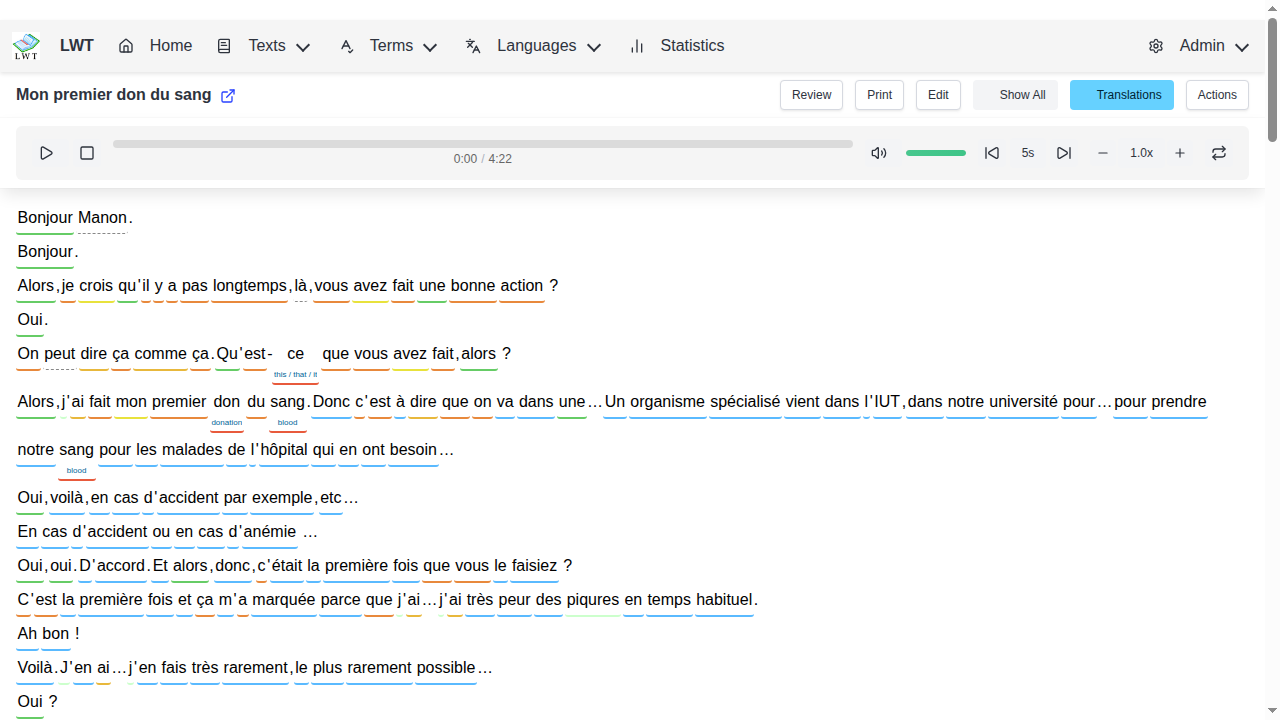
3. Review with context — Practice vocabulary with spaced repetition, always seeing words in their original context.
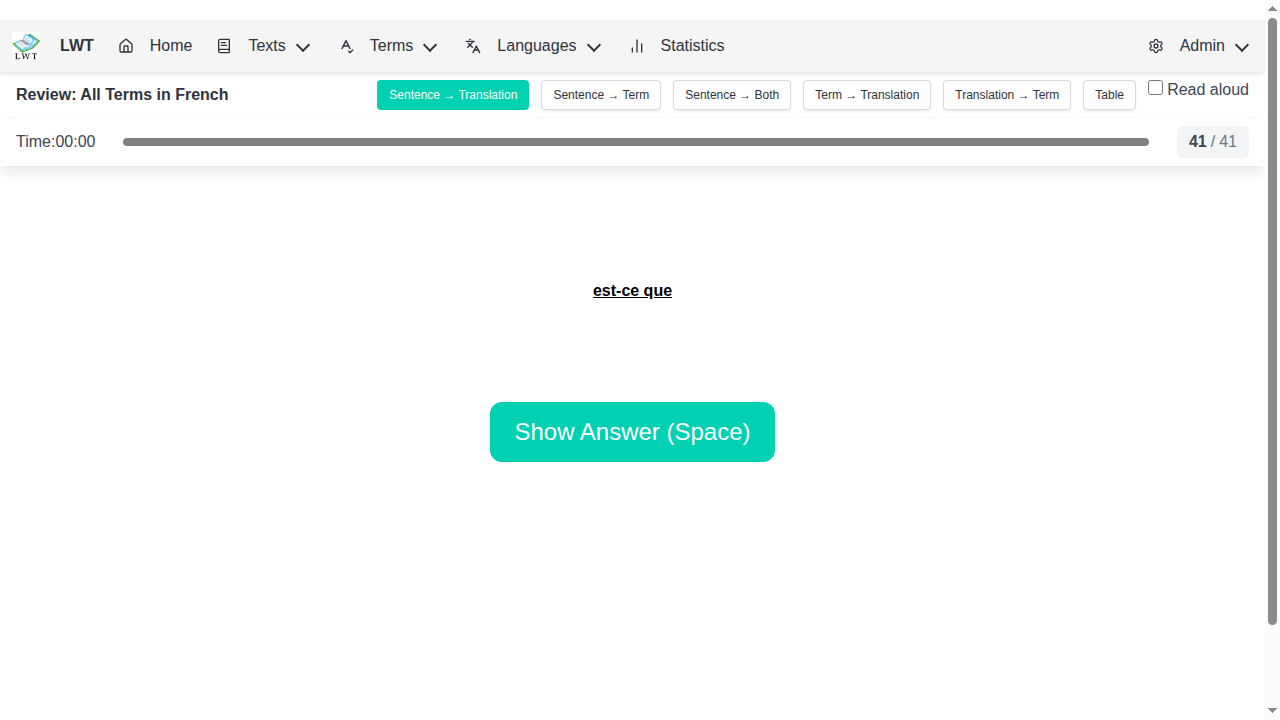
4. Keep going — As you mark words known or unknown, difficulty estimates adapt. Suggestions get smarter, and your next text is always ready.
Unlike flashcard apps like Anki, LWT keeps words connected to the texts where you found them. We include an Anki exporter if you want both.
- Book suggestions — Browse Project Gutenberg's catalog, ranked by difficulty for your level
- Curated news feeds — Ready-to-use RSS sources for 19 languages (Arabic, Chinese, French, German, Japanese, Korean, Spanish, and more)
- Difficulty estimation — Books are classified easy/medium/hard based on subject matter and your known vocabulary
- Adaptive recommendations — Suggestions improve as you learn more words
- Wiktionary definitions — Starter vocabulary comes pre-enriched with translations and definitions from open sources
- Click-to-translate — Instant dictionary lookups while reading
- Bulk translation — Translate multiple new words at once
- Text-to-speech — Hear pronunciation of words
- 40+ languages supported — Roman, right-to-left, and East-Asian writing systems
- Audio integration — Sync audio tracks with your texts
- Spaced repetition — Review words at optimal intervals, always in context
- Progress tracking — Statistics to monitor your learning
- Multi-word selection — Click and drag to select phrases
| Feature | Description |
|---|---|
| Mobile support | Responsive design for phones and tablets |
| Themes | Customizable appearance |
| Keyboard shortcuts | Navigate efficiently while reading |
| Video embedding | Include videos from YouTube and other platforms |
| MeCab integration | Japanese word-by-word translation |
| Position memory | Resume reading where you left off |
| Anki export | Export vocabulary to Anki for additional review |
- Smaller database — Optimized schema reduces storage significantly
- Long expressions — Save phrases up to 250 characters (was limited to 9)
- Better search — Improved querying for words and texts
- Modern PHP — Supports PHP 8.2, 8.3, 8.4, and 8.5
Works on any OS with Docker installed.
# Use the lightweight installer
git clone https://github.com/HugoFara/lwt-docker-installer.git
cd lwt-docker-installer
docker compose upgit clone https://github.com/HugoFara/lwt.git
cd lwt
# Optional: customize settings (database password, etc.)
cp .env.example .env
# Edit .env with your preferences
docker compose upAccess at http://localhost:8010/
Configuration is done via .env file (see .env.example for all options).
# Download and extract the latest release
wget https://github.com/HugoFara/lwt/archive/refs/heads/main.zip
unzip main.zip &&cd lwt-main
# Run the installer
chmod +x ./INSTALL.sh
./INSTALL.shInstall prerequisites: PHP 8.2+, MySQL/MariaDB, a web server (Apache/Nginx)
Clone or download the repository
Configure the database:
cp .env.example .env
# Edit .env with your database credentials
Install dependencies:
composer install
npm install && npm run build:all
See the Installation Guide for detailed instructions.
| Component | Version |
|---|---|
| PHP | 8.2, 8.3, 8.4, or 8.5 |
| MySQL/MariaDB | 5.7+ / 10.3+ |
| PHP Extensions | mysqli, mbstring, dom, zip (for EPUB support) |
For development, you'll also need Composer and Node.js 18+.
- User Guide — Getting started and usage
- API Reference — Features and REST API documentation
- Developer Docs — Architecture and contribution guide
Contributions are welcome! Here's how to set up a development environment:
git clone https://github.com/HugoFara/lwt.git
cd lwt
composer install --dev
npm install# Run tests
composer test# PHP tests with coverage
npm test# Frontend tests# Code quality
./vendor/bin/psalm # Static analysis
npm run lint # ESLint
npm run typecheck # TypeScript checking# Build assets
npm run dev # Development server with HMR
npm run build:all # Production build| Branch | Purpose |
|---|---|
main | Stable releases |
develop | Development and testing |
official | Tracks official LWT releases |
If LWT doesn't fit your needs, consider these projects:
- LUTE v3 — Modern rewrite using Python/Flask, actively developed
- LinguaCafe — Beautiful Vue.js/PHP implementation
- FLTR — Java desktop app by LWT's original author
This project is released into the public domain under the Unlicense. You're free to use, modify, and distribute it however you like.
Happy reading, happy learning!