




This is a copy of Greg Lavino's awesome photo_splitter.py, with some
minor adjustments by myself.
Greg published his original code in a ubunutuforums.org thread <http://ubuntuforums.org/showthread.php?t=1429439&p=8975597#post8975597>_.
photo_splitter.py is very useful if you need to crop a large amount
of images very quickly. Simply select the areas in the image that you
want to crop, click "Go" and photo_splitter will create one image file
for each crop area for you, in the same folder as the original image.
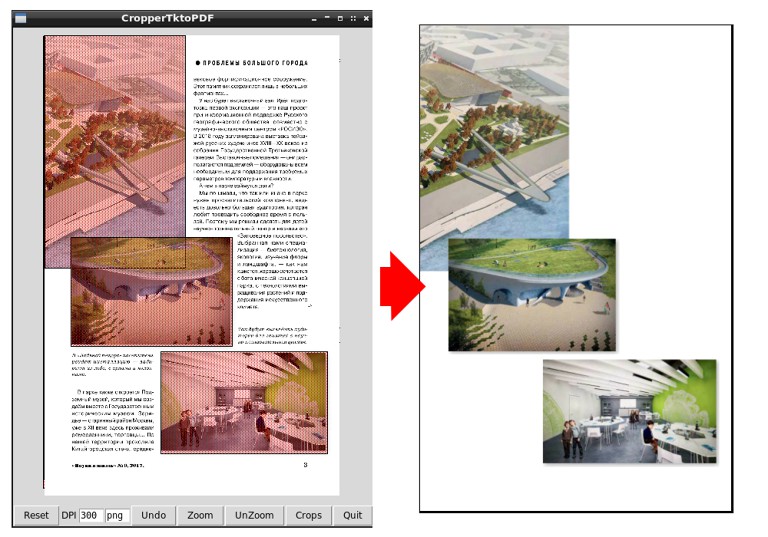
Here's a screenshot from the StackOverflow question <http://askubuntu.com/questions/31250/fast-image-cropping>_ which
features photo_splitter.py as the solution:


Before you can run photo_splitter.py, you'll need to install these
libraries::
sudo apt-get install python-tk python-imaging python-imaging-tk python-reportlabAn example::
./croppertk.py dog.jpgor:
./croppertk.pyMake a for loop to process a bunch of images::
forimgin~/images/*;do ./croppertk.py $img;done2021