This is a plugin for automatically adding author and timestamp to each gitbook page, including creator and last-modified from git commits




- Node.js 4.0+
- npm 3.0+
- gitbook 3.0+
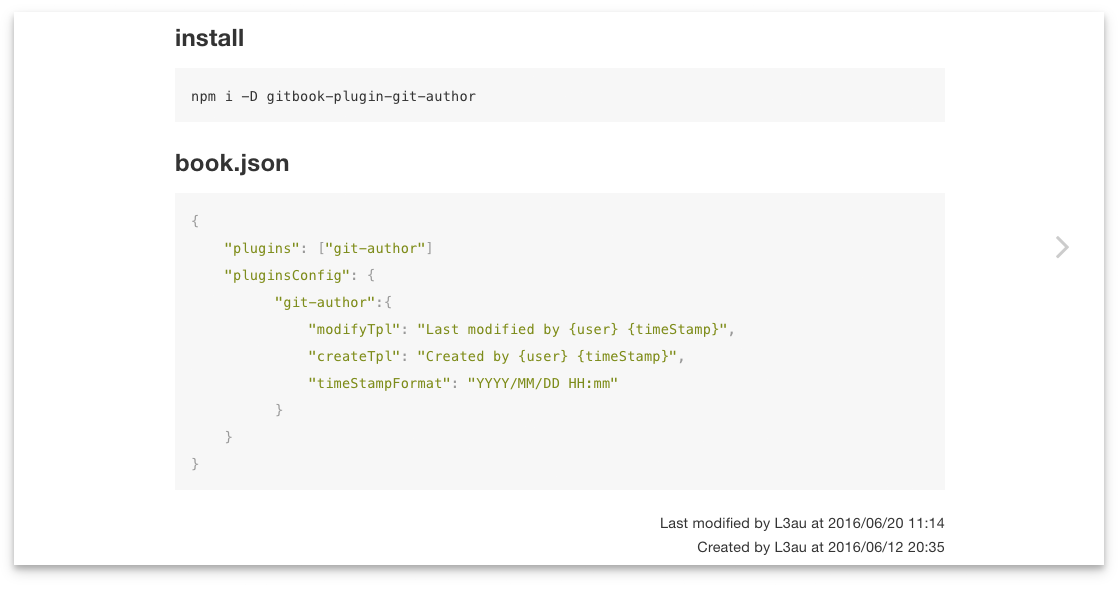
npm i -D gitbook-plugin-git-author{"plugins": ["git-author"]"pluginsConfig": {"git-author":{"position": "bottom","modifyTpl": "Last modified by {user} {timeStamp}","createTpl": "Created by {user} {timeStamp}","timeStampFormat": "YYYY-MM-DD HH:mm:ss"}}}README.md file
Be sure to commit this file to git repository firstly.
# Title of the Article
content<h1>Title of the Article</h1><p>content</p><divclass="git-author-container git-author-bottom"><divclass="modified">Last modified by someone 2016-06-06 06:06:06</div><divclass="created">Created by someone 2016-06-06 06:06:06</div></div>default: bottom
git-author content position in the article. top or bottom
this will add a git-author-{position} className to git-author-container
You can use {user}{timeStamp} as placeholder for username and timeStamp
default:
createTpl: Created by {user} {timeStamp}
modifyTpl: Last modified by {user} {timeStamp}
You may disable one of them by set it to a FALSY value.
e.g
"createTpl": false
default: YYYY-MM-DD HH:mm:ss
use moment to process timeStamp
You can use timeFormat nunjucks filter to format time string in each article.
{{ 1466749374153 | timeFormat('YYYY-MM-DD') }}
output
2016-06-24
{{ '2016-06-24T07:27:04.365Z' | timeFormat('MMMM Do YYYY, h:mm:ss a') }}
output
June 24th 2016, 3:27:04 pm
change default style by add a custom css file to your gitbook
book.json
{"styles": {"website": "./styles/website.css"}}website.css
.git-author-container {
font-size: 85%;
}
.git-author-top {
float: none;
}