This package has been deprecated in favour of the CA Design Systems Greedy Nav - please see Design System for details.
PriorityNav is a pure javascript plugin that will move your menu items if they don't fit its parent.
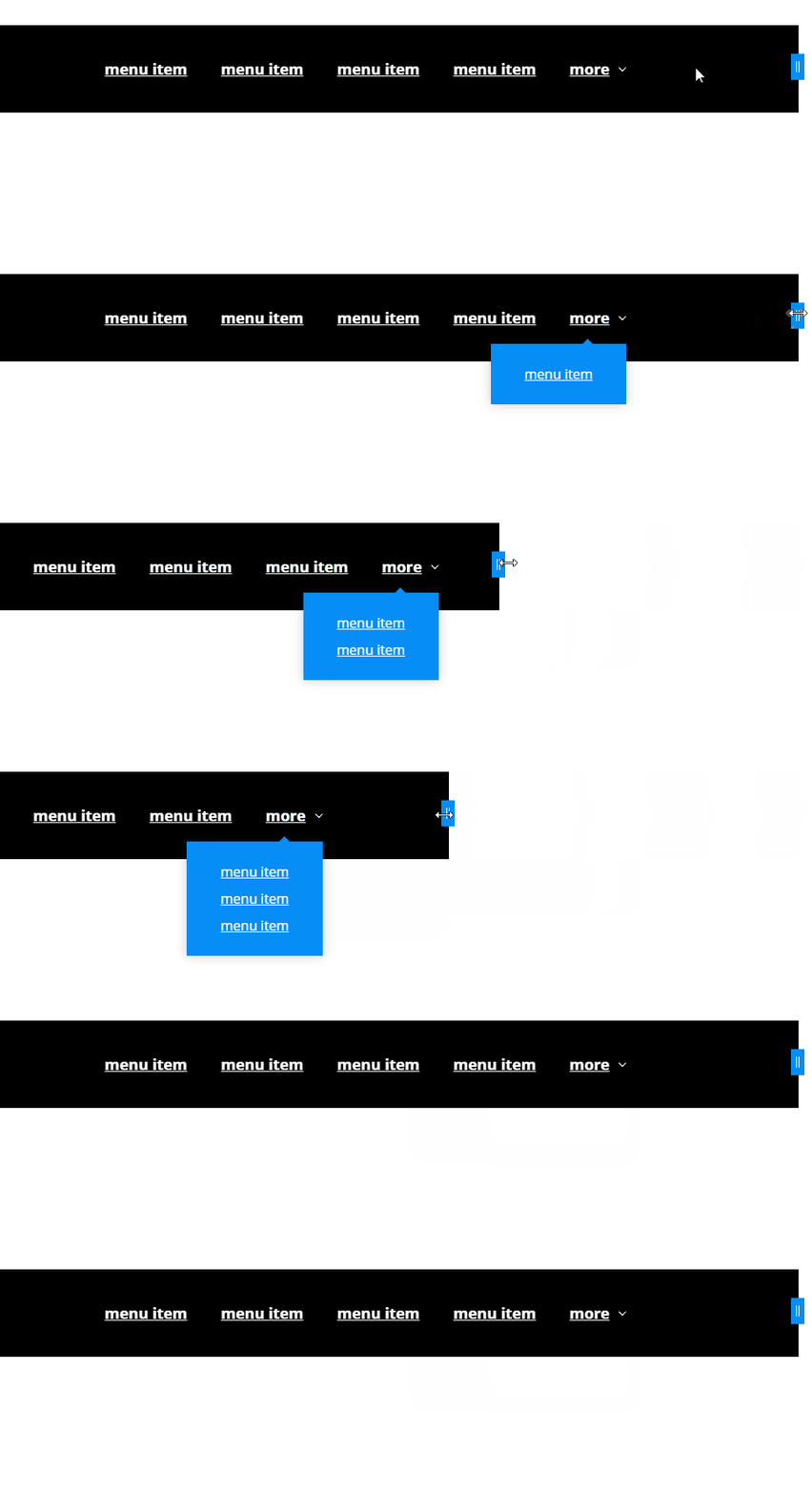
Take a look at the Demo site.
- Accessible
Adds appropriate aria attributes and set focus to links when needed. - No dependencies
The plugin is written in pure javascript making it fast and lean. - Breakpoint
When the breakpoint has been reached the plugin will automaticly move all items to the dropdown & change the toggle label to navDropdownBreakpointLabel. - Smart calculation of available space
It automatically looks for the main navigation's siblings and calculates remaining space. - Flexible
Because of the point above you can have multiple inline-block/flexbox items on the same level. - Non obstructive menu dropdown
The dropdown menu can be closed by clicking outside and pressing escape. - Callbacks
Callbacks are fired when an item is moved or moved back from the main navigation.
Load plugin files
<!DOCTYPE html><head><linkrel="stylesheet" href="priority-nav-core.css" /></head><body><scriptasyncsrc="priority-nav.js"></script></body>Call plugin without any options.
varnav=priorityNav.init();Ideal html structure
<nav><ul><-needstobeinline-block<li>menu item</li><li>menu item</li><li>menu item</li><li>menu item</li></ul></nav>initClass: "js-priorityNav",// Class that will be printed on html element to allow conditional css styling.mainNavWrapper: "nav",// mainnav wrapper selector (must be direct parent from mainNav)mainNav: "ul",// mainnav selector. (must be inline-block)navDropdownClassName: "nav__dropdown",// class used for the dropdown - this is a class name, not a selector.navDropdownToggleClassName: "nav__dropdown-toggle",// class used for the dropdown toggle - this is a class name, not a selector.navDropdownLabel: "more",// Text that is used for the dropdown toggle.navDropdownBreakpointLabel: "menu",//button label for navDropdownToggle when the breakPoint is reached.breakPoint: 500,//amount of pixels when all menu items should be moved to dropdown to simulate a mobile menuthrottleDelay: 50,// this will throttle the calculating logic on resize because i'm a responsible dev.offsetPixels: 0,// increase to decrease the time it takes to move an item.count: true,// prints the amount of items are moved to the attribute data-count to style with css counter.//Callbacksmoved: function(){},// executed when item is moved to dropdownmovedBack: function(){}// executed when item is moved back to main menu- npm:
npm install --save priority-nav - bower:
bower install priority-nav.js
#cloning repository
git clone https://github.com/gijsroge/priority-navigation.git
cd priority-navigation
#dependencies
npm install
#build files to dist folder
grunt build
To support Internet Explorer 9 and lower classList.js must be added your page.
<!--[if lt IE 9 ]><script src="https://cdnjs.cloudflare.com/ajax/libs/classlist/2014.01.31/classList.min.js"></script><![endif]-->To support Internet Explorer 8, es5-shim and classList.js from above must be added your page.
<!--[if lt IE 9 ]><script src="https://cdnjs.cloudflare.com/ajax/libs/es5-shim/2.0.8/es5-shim.min.js"></script><![endif]-->- https://github.com/lewie6/ng-priority-nav (angular)
- https://github.com/matthornsby/priority-navigation (jQuery)
- https://github.com/352Media/flexMenu (jQuery)
- https://github.com/VPenkov/okayNav (jQuery)
- https://github.com/VPenkov/okayNav-vanillaJS (no dependencies)
- https://github.com/skywalkapps/nav-priority (no dependencies)