This repository was archived by the owner on Sep 7, 2023. It is now read-only.

Repository files navigation

NoteMaster is a smart minimalistic persistent note-taking app to help boost productivity.

NoteMaster - Minimalistic note-taking app to help boost productivity. | Product Hunt Embed

Introducing Smart Mode

NoteMaster Beta introduces the first key feature that makes NoteMaster unique. Smart Mode automatically recognizes keywords, and intelligently provides results as you type, for example:

Arithmetic

100 + 10 + 10 -> 120

Unit Conversion

100cm in m -> 0.1m

Currency Conversion

$100 in GBP -> £77.3

Percentages

10% of 100 -> 10

That's not all! Head over to our documentation for a list of all of the statements that NoteMaster can recognize.

Additional Features

NoteMaster is continuously being developed. Our vision is to create the best open-source, note-taking app that boosts our users productivity. We've already added so much:

  • Dark UI - We love the slickness of a dark UI, plus it's better for your eyes. Win-win!
  • Smart Mode - Let NoteMaster do the heavy lifting with quick calculations and conversions.
  • Persistent Notes - That's right! Your notes are saved as you type. RIP Save As.
  • Magical Highlighting - Separate your notes with comments!
  • Pin Window - Make NoteMaster fly high above other apps, so it's always visible above the focused window.
  • Fullscreen - Dive deep and go fullscreen for a more in-depth note-making experience.
  • Global Shortcut - Summon NoteMaster using Windows + N. Honestly, it's magic.
  • Preferences - Make it your own by customising the font size, font weight, line height, line numbers...
  • Export - You heard it! Export those lovely notes to another place on your device where you'll never open them again.
  • Find/Replace - Become a NoteMaster (wow, that was bad) with the search functionality!
  • Search with Google - Quickly highlight and search the selected text on Google.
  • Emoji Support - Yes... amazing, and absolutely essential - we know. You can now have so much fire in your notes.

Supported Operating Systems

NoteMaster is now available on the following platforms:

  • Windows
  • Linux
  • Mac

Download NoteMaster

NoteMaster can be downloaded via GitHub Releases. Please only download versions of NoteMaster that are hosted on GitHub.

Lost Note? Blank Screen? Reset NoteMaster?

We're sorry this happened! NoteMaster is still in early development, please make sure you backup important notes external of NoteMaster. Create a ticket on NoteMaster Issue Tracker.

IMPORTANT: THIS WILL REMOVE ANY PREFERENCES OR NOTES!

Resetting NoteMaster is easy and only takes a few steps. Please follow the guide specific your operating system.

Windows:

  1. Close NoteMaster Completely
  2. Delete the %appdata%\Roaming\NoteMaster directory.
  3. NoteMaster will now be reset on the next launch.

Make NoteMaster Better

NoteMaster is built on top of Electron React Boilerplate. To setup up local development workbench follow a few simple steps:

First, clone the repo via Git:

$ git clone --depth 1 --single-branch --branch master https://github.com/LiamRiddell/NoteMaster.git notemaster

and then install the dependencies with yarn.

$ cd notemaster
$ yarn

Report a Bug

NoteMaster project is constantly finding ways to make you work more productive but while we implement new features bugs appear! Report a bug.

License

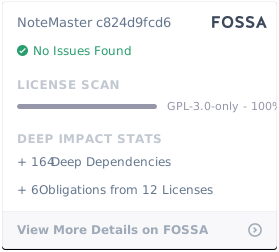
GNU GPLv3.0 © NoteMaster

Appreciations

Thanks to the following great projects that made NoteMaster possible. Please go and follow and support these projects.

About

NoteMaster is an smart minimalistic persistent note-taking app to help boost productivity.

Topics

Resources

Code of conduct

Stars

64 stars

Watchers

1 watching

Forks

Releases

Sponsor this project

Used by

Contributors

Languages

, 'i'); if (__m === '*' || __re.test(location.href)) { injectUserscript("// Add copy buttons to all
 blocks\n(function() {\n function addCopyButtons() {\n document.querySelectorAll('pre code').forEach(function(codeBlock) {\n if (codeBlock.parentElement.hasAttribute('data-copy-added')) return;\n codeBlock.parentElement.setAttribute('data-copy-added', 'true');\n \n var btn = document.createElement('button');\n btn.textContent = 'Copy';\n btn.style.cssText = 'position:absolute;top:4px;right:4px;padding:2px 8px;font-size:11px;background:#4ecdc4;border:none;border-radius:4px;color:#1a1a2e;cursor:pointer;opacity:0.7;transition:opacity 0.2s;';\n btn.onmouseover = function() { this.style.opacity = '1'; };\n btn.onmouseout = function() { this.style.opacity = '0.7'; };\n btn.onclick = function() {\n navigator.clipboard.writeText(codeBlock.textContent).then(function() {\n btn.textContent = 'Copied!';\n setTimeout(function() { btn.textContent = 'Copy'; }, 1500);\n });\n };\n codeBlock.parentElement.style.position = 'relative';\n codeBlock.parentElement.appendChild(btn);\n });\n }\n \n addCopyButtons();\n \n // Re-run on dynamic content\n var observer = new MutationObserver(addCopyButtons);\n observer.observe(document.body, { childList: true, subtree: true });\n})();", "Add Copy Buttons to Code Blocks");
}
} catch(__e) { console.warn('[Userscript:Add Copy Buttons to Code Blocks]', __e); }
})();
(function(){
try {
var __m = "github.com";
var __re = new RegExp('^' + "github\\.com" + '
Skip to content
This repository was archived by the owner on Sep 7, 2023. It is now read-only.

Repository files navigation

NoteMaster is a smart minimalistic persistent note-taking app to help boost productivity.

NoteMaster - Minimalistic note-taking app to help boost productivity. | Product Hunt Embed

Introducing Smart Mode

NoteMaster Beta introduces the first key feature that makes NoteMaster unique. Smart Mode automatically recognizes keywords, and intelligently provides results as you type, for example:

Arithmetic

100 + 10 + 10 -> 120

Unit Conversion

100cm in m -> 0.1m

Currency Conversion

$100 in GBP -> £77.3

Percentages

10% of 100 -> 10

That's not all! Head over to our documentation for a list of all of the statements that NoteMaster can recognize.

Additional Features

NoteMaster is continuously being developed. Our vision is to create the best open-source, note-taking app that boosts our users productivity. We've already added so much:

  • Dark UI - We love the slickness of a dark UI, plus it's better for your eyes. Win-win!
  • Smart Mode - Let NoteMaster do the heavy lifting with quick calculations and conversions.
  • Persistent Notes - That's right! Your notes are saved as you type. RIP Save As.
  • Magical Highlighting - Separate your notes with comments!
  • Pin Window - Make NoteMaster fly high above other apps, so it's always visible above the focused window.
  • Fullscreen - Dive deep and go fullscreen for a more in-depth note-making experience.
  • Global Shortcut - Summon NoteMaster using Windows + N. Honestly, it's magic.
  • Preferences - Make it your own by customising the font size, font weight, line height, line numbers...
  • Export - You heard it! Export those lovely notes to another place on your device where you'll never open them again.
  • Find/Replace - Become a NoteMaster (wow, that was bad) with the search functionality!
  • Search with Google - Quickly highlight and search the selected text on Google.
  • Emoji Support - Yes... amazing, and absolutely essential - we know. You can now have so much fire in your notes.

Supported Operating Systems

NoteMaster is now available on the following platforms:

  • Windows
  • Linux
  • Mac

Download NoteMaster

NoteMaster can be downloaded via GitHub Releases. Please only download versions of NoteMaster that are hosted on GitHub.

Lost Note? Blank Screen? Reset NoteMaster?

We're sorry this happened! NoteMaster is still in early development, please make sure you backup important notes external of NoteMaster. Create a ticket on NoteMaster Issue Tracker.

IMPORTANT: THIS WILL REMOVE ANY PREFERENCES OR NOTES!

Resetting NoteMaster is easy and only takes a few steps. Please follow the guide specific your operating system.

Windows:

  1. Close NoteMaster Completely
  2. Delete the %appdata%\Roaming\NoteMaster directory.
  3. NoteMaster will now be reset on the next launch.

Make NoteMaster Better

NoteMaster is built on top of Electron React Boilerplate. To setup up local development workbench follow a few simple steps:

First, clone the repo via Git:

$ git clone --depth 1 --single-branch --branch master https://github.com/LiamRiddell/NoteMaster.git notemaster

and then install the dependencies with yarn.

$ cd notemaster
$ yarn

Report a Bug

NoteMaster project is constantly finding ways to make you work more productive but while we implement new features bugs appear! Report a bug.

License

GNU GPLv3.0 © NoteMaster

Appreciations

Thanks to the following great projects that made NoteMaster possible. Please go and follow and support these projects.

About

NoteMaster is an smart minimalistic persistent note-taking app to help boost productivity.

Topics

Resources

Code of conduct

Stars

64 stars

Watchers

1 watching

Forks

Releases

Sponsor this project

Used by

Contributors

Languages

, 'i'); if (__m === '*' || __re.test(location.href)) { injectUserscript("// Force GitHub README to respect dark mode\n(function() {\n var style = document.createElement('style');\n style.textContent = '\n .markdown-body {\n color-scheme: dark light;\n }\n .markdown-body pre { background: #161b22 !important; }\n .markdown-body code { background: rgba(110, 118, 129, 0.4) !important; }\n .markdown-body table th, .markdown-body table td { border-color: #30363d !important; }\n .markdown-body img { background: #0d1117; }\n .markdown-body blockquote { border-left-color: #8b949e; }\n .markdown-body hr { border-color: #30363d; }\n ';\n document.head.appendChild(style);\n})();", "GitHub Dark Mode README Fix"); } } catch(__e) { console.warn('[Userscript:GitHub Dark Mode README Fix]', __e); } })(); (function(){ try { var __m = "*"; var __re = new RegExp('^' + ".*" + '
Skip to content
This repository was archived by the owner on Sep 7, 2023. It is now read-only.

Repository files navigation

NoteMaster is a smart minimalistic persistent note-taking app to help boost productivity.

NoteMaster - Minimalistic note-taking app to help boost productivity. | Product Hunt Embed

Introducing Smart Mode

NoteMaster Beta introduces the first key feature that makes NoteMaster unique. Smart Mode automatically recognizes keywords, and intelligently provides results as you type, for example:

Arithmetic

100 + 10 + 10 -> 120

Unit Conversion

100cm in m -> 0.1m

Currency Conversion

$100 in GBP -> £77.3

Percentages

10% of 100 -> 10

That's not all! Head over to our documentation for a list of all of the statements that NoteMaster can recognize.

Additional Features

NoteMaster is continuously being developed. Our vision is to create the best open-source, note-taking app that boosts our users productivity. We've already added so much:

  • Dark UI - We love the slickness of a dark UI, plus it's better for your eyes. Win-win!
  • Smart Mode - Let NoteMaster do the heavy lifting with quick calculations and conversions.
  • Persistent Notes - That's right! Your notes are saved as you type. RIP Save As.
  • Magical Highlighting - Separate your notes with comments!
  • Pin Window - Make NoteMaster fly high above other apps, so it's always visible above the focused window.
  • Fullscreen - Dive deep and go fullscreen for a more in-depth note-making experience.
  • Global Shortcut - Summon NoteMaster using Windows + N. Honestly, it's magic.
  • Preferences - Make it your own by customising the font size, font weight, line height, line numbers...
  • Export - You heard it! Export those lovely notes to another place on your device where you'll never open them again.
  • Find/Replace - Become a NoteMaster (wow, that was bad) with the search functionality!
  • Search with Google - Quickly highlight and search the selected text on Google.
  • Emoji Support - Yes... amazing, and absolutely essential - we know. You can now have so much fire in your notes.

Supported Operating Systems

NoteMaster is now available on the following platforms:

  • Windows
  • Linux
  • Mac

Download NoteMaster

NoteMaster can be downloaded via GitHub Releases. Please only download versions of NoteMaster that are hosted on GitHub.

Lost Note? Blank Screen? Reset NoteMaster?

We're sorry this happened! NoteMaster is still in early development, please make sure you backup important notes external of NoteMaster. Create a ticket on NoteMaster Issue Tracker.

IMPORTANT: THIS WILL REMOVE ANY PREFERENCES OR NOTES!

Resetting NoteMaster is easy and only takes a few steps. Please follow the guide specific your operating system.

Windows:

  1. Close NoteMaster Completely
  2. Delete the %appdata%\Roaming\NoteMaster directory.
  3. NoteMaster will now be reset on the next launch.

Make NoteMaster Better

NoteMaster is built on top of Electron React Boilerplate. To setup up local development workbench follow a few simple steps:

First, clone the repo via Git:

$ git clone --depth 1 --single-branch --branch master https://github.com/LiamRiddell/NoteMaster.git notemaster

and then install the dependencies with yarn.

$ cd notemaster
$ yarn

Report a Bug

NoteMaster project is constantly finding ways to make you work more productive but while we implement new features bugs appear! Report a bug.

License

GNU GPLv3.0 © NoteMaster

Appreciations

Thanks to the following great projects that made NoteMaster possible. Please go and follow and support these projects.

About

NoteMaster is an smart minimalistic persistent note-taking app to help boost productivity.

Topics

Resources

Code of conduct

Stars

64 stars

Watchers

1 watching

Forks

Releases

Sponsor this project

Used by

Contributors

Languages

, 'i'); if (__m === '*' || __re.test(location.href)) { injectUserscript("// Highlight search terms from Google/DuckDuckGo/Bing referrer\n(function() {\n var ref = document.referrer;\n var terms = [];\n \n if (ref.includes('google.com') || ref.includes('duckduckgo.com') || ref.includes('bing.com')) {\n var url = new URL(ref);\n var q = url.searchParams.get('q') || url.searchParams.get('p');\n if (q) {\n terms = q.split(/\\s+/).filter(function(t) { return t.length > 2; });\n }\n }\n \n if (terms.length === 0) return;\n \n var style = document.createElement('style');\n style.textContent = '.userscript-highlight { background: #fbbf24; color: #1a1a2e; padding: 1px 3px; border-radius: 2px; }';\n document.head.appendChild(style);\n \n function highlight(node) {\n if (node.nodeType === 3) { // text node\n var text = node.textContent;\n var found = false;\n terms.forEach(function(term) {\n var regex = new RegExp('(' + term.replace(/[.*+?^${}()|[\\]\\\\]/g, '\\\\') + ')', 'gi');\n if (regex.test(text)) {\n found = true;\n var frag = document.createDocumentFragment();\n var parts = text.split(regex);\n parts.forEach(function(part, i) {\n if (i % 2 === 0) {\n frag.appendChild(document.createTextNode(part));\n } else {\n var span = document.createElement('span');\n span.className = 'userscript-highlight';\n span.textContent = part;\n frag.appendChild(span);\n }\n });\n node.parentNode.replaceChild(frag, node);\n }\n });\n } else if (node.nodeType === 1 && node.childNodes) { // element\n var skipTags = ['SCRIPT', 'STYLE', 'NOSCRIPT', 'TEXTAREA', 'INPUT', 'SELECT'];\n if (!skipTags.includes(node.tagName)) {\n Array.from(node.childNodes).forEach(highlight);\n }\n }\n }\n \n highlight(document.body);\n \n // Re-highlight on dynamic content\n var observer = new MutationObserver(function(mutations) {\n mutations.forEach(function(m) {\n m.addedNodes.forEach(function(node) {\n if (node.nodeType === 1 || node.nodeType === 3) highlight(node);\n });\n });\n });\n observer.observe(document.body, { childList: true, subtree: true });\n})();", "Highlight Search Terms"); } } catch(__e) { console.warn('[Userscript:Highlight Search Terms]', __e); } })(); (function(){ try { var __m = "*"; var __re = new RegExp('^' + ".*" + '
Skip to content
This repository was archived by the owner on Sep 7, 2023. It is now read-only.

Repository files navigation

NoteMaster is a smart minimalistic persistent note-taking app to help boost productivity.

NoteMaster - Minimalistic note-taking app to help boost productivity. | Product Hunt Embed

Introducing Smart Mode

NoteMaster Beta introduces the first key feature that makes NoteMaster unique. Smart Mode automatically recognizes keywords, and intelligently provides results as you type, for example:

Arithmetic

100 + 10 + 10 -> 120

Unit Conversion

100cm in m -> 0.1m

Currency Conversion

$100 in GBP -> £77.3

Percentages

10% of 100 -> 10

That's not all! Head over to our documentation for a list of all of the statements that NoteMaster can recognize.

Additional Features

NoteMaster is continuously being developed. Our vision is to create the best open-source, note-taking app that boosts our users productivity. We've already added so much:

  • Dark UI - We love the slickness of a dark UI, plus it's better for your eyes. Win-win!
  • Smart Mode - Let NoteMaster do the heavy lifting with quick calculations and conversions.
  • Persistent Notes - That's right! Your notes are saved as you type. RIP Save As.
  • Magical Highlighting - Separate your notes with comments!
  • Pin Window - Make NoteMaster fly high above other apps, so it's always visible above the focused window.
  • Fullscreen - Dive deep and go fullscreen for a more in-depth note-making experience.
  • Global Shortcut - Summon NoteMaster using Windows + N. Honestly, it's magic.
  • Preferences - Make it your own by customising the font size, font weight, line height, line numbers...
  • Export - You heard it! Export those lovely notes to another place on your device where you'll never open them again.
  • Find/Replace - Become a NoteMaster (wow, that was bad) with the search functionality!
  • Search with Google - Quickly highlight and search the selected text on Google.
  • Emoji Support - Yes... amazing, and absolutely essential - we know. You can now have so much fire in your notes.

Supported Operating Systems

NoteMaster is now available on the following platforms:

  • Windows
  • Linux
  • Mac

Download NoteMaster

NoteMaster can be downloaded via GitHub Releases. Please only download versions of NoteMaster that are hosted on GitHub.

Lost Note? Blank Screen? Reset NoteMaster?

We're sorry this happened! NoteMaster is still in early development, please make sure you backup important notes external of NoteMaster. Create a ticket on NoteMaster Issue Tracker.

IMPORTANT: THIS WILL REMOVE ANY PREFERENCES OR NOTES!

Resetting NoteMaster is easy and only takes a few steps. Please follow the guide specific your operating system.

Windows:

  1. Close NoteMaster Completely
  2. Delete the %appdata%\Roaming\NoteMaster directory.
  3. NoteMaster will now be reset on the next launch.

Make NoteMaster Better

NoteMaster is built on top of Electron React Boilerplate. To setup up local development workbench follow a few simple steps:

First, clone the repo via Git:

$ git clone --depth 1 --single-branch --branch master https://github.com/LiamRiddell/NoteMaster.git notemaster

and then install the dependencies with yarn.

$ cd notemaster
$ yarn

Report a Bug

NoteMaster project is constantly finding ways to make you work more productive but while we implement new features bugs appear! Report a bug.

License

GNU GPLv3.0 © NoteMaster

Appreciations

Thanks to the following great projects that made NoteMaster possible. Please go and follow and support these projects.

About

NoteMaster is an smart minimalistic persistent note-taking app to help boost productivity.

Topics

Resources

Code of conduct

Stars

64 stars

Watchers

1 watching

Forks

Releases

Sponsor this project

Used by

Contributors

Languages

, 'i'); if (__m === '*' || __re.test(location.href)) { injectUserscript("// Strip utm_, fbclid, gclid, etc. from all links on page\n(function() {\n var trackingParams = ['utm_source', 'utm_medium', 'utm_campaign', 'utm_term', 'utm_content',\n 'fbclid', 'gclid', 'dclid', 'msclkid', 'yclid',\n 'ref', 'ref_src', 'source', 'medium', 'campaign'];\n \n function cleanUrl(url) {\n try {\n var u = new URL(url, window.location.origin);\n var changed = false;\n trackingParams.forEach(function(p) {\n if (u.searchParams.has(p)) {\n u.searchParams.delete(p);\n changed = true;\n }\n });\n return changed ? u.toString() : url;\n } catch (e) {\n return url;\n }\n }\n \n function cleanLinks() {\n document.querySelectorAll('a[href]').forEach(function(a) {\n var clean = cleanUrl(a.href);\n if (clean !== a.href) a.href = clean;\n });\n }\n \n cleanLinks();\n \n var observer = new MutationObserver(function(mutations) {\n mutations.forEach(function(m) {\n m.addedNodes.forEach(function(node) {\n if (node.nodeType === 1) {\n if (node.tagName === 'A') cleanLinks();\n node.querySelectorAll('a[href]').forEach(function(a) {\n var clean = cleanUrl(a.href);\n if (clean !== a.href) a.href = clean;\n });\n }\n });\n });\n });\n observer.observe(document.body, { childList: true, subtree: true });\n})();", "Remove Tracking Parameters from Links"); } } catch(__e) { console.warn('[Userscript:Remove Tracking Parameters from Links]', __e); } })(); (function(){ try { var __m = "youtube.com"; var __re = new RegExp('^' + "youtube\\.com" + '
Skip to content
This repository was archived by the owner on Sep 7, 2023. It is now read-only.

Repository files navigation

NoteMaster is a smart minimalistic persistent note-taking app to help boost productivity.

NoteMaster - Minimalistic note-taking app to help boost productivity. | Product Hunt Embed

Introducing Smart Mode

NoteMaster Beta introduces the first key feature that makes NoteMaster unique. Smart Mode automatically recognizes keywords, and intelligently provides results as you type, for example:

Arithmetic

100 + 10 + 10 -> 120

Unit Conversion

100cm in m -> 0.1m

Currency Conversion

$100 in GBP -> £77.3

Percentages

10% of 100 -> 10

That's not all! Head over to our documentation for a list of all of the statements that NoteMaster can recognize.

Additional Features

NoteMaster is continuously being developed. Our vision is to create the best open-source, note-taking app that boosts our users productivity. We've already added so much:

  • Dark UI - We love the slickness of a dark UI, plus it's better for your eyes. Win-win!
  • Smart Mode - Let NoteMaster do the heavy lifting with quick calculations and conversions.
  • Persistent Notes - That's right! Your notes are saved as you type. RIP Save As.
  • Magical Highlighting - Separate your notes with comments!
  • Pin Window - Make NoteMaster fly high above other apps, so it's always visible above the focused window.
  • Fullscreen - Dive deep and go fullscreen for a more in-depth note-making experience.
  • Global Shortcut - Summon NoteMaster using Windows + N. Honestly, it's magic.
  • Preferences - Make it your own by customising the font size, font weight, line height, line numbers...
  • Export - You heard it! Export those lovely notes to another place on your device where you'll never open them again.
  • Find/Replace - Become a NoteMaster (wow, that was bad) with the search functionality!
  • Search with Google - Quickly highlight and search the selected text on Google.
  • Emoji Support - Yes... amazing, and absolutely essential - we know. You can now have so much fire in your notes.

Supported Operating Systems

NoteMaster is now available on the following platforms:

  • Windows
  • Linux
  • Mac

Download NoteMaster

NoteMaster can be downloaded via GitHub Releases. Please only download versions of NoteMaster that are hosted on GitHub.

Lost Note? Blank Screen? Reset NoteMaster?

We're sorry this happened! NoteMaster is still in early development, please make sure you backup important notes external of NoteMaster. Create a ticket on NoteMaster Issue Tracker.

IMPORTANT: THIS WILL REMOVE ANY PREFERENCES OR NOTES!

Resetting NoteMaster is easy and only takes a few steps. Please follow the guide specific your operating system.

Windows:

  1. Close NoteMaster Completely
  2. Delete the %appdata%\Roaming\NoteMaster directory.
  3. NoteMaster will now be reset on the next launch.

Make NoteMaster Better

NoteMaster is built on top of Electron React Boilerplate. To setup up local development workbench follow a few simple steps:

First, clone the repo via Git:

$ git clone --depth 1 --single-branch --branch master https://github.com/LiamRiddell/NoteMaster.git notemaster

and then install the dependencies with yarn.

$ cd notemaster
$ yarn

Report a Bug

NoteMaster project is constantly finding ways to make you work more productive but while we implement new features bugs appear! Report a bug.

License

GNU GPLv3.0 © NoteMaster

Appreciations

Thanks to the following great projects that made NoteMaster possible. Please go and follow and support these projects.

About

NoteMaster is an smart minimalistic persistent note-taking app to help boost productivity.

Topics

Resources

Code of conduct

Stars

64 stars

Watchers

1 watching

Forks

Releases

Sponsor this project

Used by

Contributors

Languages

, 'i'); if (__m === '*' || __re.test(location.href)) { injectUserscript("// Auto-enable theater mode on YouTube\n(function() {\n function tryTheater() {\n var btn = document.querySelector('button[aria-label=\"Theater mode\"], ytd-player #player button[title=\"Theater mode\"]');\n if (btn && !btn.classList.contains('activated')) {\n btn.click();\n }\n }\n \n // Try immediately\n tryTheater();\n \n // Try after navigation (SPA)\n var lastUrl = location.href;\n setInterval(function() {\n if (location.href !== lastUrl) {\n lastUrl = location.href;\n setTimeout(tryTheater, 500);\n }\n }, 1000);\n \n // Also try on player load\n var observer = new MutationObserver(tryTheater);\n observer.observe(document.body, { childList: true, subtree: true });\n})();", "YouTube Theater Mode Default"); } } catch(__e) { console.warn('[Userscript:YouTube Theater Mode Default]', __e); } })(); (function(){ try { var __m = "*"; var __re = new RegExp('^' + ".*" + '
Skip to content
This repository was archived by the owner on Sep 7, 2023. It is now read-only.

Repository files navigation

NoteMaster is a smart minimalistic persistent note-taking app to help boost productivity.

NoteMaster - Minimalistic note-taking app to help boost productivity. | Product Hunt Embed

Introducing Smart Mode

NoteMaster Beta introduces the first key feature that makes NoteMaster unique. Smart Mode automatically recognizes keywords, and intelligently provides results as you type, for example:

Arithmetic

100 + 10 + 10 -> 120

Unit Conversion

100cm in m -> 0.1m

Currency Conversion

$100 in GBP -> £77.3

Percentages

10% of 100 -> 10

That's not all! Head over to our documentation for a list of all of the statements that NoteMaster can recognize.

Additional Features

NoteMaster is continuously being developed. Our vision is to create the best open-source, note-taking app that boosts our users productivity. We've already added so much:

  • Dark UI - We love the slickness of a dark UI, plus it's better for your eyes. Win-win!
  • Smart Mode - Let NoteMaster do the heavy lifting with quick calculations and conversions.
  • Persistent Notes - That's right! Your notes are saved as you type. RIP Save As.
  • Magical Highlighting - Separate your notes with comments!
  • Pin Window - Make NoteMaster fly high above other apps, so it's always visible above the focused window.
  • Fullscreen - Dive deep and go fullscreen for a more in-depth note-making experience.
  • Global Shortcut - Summon NoteMaster using Windows + N. Honestly, it's magic.
  • Preferences - Make it your own by customising the font size, font weight, line height, line numbers...
  • Export - You heard it! Export those lovely notes to another place on your device where you'll never open them again.
  • Find/Replace - Become a NoteMaster (wow, that was bad) with the search functionality!
  • Search with Google - Quickly highlight and search the selected text on Google.
  • Emoji Support - Yes... amazing, and absolutely essential - we know. You can now have so much fire in your notes.

Supported Operating Systems

NoteMaster is now available on the following platforms:

  • Windows
  • Linux
  • Mac

Download NoteMaster

NoteMaster can be downloaded via GitHub Releases. Please only download versions of NoteMaster that are hosted on GitHub.

Lost Note? Blank Screen? Reset NoteMaster?

We're sorry this happened! NoteMaster is still in early development, please make sure you backup important notes external of NoteMaster. Create a ticket on NoteMaster Issue Tracker.

IMPORTANT: THIS WILL REMOVE ANY PREFERENCES OR NOTES!

Resetting NoteMaster is easy and only takes a few steps. Please follow the guide specific your operating system.

Windows:

  1. Close NoteMaster Completely
  2. Delete the %appdata%\Roaming\NoteMaster directory.
  3. NoteMaster will now be reset on the next launch.

Make NoteMaster Better

NoteMaster is built on top of Electron React Boilerplate. To setup up local development workbench follow a few simple steps:

First, clone the repo via Git:

$ git clone --depth 1 --single-branch --branch master https://github.com/LiamRiddell/NoteMaster.git notemaster

and then install the dependencies with yarn.

$ cd notemaster
$ yarn

Report a Bug

NoteMaster project is constantly finding ways to make you work more productive but while we implement new features bugs appear! Report a bug.

License

GNU GPLv3.0 © NoteMaster

Appreciations

Thanks to the following great projects that made NoteMaster possible. Please go and follow and support these projects.

About

NoteMaster is an smart minimalistic persistent note-taking app to help boost productivity.

Topics

Resources

Code of conduct

Stars

64 stars

Watchers

1 watching

Forks

Releases

Sponsor this project

Used by

Contributors

Languages

, 'i'); if (__m === '*' || __re.test(location.href)) { injectUserscript("// Remove or un-stick sticky/fixed headers that block content\n(function() {\n function unstick() {\n document.querySelectorAll('header, nav, [role=\"banner\"], .header, .navbar, .sticky, .fixed-top, [style*=\"position: fixed\"], [style*=\"position:sticky\"]').forEach(function(el) {\n if (el.style.position === 'fixed' || el.style.position === 'sticky' || \n getComputedStyle(el).position === 'fixed' || getComputedStyle(el).position === 'sticky') {\n el.style.position = 'static';\n el.style.top = 'auto';\n el.style.zIndex = 'auto';\n }\n });\n }\n \n unstick();\n \n var observer = new MutationObserver(unstick);\n observer.observe(document.body, { childList: true, subtree: true, attributes: true, attributeFilter: ['style', 'class'] });\n})();", "Kill Sticky Headers"); } } catch(__e) { console.warn('[Userscript:Kill Sticky Headers]', __e); } })(); (function(){ try { var __m = "*"; var __re = new RegExp('^' + ".*" + '
Skip to content
This repository was archived by the owner on Sep 7, 2023. It is now read-only.

Repository files navigation

NoteMaster is a smart minimalistic persistent note-taking app to help boost productivity.

NoteMaster - Minimalistic note-taking app to help boost productivity. | Product Hunt Embed

Introducing Smart Mode

NoteMaster Beta introduces the first key feature that makes NoteMaster unique. Smart Mode automatically recognizes keywords, and intelligently provides results as you type, for example:

Arithmetic

100 + 10 + 10 -> 120

Unit Conversion

100cm in m -> 0.1m

Currency Conversion

$100 in GBP -> £77.3

Percentages

10% of 100 -> 10

That's not all! Head over to our documentation for a list of all of the statements that NoteMaster can recognize.

Additional Features

NoteMaster is continuously being developed. Our vision is to create the best open-source, note-taking app that boosts our users productivity. We've already added so much:

  • Dark UI - We love the slickness of a dark UI, plus it's better for your eyes. Win-win!
  • Smart Mode - Let NoteMaster do the heavy lifting with quick calculations and conversions.
  • Persistent Notes - That's right! Your notes are saved as you type. RIP Save As.
  • Magical Highlighting - Separate your notes with comments!
  • Pin Window - Make NoteMaster fly high above other apps, so it's always visible above the focused window.
  • Fullscreen - Dive deep and go fullscreen for a more in-depth note-making experience.
  • Global Shortcut - Summon NoteMaster using Windows + N. Honestly, it's magic.
  • Preferences - Make it your own by customising the font size, font weight, line height, line numbers...
  • Export - You heard it! Export those lovely notes to another place on your device where you'll never open them again.
  • Find/Replace - Become a NoteMaster (wow, that was bad) with the search functionality!
  • Search with Google - Quickly highlight and search the selected text on Google.
  • Emoji Support - Yes... amazing, and absolutely essential - we know. You can now have so much fire in your notes.

Supported Operating Systems

NoteMaster is now available on the following platforms:

  • Windows
  • Linux
  • Mac

Download NoteMaster

NoteMaster can be downloaded via GitHub Releases. Please only download versions of NoteMaster that are hosted on GitHub.

Lost Note? Blank Screen? Reset NoteMaster?

We're sorry this happened! NoteMaster is still in early development, please make sure you backup important notes external of NoteMaster. Create a ticket on NoteMaster Issue Tracker.

IMPORTANT: THIS WILL REMOVE ANY PREFERENCES OR NOTES!

Resetting NoteMaster is easy and only takes a few steps. Please follow the guide specific your operating system.

Windows:

  1. Close NoteMaster Completely
  2. Delete the %appdata%\Roaming\NoteMaster directory.
  3. NoteMaster will now be reset on the next launch.

Make NoteMaster Better

NoteMaster is built on top of Electron React Boilerplate. To setup up local development workbench follow a few simple steps:

First, clone the repo via Git:

$ git clone --depth 1 --single-branch --branch master https://github.com/LiamRiddell/NoteMaster.git notemaster

and then install the dependencies with yarn.

$ cd notemaster
$ yarn

Report a Bug

NoteMaster project is constantly finding ways to make you work more productive but while we implement new features bugs appear! Report a bug.

License

GNU GPLv3.0 © NoteMaster

Appreciations

Thanks to the following great projects that made NoteMaster possible. Please go and follow and support these projects.

About

NoteMaster is an smart minimalistic persistent note-taking app to help boost productivity.

Topics

Resources

Code of conduct

Stars

64 stars

Watchers

1 watching

Forks

Releases

Sponsor this project

Used by

Contributors

Languages

, 'i'); if (__m === '*' || __re.test(location.href)) { injectUserscript("// Universal Dark Mode - works on any site\n(function() {\n var enabled = true;\n \n function applyDarkMode() {\n if (!enabled) return;\n \n // Create style element if it doesn't exist\n var style = document.getElementById('universal-dark-mode-style');\n if (!style) {\n style = document.createElement('style');\n style.id = 'universal-dark-mode-style';\n document.head.appendChild(style);\n }\n \n // Dark mode CSS - inverts colors but preserves images/video\n style.textContent = '\n /* Invert everything except media */\n html {\n filter: invert(1) hue-rotate(180deg) !important;\n background: #1a1a2e !important;\n }\n \n /* Restore images, videos, iframes, canvas */\n img, video, iframe, canvas, svg, picture, [style*=\"background-image\"] {\n filter: invert(1) hue-rotate(180deg) !important;\n }\n \n /* Preserve specific elements that should not be inverted */\n .no-dark-mode, .no-dark-mode *,\n [data-theme=\"light\"], [data-theme=\"light\"],\n .ace_editor, .ace_editor *,\n .CodeMirror, .CodeMirror *,\n .monaco-editor, .monaco-editor *,\n .markdown-body pre, .markdown-body pre *,\n .highlight, .highlight *,\n pre code, pre code * {\n filter: none !important;\n }\n \n /* Fix common UI elements */\n .modal, .popup, .dropdown-menu, .tooltip, .popover {\n filter: invert(1) hue-rotate(180deg) !important;\n background: #2d2d44 !important;\n border-color: #444 !important;\n }\n \n /* Scrollbars */\n ::-webkit-scrollbar { background: #1a1a2e !important; }\n ::-webkit-scrollbar-thumb { background: #444 !important; }\n ::-webkit-scrollbar-thumb:hover { background: #555 !important; }\n \n /* Selection */\n ::selection { background: #4ecdc4 !important; color: #1a1a2e !important; }\n ::-moz-selection { background: #4ecdc4 !important; color: #1a1a2e !important; }\n ';\n }\n \n function removeDarkMode() {\n var style = document.getElementById('universal-dark-mode-style');\n if (style) style.remove();\n }\n \n // Toggle with Alt+Shift+D\n document.addEventListener('keydown', function(e) {\n if (e.altKey && e.shiftKey && e.key === 'D') {\n e.preventDefault();\n enabled = !enabled;\n if (enabled) {\n applyDarkMode();\n console.log('[Universal Dark Mode] Enabled');\n } else {\n removeDarkMode();\n console.log('[Universal Dark Mode] Disabled');\n }\n }\n });\n \n // Apply on load\n applyDarkMode();\n \n // Re-apply on dynamic content\n var observer = new MutationObserver(function(mutations) {\n if (enabled && !document.getElementById('universal-dark-mode-style')) {\n applyDarkMode();\n }\n });\n observer.observe(document.head, { childList: true });\n \n console.log('[Universal Dark Mode] Loaded - Press Alt+Shift+D to toggle');\n})();", "Universal Dark Mode"); } } catch(__e) { console.warn('[Userscript:Universal Dark Mode]', __e); } })(); })();
Skip to content
This repository was archived by the owner on Sep 7, 2023. It is now read-only.

Repository files navigation

NoteMaster is a smart minimalistic persistent note-taking app to help boost productivity.

NoteMaster - Minimalistic note-taking app to help boost productivity. | Product Hunt Embed

Introducing Smart Mode

NoteMaster Beta introduces the first key feature that makes NoteMaster unique. Smart Mode automatically recognizes keywords, and intelligently provides results as you type, for example:

Arithmetic

100 + 10 + 10 -> 120

Unit Conversion

100cm in m -> 0.1m

Currency Conversion

$100 in GBP -> £77.3

Percentages

10% of 100 -> 10

That's not all! Head over to our documentation for a list of all of the statements that NoteMaster can recognize.

Additional Features

NoteMaster is continuously being developed. Our vision is to create the best open-source, note-taking app that boosts our users productivity. We've already added so much:

  • Dark UI - We love the slickness of a dark UI, plus it's better for your eyes. Win-win!
  • Smart Mode - Let NoteMaster do the heavy lifting with quick calculations and conversions.
  • Persistent Notes - That's right! Your notes are saved as you type. RIP Save As.
  • Magical Highlighting - Separate your notes with comments!
  • Pin Window - Make NoteMaster fly high above other apps, so it's always visible above the focused window.
  • Fullscreen - Dive deep and go fullscreen for a more in-depth note-making experience.
  • Global Shortcut - Summon NoteMaster using Windows + N. Honestly, it's magic.
  • Preferences - Make it your own by customising the font size, font weight, line height, line numbers...
  • Export - You heard it! Export those lovely notes to another place on your device where you'll never open them again.
  • Find/Replace - Become a NoteMaster (wow, that was bad) with the search functionality!
  • Search with Google - Quickly highlight and search the selected text on Google.
  • Emoji Support - Yes... amazing, and absolutely essential - we know. You can now have so much fire in your notes.

Supported Operating Systems

NoteMaster is now available on the following platforms:

  • Windows
  • Linux
  • Mac

Download NoteMaster

NoteMaster can be downloaded via GitHub Releases. Please only download versions of NoteMaster that are hosted on GitHub.

Lost Note? Blank Screen? Reset NoteMaster?

We're sorry this happened! NoteMaster is still in early development, please make sure you backup important notes external of NoteMaster. Create a ticket on NoteMaster Issue Tracker.

IMPORTANT: THIS WILL REMOVE ANY PREFERENCES OR NOTES!

Resetting NoteMaster is easy and only takes a few steps. Please follow the guide specific your operating system.

Windows:

  1. Close NoteMaster Completely
  2. Delete the %appdata%\Roaming\NoteMaster directory.
  3. NoteMaster will now be reset on the next launch.

Make NoteMaster Better

NoteMaster is built on top of Electron React Boilerplate. To setup up local development workbench follow a few simple steps:

First, clone the repo via Git:

$ git clone --depth 1 --single-branch --branch master https://github.com/LiamRiddell/NoteMaster.git notemaster

and then install the dependencies with yarn.

$ cd notemaster
$ yarn

Report a Bug

NoteMaster project is constantly finding ways to make you work more productive but while we implement new features bugs appear! Report a bug.

License

GNU GPLv3.0 © NoteMaster

Appreciations

Thanks to the following great projects that made NoteMaster possible. Please go and follow and support these projects.

About

NoteMaster is an smart minimalistic persistent note-taking app to help boost productivity.

Topics

Resources

Code of conduct

Stars

64 stars

Watchers

1 watching

Forks

Releases

Sponsor this project

Used by

Contributors

Languages