React Native module that handles map clustering for you.
Works with Expo and react-native-cli 🚀
This repo is proudly sponsored by:

React Native Templates & Starter Kits and Apps for easier start.
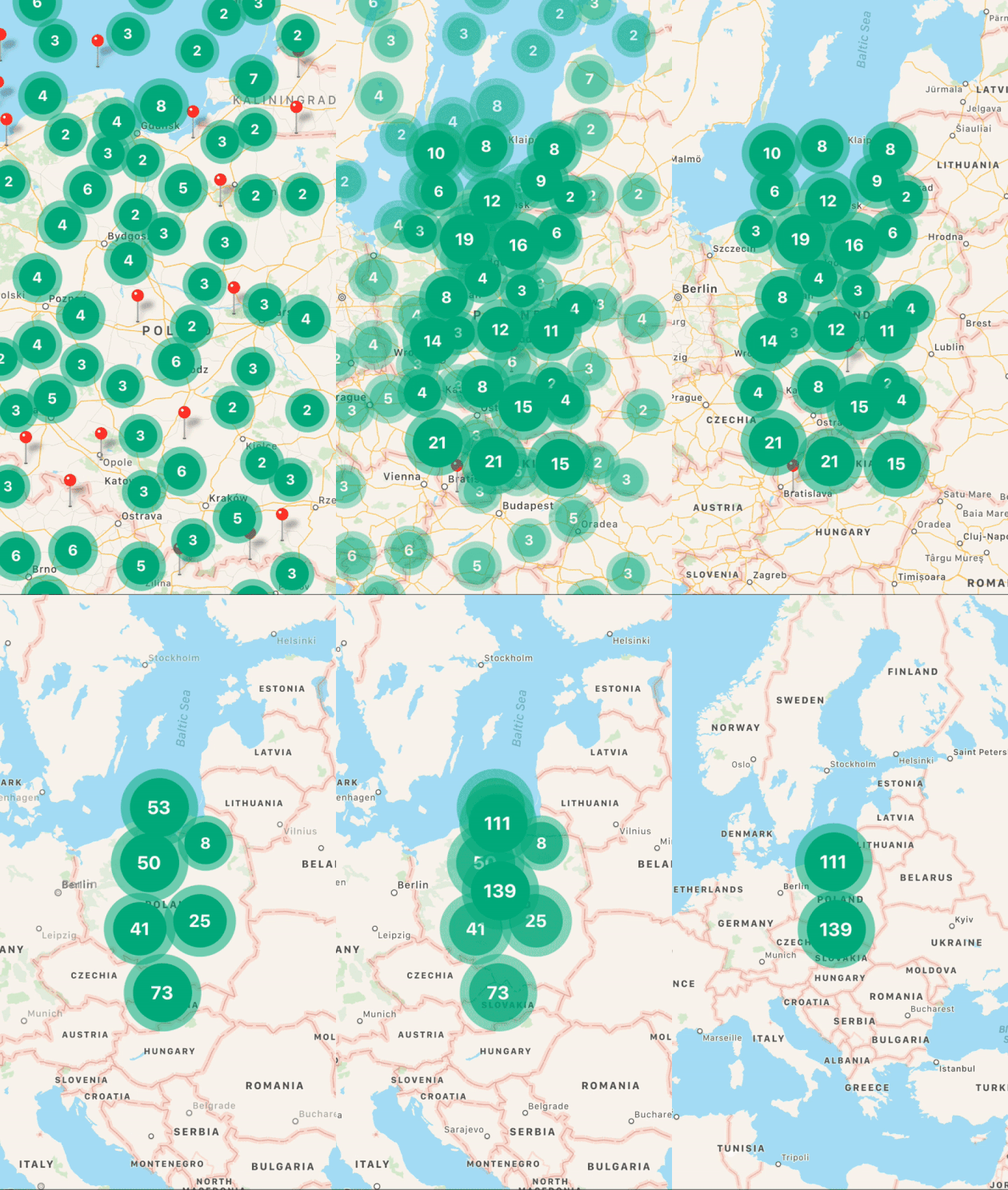
npminstallreact-native-map-clusteringreact-native-maps--save// yarn add react-native-map-clustering react-native-mapsimportReactfrom"react";importMapViewfrom"react-native-map-clustering";import{Marker}from"react-native-maps";constINITIAL_REGION={latitude: 52.5,longitude: 19.2,latitudeDelta: 8.5,longitudeDelta: 8.5,};constApp=()=>(<MapViewinitialRegion={INITIAL_REGION}style={{flex: 1}}><Markercoordinate={{latitude: 52.4,longitude: 18.7}}/><Markercoordinate={{latitude: 52.1,longitude: 18.4}}/><Markercoordinate={{latitude: 52.6,longitude: 18.3}}/><Markercoordinate={{latitude: 51.6,longitude: 18.0}}/><Markercoordinate={{latitude: 53.1,longitude: 18.8}}/><Markercoordinate={{latitude: 52.9,longitude: 19.4}}/><Markercoordinate={{latitude: 52.2,longitude: 21}}/><Markercoordinate={{latitude: 52.4,longitude: 21}}/><Markercoordinate={{latitude: 51.8,longitude: 20}}/></MapView>);exportdefaultApp;| Name | Type | Default | Note |
|---|---|---|---|
| clusterColor | String | #00B386 | Background color of cluster. |
| clusterTextColor | String | #FFFFFF | Color of text in cluster. |
| clusterFontFamily | String | undefined | Font family of text in cluster. |
| onClusterPress(cluster, markers) | Function | () => {} | Allows you to control cluster on click event. Function returns information about cluster and its markers. |
| tracksViewChanges | Bool | false | Sets whether the cluster markers should track view changes. It's turned off by default to improve cluster markers performance. |
| width | Number | window width | map's width. |
| height | Number | window height | map's height. |
| radius | Number | window.width * 6% | SuperCluster radius. |
| extent | Number | 512 | SuperCluster extent. |
| minZoom | Number | 1 | SuperCluster minZoom. |
| maxZoom | Number | 20 | SuperCluster maxZoom. |
| minPoints | Number | 2 | SuperCluster minPoints. |
| preserveClusterPressBehavior | Bool | false | If set to true, after clicking on cluster it will not be zoomed. |
| edgePadding | Object | { top: 50, left: 50, bottom: 50, right: 50 } | Edge padding for react-native-maps'sfitToCoordinates method, called in onClusterPress for fitting to pressed cluster children. |
| animationEnabled | Bool | true | Animate imploding/exploding of clusters' markers and clusters size change. Works only on iOS. |
| layoutAnimationConf | LayoutAnimationConfig | LayoutAnimation.Presets.spring | LayoutAnimation.Presets.spring |
| onRegionChangeComplete(region, markers) | Function | () => {} | Called when map's region changes. In return you get current region and markers data. |
| onMarkersChange(markers) | Function | () => {} | Called when markers change. In return you get markers data. |
| superClusterRef | MutableRefObject | {} | Return reference to supercluster library. You can read more about options it has here. |
| clusteringEnabled | Bool | true | Set true to enable and false to disable clustering. |
| spiralEnabled | Bool | true | Set true to enable and false to disable spiral view. |
| renderCluster | Function | undefined | Enables you to render custom cluster with custom styles and logic. |
| spiderLineColor | String | #FF0000 | Enables you to set color of spider line which joins spiral location with center location. |
Full example of how to use animateToRegion().
importReact,{useRef}from"react";import{Button}from"react-native";importMapViewfrom"react-native-map-clustering";import{Marker}from"react-native-maps";constINITIAL_REGION={latitude: 52.5,longitude: 19.2,latitudeDelta: 8.5,longitudeDelta: 8.5,};constApp=()=>{constmapRef=useRef();constanimateToRegion=()=>{letregion={latitude: 42.5,longitude: 15.2,latitudeDelta: 7.5,longitudeDelta: 7.5,};mapRef.current.animateToRegion(region,2000);};return(<><MapViewref={mapRef}initialRegion={INITIAL_REGION}style={{flex: 1}}/><ButtononPress={animateToRegion}title="Animate"/></>);};exportdefaultApp;Feel free to create issues and pull requests. I will try to provide as much support as possible over GitHub. In case of questions or problems, contact me at: tony@venits.com