
| MonitorUI Example | Scroller Example | View Prototype |
|---|---|---|
 | 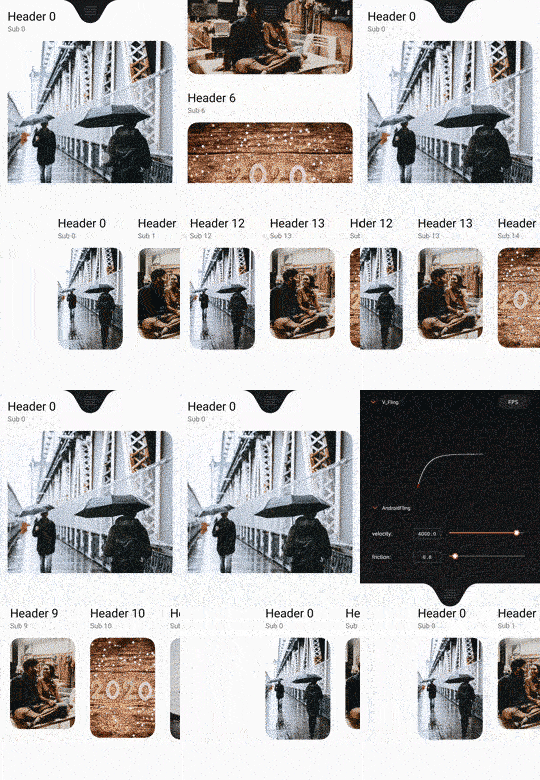 | 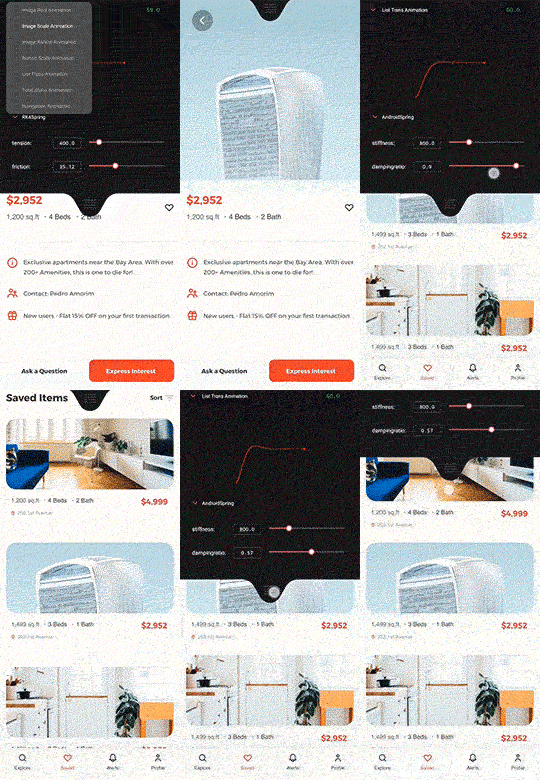 |
Animer is a java library which designed for a better Android animation experience.(Currently is more like a view animation controller)
It contains animation curves in AndroidiOSOrigami(POP or Rebound in Client)PrincipleProtopieFramerJS
Unlike Rebound,Animer didn't use Choreographer or self-building Looper for
creating an Animator from scratch.
All these animation algorithm will be translated into Android's native implementation like DynamicAnimation & TimingInterpolator,which can improve the performance of animation.
It also provides a real-time controller & graph UI for tweaking parameters.
Web version(Convert Any Animation tools' parameters to Android's) —— Animer_Web
AE Script —— Animer AE

Animer supports multiple ways of animating:
// equal to Android's TimingInterpolatorAnimer.AnimerSolversolver = Animer.interpolatorDroid(newAccelerateDecelerateInterpolator(),600)
// similar to ObjectAnimator Animeranimer = newAnimer(myView,solver,Animer.TRANSLATION_Y,0,200);
animer.start();
// animer.cancel();// animer.end();// equal to Android's SpringAnimationAnimer.AnimerSolversolver = Animer.springDroid(1000,0.5f);
Animeranimer = newAnimer();
// add a solver to Animer; animer.setSolver(solver);
// add value to different state;animer.setStateValue("stateA",300);
animer.setStateValue("stateB",700);
animer.setStateValue("stateC",200);
// add a listener to observe the motion of the Animationanimer.setUpdateListener(newAnimer.UpdateListener() {
@OverridepublicvoidonUpdate(floatvalue, floatvelocity, floatprogress) {
myView1.setTranslationX(value);
myView2.setScaleX(1.f+value/100);
myView2.setScaleY(1.f+value/100);
}
});
// switch immediatelyanimer.switchToState("stateA");
// or animate to state value// animer.animateToState("stateB");// equal to Facebook Origami POP AnimationAnimer.AnimerSolversolver = Animer.springOrigamiPOP(5,10);
Animeranimer = newAnimer(myView,solver,Animer.SCALE);
// setup a listener to add everything you wantanimer.setUpdateListener(newAnimer.UpdateListener() {
@OverridepublicvoidonUpdate(floatvalue, floatvelocity, floatprogress) myView.setScaleX(value);
myView.setScaleY(value);
}
});
animer.setCurrentValue(1.f);
booleanisScaled = false;
myView.setOnClickListener(view -> {
if(!isScaled){
animer.setEndValue(0.5);
}
else{
animer.setEndValue(1);
}
isScaled = !isScaled;
});
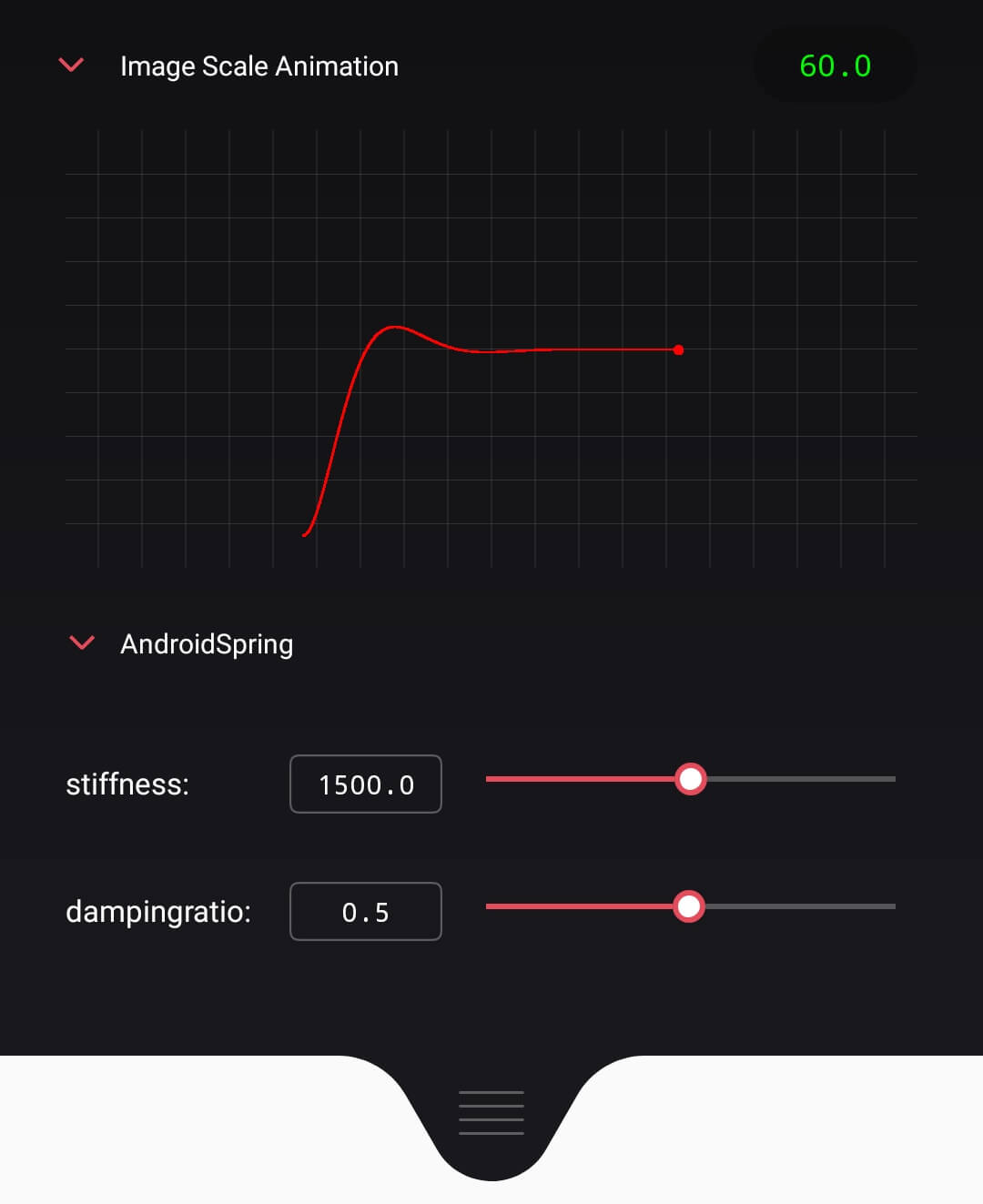
init in xml
<com.martinrgb.animer.monitor.AnConfigView
android:id="@+id/an_configurator"android:layout_width="match_parent"android:layout_height="wrap_content"/>
add animers' config in java
AnConfigViewmAnimerConfiguratorView = (AnConfigView) findViewById(R.id.an_configurator);
AnConfigRegistry.getInstance().addAnimer("Card Scale Animation",cardScaleAnimer);
AnConfigRegistry.getInstance().addAnimer("Card TranslationX Animation",cardTransXAnimer);
mAnimerConfiguratorView.refreshAnimerConfigs();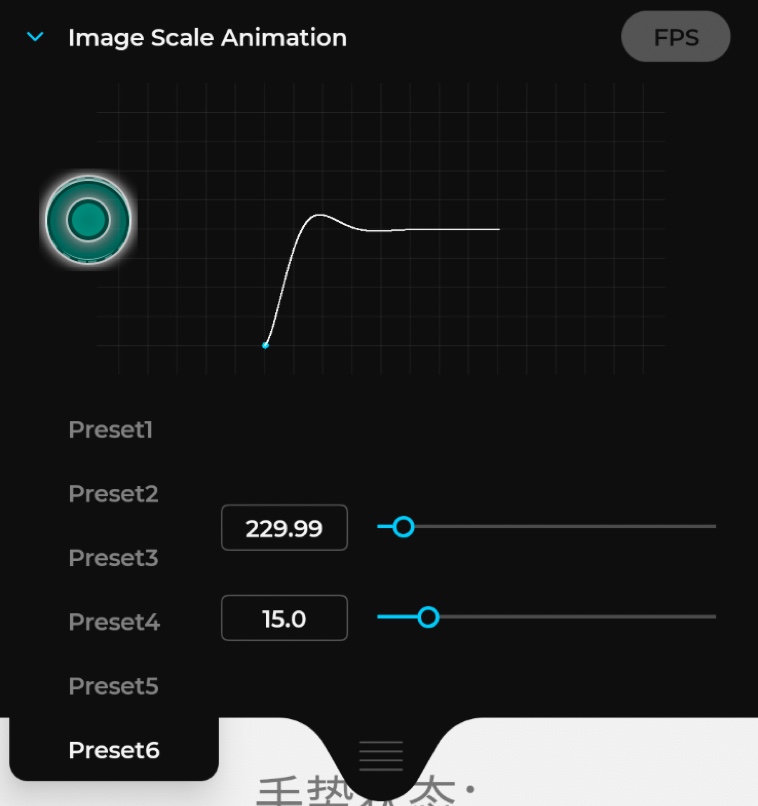
first you need clean all the solver configs,then add yourselves.
AnConfigRegistry.getInstance().removeAllSolverConfig();
AnConfigRegistry.getInstance().addSolver("Preset1",Animer.springDroid(500.0f,0.96f));
AnConfigRegistry.getInstance().addSolver("Preset2",Animer.flingDroid(400.f,0.95f));
...
mAnimerConfiguratorView.refreshAnimerConfigs();Animer.TRANSLATION_X
Animer.TRANSLATION_Y
Animer.TRANSLATION_Z
Animer.SCALE // equal to SCALE_X + SCALE_Y
Animer.SCALE_X
Animer.SCALE_Y
Animer.ROTATION
Animer.ROTATION_X
Animer.ROTATION_Y
Animer.X
Animer.Y
Animer.Z
Animer.ALPHA
Animer.springDroid(stiffness,dampingratio) // Android Dynamic SpringAnimationAnimer.flingDroid(velocity,friction) // Android Dynamic FlingAnimationAnimer.springiOSUIView(dampingratio,duration) // iOS UIView SPringAnimer.springiOSCoreAnimation(stiffness,damping) // iOS CASpringAnimationAnimer.springOrigamiPOP(bounciness,speed) // Origami POPAnimer.springRK4(tension,friction) // Framer-RK4Animer.springDHO(stiffness,damping) // Framer-DHOAnimer.springProtopie(tension,friction) // ProtopieAnimer.springPrinciple(tension,friction) // Principle// Custom Bounce Interpolator(Romain Guy's DropInMotion)Animer.interpolatorDroid(newCustomBounceInterpolator(),duration) // Custom Damping Interpolator(Romain Guy's DropInMotion)Animer.interpolatorDroid(newCustomDampingInterpolator(),duration) // MocosSpring Interpolator (https://github.com/marcioapaiva/mocos-controlator)Animer.interpolatorDroid(newCustomMocosSpringInterpolator(),duration) // Custom Spring Interpolator(https://inloop.github.io/interpolator/)Animer.interpolatorDroid(newCustomSpringInterpolator(),duration) // Android Native Interpolator BelowAnimer.interpolatorDroid(newPathInterpolator(),duration) // Cubic Bezier Interpolator
...
Animer.interpolatorDroid(newDecelerateInterpolator(),duration) // Android Decelerate Interpolator
...- A State Machine which can control interface's state(current is only object propertyValue's state)
- Redesign the API
- Rewrite the glsl shader
- Consider scences in activity/fragment transition
- Hook mechanism
- Redesign the ConfigUI,it's difficult to tweak paras in small screen,maybe consider 'adb+electron in desktop client'
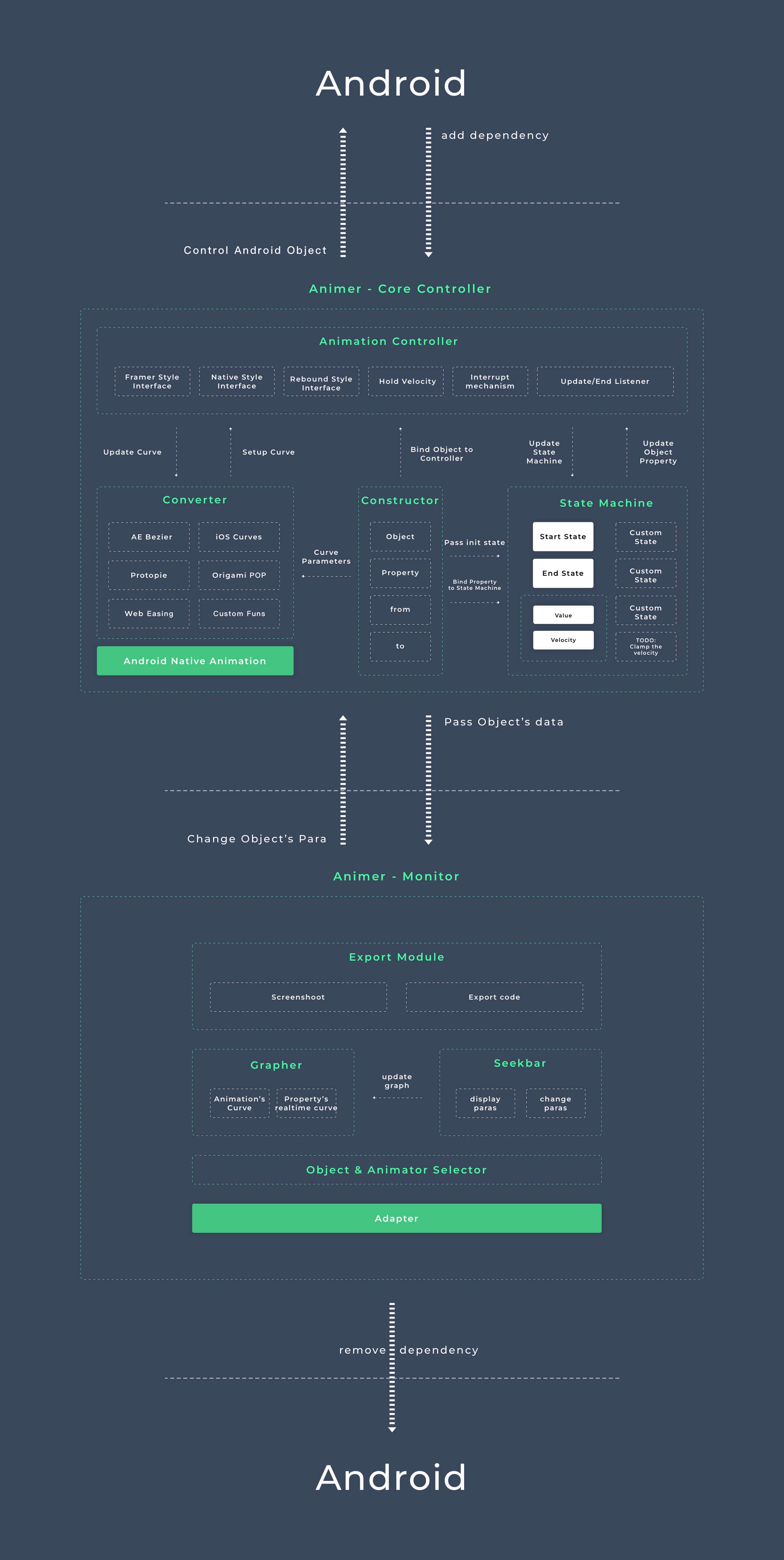
Data
- State machine concpet from FramerJS ✅
- Aniamtion converter from my Animation Converter ✅
- Support external JSON to edit animation data
Althogrim
- Physics animation concept from Rebound & Android DynamicAnimation ✅
- LookupTable Interpolation Animator + RK4 Solver + DHO Solver ✅
- Physics simulation from Flutter Physics & UIKit Dyanmic
- Momentum
- Calculating mass by Elements' area
- Limit SpringAnimation's by time or overshoot counts
Advanced Animation Setting
- Addtive animation (compose mulitple animation)
- Chained animation (one by one)
- Parallax animation (same duration but differnt transition)
- Sequencing animation (same transition but different startDelay)
User-Control
- Gesture-Driven animation,you can interact with the animation even it is animating(Like iOS's
CADisplayLinkOr Rebound'sSetEndValue) ✅ - Package a gesture animator for interactive animation,attach gesture's velocity to animation system,make a flawess experience.
- Easy2use animation listener for controlling other element when the object is interacting or animating ✅
Performance
- Use android framework native DyanmicAniamtion And TimingInterpolator ✅
- Pre-save animation's data for less calculation
- Hardware Acceleration ✅
Design Component
- Scrollview|Scroller|PageViewer Component & Example
- Drag | DND Component & Example
- Button Component & Example
- Transition Component & Example(Maintain different element's property in state machine)
- Scroll-selector Component & Example(Scroll to fixed position)
- Swipe to delete Component & Example
Dev Tools
- Data-bind graph to modify and preview animation in application ✅
- Data-bind selctor to change animation-type in application ✅(Still has some bugs)
Utils
- AE Plugin for converting curves & revealing codes ✅(Will update GUI later)
See Apache License here