






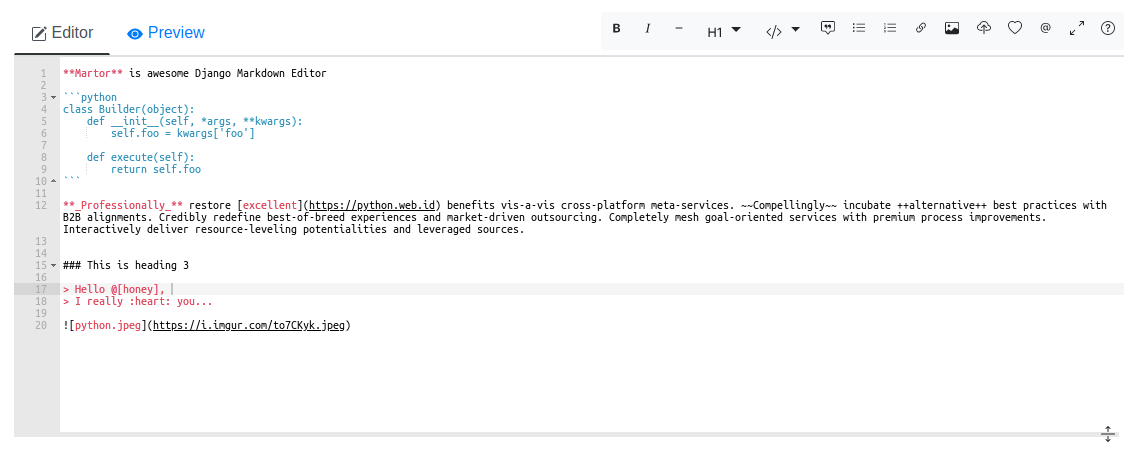
Martor is a Markdown Editor plugin for Django, supported for Bootstrap & Semantic-UI.
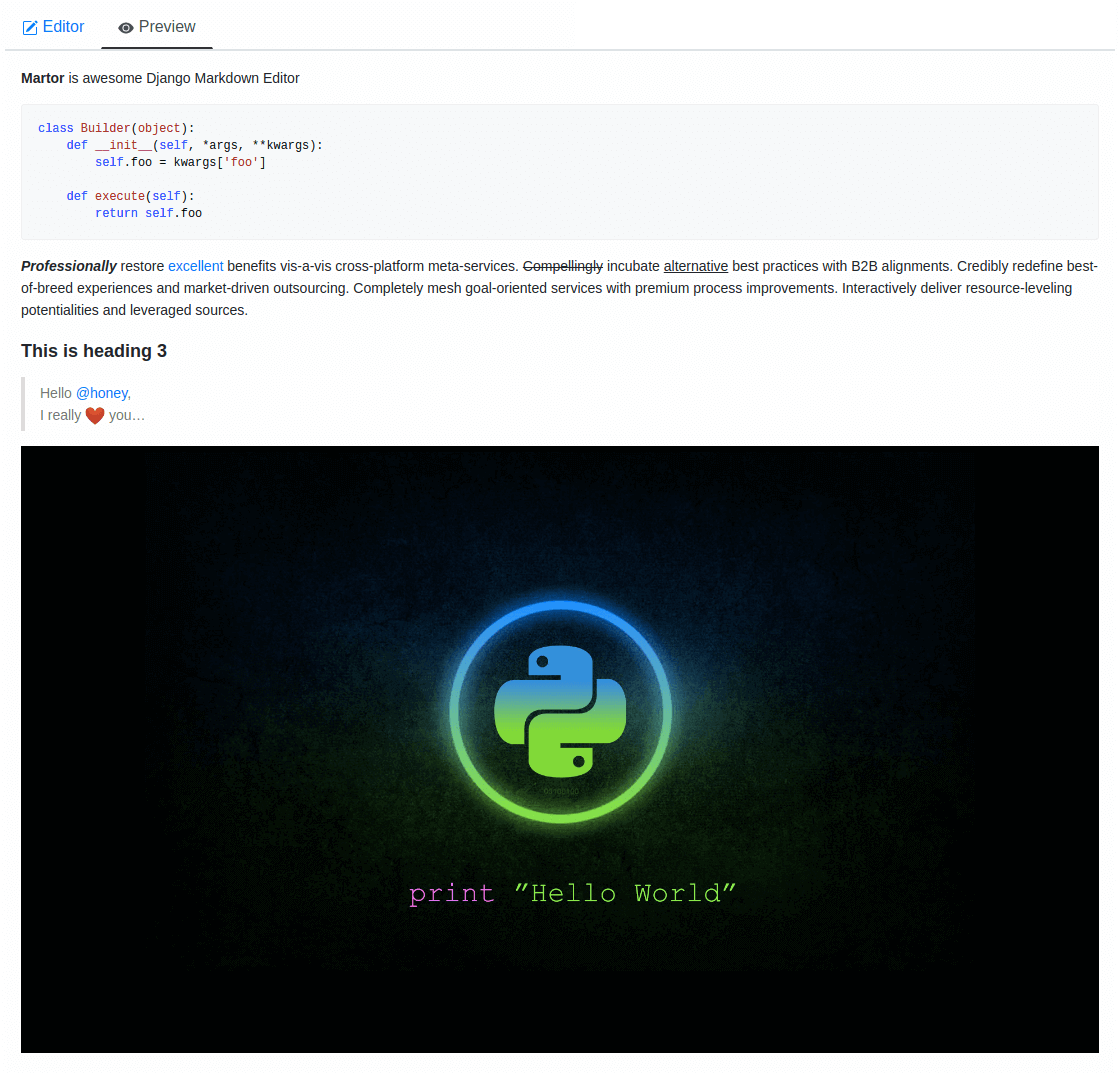
- Live Preview
- Integrated with Ace Editor
- Supported with Bootstrap and Semantic-UI
- Supported Multiple Fields fixed this issue
- Upload Images to imgur.com (via API) and custom uploader
- Direct Mention users
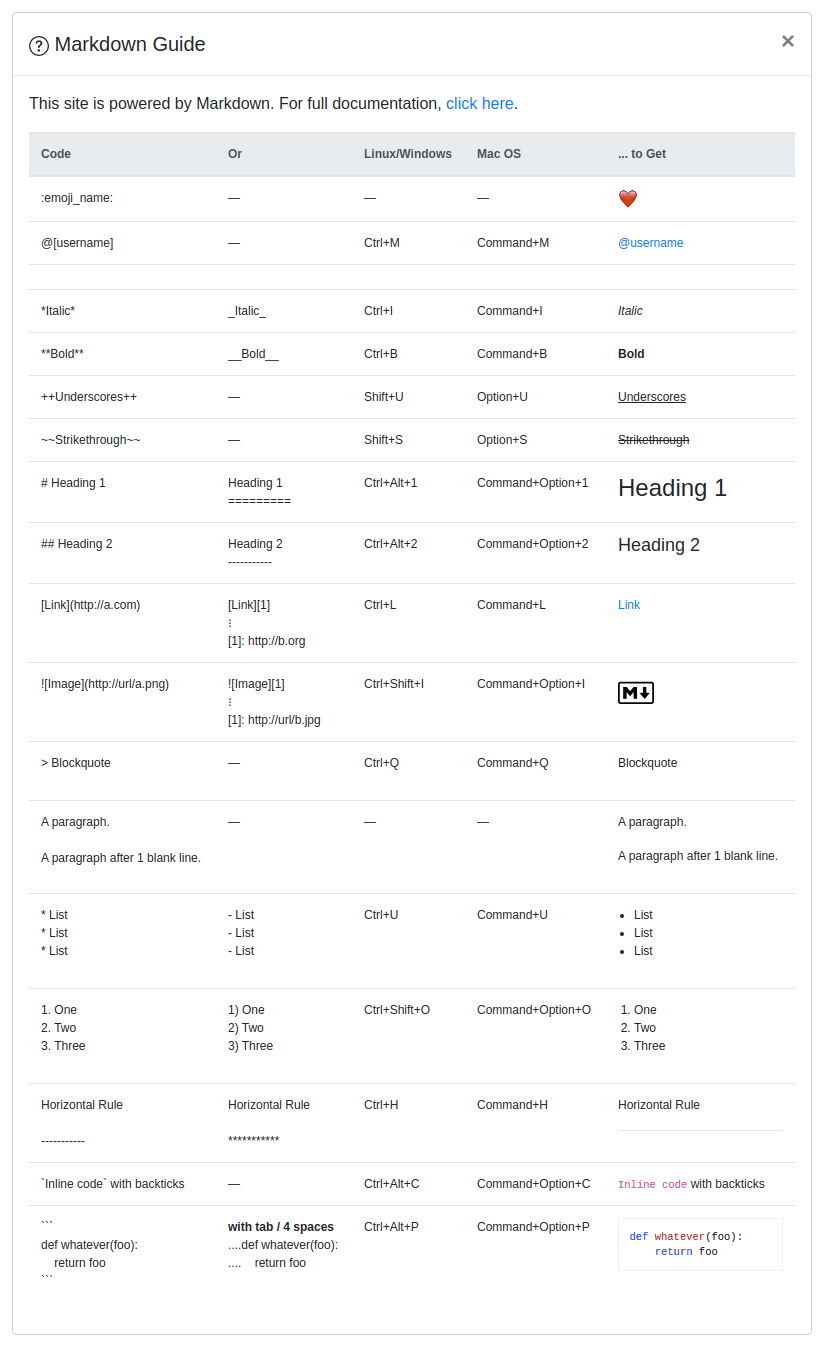
@[username]- (requires user to logged in). - Supports embed/iframe video from (Youtube, Vimeo, Dailymotion, Yahoo, Veoh, & Metacafe)
- Spellchecking (only supports US English at this time)
- Emoji
:emoji_name:+ Cheat sheets - Martor Commands Reference
- Supports Django Admin
- Toolbar Buttons
- Highlight
pre
Django>=3.2Markdown>=3.0requests>=2.12.4bleach
Martor is available directly from PyPI:
1. Installing the package.
$ pip install martor
2. Don't forget to add 'martor' to your 'INSTALLED_APPS' setting (without migrations).
# settings.pyINSTALLED_APPS= [
....
'martor',
]
3. Add url pattern to your urls.py.
# urls.pyurlpatterns= [
...
path('martor/', include('martor.urls')),
]
4. Collect martor's static files in your STATIC_ROOT folder.
./manage.py collectstatic
Please register your application at https://api.imgur.com/oauth2/addclient
to get IMGUR_CLIENT_ID and IMGUR_API_KEY.
# Choices are: "semantic", "bootstrap"MARTOR_THEME='bootstrap'# Global martor settings# Input: string boolean, `true/false`MARTOR_ENABLE_CONFIGS= {
'emoji': 'true', # to enable/disable emoji icons.'imgur': 'true', # to enable/disable imgur/custom uploader.'mention': 'false', # to enable/disable mention'jquery': 'true', # to include/revoke jquery (require for admin default django)'living': 'false', # to enable/disable live updates in preview'spellcheck': 'false', # to enable/disable spellcheck in form textareas'hljs': 'true', # to enable/disable hljs highlighting in preview
}
# To show the toolbar buttonsMARTOR_TOOLBAR_BUTTONS= [
'bold', 'italic', 'horizontal', 'heading', 'pre-code',
'blockquote', 'unordered-list', 'ordered-list',
'link', 'image-link', 'image-upload', 'emoji',
'direct-mention', 'toggle-maximize', 'help'
]
# To setup the martor editor with title label or not (default is False)MARTOR_ENABLE_LABEL=False# Imgur API KeysMARTOR_IMGUR_CLIENT_ID='your-client-id'MARTOR_IMGUR_API_KEY='your-api-key'# MarkdownifyMARTOR_MARKDOWNIFY_FUNCTION='martor.utils.markdownify'# defaultMARTOR_MARKDOWNIFY_URL='/martor/markdownify/'# default# Markdown extensions (default)MARTOR_MARKDOWN_EXTENSIONS= [
'markdown.extensions.extra',
'markdown.extensions.nl2br',
'markdown.extensions.smarty',
'markdown.extensions.fenced_code',
# Custom markdown extensions.'martor.extensions.urlize',
'martor.extensions.del_ins', # ~~strikethrough~~ and ++underscores++'martor.extensions.mention', # to parse markdown mention'martor.extensions.emoji', # to parse markdown emoji'martor.extensions.mdx_video', # to parse embed/iframe video'martor.extensions.escape_html', # to handle the XSS vulnerabilities
]
# Markdown Extensions ConfigsMARTOR_MARKDOWN_EXTENSION_CONFIGS= {}
# Markdown urlsMARTOR_UPLOAD_URL='/martor/uploader/'# defaultMARTOR_SEARCH_USERS_URL='/martor/search-user/'# default# Markdown Extensions# MARTOR_MARKDOWN_BASE_EMOJI_URL = 'https://www.webfx.com/tools/emoji-cheat-sheet/graphics/emojis/' # from webfxMARTOR_MARKDOWN_BASE_EMOJI_URL='https://github.githubassets.com/images/icons/emoji/'# default from githubMARTOR_MARKDOWN_BASE_MENTION_URL='https://python.web.id/author/'# please change this to your domain# If you need to use your own themed "bootstrap" or "semantic ui" dependency# replace the values with the file in your static files dirMARTOR_ALTERNATIVE_JS_FILE_THEME="semantic-themed/semantic.min.js"# default NoneMARTOR_ALTERNATIVE_CSS_FILE_THEME="semantic-themed/semantic.min.css"# default NoneMARTOR_ALTERNATIVE_JQUERY_JS_FILE="jquery/dist/jquery.min.js"# default None# URL schemes that are allowed within linksALLOWED_URL_SCHEMES= [
"file", "ftp", "ftps", "http", "https", "irc", "mailto",
"sftp", "ssh", "tel", "telnet", "tftp", "vnc", "xmpp",
]
# https://gist.github.com/mrmrs/7650266ALLOWED_HTML_TAGS= [
"a", "abbr", "b", "blockquote", "br", "cite", "code", "command",
"dd", "del", "dl", "dt", "em", "fieldset", "h1", "h2", "h3", "h4", "h5", "h6",
"hr", "i", "iframe", "img", "input", "ins", "kbd", "label", "legend",
"li", "ol", "optgroup", "option", "p", "pre", "small", "span", "strong",
"sub", "sup", "table", "tbody", "td", "tfoot", "th", "thead", "tr", "u", "ul"
]
# https://github.com/decal/werdlists/blob/master/html-words/html-attributes-list.txtALLOWED_HTML_ATTRIBUTES= [
"alt", "class", "color", "colspan", "datetime", # "data","height", "href", "id", "name", "reversed", "rowspan",
"scope", "src", "style", "title", "type", "width"
]
Check this setting is not set else csrf will not be sent over ajax calls:
CSRF_COOKIE_HTTPONLY=Falsefromdjango.dbimportmodelsfrommartor.modelsimportMartorFieldclassPost(models.Model):
description=MartorField()fromdjangoimportformsfrommartor.fieldsimportMartorFormFieldclassPostForm(forms.Form):
description=MartorFormField()fromdjango.dbimportmodelsfromdjango.contribimportadminfrommartor.widgetsimportAdminMartorWidgetfromyourapp.modelsimportYourModelclassYourModelAdmin(admin.ModelAdmin):
formfield_overrides= {
models.TextField: {'widget': AdminMartorWidget},
}
admin.site.register(YourModel, YourModelAdmin)Simply safely parse markdown content as html ouput by loading templatetags from martor/templatetags/martortags.py.
{% load martortags %}
{{ field_name|safe_markdown }}
# example
{{ post.description|safe_markdown }}
Don't miss to include the required css & js files before use.
You can take a look at this folder martor_demo/app/templates for more details.
The below example is a one of the way to implement it when you choose the MARTOR_THEME = 'bootstrap':
{% extends "bootstrap/base.html" %}
{% load static %}
{% load martortags %}
{% block css %}
<linkhref="{% static 'plugins/css/ace.min.css' %}" type="text/css" media="all" rel="stylesheet" /><linkhref="{% static 'martor/css/martor.bootstrap.min.css' %}" type="text/css" media="all" rel="stylesheet" />
{% endblock %}
{% block content %}
<divclass="martor-preview"><h1>Title: {{ post.title }}</h1><p><b>Description:</b></p><hr/>
{{ post.description|safe_markdown }}
</div>
{% endblock %}
{% block js %}
<scripttype="text/javascript" src="{% static 'plugins/js/highlight.min.js' %}"></script><script>$('.martor-preview pre').each(function(i,block){hljs.highlightBlock(block);});</script>
{% endblock %}Different with Template Renderer, the Template Editor Form have more css & javascript dependencies.
{% extends "bootstrap/base.html" %}
{% load static %}
{% block css %}
<linkhref="{% static 'plugins/css/ace.min.css' %}" type="text/css" media="all" rel="stylesheet" /><linkhref="{% static 'plugins/css/resizable.min.css' %}" type="text/css" media="all" rel="stylesheet" /><linkhref="{% static 'martor/css/martor.bootstrap.min.css' %}" type="text/css" media="all" rel="stylesheet" />
{% endblock %}
{% block content %}
<formclass="form" method="post">{% csrf_token %}
<divclass="form-group">
{{ form.title }}
</div><divclass="form-group">
{{ form.description }}
</div><divclass="form-group"><buttonclass="btn btn-success"><iclass="save icon"></i> Save Post
</button></div></form>
{% endblock %}
{% block js %}
<scripttype="text/javascript" src="{% static 'plugins/js/ace.js' %}"></script><scripttype="text/javascript" src="{% static 'plugins/js/mode-markdown.js' %}"></script><scripttype="text/javascript" src="{% static 'plugins/js/ext-language_tools.js' %}"></script><scripttype="text/javascript" src="{% static 'plugins/js/theme-github.js' %}"></script><scripttype="text/javascript" src="{% static 'plugins/js/typo.js' %}"></script><scripttype="text/javascript" src="{% static 'plugins/js/spellcheck.js' %}"></script><scripttype="text/javascript" src="{% static 'plugins/js/highlight.min.js' %}"></script><scripttype="text/javascript" src="{% static 'plugins/js/resizable.min.js' %}"></script><scripttype="text/javascript" src="{% static 'plugins/js/emojis.min.js' %}"></script><scripttype="text/javascript" src="{% static 'martor/js/martor.bootstrap.min.js' %}"></script>
{% endblock %}If you want to save the images uploaded to your storage, Martor also provides a way to handle this. Please checkout this WIKI
Assuming you are already setup with a virtual enviroment (virtualenv):
$ git clone https://github.com/agusmakmun/django-markdown-editor.git
$ cd django-markdown-editor/ && python setup.py install
$ cd martor_demo/
$ python manage.py makemigrations && python manage.py migrate
$ python manage.py runserver
Checkout at http://127.0.0.1:8000/simple-form/ on your browser.
Martor was inspired by these great projects: django-markdownx, Python Markdown and Online reStructuredText editor.