TeleBot adalah skrip bot Telegram yang menggunakan NodeJS dan modul telegraf
Cara menginstal TeleBot
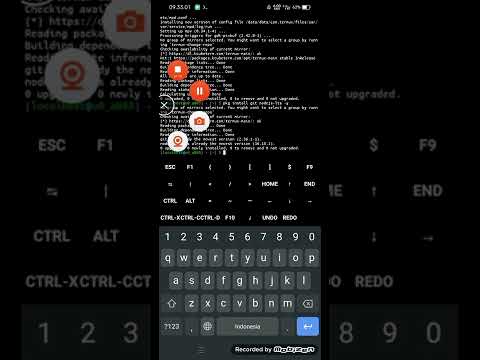
Di Termux :
pkg update -y
pkg upgrade -y
pkg install nano git nodejs -y
git clone https://github.com/MuhammadRestu999/TeleBot
cd TeleBot
npm install
Di Ubuntu, VPS/RDP, etc :
apt update -y
apt upgrade -y
apt install nano git nodejs -y
git clone https://github.com/MuhammadRestu999/TeleBot
cd TeleBot
npm install
Deploy ke heroku :

Edit file config.json :
| Nama | Baris | Deskripsi | Wajib |
|---|---|---|---|
| Token | 2 24 | Masukkan token bot ke sini | Ya |
| Nama Owner | 3 18 | Masukkan nama owner ke sini | Tidak |
| Id Owner | 4 24 | Masukkan id owner ke sini | Tidak |
| Tautan Owner | 5 43 | Masukkan tautan owner ke sini (https://t.me/username) | Tidak |
| Nomor Owner | 6 31 | Masukkan nomor hp owner ke sini (628XXXXXXXXXX) | Tidak |
| Apikey OpenAI | 9 27 | Masukkan apikey OpenAI ke sini | Ya |
Membalas pesan :
ctx.reply("Hello World")
Membalas pesan dengan foto :
// Urlawaitctx.replyWithPhoto("https://static.zerochan.net/Misaki.Mei.full.1315931.jpg")// Bufferawaitctx.replyWithPhoto({source: fs.readFileSync("misaki_mei.png")})// Fileawaitctx.replyWithPhoto({source: "misaki_mei.png"})// Dengan captionawaitctx.replyWithPhoto("https://static.zerochan.net/Misaki.Mei.full.1315931.jpg",{caption: "Misaki Mei"})// Albumawaitctx.replyWithMediaGroup([{media: "https://static.zerochan.net/Misaki.Mei.full.1315931.jpg",caption: "Dari URL",type: "photo"},{media: {source: fs.readFileSync("MisakiMei_1.png")},caption: "Dari Buffer",type: "photo"},{media: {source: "MisakiMei_2.png"},caption: "Dari File",type: "photo"}])
Untuk send video hanya perlu ganti dibagian "Photo" jadi "Video" type juga diganti dengan "video"
Untuk menjalankan bot
Anda hanya perlu mengetik perintah di bawah ini :
node .