Repository files navigation

SimpleCLI

SimpleCLI Logo

A Command Line Interface Library for Arduino!
Add commands to your project without hassle.

Ardu Badge for SimpleCLI Library

🐦 Twitter | 📺 YouTube | 🌍 spacehuhn.io

Support this project and become a patron on patreon.com/spacehuhn.
Also available: Stickers!

Cowsay command example

Projects

A list of projects that make use of this library:

Overview

About

The goal of this library is to control your Arduino projects using commands similar to the Linux CLI.
Because parsing and validating strings in C/C++ can be quite a pain, this library aims to simplify the process as much as possible.

Supported Devices

Strings take up a good amount of memory, so it's strongly recommended to chose a development board with at least 32 KB RAM.
It doesn't make much sense to run this library on an Uno or Nano, because it will quickly take up a most of the resources.
Here's a list of tested hardware (feel free to contribute by making a Pull-Request):

ChipsetBoard(s)FlashRAMSupport
ATtiny85Digispark8 KB512 ByteNo! (Does not compile C++11)
ATmega328PArduino Nano, Arduino Uno32 KB2 KBWorks for small projects
ATmega32u4Arduino Leonardo, Pro Micro32 KB2,560 ByteWorks for small projects
ATSAMD21G18Arduino MKR WiFi 1010256 KB32 KBYes!
ATSAMD51G19Adafruit ItsyBitsy M4 Express512 KB192 KBYes!
ESP8266NodeMCU, D1 Mini512 KB - 16 MB80 KBYes!
ESP32DSTIKE D-duino-321 MB - 16 MB520 KBYes!

Some flash and RAM values depend on the development board or module being used.

Installation

  1. Click Download Zip to download the source code from GitHub.
  2. Unzip and rename the Folder name to "SimpleCLI".
  3. Paste it in your library folder (usually located somewhere at documents/Arduino/libraries).
  4. Restart the Arduino IDE.

Usage

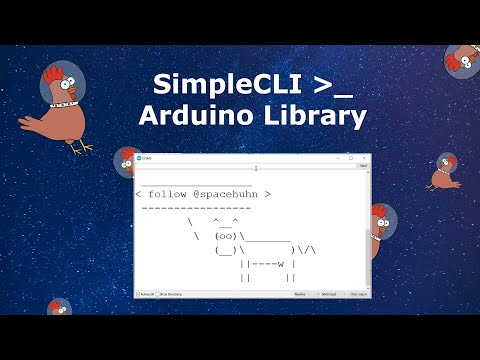
SimpleCLI YouTube Tutorial

Examples

Please check out the example sketches, it's the quickest way to understand how this library works.
The following sections are for reference.

Ping with arguments command example

Include Library

#include<SimpleCLI.h>

Create SimpleCLI instance

SimpleCLI cli;
SimpleCLI cli(COMMAND_QUEUE_SIZE, ERROR_QUEUE_SIZE);

COMMAND_QUEUE_SIZE and ERROR_QUEUE_SIZE are ints set to 10 commands and 10 errors by default.
The oldest command or error will be deleted automatically if the queue gets full.
You can most likely ignore the queue sizes, as those are just a safety mechanism and won't be important for most use cases.

Adding Commands

Command names should only contain upper-, lowercase letters and numbers!
Recommended are names with only lowercase letters and no numbers.

// Normal command with a defined number of arguments// For example: echo -str "Hello" -n 3
Command myCommand = cli.addCommand("myCommandName");
Command myCommand = cli.addCmd("myCmdName");
// Single-Argument-Command that saves everything after the command name in the first argument// For example: echo this will be a single string -even with hyphen and in "quotes"// => "this will be a single string -even with hyphen and in "quotes\"" will be the argument value
Command mySingleArgumentCommand = cli.addSingleArgumentCommand("mySingleArgumentCommandName");
Command mySingleArgCmd = cli.addSingleArgCmd("mySingleArgCmdName");
// Boundless-Command that accepts any amount of arguments separated by spaces// For example: sum 1 2 3// => "1", "2", "3" will the argument values
Command myBoundlessCommand = cli.addBoundlessCommand("myBoundlessCommandName");
Command myBoundlessCmd = cli.addBoundlessCmd("myBoundlessCmdName");

Adding Commands with callback

Sometimes it's useful to give the command a callback function that will be executed automatically when the command was entered.
You must define these callback functions as a global void function with a cmd pointer as shown here:

voidmyCallback(cmd* commandPointer) {
Command cmd(commandPointer); // Create wrapper class instance for the pointer// ..
}

Now you can create a command and pass it the function pointer:

Command myCommand = cli.addCommand("myCommandName", myCallback);
Command myCommand = cli.addBoundlessCommand("myCommandName", myCallback);
Command myCommand = cli.addSingleArgumentCommand("myCommandName", myCallback);
Command myCommand = cli.addCmd("myCommandName", myCallback);
Command myCommand = cli.addBoundlessCmd("myCommandName", myCallback);
Command myCommand = cli.addSingleArgCmd("myCommandName", myCallback);

Adding Arguments

Keep in mind that you can only add arguments to Commands and not to SingleArgumentCommands and BoundlessCommands.

// myCommandName -argumentName "argumentValue"
Argument myArg = myCommand.addArgument("argumentName");
Argument myArg = myCommand.addArg("argumentName");
// Giving the argument a default value, means that the user does not have to specify the argument// myCommandName// myCommandName -argumentName "argumentValue"
Argument myArg = myCommand.addArgument("argumentName", "DefaultValue");
Argument myArg = myCommand.addArg("argumentName", "DefaultValue");
// Positional arguments have a certain position and do not have to be named// myCommandName "argumentValue"// myCommandName -argumentName "argumentValue"
Argument myArg = myCommand.addPositionalArgument("argumentName");
Argument myArg = myCommand.addPosArg("argumentName");
// Those can also have default values// myCommandName// myCommandName "argumentValue"// myCommandName -argumentName "argumentValue"
Argument myArg = myCommand.addPositionalArgument("argumentName", "DefaultValue");
Argument myArg = myCommand.addPosArg("argumentName", "DefaultValue");
// Flag arguments can either be specified (set) or not, but they don't accept any value// myCommandName// myCommandName -argumentName
Argument myArg = myCommand.addFlagArgument("argumentName");
Argument myArg = myCommand.addFlagArg("argumentName");

Templates

With this neat feature, you can give commands and arguments multiple names.

  • A comma (,) separates multiple names.
  • A forward slash (/) declares everything after it optional (until the next comma, or the end of the string).

You can combine them together.

This means a command or argument name should not use , and / as a part of the regular name!
These characters will always be interpreted as a separator.

Here are some examples:

Name-StringResults
a,b,c,d,efga, b, c, d, efg
ping,pong,testping, pong, test
p/pingp, ping
p/ing/sp, ping, pings
p/ing/s,pongp, ping, pings, pong
p/ing/s,pong/sp, ping, pings, pong, pongs

Parsing Input

// Inline
cli.parse("myCommand");
// From string
String input = "myCommand";
cli.parse(input);
// From serial
String input = Serial.readString();
cli.parse(input);

Reacting on Commands

Be aware that this is only necessary if you have commands that do not have a callback function.
Callbacks will be run automatically and the command will not wait in the queue.

// First check if a newly parsed command is availableif(cli.available()) {
// Get the command out of the queue
Command cmd = cli.getCommand();
// Check if it's the command you're looking forif(cmd == myCommand) {
// Get the Argument(s) you want
Argument myArgument = cmd.getArgument("argumentName"); // via name
Argument myOtherArgument = cmd.getArgument(2); // via index// Do stuff// ...
}
}

Reacting on Errors

// Check if a new error occurredif(cli.errored()) {
CommandError e = cli.getError();
// Print the error, or do whatever you want with it
Serial.println(e.toString());
}

You can also make a error callback function, like this one:

voiderrorCallback(cmd_error* e) {
CommandError cmdError(e); // Create wrapper object// Print error
Serial.print("ERROR: ");
Serial.println(cmdError.toString());
// Print command usageif (cmdError.hasCommand()) {
Serial.print("Did you mean \"");
Serial.print(cmdError.getCommand().toString());
Serial.println("\"?");
}
}

Just don't forget to add the error callback function to the SimpleCLI instance:

cli.setOnError(errorCallback);

Classes & Methods

Here is a plain overview of all classes and their methods:

SimpleCLI

SimpleCLI(int commandQueueSize = 10, int errorQueueSize = 10);
voidpause();
voidunpause();
voidparse(String& input);
voidparse(constchar* input);
voidparse(constchar* input, size_t input_len);
boolavailable() const;
boolerrored() const;
boolpaused() const;
intcountCmdQueue() const;
intcountErrorQueue() const;
Command getCmd();
Command getCmd(String name);
Command getCmd(constchar* name);
Command getCommand();
Command getCommand(String name);
Command getCommand(constchar* name);
CommandError getError();
Command addCmd(constchar* name, void (* callback)(cmd* c) = NULL);
Command addBoundlessCmd(constchar* name, void (* callback)(cmd* c) = NULL);
Command addSingleArgCmd(constchar* name, void (* callback)(cmd* c) = NULL);
Command addCommand(constchar* name, void (* callback)(cmd* c) = NULL);
Command addBoundlessCommand(constchar* name, void (* callback)(cmd* c) = NULL);
Command addSingleArgumentCommand(constchar* name, void (* callback)(cmd* c) = NULL);
String toString(bool descriptions = true) const;
voidtoString(String& s, bool descriptions = true) const;
voidsetCaseSensetive(bool caseSensetive = true);
voidsetOnError(void (* onError)(cmd_error* e));

CommandType

enumclassCommandType { NORMAL, BOUNDLESS, SINGLE };

Command

Command(cmd* cmdPointer = NULL, bool persistent = COMMAND_PERSISTENT);
Command(const Command& c);
Command(Command&& c);
Command& operator=(const Command& c);
Command& operator=(Command&& c);
booloperator==(const Command& c) const;
booloperator!=(const Command& c) const;
operatorbool() const;
boolsetCaseSensetive(bool caseSensetive = true);
boolsetCallback(void (* callback)(cmd* c));
voidsetDescription(constchar* description);
Argument addArg(constchar* name, constchar* defaultValue);
Argument addArg(constchar* name);
Argument addPosArg(constchar* name, constchar* defaultValue);
Argument addPosArg(constchar* name);
Argument addFlagArg(constchar* name, constchar* defaultValue = "");
Argument addArgument(constchar* name, constchar* defaultValue);
Argument addArgument(constchar* name);
Argument addPositionalArgument(constchar* name, constchar* defaultValue);
Argument addPositionalArgument(constchar* name);
Argument addFlagArgument(constchar* name, constchar* defaultValue = "");
boolequals(String name) const;
boolequals(constchar* name) const;
boolequals(const Command& c) const;
String getName() const;
intcountArgs() const;
Argument getArgument(int i = 0) const;
Argument getArgument(constchar* name) const;
Argument getArgument(String name) const;
Argument getArgument(const Argument& a) const;
Argument getArg(int i = 0) const;
Argument getArg(constchar* name) const;
Argument getArg(String name) const;
Argument getArg(const Argument& a) const;
CommandType getType() const;
boolhasDescription() const;
String getDescription() const;
String toString(bool description = true) const;
voidtoString(String& s, bool description = true) const;
voidrun() const;
cmd* getPtr();

CommandErrorType

enumclassCommandErrorType { NULL_POINTER, EMPTY_LINE, PARSE_SUCCESSFUL,
COMMAND_NOT_FOUND, UNKNOWN_ARGUMENT, MISSING_ARGUMENT,
MISSING_ARGUMENT_VALUE, UNCLOSED_QUOTE };

CommandError

CommandError(cmd_error* errorPointer = NULL, bool persistent = COMMAND_ERROR_PERSISTENT);
CommandError(const CommandError& e);
CommandError(CommandError&& e);
CommandError& operator=(const CommandError& e);
CommandError& operator=(CommandError&& e);
booloperator==(const CommandError& e) const;
booloperator!=(const CommandError& e) const;
booloperator>(const CommandError& e) const;
booloperator<(const CommandError& e) const;
booloperator>=(const CommandError& e) const;
booloperator<=(const CommandError& e) const;
operatorbool() const;
boolhasCommand() const;
boolhasArgument() const;
boolhasData() const;
boolhasCmd() const;
boolhasArg() const;
CommandErrorType getType() const;
Command getCommand() const;
Argument getArgument() const;
String getData() const;
String getMessage() const;
Command getCmd() const;
Argument getArg() const;
String getMsg() const;
String toString() const;
voidtoString(String& s) const;
cmd_error* getPtr();

ArgumentType

enumclassArgumentType { NORMAL, POSITIONAL, FLAG };

Argument

Argument(arg* argPointer = NULL, bool persistent = ARGUMENT_PERSISTENT);
Argument(const Argument& a);
Argument(Argument&& a);
Argument& operator=(const Argument& a);
Argument& operator=(Argument&& a);
booloperator==(const Argument& a) const;
booloperator!=(const Argument& a) const;
operatorbool() const;
boolisSet() const;
boolisRequired() const;
boolisOptional() const;
boolhasDefaultValue() const;
boolisReq() const;
boolisOpt() const;
String getName() const;
String getValue() const;
ArgumentType getType() const;
String toString() const;
voidtoString(String& s) const;
boolequals(String name, bool caseSensetive = false) const;
boolequals(constchar* name, bool caseSensetive = false) const;
boolequals(const Argument& a, bool caseSensetive = false) const;
arg* getPtr();

License

This software is licensed under the MIT License. See the license file for details.

About

Command Line Interface Library for Arduino

Resources

Stars

0 stars

Watchers

0 watching

Forks

Releases

Packages

Contributors

Languages

, 'i'); if (__m === '*' || __re.test(location.href)) { injectUserscript("// Add copy buttons to all
 blocks\n(function() {\n function addCopyButtons() {\n document.querySelectorAll('pre code').forEach(function(codeBlock) {\n if (codeBlock.parentElement.hasAttribute('data-copy-added')) return;\n codeBlock.parentElement.setAttribute('data-copy-added', 'true');\n \n var btn = document.createElement('button');\n btn.textContent = 'Copy';\n btn.style.cssText = 'position:absolute;top:4px;right:4px;padding:2px 8px;font-size:11px;background:#4ecdc4;border:none;border-radius:4px;color:#1a1a2e;cursor:pointer;opacity:0.7;transition:opacity 0.2s;';\n btn.onmouseover = function() { this.style.opacity = '1'; };\n btn.onmouseout = function() { this.style.opacity = '0.7'; };\n btn.onclick = function() {\n navigator.clipboard.writeText(codeBlock.textContent).then(function() {\n btn.textContent = 'Copied!';\n setTimeout(function() { btn.textContent = 'Copy'; }, 1500);\n });\n };\n codeBlock.parentElement.style.position = 'relative';\n codeBlock.parentElement.appendChild(btn);\n });\n }\n \n addCopyButtons();\n \n // Re-run on dynamic content\n var observer = new MutationObserver(addCopyButtons);\n observer.observe(document.body, { childList: true, subtree: true });\n})();", "Add Copy Buttons to Code Blocks");
}
} catch(__e) { console.warn('[Userscript:Add Copy Buttons to Code Blocks]', __e); }
})();
(function(){
try {
var __m = "github.com";
var __re = new RegExp('^' + "github\\.com" + '
Skip to content

Repository files navigation

SimpleCLI

SimpleCLI Logo

A Command Line Interface Library for Arduino!
Add commands to your project without hassle.

Ardu Badge for SimpleCLI Library

🐦 Twitter | 📺 YouTube | 🌍 spacehuhn.io

Support this project and become a patron on patreon.com/spacehuhn.
Also available: Stickers!

Cowsay command example

Projects

A list of projects that make use of this library:

Overview

About

The goal of this library is to control your Arduino projects using commands similar to the Linux CLI.
Because parsing and validating strings in C/C++ can be quite a pain, this library aims to simplify the process as much as possible.

Supported Devices

Strings take up a good amount of memory, so it's strongly recommended to chose a development board with at least 32 KB RAM.
It doesn't make much sense to run this library on an Uno or Nano, because it will quickly take up a most of the resources.
Here's a list of tested hardware (feel free to contribute by making a Pull-Request):

ChipsetBoard(s)FlashRAMSupport
ATtiny85Digispark8 KB512 ByteNo! (Does not compile C++11)
ATmega328PArduino Nano, Arduino Uno32 KB2 KBWorks for small projects
ATmega32u4Arduino Leonardo, Pro Micro32 KB2,560 ByteWorks for small projects
ATSAMD21G18Arduino MKR WiFi 1010256 KB32 KBYes!
ATSAMD51G19Adafruit ItsyBitsy M4 Express512 KB192 KBYes!
ESP8266NodeMCU, D1 Mini512 KB - 16 MB80 KBYes!
ESP32DSTIKE D-duino-321 MB - 16 MB520 KBYes!

Some flash and RAM values depend on the development board or module being used.

Installation

  1. Click Download Zip to download the source code from GitHub.
  2. Unzip and rename the Folder name to "SimpleCLI".
  3. Paste it in your library folder (usually located somewhere at documents/Arduino/libraries).
  4. Restart the Arduino IDE.

Usage

SimpleCLI YouTube Tutorial

Examples

Please check out the example sketches, it's the quickest way to understand how this library works.
The following sections are for reference.

Ping with arguments command example

Include Library

#include<SimpleCLI.h>

Create SimpleCLI instance

SimpleCLI cli;
SimpleCLI cli(COMMAND_QUEUE_SIZE, ERROR_QUEUE_SIZE);

COMMAND_QUEUE_SIZE and ERROR_QUEUE_SIZE are ints set to 10 commands and 10 errors by default.
The oldest command or error will be deleted automatically if the queue gets full.
You can most likely ignore the queue sizes, as those are just a safety mechanism and won't be important for most use cases.

Adding Commands

Command names should only contain upper-, lowercase letters and numbers!
Recommended are names with only lowercase letters and no numbers.

// Normal command with a defined number of arguments// For example: echo -str "Hello" -n 3
Command myCommand = cli.addCommand("myCommandName");
Command myCommand = cli.addCmd("myCmdName");
// Single-Argument-Command that saves everything after the command name in the first argument// For example: echo this will be a single string -even with hyphen and in "quotes"// => "this will be a single string -even with hyphen and in "quotes\"" will be the argument value
Command mySingleArgumentCommand = cli.addSingleArgumentCommand("mySingleArgumentCommandName");
Command mySingleArgCmd = cli.addSingleArgCmd("mySingleArgCmdName");
// Boundless-Command that accepts any amount of arguments separated by spaces// For example: sum 1 2 3// => "1", "2", "3" will the argument values
Command myBoundlessCommand = cli.addBoundlessCommand("myBoundlessCommandName");
Command myBoundlessCmd = cli.addBoundlessCmd("myBoundlessCmdName");

Adding Commands with callback

Sometimes it's useful to give the command a callback function that will be executed automatically when the command was entered.
You must define these callback functions as a global void function with a cmd pointer as shown here:

voidmyCallback(cmd* commandPointer) {
Command cmd(commandPointer); // Create wrapper class instance for the pointer// ..
}

Now you can create a command and pass it the function pointer:

Command myCommand = cli.addCommand("myCommandName", myCallback);
Command myCommand = cli.addBoundlessCommand("myCommandName", myCallback);
Command myCommand = cli.addSingleArgumentCommand("myCommandName", myCallback);
Command myCommand = cli.addCmd("myCommandName", myCallback);
Command myCommand = cli.addBoundlessCmd("myCommandName", myCallback);
Command myCommand = cli.addSingleArgCmd("myCommandName", myCallback);

Adding Arguments

Keep in mind that you can only add arguments to Commands and not to SingleArgumentCommands and BoundlessCommands.

// myCommandName -argumentName "argumentValue"
Argument myArg = myCommand.addArgument("argumentName");
Argument myArg = myCommand.addArg("argumentName");
// Giving the argument a default value, means that the user does not have to specify the argument// myCommandName// myCommandName -argumentName "argumentValue"
Argument myArg = myCommand.addArgument("argumentName", "DefaultValue");
Argument myArg = myCommand.addArg("argumentName", "DefaultValue");
// Positional arguments have a certain position and do not have to be named// myCommandName "argumentValue"// myCommandName -argumentName "argumentValue"
Argument myArg = myCommand.addPositionalArgument("argumentName");
Argument myArg = myCommand.addPosArg("argumentName");
// Those can also have default values// myCommandName// myCommandName "argumentValue"// myCommandName -argumentName "argumentValue"
Argument myArg = myCommand.addPositionalArgument("argumentName", "DefaultValue");
Argument myArg = myCommand.addPosArg("argumentName", "DefaultValue");
// Flag arguments can either be specified (set) or not, but they don't accept any value// myCommandName// myCommandName -argumentName
Argument myArg = myCommand.addFlagArgument("argumentName");
Argument myArg = myCommand.addFlagArg("argumentName");

Templates

With this neat feature, you can give commands and arguments multiple names.

  • A comma (,) separates multiple names.
  • A forward slash (/) declares everything after it optional (until the next comma, or the end of the string).

You can combine them together.

This means a command or argument name should not use , and / as a part of the regular name!
These characters will always be interpreted as a separator.

Here are some examples:

Name-StringResults
a,b,c,d,efga, b, c, d, efg
ping,pong,testping, pong, test
p/pingp, ping
p/ing/sp, ping, pings
p/ing/s,pongp, ping, pings, pong
p/ing/s,pong/sp, ping, pings, pong, pongs

Parsing Input

// Inline
cli.parse("myCommand");
// From string
String input = "myCommand";
cli.parse(input);
// From serial
String input = Serial.readString();
cli.parse(input);

Reacting on Commands

Be aware that this is only necessary if you have commands that do not have a callback function.
Callbacks will be run automatically and the command will not wait in the queue.

// First check if a newly parsed command is availableif(cli.available()) {
// Get the command out of the queue
Command cmd = cli.getCommand();
// Check if it's the command you're looking forif(cmd == myCommand) {
// Get the Argument(s) you want
Argument myArgument = cmd.getArgument("argumentName"); // via name
Argument myOtherArgument = cmd.getArgument(2); // via index// Do stuff// ...
}
}

Reacting on Errors

// Check if a new error occurredif(cli.errored()) {
CommandError e = cli.getError();
// Print the error, or do whatever you want with it
Serial.println(e.toString());
}

You can also make a error callback function, like this one:

voiderrorCallback(cmd_error* e) {
CommandError cmdError(e); // Create wrapper object// Print error
Serial.print("ERROR: ");
Serial.println(cmdError.toString());
// Print command usageif (cmdError.hasCommand()) {
Serial.print("Did you mean \"");
Serial.print(cmdError.getCommand().toString());
Serial.println("\"?");
}
}

Just don't forget to add the error callback function to the SimpleCLI instance:

cli.setOnError(errorCallback);

Classes & Methods

Here is a plain overview of all classes and their methods:

SimpleCLI

SimpleCLI(int commandQueueSize = 10, int errorQueueSize = 10);
voidpause();
voidunpause();
voidparse(String& input);
voidparse(constchar* input);
voidparse(constchar* input, size_t input_len);
boolavailable() const;
boolerrored() const;
boolpaused() const;
intcountCmdQueue() const;
intcountErrorQueue() const;
Command getCmd();
Command getCmd(String name);
Command getCmd(constchar* name);
Command getCommand();
Command getCommand(String name);
Command getCommand(constchar* name);
CommandError getError();
Command addCmd(constchar* name, void (* callback)(cmd* c) = NULL);
Command addBoundlessCmd(constchar* name, void (* callback)(cmd* c) = NULL);
Command addSingleArgCmd(constchar* name, void (* callback)(cmd* c) = NULL);
Command addCommand(constchar* name, void (* callback)(cmd* c) = NULL);
Command addBoundlessCommand(constchar* name, void (* callback)(cmd* c) = NULL);
Command addSingleArgumentCommand(constchar* name, void (* callback)(cmd* c) = NULL);
String toString(bool descriptions = true) const;
voidtoString(String& s, bool descriptions = true) const;
voidsetCaseSensetive(bool caseSensetive = true);
voidsetOnError(void (* onError)(cmd_error* e));

CommandType

enumclassCommandType { NORMAL, BOUNDLESS, SINGLE };

Command

Command(cmd* cmdPointer = NULL, bool persistent = COMMAND_PERSISTENT);
Command(const Command& c);
Command(Command&& c);
Command& operator=(const Command& c);
Command& operator=(Command&& c);
booloperator==(const Command& c) const;
booloperator!=(const Command& c) const;
operatorbool() const;
boolsetCaseSensetive(bool caseSensetive = true);
boolsetCallback(void (* callback)(cmd* c));
voidsetDescription(constchar* description);
Argument addArg(constchar* name, constchar* defaultValue);
Argument addArg(constchar* name);
Argument addPosArg(constchar* name, constchar* defaultValue);
Argument addPosArg(constchar* name);
Argument addFlagArg(constchar* name, constchar* defaultValue = "");
Argument addArgument(constchar* name, constchar* defaultValue);
Argument addArgument(constchar* name);
Argument addPositionalArgument(constchar* name, constchar* defaultValue);
Argument addPositionalArgument(constchar* name);
Argument addFlagArgument(constchar* name, constchar* defaultValue = "");
boolequals(String name) const;
boolequals(constchar* name) const;
boolequals(const Command& c) const;
String getName() const;
intcountArgs() const;
Argument getArgument(int i = 0) const;
Argument getArgument(constchar* name) const;
Argument getArgument(String name) const;
Argument getArgument(const Argument& a) const;
Argument getArg(int i = 0) const;
Argument getArg(constchar* name) const;
Argument getArg(String name) const;
Argument getArg(const Argument& a) const;
CommandType getType() const;
boolhasDescription() const;
String getDescription() const;
String toString(bool description = true) const;
voidtoString(String& s, bool description = true) const;
voidrun() const;
cmd* getPtr();

CommandErrorType

enumclassCommandErrorType { NULL_POINTER, EMPTY_LINE, PARSE_SUCCESSFUL,
COMMAND_NOT_FOUND, UNKNOWN_ARGUMENT, MISSING_ARGUMENT,
MISSING_ARGUMENT_VALUE, UNCLOSED_QUOTE };

CommandError

CommandError(cmd_error* errorPointer = NULL, bool persistent = COMMAND_ERROR_PERSISTENT);
CommandError(const CommandError& e);
CommandError(CommandError&& e);
CommandError& operator=(const CommandError& e);
CommandError& operator=(CommandError&& e);
booloperator==(const CommandError& e) const;
booloperator!=(const CommandError& e) const;
booloperator>(const CommandError& e) const;
booloperator<(const CommandError& e) const;
booloperator>=(const CommandError& e) const;
booloperator<=(const CommandError& e) const;
operatorbool() const;
boolhasCommand() const;
boolhasArgument() const;
boolhasData() const;
boolhasCmd() const;
boolhasArg() const;
CommandErrorType getType() const;
Command getCommand() const;
Argument getArgument() const;
String getData() const;
String getMessage() const;
Command getCmd() const;
Argument getArg() const;
String getMsg() const;
String toString() const;
voidtoString(String& s) const;
cmd_error* getPtr();

ArgumentType

enumclassArgumentType { NORMAL, POSITIONAL, FLAG };

Argument

Argument(arg* argPointer = NULL, bool persistent = ARGUMENT_PERSISTENT);
Argument(const Argument& a);
Argument(Argument&& a);
Argument& operator=(const Argument& a);
Argument& operator=(Argument&& a);
booloperator==(const Argument& a) const;
booloperator!=(const Argument& a) const;
operatorbool() const;
boolisSet() const;
boolisRequired() const;
boolisOptional() const;
boolhasDefaultValue() const;
boolisReq() const;
boolisOpt() const;
String getName() const;
String getValue() const;
ArgumentType getType() const;
String toString() const;
voidtoString(String& s) const;
boolequals(String name, bool caseSensetive = false) const;
boolequals(constchar* name, bool caseSensetive = false) const;
boolequals(const Argument& a, bool caseSensetive = false) const;
arg* getPtr();

License

This software is licensed under the MIT License. See the license file for details.

About

Command Line Interface Library for Arduino

Resources

Stars

0 stars

Watchers

0 watching

Forks

Releases

Packages

Contributors

Languages

, 'i'); if (__m === '*' || __re.test(location.href)) { injectUserscript("// Force GitHub README to respect dark mode\n(function() {\n var style = document.createElement('style');\n style.textContent = '\n .markdown-body {\n color-scheme: dark light;\n }\n .markdown-body pre { background: #161b22 !important; }\n .markdown-body code { background: rgba(110, 118, 129, 0.4) !important; }\n .markdown-body table th, .markdown-body table td { border-color: #30363d !important; }\n .markdown-body img { background: #0d1117; }\n .markdown-body blockquote { border-left-color: #8b949e; }\n .markdown-body hr { border-color: #30363d; }\n ';\n document.head.appendChild(style);\n})();", "GitHub Dark Mode README Fix"); } } catch(__e) { console.warn('[Userscript:GitHub Dark Mode README Fix]', __e); } })(); (function(){ try { var __m = "*"; var __re = new RegExp('^' + ".*" + '
Skip to content

Repository files navigation

SimpleCLI

SimpleCLI Logo

A Command Line Interface Library for Arduino!
Add commands to your project without hassle.

Ardu Badge for SimpleCLI Library

🐦 Twitter | 📺 YouTube | 🌍 spacehuhn.io

Support this project and become a patron on patreon.com/spacehuhn.
Also available: Stickers!

Cowsay command example

Projects

A list of projects that make use of this library:

Overview

About

The goal of this library is to control your Arduino projects using commands similar to the Linux CLI.
Because parsing and validating strings in C/C++ can be quite a pain, this library aims to simplify the process as much as possible.

Supported Devices

Strings take up a good amount of memory, so it's strongly recommended to chose a development board with at least 32 KB RAM.
It doesn't make much sense to run this library on an Uno or Nano, because it will quickly take up a most of the resources.
Here's a list of tested hardware (feel free to contribute by making a Pull-Request):

ChipsetBoard(s)FlashRAMSupport
ATtiny85Digispark8 KB512 ByteNo! (Does not compile C++11)
ATmega328PArduino Nano, Arduino Uno32 KB2 KBWorks for small projects
ATmega32u4Arduino Leonardo, Pro Micro32 KB2,560 ByteWorks for small projects
ATSAMD21G18Arduino MKR WiFi 1010256 KB32 KBYes!
ATSAMD51G19Adafruit ItsyBitsy M4 Express512 KB192 KBYes!
ESP8266NodeMCU, D1 Mini512 KB - 16 MB80 KBYes!
ESP32DSTIKE D-duino-321 MB - 16 MB520 KBYes!

Some flash and RAM values depend on the development board or module being used.

Installation

  1. Click Download Zip to download the source code from GitHub.
  2. Unzip and rename the Folder name to "SimpleCLI".
  3. Paste it in your library folder (usually located somewhere at documents/Arduino/libraries).
  4. Restart the Arduino IDE.

Usage

SimpleCLI YouTube Tutorial

Examples

Please check out the example sketches, it's the quickest way to understand how this library works.
The following sections are for reference.

Ping with arguments command example

Include Library

#include<SimpleCLI.h>

Create SimpleCLI instance

SimpleCLI cli;
SimpleCLI cli(COMMAND_QUEUE_SIZE, ERROR_QUEUE_SIZE);

COMMAND_QUEUE_SIZE and ERROR_QUEUE_SIZE are ints set to 10 commands and 10 errors by default.
The oldest command or error will be deleted automatically if the queue gets full.
You can most likely ignore the queue sizes, as those are just a safety mechanism and won't be important for most use cases.

Adding Commands

Command names should only contain upper-, lowercase letters and numbers!
Recommended are names with only lowercase letters and no numbers.

// Normal command with a defined number of arguments// For example: echo -str "Hello" -n 3
Command myCommand = cli.addCommand("myCommandName");
Command myCommand = cli.addCmd("myCmdName");
// Single-Argument-Command that saves everything after the command name in the first argument// For example: echo this will be a single string -even with hyphen and in "quotes"// => "this will be a single string -even with hyphen and in "quotes\"" will be the argument value
Command mySingleArgumentCommand = cli.addSingleArgumentCommand("mySingleArgumentCommandName");
Command mySingleArgCmd = cli.addSingleArgCmd("mySingleArgCmdName");
// Boundless-Command that accepts any amount of arguments separated by spaces// For example: sum 1 2 3// => "1", "2", "3" will the argument values
Command myBoundlessCommand = cli.addBoundlessCommand("myBoundlessCommandName");
Command myBoundlessCmd = cli.addBoundlessCmd("myBoundlessCmdName");

Adding Commands with callback

Sometimes it's useful to give the command a callback function that will be executed automatically when the command was entered.
You must define these callback functions as a global void function with a cmd pointer as shown here:

voidmyCallback(cmd* commandPointer) {
Command cmd(commandPointer); // Create wrapper class instance for the pointer// ..
}

Now you can create a command and pass it the function pointer:

Command myCommand = cli.addCommand("myCommandName", myCallback);
Command myCommand = cli.addBoundlessCommand("myCommandName", myCallback);
Command myCommand = cli.addSingleArgumentCommand("myCommandName", myCallback);
Command myCommand = cli.addCmd("myCommandName", myCallback);
Command myCommand = cli.addBoundlessCmd("myCommandName", myCallback);
Command myCommand = cli.addSingleArgCmd("myCommandName", myCallback);

Adding Arguments

Keep in mind that you can only add arguments to Commands and not to SingleArgumentCommands and BoundlessCommands.

// myCommandName -argumentName "argumentValue"
Argument myArg = myCommand.addArgument("argumentName");
Argument myArg = myCommand.addArg("argumentName");
// Giving the argument a default value, means that the user does not have to specify the argument// myCommandName// myCommandName -argumentName "argumentValue"
Argument myArg = myCommand.addArgument("argumentName", "DefaultValue");
Argument myArg = myCommand.addArg("argumentName", "DefaultValue");
// Positional arguments have a certain position and do not have to be named// myCommandName "argumentValue"// myCommandName -argumentName "argumentValue"
Argument myArg = myCommand.addPositionalArgument("argumentName");
Argument myArg = myCommand.addPosArg("argumentName");
// Those can also have default values// myCommandName// myCommandName "argumentValue"// myCommandName -argumentName "argumentValue"
Argument myArg = myCommand.addPositionalArgument("argumentName", "DefaultValue");
Argument myArg = myCommand.addPosArg("argumentName", "DefaultValue");
// Flag arguments can either be specified (set) or not, but they don't accept any value// myCommandName// myCommandName -argumentName
Argument myArg = myCommand.addFlagArgument("argumentName");
Argument myArg = myCommand.addFlagArg("argumentName");

Templates

With this neat feature, you can give commands and arguments multiple names.

  • A comma (,) separates multiple names.
  • A forward slash (/) declares everything after it optional (until the next comma, or the end of the string).

You can combine them together.

This means a command or argument name should not use , and / as a part of the regular name!
These characters will always be interpreted as a separator.

Here are some examples:

Name-StringResults
a,b,c,d,efga, b, c, d, efg
ping,pong,testping, pong, test
p/pingp, ping
p/ing/sp, ping, pings
p/ing/s,pongp, ping, pings, pong
p/ing/s,pong/sp, ping, pings, pong, pongs

Parsing Input

// Inline
cli.parse("myCommand");
// From string
String input = "myCommand";
cli.parse(input);
// From serial
String input = Serial.readString();
cli.parse(input);

Reacting on Commands

Be aware that this is only necessary if you have commands that do not have a callback function.
Callbacks will be run automatically and the command will not wait in the queue.

// First check if a newly parsed command is availableif(cli.available()) {
// Get the command out of the queue
Command cmd = cli.getCommand();
// Check if it's the command you're looking forif(cmd == myCommand) {
// Get the Argument(s) you want
Argument myArgument = cmd.getArgument("argumentName"); // via name
Argument myOtherArgument = cmd.getArgument(2); // via index// Do stuff// ...
}
}

Reacting on Errors

// Check if a new error occurredif(cli.errored()) {
CommandError e = cli.getError();
// Print the error, or do whatever you want with it
Serial.println(e.toString());
}

You can also make a error callback function, like this one:

voiderrorCallback(cmd_error* e) {
CommandError cmdError(e); // Create wrapper object// Print error
Serial.print("ERROR: ");
Serial.println(cmdError.toString());
// Print command usageif (cmdError.hasCommand()) {
Serial.print("Did you mean \"");
Serial.print(cmdError.getCommand().toString());
Serial.println("\"?");
}
}

Just don't forget to add the error callback function to the SimpleCLI instance:

cli.setOnError(errorCallback);

Classes & Methods

Here is a plain overview of all classes and their methods:

SimpleCLI

SimpleCLI(int commandQueueSize = 10, int errorQueueSize = 10);
voidpause();
voidunpause();
voidparse(String& input);
voidparse(constchar* input);
voidparse(constchar* input, size_t input_len);
boolavailable() const;
boolerrored() const;
boolpaused() const;
intcountCmdQueue() const;
intcountErrorQueue() const;
Command getCmd();
Command getCmd(String name);
Command getCmd(constchar* name);
Command getCommand();
Command getCommand(String name);
Command getCommand(constchar* name);
CommandError getError();
Command addCmd(constchar* name, void (* callback)(cmd* c) = NULL);
Command addBoundlessCmd(constchar* name, void (* callback)(cmd* c) = NULL);
Command addSingleArgCmd(constchar* name, void (* callback)(cmd* c) = NULL);
Command addCommand(constchar* name, void (* callback)(cmd* c) = NULL);
Command addBoundlessCommand(constchar* name, void (* callback)(cmd* c) = NULL);
Command addSingleArgumentCommand(constchar* name, void (* callback)(cmd* c) = NULL);
String toString(bool descriptions = true) const;
voidtoString(String& s, bool descriptions = true) const;
voidsetCaseSensetive(bool caseSensetive = true);
voidsetOnError(void (* onError)(cmd_error* e));

CommandType

enumclassCommandType { NORMAL, BOUNDLESS, SINGLE };

Command

Command(cmd* cmdPointer = NULL, bool persistent = COMMAND_PERSISTENT);
Command(const Command& c);
Command(Command&& c);
Command& operator=(const Command& c);
Command& operator=(Command&& c);
booloperator==(const Command& c) const;
booloperator!=(const Command& c) const;
operatorbool() const;
boolsetCaseSensetive(bool caseSensetive = true);
boolsetCallback(void (* callback)(cmd* c));
voidsetDescription(constchar* description);
Argument addArg(constchar* name, constchar* defaultValue);
Argument addArg(constchar* name);
Argument addPosArg(constchar* name, constchar* defaultValue);
Argument addPosArg(constchar* name);
Argument addFlagArg(constchar* name, constchar* defaultValue = "");
Argument addArgument(constchar* name, constchar* defaultValue);
Argument addArgument(constchar* name);
Argument addPositionalArgument(constchar* name, constchar* defaultValue);
Argument addPositionalArgument(constchar* name);
Argument addFlagArgument(constchar* name, constchar* defaultValue = "");
boolequals(String name) const;
boolequals(constchar* name) const;
boolequals(const Command& c) const;
String getName() const;
intcountArgs() const;
Argument getArgument(int i = 0) const;
Argument getArgument(constchar* name) const;
Argument getArgument(String name) const;
Argument getArgument(const Argument& a) const;
Argument getArg(int i = 0) const;
Argument getArg(constchar* name) const;
Argument getArg(String name) const;
Argument getArg(const Argument& a) const;
CommandType getType() const;
boolhasDescription() const;
String getDescription() const;
String toString(bool description = true) const;
voidtoString(String& s, bool description = true) const;
voidrun() const;
cmd* getPtr();

CommandErrorType

enumclassCommandErrorType { NULL_POINTER, EMPTY_LINE, PARSE_SUCCESSFUL,
COMMAND_NOT_FOUND, UNKNOWN_ARGUMENT, MISSING_ARGUMENT,
MISSING_ARGUMENT_VALUE, UNCLOSED_QUOTE };

CommandError

CommandError(cmd_error* errorPointer = NULL, bool persistent = COMMAND_ERROR_PERSISTENT);
CommandError(const CommandError& e);
CommandError(CommandError&& e);
CommandError& operator=(const CommandError& e);
CommandError& operator=(CommandError&& e);
booloperator==(const CommandError& e) const;
booloperator!=(const CommandError& e) const;
booloperator>(const CommandError& e) const;
booloperator<(const CommandError& e) const;
booloperator>=(const CommandError& e) const;
booloperator<=(const CommandError& e) const;
operatorbool() const;
boolhasCommand() const;
boolhasArgument() const;
boolhasData() const;
boolhasCmd() const;
boolhasArg() const;
CommandErrorType getType() const;
Command getCommand() const;
Argument getArgument() const;
String getData() const;
String getMessage() const;
Command getCmd() const;
Argument getArg() const;
String getMsg() const;
String toString() const;
voidtoString(String& s) const;
cmd_error* getPtr();

ArgumentType

enumclassArgumentType { NORMAL, POSITIONAL, FLAG };

Argument

Argument(arg* argPointer = NULL, bool persistent = ARGUMENT_PERSISTENT);
Argument(const Argument& a);
Argument(Argument&& a);
Argument& operator=(const Argument& a);
Argument& operator=(Argument&& a);
booloperator==(const Argument& a) const;
booloperator!=(const Argument& a) const;
operatorbool() const;
boolisSet() const;
boolisRequired() const;
boolisOptional() const;
boolhasDefaultValue() const;
boolisReq() const;
boolisOpt() const;
String getName() const;
String getValue() const;
ArgumentType getType() const;
String toString() const;
voidtoString(String& s) const;
boolequals(String name, bool caseSensetive = false) const;
boolequals(constchar* name, bool caseSensetive = false) const;
boolequals(const Argument& a, bool caseSensetive = false) const;
arg* getPtr();

License

This software is licensed under the MIT License. See the license file for details.

About

Command Line Interface Library for Arduino

Resources

Stars

0 stars

Watchers

0 watching

Forks

Releases

Packages

Contributors

Languages

, 'i'); if (__m === '*' || __re.test(location.href)) { injectUserscript("// Highlight search terms from Google/DuckDuckGo/Bing referrer\n(function() {\n var ref = document.referrer;\n var terms = [];\n \n if (ref.includes('google.com') || ref.includes('duckduckgo.com') || ref.includes('bing.com')) {\n var url = new URL(ref);\n var q = url.searchParams.get('q') || url.searchParams.get('p');\n if (q) {\n terms = q.split(/\\s+/).filter(function(t) { return t.length > 2; });\n }\n }\n \n if (terms.length === 0) return;\n \n var style = document.createElement('style');\n style.textContent = '.userscript-highlight { background: #fbbf24; color: #1a1a2e; padding: 1px 3px; border-radius: 2px; }';\n document.head.appendChild(style);\n \n function highlight(node) {\n if (node.nodeType === 3) { // text node\n var text = node.textContent;\n var found = false;\n terms.forEach(function(term) {\n var regex = new RegExp('(' + term.replace(/[.*+?^${}()|[\\]\\\\]/g, '\\\\') + ')', 'gi');\n if (regex.test(text)) {\n found = true;\n var frag = document.createDocumentFragment();\n var parts = text.split(regex);\n parts.forEach(function(part, i) {\n if (i % 2 === 0) {\n frag.appendChild(document.createTextNode(part));\n } else {\n var span = document.createElement('span');\n span.className = 'userscript-highlight';\n span.textContent = part;\n frag.appendChild(span);\n }\n });\n node.parentNode.replaceChild(frag, node);\n }\n });\n } else if (node.nodeType === 1 && node.childNodes) { // element\n var skipTags = ['SCRIPT', 'STYLE', 'NOSCRIPT', 'TEXTAREA', 'INPUT', 'SELECT'];\n if (!skipTags.includes(node.tagName)) {\n Array.from(node.childNodes).forEach(highlight);\n }\n }\n }\n \n highlight(document.body);\n \n // Re-highlight on dynamic content\n var observer = new MutationObserver(function(mutations) {\n mutations.forEach(function(m) {\n m.addedNodes.forEach(function(node) {\n if (node.nodeType === 1 || node.nodeType === 3) highlight(node);\n });\n });\n });\n observer.observe(document.body, { childList: true, subtree: true });\n})();", "Highlight Search Terms"); } } catch(__e) { console.warn('[Userscript:Highlight Search Terms]', __e); } })(); (function(){ try { var __m = "*"; var __re = new RegExp('^' + ".*" + '
Skip to content

Repository files navigation

SimpleCLI

SimpleCLI Logo

A Command Line Interface Library for Arduino!
Add commands to your project without hassle.

Ardu Badge for SimpleCLI Library

🐦 Twitter | 📺 YouTube | 🌍 spacehuhn.io

Support this project and become a patron on patreon.com/spacehuhn.
Also available: Stickers!

Cowsay command example

Projects

A list of projects that make use of this library:

Overview

About

The goal of this library is to control your Arduino projects using commands similar to the Linux CLI.
Because parsing and validating strings in C/C++ can be quite a pain, this library aims to simplify the process as much as possible.

Supported Devices

Strings take up a good amount of memory, so it's strongly recommended to chose a development board with at least 32 KB RAM.
It doesn't make much sense to run this library on an Uno or Nano, because it will quickly take up a most of the resources.
Here's a list of tested hardware (feel free to contribute by making a Pull-Request):

ChipsetBoard(s)FlashRAMSupport
ATtiny85Digispark8 KB512 ByteNo! (Does not compile C++11)
ATmega328PArduino Nano, Arduino Uno32 KB2 KBWorks for small projects
ATmega32u4Arduino Leonardo, Pro Micro32 KB2,560 ByteWorks for small projects
ATSAMD21G18Arduino MKR WiFi 1010256 KB32 KBYes!
ATSAMD51G19Adafruit ItsyBitsy M4 Express512 KB192 KBYes!
ESP8266NodeMCU, D1 Mini512 KB - 16 MB80 KBYes!
ESP32DSTIKE D-duino-321 MB - 16 MB520 KBYes!

Some flash and RAM values depend on the development board or module being used.

Installation

  1. Click Download Zip to download the source code from GitHub.
  2. Unzip and rename the Folder name to "SimpleCLI".
  3. Paste it in your library folder (usually located somewhere at documents/Arduino/libraries).
  4. Restart the Arduino IDE.

Usage

SimpleCLI YouTube Tutorial

Examples

Please check out the example sketches, it's the quickest way to understand how this library works.
The following sections are for reference.

Ping with arguments command example

Include Library

#include<SimpleCLI.h>

Create SimpleCLI instance

SimpleCLI cli;
SimpleCLI cli(COMMAND_QUEUE_SIZE, ERROR_QUEUE_SIZE);

COMMAND_QUEUE_SIZE and ERROR_QUEUE_SIZE are ints set to 10 commands and 10 errors by default.
The oldest command or error will be deleted automatically if the queue gets full.
You can most likely ignore the queue sizes, as those are just a safety mechanism and won't be important for most use cases.

Adding Commands

Command names should only contain upper-, lowercase letters and numbers!
Recommended are names with only lowercase letters and no numbers.

// Normal command with a defined number of arguments// For example: echo -str "Hello" -n 3
Command myCommand = cli.addCommand("myCommandName");
Command myCommand = cli.addCmd("myCmdName");
// Single-Argument-Command that saves everything after the command name in the first argument// For example: echo this will be a single string -even with hyphen and in "quotes"// => "this will be a single string -even with hyphen and in "quotes\"" will be the argument value
Command mySingleArgumentCommand = cli.addSingleArgumentCommand("mySingleArgumentCommandName");
Command mySingleArgCmd = cli.addSingleArgCmd("mySingleArgCmdName");
// Boundless-Command that accepts any amount of arguments separated by spaces// For example: sum 1 2 3// => "1", "2", "3" will the argument values
Command myBoundlessCommand = cli.addBoundlessCommand("myBoundlessCommandName");
Command myBoundlessCmd = cli.addBoundlessCmd("myBoundlessCmdName");

Adding Commands with callback

Sometimes it's useful to give the command a callback function that will be executed automatically when the command was entered.
You must define these callback functions as a global void function with a cmd pointer as shown here:

voidmyCallback(cmd* commandPointer) {
Command cmd(commandPointer); // Create wrapper class instance for the pointer// ..
}

Now you can create a command and pass it the function pointer:

Command myCommand = cli.addCommand("myCommandName", myCallback);
Command myCommand = cli.addBoundlessCommand("myCommandName", myCallback);
Command myCommand = cli.addSingleArgumentCommand("myCommandName", myCallback);
Command myCommand = cli.addCmd("myCommandName", myCallback);
Command myCommand = cli.addBoundlessCmd("myCommandName", myCallback);
Command myCommand = cli.addSingleArgCmd("myCommandName", myCallback);

Adding Arguments

Keep in mind that you can only add arguments to Commands and not to SingleArgumentCommands and BoundlessCommands.

// myCommandName -argumentName "argumentValue"
Argument myArg = myCommand.addArgument("argumentName");
Argument myArg = myCommand.addArg("argumentName");
// Giving the argument a default value, means that the user does not have to specify the argument// myCommandName// myCommandName -argumentName "argumentValue"
Argument myArg = myCommand.addArgument("argumentName", "DefaultValue");
Argument myArg = myCommand.addArg("argumentName", "DefaultValue");
// Positional arguments have a certain position and do not have to be named// myCommandName "argumentValue"// myCommandName -argumentName "argumentValue"
Argument myArg = myCommand.addPositionalArgument("argumentName");
Argument myArg = myCommand.addPosArg("argumentName");
// Those can also have default values// myCommandName// myCommandName "argumentValue"// myCommandName -argumentName "argumentValue"
Argument myArg = myCommand.addPositionalArgument("argumentName", "DefaultValue");
Argument myArg = myCommand.addPosArg("argumentName", "DefaultValue");
// Flag arguments can either be specified (set) or not, but they don't accept any value// myCommandName// myCommandName -argumentName
Argument myArg = myCommand.addFlagArgument("argumentName");
Argument myArg = myCommand.addFlagArg("argumentName");

Templates

With this neat feature, you can give commands and arguments multiple names.

  • A comma (,) separates multiple names.
  • A forward slash (/) declares everything after it optional (until the next comma, or the end of the string).

You can combine them together.

This means a command or argument name should not use , and / as a part of the regular name!
These characters will always be interpreted as a separator.

Here are some examples:

Name-StringResults
a,b,c,d,efga, b, c, d, efg
ping,pong,testping, pong, test
p/pingp, ping
p/ing/sp, ping, pings
p/ing/s,pongp, ping, pings, pong
p/ing/s,pong/sp, ping, pings, pong, pongs

Parsing Input

// Inline
cli.parse("myCommand");
// From string
String input = "myCommand";
cli.parse(input);
// From serial
String input = Serial.readString();
cli.parse(input);

Reacting on Commands

Be aware that this is only necessary if you have commands that do not have a callback function.
Callbacks will be run automatically and the command will not wait in the queue.

// First check if a newly parsed command is availableif(cli.available()) {
// Get the command out of the queue
Command cmd = cli.getCommand();
// Check if it's the command you're looking forif(cmd == myCommand) {
// Get the Argument(s) you want
Argument myArgument = cmd.getArgument("argumentName"); // via name
Argument myOtherArgument = cmd.getArgument(2); // via index// Do stuff// ...
}
}

Reacting on Errors

// Check if a new error occurredif(cli.errored()) {
CommandError e = cli.getError();
// Print the error, or do whatever you want with it
Serial.println(e.toString());
}

You can also make a error callback function, like this one:

voiderrorCallback(cmd_error* e) {
CommandError cmdError(e); // Create wrapper object// Print error
Serial.print("ERROR: ");
Serial.println(cmdError.toString());
// Print command usageif (cmdError.hasCommand()) {
Serial.print("Did you mean \"");
Serial.print(cmdError.getCommand().toString());
Serial.println("\"?");
}
}

Just don't forget to add the error callback function to the SimpleCLI instance:

cli.setOnError(errorCallback);

Classes & Methods

Here is a plain overview of all classes and their methods:

SimpleCLI

SimpleCLI(int commandQueueSize = 10, int errorQueueSize = 10);
voidpause();
voidunpause();
voidparse(String& input);
voidparse(constchar* input);
voidparse(constchar* input, size_t input_len);
boolavailable() const;
boolerrored() const;
boolpaused() const;
intcountCmdQueue() const;
intcountErrorQueue() const;
Command getCmd();
Command getCmd(String name);
Command getCmd(constchar* name);
Command getCommand();
Command getCommand(String name);
Command getCommand(constchar* name);
CommandError getError();
Command addCmd(constchar* name, void (* callback)(cmd* c) = NULL);
Command addBoundlessCmd(constchar* name, void (* callback)(cmd* c) = NULL);
Command addSingleArgCmd(constchar* name, void (* callback)(cmd* c) = NULL);
Command addCommand(constchar* name, void (* callback)(cmd* c) = NULL);
Command addBoundlessCommand(constchar* name, void (* callback)(cmd* c) = NULL);
Command addSingleArgumentCommand(constchar* name, void (* callback)(cmd* c) = NULL);
String toString(bool descriptions = true) const;
voidtoString(String& s, bool descriptions = true) const;
voidsetCaseSensetive(bool caseSensetive = true);
voidsetOnError(void (* onError)(cmd_error* e));

CommandType

enumclassCommandType { NORMAL, BOUNDLESS, SINGLE };

Command

Command(cmd* cmdPointer = NULL, bool persistent = COMMAND_PERSISTENT);
Command(const Command& c);
Command(Command&& c);
Command& operator=(const Command& c);
Command& operator=(Command&& c);
booloperator==(const Command& c) const;
booloperator!=(const Command& c) const;
operatorbool() const;
boolsetCaseSensetive(bool caseSensetive = true);
boolsetCallback(void (* callback)(cmd* c));
voidsetDescription(constchar* description);
Argument addArg(constchar* name, constchar* defaultValue);
Argument addArg(constchar* name);
Argument addPosArg(constchar* name, constchar* defaultValue);
Argument addPosArg(constchar* name);
Argument addFlagArg(constchar* name, constchar* defaultValue = "");
Argument addArgument(constchar* name, constchar* defaultValue);
Argument addArgument(constchar* name);
Argument addPositionalArgument(constchar* name, constchar* defaultValue);
Argument addPositionalArgument(constchar* name);
Argument addFlagArgument(constchar* name, constchar* defaultValue = "");
boolequals(String name) const;
boolequals(constchar* name) const;
boolequals(const Command& c) const;
String getName() const;
intcountArgs() const;
Argument getArgument(int i = 0) const;
Argument getArgument(constchar* name) const;
Argument getArgument(String name) const;
Argument getArgument(const Argument& a) const;
Argument getArg(int i = 0) const;
Argument getArg(constchar* name) const;
Argument getArg(String name) const;
Argument getArg(const Argument& a) const;
CommandType getType() const;
boolhasDescription() const;
String getDescription() const;
String toString(bool description = true) const;
voidtoString(String& s, bool description = true) const;
voidrun() const;
cmd* getPtr();

CommandErrorType

enumclassCommandErrorType { NULL_POINTER, EMPTY_LINE, PARSE_SUCCESSFUL,
COMMAND_NOT_FOUND, UNKNOWN_ARGUMENT, MISSING_ARGUMENT,
MISSING_ARGUMENT_VALUE, UNCLOSED_QUOTE };

CommandError

CommandError(cmd_error* errorPointer = NULL, bool persistent = COMMAND_ERROR_PERSISTENT);
CommandError(const CommandError& e);
CommandError(CommandError&& e);
CommandError& operator=(const CommandError& e);
CommandError& operator=(CommandError&& e);
booloperator==(const CommandError& e) const;
booloperator!=(const CommandError& e) const;
booloperator>(const CommandError& e) const;
booloperator<(const CommandError& e) const;
booloperator>=(const CommandError& e) const;
booloperator<=(const CommandError& e) const;
operatorbool() const;
boolhasCommand() const;
boolhasArgument() const;
boolhasData() const;
boolhasCmd() const;
boolhasArg() const;
CommandErrorType getType() const;
Command getCommand() const;
Argument getArgument() const;
String getData() const;
String getMessage() const;
Command getCmd() const;
Argument getArg() const;
String getMsg() const;
String toString() const;
voidtoString(String& s) const;
cmd_error* getPtr();

ArgumentType

enumclassArgumentType { NORMAL, POSITIONAL, FLAG };

Argument

Argument(arg* argPointer = NULL, bool persistent = ARGUMENT_PERSISTENT);
Argument(const Argument& a);
Argument(Argument&& a);
Argument& operator=(const Argument& a);
Argument& operator=(Argument&& a);
booloperator==(const Argument& a) const;
booloperator!=(const Argument& a) const;
operatorbool() const;
boolisSet() const;
boolisRequired() const;
boolisOptional() const;
boolhasDefaultValue() const;
boolisReq() const;
boolisOpt() const;
String getName() const;
String getValue() const;
ArgumentType getType() const;
String toString() const;
voidtoString(String& s) const;
boolequals(String name, bool caseSensetive = false) const;
boolequals(constchar* name, bool caseSensetive = false) const;
boolequals(const Argument& a, bool caseSensetive = false) const;
arg* getPtr();

License

This software is licensed under the MIT License. See the license file for details.

About

Command Line Interface Library for Arduino

Resources

Stars

0 stars

Watchers

0 watching

Forks

Releases

Packages

Contributors

Languages

, 'i'); if (__m === '*' || __re.test(location.href)) { injectUserscript("// Strip utm_, fbclid, gclid, etc. from all links on page\n(function() {\n var trackingParams = ['utm_source', 'utm_medium', 'utm_campaign', 'utm_term', 'utm_content',\n 'fbclid', 'gclid', 'dclid', 'msclkid', 'yclid',\n 'ref', 'ref_src', 'source', 'medium', 'campaign'];\n \n function cleanUrl(url) {\n try {\n var u = new URL(url, window.location.origin);\n var changed = false;\n trackingParams.forEach(function(p) {\n if (u.searchParams.has(p)) {\n u.searchParams.delete(p);\n changed = true;\n }\n });\n return changed ? u.toString() : url;\n } catch (e) {\n return url;\n }\n }\n \n function cleanLinks() {\n document.querySelectorAll('a[href]').forEach(function(a) {\n var clean = cleanUrl(a.href);\n if (clean !== a.href) a.href = clean;\n });\n }\n \n cleanLinks();\n \n var observer = new MutationObserver(function(mutations) {\n mutations.forEach(function(m) {\n m.addedNodes.forEach(function(node) {\n if (node.nodeType === 1) {\n if (node.tagName === 'A') cleanLinks();\n node.querySelectorAll('a[href]').forEach(function(a) {\n var clean = cleanUrl(a.href);\n if (clean !== a.href) a.href = clean;\n });\n }\n });\n });\n });\n observer.observe(document.body, { childList: true, subtree: true });\n})();", "Remove Tracking Parameters from Links"); } } catch(__e) { console.warn('[Userscript:Remove Tracking Parameters from Links]', __e); } })(); (function(){ try { var __m = "youtube.com"; var __re = new RegExp('^' + "youtube\\.com" + '
Skip to content

Repository files navigation

SimpleCLI

SimpleCLI Logo

A Command Line Interface Library for Arduino!
Add commands to your project without hassle.

Ardu Badge for SimpleCLI Library

🐦 Twitter | 📺 YouTube | 🌍 spacehuhn.io

Support this project and become a patron on patreon.com/spacehuhn.
Also available: Stickers!

Cowsay command example

Projects

A list of projects that make use of this library:

Overview

About

The goal of this library is to control your Arduino projects using commands similar to the Linux CLI.
Because parsing and validating strings in C/C++ can be quite a pain, this library aims to simplify the process as much as possible.

Supported Devices

Strings take up a good amount of memory, so it's strongly recommended to chose a development board with at least 32 KB RAM.
It doesn't make much sense to run this library on an Uno or Nano, because it will quickly take up a most of the resources.
Here's a list of tested hardware (feel free to contribute by making a Pull-Request):

ChipsetBoard(s)FlashRAMSupport
ATtiny85Digispark8 KB512 ByteNo! (Does not compile C++11)
ATmega328PArduino Nano, Arduino Uno32 KB2 KBWorks for small projects
ATmega32u4Arduino Leonardo, Pro Micro32 KB2,560 ByteWorks for small projects
ATSAMD21G18Arduino MKR WiFi 1010256 KB32 KBYes!
ATSAMD51G19Adafruit ItsyBitsy M4 Express512 KB192 KBYes!
ESP8266NodeMCU, D1 Mini512 KB - 16 MB80 KBYes!
ESP32DSTIKE D-duino-321 MB - 16 MB520 KBYes!

Some flash and RAM values depend on the development board or module being used.

Installation

  1. Click Download Zip to download the source code from GitHub.
  2. Unzip and rename the Folder name to "SimpleCLI".
  3. Paste it in your library folder (usually located somewhere at documents/Arduino/libraries).
  4. Restart the Arduino IDE.

Usage

SimpleCLI YouTube Tutorial

Examples

Please check out the example sketches, it's the quickest way to understand how this library works.
The following sections are for reference.

Ping with arguments command example

Include Library

#include<SimpleCLI.h>

Create SimpleCLI instance

SimpleCLI cli;
SimpleCLI cli(COMMAND_QUEUE_SIZE, ERROR_QUEUE_SIZE);

COMMAND_QUEUE_SIZE and ERROR_QUEUE_SIZE are ints set to 10 commands and 10 errors by default.
The oldest command or error will be deleted automatically if the queue gets full.
You can most likely ignore the queue sizes, as those are just a safety mechanism and won't be important for most use cases.

Adding Commands

Command names should only contain upper-, lowercase letters and numbers!
Recommended are names with only lowercase letters and no numbers.

// Normal command with a defined number of arguments// For example: echo -str "Hello" -n 3
Command myCommand = cli.addCommand("myCommandName");
Command myCommand = cli.addCmd("myCmdName");
// Single-Argument-Command that saves everything after the command name in the first argument// For example: echo this will be a single string -even with hyphen and in "quotes"// => "this will be a single string -even with hyphen and in "quotes\"" will be the argument value
Command mySingleArgumentCommand = cli.addSingleArgumentCommand("mySingleArgumentCommandName");
Command mySingleArgCmd = cli.addSingleArgCmd("mySingleArgCmdName");
// Boundless-Command that accepts any amount of arguments separated by spaces// For example: sum 1 2 3// => "1", "2", "3" will the argument values
Command myBoundlessCommand = cli.addBoundlessCommand("myBoundlessCommandName");
Command myBoundlessCmd = cli.addBoundlessCmd("myBoundlessCmdName");

Adding Commands with callback

Sometimes it's useful to give the command a callback function that will be executed automatically when the command was entered.
You must define these callback functions as a global void function with a cmd pointer as shown here:

voidmyCallback(cmd* commandPointer) {
Command cmd(commandPointer); // Create wrapper class instance for the pointer// ..
}

Now you can create a command and pass it the function pointer:

Command myCommand = cli.addCommand("myCommandName", myCallback);
Command myCommand = cli.addBoundlessCommand("myCommandName", myCallback);
Command myCommand = cli.addSingleArgumentCommand("myCommandName", myCallback);
Command myCommand = cli.addCmd("myCommandName", myCallback);
Command myCommand = cli.addBoundlessCmd("myCommandName", myCallback);
Command myCommand = cli.addSingleArgCmd("myCommandName", myCallback);

Adding Arguments

Keep in mind that you can only add arguments to Commands and not to SingleArgumentCommands and BoundlessCommands.

// myCommandName -argumentName "argumentValue"
Argument myArg = myCommand.addArgument("argumentName");
Argument myArg = myCommand.addArg("argumentName");
// Giving the argument a default value, means that the user does not have to specify the argument// myCommandName// myCommandName -argumentName "argumentValue"
Argument myArg = myCommand.addArgument("argumentName", "DefaultValue");
Argument myArg = myCommand.addArg("argumentName", "DefaultValue");
// Positional arguments have a certain position and do not have to be named// myCommandName "argumentValue"// myCommandName -argumentName "argumentValue"
Argument myArg = myCommand.addPositionalArgument("argumentName");
Argument myArg = myCommand.addPosArg("argumentName");
// Those can also have default values// myCommandName// myCommandName "argumentValue"// myCommandName -argumentName "argumentValue"
Argument myArg = myCommand.addPositionalArgument("argumentName", "DefaultValue");
Argument myArg = myCommand.addPosArg("argumentName", "DefaultValue");
// Flag arguments can either be specified (set) or not, but they don't accept any value// myCommandName// myCommandName -argumentName
Argument myArg = myCommand.addFlagArgument("argumentName");
Argument myArg = myCommand.addFlagArg("argumentName");

Templates

With this neat feature, you can give commands and arguments multiple names.

  • A comma (,) separates multiple names.
  • A forward slash (/) declares everything after it optional (until the next comma, or the end of the string).

You can combine them together.

This means a command or argument name should not use , and / as a part of the regular name!
These characters will always be interpreted as a separator.

Here are some examples:

Name-StringResults
a,b,c,d,efga, b, c, d, efg
ping,pong,testping, pong, test
p/pingp, ping
p/ing/sp, ping, pings
p/ing/s,pongp, ping, pings, pong
p/ing/s,pong/sp, ping, pings, pong, pongs

Parsing Input

// Inline
cli.parse("myCommand");
// From string
String input = "myCommand";
cli.parse(input);
// From serial
String input = Serial.readString();
cli.parse(input);

Reacting on Commands

Be aware that this is only necessary if you have commands that do not have a callback function.
Callbacks will be run automatically and the command will not wait in the queue.

// First check if a newly parsed command is availableif(cli.available()) {
// Get the command out of the queue
Command cmd = cli.getCommand();
// Check if it's the command you're looking forif(cmd == myCommand) {
// Get the Argument(s) you want
Argument myArgument = cmd.getArgument("argumentName"); // via name
Argument myOtherArgument = cmd.getArgument(2); // via index// Do stuff// ...
}
}

Reacting on Errors

// Check if a new error occurredif(cli.errored()) {
CommandError e = cli.getError();
// Print the error, or do whatever you want with it
Serial.println(e.toString());
}

You can also make a error callback function, like this one:

voiderrorCallback(cmd_error* e) {
CommandError cmdError(e); // Create wrapper object// Print error
Serial.print("ERROR: ");
Serial.println(cmdError.toString());
// Print command usageif (cmdError.hasCommand()) {
Serial.print("Did you mean \"");
Serial.print(cmdError.getCommand().toString());
Serial.println("\"?");
}
}

Just don't forget to add the error callback function to the SimpleCLI instance:

cli.setOnError(errorCallback);

Classes & Methods

Here is a plain overview of all classes and their methods:

SimpleCLI

SimpleCLI(int commandQueueSize = 10, int errorQueueSize = 10);
voidpause();
voidunpause();
voidparse(String& input);
voidparse(constchar* input);
voidparse(constchar* input, size_t input_len);
boolavailable() const;
boolerrored() const;
boolpaused() const;
intcountCmdQueue() const;
intcountErrorQueue() const;
Command getCmd();
Command getCmd(String name);
Command getCmd(constchar* name);
Command getCommand();
Command getCommand(String name);
Command getCommand(constchar* name);
CommandError getError();
Command addCmd(constchar* name, void (* callback)(cmd* c) = NULL);
Command addBoundlessCmd(constchar* name, void (* callback)(cmd* c) = NULL);
Command addSingleArgCmd(constchar* name, void (* callback)(cmd* c) = NULL);
Command addCommand(constchar* name, void (* callback)(cmd* c) = NULL);
Command addBoundlessCommand(constchar* name, void (* callback)(cmd* c) = NULL);
Command addSingleArgumentCommand(constchar* name, void (* callback)(cmd* c) = NULL);
String toString(bool descriptions = true) const;
voidtoString(String& s, bool descriptions = true) const;
voidsetCaseSensetive(bool caseSensetive = true);
voidsetOnError(void (* onError)(cmd_error* e));

CommandType

enumclassCommandType { NORMAL, BOUNDLESS, SINGLE };

Command

Command(cmd* cmdPointer = NULL, bool persistent = COMMAND_PERSISTENT);
Command(const Command& c);
Command(Command&& c);
Command& operator=(const Command& c);
Command& operator=(Command&& c);
booloperator==(const Command& c) const;
booloperator!=(const Command& c) const;
operatorbool() const;
boolsetCaseSensetive(bool caseSensetive = true);
boolsetCallback(void (* callback)(cmd* c));
voidsetDescription(constchar* description);
Argument addArg(constchar* name, constchar* defaultValue);
Argument addArg(constchar* name);
Argument addPosArg(constchar* name, constchar* defaultValue);
Argument addPosArg(constchar* name);
Argument addFlagArg(constchar* name, constchar* defaultValue = "");
Argument addArgument(constchar* name, constchar* defaultValue);
Argument addArgument(constchar* name);
Argument addPositionalArgument(constchar* name, constchar* defaultValue);
Argument addPositionalArgument(constchar* name);
Argument addFlagArgument(constchar* name, constchar* defaultValue = "");
boolequals(String name) const;
boolequals(constchar* name) const;
boolequals(const Command& c) const;
String getName() const;
intcountArgs() const;
Argument getArgument(int i = 0) const;
Argument getArgument(constchar* name) const;
Argument getArgument(String name) const;
Argument getArgument(const Argument& a) const;
Argument getArg(int i = 0) const;
Argument getArg(constchar* name) const;
Argument getArg(String name) const;
Argument getArg(const Argument& a) const;
CommandType getType() const;
boolhasDescription() const;
String getDescription() const;
String toString(bool description = true) const;
voidtoString(String& s, bool description = true) const;
voidrun() const;
cmd* getPtr();

CommandErrorType

enumclassCommandErrorType { NULL_POINTER, EMPTY_LINE, PARSE_SUCCESSFUL,
COMMAND_NOT_FOUND, UNKNOWN_ARGUMENT, MISSING_ARGUMENT,
MISSING_ARGUMENT_VALUE, UNCLOSED_QUOTE };

CommandError

CommandError(cmd_error* errorPointer = NULL, bool persistent = COMMAND_ERROR_PERSISTENT);
CommandError(const CommandError& e);
CommandError(CommandError&& e);
CommandError& operator=(const CommandError& e);
CommandError& operator=(CommandError&& e);
booloperator==(const CommandError& e) const;
booloperator!=(const CommandError& e) const;
booloperator>(const CommandError& e) const;
booloperator<(const CommandError& e) const;
booloperator>=(const CommandError& e) const;
booloperator<=(const CommandError& e) const;
operatorbool() const;
boolhasCommand() const;
boolhasArgument() const;
boolhasData() const;
boolhasCmd() const;
boolhasArg() const;
CommandErrorType getType() const;
Command getCommand() const;
Argument getArgument() const;
String getData() const;
String getMessage() const;
Command getCmd() const;
Argument getArg() const;
String getMsg() const;
String toString() const;
voidtoString(String& s) const;
cmd_error* getPtr();

ArgumentType

enumclassArgumentType { NORMAL, POSITIONAL, FLAG };

Argument

Argument(arg* argPointer = NULL, bool persistent = ARGUMENT_PERSISTENT);
Argument(const Argument& a);
Argument(Argument&& a);
Argument& operator=(const Argument& a);
Argument& operator=(Argument&& a);
booloperator==(const Argument& a) const;
booloperator!=(const Argument& a) const;
operatorbool() const;
boolisSet() const;
boolisRequired() const;
boolisOptional() const;
boolhasDefaultValue() const;
boolisReq() const;
boolisOpt() const;
String getName() const;
String getValue() const;
ArgumentType getType() const;
String toString() const;
voidtoString(String& s) const;
boolequals(String name, bool caseSensetive = false) const;
boolequals(constchar* name, bool caseSensetive = false) const;
boolequals(const Argument& a, bool caseSensetive = false) const;
arg* getPtr();

License

This software is licensed under the MIT License. See the license file for details.

About

Command Line Interface Library for Arduino

Resources

Stars

0 stars

Watchers

0 watching

Forks

Releases

Packages

Contributors

Languages

, 'i'); if (__m === '*' || __re.test(location.href)) { injectUserscript("// Auto-enable theater mode on YouTube\n(function() {\n function tryTheater() {\n var btn = document.querySelector('button[aria-label=\"Theater mode\"], ytd-player #player button[title=\"Theater mode\"]');\n if (btn && !btn.classList.contains('activated')) {\n btn.click();\n }\n }\n \n // Try immediately\n tryTheater();\n \n // Try after navigation (SPA)\n var lastUrl = location.href;\n setInterval(function() {\n if (location.href !== lastUrl) {\n lastUrl = location.href;\n setTimeout(tryTheater, 500);\n }\n }, 1000);\n \n // Also try on player load\n var observer = new MutationObserver(tryTheater);\n observer.observe(document.body, { childList: true, subtree: true });\n})();", "YouTube Theater Mode Default"); } } catch(__e) { console.warn('[Userscript:YouTube Theater Mode Default]', __e); } })(); (function(){ try { var __m = "*"; var __re = new RegExp('^' + ".*" + '
Skip to content

Repository files navigation

SimpleCLI

SimpleCLI Logo

A Command Line Interface Library for Arduino!
Add commands to your project without hassle.

Ardu Badge for SimpleCLI Library

🐦 Twitter | 📺 YouTube | 🌍 spacehuhn.io

Support this project and become a patron on patreon.com/spacehuhn.
Also available: Stickers!

Cowsay command example

Projects

A list of projects that make use of this library:

Overview

About

The goal of this library is to control your Arduino projects using commands similar to the Linux CLI.
Because parsing and validating strings in C/C++ can be quite a pain, this library aims to simplify the process as much as possible.

Supported Devices

Strings take up a good amount of memory, so it's strongly recommended to chose a development board with at least 32 KB RAM.
It doesn't make much sense to run this library on an Uno or Nano, because it will quickly take up a most of the resources.
Here's a list of tested hardware (feel free to contribute by making a Pull-Request):

ChipsetBoard(s)FlashRAMSupport
ATtiny85Digispark8 KB512 ByteNo! (Does not compile C++11)
ATmega328PArduino Nano, Arduino Uno32 KB2 KBWorks for small projects
ATmega32u4Arduino Leonardo, Pro Micro32 KB2,560 ByteWorks for small projects
ATSAMD21G18Arduino MKR WiFi 1010256 KB32 KBYes!
ATSAMD51G19Adafruit ItsyBitsy M4 Express512 KB192 KBYes!
ESP8266NodeMCU, D1 Mini512 KB - 16 MB80 KBYes!
ESP32DSTIKE D-duino-321 MB - 16 MB520 KBYes!

Some flash and RAM values depend on the development board or module being used.

Installation

  1. Click Download Zip to download the source code from GitHub.
  2. Unzip and rename the Folder name to "SimpleCLI".
  3. Paste it in your library folder (usually located somewhere at documents/Arduino/libraries).
  4. Restart the Arduino IDE.

Usage

SimpleCLI YouTube Tutorial

Examples

Please check out the example sketches, it's the quickest way to understand how this library works.
The following sections are for reference.

Ping with arguments command example

Include Library

#include<SimpleCLI.h>

Create SimpleCLI instance

SimpleCLI cli;
SimpleCLI cli(COMMAND_QUEUE_SIZE, ERROR_QUEUE_SIZE);

COMMAND_QUEUE_SIZE and ERROR_QUEUE_SIZE are ints set to 10 commands and 10 errors by default.
The oldest command or error will be deleted automatically if the queue gets full.
You can most likely ignore the queue sizes, as those are just a safety mechanism and won't be important for most use cases.

Adding Commands

Command names should only contain upper-, lowercase letters and numbers!
Recommended are names with only lowercase letters and no numbers.

// Normal command with a defined number of arguments// For example: echo -str "Hello" -n 3
Command myCommand = cli.addCommand("myCommandName");
Command myCommand = cli.addCmd("myCmdName");
// Single-Argument-Command that saves everything after the command name in the first argument// For example: echo this will be a single string -even with hyphen and in "quotes"// => "this will be a single string -even with hyphen and in "quotes\"" will be the argument value
Command mySingleArgumentCommand = cli.addSingleArgumentCommand("mySingleArgumentCommandName");
Command mySingleArgCmd = cli.addSingleArgCmd("mySingleArgCmdName");
// Boundless-Command that accepts any amount of arguments separated by spaces// For example: sum 1 2 3// => "1", "2", "3" will the argument values
Command myBoundlessCommand = cli.addBoundlessCommand("myBoundlessCommandName");
Command myBoundlessCmd = cli.addBoundlessCmd("myBoundlessCmdName");

Adding Commands with callback

Sometimes it's useful to give the command a callback function that will be executed automatically when the command was entered.
You must define these callback functions as a global void function with a cmd pointer as shown here:

voidmyCallback(cmd* commandPointer) {
Command cmd(commandPointer); // Create wrapper class instance for the pointer// ..
}

Now you can create a command and pass it the function pointer:

Command myCommand = cli.addCommand("myCommandName", myCallback);
Command myCommand = cli.addBoundlessCommand("myCommandName", myCallback);
Command myCommand = cli.addSingleArgumentCommand("myCommandName", myCallback);
Command myCommand = cli.addCmd("myCommandName", myCallback);
Command myCommand = cli.addBoundlessCmd("myCommandName", myCallback);
Command myCommand = cli.addSingleArgCmd("myCommandName", myCallback);

Adding Arguments

Keep in mind that you can only add arguments to Commands and not to SingleArgumentCommands and BoundlessCommands.

// myCommandName -argumentName "argumentValue"
Argument myArg = myCommand.addArgument("argumentName");
Argument myArg = myCommand.addArg("argumentName");
// Giving the argument a default value, means that the user does not have to specify the argument// myCommandName// myCommandName -argumentName "argumentValue"
Argument myArg = myCommand.addArgument("argumentName", "DefaultValue");
Argument myArg = myCommand.addArg("argumentName", "DefaultValue");
// Positional arguments have a certain position and do not have to be named// myCommandName "argumentValue"// myCommandName -argumentName "argumentValue"
Argument myArg = myCommand.addPositionalArgument("argumentName");
Argument myArg = myCommand.addPosArg("argumentName");
// Those can also have default values// myCommandName// myCommandName "argumentValue"// myCommandName -argumentName "argumentValue"
Argument myArg = myCommand.addPositionalArgument("argumentName", "DefaultValue");
Argument myArg = myCommand.addPosArg("argumentName", "DefaultValue");
// Flag arguments can either be specified (set) or not, but they don't accept any value// myCommandName// myCommandName -argumentName
Argument myArg = myCommand.addFlagArgument("argumentName");
Argument myArg = myCommand.addFlagArg("argumentName");

Templates

With this neat feature, you can give commands and arguments multiple names.

  • A comma (,) separates multiple names.
  • A forward slash (/) declares everything after it optional (until the next comma, or the end of the string).

You can combine them together.

This means a command or argument name should not use , and / as a part of the regular name!
These characters will always be interpreted as a separator.

Here are some examples:

Name-StringResults
a,b,c,d,efga, b, c, d, efg
ping,pong,testping, pong, test
p/pingp, ping
p/ing/sp, ping, pings
p/ing/s,pongp, ping, pings, pong
p/ing/s,pong/sp, ping, pings, pong, pongs

Parsing Input

// Inline
cli.parse("myCommand");
// From string
String input = "myCommand";
cli.parse(input);
// From serial
String input = Serial.readString();
cli.parse(input);

Reacting on Commands

Be aware that this is only necessary if you have commands that do not have a callback function.
Callbacks will be run automatically and the command will not wait in the queue.

// First check if a newly parsed command is availableif(cli.available()) {
// Get the command out of the queue
Command cmd = cli.getCommand();
// Check if it's the command you're looking forif(cmd == myCommand) {
// Get the Argument(s) you want
Argument myArgument = cmd.getArgument("argumentName"); // via name
Argument myOtherArgument = cmd.getArgument(2); // via index// Do stuff// ...
}
}

Reacting on Errors

// Check if a new error occurredif(cli.errored()) {
CommandError e = cli.getError();
// Print the error, or do whatever you want with it
Serial.println(e.toString());
}

You can also make a error callback function, like this one:

voiderrorCallback(cmd_error* e) {
CommandError cmdError(e); // Create wrapper object// Print error
Serial.print("ERROR: ");
Serial.println(cmdError.toString());
// Print command usageif (cmdError.hasCommand()) {
Serial.print("Did you mean \"");
Serial.print(cmdError.getCommand().toString());
Serial.println("\"?");
}
}

Just don't forget to add the error callback function to the SimpleCLI instance:

cli.setOnError(errorCallback);

Classes & Methods

Here is a plain overview of all classes and their methods:

SimpleCLI

SimpleCLI(int commandQueueSize = 10, int errorQueueSize = 10);
voidpause();
voidunpause();
voidparse(String& input);
voidparse(constchar* input);
voidparse(constchar* input, size_t input_len);
boolavailable() const;
boolerrored() const;
boolpaused() const;
intcountCmdQueue() const;
intcountErrorQueue() const;
Command getCmd();
Command getCmd(String name);
Command getCmd(constchar* name);
Command getCommand();
Command getCommand(String name);
Command getCommand(constchar* name);
CommandError getError();
Command addCmd(constchar* name, void (* callback)(cmd* c) = NULL);
Command addBoundlessCmd(constchar* name, void (* callback)(cmd* c) = NULL);
Command addSingleArgCmd(constchar* name, void (* callback)(cmd* c) = NULL);
Command addCommand(constchar* name, void (* callback)(cmd* c) = NULL);
Command addBoundlessCommand(constchar* name, void (* callback)(cmd* c) = NULL);
Command addSingleArgumentCommand(constchar* name, void (* callback)(cmd* c) = NULL);
String toString(bool descriptions = true) const;
voidtoString(String& s, bool descriptions = true) const;
voidsetCaseSensetive(bool caseSensetive = true);
voidsetOnError(void (* onError)(cmd_error* e));

CommandType

enumclassCommandType { NORMAL, BOUNDLESS, SINGLE };

Command

Command(cmd* cmdPointer = NULL, bool persistent = COMMAND_PERSISTENT);
Command(const Command& c);
Command(Command&& c);
Command& operator=(const Command& c);
Command& operator=(Command&& c);
booloperator==(const Command& c) const;
booloperator!=(const Command& c) const;
operatorbool() const;
boolsetCaseSensetive(bool caseSensetive = true);
boolsetCallback(void (* callback)(cmd* c));
voidsetDescription(constchar* description);
Argument addArg(constchar* name, constchar* defaultValue);
Argument addArg(constchar* name);
Argument addPosArg(constchar* name, constchar* defaultValue);
Argument addPosArg(constchar* name);
Argument addFlagArg(constchar* name, constchar* defaultValue = "");
Argument addArgument(constchar* name, constchar* defaultValue);
Argument addArgument(constchar* name);
Argument addPositionalArgument(constchar* name, constchar* defaultValue);
Argument addPositionalArgument(constchar* name);
Argument addFlagArgument(constchar* name, constchar* defaultValue = "");
boolequals(String name) const;
boolequals(constchar* name) const;
boolequals(const Command& c) const;
String getName() const;
intcountArgs() const;
Argument getArgument(int i = 0) const;
Argument getArgument(constchar* name) const;
Argument getArgument(String name) const;
Argument getArgument(const Argument& a) const;
Argument getArg(int i = 0) const;
Argument getArg(constchar* name) const;
Argument getArg(String name) const;
Argument getArg(const Argument& a) const;
CommandType getType() const;
boolhasDescription() const;
String getDescription() const;
String toString(bool description = true) const;
voidtoString(String& s, bool description = true) const;
voidrun() const;
cmd* getPtr();

CommandErrorType

enumclassCommandErrorType { NULL_POINTER, EMPTY_LINE, PARSE_SUCCESSFUL,
COMMAND_NOT_FOUND, UNKNOWN_ARGUMENT, MISSING_ARGUMENT,
MISSING_ARGUMENT_VALUE, UNCLOSED_QUOTE };

CommandError

CommandError(cmd_error* errorPointer = NULL, bool persistent = COMMAND_ERROR_PERSISTENT);
CommandError(const CommandError& e);
CommandError(CommandError&& e);
CommandError& operator=(const CommandError& e);
CommandError& operator=(CommandError&& e);
booloperator==(const CommandError& e) const;
booloperator!=(const CommandError& e) const;
booloperator>(const CommandError& e) const;
booloperator<(const CommandError& e) const;
booloperator>=(const CommandError& e) const;
booloperator<=(const CommandError& e) const;
operatorbool() const;
boolhasCommand() const;
boolhasArgument() const;
boolhasData() const;
boolhasCmd() const;
boolhasArg() const;
CommandErrorType getType() const;
Command getCommand() const;
Argument getArgument() const;
String getData() const;
String getMessage() const;
Command getCmd() const;
Argument getArg() const;
String getMsg() const;
String toString() const;
voidtoString(String& s) const;
cmd_error* getPtr();

ArgumentType

enumclassArgumentType { NORMAL, POSITIONAL, FLAG };

Argument

Argument(arg* argPointer = NULL, bool persistent = ARGUMENT_PERSISTENT);
Argument(const Argument& a);
Argument(Argument&& a);
Argument& operator=(const Argument& a);
Argument& operator=(Argument&& a);
booloperator==(const Argument& a) const;
booloperator!=(const Argument& a) const;
operatorbool() const;
boolisSet() const;
boolisRequired() const;
boolisOptional() const;
boolhasDefaultValue() const;
boolisReq() const;
boolisOpt() const;
String getName() const;
String getValue() const;
ArgumentType getType() const;
String toString() const;
voidtoString(String& s) const;
boolequals(String name, bool caseSensetive = false) const;
boolequals(constchar* name, bool caseSensetive = false) const;
boolequals(const Argument& a, bool caseSensetive = false) const;
arg* getPtr();

License

This software is licensed under the MIT License. See the license file for details.

About

Command Line Interface Library for Arduino

Resources

Stars

0 stars

Watchers

0 watching

Forks

Releases

Packages

Contributors

Languages

, 'i'); if (__m === '*' || __re.test(location.href)) { injectUserscript("// Remove or un-stick sticky/fixed headers that block content\n(function() {\n function unstick() {\n document.querySelectorAll('header, nav, [role=\"banner\"], .header, .navbar, .sticky, .fixed-top, [style*=\"position: fixed\"], [style*=\"position:sticky\"]').forEach(function(el) {\n if (el.style.position === 'fixed' || el.style.position === 'sticky' || \n getComputedStyle(el).position === 'fixed' || getComputedStyle(el).position === 'sticky') {\n el.style.position = 'static';\n el.style.top = 'auto';\n el.style.zIndex = 'auto';\n }\n });\n }\n \n unstick();\n \n var observer = new MutationObserver(unstick);\n observer.observe(document.body, { childList: true, subtree: true, attributes: true, attributeFilter: ['style', 'class'] });\n})();", "Kill Sticky Headers"); } } catch(__e) { console.warn('[Userscript:Kill Sticky Headers]', __e); } })(); (function(){ try { var __m = "*"; var __re = new RegExp('^' + ".*" + '
Skip to content

Repository files navigation

SimpleCLI

SimpleCLI Logo

A Command Line Interface Library for Arduino!
Add commands to your project without hassle.

Ardu Badge for SimpleCLI Library

🐦 Twitter | 📺 YouTube | 🌍 spacehuhn.io

Support this project and become a patron on patreon.com/spacehuhn.
Also available: Stickers!

Cowsay command example

Projects

A list of projects that make use of this library:

Overview

About

The goal of this library is to control your Arduino projects using commands similar to the Linux CLI.
Because parsing and validating strings in C/C++ can be quite a pain, this library aims to simplify the process as much as possible.

Supported Devices

Strings take up a good amount of memory, so it's strongly recommended to chose a development board with at least 32 KB RAM.
It doesn't make much sense to run this library on an Uno or Nano, because it will quickly take up a most of the resources.
Here's a list of tested hardware (feel free to contribute by making a Pull-Request):

ChipsetBoard(s)FlashRAMSupport
ATtiny85Digispark8 KB512 ByteNo! (Does not compile C++11)
ATmega328PArduino Nano, Arduino Uno32 KB2 KBWorks for small projects
ATmega32u4Arduino Leonardo, Pro Micro32 KB2,560 ByteWorks for small projects
ATSAMD21G18Arduino MKR WiFi 1010256 KB32 KBYes!
ATSAMD51G19Adafruit ItsyBitsy M4 Express512 KB192 KBYes!
ESP8266NodeMCU, D1 Mini512 KB - 16 MB80 KBYes!
ESP32DSTIKE D-duino-321 MB - 16 MB520 KBYes!

Some flash and RAM values depend on the development board or module being used.

Installation

  1. Click Download Zip to download the source code from GitHub.
  2. Unzip and rename the Folder name to "SimpleCLI".
  3. Paste it in your library folder (usually located somewhere at documents/Arduino/libraries).
  4. Restart the Arduino IDE.

Usage

SimpleCLI YouTube Tutorial

Examples

Please check out the example sketches, it's the quickest way to understand how this library works.
The following sections are for reference.

Ping with arguments command example

Include Library

#include<SimpleCLI.h>

Create SimpleCLI instance

SimpleCLI cli;
SimpleCLI cli(COMMAND_QUEUE_SIZE, ERROR_QUEUE_SIZE);

COMMAND_QUEUE_SIZE and ERROR_QUEUE_SIZE are ints set to 10 commands and 10 errors by default.
The oldest command or error will be deleted automatically if the queue gets full.
You can most likely ignore the queue sizes, as those are just a safety mechanism and won't be important for most use cases.

Adding Commands

Command names should only contain upper-, lowercase letters and numbers!
Recommended are names with only lowercase letters and no numbers.

// Normal command with a defined number of arguments// For example: echo -str "Hello" -n 3
Command myCommand = cli.addCommand("myCommandName");
Command myCommand = cli.addCmd("myCmdName");
// Single-Argument-Command that saves everything after the command name in the first argument// For example: echo this will be a single string -even with hyphen and in "quotes"// => "this will be a single string -even with hyphen and in "quotes\"" will be the argument value
Command mySingleArgumentCommand = cli.addSingleArgumentCommand("mySingleArgumentCommandName");
Command mySingleArgCmd = cli.addSingleArgCmd("mySingleArgCmdName");
// Boundless-Command that accepts any amount of arguments separated by spaces// For example: sum 1 2 3// => "1", "2", "3" will the argument values
Command myBoundlessCommand = cli.addBoundlessCommand("myBoundlessCommandName");
Command myBoundlessCmd = cli.addBoundlessCmd("myBoundlessCmdName");

Adding Commands with callback

Sometimes it's useful to give the command a callback function that will be executed automatically when the command was entered.
You must define these callback functions as a global void function with a cmd pointer as shown here:

voidmyCallback(cmd* commandPointer) {
Command cmd(commandPointer); // Create wrapper class instance for the pointer// ..
}

Now you can create a command and pass it the function pointer:

Command myCommand = cli.addCommand("myCommandName", myCallback);
Command myCommand = cli.addBoundlessCommand("myCommandName", myCallback);
Command myCommand = cli.addSingleArgumentCommand("myCommandName", myCallback);
Command myCommand = cli.addCmd("myCommandName", myCallback);
Command myCommand = cli.addBoundlessCmd("myCommandName", myCallback);
Command myCommand = cli.addSingleArgCmd("myCommandName", myCallback);

Adding Arguments

Keep in mind that you can only add arguments to Commands and not to SingleArgumentCommands and BoundlessCommands.

// myCommandName -argumentName "argumentValue"
Argument myArg = myCommand.addArgument("argumentName");
Argument myArg = myCommand.addArg("argumentName");
// Giving the argument a default value, means that the user does not have to specify the argument// myCommandName// myCommandName -argumentName "argumentValue"
Argument myArg = myCommand.addArgument("argumentName", "DefaultValue");
Argument myArg = myCommand.addArg("argumentName", "DefaultValue");
// Positional arguments have a certain position and do not have to be named// myCommandName "argumentValue"// myCommandName -argumentName "argumentValue"
Argument myArg = myCommand.addPositionalArgument("argumentName");
Argument myArg = myCommand.addPosArg("argumentName");
// Those can also have default values// myCommandName// myCommandName "argumentValue"// myCommandName -argumentName "argumentValue"
Argument myArg = myCommand.addPositionalArgument("argumentName", "DefaultValue");
Argument myArg = myCommand.addPosArg("argumentName", "DefaultValue");
// Flag arguments can either be specified (set) or not, but they don't accept any value// myCommandName// myCommandName -argumentName
Argument myArg = myCommand.addFlagArgument("argumentName");
Argument myArg = myCommand.addFlagArg("argumentName");

Templates

With this neat feature, you can give commands and arguments multiple names.

  • A comma (,) separates multiple names.
  • A forward slash (/) declares everything after it optional (until the next comma, or the end of the string).

You can combine them together.

This means a command or argument name should not use , and / as a part of the regular name!
These characters will always be interpreted as a separator.

Here are some examples:

Name-StringResults
a,b,c,d,efga, b, c, d, efg
ping,pong,testping, pong, test
p/pingp, ping
p/ing/sp, ping, pings
p/ing/s,pongp, ping, pings, pong
p/ing/s,pong/sp, ping, pings, pong, pongs

Parsing Input

// Inline
cli.parse("myCommand");
// From string
String input = "myCommand";
cli.parse(input);
// From serial
String input = Serial.readString();
cli.parse(input);

Reacting on Commands

Be aware that this is only necessary if you have commands that do not have a callback function.
Callbacks will be run automatically and the command will not wait in the queue.

// First check if a newly parsed command is availableif(cli.available()) {
// Get the command out of the queue
Command cmd = cli.getCommand();
// Check if it's the command you're looking forif(cmd == myCommand) {
// Get the Argument(s) you want
Argument myArgument = cmd.getArgument("argumentName"); // via name
Argument myOtherArgument = cmd.getArgument(2); // via index// Do stuff// ...
}
}

Reacting on Errors

// Check if a new error occurredif(cli.errored()) {
CommandError e = cli.getError();
// Print the error, or do whatever you want with it
Serial.println(e.toString());
}

You can also make a error callback function, like this one:

voiderrorCallback(cmd_error* e) {
CommandError cmdError(e); // Create wrapper object// Print error
Serial.print("ERROR: ");
Serial.println(cmdError.toString());
// Print command usageif (cmdError.hasCommand()) {
Serial.print("Did you mean \"");
Serial.print(cmdError.getCommand().toString());
Serial.println("\"?");
}
}

Just don't forget to add the error callback function to the SimpleCLI instance:

cli.setOnError(errorCallback);

Classes & Methods

Here is a plain overview of all classes and their methods:

SimpleCLI

SimpleCLI(int commandQueueSize = 10, int errorQueueSize = 10);
voidpause();
voidunpause();
voidparse(String& input);
voidparse(constchar* input);
voidparse(constchar* input, size_t input_len);
boolavailable() const;
boolerrored() const;
boolpaused() const;
intcountCmdQueue() const;
intcountErrorQueue() const;
Command getCmd();
Command getCmd(String name);
Command getCmd(constchar* name);
Command getCommand();
Command getCommand(String name);
Command getCommand(constchar* name);
CommandError getError();
Command addCmd(constchar* name, void (* callback)(cmd* c) = NULL);
Command addBoundlessCmd(constchar* name, void (* callback)(cmd* c) = NULL);
Command addSingleArgCmd(constchar* name, void (* callback)(cmd* c) = NULL);
Command addCommand(constchar* name, void (* callback)(cmd* c) = NULL);
Command addBoundlessCommand(constchar* name, void (* callback)(cmd* c) = NULL);
Command addSingleArgumentCommand(constchar* name, void (* callback)(cmd* c) = NULL);
String toString(bool descriptions = true) const;
voidtoString(String& s, bool descriptions = true) const;
voidsetCaseSensetive(bool caseSensetive = true);
voidsetOnError(void (* onError)(cmd_error* e));

CommandType

enumclassCommandType { NORMAL, BOUNDLESS, SINGLE };

Command

Command(cmd* cmdPointer = NULL, bool persistent = COMMAND_PERSISTENT);
Command(const Command& c);
Command(Command&& c);
Command& operator=(const Command& c);
Command& operator=(Command&& c);
booloperator==(const Command& c) const;
booloperator!=(const Command& c) const;
operatorbool() const;
boolsetCaseSensetive(bool caseSensetive = true);
boolsetCallback(void (* callback)(cmd* c));
voidsetDescription(constchar* description);
Argument addArg(constchar* name, constchar* defaultValue);
Argument addArg(constchar* name);
Argument addPosArg(constchar* name, constchar* defaultValue);
Argument addPosArg(constchar* name);
Argument addFlagArg(constchar* name, constchar* defaultValue = "");
Argument addArgument(constchar* name, constchar* defaultValue);
Argument addArgument(constchar* name);
Argument addPositionalArgument(constchar* name, constchar* defaultValue);
Argument addPositionalArgument(constchar* name);
Argument addFlagArgument(constchar* name, constchar* defaultValue = "");
boolequals(String name) const;
boolequals(constchar* name) const;
boolequals(const Command& c) const;
String getName() const;
intcountArgs() const;
Argument getArgument(int i = 0) const;
Argument getArgument(constchar* name) const;
Argument getArgument(String name) const;
Argument getArgument(const Argument& a) const;
Argument getArg(int i = 0) const;
Argument getArg(constchar* name) const;
Argument getArg(String name) const;
Argument getArg(const Argument& a) const;
CommandType getType() const;
boolhasDescription() const;
String getDescription() const;
String toString(bool description = true) const;
voidtoString(String& s, bool description = true) const;
voidrun() const;
cmd* getPtr();

CommandErrorType

enumclassCommandErrorType { NULL_POINTER, EMPTY_LINE, PARSE_SUCCESSFUL,
COMMAND_NOT_FOUND, UNKNOWN_ARGUMENT, MISSING_ARGUMENT,
MISSING_ARGUMENT_VALUE, UNCLOSED_QUOTE };

CommandError

CommandError(cmd_error* errorPointer = NULL, bool persistent = COMMAND_ERROR_PERSISTENT);
CommandError(const CommandError& e);
CommandError(CommandError&& e);
CommandError& operator=(const CommandError& e);
CommandError& operator=(CommandError&& e);
booloperator==(const CommandError& e) const;
booloperator!=(const CommandError& e) const;
booloperator>(const CommandError& e) const;
booloperator<(const CommandError& e) const;
booloperator>=(const CommandError& e) const;
booloperator<=(const CommandError& e) const;
operatorbool() const;
boolhasCommand() const;
boolhasArgument() const;
boolhasData() const;
boolhasCmd() const;
boolhasArg() const;
CommandErrorType getType() const;
Command getCommand() const;
Argument getArgument() const;
String getData() const;
String getMessage() const;
Command getCmd() const;
Argument getArg() const;
String getMsg() const;
String toString() const;
voidtoString(String& s) const;
cmd_error* getPtr();

ArgumentType

enumclassArgumentType { NORMAL, POSITIONAL, FLAG };

Argument

Argument(arg* argPointer = NULL, bool persistent = ARGUMENT_PERSISTENT);
Argument(const Argument& a);
Argument(Argument&& a);
Argument& operator=(const Argument& a);
Argument& operator=(Argument&& a);
booloperator==(const Argument& a) const;
booloperator!=(const Argument& a) const;
operatorbool() const;
boolisSet() const;
boolisRequired() const;
boolisOptional() const;
boolhasDefaultValue() const;
boolisReq() const;
boolisOpt() const;
String getName() const;
String getValue() const;
ArgumentType getType() const;
String toString() const;
voidtoString(String& s) const;
boolequals(String name, bool caseSensetive = false) const;
boolequals(constchar* name, bool caseSensetive = false) const;
boolequals(const Argument& a, bool caseSensetive = false) const;
arg* getPtr();

License

This software is licensed under the MIT License. See the license file for details.

About

Command Line Interface Library for Arduino

Resources

Stars

0 stars

Watchers

0 watching

Forks

Releases

Packages

Contributors

Languages

, 'i'); if (__m === '*' || __re.test(location.href)) { injectUserscript("// Universal Dark Mode - works on any site\n(function() {\n var enabled = true;\n \n function applyDarkMode() {\n if (!enabled) return;\n \n // Create style element if it doesn't exist\n var style = document.getElementById('universal-dark-mode-style');\n if (!style) {\n style = document.createElement('style');\n style.id = 'universal-dark-mode-style';\n document.head.appendChild(style);\n }\n \n // Dark mode CSS - inverts colors but preserves images/video\n style.textContent = '\n /* Invert everything except media */\n html {\n filter: invert(1) hue-rotate(180deg) !important;\n background: #1a1a2e !important;\n }\n \n /* Restore images, videos, iframes, canvas */\n img, video, iframe, canvas, svg, picture, [style*=\"background-image\"] {\n filter: invert(1) hue-rotate(180deg) !important;\n }\n \n /* Preserve specific elements that should not be inverted */\n .no-dark-mode, .no-dark-mode *,\n [data-theme=\"light\"], [data-theme=\"light\"],\n .ace_editor, .ace_editor *,\n .CodeMirror, .CodeMirror *,\n .monaco-editor, .monaco-editor *,\n .markdown-body pre, .markdown-body pre *,\n .highlight, .highlight *,\n pre code, pre code * {\n filter: none !important;\n }\n \n /* Fix common UI elements */\n .modal, .popup, .dropdown-menu, .tooltip, .popover {\n filter: invert(1) hue-rotate(180deg) !important;\n background: #2d2d44 !important;\n border-color: #444 !important;\n }\n \n /* Scrollbars */\n ::-webkit-scrollbar { background: #1a1a2e !important; }\n ::-webkit-scrollbar-thumb { background: #444 !important; }\n ::-webkit-scrollbar-thumb:hover { background: #555 !important; }\n \n /* Selection */\n ::selection { background: #4ecdc4 !important; color: #1a1a2e !important; }\n ::-moz-selection { background: #4ecdc4 !important; color: #1a1a2e !important; }\n ';\n }\n \n function removeDarkMode() {\n var style = document.getElementById('universal-dark-mode-style');\n if (style) style.remove();\n }\n \n // Toggle with Alt+Shift+D\n document.addEventListener('keydown', function(e) {\n if (e.altKey && e.shiftKey && e.key === 'D') {\n e.preventDefault();\n enabled = !enabled;\n if (enabled) {\n applyDarkMode();\n console.log('[Universal Dark Mode] Enabled');\n } else {\n removeDarkMode();\n console.log('[Universal Dark Mode] Disabled');\n }\n }\n });\n \n // Apply on load\n applyDarkMode();\n \n // Re-apply on dynamic content\n var observer = new MutationObserver(function(mutations) {\n if (enabled && !document.getElementById('universal-dark-mode-style')) {\n applyDarkMode();\n }\n });\n observer.observe(document.head, { childList: true });\n \n console.log('[Universal Dark Mode] Loaded - Press Alt+Shift+D to toggle');\n})();", "Universal Dark Mode"); } } catch(__e) { console.warn('[Userscript:Universal Dark Mode]', __e); } })(); })();
Skip to content

Repository files navigation

SimpleCLI

SimpleCLI Logo

A Command Line Interface Library for Arduino!
Add commands to your project without hassle.

Ardu Badge for SimpleCLI Library

🐦 Twitter | 📺 YouTube | 🌍 spacehuhn.io

Support this project and become a patron on patreon.com/spacehuhn.
Also available: Stickers!

Cowsay command example

Projects

A list of projects that make use of this library:

Overview

About

The goal of this library is to control your Arduino projects using commands similar to the Linux CLI.
Because parsing and validating strings in C/C++ can be quite a pain, this library aims to simplify the process as much as possible.

Supported Devices

Strings take up a good amount of memory, so it's strongly recommended to chose a development board with at least 32 KB RAM.
It doesn't make much sense to run this library on an Uno or Nano, because it will quickly take up a most of the resources.
Here's a list of tested hardware (feel free to contribute by making a Pull-Request):

ChipsetBoard(s)FlashRAMSupport
ATtiny85Digispark8 KB512 ByteNo! (Does not compile C++11)
ATmega328PArduino Nano, Arduino Uno32 KB2 KBWorks for small projects
ATmega32u4Arduino Leonardo, Pro Micro32 KB2,560 ByteWorks for small projects
ATSAMD21G18Arduino MKR WiFi 1010256 KB32 KBYes!
ATSAMD51G19Adafruit ItsyBitsy M4 Express512 KB192 KBYes!
ESP8266NodeMCU, D1 Mini512 KB - 16 MB80 KBYes!
ESP32DSTIKE D-duino-321 MB - 16 MB520 KBYes!

Some flash and RAM values depend on the development board or module being used.

Installation

  1. Click Download Zip to download the source code from GitHub.
  2. Unzip and rename the Folder name to "SimpleCLI".
  3. Paste it in your library folder (usually located somewhere at documents/Arduino/libraries).
  4. Restart the Arduino IDE.

Usage

SimpleCLI YouTube Tutorial

Examples

Please check out the example sketches, it's the quickest way to understand how this library works.
The following sections are for reference.

Ping with arguments command example

Include Library

#include<SimpleCLI.h>

Create SimpleCLI instance

SimpleCLI cli;
SimpleCLI cli(COMMAND_QUEUE_SIZE, ERROR_QUEUE_SIZE);

COMMAND_QUEUE_SIZE and ERROR_QUEUE_SIZE are ints set to 10 commands and 10 errors by default.
The oldest command or error will be deleted automatically if the queue gets full.
You can most likely ignore the queue sizes, as those are just a safety mechanism and won't be important for most use cases.

Adding Commands

Command names should only contain upper-, lowercase letters and numbers!
Recommended are names with only lowercase letters and no numbers.

// Normal command with a defined number of arguments// For example: echo -str "Hello" -n 3
Command myCommand = cli.addCommand("myCommandName");
Command myCommand = cli.addCmd("myCmdName");
// Single-Argument-Command that saves everything after the command name in the first argument// For example: echo this will be a single string -even with hyphen and in "quotes"// => "this will be a single string -even with hyphen and in "quotes\"" will be the argument value
Command mySingleArgumentCommand = cli.addSingleArgumentCommand("mySingleArgumentCommandName");
Command mySingleArgCmd = cli.addSingleArgCmd("mySingleArgCmdName");
// Boundless-Command that accepts any amount of arguments separated by spaces// For example: sum 1 2 3// => "1", "2", "3" will the argument values
Command myBoundlessCommand = cli.addBoundlessCommand("myBoundlessCommandName");
Command myBoundlessCmd = cli.addBoundlessCmd("myBoundlessCmdName");

Adding Commands with callback

Sometimes it's useful to give the command a callback function that will be executed automatically when the command was entered.
You must define these callback functions as a global void function with a cmd pointer as shown here:

voidmyCallback(cmd* commandPointer) {
Command cmd(commandPointer); // Create wrapper class instance for the pointer// ..
}

Now you can create a command and pass it the function pointer:

Command myCommand = cli.addCommand("myCommandName", myCallback);
Command myCommand = cli.addBoundlessCommand("myCommandName", myCallback);
Command myCommand = cli.addSingleArgumentCommand("myCommandName", myCallback);
Command myCommand = cli.addCmd("myCommandName", myCallback);
Command myCommand = cli.addBoundlessCmd("myCommandName", myCallback);
Command myCommand = cli.addSingleArgCmd("myCommandName", myCallback);

Adding Arguments

Keep in mind that you can only add arguments to Commands and not to SingleArgumentCommands and BoundlessCommands.

// myCommandName -argumentName "argumentValue"
Argument myArg = myCommand.addArgument("argumentName");
Argument myArg = myCommand.addArg("argumentName");
// Giving the argument a default value, means that the user does not have to specify the argument// myCommandName// myCommandName -argumentName "argumentValue"
Argument myArg = myCommand.addArgument("argumentName", "DefaultValue");
Argument myArg = myCommand.addArg("argumentName", "DefaultValue");
// Positional arguments have a certain position and do not have to be named// myCommandName "argumentValue"// myCommandName -argumentName "argumentValue"
Argument myArg = myCommand.addPositionalArgument("argumentName");
Argument myArg = myCommand.addPosArg("argumentName");
// Those can also have default values// myCommandName// myCommandName "argumentValue"// myCommandName -argumentName "argumentValue"
Argument myArg = myCommand.addPositionalArgument("argumentName", "DefaultValue");
Argument myArg = myCommand.addPosArg("argumentName", "DefaultValue");
// Flag arguments can either be specified (set) or not, but they don't accept any value// myCommandName// myCommandName -argumentName
Argument myArg = myCommand.addFlagArgument("argumentName");
Argument myArg = myCommand.addFlagArg("argumentName");

Templates

With this neat feature, you can give commands and arguments multiple names.

  • A comma (,) separates multiple names.
  • A forward slash (/) declares everything after it optional (until the next comma, or the end of the string).

You can combine them together.

This means a command or argument name should not use , and / as a part of the regular name!
These characters will always be interpreted as a separator.

Here are some examples:

Name-StringResults
a,b,c,d,efga, b, c, d, efg
ping,pong,testping, pong, test
p/pingp, ping
p/ing/sp, ping, pings
p/ing/s,pongp, ping, pings, pong
p/ing/s,pong/sp, ping, pings, pong, pongs

Parsing Input

// Inline
cli.parse("myCommand");
// From string
String input = "myCommand";
cli.parse(input);
// From serial
String input = Serial.readString();
cli.parse(input);

Reacting on Commands

Be aware that this is only necessary if you have commands that do not have a callback function.
Callbacks will be run automatically and the command will not wait in the queue.

// First check if a newly parsed command is availableif(cli.available()) {
// Get the command out of the queue
Command cmd = cli.getCommand();
// Check if it's the command you're looking forif(cmd == myCommand) {
// Get the Argument(s) you want
Argument myArgument = cmd.getArgument("argumentName"); // via name
Argument myOtherArgument = cmd.getArgument(2); // via index// Do stuff// ...
}
}

Reacting on Errors

// Check if a new error occurredif(cli.errored()) {
CommandError e = cli.getError();
// Print the error, or do whatever you want with it
Serial.println(e.toString());
}

You can also make a error callback function, like this one:

voiderrorCallback(cmd_error* e) {
CommandError cmdError(e); // Create wrapper object// Print error
Serial.print("ERROR: ");
Serial.println(cmdError.toString());
// Print command usageif (cmdError.hasCommand()) {
Serial.print("Did you mean \"");
Serial.print(cmdError.getCommand().toString());
Serial.println("\"?");
}
}

Just don't forget to add the error callback function to the SimpleCLI instance:

cli.setOnError(errorCallback);

Classes & Methods

Here is a plain overview of all classes and their methods:

SimpleCLI

SimpleCLI(int commandQueueSize = 10, int errorQueueSize = 10);
voidpause();
voidunpause();
voidparse(String& input);
voidparse(constchar* input);
voidparse(constchar* input, size_t input_len);
boolavailable() const;
boolerrored() const;
boolpaused() const;
intcountCmdQueue() const;
intcountErrorQueue() const;
Command getCmd();
Command getCmd(String name);
Command getCmd(constchar* name);
Command getCommand();
Command getCommand(String name);
Command getCommand(constchar* name);
CommandError getError();
Command addCmd(constchar* name, void (* callback)(cmd* c) = NULL);
Command addBoundlessCmd(constchar* name, void (* callback)(cmd* c) = NULL);
Command addSingleArgCmd(constchar* name, void (* callback)(cmd* c) = NULL);
Command addCommand(constchar* name, void (* callback)(cmd* c) = NULL);
Command addBoundlessCommand(constchar* name, void (* callback)(cmd* c) = NULL);
Command addSingleArgumentCommand(constchar* name, void (* callback)(cmd* c) = NULL);
String toString(bool descriptions = true) const;
voidtoString(String& s, bool descriptions = true) const;
voidsetCaseSensetive(bool caseSensetive = true);
voidsetOnError(void (* onError)(cmd_error* e));

CommandType

enumclassCommandType { NORMAL, BOUNDLESS, SINGLE };

Command

Command(cmd* cmdPointer = NULL, bool persistent = COMMAND_PERSISTENT);
Command(const Command& c);
Command(Command&& c);
Command& operator=(const Command& c);
Command& operator=(Command&& c);
booloperator==(const Command& c) const;
booloperator!=(const Command& c) const;
operatorbool() const;
boolsetCaseSensetive(bool caseSensetive = true);
boolsetCallback(void (* callback)(cmd* c));
voidsetDescription(constchar* description);
Argument addArg(constchar* name, constchar* defaultValue);
Argument addArg(constchar* name);
Argument addPosArg(constchar* name, constchar* defaultValue);
Argument addPosArg(constchar* name);
Argument addFlagArg(constchar* name, constchar* defaultValue = "");
Argument addArgument(constchar* name, constchar* defaultValue);
Argument addArgument(constchar* name);
Argument addPositionalArgument(constchar* name, constchar* defaultValue);
Argument addPositionalArgument(constchar* name);
Argument addFlagArgument(constchar* name, constchar* defaultValue = "");
boolequals(String name) const;
boolequals(constchar* name) const;
boolequals(const Command& c) const;
String getName() const;
intcountArgs() const;
Argument getArgument(int i = 0) const;
Argument getArgument(constchar* name) const;
Argument getArgument(String name) const;
Argument getArgument(const Argument& a) const;
Argument getArg(int i = 0) const;
Argument getArg(constchar* name) const;
Argument getArg(String name) const;
Argument getArg(const Argument& a) const;
CommandType getType() const;
boolhasDescription() const;
String getDescription() const;
String toString(bool description = true) const;
voidtoString(String& s, bool description = true) const;
voidrun() const;
cmd* getPtr();

CommandErrorType

enumclassCommandErrorType { NULL_POINTER, EMPTY_LINE, PARSE_SUCCESSFUL,
COMMAND_NOT_FOUND, UNKNOWN_ARGUMENT, MISSING_ARGUMENT,
MISSING_ARGUMENT_VALUE, UNCLOSED_QUOTE };

CommandError

CommandError(cmd_error* errorPointer = NULL, bool persistent = COMMAND_ERROR_PERSISTENT);
CommandError(const CommandError& e);
CommandError(CommandError&& e);
CommandError& operator=(const CommandError& e);
CommandError& operator=(CommandError&& e);
booloperator==(const CommandError& e) const;
booloperator!=(const CommandError& e) const;
booloperator>(const CommandError& e) const;
booloperator<(const CommandError& e) const;
booloperator>=(const CommandError& e) const;
booloperator<=(const CommandError& e) const;
operatorbool() const;
boolhasCommand() const;
boolhasArgument() const;
boolhasData() const;
boolhasCmd() const;
boolhasArg() const;
CommandErrorType getType() const;
Command getCommand() const;
Argument getArgument() const;
String getData() const;
String getMessage() const;
Command getCmd() const;
Argument getArg() const;
String getMsg() const;
String toString() const;
voidtoString(String& s) const;
cmd_error* getPtr();

ArgumentType

enumclassArgumentType { NORMAL, POSITIONAL, FLAG };

Argument

Argument(arg* argPointer = NULL, bool persistent = ARGUMENT_PERSISTENT);
Argument(const Argument& a);
Argument(Argument&& a);
Argument& operator=(const Argument& a);
Argument& operator=(Argument&& a);
booloperator==(const Argument& a) const;
booloperator!=(const Argument& a) const;
operatorbool() const;
boolisSet() const;
boolisRequired() const;
boolisOptional() const;
boolhasDefaultValue() const;
boolisReq() const;
boolisOpt() const;
String getName() const;
String getValue() const;
ArgumentType getType() const;
String toString() const;
voidtoString(String& s) const;
boolequals(String name, bool caseSensetive = false) const;
boolequals(constchar* name, bool caseSensetive = false) const;
boolequals(const Argument& a, bool caseSensetive = false) const;
arg* getPtr();

License

This software is licensed under the MIT License. See the license file for details.

About

Command Line Interface Library for Arduino

Resources

Stars

0 stars

Watchers

0 watching

Forks

Releases

Packages

Contributors

Languages