- install pnpm (
npm install -g pnpm) - install sharp (
pnpm add sharp) - create a new folder in
src/content/posts/with the name of the blog - create a new file named
index.mdin the folder, white your article - add the following frontmatter to the file:
---
title: .sb3 文件格式description: Scratch 如何保存 “图形化” 的程序?让我们一起探索 Scratch 的 .sb3 文件格式。published: 2024-07-12tags:
- 黄瓜大帝
- Scratch
- TC3
- 开源知识库category: "开源知识库"image: "./cover.jpg"
---A static blog template built with Astro.
🖥️Live Demo (Vercel) / 🌏中文 README / 🌏日本語 README / 📦Old Hexo Version
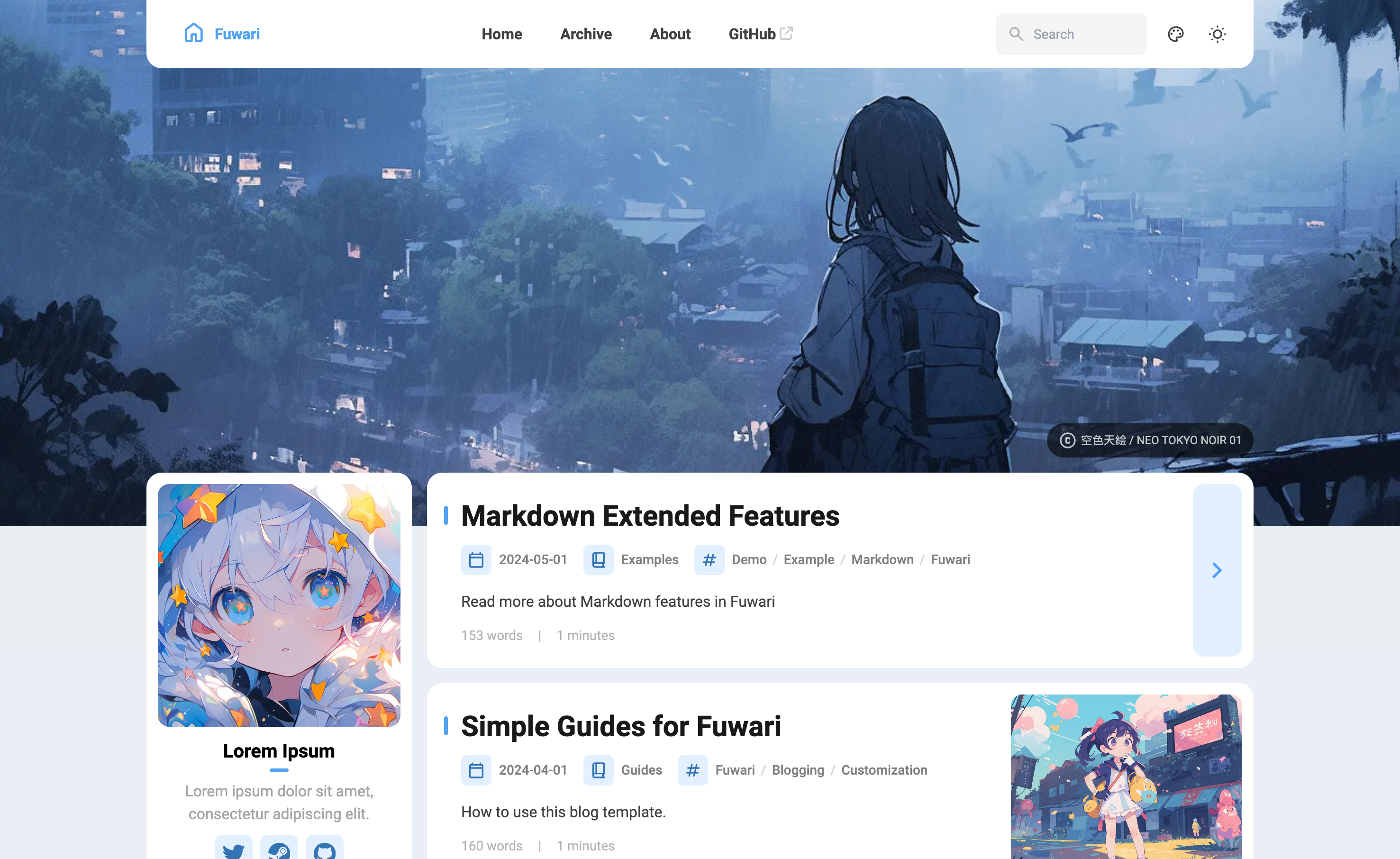
- Built with Astro and Tailwind CSS
- Smooth animations and page transitions
- Light / dark mode
- Customizable theme colors & banner
- Responsive design
- Comments
- Search
- TOC
- Generate a new repository from this template or fork this repository.
- To edit your blog locally, clone your repository, run
pnpm installANDpnpm add sharpto install dependencies.- Install pnpm
npm install -g pnpmif you haven't.
- Install pnpm
- Edit the config file
src/config.tsto customize your blog. - Run
pnpm new-post <filename>to create a new post and edit it insrc/content/posts/. - Deploy your blog to Vercel, Netlify, GitHub Pages, etc. following the guides. You need to edit the site configuration in
astro.config.mjsbefore deployment.
---
title: My First Blog Postpublished: 2023-09-09description: This is the first post of my new Astro blog.image: /images/cover.jpgtags: [Foo, Bar]category: Front-enddraft: false
---All commands are run from the root of the project, from a terminal:
| Command | Action |
|---|---|
pnpm install AND pnpm add sharp | Installs dependencies |
pnpm dev | Starts local dev server at localhost:4321 |
pnpm build | Build your production site to ./dist/ |
pnpm preview | Preview your build locally, before deploying |
pnpm new-post <filename> | Create a new post |
pnpm astro ... | Run CLI commands like astro add, astro check |
pnpm astro --help | Get help using the Astro CLI |