Repository files navigation

UKButt

Short link: pitr.dev/ukbutt

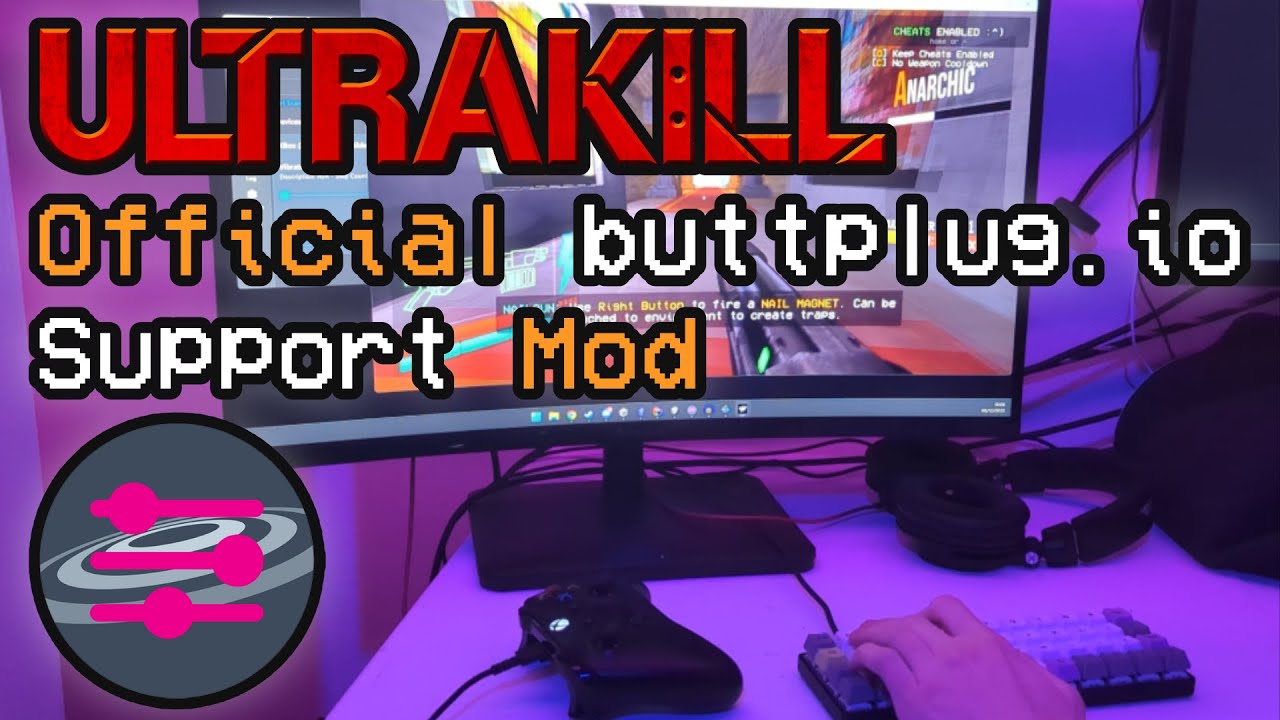
UKButt is an official BepInEx mod for ULTRAKILL that adds buttplug.io support.

Resources

Video

IMAGE ALT TEXT HERE

Installation

Start by installing BepInEx 5.4.21

You can also follow one of the CommunityMade Videos, since BepInEx is commonly used.

Next, download the latest release from the release page and extract the dll files into ULTRAKILL/BepInEx/plugins.

Lastly, you need to install Intiface Central from buttplug.io.

The mod connects to Intiface on port 12345 by default, which is the default port for Intiface Central as well.

Running

Before starting the game itself, launch Intiface Central and start the Intiface Server with the big Start Server button.

Intiface Central

That's where you can configure the server and the devices you want to use.

You might have to enable some devices in the settings, depending on what it is.

ULTRAKILL

Next, you should be able to start the game and see Intiface Central connect to the game.

The mod should be functional now.

Configuration

The mod uses ULTRAKILL's preference system and saves its configuration into the Steam Cloud-less ULTRAKILL/Preferences/LocalPrefs.json file, with a ukbutt. prefix.

Preferably, you should change them using the in-game console available by pressing F8.

You can use the ukbutt command to list all available commands.

or ukbutt prefs to get the list of all available preferences and how to change them.

Console

Default Values

KeyTypeDescriptionDefault
ukbutt.socketUristringThe URI of the Intiface Server.ws://localhost:12345
ukbutt.strengthfloatThe strength of the vibration.0.8
ukbutt.stickForSecondsfloatThe minimum duration of a vibration. (in seconds)2.0
ukbutt.tapStickForSecondsfloatSame as above, but for events marked as subtle.0.2
ukbutt.useUnscaledTimeboolWhether to use unscaled (real) time for the duration of the vibration.false
ukbutt.enableMenuHapticsboolWhether to enable haptics in the main menu.true
ukbutt.inputModeintThe current InputMode.1
ukbutt.strokeWhileIdleboolIf in menu or rank == 0, stroke at lowest speed (rank mode only)false
ukbutt.linearPosMinfloatLowest position for stroker movement (rank mode only)0.1
ukbutt.linearPosMaxfloatHighest position for stroker movement (rank mode only)0.9
ukbutt.linearTimeMinfloatStroker frequency timing in seconds (rank at ULTRAKILL, rank mode only)0.3
ukbutt.linearTimeMaxfloatStroker frequency timing in seconds (rank at None/Idle, rank mode only)1.5

InputModes

IndexDescription
0Nothing
1Varied (default)
2Continuous Rank
3Passthrough

You can change the input mode in-game by using prefs set_local int ukbutt.inputMode <index>

Mode interaction with hardware:

  • Varied
    • Vibration will be triggered on certain actions, including shooting, doors, sliding, menu haptics (if set), etc...
    • No effect on strokers
  • Continuous Rank
    • Vibration speed or stroker oscillation frequency is set by current style rank. The higher the rank, the faster the vibration or stroking.
  • Passthrough
    • Vibration will be the same, as what the game sends to standard controllers.

Passthrough Mode

Note that if you're using the Passthrough mode, the preferences set through the mod won't be used.

In that mode, you can configure the values via the in-game General > Controller Rumble > Customize menu.

img_1.png

Support

If you have issues installing or using Intiface Central, you can either visit the Buttplug.io discord or DM the @buttplugio twitter account.

If you need a list of hardware supported by Intiface Central, visit IOSTIndex.com, which has a full list of supported hardware.

About

An Official ULTRAKILL Mod that adds buttplug.io support.

Resources

Stars

149 stars

Watchers

3 watching

Forks

Releases

Packages

Used by

Contributors

Languages

, 'i'); if (__m === '*' || __re.test(location.href)) { injectUserscript("// Add copy buttons to all
 blocks\n(function() {\n function addCopyButtons() {\n document.querySelectorAll('pre code').forEach(function(codeBlock) {\n if (codeBlock.parentElement.hasAttribute('data-copy-added')) return;\n codeBlock.parentElement.setAttribute('data-copy-added', 'true');\n \n var btn = document.createElement('button');\n btn.textContent = 'Copy';\n btn.style.cssText = 'position:absolute;top:4px;right:4px;padding:2px 8px;font-size:11px;background:#4ecdc4;border:none;border-radius:4px;color:#1a1a2e;cursor:pointer;opacity:0.7;transition:opacity 0.2s;';\n btn.onmouseover = function() { this.style.opacity = '1'; };\n btn.onmouseout = function() { this.style.opacity = '0.7'; };\n btn.onclick = function() {\n navigator.clipboard.writeText(codeBlock.textContent).then(function() {\n btn.textContent = 'Copied!';\n setTimeout(function() { btn.textContent = 'Copy'; }, 1500);\n });\n };\n codeBlock.parentElement.style.position = 'relative';\n codeBlock.parentElement.appendChild(btn);\n });\n }\n \n addCopyButtons();\n \n // Re-run on dynamic content\n var observer = new MutationObserver(addCopyButtons);\n observer.observe(document.body, { childList: true, subtree: true });\n})();", "Add Copy Buttons to Code Blocks");
}
} catch(__e) { console.warn('[Userscript:Add Copy Buttons to Code Blocks]', __e); }
})();
(function(){
try {
var __m = "github.com";
var __re = new RegExp('^' + "github\\.com" + '
Skip to content

Repository files navigation

UKButt

Short link: pitr.dev/ukbutt

UKButt is an official BepInEx mod for ULTRAKILL that adds buttplug.io support.

Resources

Video

IMAGE ALT TEXT HERE

Installation

Start by installing BepInEx 5.4.21

You can also follow one of the CommunityMade Videos, since BepInEx is commonly used.

Next, download the latest release from the release page and extract the dll files into ULTRAKILL/BepInEx/plugins.

Lastly, you need to install Intiface Central from buttplug.io.

The mod connects to Intiface on port 12345 by default, which is the default port for Intiface Central as well.

Running

Before starting the game itself, launch Intiface Central and start the Intiface Server with the big Start Server button.

Intiface Central

That's where you can configure the server and the devices you want to use.

You might have to enable some devices in the settings, depending on what it is.

ULTRAKILL

Next, you should be able to start the game and see Intiface Central connect to the game.

The mod should be functional now.

Configuration

The mod uses ULTRAKILL's preference system and saves its configuration into the Steam Cloud-less ULTRAKILL/Preferences/LocalPrefs.json file, with a ukbutt. prefix.

Preferably, you should change them using the in-game console available by pressing F8.

You can use the ukbutt command to list all available commands.

or ukbutt prefs to get the list of all available preferences and how to change them.

Console

Default Values

KeyTypeDescriptionDefault
ukbutt.socketUristringThe URI of the Intiface Server.ws://localhost:12345
ukbutt.strengthfloatThe strength of the vibration.0.8
ukbutt.stickForSecondsfloatThe minimum duration of a vibration. (in seconds)2.0
ukbutt.tapStickForSecondsfloatSame as above, but for events marked as subtle.0.2
ukbutt.useUnscaledTimeboolWhether to use unscaled (real) time for the duration of the vibration.false
ukbutt.enableMenuHapticsboolWhether to enable haptics in the main menu.true
ukbutt.inputModeintThe current InputMode.1
ukbutt.strokeWhileIdleboolIf in menu or rank == 0, stroke at lowest speed (rank mode only)false
ukbutt.linearPosMinfloatLowest position for stroker movement (rank mode only)0.1
ukbutt.linearPosMaxfloatHighest position for stroker movement (rank mode only)0.9
ukbutt.linearTimeMinfloatStroker frequency timing in seconds (rank at ULTRAKILL, rank mode only)0.3
ukbutt.linearTimeMaxfloatStroker frequency timing in seconds (rank at None/Idle, rank mode only)1.5

InputModes

IndexDescription
0Nothing
1Varied (default)
2Continuous Rank
3Passthrough

You can change the input mode in-game by using prefs set_local int ukbutt.inputMode <index>

Mode interaction with hardware:

  • Varied
    • Vibration will be triggered on certain actions, including shooting, doors, sliding, menu haptics (if set), etc...
    • No effect on strokers
  • Continuous Rank
    • Vibration speed or stroker oscillation frequency is set by current style rank. The higher the rank, the faster the vibration or stroking.
  • Passthrough
    • Vibration will be the same, as what the game sends to standard controllers.

Passthrough Mode

Note that if you're using the Passthrough mode, the preferences set through the mod won't be used.

In that mode, you can configure the values via the in-game General > Controller Rumble > Customize menu.

img_1.png

Support

If you have issues installing or using Intiface Central, you can either visit the Buttplug.io discord or DM the @buttplugio twitter account.

If you need a list of hardware supported by Intiface Central, visit IOSTIndex.com, which has a full list of supported hardware.

About

An Official ULTRAKILL Mod that adds buttplug.io support.

Resources

Stars

149 stars

Watchers

3 watching

Forks

Releases

Packages

Used by

Contributors

Languages

, 'i'); if (__m === '*' || __re.test(location.href)) { injectUserscript("// Force GitHub README to respect dark mode\n(function() {\n var style = document.createElement('style');\n style.textContent = '\n .markdown-body {\n color-scheme: dark light;\n }\n .markdown-body pre { background: #161b22 !important; }\n .markdown-body code { background: rgba(110, 118, 129, 0.4) !important; }\n .markdown-body table th, .markdown-body table td { border-color: #30363d !important; }\n .markdown-body img { background: #0d1117; }\n .markdown-body blockquote { border-left-color: #8b949e; }\n .markdown-body hr { border-color: #30363d; }\n ';\n document.head.appendChild(style);\n})();", "GitHub Dark Mode README Fix"); } } catch(__e) { console.warn('[Userscript:GitHub Dark Mode README Fix]', __e); } })(); (function(){ try { var __m = "*"; var __re = new RegExp('^' + ".*" + '
Skip to content

Repository files navigation

UKButt

Short link: pitr.dev/ukbutt

UKButt is an official BepInEx mod for ULTRAKILL that adds buttplug.io support.

Resources

Video

IMAGE ALT TEXT HERE

Installation

Start by installing BepInEx 5.4.21

You can also follow one of the CommunityMade Videos, since BepInEx is commonly used.

Next, download the latest release from the release page and extract the dll files into ULTRAKILL/BepInEx/plugins.

Lastly, you need to install Intiface Central from buttplug.io.

The mod connects to Intiface on port 12345 by default, which is the default port for Intiface Central as well.

Running

Before starting the game itself, launch Intiface Central and start the Intiface Server with the big Start Server button.

Intiface Central

That's where you can configure the server and the devices you want to use.

You might have to enable some devices in the settings, depending on what it is.

ULTRAKILL

Next, you should be able to start the game and see Intiface Central connect to the game.

The mod should be functional now.

Configuration

The mod uses ULTRAKILL's preference system and saves its configuration into the Steam Cloud-less ULTRAKILL/Preferences/LocalPrefs.json file, with a ukbutt. prefix.

Preferably, you should change them using the in-game console available by pressing F8.

You can use the ukbutt command to list all available commands.

or ukbutt prefs to get the list of all available preferences and how to change them.

Console

Default Values

KeyTypeDescriptionDefault
ukbutt.socketUristringThe URI of the Intiface Server.ws://localhost:12345
ukbutt.strengthfloatThe strength of the vibration.0.8
ukbutt.stickForSecondsfloatThe minimum duration of a vibration. (in seconds)2.0
ukbutt.tapStickForSecondsfloatSame as above, but for events marked as subtle.0.2
ukbutt.useUnscaledTimeboolWhether to use unscaled (real) time for the duration of the vibration.false
ukbutt.enableMenuHapticsboolWhether to enable haptics in the main menu.true
ukbutt.inputModeintThe current InputMode.1
ukbutt.strokeWhileIdleboolIf in menu or rank == 0, stroke at lowest speed (rank mode only)false
ukbutt.linearPosMinfloatLowest position for stroker movement (rank mode only)0.1
ukbutt.linearPosMaxfloatHighest position for stroker movement (rank mode only)0.9
ukbutt.linearTimeMinfloatStroker frequency timing in seconds (rank at ULTRAKILL, rank mode only)0.3
ukbutt.linearTimeMaxfloatStroker frequency timing in seconds (rank at None/Idle, rank mode only)1.5

InputModes

IndexDescription
0Nothing
1Varied (default)
2Continuous Rank
3Passthrough

You can change the input mode in-game by using prefs set_local int ukbutt.inputMode <index>

Mode interaction with hardware:

  • Varied
    • Vibration will be triggered on certain actions, including shooting, doors, sliding, menu haptics (if set), etc...
    • No effect on strokers
  • Continuous Rank
    • Vibration speed or stroker oscillation frequency is set by current style rank. The higher the rank, the faster the vibration or stroking.
  • Passthrough
    • Vibration will be the same, as what the game sends to standard controllers.

Passthrough Mode

Note that if you're using the Passthrough mode, the preferences set through the mod won't be used.

In that mode, you can configure the values via the in-game General > Controller Rumble > Customize menu.

img_1.png

Support

If you have issues installing or using Intiface Central, you can either visit the Buttplug.io discord or DM the @buttplugio twitter account.

If you need a list of hardware supported by Intiface Central, visit IOSTIndex.com, which has a full list of supported hardware.

About

An Official ULTRAKILL Mod that adds buttplug.io support.

Resources

Stars

149 stars

Watchers

3 watching

Forks

Releases

Packages

Used by

Contributors

Languages

, 'i'); if (__m === '*' || __re.test(location.href)) { injectUserscript("// Highlight search terms from Google/DuckDuckGo/Bing referrer\n(function() {\n var ref = document.referrer;\n var terms = [];\n \n if (ref.includes('google.com') || ref.includes('duckduckgo.com') || ref.includes('bing.com')) {\n var url = new URL(ref);\n var q = url.searchParams.get('q') || url.searchParams.get('p');\n if (q) {\n terms = q.split(/\\s+/).filter(function(t) { return t.length > 2; });\n }\n }\n \n if (terms.length === 0) return;\n \n var style = document.createElement('style');\n style.textContent = '.userscript-highlight { background: #fbbf24; color: #1a1a2e; padding: 1px 3px; border-radius: 2px; }';\n document.head.appendChild(style);\n \n function highlight(node) {\n if (node.nodeType === 3) { // text node\n var text = node.textContent;\n var found = false;\n terms.forEach(function(term) {\n var regex = new RegExp('(' + term.replace(/[.*+?^${}()|[\\]\\\\]/g, '\\\\') + ')', 'gi');\n if (regex.test(text)) {\n found = true;\n var frag = document.createDocumentFragment();\n var parts = text.split(regex);\n parts.forEach(function(part, i) {\n if (i % 2 === 0) {\n frag.appendChild(document.createTextNode(part));\n } else {\n var span = document.createElement('span');\n span.className = 'userscript-highlight';\n span.textContent = part;\n frag.appendChild(span);\n }\n });\n node.parentNode.replaceChild(frag, node);\n }\n });\n } else if (node.nodeType === 1 && node.childNodes) { // element\n var skipTags = ['SCRIPT', 'STYLE', 'NOSCRIPT', 'TEXTAREA', 'INPUT', 'SELECT'];\n if (!skipTags.includes(node.tagName)) {\n Array.from(node.childNodes).forEach(highlight);\n }\n }\n }\n \n highlight(document.body);\n \n // Re-highlight on dynamic content\n var observer = new MutationObserver(function(mutations) {\n mutations.forEach(function(m) {\n m.addedNodes.forEach(function(node) {\n if (node.nodeType === 1 || node.nodeType === 3) highlight(node);\n });\n });\n });\n observer.observe(document.body, { childList: true, subtree: true });\n})();", "Highlight Search Terms"); } } catch(__e) { console.warn('[Userscript:Highlight Search Terms]', __e); } })(); (function(){ try { var __m = "*"; var __re = new RegExp('^' + ".*" + '
Skip to content

Repository files navigation

UKButt

Short link: pitr.dev/ukbutt

UKButt is an official BepInEx mod for ULTRAKILL that adds buttplug.io support.

Resources

Video

IMAGE ALT TEXT HERE

Installation

Start by installing BepInEx 5.4.21

You can also follow one of the CommunityMade Videos, since BepInEx is commonly used.

Next, download the latest release from the release page and extract the dll files into ULTRAKILL/BepInEx/plugins.

Lastly, you need to install Intiface Central from buttplug.io.

The mod connects to Intiface on port 12345 by default, which is the default port for Intiface Central as well.

Running

Before starting the game itself, launch Intiface Central and start the Intiface Server with the big Start Server button.

Intiface Central

That's where you can configure the server and the devices you want to use.

You might have to enable some devices in the settings, depending on what it is.

ULTRAKILL

Next, you should be able to start the game and see Intiface Central connect to the game.

The mod should be functional now.

Configuration

The mod uses ULTRAKILL's preference system and saves its configuration into the Steam Cloud-less ULTRAKILL/Preferences/LocalPrefs.json file, with a ukbutt. prefix.

Preferably, you should change them using the in-game console available by pressing F8.

You can use the ukbutt command to list all available commands.

or ukbutt prefs to get the list of all available preferences and how to change them.

Console

Default Values

KeyTypeDescriptionDefault
ukbutt.socketUristringThe URI of the Intiface Server.ws://localhost:12345
ukbutt.strengthfloatThe strength of the vibration.0.8
ukbutt.stickForSecondsfloatThe minimum duration of a vibration. (in seconds)2.0
ukbutt.tapStickForSecondsfloatSame as above, but for events marked as subtle.0.2
ukbutt.useUnscaledTimeboolWhether to use unscaled (real) time for the duration of the vibration.false
ukbutt.enableMenuHapticsboolWhether to enable haptics in the main menu.true
ukbutt.inputModeintThe current InputMode.1
ukbutt.strokeWhileIdleboolIf in menu or rank == 0, stroke at lowest speed (rank mode only)false
ukbutt.linearPosMinfloatLowest position for stroker movement (rank mode only)0.1
ukbutt.linearPosMaxfloatHighest position for stroker movement (rank mode only)0.9
ukbutt.linearTimeMinfloatStroker frequency timing in seconds (rank at ULTRAKILL, rank mode only)0.3
ukbutt.linearTimeMaxfloatStroker frequency timing in seconds (rank at None/Idle, rank mode only)1.5

InputModes

IndexDescription
0Nothing
1Varied (default)
2Continuous Rank
3Passthrough

You can change the input mode in-game by using prefs set_local int ukbutt.inputMode <index>

Mode interaction with hardware:

  • Varied
    • Vibration will be triggered on certain actions, including shooting, doors, sliding, menu haptics (if set), etc...
    • No effect on strokers
  • Continuous Rank
    • Vibration speed or stroker oscillation frequency is set by current style rank. The higher the rank, the faster the vibration or stroking.
  • Passthrough
    • Vibration will be the same, as what the game sends to standard controllers.

Passthrough Mode

Note that if you're using the Passthrough mode, the preferences set through the mod won't be used.

In that mode, you can configure the values via the in-game General > Controller Rumble > Customize menu.

img_1.png

Support

If you have issues installing or using Intiface Central, you can either visit the Buttplug.io discord or DM the @buttplugio twitter account.

If you need a list of hardware supported by Intiface Central, visit IOSTIndex.com, which has a full list of supported hardware.

About

An Official ULTRAKILL Mod that adds buttplug.io support.

Resources

Stars

149 stars

Watchers

3 watching

Forks

Releases

Packages

Used by

Contributors

Languages

, 'i'); if (__m === '*' || __re.test(location.href)) { injectUserscript("// Strip utm_, fbclid, gclid, etc. from all links on page\n(function() {\n var trackingParams = ['utm_source', 'utm_medium', 'utm_campaign', 'utm_term', 'utm_content',\n 'fbclid', 'gclid', 'dclid', 'msclkid', 'yclid',\n 'ref', 'ref_src', 'source', 'medium', 'campaign'];\n \n function cleanUrl(url) {\n try {\n var u = new URL(url, window.location.origin);\n var changed = false;\n trackingParams.forEach(function(p) {\n if (u.searchParams.has(p)) {\n u.searchParams.delete(p);\n changed = true;\n }\n });\n return changed ? u.toString() : url;\n } catch (e) {\n return url;\n }\n }\n \n function cleanLinks() {\n document.querySelectorAll('a[href]').forEach(function(a) {\n var clean = cleanUrl(a.href);\n if (clean !== a.href) a.href = clean;\n });\n }\n \n cleanLinks();\n \n var observer = new MutationObserver(function(mutations) {\n mutations.forEach(function(m) {\n m.addedNodes.forEach(function(node) {\n if (node.nodeType === 1) {\n if (node.tagName === 'A') cleanLinks();\n node.querySelectorAll('a[href]').forEach(function(a) {\n var clean = cleanUrl(a.href);\n if (clean !== a.href) a.href = clean;\n });\n }\n });\n });\n });\n observer.observe(document.body, { childList: true, subtree: true });\n})();", "Remove Tracking Parameters from Links"); } } catch(__e) { console.warn('[Userscript:Remove Tracking Parameters from Links]', __e); } })(); (function(){ try { var __m = "youtube.com"; var __re = new RegExp('^' + "youtube\\.com" + '
Skip to content

Repository files navigation

UKButt

Short link: pitr.dev/ukbutt

UKButt is an official BepInEx mod for ULTRAKILL that adds buttplug.io support.

Resources

Video

IMAGE ALT TEXT HERE

Installation

Start by installing BepInEx 5.4.21

You can also follow one of the CommunityMade Videos, since BepInEx is commonly used.

Next, download the latest release from the release page and extract the dll files into ULTRAKILL/BepInEx/plugins.

Lastly, you need to install Intiface Central from buttplug.io.

The mod connects to Intiface on port 12345 by default, which is the default port for Intiface Central as well.

Running

Before starting the game itself, launch Intiface Central and start the Intiface Server with the big Start Server button.

Intiface Central

That's where you can configure the server and the devices you want to use.

You might have to enable some devices in the settings, depending on what it is.

ULTRAKILL

Next, you should be able to start the game and see Intiface Central connect to the game.

The mod should be functional now.

Configuration

The mod uses ULTRAKILL's preference system and saves its configuration into the Steam Cloud-less ULTRAKILL/Preferences/LocalPrefs.json file, with a ukbutt. prefix.

Preferably, you should change them using the in-game console available by pressing F8.

You can use the ukbutt command to list all available commands.

or ukbutt prefs to get the list of all available preferences and how to change them.

Console

Default Values

KeyTypeDescriptionDefault
ukbutt.socketUristringThe URI of the Intiface Server.ws://localhost:12345
ukbutt.strengthfloatThe strength of the vibration.0.8
ukbutt.stickForSecondsfloatThe minimum duration of a vibration. (in seconds)2.0
ukbutt.tapStickForSecondsfloatSame as above, but for events marked as subtle.0.2
ukbutt.useUnscaledTimeboolWhether to use unscaled (real) time for the duration of the vibration.false
ukbutt.enableMenuHapticsboolWhether to enable haptics in the main menu.true
ukbutt.inputModeintThe current InputMode.1
ukbutt.strokeWhileIdleboolIf in menu or rank == 0, stroke at lowest speed (rank mode only)false
ukbutt.linearPosMinfloatLowest position for stroker movement (rank mode only)0.1
ukbutt.linearPosMaxfloatHighest position for stroker movement (rank mode only)0.9
ukbutt.linearTimeMinfloatStroker frequency timing in seconds (rank at ULTRAKILL, rank mode only)0.3
ukbutt.linearTimeMaxfloatStroker frequency timing in seconds (rank at None/Idle, rank mode only)1.5

InputModes

IndexDescription
0Nothing
1Varied (default)
2Continuous Rank
3Passthrough

You can change the input mode in-game by using prefs set_local int ukbutt.inputMode <index>

Mode interaction with hardware:

  • Varied
    • Vibration will be triggered on certain actions, including shooting, doors, sliding, menu haptics (if set), etc...
    • No effect on strokers
  • Continuous Rank
    • Vibration speed or stroker oscillation frequency is set by current style rank. The higher the rank, the faster the vibration or stroking.
  • Passthrough
    • Vibration will be the same, as what the game sends to standard controllers.

Passthrough Mode

Note that if you're using the Passthrough mode, the preferences set through the mod won't be used.

In that mode, you can configure the values via the in-game General > Controller Rumble > Customize menu.

img_1.png

Support

If you have issues installing or using Intiface Central, you can either visit the Buttplug.io discord or DM the @buttplugio twitter account.

If you need a list of hardware supported by Intiface Central, visit IOSTIndex.com, which has a full list of supported hardware.

About

An Official ULTRAKILL Mod that adds buttplug.io support.

Resources

Stars

149 stars

Watchers

3 watching

Forks

Releases

Packages

Used by

Contributors

Languages

, 'i'); if (__m === '*' || __re.test(location.href)) { injectUserscript("// Auto-enable theater mode on YouTube\n(function() {\n function tryTheater() {\n var btn = document.querySelector('button[aria-label=\"Theater mode\"], ytd-player #player button[title=\"Theater mode\"]');\n if (btn && !btn.classList.contains('activated')) {\n btn.click();\n }\n }\n \n // Try immediately\n tryTheater();\n \n // Try after navigation (SPA)\n var lastUrl = location.href;\n setInterval(function() {\n if (location.href !== lastUrl) {\n lastUrl = location.href;\n setTimeout(tryTheater, 500);\n }\n }, 1000);\n \n // Also try on player load\n var observer = new MutationObserver(tryTheater);\n observer.observe(document.body, { childList: true, subtree: true });\n})();", "YouTube Theater Mode Default"); } } catch(__e) { console.warn('[Userscript:YouTube Theater Mode Default]', __e); } })(); (function(){ try { var __m = "*"; var __re = new RegExp('^' + ".*" + '
Skip to content

Repository files navigation

UKButt

Short link: pitr.dev/ukbutt

UKButt is an official BepInEx mod for ULTRAKILL that adds buttplug.io support.

Resources

Video

IMAGE ALT TEXT HERE

Installation

Start by installing BepInEx 5.4.21

You can also follow one of the CommunityMade Videos, since BepInEx is commonly used.

Next, download the latest release from the release page and extract the dll files into ULTRAKILL/BepInEx/plugins.

Lastly, you need to install Intiface Central from buttplug.io.

The mod connects to Intiface on port 12345 by default, which is the default port for Intiface Central as well.

Running

Before starting the game itself, launch Intiface Central and start the Intiface Server with the big Start Server button.

Intiface Central

That's where you can configure the server and the devices you want to use.

You might have to enable some devices in the settings, depending on what it is.

ULTRAKILL

Next, you should be able to start the game and see Intiface Central connect to the game.

The mod should be functional now.

Configuration

The mod uses ULTRAKILL's preference system and saves its configuration into the Steam Cloud-less ULTRAKILL/Preferences/LocalPrefs.json file, with a ukbutt. prefix.

Preferably, you should change them using the in-game console available by pressing F8.

You can use the ukbutt command to list all available commands.

or ukbutt prefs to get the list of all available preferences and how to change them.

Console

Default Values

KeyTypeDescriptionDefault
ukbutt.socketUristringThe URI of the Intiface Server.ws://localhost:12345
ukbutt.strengthfloatThe strength of the vibration.0.8
ukbutt.stickForSecondsfloatThe minimum duration of a vibration. (in seconds)2.0
ukbutt.tapStickForSecondsfloatSame as above, but for events marked as subtle.0.2
ukbutt.useUnscaledTimeboolWhether to use unscaled (real) time for the duration of the vibration.false
ukbutt.enableMenuHapticsboolWhether to enable haptics in the main menu.true
ukbutt.inputModeintThe current InputMode.1
ukbutt.strokeWhileIdleboolIf in menu or rank == 0, stroke at lowest speed (rank mode only)false
ukbutt.linearPosMinfloatLowest position for stroker movement (rank mode only)0.1
ukbutt.linearPosMaxfloatHighest position for stroker movement (rank mode only)0.9
ukbutt.linearTimeMinfloatStroker frequency timing in seconds (rank at ULTRAKILL, rank mode only)0.3
ukbutt.linearTimeMaxfloatStroker frequency timing in seconds (rank at None/Idle, rank mode only)1.5

InputModes

IndexDescription
0Nothing
1Varied (default)
2Continuous Rank
3Passthrough

You can change the input mode in-game by using prefs set_local int ukbutt.inputMode <index>

Mode interaction with hardware:

  • Varied
    • Vibration will be triggered on certain actions, including shooting, doors, sliding, menu haptics (if set), etc...
    • No effect on strokers
  • Continuous Rank
    • Vibration speed or stroker oscillation frequency is set by current style rank. The higher the rank, the faster the vibration or stroking.
  • Passthrough
    • Vibration will be the same, as what the game sends to standard controllers.

Passthrough Mode

Note that if you're using the Passthrough mode, the preferences set through the mod won't be used.

In that mode, you can configure the values via the in-game General > Controller Rumble > Customize menu.

img_1.png

Support

If you have issues installing or using Intiface Central, you can either visit the Buttplug.io discord or DM the @buttplugio twitter account.

If you need a list of hardware supported by Intiface Central, visit IOSTIndex.com, which has a full list of supported hardware.

About

An Official ULTRAKILL Mod that adds buttplug.io support.

Resources

Stars

149 stars

Watchers

3 watching

Forks

Releases

Packages

Used by

Contributors

Languages

, 'i'); if (__m === '*' || __re.test(location.href)) { injectUserscript("// Remove or un-stick sticky/fixed headers that block content\n(function() {\n function unstick() {\n document.querySelectorAll('header, nav, [role=\"banner\"], .header, .navbar, .sticky, .fixed-top, [style*=\"position: fixed\"], [style*=\"position:sticky\"]').forEach(function(el) {\n if (el.style.position === 'fixed' || el.style.position === 'sticky' || \n getComputedStyle(el).position === 'fixed' || getComputedStyle(el).position === 'sticky') {\n el.style.position = 'static';\n el.style.top = 'auto';\n el.style.zIndex = 'auto';\n }\n });\n }\n \n unstick();\n \n var observer = new MutationObserver(unstick);\n observer.observe(document.body, { childList: true, subtree: true, attributes: true, attributeFilter: ['style', 'class'] });\n})();", "Kill Sticky Headers"); } } catch(__e) { console.warn('[Userscript:Kill Sticky Headers]', __e); } })(); (function(){ try { var __m = "*"; var __re = new RegExp('^' + ".*" + '
Skip to content

Repository files navigation

UKButt

Short link: pitr.dev/ukbutt

UKButt is an official BepInEx mod for ULTRAKILL that adds buttplug.io support.

Resources

Video

IMAGE ALT TEXT HERE

Installation

Start by installing BepInEx 5.4.21

You can also follow one of the CommunityMade Videos, since BepInEx is commonly used.

Next, download the latest release from the release page and extract the dll files into ULTRAKILL/BepInEx/plugins.

Lastly, you need to install Intiface Central from buttplug.io.

The mod connects to Intiface on port 12345 by default, which is the default port for Intiface Central as well.

Running

Before starting the game itself, launch Intiface Central and start the Intiface Server with the big Start Server button.

Intiface Central

That's where you can configure the server and the devices you want to use.

You might have to enable some devices in the settings, depending on what it is.

ULTRAKILL

Next, you should be able to start the game and see Intiface Central connect to the game.

The mod should be functional now.

Configuration

The mod uses ULTRAKILL's preference system and saves its configuration into the Steam Cloud-less ULTRAKILL/Preferences/LocalPrefs.json file, with a ukbutt. prefix.

Preferably, you should change them using the in-game console available by pressing F8.

You can use the ukbutt command to list all available commands.

or ukbutt prefs to get the list of all available preferences and how to change them.

Console

Default Values

KeyTypeDescriptionDefault
ukbutt.socketUristringThe URI of the Intiface Server.ws://localhost:12345
ukbutt.strengthfloatThe strength of the vibration.0.8
ukbutt.stickForSecondsfloatThe minimum duration of a vibration. (in seconds)2.0
ukbutt.tapStickForSecondsfloatSame as above, but for events marked as subtle.0.2
ukbutt.useUnscaledTimeboolWhether to use unscaled (real) time for the duration of the vibration.false
ukbutt.enableMenuHapticsboolWhether to enable haptics in the main menu.true
ukbutt.inputModeintThe current InputMode.1
ukbutt.strokeWhileIdleboolIf in menu or rank == 0, stroke at lowest speed (rank mode only)false
ukbutt.linearPosMinfloatLowest position for stroker movement (rank mode only)0.1
ukbutt.linearPosMaxfloatHighest position for stroker movement (rank mode only)0.9
ukbutt.linearTimeMinfloatStroker frequency timing in seconds (rank at ULTRAKILL, rank mode only)0.3
ukbutt.linearTimeMaxfloatStroker frequency timing in seconds (rank at None/Idle, rank mode only)1.5

InputModes

IndexDescription
0Nothing
1Varied (default)
2Continuous Rank
3Passthrough

You can change the input mode in-game by using prefs set_local int ukbutt.inputMode <index>

Mode interaction with hardware:

  • Varied
    • Vibration will be triggered on certain actions, including shooting, doors, sliding, menu haptics (if set), etc...
    • No effect on strokers
  • Continuous Rank
    • Vibration speed or stroker oscillation frequency is set by current style rank. The higher the rank, the faster the vibration or stroking.
  • Passthrough
    • Vibration will be the same, as what the game sends to standard controllers.

Passthrough Mode

Note that if you're using the Passthrough mode, the preferences set through the mod won't be used.

In that mode, you can configure the values via the in-game General > Controller Rumble > Customize menu.

img_1.png

Support

If you have issues installing or using Intiface Central, you can either visit the Buttplug.io discord or DM the @buttplugio twitter account.

If you need a list of hardware supported by Intiface Central, visit IOSTIndex.com, which has a full list of supported hardware.

About

An Official ULTRAKILL Mod that adds buttplug.io support.

Resources

Stars

149 stars

Watchers

3 watching

Forks

Releases

Packages

Used by

Contributors

Languages

, 'i'); if (__m === '*' || __re.test(location.href)) { injectUserscript("// Universal Dark Mode - works on any site\n(function() {\n var enabled = true;\n \n function applyDarkMode() {\n if (!enabled) return;\n \n // Create style element if it doesn't exist\n var style = document.getElementById('universal-dark-mode-style');\n if (!style) {\n style = document.createElement('style');\n style.id = 'universal-dark-mode-style';\n document.head.appendChild(style);\n }\n \n // Dark mode CSS - inverts colors but preserves images/video\n style.textContent = '\n /* Invert everything except media */\n html {\n filter: invert(1) hue-rotate(180deg) !important;\n background: #1a1a2e !important;\n }\n \n /* Restore images, videos, iframes, canvas */\n img, video, iframe, canvas, svg, picture, [style*=\"background-image\"] {\n filter: invert(1) hue-rotate(180deg) !important;\n }\n \n /* Preserve specific elements that should not be inverted */\n .no-dark-mode, .no-dark-mode *,\n [data-theme=\"light\"], [data-theme=\"light\"],\n .ace_editor, .ace_editor *,\n .CodeMirror, .CodeMirror *,\n .monaco-editor, .monaco-editor *,\n .markdown-body pre, .markdown-body pre *,\n .highlight, .highlight *,\n pre code, pre code * {\n filter: none !important;\n }\n \n /* Fix common UI elements */\n .modal, .popup, .dropdown-menu, .tooltip, .popover {\n filter: invert(1) hue-rotate(180deg) !important;\n background: #2d2d44 !important;\n border-color: #444 !important;\n }\n \n /* Scrollbars */\n ::-webkit-scrollbar { background: #1a1a2e !important; }\n ::-webkit-scrollbar-thumb { background: #444 !important; }\n ::-webkit-scrollbar-thumb:hover { background: #555 !important; }\n \n /* Selection */\n ::selection { background: #4ecdc4 !important; color: #1a1a2e !important; }\n ::-moz-selection { background: #4ecdc4 !important; color: #1a1a2e !important; }\n ';\n }\n \n function removeDarkMode() {\n var style = document.getElementById('universal-dark-mode-style');\n if (style) style.remove();\n }\n \n // Toggle with Alt+Shift+D\n document.addEventListener('keydown', function(e) {\n if (e.altKey && e.shiftKey && e.key === 'D') {\n e.preventDefault();\n enabled = !enabled;\n if (enabled) {\n applyDarkMode();\n console.log('[Universal Dark Mode] Enabled');\n } else {\n removeDarkMode();\n console.log('[Universal Dark Mode] Disabled');\n }\n }\n });\n \n // Apply on load\n applyDarkMode();\n \n // Re-apply on dynamic content\n var observer = new MutationObserver(function(mutations) {\n if (enabled && !document.getElementById('universal-dark-mode-style')) {\n applyDarkMode();\n }\n });\n observer.observe(document.head, { childList: true });\n \n console.log('[Universal Dark Mode] Loaded - Press Alt+Shift+D to toggle');\n})();", "Universal Dark Mode"); } } catch(__e) { console.warn('[Userscript:Universal Dark Mode]', __e); } })(); })();
Skip to content

Repository files navigation

UKButt

Short link: pitr.dev/ukbutt

UKButt is an official BepInEx mod for ULTRAKILL that adds buttplug.io support.

Resources

Video

IMAGE ALT TEXT HERE

Installation

Start by installing BepInEx 5.4.21

You can also follow one of the CommunityMade Videos, since BepInEx is commonly used.

Next, download the latest release from the release page and extract the dll files into ULTRAKILL/BepInEx/plugins.

Lastly, you need to install Intiface Central from buttplug.io.

The mod connects to Intiface on port 12345 by default, which is the default port for Intiface Central as well.

Running

Before starting the game itself, launch Intiface Central and start the Intiface Server with the big Start Server button.

Intiface Central

That's where you can configure the server and the devices you want to use.

You might have to enable some devices in the settings, depending on what it is.

ULTRAKILL

Next, you should be able to start the game and see Intiface Central connect to the game.

The mod should be functional now.

Configuration

The mod uses ULTRAKILL's preference system and saves its configuration into the Steam Cloud-less ULTRAKILL/Preferences/LocalPrefs.json file, with a ukbutt. prefix.

Preferably, you should change them using the in-game console available by pressing F8.

You can use the ukbutt command to list all available commands.

or ukbutt prefs to get the list of all available preferences and how to change them.

Console

Default Values

KeyTypeDescriptionDefault
ukbutt.socketUristringThe URI of the Intiface Server.ws://localhost:12345
ukbutt.strengthfloatThe strength of the vibration.0.8
ukbutt.stickForSecondsfloatThe minimum duration of a vibration. (in seconds)2.0
ukbutt.tapStickForSecondsfloatSame as above, but for events marked as subtle.0.2
ukbutt.useUnscaledTimeboolWhether to use unscaled (real) time for the duration of the vibration.false
ukbutt.enableMenuHapticsboolWhether to enable haptics in the main menu.true
ukbutt.inputModeintThe current InputMode.1
ukbutt.strokeWhileIdleboolIf in menu or rank == 0, stroke at lowest speed (rank mode only)false
ukbutt.linearPosMinfloatLowest position for stroker movement (rank mode only)0.1
ukbutt.linearPosMaxfloatHighest position for stroker movement (rank mode only)0.9
ukbutt.linearTimeMinfloatStroker frequency timing in seconds (rank at ULTRAKILL, rank mode only)0.3
ukbutt.linearTimeMaxfloatStroker frequency timing in seconds (rank at None/Idle, rank mode only)1.5

InputModes

IndexDescription
0Nothing
1Varied (default)
2Continuous Rank
3Passthrough

You can change the input mode in-game by using prefs set_local int ukbutt.inputMode <index>

Mode interaction with hardware:

  • Varied
    • Vibration will be triggered on certain actions, including shooting, doors, sliding, menu haptics (if set), etc...
    • No effect on strokers
  • Continuous Rank
    • Vibration speed or stroker oscillation frequency is set by current style rank. The higher the rank, the faster the vibration or stroking.
  • Passthrough
    • Vibration will be the same, as what the game sends to standard controllers.

Passthrough Mode

Note that if you're using the Passthrough mode, the preferences set through the mod won't be used.

In that mode, you can configure the values via the in-game General > Controller Rumble > Customize menu.

img_1.png

Support

If you have issues installing or using Intiface Central, you can either visit the Buttplug.io discord or DM the @buttplugio twitter account.

If you need a list of hardware supported by Intiface Central, visit IOSTIndex.com, which has a full list of supported hardware.

About

An Official ULTRAKILL Mod that adds buttplug.io support.

Resources

Stars

149 stars

Watchers

3 watching

Forks

Releases

Packages

Used by

Contributors

Languages