
PhiZone Player is an HTML5 Phigros chart player/simulator based on Phaser.
This project is made possible by:
Much of this program resembles any other Phigros chart player/simulator, so this section will focus solely on its unique features.
Designed with Preline UI and daisyUI, the landing page is meticulously written to be as intuitive yet powerful as possible.
Choose either some files (or .zip/.pez archives) or an entire folder, and chart bundles will be automatically detected according to Re: PhiEdit (or RPE) metadata files (typically named info.txt) in which a chart, a song, and an illustration are specified. Any other files that fail to be recognized, which are most likely multimedia that will be referenced by the chart, or the extra.json from Phira, will be presented in the assets.
On desktop platforms, you can open .zip/.pez archives directly with the PhiZone Player app.
On mobile platforms, you can share chart archives to the app so that it can receive and resolve them.
Additionally, the program can automatically download files from URLs specified in the zip and file search parameters. A zip parameter should be provided a URL to a zip archive, while a file parameter should be provided a URL to a regular file.
Similar to a video player, the program includes handy keyboard controls that are available in autoplay/practice mode:
- Pause/Resume: Press Space to toggle. (In practice mode, press ⇧ Shift+Space to pause.)
- Rewind/Forward: Use ← / → to jump 5 seconds, or ⇧ Shift+← / ⇧ Shift+→ for precise 0.1-second adjustments.
Besides, ESC is always available to pause with/resume from the pause screen, and you can use alphanumeric and punctuation keys on your keyboard to hit the notes when autoplay is off.
Animated PNGs are an excellent alternative to GIFs, offering enhanced color fidelity and the support of an 8-bit alpha channel for smoother transparency effects.
An APNG acts exactly the same way as a GIF does, unless the number of repetitions is specified in the file, according to the APNG specification.
The Z index (depth) defines the order in which game objects are rendered. The lower the value, the earlier they are rendered.
| Default Z index (depth) | Object(s) |
|---|---|
| 0 | Illustration |
| 1 | Background video, if present |
| [2, 3) | Judgment lines, the order of which are determined by their zOrder values |
| 3 | Hold notes |
| 4 | Drag notes |
| 5 | Tap notes |
| 6 | Flick notes |
| 7 | Hit effects |
| 8 | Pause button |
| 9 | Combo counter |
| 10 | Text beneath the combo counter |
| 11 | Score |
| 12 | Std deviation & accuracy |
| 13 | Progress bar |
| 14 | Song title |
| 15 | Level name & difficulty |
The Z indexes of judgment lines whose zIndex is not present (see Chart enhancements) are calculated based on their zOrder values (code here). Simply put, the values are mapped onto [0, 1) and made equally spaced, and then get added by 2 to become Z indexes. See examples below.
zOrder | Z index |
|---|---|
| 0, 10, 20, 30 | 2, 2.25, 2.5, 2.75 |
| 127, 0, 0, 1 | 2.6667, 2, 2, 2.3333 |
| 1, 2, 5, 6, 114514 | 2, 2.2, 2.4, 2.6, 2.8 |
Aside from adding support of RPE features, we've also designed some original properties for judgment lines & notes.
| Property | Value(s) | Example | Description |
|---|---|---|---|
scaleOnNotes | 0: none; 1: scale; 2: clip | "scaleOnNotes": 2 | Belongs to a judgment line. Decides how scaleX events affect notes. Defaults to 0. |
appearanceOnAttach | 0: hidden; 1: white colored; 2: FC/AP colored | "appearanceOnAttach": 2 | Belongs to a judgment line. Decides how the line will be displayed when a UI component or any video is attached to it. Color events will override the color defined by these options. Defaults to 0. |
integrateSpeedEasings | false: treat non-linear speed easings directly as height over time; true: integrate speed easings to obtain height functions | "integrateSpeedEasings": true | Belongs to a judgment line. Decides how the easing functions of all speed events of the line will be interpreted. Defaults to false for pre-1.7 charts and true for charts on 1.7 and later versions. |
zIndex | an integer or a float | "zIndex": 3.5 | Belongs to a judgment line or note. Sets the Z index for the object. For a judgment line, this property, if set, overrides the zOrder property, allowing for more control over on which layer the line should be displayed. For default values, see Z indexes. |
zIndexHitEffects | an integer or a float | "zIndexHitEffects": 6.5 | Belongs to a note. Sets the Z index for the hit effects of the note. Defaults to 7. |
tint | [R, G, B], as seen in colorEvents; null | "tint": [255, 0, 0] | Belongs to a note. Sets the tint for the note. Defaults to null. |
tintHitEffects | [R, G, B], as seen in colorEvents; null | "tintHitEffects": [255, 0, 0] | Belongs to a note. Sets the tint for the hit effects of the note. Defaults to null. |
judgeSize | a positive number or 0 | "judgeSize": 1.5 | Belongs to a note. Determines the width of the judgment area of the note. Defaults to size. |
Support of videos in extra.json gets extended with the following new properties for each entry in the videos list:
| Property | Type | Description |
|---|---|---|
zIndex | Number | Determines the Z index for this video. Defaults to 1. |
attach | Object | Attaches this video to a judgment line, if this property is present. See below for details. |
Properties residing in the attach object:
| Property | Type | Description |
|---|---|---|
line | Number | Determines which line this video is attached to. |
positionXFactor (optional) | Number | Multiplied by the x position of the line, determines the x position of this video. Defaults to 1. |
positionYFactor (optional) | Number | Multiplied by the y position of the line, determines the y position of this video. Defaults to 1. |
rotationFactor (optional) | Number | Multiplied by the rotation of the line, determines the rotation of this video. Defaults to 1. |
alphaFactor (optional) | Number | Multiplied by the alpha of the line, determines the alpha of this video, together with the alpha property of the video itself. Defaults to 1. |
tintFactor (optional) | Number | Multiplied by the tint of the line, determines the tint of this video. Defaults to 1. |
scaleXMode (optional) | Number | Determines how scaleX events of the line affect this video. 0: none; 1: scale; 2: clip to line width; 3: clip to video width × scaleX. Defaults to 0. |
scaleYMode (optional) | Number | Determines how scaleY events of the line affect this video. Values same as in scaleOnNotes. Defaults to 0. |
Except for WebGL's incompatibilities with newer versions of GLSL, the program supports not only all the shader features defined by extra.json, but also one original addition to the standard: target range.
A target range defines a list of depth-adjacent (next to each other on the Z axis) game objects that a shader event is applied to. It belongs directly to a shader event (as the optional targetRange property) and consists of the following properties:
| Property | Type | Description |
|---|---|---|
minZIndex | Number | Defines the minimum Z index (depth) of this range. Inclusive. |
maxZIndex | Number | Defines the maximum Z index (depth) of this range. Exclusive. |
exclusive (optional) | Boolean | Determines whether this range should exclude the range of another active shader event when the two ranges intersect but this range is not a superset of the other. Defaults to false. |
If the global property of a shader event is set to true, then its targetRange will not function.
One thing to note is that a single object cannot be rendered in parallel by two or more shaders. However, a set of targets from one shader event can be safely contained within the targets of another shader event. This leads to the concept of the exclusive property - it determines whether or not to "swallow" another set of objects when it intersects with but is not a subset of the current.
Click to show an example of extra.json incorporating target ranges.
Notice that there are two events that share the same shader code. This is a workaround when you want to apply the same shader to objects that are not adjacent on the Z axis.
We have support of Phira resource packs (except for hitFxScale, hitFxRotate, hitFxTinted). Moreover, we've designed a new format to allow for more customizations:
Root:
Property Type Description nameString The name of the resource pack. authorString The author of the resource pack. description(optional)String The description of the resource pack. thumbnail(optional)String The file name of the thumbnail image of the resource pack. noteSkinsArray of NoteSkin hitSoundsArray of HitSound hitEffects(optional)HitEffects (object) endingEnding (object) fontsArray of Font or BitmapFont The fonts of the resource pack. The first bitmap font will be used by the combo counter, the score, and the standard deviation and accuracy texts of the UI. The first vector font will be used by the other components of the UI. options(optional)Options (object) The options of the resource pack. NoteSkin:
Property Type Description nameString One of Tap,TapHL,HoldHead,HoldBody,HoldTail,HoldHeadHL,HoldBodyHL,HoldTailHL,Flick,FlickHL,Drag,DragHL.fileString The file name of the image of the note skin. HitSound:
Property Type Description nameString One of Tap,Flick,Drag.fileString The file name of the hit sound. HitEffects:
Property Type Description spriteSheetString The file name of the sprite sheet of the hit effects. frameWidthNumber The width of each frame of the sprite sheet. frameHeightNumber The height of each frame of the sprite sheet. frameRateNumber The frame rate of the hit effects. colorPerfect(optional)[Number, Number, Number, Number] RGBA values (each 0~255) of the perfect color of the hit effects. colorGood(optional)[Number, Number, Number, Number] RGBA values (each 0~255) of the good color of the hit effects. particleParticle (object) The particle settings of the hit effects. Particle:
Property Type Description countNumber The number of particles to be created in one instance of hit effects. styleString One of circle,square,polygon.pointsArray of [Number, Number] The coordinates of the points of a polygon particle. Must be present when styleis set topolygon.Ending:
Property Type Description gradesArray of GradeLetter The grade letters to display on the ending scene. musicArray of ResultsMusic The audio loops to play on the ending scene. GradeLetter:
Property Type Description nameString One of A,B,C,F,Phi,S,V-FC,V.fileString The file name of the image of the grade letter. ResultsMusic:
Property Type Description levelTypeString The level type the audio corresponds to. One of 0(EZ),1(HD),2(IN),3(AT),4(SP).beatsNumber The beat count of the audio loop. bpmNumber The BPM of the audio loop. fileString The file name of the audio loop. Font:
Property Type Description nameString The name of the font. typeString One of truetype,opentype.fileString The file name of the font. BitmapFont:
Property Type Description nameString The name of the bitmap font. typeString Must be bitmap.textureString The file name of the texture. descriptorString The file name of the bitmap font descriptor. Options:
Property Type Description holdBodyRepeat(optional)Boolean Whether the hold note's body part should be repeated, or otherwise stretched. Defaults to false.holdCompact(optional)Boolean Whether the hold note's head and tail parts should center their anchors. Defaults to false.holdKeepHead(optional)Boolean Whether the hold note should retain its head part while being played. Defaults to false.
The metadata can be stored as a JSON file (_META.json) alongside other resource files in a folder or a ZIP archive. Import files the usual way, and the program will automatically seek out text files in this format, as well as, if one is found, the resource files it references.
Export the default resource pack to view an example.
pnpm is required to install dependencies and run scripts.
| Command | Description |
|---|---|
pnpm i | Installs project dependencies |
pnpm dev | Launches a development web server |
pnpm build | Creates a production build in the build folder and copies it to Android and iOS projects |
pnpm desktop | Creates a production build for desktop platforms |
pnpm android | Opens the Android project in Android Studio |
pnpm ios | Opens the iOS project in Xcode |
| Feature | Version | Remark | Status/Progress | 功能 |
|---|---|---|---|---|
| Basic RPE support | 0.0.1 | ✅ Done | 基本 RPE 适配 | |
| Support of custom line textures | 0.0.1 | ✅ Done | 判定线自定义贴图适配 | |
| Support of flipping modes | 0.0.1 | ✅ Done | 镜像模式适配 | |
| Support of custom hit sounds | 0.0.1 | ✅ Done | 自定义打击音效适配 | |
Support of zOrder | 0.0.1 | ✅ Done | Z 轴排序适配 | |
| Basic support of the extended event layer | 0.0.2 | Excluding GIF events & incline events | ✅ Done | 扩展事件层的基本适配 |
| Cross-platform distribution | 0.0.3 | Plan to reference this blog | ✅ Done | 跨平台分发 |
Support of Phira extra.json | 0.0.4 | Including shaders | ✅ Done1 | Phira extra.json 适配 |
Support of attachUI | 0.0.4 | ✅ Done | UI 绑定适配 | |
| Support of anchors | 0.0.4 | ✅ Done | 锚点适配 | |
| Support of APNGs | 0.0.4 | ✅ Done | APNG 格式适配 | |
| Shader feature enhancements | 0.0.5 | More flexibility | ✅ Done | 着色器功能增强 |
| Support of Bézier easings | 0.0.5 | ✅ Done | 贝塞尔缓动适配 | |
| Video feature enhancements | 0.0.5 | ✅ Done | 视频功能增强 | |
| Offset adjustment mode | 0.0.6 | ✅ Done | 延迟调整模式 | |
| Full support of the extended event layer | 0.0.6 | GIF events & incline events | ✅ Done | 扩展事件层的完全适配 |
| Support of all note properties | 0.0.7 | ✅ Done | 所有 Note 属性的适配 | |
| Better input detections | 0.0.8 | Especially for Flicks | ✅ Done2 | 输入检测优化 |
| Full RPE support | 0.1.0 | ✅ Done | 完全 RPE 适配 | |
| Web deployment | 0.1.0 | ✅ Done | Web 部署 | |
| Optimized shader node insertion logic | 0.1.1 | ✅ Done | 着色器节点插入逻辑优化 | |
| New version notification | 0.1.1 | ✅ Done | 新版本通知 | |
| File association | 0.1.2 | For desktop distributions | ✅ Done | 文件关联 |
| Send intent | 0.1.2 | ✅ Done3 | 发送意图 | |
| Channel messaging | 0.1.2 | Send/receive message events | ✅ Done | 频道通信 |
| PE support | 0.1.2 | ✅ Done | PE 适配 | |
| Keyboard input | 0.1.2 | ✅ Done | 键盘输入 | |
| Rendering mode | 0.2.0 | ✅ Done4 | 渲染模式 | |
| Customizable resource pack | 0.2.0 | ✅ Done | 可自定义资源包 | |
| I18n and l10n | 0.3.0 | ✅ Done | 国际化与本地化 | |
| Local respack storage | 0.4.0 | ✅ Done | 本地资源包存储 | |
| Automation support | 0.4.0 | ✅ Done | 自动化支持 | |
| Rendering in browser | 0.4.0 | Available when a backend Websocket URL is provided | ✅ Done | 浏览器内渲染 |
| Phaser 4 migration | 0.4.0 | 🚧 Working | Phaser 4 迁移 | |
| Local chart storage | - | 🚧 Working | 本地谱面存储 | |
| Optimization | - | 🚧 Working | 优化 | |
| Stream mode | - | 流转模式 | ||
| Masking lines | - | Polygon-shaped masks applied to notes (or optionally lines), defined by one or several lines (masking lines) and the screen edges | 遮罩线 |
1 Support of fragment shaders is partial, due to WebGL relying on an older version of GLSL.
2 The feature needs improving.
3 The app currently shows up for application/zip and application/octet-stream files on Android and any type of files on iOS/iPadOS. This is not the desired behavior and is subject to change.
4 The feature is usable but not efficient. Major refactorizations might take place.
A version is reached when at least one feature from the current or future versions is marked as 🚧 Working and all features from the previous versions are marked as ✅ Done. A version is released only when all features from both the current and preceding versions are marked as ✅ Done.
Game assets are stored in /static/game. A tree view of the folder is as follows:
game
│ HitEffects.png
│ line.png
│ Pause.svg
│ Progress.png
│
├─ending
│ GradeHit.wav
│ LevelOver0.wav
│ LevelOver1.wav
│ LevelOver2.wav
│ LevelOver3.wav
│ LevelOver4.wav
│
├─grades
│ A.png
│ B.png
│ C.png
│ F.png
│ Phi.png
│ S.png
│ V-FC.png
│ V.png
│
├─hitsounds
│ Drag.wav
│ Flick.wav
│ Tap.wav
│
├─notes
│ Drag.png
│ DragHL.png
│ Flick.png
│ FlickHL.png
│ HoldBody.png
│ HoldBodyHL.png
│ HoldHead.png
│ HoldHeadHL.png
│ HoldTail.png
│ HoldTailHL.png
│ Tap.png
│ TapHL.png
│
└─shaders
chromatic.glsl
circleBlur.glsl
fisheye.glsl
glitch.glsl
grayscale.glsl
noise.glsl
pixel.glsl
radialBlur.glsl
shockwave.glsl
vignette.glsl
We deeply appreciate those who generously granted us permission to use their works free of charge. The full credits are listed below:
- note skins & hit effects by 星鹿ELEC;
- hitsounds from Phigrim;
- results music by Supa7onyz a.k.a. Normal1zer (PHIZONE PROPRIETARY ASSETS);
- grade letters by Naptie (using Black Ops One font by James Grieshaber and Eben Sorkin licensed under SIL Open Font License Version 1.1)
- shaders (
shaders/*), the majority of which are licensed under MIT/CC0, with a few exceptions from ShaderToy licensed under the default CC BY-NC-SA 3.0 license specified by the site; - fonts (
/static/fonts/**), licenses presented inOFL.txtin each font folder; Pause.svgby Font Awesome, licensed under CC BY 4.0;ending/GradeHit.wavby Naptie with sound effects on Pixabay, licensed under CC BY-NC-SA 4.0.
A list of web deployments is as follows:
- player.phi.zone - Cloudflare Pages
- player.phizone.cn - EdgeOne Pages
- phizone.github.io/player - GitHub Pages
- www.phi.zone/player - Cloudflare Pages
App distributions for Windows, macOS, Linux, Android and iOS/iPadOS can be found in the GitHub releases.
We use Sentry and Google Analytics for error tracking and usage data analysis.

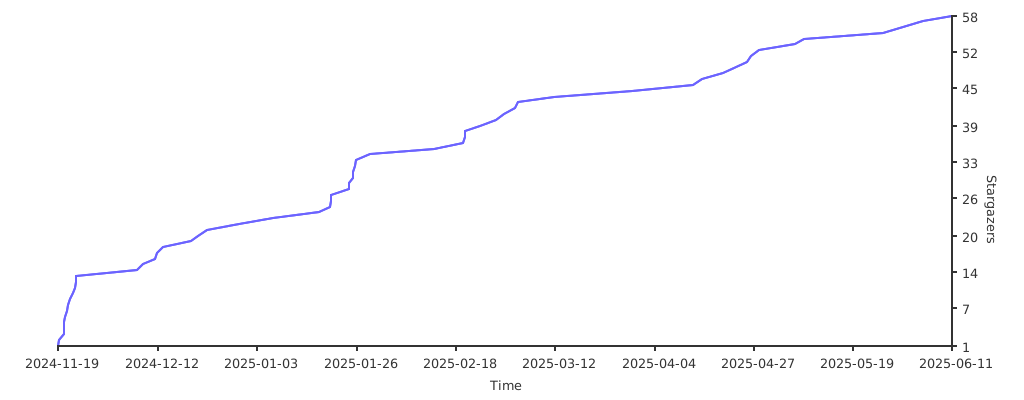
© PhiZone.
Some rights reserved.
{
// ..."effects": [
{
"start": [293, 0, 1],
"end": [300, 0, 1],
"shader": "/example.glsl",
"global": false,
"targetRange": {
"minZIndex": 3,
"maxZIndex": 4,
}, // Hold notes"vars": {
// ...
},
},
{
"start": [293, 0, 1],
"end": [463, 0, 1],
"shader": "/example.glsl",
"global": false,
"targetRange": {
"minZIndex": 8,
"maxZIndex": 16,
}, // The entire UI"vars": {
// ...
},
},
{
"start": [66, 0, 1],
"end": [296, 0, 1],
"shader": "/another-example.glsl",
"global": true,
// targetRange is optional"vars": {
// ...
},
},
],
}