Originally from: https://github.com/sylefeb/VoxSurf A Python C++ extension based on VoxSurf for voxelization of 3D meshes.
- Rasterize triangles using three 2D axis aligned grids, using integer arithmetic (fixed floating point) for robust triangle interior checks
- [Optional] Fill interior of voxelized surface with either of two schemes: Inside - fastest method evaluates whether a voxel is inside from only one direction or Robust - evaluates whether a voxel is inside from all three directions and a voting determines final status
For VirtualEnv: prerequisites: LibSSL, Cmake, libjpg,libpng
  sudo apt-get install libssl-dev
  sudo apt-get install libjpeg-dev
  sudo apt-get install libpng-dev
  wget https://github.com/Kitware/CMake/releases/download/v3.17.3/cmake-3.17.3.tar.gz
  tar -zxvf cmake-3.17.3.tar.gz
  cd cmake-3.17.3
  sudo ./bootstrap
  sudo make
  sudo make install
Activate your virtual environment
pip install git+ssh://git@github.com/Relu-bv/PyVoxSurf.git
If that does not work, you can try to clone the repo and install it from python
git clone git@github.com:Relu-bv/PyVoxSurf.git
git submodule update --init
source <env>/bin/activate
python setup.py install
pyvoxsurf.voxelize_stl
| Argument | Type | Default | Description |
|---|---|---|---|
filename |
string | Filename of .stl file | |
resolution |
integer | Number of voxel slices in the z-axis | |
bounds |
[2x3] array | [Optional] Min and max bounds in (x, y, z) coordinates of desired voxel volume | |
voxel_fill |
string | "None" | [Optional] "None", "Inside", or "Robust" type of filling |
import pyvoxsurf
from mayavi import mlab

volume1 = pyvoxsurf.voxelize_stl("model.stl",200,[],"Robust")
print(volume1.shape)

# Visualize voxelized model
from tvtk.util.ctf import PiecewiseFunction
mlab.figure(size=(800,800))
vol = mlab.pipeline.volume(mlab.pipeline.scalar_field(volume1))
mlab.title('Voxelized model',height=0.9,size=0.5)
mlab.orientation_axes()
otf = PiecewiseFunction()
otf.add_point(0,0)
otf.add_point(0.001, 1)
otf.add_point(1,1)
vol._otf = otf
vol._volume_property.set_scalar_opacity(otf)
mlab.show()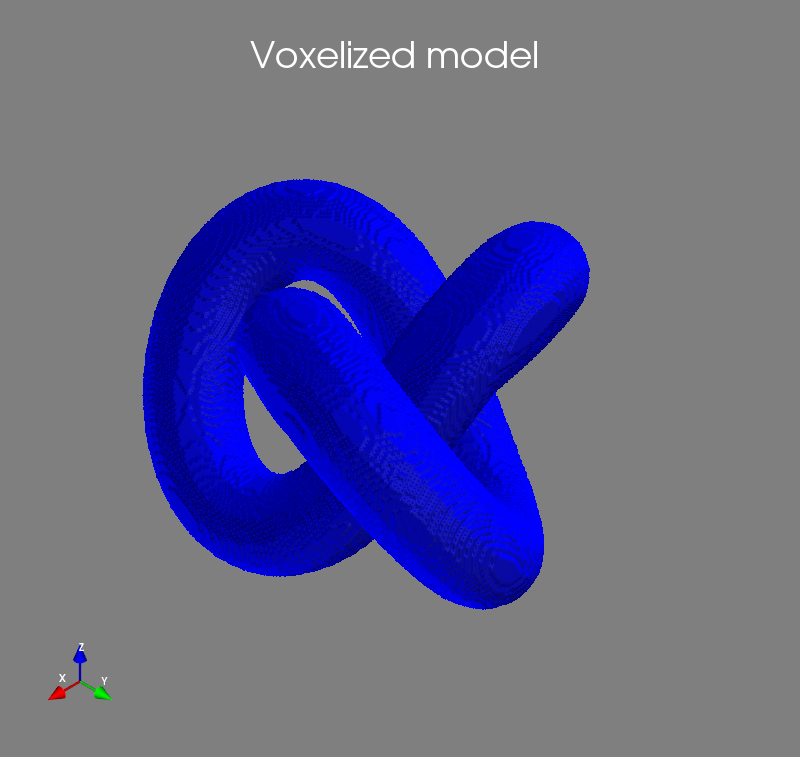
pyvoxsurf.voxelize
| Argument | Type | Default | Description |
|---|---|---|---|
vertices |
[nx3] array | Vertex positions in (x, y, z) coordinates | |
triangle_indices |
[nx3] array | Indices of connected vertices forming triangles of mesh | |
bounds |
[2x3] array | Min and max bounds in (x, y, z) coordinates of desired voxel volume | |
resolution |
integer | Number of voxel slices in the z-axis | |
voxel_fill |
string | "None" | [Optional] "None", "Inside", or "Robust" type of filling |
import pyvoxsurf
import trimesh
import numpy as np
from mayavi import mlab

mesh = trimesh.load("model.stl") # Load stl file

# Find the max and min coordinates of the mesh to form a bounding box
mesh_min_corner = [np.min(mesh.vertices[:,0]), np.min(mesh.vertices[:,1]), np.min(mesh.vertices[:,2])]
mesh_max_corner = [np.max(mesh.vertices[:,0]), np.max(mesh.vertices[:,1]), np.max(mesh.vertices[:,2])]
bounds = np.stack((mesh_min_corner,mesh_max_corner))

volume2 = pyvoxsurf.voxelize(mesh.vertices,mesh.faces,bounds,100,"Inside")
print(volume2.shape)

# Visualize voxelized model
from tvtk.util.ctf import PiecewiseFunction
mlab.figure(size=(800,800))
vol = mlab.pipeline.volume(mlab.pipeline.scalar_field(volume2))
mlab.title('Voxelized model',height=0.9,size=0.5)
mlab.orientation_axes()
otf = PiecewiseFunction()
otf.add_point(0,0)
otf.add_point(0.001, 1)
otf.add_point(1,1)
vol._otf = otf
vol._volume_property.set_scalar_opacity(otf)
mlab.show()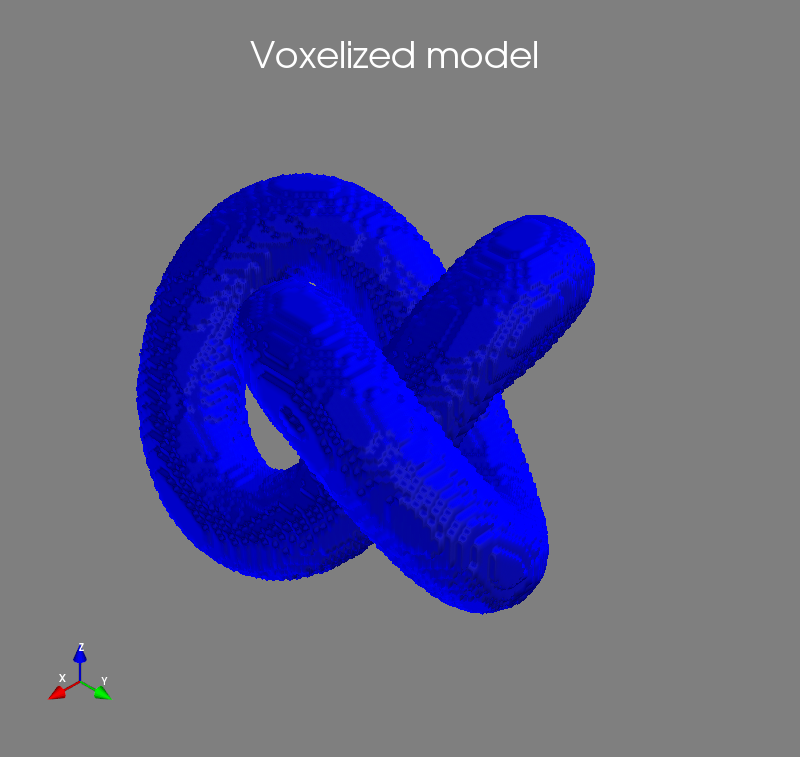
- VoxSurf by sylefeb
- VoxSurf Pybind11 bindings by mjgalindo
- PyVoxSurf packaging and documentation by jttoombs
- STL model of 3D knot by chylld