
#ACScrollNavigationBar (swift)
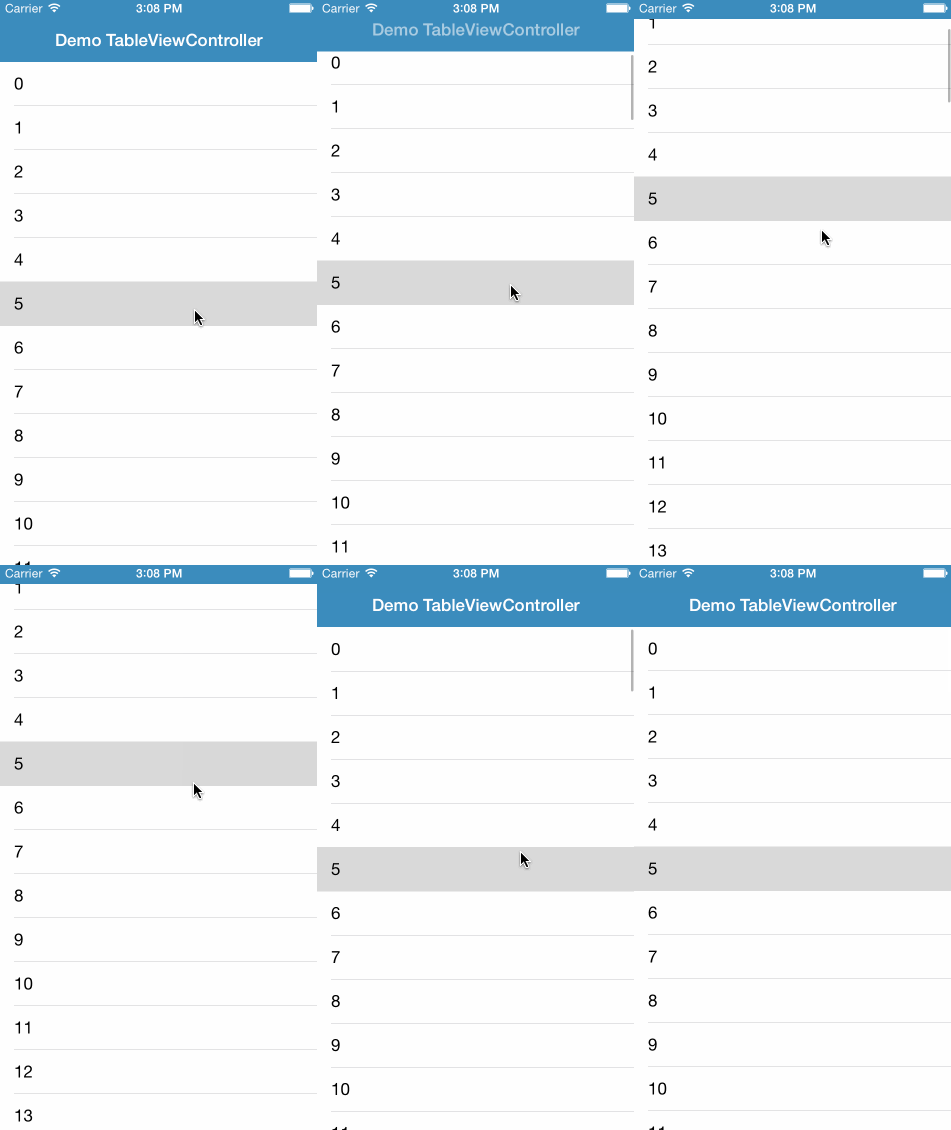
A scrollable UINavigationBar that follows a UIScrollView. This project is a port of GTScrollNavigationBar to swift. Requires XCode-6 beta and iOS 8 SDK.
##Installation
###Manually
Add the ACScrollNavigationBar folder to your project.
##Usage
Setup the NavigationController to use ACScrollNavigationBar
varnavController=UINavigationController(navigationBarClass:ACScrollNavigationBar.self, toolbarClass:nil)varvc=SampleTableViewController(style:UITableViewStyle.Plain)
navController.setViewControllers([vc], animated:false)
In your ViewController that has a scrollview (self.tableView in the example), attach the scroll view to the ACScrollNavigationBar on viewWillAppear(animated: Bool) and detatch it on viewWillDisappear(animated: Bool)
// viewWillAppear()
iflet scrollNavBar =self.navigationController.scrollNavigationBar {
scrollNavBar.scrollView =self.tableView
}
// viewWillDissapear()
iflet scrollNavBar =self.navigationController.scrollNavigationBar {
scrollNavBar.scrollView =nil}
Also implement scrollViewDidScrollToTop(scrollView: UIScrollView!) in your view controller after setting it up as delegate of its scroll view.
func scrollViewDidScrollToTop(scrollView:UIScrollView!){self.navigationController.scrollNavigationBar?.resetToDefaultPosition(true)}##Contact @alexcorre