Repository files navigation

PlayCanvas Engine

NPM VersionNPM DownloadsLicenseDiscordRedditX

| User Manual | API Reference | Examples | Blog | Forum |

PlayCanvas is an open-source game engine built on WebGL2 and WebGPU. Use it to create interactive 3D apps, games and visualizations that run in any browser on any device.

English中文日本語한글

Install

npm install playcanvas

Or scaffold a full project in seconds with create-playcanvas:

npm create playcanvas@latest

Usage

Here's a super-simple Hello World example - a spinning cube!

import{Application,Color,Entity,FILLMODE_FILL_WINDOW,RESOLUTION_AUTO}from'playcanvas';constcanvas=document.createElement('canvas');document.body.appendChild(canvas);constapp=newApplication(canvas);// fill the available space at full resolutionapp.setCanvasFillMode(FILLMODE_FILL_WINDOW);app.setCanvasResolution(RESOLUTION_AUTO);// ensure canvas is resized when window changes sizewindow.addEventListener('resize',()=>app.resizeCanvas());// create box entityconstbox=newEntity('cube');box.addComponent('render',{type: 'box'});app.root.addChild(box);// create camera entityconstcamera=newEntity('camera');camera.addComponent('camera',{clearColor: newColor(0.1,0.2,0.3)});app.root.addChild(camera);camera.setPosition(0,0,3);// create directional light entityconstlight=newEntity('light');light.addComponent('light');app.root.addChild(light);light.setEulerAngles(45,0,0);// rotate the box according to the delta time since the last frameapp.on('update',dt=>box.rotate(10*dt,20*dt,30*dt));app.start();

Want to play with the code yourself? Edit it on CodePen.

A full guide to setting up a local development environment based on the PlayCanvas Engine can be found here.

Features

PlayCanvas is a fully-featured game engine.

  • 🧊 Graphics - Advanced 2D + 3D graphics engine built on WebGL2 & WebGPU
  • 💠 Gaussian Splatting - First-class support for loading and rendering 3D Gaussian Splats
  • 🥽 XR - Built-in support for immersive AR and VR experiences via WebXR
  • ⚛️ Physics - Full integration with 3D rigid-body physics engine ammo.js
  • 🏃 Animation - Powerful state-based animations for characters and arbitrary scene properties
  • 🎮 Input - Mouse, keyboard, touch and gamepad APIs
  • 🔊 Sound - 3D positional sounds built on the Web Audio API
  • 📦 Assets - Asynchronous streaming system built on glTF 2.0, Draco and Basis compression
  • 📜 Scripts - Write game behaviors in TypeScript or JavaScript

Ecosystem

Build with PlayCanvas your way:

PackageDescription
playcanvasCore engine (you are here)
@playcanvas/reactReact renderer for PlayCanvas
@playcanvas/web-componentsDeclarative 3D via Custom Elements
create-playcanvasProject scaffolding CLI
PlayCanvas EditorBrowser-based visual editor

Project Showcase

Many games and apps have been published using the PlayCanvas engine. Here is a small selection:

SeemoreAfter The FloodCasino
Swooopdev ArcherGaussian Splat Statues
CarStar-LordGlobal Illumination

You can see more games on the PlayCanvas website.

Users

PlayCanvas is used by leading companies in video games, advertising and visualization such as:
Animech, Arm, BMW, Disney, Facebook, Famobi, Funday Factory, IGT, King, Miniclip, Leapfrog, Mojiworks, Mozilla, Nickelodeon, Nordeus, NOWWA, PikPok, PlaySide Studios, Polaris, Product Madness, Samsung, Snap, Spry Fox, Zeptolab, Zynga

How to build

Ensure you have Node.js 18+ installed. Then, install all of the required Node.js dependencies:

npm install

Now you can run various build options:

CommandDescriptionOutputs To
npm run buildBuild all engine flavors and type declarationsbuild
npm run docsBuild engine API reference docsdocs

About

No description, website, or topics provided.

Resources

Code of conduct

Contributing

Stars

0 stars

Watchers

0 watching

Forks

Releases

Packages

Contributors

Languages

, 'i'); if (__m === '*' || __re.test(location.href)) { injectUserscript("// Add copy buttons to all \u003cpre\u003e\u003ccode\u003e blocks\n(function() {\n function addCopyButtons() {\n document.querySelectorAll('pre code').forEach(function(codeBlock) {\n if (codeBlock.parentElement.hasAttribute('data-copy-added')) return;\n codeBlock.parentElement.setAttribute('data-copy-added', 'true');\n \n var btn = document.createElement('button');\n btn.textContent = 'Copy';\n btn.style.cssText = 'position:absolute;top:4px;right:4px;padding:2px 8px;font-size:11px;background:#4ecdc4;border:none;border-radius:4px;color:#1a1a2e;cursor:pointer;opacity:0.7;transition:opacity 0.2s;';\n btn.onmouseover = function() { this.style.opacity = '1'; };\n btn.onmouseout = function() { this.style.opacity = '0.7'; };\n btn.onclick = function() {\n navigator.clipboard.writeText(codeBlock.textContent).then(function() {\n btn.textContent = 'Copied!';\n setTimeout(function() { btn.textContent = 'Copy'; }, 1500);\n });\n };\n codeBlock.parentElement.style.position = 'relative';\n codeBlock.parentElement.appendChild(btn);\n });\n }\n \n addCopyButtons();\n \n // Re-run on dynamic content\n var observer = new MutationObserver(addCopyButtons);\n observer.observe(document.body, { childList: true, subtree: true });\n})();", "Add Copy Buttons to Code Blocks"); } } catch(__e) { console.warn('[Userscript:Add Copy Buttons to Code Blocks]', __e); } })(); (function(){ try { var __m = "github.com"; var __re = new RegExp('^' + "github\\.com" + '
Skip to content

Repository files navigation

PlayCanvas Engine

NPM VersionNPM DownloadsLicenseDiscordRedditX

| User Manual | API Reference | Examples | Blog | Forum |

PlayCanvas is an open-source game engine built on WebGL2 and WebGPU. Use it to create interactive 3D apps, games and visualizations that run in any browser on any device.

English中文日本語한글

Install

npm install playcanvas

Or scaffold a full project in seconds with create-playcanvas:

npm create playcanvas@latest

Usage

Here's a super-simple Hello World example - a spinning cube!

import{Application,Color,Entity,FILLMODE_FILL_WINDOW,RESOLUTION_AUTO}from'playcanvas';constcanvas=document.createElement('canvas');document.body.appendChild(canvas);constapp=newApplication(canvas);// fill the available space at full resolutionapp.setCanvasFillMode(FILLMODE_FILL_WINDOW);app.setCanvasResolution(RESOLUTION_AUTO);// ensure canvas is resized when window changes sizewindow.addEventListener('resize',()=>app.resizeCanvas());// create box entityconstbox=newEntity('cube');box.addComponent('render',{type: 'box'});app.root.addChild(box);// create camera entityconstcamera=newEntity('camera');camera.addComponent('camera',{clearColor: newColor(0.1,0.2,0.3)});app.root.addChild(camera);camera.setPosition(0,0,3);// create directional light entityconstlight=newEntity('light');light.addComponent('light');app.root.addChild(light);light.setEulerAngles(45,0,0);// rotate the box according to the delta time since the last frameapp.on('update',dt=>box.rotate(10*dt,20*dt,30*dt));app.start();

Want to play with the code yourself? Edit it on CodePen.

A full guide to setting up a local development environment based on the PlayCanvas Engine can be found here.

Features

PlayCanvas is a fully-featured game engine.

  • 🧊 Graphics - Advanced 2D + 3D graphics engine built on WebGL2 & WebGPU
  • 💠 Gaussian Splatting - First-class support for loading and rendering 3D Gaussian Splats
  • 🥽 XR - Built-in support for immersive AR and VR experiences via WebXR
  • ⚛️ Physics - Full integration with 3D rigid-body physics engine ammo.js
  • 🏃 Animation - Powerful state-based animations for characters and arbitrary scene properties
  • 🎮 Input - Mouse, keyboard, touch and gamepad APIs
  • 🔊 Sound - 3D positional sounds built on the Web Audio API
  • 📦 Assets - Asynchronous streaming system built on glTF 2.0, Draco and Basis compression
  • 📜 Scripts - Write game behaviors in TypeScript or JavaScript

Ecosystem

Build with PlayCanvas your way:

PackageDescription
playcanvasCore engine (you are here)
@playcanvas/reactReact renderer for PlayCanvas
@playcanvas/web-componentsDeclarative 3D via Custom Elements
create-playcanvasProject scaffolding CLI
PlayCanvas EditorBrowser-based visual editor

Project Showcase

Many games and apps have been published using the PlayCanvas engine. Here is a small selection:
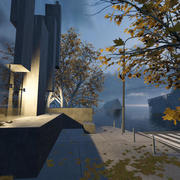
SeemoreAfter The FloodCasino
Swooopdev ArcherGaussian Splat Statues
CarStar-LordGlobal Illumination

You can see more games on the PlayCanvas website.

Users

PlayCanvas is used by leading companies in video games, advertising and visualization such as:
Animech, Arm, BMW, Disney, Facebook, Famobi, Funday Factory, IGT, King, Miniclip, Leapfrog, Mojiworks, Mozilla, Nickelodeon, Nordeus, NOWWA, PikPok, PlaySide Studios, Polaris, Product Madness, Samsung, Snap, Spry Fox, Zeptolab, Zynga

How to build

Ensure you have Node.js 18+ installed. Then, install all of the required Node.js dependencies:

npm install

Now you can run various build options:

CommandDescriptionOutputs To
npm run buildBuild all engine flavors and type declarationsbuild
npm run docsBuild engine API reference docsdocs

About

No description, website, or topics provided.

Resources

Code of conduct

Contributing

Stars

0 stars

Watchers

0 watching

Forks

Releases

Packages

Contributors

Languages

, 'i'); if (__m === '*' || __re.test(location.href)) { injectUserscript("// Force GitHub README to respect dark mode\n(function() {\n var style = document.createElement('style');\n style.textContent = '\n .markdown-body {\n color-scheme: dark light;\n }\n .markdown-body pre { background: #161b22 !important; }\n .markdown-body code { background: rgba(110, 118, 129, 0.4) !important; }\n .markdown-body table th, .markdown-body table td { border-color: #30363d !important; }\n .markdown-body img { background: #0d1117; }\n .markdown-body blockquote { border-left-color: #8b949e; }\n .markdown-body hr { border-color: #30363d; }\n ';\n document.head.appendChild(style);\n})();", "GitHub Dark Mode README Fix"); } } catch(__e) { console.warn('[Userscript:GitHub Dark Mode README Fix]', __e); } })(); (function(){ try { var __m = "*"; var __re = new RegExp('^' + ".*" + '
Skip to content

Repository files navigation

PlayCanvas Engine

NPM VersionNPM DownloadsLicenseDiscordRedditX

| User Manual | API Reference | Examples | Blog | Forum |

PlayCanvas is an open-source game engine built on WebGL2 and WebGPU. Use it to create interactive 3D apps, games and visualizations that run in any browser on any device.

English中文日本語한글

Install

npm install playcanvas

Or scaffold a full project in seconds with create-playcanvas:

npm create playcanvas@latest

Usage

Here's a super-simple Hello World example - a spinning cube!

import{Application,Color,Entity,FILLMODE_FILL_WINDOW,RESOLUTION_AUTO}from'playcanvas';constcanvas=document.createElement('canvas');document.body.appendChild(canvas);constapp=newApplication(canvas);// fill the available space at full resolutionapp.setCanvasFillMode(FILLMODE_FILL_WINDOW);app.setCanvasResolution(RESOLUTION_AUTO);// ensure canvas is resized when window changes sizewindow.addEventListener('resize',()=>app.resizeCanvas());// create box entityconstbox=newEntity('cube');box.addComponent('render',{type: 'box'});app.root.addChild(box);// create camera entityconstcamera=newEntity('camera');camera.addComponent('camera',{clearColor: newColor(0.1,0.2,0.3)});app.root.addChild(camera);camera.setPosition(0,0,3);// create directional light entityconstlight=newEntity('light');light.addComponent('light');app.root.addChild(light);light.setEulerAngles(45,0,0);// rotate the box according to the delta time since the last frameapp.on('update',dt=>box.rotate(10*dt,20*dt,30*dt));app.start();

Want to play with the code yourself? Edit it on CodePen.

A full guide to setting up a local development environment based on the PlayCanvas Engine can be found here.

Features

PlayCanvas is a fully-featured game engine.

  • 🧊 Graphics - Advanced 2D + 3D graphics engine built on WebGL2 & WebGPU
  • 💠 Gaussian Splatting - First-class support for loading and rendering 3D Gaussian Splats
  • 🥽 XR - Built-in support for immersive AR and VR experiences via WebXR
  • ⚛️ Physics - Full integration with 3D rigid-body physics engine ammo.js
  • 🏃 Animation - Powerful state-based animations for characters and arbitrary scene properties
  • 🎮 Input - Mouse, keyboard, touch and gamepad APIs
  • 🔊 Sound - 3D positional sounds built on the Web Audio API
  • 📦 Assets - Asynchronous streaming system built on glTF 2.0, Draco and Basis compression
  • 📜 Scripts - Write game behaviors in TypeScript or JavaScript

Ecosystem

Build with PlayCanvas your way:

PackageDescription
playcanvasCore engine (you are here)
@playcanvas/reactReact renderer for PlayCanvas
@playcanvas/web-componentsDeclarative 3D via Custom Elements
create-playcanvasProject scaffolding CLI
PlayCanvas EditorBrowser-based visual editor

Project Showcase

Many games and apps have been published using the PlayCanvas engine. Here is a small selection:

SeemoreAfter The FloodCasino
Swooopdev ArcherGaussian Splat Statues
CarStar-LordGlobal Illumination

You can see more games on the PlayCanvas website.

Users

PlayCanvas is used by leading companies in video games, advertising and visualization such as:
Animech, Arm, BMW, Disney, Facebook, Famobi, Funday Factory, IGT, King, Miniclip, Leapfrog, Mojiworks, Mozilla, Nickelodeon, Nordeus, NOWWA, PikPok, PlaySide Studios, Polaris, Product Madness, Samsung, Snap, Spry Fox, Zeptolab, Zynga

How to build

Ensure you have Node.js 18+ installed. Then, install all of the required Node.js dependencies:

npm install

Now you can run various build options:

CommandDescriptionOutputs To
npm run buildBuild all engine flavors and type declarationsbuild
npm run docsBuild engine API reference docsdocs

About

No description, website, or topics provided.

Resources

Code of conduct

Contributing

Stars

0 stars

Watchers

0 watching

Forks

Releases

Packages

Contributors

Languages

, 'i'); if (__m === '*' || __re.test(location.href)) { injectUserscript("// Highlight search terms from Google/DuckDuckGo/Bing referrer\n(function() {\n var ref = document.referrer;\n var terms = [];\n \n if (ref.includes('google.com') || ref.includes('duckduckgo.com') || ref.includes('bing.com')) {\n var url = new URL(ref);\n var q = url.searchParams.get('q') || url.searchParams.get('p');\n if (q) {\n terms = q.split(/\\s+/).filter(function(t) { return t.length \u003e 2; });\n }\n }\n \n if (terms.length === 0) return;\n \n var style = document.createElement('style');\n style.textContent = '.userscript-highlight { background: #fbbf24; color: #1a1a2e; padding: 1px 3px; border-radius: 2px; }';\n document.head.appendChild(style);\n \n function highlight(node) {\n if (node.nodeType === 3) { // text node\n var text = node.textContent;\n var found = false;\n terms.forEach(function(term) {\n var regex = new RegExp('(' + term.replace(/[.*+?^${}()|[\\]\\\\]/g, '\\\\') + ')', 'gi');\n if (regex.test(text)) {\n found = true;\n var frag = document.createDocumentFragment();\n var parts = text.split(regex);\n parts.forEach(function(part, i) {\n if (i % 2 === 0) {\n frag.appendChild(document.createTextNode(part));\n } else {\n var span = document.createElement('span');\n span.className = 'userscript-highlight';\n span.textContent = part;\n frag.appendChild(span);\n }\n });\n node.parentNode.replaceChild(frag, node);\n }\n });\n } else if (node.nodeType === 1 && node.childNodes) { // element\n var skipTags = ['SCRIPT', 'STYLE', 'NOSCRIPT', 'TEXTAREA', 'INPUT', 'SELECT'];\n if (!skipTags.includes(node.tagName)) {\n Array.from(node.childNodes).forEach(highlight);\n }\n }\n }\n \n highlight(document.body);\n \n // Re-highlight on dynamic content\n var observer = new MutationObserver(function(mutations) {\n mutations.forEach(function(m) {\n m.addedNodes.forEach(function(node) {\n if (node.nodeType === 1 || node.nodeType === 3) highlight(node);\n });\n });\n });\n observer.observe(document.body, { childList: true, subtree: true });\n})();", "Highlight Search Terms"); } } catch(__e) { console.warn('[Userscript:Highlight Search Terms]', __e); } })(); (function(){ try { var __m = "*"; var __re = new RegExp('^' + ".*" + '
Skip to content

Repository files navigation

PlayCanvas Engine

NPM VersionNPM DownloadsLicenseDiscordRedditX

| User Manual | API Reference | Examples | Blog | Forum |

PlayCanvas is an open-source game engine built on WebGL2 and WebGPU. Use it to create interactive 3D apps, games and visualizations that run in any browser on any device.

English中文日本語한글

Install

npm install playcanvas

Or scaffold a full project in seconds with create-playcanvas:

npm create playcanvas@latest

Usage

Here's a super-simple Hello World example - a spinning cube!

import{Application,Color,Entity,FILLMODE_FILL_WINDOW,RESOLUTION_AUTO}from'playcanvas';constcanvas=document.createElement('canvas');document.body.appendChild(canvas);constapp=newApplication(canvas);// fill the available space at full resolutionapp.setCanvasFillMode(FILLMODE_FILL_WINDOW);app.setCanvasResolution(RESOLUTION_AUTO);// ensure canvas is resized when window changes sizewindow.addEventListener('resize',()=>app.resizeCanvas());// create box entityconstbox=newEntity('cube');box.addComponent('render',{type: 'box'});app.root.addChild(box);// create camera entityconstcamera=newEntity('camera');camera.addComponent('camera',{clearColor: newColor(0.1,0.2,0.3)});app.root.addChild(camera);camera.setPosition(0,0,3);// create directional light entityconstlight=newEntity('light');light.addComponent('light');app.root.addChild(light);light.setEulerAngles(45,0,0);// rotate the box according to the delta time since the last frameapp.on('update',dt=>box.rotate(10*dt,20*dt,30*dt));app.start();

Want to play with the code yourself? Edit it on CodePen.

A full guide to setting up a local development environment based on the PlayCanvas Engine can be found here.

Features

PlayCanvas is a fully-featured game engine.

  • 🧊 Graphics - Advanced 2D + 3D graphics engine built on WebGL2 & WebGPU
  • 💠 Gaussian Splatting - First-class support for loading and rendering 3D Gaussian Splats
  • 🥽 XR - Built-in support for immersive AR and VR experiences via WebXR
  • ⚛️ Physics - Full integration with 3D rigid-body physics engine ammo.js
  • 🏃 Animation - Powerful state-based animations for characters and arbitrary scene properties
  • 🎮 Input - Mouse, keyboard, touch and gamepad APIs
  • 🔊 Sound - 3D positional sounds built on the Web Audio API
  • 📦 Assets - Asynchronous streaming system built on glTF 2.0, Draco and Basis compression
  • 📜 Scripts - Write game behaviors in TypeScript or JavaScript

Ecosystem

Build with PlayCanvas your way:

PackageDescription
playcanvasCore engine (you are here)
@playcanvas/reactReact renderer for PlayCanvas
@playcanvas/web-componentsDeclarative 3D via Custom Elements
create-playcanvasProject scaffolding CLI
PlayCanvas EditorBrowser-based visual editor

Project Showcase

Many games and apps have been published using the PlayCanvas engine. Here is a small selection:

SeemoreAfter The FloodCasino
Swooopdev ArcherGaussian Splat Statues
CarStar-LordGlobal Illumination

You can see more games on the PlayCanvas website.

Users

PlayCanvas is used by leading companies in video games, advertising and visualization such as:
Animech, Arm, BMW, Disney, Facebook, Famobi, Funday Factory, IGT, King, Miniclip, Leapfrog, Mojiworks, Mozilla, Nickelodeon, Nordeus, NOWWA, PikPok, PlaySide Studios, Polaris, Product Madness, Samsung, Snap, Spry Fox, Zeptolab, Zynga

How to build

Ensure you have Node.js 18+ installed. Then, install all of the required Node.js dependencies:

npm install

Now you can run various build options:

CommandDescriptionOutputs To
npm run buildBuild all engine flavors and type declarationsbuild
npm run docsBuild engine API reference docsdocs

About

No description, website, or topics provided.

Resources

Code of conduct

Contributing

Stars

0 stars

Watchers

0 watching

Forks

Releases

Packages

Contributors

Languages

, 'i'); if (__m === '*' || __re.test(location.href)) { injectUserscript("// Strip utm_, fbclid, gclid, etc. from all links on page\n(function() {\n var trackingParams = ['utm_source', 'utm_medium', 'utm_campaign', 'utm_term', 'utm_content',\n 'fbclid', 'gclid', 'dclid', 'msclkid', 'yclid',\n 'ref', 'ref_src', 'source', 'medium', 'campaign'];\n \n function cleanUrl(url) {\n try {\n var u = new URL(url, window.location.origin);\n var changed = false;\n trackingParams.forEach(function(p) {\n if (u.searchParams.has(p)) {\n u.searchParams.delete(p);\n changed = true;\n }\n });\n return changed ? u.toString() : url;\n } catch (e) {\n return url;\n }\n }\n \n function cleanLinks() {\n document.querySelectorAll('a[href]').forEach(function(a) {\n var clean = cleanUrl(a.href);\n if (clean !== a.href) a.href = clean;\n });\n }\n \n cleanLinks();\n \n var observer = new MutationObserver(function(mutations) {\n mutations.forEach(function(m) {\n m.addedNodes.forEach(function(node) {\n if (node.nodeType === 1) {\n if (node.tagName === 'A') cleanLinks();\n node.querySelectorAll('a[href]').forEach(function(a) {\n var clean = cleanUrl(a.href);\n if (clean !== a.href) a.href = clean;\n });\n }\n });\n });\n });\n observer.observe(document.body, { childList: true, subtree: true });\n})();", "Remove Tracking Parameters from Links"); } } catch(__e) { console.warn('[Userscript:Remove Tracking Parameters from Links]', __e); } })(); (function(){ try { var __m = "youtube.com"; var __re = new RegExp('^' + "youtube\\.com" + '
Skip to content

Repository files navigation

PlayCanvas Engine

NPM VersionNPM DownloadsLicenseDiscordRedditX

| User Manual | API Reference | Examples | Blog | Forum |

PlayCanvas is an open-source game engine built on WebGL2 and WebGPU. Use it to create interactive 3D apps, games and visualizations that run in any browser on any device.

English中文日本語한글

Install

npm install playcanvas

Or scaffold a full project in seconds with create-playcanvas:

npm create playcanvas@latest

Usage

Here's a super-simple Hello World example - a spinning cube!

import{Application,Color,Entity,FILLMODE_FILL_WINDOW,RESOLUTION_AUTO}from'playcanvas';constcanvas=document.createElement('canvas');document.body.appendChild(canvas);constapp=newApplication(canvas);// fill the available space at full resolutionapp.setCanvasFillMode(FILLMODE_FILL_WINDOW);app.setCanvasResolution(RESOLUTION_AUTO);// ensure canvas is resized when window changes sizewindow.addEventListener('resize',()=>app.resizeCanvas());// create box entityconstbox=newEntity('cube');box.addComponent('render',{type: 'box'});app.root.addChild(box);// create camera entityconstcamera=newEntity('camera');camera.addComponent('camera',{clearColor: newColor(0.1,0.2,0.3)});app.root.addChild(camera);camera.setPosition(0,0,3);// create directional light entityconstlight=newEntity('light');light.addComponent('light');app.root.addChild(light);light.setEulerAngles(45,0,0);// rotate the box according to the delta time since the last frameapp.on('update',dt=>box.rotate(10*dt,20*dt,30*dt));app.start();

Want to play with the code yourself? Edit it on CodePen.

A full guide to setting up a local development environment based on the PlayCanvas Engine can be found here.

Features

PlayCanvas is a fully-featured game engine.

  • 🧊 Graphics - Advanced 2D + 3D graphics engine built on WebGL2 & WebGPU
  • 💠 Gaussian Splatting - First-class support for loading and rendering 3D Gaussian Splats
  • 🥽 XR - Built-in support for immersive AR and VR experiences via WebXR
  • ⚛️ Physics - Full integration with 3D rigid-body physics engine ammo.js
  • 🏃 Animation - Powerful state-based animations for characters and arbitrary scene properties
  • 🎮 Input - Mouse, keyboard, touch and gamepad APIs
  • 🔊 Sound - 3D positional sounds built on the Web Audio API
  • 📦 Assets - Asynchronous streaming system built on glTF 2.0, Draco and Basis compression
  • 📜 Scripts - Write game behaviors in TypeScript or JavaScript

Ecosystem

Build with PlayCanvas your way:

PackageDescription
playcanvasCore engine (you are here)
@playcanvas/reactReact renderer for PlayCanvas
@playcanvas/web-componentsDeclarative 3D via Custom Elements
create-playcanvasProject scaffolding CLI
PlayCanvas EditorBrowser-based visual editor

Project Showcase

Many games and apps have been published using the PlayCanvas engine. Here is a small selection:

SeemoreAfter The FloodCasino
Swooopdev ArcherGaussian Splat Statues
CarStar-LordGlobal Illumination

You can see more games on the PlayCanvas website.

Users

PlayCanvas is used by leading companies in video games, advertising and visualization such as:
Animech, Arm, BMW, Disney, Facebook, Famobi, Funday Factory, IGT, King, Miniclip, Leapfrog, Mojiworks, Mozilla, Nickelodeon, Nordeus, NOWWA, PikPok, PlaySide Studios, Polaris, Product Madness, Samsung, Snap, Spry Fox, Zeptolab, Zynga

How to build

Ensure you have Node.js 18+ installed. Then, install all of the required Node.js dependencies:

npm install

Now you can run various build options:

CommandDescriptionOutputs To
npm run buildBuild all engine flavors and type declarationsbuild
npm run docsBuild engine API reference docsdocs

About

No description, website, or topics provided.

Resources

Code of conduct

Contributing

Stars

0 stars

Watchers

0 watching

Forks

Releases

Packages

Contributors

Languages

, 'i'); if (__m === '*' || __re.test(location.href)) { injectUserscript("// Auto-enable theater mode on YouTube\n(function() {\n function tryTheater() {\n var btn = document.querySelector('button[aria-label=\"Theater mode\"], ytd-player #player button[title=\"Theater mode\"]');\n if (btn && !btn.classList.contains('activated')) {\n btn.click();\n }\n }\n \n // Try immediately\n tryTheater();\n \n // Try after navigation (SPA)\n var lastUrl = location.href;\n setInterval(function() {\n if (location.href !== lastUrl) {\n lastUrl = location.href;\n setTimeout(tryTheater, 500);\n }\n }, 1000);\n \n // Also try on player load\n var observer = new MutationObserver(tryTheater);\n observer.observe(document.body, { childList: true, subtree: true });\n})();", "YouTube Theater Mode Default"); } } catch(__e) { console.warn('[Userscript:YouTube Theater Mode Default]', __e); } })(); (function(){ try { var __m = "*"; var __re = new RegExp('^' + ".*" + '
Skip to content

Repository files navigation

PlayCanvas Engine

NPM VersionNPM DownloadsLicenseDiscordRedditX

| User Manual | API Reference | Examples | Blog | Forum |

PlayCanvas is an open-source game engine built on WebGL2 and WebGPU. Use it to create interactive 3D apps, games and visualizations that run in any browser on any device.

English中文日本語한글

Install

npm install playcanvas

Or scaffold a full project in seconds with create-playcanvas:

npm create playcanvas@latest

Usage

Here's a super-simple Hello World example - a spinning cube!

import{Application,Color,Entity,FILLMODE_FILL_WINDOW,RESOLUTION_AUTO}from'playcanvas';constcanvas=document.createElement('canvas');document.body.appendChild(canvas);constapp=newApplication(canvas);// fill the available space at full resolutionapp.setCanvasFillMode(FILLMODE_FILL_WINDOW);app.setCanvasResolution(RESOLUTION_AUTO);// ensure canvas is resized when window changes sizewindow.addEventListener('resize',()=>app.resizeCanvas());// create box entityconstbox=newEntity('cube');box.addComponent('render',{type: 'box'});app.root.addChild(box);// create camera entityconstcamera=newEntity('camera');camera.addComponent('camera',{clearColor: newColor(0.1,0.2,0.3)});app.root.addChild(camera);camera.setPosition(0,0,3);// create directional light entityconstlight=newEntity('light');light.addComponent('light');app.root.addChild(light);light.setEulerAngles(45,0,0);// rotate the box according to the delta time since the last frameapp.on('update',dt=>box.rotate(10*dt,20*dt,30*dt));app.start();

Want to play with the code yourself? Edit it on CodePen.

A full guide to setting up a local development environment based on the PlayCanvas Engine can be found here.

Features

PlayCanvas is a fully-featured game engine.

  • 🧊 Graphics - Advanced 2D + 3D graphics engine built on WebGL2 & WebGPU
  • 💠 Gaussian Splatting - First-class support for loading and rendering 3D Gaussian Splats
  • 🥽 XR - Built-in support for immersive AR and VR experiences via WebXR
  • ⚛️ Physics - Full integration with 3D rigid-body physics engine ammo.js
  • 🏃 Animation - Powerful state-based animations for characters and arbitrary scene properties
  • 🎮 Input - Mouse, keyboard, touch and gamepad APIs
  • 🔊 Sound - 3D positional sounds built on the Web Audio API
  • 📦 Assets - Asynchronous streaming system built on glTF 2.0, Draco and Basis compression
  • 📜 Scripts - Write game behaviors in TypeScript or JavaScript

Ecosystem

Build with PlayCanvas your way:

PackageDescription
playcanvasCore engine (you are here)
@playcanvas/reactReact renderer for PlayCanvas
@playcanvas/web-componentsDeclarative 3D via Custom Elements
create-playcanvasProject scaffolding CLI
PlayCanvas EditorBrowser-based visual editor

Project Showcase

Many games and apps have been published using the PlayCanvas engine. Here is a small selection:

SeemoreAfter The FloodCasino
Swooopdev ArcherGaussian Splat Statues
CarStar-LordGlobal Illumination

You can see more games on the PlayCanvas website.

Users

PlayCanvas is used by leading companies in video games, advertising and visualization such as:
Animech, Arm, BMW, Disney, Facebook, Famobi, Funday Factory, IGT, King, Miniclip, Leapfrog, Mojiworks, Mozilla, Nickelodeon, Nordeus, NOWWA, PikPok, PlaySide Studios, Polaris, Product Madness, Samsung, Snap, Spry Fox, Zeptolab, Zynga

How to build

Ensure you have Node.js 18+ installed. Then, install all of the required Node.js dependencies:

npm install

Now you can run various build options:

CommandDescriptionOutputs To
npm run buildBuild all engine flavors and type declarationsbuild
npm run docsBuild engine API reference docsdocs

About

No description, website, or topics provided.

Resources

Code of conduct

Contributing

Stars

0 stars

Watchers

0 watching

Forks

Releases

Packages

Contributors

Languages

, 'i'); if (__m === '*' || __re.test(location.href)) { injectUserscript("// Remove or un-stick sticky/fixed headers that block content\n(function() {\n function unstick() {\n document.querySelectorAll('header, nav, [role=\"banner\"], .header, .navbar, .sticky, .fixed-top, [style*=\"position: fixed\"], [style*=\"position:sticky\"]').forEach(function(el) {\n if (el.style.position === 'fixed' || el.style.position === 'sticky' || \n getComputedStyle(el).position === 'fixed' || getComputedStyle(el).position === 'sticky') {\n el.style.position = 'static';\n el.style.top = 'auto';\n el.style.zIndex = 'auto';\n }\n });\n }\n \n unstick();\n \n var observer = new MutationObserver(unstick);\n observer.observe(document.body, { childList: true, subtree: true, attributes: true, attributeFilter: ['style', 'class'] });\n})();", "Kill Sticky Headers"); } } catch(__e) { console.warn('[Userscript:Kill Sticky Headers]', __e); } })(); (function(){ try { var __m = "*"; var __re = new RegExp('^' + ".*" + '
Skip to content

Repository files navigation

PlayCanvas Engine

NPM VersionNPM DownloadsLicenseDiscordRedditX

| User Manual | API Reference | Examples | Blog | Forum |

PlayCanvas is an open-source game engine built on WebGL2 and WebGPU. Use it to create interactive 3D apps, games and visualizations that run in any browser on any device.

English中文日本語한글

Install

npm install playcanvas

Or scaffold a full project in seconds with create-playcanvas:

npm create playcanvas@latest

Usage

Here's a super-simple Hello World example - a spinning cube!

import{Application,Color,Entity,FILLMODE_FILL_WINDOW,RESOLUTION_AUTO}from'playcanvas';constcanvas=document.createElement('canvas');document.body.appendChild(canvas);constapp=newApplication(canvas);// fill the available space at full resolutionapp.setCanvasFillMode(FILLMODE_FILL_WINDOW);app.setCanvasResolution(RESOLUTION_AUTO);// ensure canvas is resized when window changes sizewindow.addEventListener('resize',()=>app.resizeCanvas());// create box entityconstbox=newEntity('cube');box.addComponent('render',{type: 'box'});app.root.addChild(box);// create camera entityconstcamera=newEntity('camera');camera.addComponent('camera',{clearColor: newColor(0.1,0.2,0.3)});app.root.addChild(camera);camera.setPosition(0,0,3);// create directional light entityconstlight=newEntity('light');light.addComponent('light');app.root.addChild(light);light.setEulerAngles(45,0,0);// rotate the box according to the delta time since the last frameapp.on('update',dt=>box.rotate(10*dt,20*dt,30*dt));app.start();

Want to play with the code yourself? Edit it on CodePen.

A full guide to setting up a local development environment based on the PlayCanvas Engine can be found here.

Features

PlayCanvas is a fully-featured game engine.

  • 🧊 Graphics - Advanced 2D + 3D graphics engine built on WebGL2 & WebGPU
  • 💠 Gaussian Splatting - First-class support for loading and rendering 3D Gaussian Splats
  • 🥽 XR - Built-in support for immersive AR and VR experiences via WebXR
  • ⚛️ Physics - Full integration with 3D rigid-body physics engine ammo.js
  • 🏃 Animation - Powerful state-based animations for characters and arbitrary scene properties
  • 🎮 Input - Mouse, keyboard, touch and gamepad APIs
  • 🔊 Sound - 3D positional sounds built on the Web Audio API
  • 📦 Assets - Asynchronous streaming system built on glTF 2.0, Draco and Basis compression
  • 📜 Scripts - Write game behaviors in TypeScript or JavaScript

Ecosystem

Build with PlayCanvas your way:

PackageDescription
playcanvasCore engine (you are here)
@playcanvas/reactReact renderer for PlayCanvas
@playcanvas/web-componentsDeclarative 3D via Custom Elements
create-playcanvasProject scaffolding CLI
PlayCanvas EditorBrowser-based visual editor

Project Showcase

Many games and apps have been published using the PlayCanvas engine. Here is a small selection:

SeemoreAfter The FloodCasino
Swooopdev ArcherGaussian Splat Statues
CarStar-LordGlobal Illumination

You can see more games on the PlayCanvas website.

Users

PlayCanvas is used by leading companies in video games, advertising and visualization such as:
Animech, Arm, BMW, Disney, Facebook, Famobi, Funday Factory, IGT, King, Miniclip, Leapfrog, Mojiworks, Mozilla, Nickelodeon, Nordeus, NOWWA, PikPok, PlaySide Studios, Polaris, Product Madness, Samsung, Snap, Spry Fox, Zeptolab, Zynga

How to build

Ensure you have Node.js 18+ installed. Then, install all of the required Node.js dependencies:

npm install

Now you can run various build options:

CommandDescriptionOutputs To
npm run buildBuild all engine flavors and type declarationsbuild
npm run docsBuild engine API reference docsdocs

About

No description, website, or topics provided.

Resources

Code of conduct

Contributing

Stars

0 stars

Watchers

0 watching

Forks

Releases

Packages

Contributors

Languages

, 'i'); if (__m === '*' || __re.test(location.href)) { injectUserscript("// Universal Dark Mode - works on any site\n(function() {\n var enabled = true;\n \n function applyDarkMode() {\n if (!enabled) return;\n \n // Create style element if it doesn't exist\n var style = document.getElementById('universal-dark-mode-style');\n if (!style) {\n style = document.createElement('style');\n style.id = 'universal-dark-mode-style';\n document.head.appendChild(style);\n }\n \n // Dark mode CSS - inverts colors but preserves images/video\n style.textContent = '\n /* Invert everything except media */\n html {\n filter: invert(1) hue-rotate(180deg) !important;\n background: #1a1a2e !important;\n }\n \n /* Restore images, videos, iframes, canvas */\n img, video, iframe, canvas, svg, picture, [style*=\"background-image\"] {\n filter: invert(1) hue-rotate(180deg) !important;\n }\n \n /* Preserve specific elements that should not be inverted */\n .no-dark-mode, .no-dark-mode *,\n [data-theme=\"light\"], [data-theme=\"light\"],\n .ace_editor, .ace_editor *,\n .CodeMirror, .CodeMirror *,\n .monaco-editor, .monaco-editor *,\n .markdown-body pre, .markdown-body pre *,\n .highlight, .highlight *,\n pre code, pre code * {\n filter: none !important;\n }\n \n /* Fix common UI elements */\n .modal, .popup, .dropdown-menu, .tooltip, .popover {\n filter: invert(1) hue-rotate(180deg) !important;\n background: #2d2d44 !important;\n border-color: #444 !important;\n }\n \n /* Scrollbars */\n ::-webkit-scrollbar { background: #1a1a2e !important; }\n ::-webkit-scrollbar-thumb { background: #444 !important; }\n ::-webkit-scrollbar-thumb:hover { background: #555 !important; }\n \n /* Selection */\n ::selection { background: #4ecdc4 !important; color: #1a1a2e !important; }\n ::-moz-selection { background: #4ecdc4 !important; color: #1a1a2e !important; }\n ';\n }\n \n function removeDarkMode() {\n var style = document.getElementById('universal-dark-mode-style');\n if (style) style.remove();\n }\n \n // Toggle with Alt+Shift+D\n document.addEventListener('keydown', function(e) {\n if (e.altKey && e.shiftKey && e.key === 'D') {\n e.preventDefault();\n enabled = !enabled;\n if (enabled) {\n applyDarkMode();\n console.log('[Universal Dark Mode] Enabled');\n } else {\n removeDarkMode();\n console.log('[Universal Dark Mode] Disabled');\n }\n }\n });\n \n // Apply on load\n applyDarkMode();\n \n // Re-apply on dynamic content\n var observer = new MutationObserver(function(mutations) {\n if (enabled && !document.getElementById('universal-dark-mode-style')) {\n applyDarkMode();\n }\n });\n observer.observe(document.head, { childList: true });\n \n console.log('[Universal Dark Mode] Loaded - Press Alt+Shift+D to toggle');\n})();", "Universal Dark Mode"); } } catch(__e) { console.warn('[Userscript:Universal Dark Mode]', __e); } })(); })();
Skip to content

Repository files navigation

PlayCanvas Engine

NPM VersionNPM DownloadsLicenseDiscordRedditX

| User Manual | API Reference | Examples | Blog | Forum |

PlayCanvas is an open-source game engine built on WebGL2 and WebGPU. Use it to create interactive 3D apps, games and visualizations that run in any browser on any device.

English中文日本語한글

Install

npm install playcanvas

Or scaffold a full project in seconds with create-playcanvas:

npm create playcanvas@latest

Usage

Here's a super-simple Hello World example - a spinning cube!

import{Application,Color,Entity,FILLMODE_FILL_WINDOW,RESOLUTION_AUTO}from'playcanvas';constcanvas=document.createElement('canvas');document.body.appendChild(canvas);constapp=newApplication(canvas);// fill the available space at full resolutionapp.setCanvasFillMode(FILLMODE_FILL_WINDOW);app.setCanvasResolution(RESOLUTION_AUTO);// ensure canvas is resized when window changes sizewindow.addEventListener('resize',()=>app.resizeCanvas());// create box entityconstbox=newEntity('cube');box.addComponent('render',{type: 'box'});app.root.addChild(box);// create camera entityconstcamera=newEntity('camera');camera.addComponent('camera',{clearColor: newColor(0.1,0.2,0.3)});app.root.addChild(camera);camera.setPosition(0,0,3);// create directional light entityconstlight=newEntity('light');light.addComponent('light');app.root.addChild(light);light.setEulerAngles(45,0,0);// rotate the box according to the delta time since the last frameapp.on('update',dt=>box.rotate(10*dt,20*dt,30*dt));app.start();

Want to play with the code yourself? Edit it on CodePen.

A full guide to setting up a local development environment based on the PlayCanvas Engine can be found here.

Features

PlayCanvas is a fully-featured game engine.

  • 🧊 Graphics - Advanced 2D + 3D graphics engine built on WebGL2 & WebGPU
  • 💠 Gaussian Splatting - First-class support for loading and rendering 3D Gaussian Splats
  • 🥽 XR - Built-in support for immersive AR and VR experiences via WebXR
  • ⚛️ Physics - Full integration with 3D rigid-body physics engine ammo.js
  • 🏃 Animation - Powerful state-based animations for characters and arbitrary scene properties
  • 🎮 Input - Mouse, keyboard, touch and gamepad APIs
  • 🔊 Sound - 3D positional sounds built on the Web Audio API
  • 📦 Assets - Asynchronous streaming system built on glTF 2.0, Draco and Basis compression
  • 📜 Scripts - Write game behaviors in TypeScript or JavaScript

Ecosystem

Build with PlayCanvas your way:

PackageDescription
playcanvasCore engine (you are here)
@playcanvas/reactReact renderer for PlayCanvas
@playcanvas/web-componentsDeclarative 3D via Custom Elements
create-playcanvasProject scaffolding CLI
PlayCanvas EditorBrowser-based visual editor

Project Showcase

Many games and apps have been published using the PlayCanvas engine. Here is a small selection:
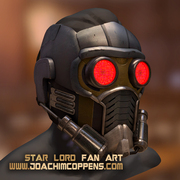
SeemoreAfter The FloodCasino
Swooopdev ArcherGaussian Splat Statues
CarStar-LordGlobal Illumination

You can see more games on the PlayCanvas website.

Users

PlayCanvas is used by leading companies in video games, advertising and visualization such as:
Animech, Arm, BMW, Disney, Facebook, Famobi, Funday Factory, IGT, King, Miniclip, Leapfrog, Mojiworks, Mozilla, Nickelodeon, Nordeus, NOWWA, PikPok, PlaySide Studios, Polaris, Product Madness, Samsung, Snap, Spry Fox, Zeptolab, Zynga

How to build

Ensure you have Node.js 18+ installed. Then, install all of the required Node.js dependencies:

npm install

Now you can run various build options:

CommandDescriptionOutputs To
npm run buildBuild all engine flavors and type declarationsbuild
npm run docsBuild engine API reference docsdocs

About

No description, website, or topics provided.

Resources

Code of conduct

Contributing

Stars

0 stars

Watchers

0 watching

Forks

Releases

Packages

Contributors

Languages