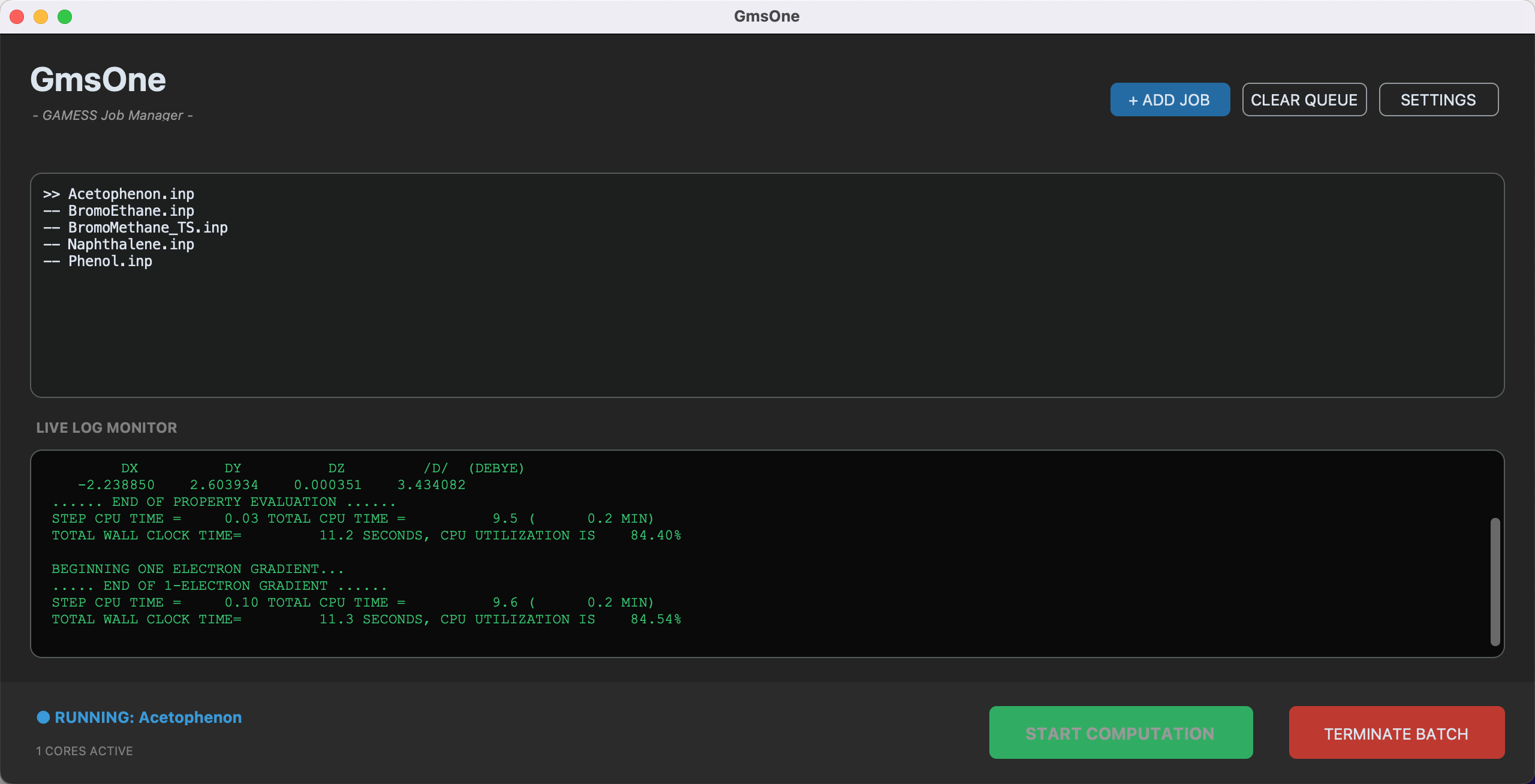
GmsOne is a GUI launcher for macOS designed to simplify job management for the computational chemistry software "GAMESS."
It allows users to add multiple jobs to a queue and run them sequentially without complex command-line operations.
For more details on GmsOne, please go to https://pc-chem-basics.blog.jp/archives/38065995.html
GmsOne requires the following environment to run from source:
- Python 3.8 or higher
- customtkinter library
Caution
This application is specifically optimized for GAMESS version 30Jun2020R1.
Older versions (e.g., 30Sep2018R3-Lion or earlier) are not supported due to differences in path handling within the rungms script, which may cause execution errors (e.g., path modifier errors).
Check your Python version Make sure you have Python 3.8+ installed:
python3 --version
Install the required package Install
customtkintervia pip:pip3 install customtkinter
Run the application
python3 GmsOne.py
To ensure stable execution, please follow these rules in the SETTINGS window:
- Use Absolute Paths (starting with
/Users/...). - Do not add a trailing slash
/at the end of directory paths.- Good:
/Users/name/gamess - Bad:
/Users/name/gamess/
- Good:
If you want to package GmsOne as a standalone macOS application using py2app, follow these steps.
This build configuration is optimized for Intel (x86_64) architecture.
Run the following commands in your terminal:
# Set environment variable to skip internal packaging if necessaryexport PY2APP_SKIP_PACKAGING=1
# Build the .app for x86_64 architecture
python3.12 setup.py py2app --arch=x86_64