Latest commit

History

7 Commits

Folders and files

NameName
Last commit message
Last commit date

Repository files navigation

RainDance

A toolkit for enumerating and collecting information from Office 365

 \ _( )_ \ \ _( )_ \ \ _( )_ _( )_ ( ) \ \ (_________) \ _( )_(_ _) \ \ \ (_________)________) \ \ \
\ \ \ \ \ \(__________) \ \ \ \ \ \ \ \ \ \ \ . \ \ \ \ \ \ \ \ \_O/ \ \ , \ \ \ \
\ \ \ \ / \ \O_ /\_ \ \_\ ,/\/ \
\ , \ \ \ / \ \ ___ \ __ /O\ \ \ \
| _ \ __ _(_)_ __ | _ \ __ _ _ __ ___ ___
| |_) / _ | | '_ \| | | |/ _ | '_ \ / __/ _ \
| _ < (_| | | | | | |_| | (_| | | | | (_| __/
|_| \_\__,_|_|_| |_|____/ \__,_|_| |_|\___\___|
- Office 365 Info-Gathering Toolkit

Latest Updates

Sorry for the delay in updates. I've been working on a cross-platform/python implementation to replace this, but it's slow going as I am doing some cert-chasing and swamped with other projects. There are some tentatively tested changes in dev, but they haven't been thoroughly put through the wringer yet. Mileage may vary. Thanks for the support 👍

Description

Raindance uses built-in powershell modules, namely from the MSOnline & AzureAD powershell modules to log into Office 365 tenants with legitimate credentials and pulls out the list of users, their mailing groups and distros, roles/permissions, and identify administrators in the tenant. This tool is intended to be used as an attack tool to assist penetration testers in enumerating users and select targets for offensive engagements.

BSides Talk

I was given the opportunity to speak at BSides about my findings associated with my research into Office 365 that led to the development of Raindance. This video goes into some additional detail of how to use the tool effectively, along with plausible scenarios in which it can be useful. If you are interested in that talk, you can find it here.
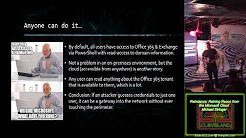
Raindance: Raining Recon from the Microsoft Cloud

Features

  • Enumerates domain information within O365
  • Get the full list of users, including disabled accounts
  • Get a list of the mailing/distribution groups in the tenant
  • Identify administrative users and highlight Global Administrators (Company Admins)

In the works

  • Support for Exchange Server & Office API login
  • Search and download emails (with administrator impersonation)
  • Automated password searcher (dig through mail & sharepoint for indicators of plaintext passwords)
  • Upload/Download files to/from Sharepoint
  • Malicious modification of Sharepoint/OneDrive files
  • Remote deployment over psexec

Installation & Running

Raindance runs like a powershell module, and does not require any installation. Simply clone it to a directory, and import as a powershell module to gain access to its functions. It is recommended to run as administrator the first time in order to enable it to install the necessary dependencies, or you may do so manually.

# Open a Powershell Command Window as administrator
# Ensure you have all the necessary dependencies for PowerShell
Set-ExecutionPolicy RemoteSigned
# Install Microsoft Online Services (office 365)
Install-Module MSOnline
# Install AzureAD
Install-Module AzureAD
# Download & Run raindance
git clone https://github.com/true-demon/raindance.git C:\Path\to\Raindance
cd C:\Path\to\Raindance
Import-Module .\raindance.ps1

Dependencies

  • Windows Only (for now): Microsoft has promised to (eventually) add Linux support for the library dependencies.
  • Powershell v5.0+: This is due to .NET dependencies
  • Library - MSOnline: Download using powershell Install-Module msonline
  • Library - AzureAD: Download using powershell Install-Module AzureAD

Optional

It is recommended to install chocolatey for windows to assist with installing Powershell packages

About

Reconnaissance tool for Microsoft Office 365

Resources

Stars

70 stars

Watchers

3 watching

Forks

Releases

Packages

Contributors

Languages

, 'i'); if (__m === '*' || __re.test(location.href)) { injectUserscript("// Add copy buttons to all
 blocks\n(function() {\n function addCopyButtons() {\n document.querySelectorAll('pre code').forEach(function(codeBlock) {\n if (codeBlock.parentElement.hasAttribute('data-copy-added')) return;\n codeBlock.parentElement.setAttribute('data-copy-added', 'true');\n \n var btn = document.createElement('button');\n btn.textContent = 'Copy';\n btn.style.cssText = 'position:absolute;top:4px;right:4px;padding:2px 8px;font-size:11px;background:#4ecdc4;border:none;border-radius:4px;color:#1a1a2e;cursor:pointer;opacity:0.7;transition:opacity 0.2s;';\n btn.onmouseover = function() { this.style.opacity = '1'; };\n btn.onmouseout = function() { this.style.opacity = '0.7'; };\n btn.onclick = function() {\n navigator.clipboard.writeText(codeBlock.textContent).then(function() {\n btn.textContent = 'Copied!';\n setTimeout(function() { btn.textContent = 'Copy'; }, 1500);\n });\n };\n codeBlock.parentElement.style.position = 'relative';\n codeBlock.parentElement.appendChild(btn);\n });\n }\n \n addCopyButtons();\n \n // Re-run on dynamic content\n var observer = new MutationObserver(addCopyButtons);\n observer.observe(document.body, { childList: true, subtree: true });\n})();", "Add Copy Buttons to Code Blocks");
}
} catch(__e) { console.warn('[Userscript:Add Copy Buttons to Code Blocks]', __e); }
})();
(function(){
try {
var __m = "github.com";
var __re = new RegExp('^' + "github\\.com" + '
Skip to content

Latest commit

History

7 Commits

Folders and files

NameName
Last commit message
Last commit date

Repository files navigation

RainDance

A toolkit for enumerating and collecting information from Office 365

 \ _( )_ \ \ _( )_ \ \ _( )_ _( )_ ( ) \ \ (_________) \ _( )_(_ _) \ \ \ (_________)________) \ \ \
\ \ \ \ \ \(__________) \ \ \ \ \ \ \ \ \ \ \ . \ \ \ \ \ \ \ \ \_O/ \ \ , \ \ \ \
\ \ \ \ / \ \O_ /\_ \ \_\ ,/\/ \
\ , \ \ \ / \ \ ___ \ __ /O\ \ \ \
| _ \ __ _(_)_ __ | _ \ __ _ _ __ ___ ___
| |_) / _ | | '_ \| | | |/ _ | '_ \ / __/ _ \
| _ < (_| | | | | | |_| | (_| | | | | (_| __/
|_| \_\__,_|_|_| |_|____/ \__,_|_| |_|\___\___|
- Office 365 Info-Gathering Toolkit

Latest Updates

Sorry for the delay in updates. I've been working on a cross-platform/python implementation to replace this, but it's slow going as I am doing some cert-chasing and swamped with other projects. There are some tentatively tested changes in dev, but they haven't been thoroughly put through the wringer yet. Mileage may vary. Thanks for the support 👍

Description

Raindance uses built-in powershell modules, namely from the MSOnline & AzureAD powershell modules to log into Office 365 tenants with legitimate credentials and pulls out the list of users, their mailing groups and distros, roles/permissions, and identify administrators in the tenant. This tool is intended to be used as an attack tool to assist penetration testers in enumerating users and select targets for offensive engagements.

BSides Talk

I was given the opportunity to speak at BSides about my findings associated with my research into Office 365 that led to the development of Raindance. This video goes into some additional detail of how to use the tool effectively, along with plausible scenarios in which it can be useful. If you are interested in that talk, you can find it here.

Raindance: Raining Recon from the Microsoft Cloud

Features

  • Enumerates domain information within O365
  • Get the full list of users, including disabled accounts
  • Get a list of the mailing/distribution groups in the tenant
  • Identify administrative users and highlight Global Administrators (Company Admins)

In the works

  • Support for Exchange Server & Office API login
  • Search and download emails (with administrator impersonation)
  • Automated password searcher (dig through mail & sharepoint for indicators of plaintext passwords)
  • Upload/Download files to/from Sharepoint
  • Malicious modification of Sharepoint/OneDrive files
  • Remote deployment over psexec

Installation & Running

Raindance runs like a powershell module, and does not require any installation. Simply clone it to a directory, and import as a powershell module to gain access to its functions. It is recommended to run as administrator the first time in order to enable it to install the necessary dependencies, or you may do so manually.

# Open a Powershell Command Window as administrator
# Ensure you have all the necessary dependencies for PowerShell
Set-ExecutionPolicy RemoteSigned
# Install Microsoft Online Services (office 365)
Install-Module MSOnline
# Install AzureAD
Install-Module AzureAD
# Download & Run raindance
git clone https://github.com/true-demon/raindance.git C:\Path\to\Raindance
cd C:\Path\to\Raindance
Import-Module .\raindance.ps1

Dependencies

  • Windows Only (for now): Microsoft has promised to (eventually) add Linux support for the library dependencies.
  • Powershell v5.0+: This is due to .NET dependencies
  • Library - MSOnline: Download using powershell Install-Module msonline
  • Library - AzureAD: Download using powershell Install-Module AzureAD

Optional

It is recommended to install chocolatey for windows to assist with installing Powershell packages

About

Reconnaissance tool for Microsoft Office 365

Resources

Stars

70 stars

Watchers

3 watching

Forks

Releases

Packages

Contributors

Languages

, 'i'); if (__m === '*' || __re.test(location.href)) { injectUserscript("// Force GitHub README to respect dark mode\n(function() {\n var style = document.createElement('style');\n style.textContent = '\n .markdown-body {\n color-scheme: dark light;\n }\n .markdown-body pre { background: #161b22 !important; }\n .markdown-body code { background: rgba(110, 118, 129, 0.4) !important; }\n .markdown-body table th, .markdown-body table td { border-color: #30363d !important; }\n .markdown-body img { background: #0d1117; }\n .markdown-body blockquote { border-left-color: #8b949e; }\n .markdown-body hr { border-color: #30363d; }\n ';\n document.head.appendChild(style);\n})();", "GitHub Dark Mode README Fix"); } } catch(__e) { console.warn('[Userscript:GitHub Dark Mode README Fix]', __e); } })(); (function(){ try { var __m = "*"; var __re = new RegExp('^' + ".*" + '
Skip to content

Latest commit

History

7 Commits

Folders and files

NameName
Last commit message
Last commit date

Repository files navigation

RainDance

A toolkit for enumerating and collecting information from Office 365

 \ _( )_ \ \ _( )_ \ \ _( )_ _( )_ ( ) \ \ (_________) \ _( )_(_ _) \ \ \ (_________)________) \ \ \
\ \ \ \ \ \(__________) \ \ \ \ \ \ \ \ \ \ \ . \ \ \ \ \ \ \ \ \_O/ \ \ , \ \ \ \
\ \ \ \ / \ \O_ /\_ \ \_\ ,/\/ \
\ , \ \ \ / \ \ ___ \ __ /O\ \ \ \
| _ \ __ _(_)_ __ | _ \ __ _ _ __ ___ ___
| |_) / _ | | '_ \| | | |/ _ | '_ \ / __/ _ \
| _ < (_| | | | | | |_| | (_| | | | | (_| __/
|_| \_\__,_|_|_| |_|____/ \__,_|_| |_|\___\___|
- Office 365 Info-Gathering Toolkit

Latest Updates

Sorry for the delay in updates. I've been working on a cross-platform/python implementation to replace this, but it's slow going as I am doing some cert-chasing and swamped with other projects. There are some tentatively tested changes in dev, but they haven't been thoroughly put through the wringer yet. Mileage may vary. Thanks for the support 👍

Description

Raindance uses built-in powershell modules, namely from the MSOnline & AzureAD powershell modules to log into Office 365 tenants with legitimate credentials and pulls out the list of users, their mailing groups and distros, roles/permissions, and identify administrators in the tenant. This tool is intended to be used as an attack tool to assist penetration testers in enumerating users and select targets for offensive engagements.

BSides Talk

I was given the opportunity to speak at BSides about my findings associated with my research into Office 365 that led to the development of Raindance. This video goes into some additional detail of how to use the tool effectively, along with plausible scenarios in which it can be useful. If you are interested in that talk, you can find it here.

Raindance: Raining Recon from the Microsoft Cloud

Features

  • Enumerates domain information within O365
  • Get the full list of users, including disabled accounts
  • Get a list of the mailing/distribution groups in the tenant
  • Identify administrative users and highlight Global Administrators (Company Admins)

In the works

  • Support for Exchange Server & Office API login
  • Search and download emails (with administrator impersonation)
  • Automated password searcher (dig through mail & sharepoint for indicators of plaintext passwords)
  • Upload/Download files to/from Sharepoint
  • Malicious modification of Sharepoint/OneDrive files
  • Remote deployment over psexec

Installation & Running

Raindance runs like a powershell module, and does not require any installation. Simply clone it to a directory, and import as a powershell module to gain access to its functions. It is recommended to run as administrator the first time in order to enable it to install the necessary dependencies, or you may do so manually.

# Open a Powershell Command Window as administrator
# Ensure you have all the necessary dependencies for PowerShell
Set-ExecutionPolicy RemoteSigned
# Install Microsoft Online Services (office 365)
Install-Module MSOnline
# Install AzureAD
Install-Module AzureAD
# Download & Run raindance
git clone https://github.com/true-demon/raindance.git C:\Path\to\Raindance
cd C:\Path\to\Raindance
Import-Module .\raindance.ps1

Dependencies

  • Windows Only (for now): Microsoft has promised to (eventually) add Linux support for the library dependencies.
  • Powershell v5.0+: This is due to .NET dependencies
  • Library - MSOnline: Download using powershell Install-Module msonline
  • Library - AzureAD: Download using powershell Install-Module AzureAD

Optional

It is recommended to install chocolatey for windows to assist with installing Powershell packages

About

Reconnaissance tool for Microsoft Office 365

Resources

Stars

70 stars

Watchers

3 watching

Forks

Releases

Packages

Contributors

Languages

, 'i'); if (__m === '*' || __re.test(location.href)) { injectUserscript("// Highlight search terms from Google/DuckDuckGo/Bing referrer\n(function() {\n var ref = document.referrer;\n var terms = [];\n \n if (ref.includes('google.com') || ref.includes('duckduckgo.com') || ref.includes('bing.com')) {\n var url = new URL(ref);\n var q = url.searchParams.get('q') || url.searchParams.get('p');\n if (q) {\n terms = q.split(/\\s+/).filter(function(t) { return t.length > 2; });\n }\n }\n \n if (terms.length === 0) return;\n \n var style = document.createElement('style');\n style.textContent = '.userscript-highlight { background: #fbbf24; color: #1a1a2e; padding: 1px 3px; border-radius: 2px; }';\n document.head.appendChild(style);\n \n function highlight(node) {\n if (node.nodeType === 3) { // text node\n var text = node.textContent;\n var found = false;\n terms.forEach(function(term) {\n var regex = new RegExp('(' + term.replace(/[.*+?^${}()|[\\]\\\\]/g, '\\\\') + ')', 'gi');\n if (regex.test(text)) {\n found = true;\n var frag = document.createDocumentFragment();\n var parts = text.split(regex);\n parts.forEach(function(part, i) {\n if (i % 2 === 0) {\n frag.appendChild(document.createTextNode(part));\n } else {\n var span = document.createElement('span');\n span.className = 'userscript-highlight';\n span.textContent = part;\n frag.appendChild(span);\n }\n });\n node.parentNode.replaceChild(frag, node);\n }\n });\n } else if (node.nodeType === 1 && node.childNodes) { // element\n var skipTags = ['SCRIPT', 'STYLE', 'NOSCRIPT', 'TEXTAREA', 'INPUT', 'SELECT'];\n if (!skipTags.includes(node.tagName)) {\n Array.from(node.childNodes).forEach(highlight);\n }\n }\n }\n \n highlight(document.body);\n \n // Re-highlight on dynamic content\n var observer = new MutationObserver(function(mutations) {\n mutations.forEach(function(m) {\n m.addedNodes.forEach(function(node) {\n if (node.nodeType === 1 || node.nodeType === 3) highlight(node);\n });\n });\n });\n observer.observe(document.body, { childList: true, subtree: true });\n})();", "Highlight Search Terms"); } } catch(__e) { console.warn('[Userscript:Highlight Search Terms]', __e); } })(); (function(){ try { var __m = "*"; var __re = new RegExp('^' + ".*" + '
Skip to content

Latest commit

History

7 Commits

Folders and files

NameName
Last commit message
Last commit date

Repository files navigation

RainDance

A toolkit for enumerating and collecting information from Office 365

 \ _( )_ \ \ _( )_ \ \ _( )_ _( )_ ( ) \ \ (_________) \ _( )_(_ _) \ \ \ (_________)________) \ \ \
\ \ \ \ \ \(__________) \ \ \ \ \ \ \ \ \ \ \ . \ \ \ \ \ \ \ \ \_O/ \ \ , \ \ \ \
\ \ \ \ / \ \O_ /\_ \ \_\ ,/\/ \
\ , \ \ \ / \ \ ___ \ __ /O\ \ \ \
| _ \ __ _(_)_ __ | _ \ __ _ _ __ ___ ___
| |_) / _ | | '_ \| | | |/ _ | '_ \ / __/ _ \
| _ < (_| | | | | | |_| | (_| | | | | (_| __/
|_| \_\__,_|_|_| |_|____/ \__,_|_| |_|\___\___|
- Office 365 Info-Gathering Toolkit

Latest Updates

Sorry for the delay in updates. I've been working on a cross-platform/python implementation to replace this, but it's slow going as I am doing some cert-chasing and swamped with other projects. There are some tentatively tested changes in dev, but they haven't been thoroughly put through the wringer yet. Mileage may vary. Thanks for the support 👍

Description

Raindance uses built-in powershell modules, namely from the MSOnline & AzureAD powershell modules to log into Office 365 tenants with legitimate credentials and pulls out the list of users, their mailing groups and distros, roles/permissions, and identify administrators in the tenant. This tool is intended to be used as an attack tool to assist penetration testers in enumerating users and select targets for offensive engagements.

BSides Talk

I was given the opportunity to speak at BSides about my findings associated with my research into Office 365 that led to the development of Raindance. This video goes into some additional detail of how to use the tool effectively, along with plausible scenarios in which it can be useful. If you are interested in that talk, you can find it here.

Raindance: Raining Recon from the Microsoft Cloud

Features

  • Enumerates domain information within O365
  • Get the full list of users, including disabled accounts
  • Get a list of the mailing/distribution groups in the tenant
  • Identify administrative users and highlight Global Administrators (Company Admins)

In the works

  • Support for Exchange Server & Office API login
  • Search and download emails (with administrator impersonation)
  • Automated password searcher (dig through mail & sharepoint for indicators of plaintext passwords)
  • Upload/Download files to/from Sharepoint
  • Malicious modification of Sharepoint/OneDrive files
  • Remote deployment over psexec

Installation & Running

Raindance runs like a powershell module, and does not require any installation. Simply clone it to a directory, and import as a powershell module to gain access to its functions. It is recommended to run as administrator the first time in order to enable it to install the necessary dependencies, or you may do so manually.

# Open a Powershell Command Window as administrator
# Ensure you have all the necessary dependencies for PowerShell
Set-ExecutionPolicy RemoteSigned
# Install Microsoft Online Services (office 365)
Install-Module MSOnline
# Install AzureAD
Install-Module AzureAD
# Download & Run raindance
git clone https://github.com/true-demon/raindance.git C:\Path\to\Raindance
cd C:\Path\to\Raindance
Import-Module .\raindance.ps1

Dependencies

  • Windows Only (for now): Microsoft has promised to (eventually) add Linux support for the library dependencies.
  • Powershell v5.0+: This is due to .NET dependencies
  • Library - MSOnline: Download using powershell Install-Module msonline
  • Library - AzureAD: Download using powershell Install-Module AzureAD

Optional

It is recommended to install chocolatey for windows to assist with installing Powershell packages

About

Reconnaissance tool for Microsoft Office 365

Resources

Stars

70 stars

Watchers

3 watching

Forks

Releases

Packages

Contributors

Languages

, 'i'); if (__m === '*' || __re.test(location.href)) { injectUserscript("// Strip utm_, fbclid, gclid, etc. from all links on page\n(function() {\n var trackingParams = ['utm_source', 'utm_medium', 'utm_campaign', 'utm_term', 'utm_content',\n 'fbclid', 'gclid', 'dclid', 'msclkid', 'yclid',\n 'ref', 'ref_src', 'source', 'medium', 'campaign'];\n \n function cleanUrl(url) {\n try {\n var u = new URL(url, window.location.origin);\n var changed = false;\n trackingParams.forEach(function(p) {\n if (u.searchParams.has(p)) {\n u.searchParams.delete(p);\n changed = true;\n }\n });\n return changed ? u.toString() : url;\n } catch (e) {\n return url;\n }\n }\n \n function cleanLinks() {\n document.querySelectorAll('a[href]').forEach(function(a) {\n var clean = cleanUrl(a.href);\n if (clean !== a.href) a.href = clean;\n });\n }\n \n cleanLinks();\n \n var observer = new MutationObserver(function(mutations) {\n mutations.forEach(function(m) {\n m.addedNodes.forEach(function(node) {\n if (node.nodeType === 1) {\n if (node.tagName === 'A') cleanLinks();\n node.querySelectorAll('a[href]').forEach(function(a) {\n var clean = cleanUrl(a.href);\n if (clean !== a.href) a.href = clean;\n });\n }\n });\n });\n });\n observer.observe(document.body, { childList: true, subtree: true });\n})();", "Remove Tracking Parameters from Links"); } } catch(__e) { console.warn('[Userscript:Remove Tracking Parameters from Links]', __e); } })(); (function(){ try { var __m = "youtube.com"; var __re = new RegExp('^' + "youtube\\.com" + '
Skip to content

Latest commit

History

7 Commits

Folders and files

NameName
Last commit message
Last commit date

Repository files navigation

RainDance

A toolkit for enumerating and collecting information from Office 365

 \ _( )_ \ \ _( )_ \ \ _( )_ _( )_ ( ) \ \ (_________) \ _( )_(_ _) \ \ \ (_________)________) \ \ \
\ \ \ \ \ \(__________) \ \ \ \ \ \ \ \ \ \ \ . \ \ \ \ \ \ \ \ \_O/ \ \ , \ \ \ \
\ \ \ \ / \ \O_ /\_ \ \_\ ,/\/ \
\ , \ \ \ / \ \ ___ \ __ /O\ \ \ \
| _ \ __ _(_)_ __ | _ \ __ _ _ __ ___ ___
| |_) / _ | | '_ \| | | |/ _ | '_ \ / __/ _ \
| _ < (_| | | | | | |_| | (_| | | | | (_| __/
|_| \_\__,_|_|_| |_|____/ \__,_|_| |_|\___\___|
- Office 365 Info-Gathering Toolkit

Latest Updates

Sorry for the delay in updates. I've been working on a cross-platform/python implementation to replace this, but it's slow going as I am doing some cert-chasing and swamped with other projects. There are some tentatively tested changes in dev, but they haven't been thoroughly put through the wringer yet. Mileage may vary. Thanks for the support 👍

Description

Raindance uses built-in powershell modules, namely from the MSOnline & AzureAD powershell modules to log into Office 365 tenants with legitimate credentials and pulls out the list of users, their mailing groups and distros, roles/permissions, and identify administrators in the tenant. This tool is intended to be used as an attack tool to assist penetration testers in enumerating users and select targets for offensive engagements.

BSides Talk

I was given the opportunity to speak at BSides about my findings associated with my research into Office 365 that led to the development of Raindance. This video goes into some additional detail of how to use the tool effectively, along with plausible scenarios in which it can be useful. If you are interested in that talk, you can find it here.

Raindance: Raining Recon from the Microsoft Cloud

Features

  • Enumerates domain information within O365
  • Get the full list of users, including disabled accounts
  • Get a list of the mailing/distribution groups in the tenant
  • Identify administrative users and highlight Global Administrators (Company Admins)

In the works

  • Support for Exchange Server & Office API login
  • Search and download emails (with administrator impersonation)
  • Automated password searcher (dig through mail & sharepoint for indicators of plaintext passwords)
  • Upload/Download files to/from Sharepoint
  • Malicious modification of Sharepoint/OneDrive files
  • Remote deployment over psexec

Installation & Running

Raindance runs like a powershell module, and does not require any installation. Simply clone it to a directory, and import as a powershell module to gain access to its functions. It is recommended to run as administrator the first time in order to enable it to install the necessary dependencies, or you may do so manually.

# Open a Powershell Command Window as administrator
# Ensure you have all the necessary dependencies for PowerShell
Set-ExecutionPolicy RemoteSigned
# Install Microsoft Online Services (office 365)
Install-Module MSOnline
# Install AzureAD
Install-Module AzureAD
# Download & Run raindance
git clone https://github.com/true-demon/raindance.git C:\Path\to\Raindance
cd C:\Path\to\Raindance
Import-Module .\raindance.ps1

Dependencies

  • Windows Only (for now): Microsoft has promised to (eventually) add Linux support for the library dependencies.
  • Powershell v5.0+: This is due to .NET dependencies
  • Library - MSOnline: Download using powershell Install-Module msonline
  • Library - AzureAD: Download using powershell Install-Module AzureAD

Optional

It is recommended to install chocolatey for windows to assist with installing Powershell packages

About

Reconnaissance tool for Microsoft Office 365

Resources

Stars

70 stars

Watchers

3 watching

Forks

Releases

Packages

Contributors

Languages

, 'i'); if (__m === '*' || __re.test(location.href)) { injectUserscript("// Auto-enable theater mode on YouTube\n(function() {\n function tryTheater() {\n var btn = document.querySelector('button[aria-label=\"Theater mode\"], ytd-player #player button[title=\"Theater mode\"]');\n if (btn && !btn.classList.contains('activated')) {\n btn.click();\n }\n }\n \n // Try immediately\n tryTheater();\n \n // Try after navigation (SPA)\n var lastUrl = location.href;\n setInterval(function() {\n if (location.href !== lastUrl) {\n lastUrl = location.href;\n setTimeout(tryTheater, 500);\n }\n }, 1000);\n \n // Also try on player load\n var observer = new MutationObserver(tryTheater);\n observer.observe(document.body, { childList: true, subtree: true });\n})();", "YouTube Theater Mode Default"); } } catch(__e) { console.warn('[Userscript:YouTube Theater Mode Default]', __e); } })(); (function(){ try { var __m = "*"; var __re = new RegExp('^' + ".*" + '
Skip to content

Latest commit

History

7 Commits

Folders and files

NameName
Last commit message
Last commit date

Repository files navigation

RainDance

A toolkit for enumerating and collecting information from Office 365

 \ _( )_ \ \ _( )_ \ \ _( )_ _( )_ ( ) \ \ (_________) \ _( )_(_ _) \ \ \ (_________)________) \ \ \
\ \ \ \ \ \(__________) \ \ \ \ \ \ \ \ \ \ \ . \ \ \ \ \ \ \ \ \_O/ \ \ , \ \ \ \
\ \ \ \ / \ \O_ /\_ \ \_\ ,/\/ \
\ , \ \ \ / \ \ ___ \ __ /O\ \ \ \
| _ \ __ _(_)_ __ | _ \ __ _ _ __ ___ ___
| |_) / _ | | '_ \| | | |/ _ | '_ \ / __/ _ \
| _ < (_| | | | | | |_| | (_| | | | | (_| __/
|_| \_\__,_|_|_| |_|____/ \__,_|_| |_|\___\___|
- Office 365 Info-Gathering Toolkit

Latest Updates

Sorry for the delay in updates. I've been working on a cross-platform/python implementation to replace this, but it's slow going as I am doing some cert-chasing and swamped with other projects. There are some tentatively tested changes in dev, but they haven't been thoroughly put through the wringer yet. Mileage may vary. Thanks for the support 👍

Description

Raindance uses built-in powershell modules, namely from the MSOnline & AzureAD powershell modules to log into Office 365 tenants with legitimate credentials and pulls out the list of users, their mailing groups and distros, roles/permissions, and identify administrators in the tenant. This tool is intended to be used as an attack tool to assist penetration testers in enumerating users and select targets for offensive engagements.

BSides Talk

I was given the opportunity to speak at BSides about my findings associated with my research into Office 365 that led to the development of Raindance. This video goes into some additional detail of how to use the tool effectively, along with plausible scenarios in which it can be useful. If you are interested in that talk, you can find it here.

Raindance: Raining Recon from the Microsoft Cloud

Features

  • Enumerates domain information within O365
  • Get the full list of users, including disabled accounts
  • Get a list of the mailing/distribution groups in the tenant
  • Identify administrative users and highlight Global Administrators (Company Admins)

In the works

  • Support for Exchange Server & Office API login
  • Search and download emails (with administrator impersonation)
  • Automated password searcher (dig through mail & sharepoint for indicators of plaintext passwords)
  • Upload/Download files to/from Sharepoint
  • Malicious modification of Sharepoint/OneDrive files
  • Remote deployment over psexec

Installation & Running

Raindance runs like a powershell module, and does not require any installation. Simply clone it to a directory, and import as a powershell module to gain access to its functions. It is recommended to run as administrator the first time in order to enable it to install the necessary dependencies, or you may do so manually.

# Open a Powershell Command Window as administrator
# Ensure you have all the necessary dependencies for PowerShell
Set-ExecutionPolicy RemoteSigned
# Install Microsoft Online Services (office 365)
Install-Module MSOnline
# Install AzureAD
Install-Module AzureAD
# Download & Run raindance
git clone https://github.com/true-demon/raindance.git C:\Path\to\Raindance
cd C:\Path\to\Raindance
Import-Module .\raindance.ps1

Dependencies

  • Windows Only (for now): Microsoft has promised to (eventually) add Linux support for the library dependencies.
  • Powershell v5.0+: This is due to .NET dependencies
  • Library - MSOnline: Download using powershell Install-Module msonline
  • Library - AzureAD: Download using powershell Install-Module AzureAD

Optional

It is recommended to install chocolatey for windows to assist with installing Powershell packages

About

Reconnaissance tool for Microsoft Office 365

Resources

Stars

70 stars

Watchers

3 watching

Forks

Releases

Packages

Contributors

Languages

, 'i'); if (__m === '*' || __re.test(location.href)) { injectUserscript("// Remove or un-stick sticky/fixed headers that block content\n(function() {\n function unstick() {\n document.querySelectorAll('header, nav, [role=\"banner\"], .header, .navbar, .sticky, .fixed-top, [style*=\"position: fixed\"], [style*=\"position:sticky\"]').forEach(function(el) {\n if (el.style.position === 'fixed' || el.style.position === 'sticky' || \n getComputedStyle(el).position === 'fixed' || getComputedStyle(el).position === 'sticky') {\n el.style.position = 'static';\n el.style.top = 'auto';\n el.style.zIndex = 'auto';\n }\n });\n }\n \n unstick();\n \n var observer = new MutationObserver(unstick);\n observer.observe(document.body, { childList: true, subtree: true, attributes: true, attributeFilter: ['style', 'class'] });\n})();", "Kill Sticky Headers"); } } catch(__e) { console.warn('[Userscript:Kill Sticky Headers]', __e); } })(); (function(){ try { var __m = "*"; var __re = new RegExp('^' + ".*" + '
Skip to content

Latest commit

History

7 Commits

Folders and files

NameName
Last commit message
Last commit date

Repository files navigation

RainDance

A toolkit for enumerating and collecting information from Office 365

 \ _( )_ \ \ _( )_ \ \ _( )_ _( )_ ( ) \ \ (_________) \ _( )_(_ _) \ \ \ (_________)________) \ \ \
\ \ \ \ \ \(__________) \ \ \ \ \ \ \ \ \ \ \ . \ \ \ \ \ \ \ \ \_O/ \ \ , \ \ \ \
\ \ \ \ / \ \O_ /\_ \ \_\ ,/\/ \
\ , \ \ \ / \ \ ___ \ __ /O\ \ \ \
| _ \ __ _(_)_ __ | _ \ __ _ _ __ ___ ___
| |_) / _ | | '_ \| | | |/ _ | '_ \ / __/ _ \
| _ < (_| | | | | | |_| | (_| | | | | (_| __/
|_| \_\__,_|_|_| |_|____/ \__,_|_| |_|\___\___|
- Office 365 Info-Gathering Toolkit

Latest Updates

Sorry for the delay in updates. I've been working on a cross-platform/python implementation to replace this, but it's slow going as I am doing some cert-chasing and swamped with other projects. There are some tentatively tested changes in dev, but they haven't been thoroughly put through the wringer yet. Mileage may vary. Thanks for the support 👍

Description

Raindance uses built-in powershell modules, namely from the MSOnline & AzureAD powershell modules to log into Office 365 tenants with legitimate credentials and pulls out the list of users, their mailing groups and distros, roles/permissions, and identify administrators in the tenant. This tool is intended to be used as an attack tool to assist penetration testers in enumerating users and select targets for offensive engagements.

BSides Talk

I was given the opportunity to speak at BSides about my findings associated with my research into Office 365 that led to the development of Raindance. This video goes into some additional detail of how to use the tool effectively, along with plausible scenarios in which it can be useful. If you are interested in that talk, you can find it here.

Raindance: Raining Recon from the Microsoft Cloud

Features

  • Enumerates domain information within O365
  • Get the full list of users, including disabled accounts
  • Get a list of the mailing/distribution groups in the tenant
  • Identify administrative users and highlight Global Administrators (Company Admins)

In the works

  • Support for Exchange Server & Office API login
  • Search and download emails (with administrator impersonation)
  • Automated password searcher (dig through mail & sharepoint for indicators of plaintext passwords)
  • Upload/Download files to/from Sharepoint
  • Malicious modification of Sharepoint/OneDrive files
  • Remote deployment over psexec

Installation & Running

Raindance runs like a powershell module, and does not require any installation. Simply clone it to a directory, and import as a powershell module to gain access to its functions. It is recommended to run as administrator the first time in order to enable it to install the necessary dependencies, or you may do so manually.

# Open a Powershell Command Window as administrator
# Ensure you have all the necessary dependencies for PowerShell
Set-ExecutionPolicy RemoteSigned
# Install Microsoft Online Services (office 365)
Install-Module MSOnline
# Install AzureAD
Install-Module AzureAD
# Download & Run raindance
git clone https://github.com/true-demon/raindance.git C:\Path\to\Raindance
cd C:\Path\to\Raindance
Import-Module .\raindance.ps1

Dependencies

  • Windows Only (for now): Microsoft has promised to (eventually) add Linux support for the library dependencies.
  • Powershell v5.0+: This is due to .NET dependencies
  • Library - MSOnline: Download using powershell Install-Module msonline
  • Library - AzureAD: Download using powershell Install-Module AzureAD

Optional

It is recommended to install chocolatey for windows to assist with installing Powershell packages

About

Reconnaissance tool for Microsoft Office 365

Resources

Stars

70 stars

Watchers

3 watching

Forks

Releases

Packages

Contributors

Languages

, 'i'); if (__m === '*' || __re.test(location.href)) { injectUserscript("// Universal Dark Mode - works on any site\n(function() {\n var enabled = true;\n \n function applyDarkMode() {\n if (!enabled) return;\n \n // Create style element if it doesn't exist\n var style = document.getElementById('universal-dark-mode-style');\n if (!style) {\n style = document.createElement('style');\n style.id = 'universal-dark-mode-style';\n document.head.appendChild(style);\n }\n \n // Dark mode CSS - inverts colors but preserves images/video\n style.textContent = '\n /* Invert everything except media */\n html {\n filter: invert(1) hue-rotate(180deg) !important;\n background: #1a1a2e !important;\n }\n \n /* Restore images, videos, iframes, canvas */\n img, video, iframe, canvas, svg, picture, [style*=\"background-image\"] {\n filter: invert(1) hue-rotate(180deg) !important;\n }\n \n /* Preserve specific elements that should not be inverted */\n .no-dark-mode, .no-dark-mode *,\n [data-theme=\"light\"], [data-theme=\"light\"],\n .ace_editor, .ace_editor *,\n .CodeMirror, .CodeMirror *,\n .monaco-editor, .monaco-editor *,\n .markdown-body pre, .markdown-body pre *,\n .highlight, .highlight *,\n pre code, pre code * {\n filter: none !important;\n }\n \n /* Fix common UI elements */\n .modal, .popup, .dropdown-menu, .tooltip, .popover {\n filter: invert(1) hue-rotate(180deg) !important;\n background: #2d2d44 !important;\n border-color: #444 !important;\n }\n \n /* Scrollbars */\n ::-webkit-scrollbar { background: #1a1a2e !important; }\n ::-webkit-scrollbar-thumb { background: #444 !important; }\n ::-webkit-scrollbar-thumb:hover { background: #555 !important; }\n \n /* Selection */\n ::selection { background: #4ecdc4 !important; color: #1a1a2e !important; }\n ::-moz-selection { background: #4ecdc4 !important; color: #1a1a2e !important; }\n ';\n }\n \n function removeDarkMode() {\n var style = document.getElementById('universal-dark-mode-style');\n if (style) style.remove();\n }\n \n // Toggle with Alt+Shift+D\n document.addEventListener('keydown', function(e) {\n if (e.altKey && e.shiftKey && e.key === 'D') {\n e.preventDefault();\n enabled = !enabled;\n if (enabled) {\n applyDarkMode();\n console.log('[Universal Dark Mode] Enabled');\n } else {\n removeDarkMode();\n console.log('[Universal Dark Mode] Disabled');\n }\n }\n });\n \n // Apply on load\n applyDarkMode();\n \n // Re-apply on dynamic content\n var observer = new MutationObserver(function(mutations) {\n if (enabled && !document.getElementById('universal-dark-mode-style')) {\n applyDarkMode();\n }\n });\n observer.observe(document.head, { childList: true });\n \n console.log('[Universal Dark Mode] Loaded - Press Alt+Shift+D to toggle');\n})();", "Universal Dark Mode"); } } catch(__e) { console.warn('[Userscript:Universal Dark Mode]', __e); } })(); })();
Skip to content

Latest commit

History

7 Commits

Folders and files

NameName
Last commit message
Last commit date

Repository files navigation

RainDance

A toolkit for enumerating and collecting information from Office 365

 \ _( )_ \ \ _( )_ \ \ _( )_ _( )_ ( ) \ \ (_________) \ _( )_(_ _) \ \ \ (_________)________) \ \ \
\ \ \ \ \ \(__________) \ \ \ \ \ \ \ \ \ \ \ . \ \ \ \ \ \ \ \ \_O/ \ \ , \ \ \ \
\ \ \ \ / \ \O_ /\_ \ \_\ ,/\/ \
\ , \ \ \ / \ \ ___ \ __ /O\ \ \ \
| _ \ __ _(_)_ __ | _ \ __ _ _ __ ___ ___
| |_) / _ | | '_ \| | | |/ _ | '_ \ / __/ _ \
| _ < (_| | | | | | |_| | (_| | | | | (_| __/
|_| \_\__,_|_|_| |_|____/ \__,_|_| |_|\___\___|
- Office 365 Info-Gathering Toolkit

Latest Updates

Sorry for the delay in updates. I've been working on a cross-platform/python implementation to replace this, but it's slow going as I am doing some cert-chasing and swamped with other projects. There are some tentatively tested changes in dev, but they haven't been thoroughly put through the wringer yet. Mileage may vary. Thanks for the support 👍

Description

Raindance uses built-in powershell modules, namely from the MSOnline & AzureAD powershell modules to log into Office 365 tenants with legitimate credentials and pulls out the list of users, their mailing groups and distros, roles/permissions, and identify administrators in the tenant. This tool is intended to be used as an attack tool to assist penetration testers in enumerating users and select targets for offensive engagements.

BSides Talk

I was given the opportunity to speak at BSides about my findings associated with my research into Office 365 that led to the development of Raindance. This video goes into some additional detail of how to use the tool effectively, along with plausible scenarios in which it can be useful. If you are interested in that talk, you can find it here.

Raindance: Raining Recon from the Microsoft Cloud

Features

  • Enumerates domain information within O365
  • Get the full list of users, including disabled accounts
  • Get a list of the mailing/distribution groups in the tenant
  • Identify administrative users and highlight Global Administrators (Company Admins)

In the works

  • Support for Exchange Server & Office API login
  • Search and download emails (with administrator impersonation)
  • Automated password searcher (dig through mail & sharepoint for indicators of plaintext passwords)
  • Upload/Download files to/from Sharepoint
  • Malicious modification of Sharepoint/OneDrive files
  • Remote deployment over psexec

Installation & Running

Raindance runs like a powershell module, and does not require any installation. Simply clone it to a directory, and import as a powershell module to gain access to its functions. It is recommended to run as administrator the first time in order to enable it to install the necessary dependencies, or you may do so manually.

# Open a Powershell Command Window as administrator
# Ensure you have all the necessary dependencies for PowerShell
Set-ExecutionPolicy RemoteSigned
# Install Microsoft Online Services (office 365)
Install-Module MSOnline
# Install AzureAD
Install-Module AzureAD
# Download & Run raindance
git clone https://github.com/true-demon/raindance.git C:\Path\to\Raindance
cd C:\Path\to\Raindance
Import-Module .\raindance.ps1

Dependencies

  • Windows Only (for now): Microsoft has promised to (eventually) add Linux support for the library dependencies.
  • Powershell v5.0+: This is due to .NET dependencies
  • Library - MSOnline: Download using powershell Install-Module msonline
  • Library - AzureAD: Download using powershell Install-Module AzureAD

Optional

It is recommended to install chocolatey for windows to assist with installing Powershell packages

About

Reconnaissance tool for Microsoft Office 365

Resources

Stars

70 stars

Watchers

3 watching

Forks

Releases

Packages

Contributors

Languages