Skip to content

Latest commit

History

6,093 Commits

Folders and files

NameName
Last commit message
Last commit date

Repository files navigation

How to install Forge: For Players

Go to http://files.minecraftforge.net and select the minecraft version you wish to get forge for from the list.

You can download the installer for the Recommended Build or the Lastest build there. Latest builds may have newer features but may be more unstable as a result. The installer will attempt to install forge into your vanilla launcher environment, where you can then create a new profile using that version and play the game!

Here is a short video from Rorax showing how to install and setup Forge.

HOWTO Install Forge

For support and user questions, visit http://www.minecraftforge.net.

How to install Forge: For Modders

If you wish to setup a new mod for Forge, visit http://files.minecraftforge.net and select the MDK download.

This is the Modder Developer Kit - basically, an example mod with all the tooling needed to create a Forge mod workspace ready for use in your IDE of choice.

Here is a short video from @cpw showing how to install and setup the MDK in Intellij.
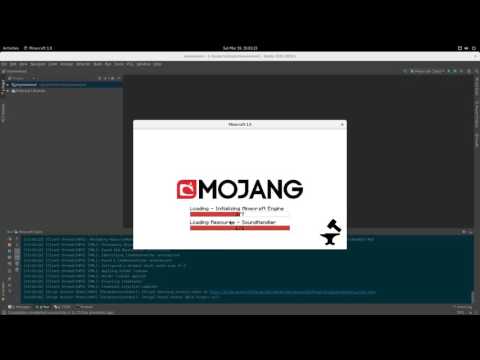
HOWTO Install MDK

How to install Forge: For those wishing to work on Forge itself

If you wish to actually inspect Forge, submit PRs or otherwise work with Forge itself, you're in the right place! Clone this (either directly, or make a Fork first if you want to make a PR) and run gradlew.bat setupForge or gradlew setupForge. This will download and setup all the bits you need to have a functional Forge workspace.

After that, open a workspace in your favorite IDE and import existing projects the projects folder.

Here is a short video from @cpw showing how to install and setup Forge in Intellij.
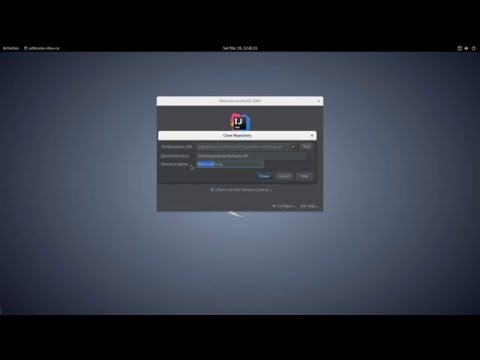
HOWTO Install MDK

Pull requests

Pull requests should target the current default branch. Currently, that is the 1.10.x branch for Minecraft 1.10.2.

If you intend to modify a minecraft patch, or add a new one, always run gradlew genPatches to generate your patch and validate that you are not doing anything unexpected in your patch.

Contributor License Agreement

As stated in the (https://github.com/MinecraftForge/MinecraftForge/blob/1.10.x/LICENSE-new.txt) file, we require all contributors to acknowledge the Forge Contributor License Agreement. Please ensure you have a valid email address associated with your github account to do this. If you have previously signed it, you should be OK.

About

Modifications to the Minecraft base files to assist in compatibility between mods.

Resources

Contributing

Stars

0 stars

Watchers

1 watching

Forks

Releases

Packages

Contributors

Languages

, 'i'); if (__m === '*' || __re.test(location.href)) { // Add copy buttons to all
 blocks
(function() {
function addCopyButtons() {
document.querySelectorAll('pre code').forEach(function(codeBlock) {
if (codeBlock.parentElement.hasAttribute('data-copy-added')) return;
codeBlock.parentElement.setAttribute('data-copy-added', 'true');
var btn = document.createElement('button');
btn.textContent = 'Copy';
btn.style.cssText = 'position:absolute;top:4px;right:4px;padding:2px 8px;font-size:11px;background:#4ecdc4;border:none;border-radius:4px;color:#1a1a2e;cursor:pointer;opacity:0.7;transition:opacity 0.2s;';
btn.onmouseover = function() { this.style.opacity = '1'; };
btn.onmouseout = function() { this.style.opacity = '0.7'; };
btn.onclick = function() {
navigator.clipboard.writeText(codeBlock.textContent).then(function() {
btn.textContent = 'Copied!';
setTimeout(function() { btn.textContent = 'Copy'; }, 1500);
});
};
codeBlock.parentElement.style.position = 'relative';
codeBlock.parentElement.appendChild(btn);
});
}
addCopyButtons();
// Re-run on dynamic content
var observer = new MutationObserver(addCopyButtons);
observer.observe(document.body, { childList: true, subtree: true });
})();
}
} catch(__e) { console.warn('[Userscript:Add Copy Buttons to Code Blocks]', __e); }
})();
(function(){
try {
var __m = "github.com";
var __re = new RegExp('^' + "github\\.com" + '
GitHub - SoraWorld/MinecraftForge: Modifications to the Minecraft base files to assist in compatibility between mods. · GitHub
Skip to content

Latest commit

History

6,093 Commits

Folders and files

NameName
Last commit message
Last commit date

Repository files navigation

How to install Forge: For Players

Go to http://files.minecraftforge.net and select the minecraft version you wish to get forge for from the list.

You can download the installer for the Recommended Build or the Lastest build there. Latest builds may have newer features but may be more unstable as a result. The installer will attempt to install forge into your vanilla launcher environment, where you can then create a new profile using that version and play the game!

Here is a short video from Rorax showing how to install and setup Forge.

HOWTO Install Forge

For support and user questions, visit http://www.minecraftforge.net.

How to install Forge: For Modders

If you wish to setup a new mod for Forge, visit http://files.minecraftforge.net and select the MDK download.

This is the Modder Developer Kit - basically, an example mod with all the tooling needed to create a Forge mod workspace ready for use in your IDE of choice.

Here is a short video from @cpw showing how to install and setup the MDK in Intellij.

HOWTO Install MDK

How to install Forge: For those wishing to work on Forge itself

If you wish to actually inspect Forge, submit PRs or otherwise work with Forge itself, you're in the right place! Clone this (either directly, or make a Fork first if you want to make a PR) and run gradlew.bat setupForge or gradlew setupForge. This will download and setup all the bits you need to have a functional Forge workspace.

After that, open a workspace in your favorite IDE and import existing projects the projects folder.

Here is a short video from @cpw showing how to install and setup Forge in Intellij.

HOWTO Install MDK

Pull requests

Pull requests should target the current default branch. Currently, that is the 1.10.x branch for Minecraft 1.10.2.

If you intend to modify a minecraft patch, or add a new one, always run gradlew genPatches to generate your patch and validate that you are not doing anything unexpected in your patch.

Contributor License Agreement

As stated in the (https://github.com/MinecraftForge/MinecraftForge/blob/1.10.x/LICENSE-new.txt) file, we require all contributors to acknowledge the Forge Contributor License Agreement. Please ensure you have a valid email address associated with your github account to do this. If you have previously signed it, you should be OK.

About

Modifications to the Minecraft base files to assist in compatibility between mods.

Resources

Contributing

Stars

0 stars

Watchers

1 watching

Forks

Releases

Packages

Contributors

Languages

, 'i'); if (__m === '*' || __re.test(location.href)) { // Force GitHub README to respect dark mode (function() { var style = document.createElement('style'); style.textContent = ' .markdown-body { color-scheme: dark light; } .markdown-body pre { background: #161b22 !important; } .markdown-body code { background: rgba(110, 118, 129, 0.4) !important; } .markdown-body table th, .markdown-body table td { border-color: #30363d !important; } .markdown-body img { background: #0d1117; } .markdown-body blockquote { border-left-color: #8b949e; } .markdown-body hr { border-color: #30363d; } '; document.head.appendChild(style); })(); } } catch(__e) { console.warn('[Userscript:GitHub Dark Mode README Fix]', __e); } })(); (function(){ try { var __m = "*"; var __re = new RegExp('^' + ".*" + ' GitHub - SoraWorld/MinecraftForge: Modifications to the Minecraft base files to assist in compatibility between mods. · GitHub
Skip to content

Latest commit

History

6,093 Commits

Folders and files

NameName
Last commit message
Last commit date

Repository files navigation

How to install Forge: For Players

Go to http://files.minecraftforge.net and select the minecraft version you wish to get forge for from the list.

You can download the installer for the Recommended Build or the Lastest build there. Latest builds may have newer features but may be more unstable as a result. The installer will attempt to install forge into your vanilla launcher environment, where you can then create a new profile using that version and play the game!

Here is a short video from Rorax showing how to install and setup Forge.

HOWTO Install Forge

For support and user questions, visit http://www.minecraftforge.net.

How to install Forge: For Modders

If you wish to setup a new mod for Forge, visit http://files.minecraftforge.net and select the MDK download.

This is the Modder Developer Kit - basically, an example mod with all the tooling needed to create a Forge mod workspace ready for use in your IDE of choice.

Here is a short video from @cpw showing how to install and setup the MDK in Intellij.

HOWTO Install MDK

How to install Forge: For those wishing to work on Forge itself

If you wish to actually inspect Forge, submit PRs or otherwise work with Forge itself, you're in the right place! Clone this (either directly, or make a Fork first if you want to make a PR) and run gradlew.bat setupForge or gradlew setupForge. This will download and setup all the bits you need to have a functional Forge workspace.

After that, open a workspace in your favorite IDE and import existing projects the projects folder.

Here is a short video from @cpw showing how to install and setup Forge in Intellij.

HOWTO Install MDK

Pull requests

Pull requests should target the current default branch. Currently, that is the 1.10.x branch for Minecraft 1.10.2.

If you intend to modify a minecraft patch, or add a new one, always run gradlew genPatches to generate your patch and validate that you are not doing anything unexpected in your patch.

Contributor License Agreement

As stated in the (https://github.com/MinecraftForge/MinecraftForge/blob/1.10.x/LICENSE-new.txt) file, we require all contributors to acknowledge the Forge Contributor License Agreement. Please ensure you have a valid email address associated with your github account to do this. If you have previously signed it, you should be OK.

About

Modifications to the Minecraft base files to assist in compatibility between mods.

Resources

Contributing

Stars

0 stars

Watchers

1 watching

Forks

Releases

Packages

Contributors

Languages

, 'i'); if (__m === '*' || __re.test(location.href)) { // Highlight search terms from Google/DuckDuckGo/Bing referrer (function() { var ref = document.referrer; var terms = []; if (ref.includes('google.com') || ref.includes('duckduckgo.com') || ref.includes('bing.com')) { var url = new URL(ref); var q = url.searchParams.get('q') || url.searchParams.get('p'); if (q) { terms = q.split(/\s+/).filter(function(t) { return t.length > 2; }); } } if (terms.length === 0) return; var style = document.createElement('style'); style.textContent = '.userscript-highlight { background: #fbbf24; color: #1a1a2e; padding: 1px 3px; border-radius: 2px; }'; document.head.appendChild(style); function highlight(node) { if (node.nodeType === 3) { // text node var text = node.textContent; var found = false; terms.forEach(function(term) { var regex = new RegExp('(' + term.replace(/[.*+?^${}()|[\]\\]/g, '\\') + ')', 'gi'); if (regex.test(text)) { found = true; var frag = document.createDocumentFragment(); var parts = text.split(regex); parts.forEach(function(part, i) { if (i % 2 === 0) { frag.appendChild(document.createTextNode(part)); } else { var span = document.createElement('span'); span.className = 'userscript-highlight'; span.textContent = part; frag.appendChild(span); } }); node.parentNode.replaceChild(frag, node); } }); } else if (node.nodeType === 1 && node.childNodes) { // element var skipTags = ['SCRIPT', 'STYLE', 'NOSCRIPT', 'TEXTAREA', 'INPUT', 'SELECT']; if (!skipTags.includes(node.tagName)) { Array.from(node.childNodes).forEach(highlight); } } } highlight(document.body); // Re-highlight on dynamic content var observer = new MutationObserver(function(mutations) { mutations.forEach(function(m) { m.addedNodes.forEach(function(node) { if (node.nodeType === 1 || node.nodeType === 3) highlight(node); }); }); }); observer.observe(document.body, { childList: true, subtree: true }); })(); } } catch(__e) { console.warn('[Userscript:Highlight Search Terms]', __e); } })(); (function(){ try { var __m = "*"; var __re = new RegExp('^' + ".*" + ' GitHub - SoraWorld/MinecraftForge: Modifications to the Minecraft base files to assist in compatibility between mods. · GitHub
Skip to content

Latest commit

History

6,093 Commits

Folders and files

NameName
Last commit message
Last commit date

Repository files navigation

How to install Forge: For Players

Go to http://files.minecraftforge.net and select the minecraft version you wish to get forge for from the list.

You can download the installer for the Recommended Build or the Lastest build there. Latest builds may have newer features but may be more unstable as a result. The installer will attempt to install forge into your vanilla launcher environment, where you can then create a new profile using that version and play the game!

Here is a short video from Rorax showing how to install and setup Forge.

HOWTO Install Forge

For support and user questions, visit http://www.minecraftforge.net.

How to install Forge: For Modders

If you wish to setup a new mod for Forge, visit http://files.minecraftforge.net and select the MDK download.

This is the Modder Developer Kit - basically, an example mod with all the tooling needed to create a Forge mod workspace ready for use in your IDE of choice.

Here is a short video from @cpw showing how to install and setup the MDK in Intellij.

HOWTO Install MDK

How to install Forge: For those wishing to work on Forge itself

If you wish to actually inspect Forge, submit PRs or otherwise work with Forge itself, you're in the right place! Clone this (either directly, or make a Fork first if you want to make a PR) and run gradlew.bat setupForge or gradlew setupForge. This will download and setup all the bits you need to have a functional Forge workspace.

After that, open a workspace in your favorite IDE and import existing projects the projects folder.

Here is a short video from @cpw showing how to install and setup Forge in Intellij.

HOWTO Install MDK

Pull requests

Pull requests should target the current default branch. Currently, that is the 1.10.x branch for Minecraft 1.10.2.

If you intend to modify a minecraft patch, or add a new one, always run gradlew genPatches to generate your patch and validate that you are not doing anything unexpected in your patch.

Contributor License Agreement

As stated in the (https://github.com/MinecraftForge/MinecraftForge/blob/1.10.x/LICENSE-new.txt) file, we require all contributors to acknowledge the Forge Contributor License Agreement. Please ensure you have a valid email address associated with your github account to do this. If you have previously signed it, you should be OK.

About

Modifications to the Minecraft base files to assist in compatibility between mods.

Resources

Contributing

Stars

0 stars

Watchers

1 watching

Forks

Releases

Packages

Contributors

Languages

, 'i'); if (__m === '*' || __re.test(location.href)) { // Strip utm_, fbclid, gclid, etc. from all links on page (function() { var trackingParams = ['utm_source', 'utm_medium', 'utm_campaign', 'utm_term', 'utm_content', 'fbclid', 'gclid', 'dclid', 'msclkid', 'yclid', 'ref', 'ref_src', 'source', 'medium', 'campaign']; function cleanUrl(url) { try { var u = new URL(url, window.location.origin); var changed = false; trackingParams.forEach(function(p) { if (u.searchParams.has(p)) { u.searchParams.delete(p); changed = true; } }); return changed ? u.toString() : url; } catch (e) { return url; } } function cleanLinks() { document.querySelectorAll('a[href]').forEach(function(a) { var clean = cleanUrl(a.href); if (clean !== a.href) a.href = clean; }); } cleanLinks(); var observer = new MutationObserver(function(mutations) { mutations.forEach(function(m) { m.addedNodes.forEach(function(node) { if (node.nodeType === 1) { if (node.tagName === 'A') cleanLinks(); node.querySelectorAll('a[href]').forEach(function(a) { var clean = cleanUrl(a.href); if (clean !== a.href) a.href = clean; }); } }); }); }); observer.observe(document.body, { childList: true, subtree: true }); })(); } } catch(__e) { console.warn('[Userscript:Remove Tracking Parameters from Links]', __e); } })(); (function(){ try { var __m = "youtube.com"; var __re = new RegExp('^' + "youtube\\.com" + ' GitHub - SoraWorld/MinecraftForge: Modifications to the Minecraft base files to assist in compatibility between mods. · GitHub
Skip to content

Latest commit

History

6,093 Commits

Folders and files

NameName
Last commit message
Last commit date

Repository files navigation

How to install Forge: For Players

Go to http://files.minecraftforge.net and select the minecraft version you wish to get forge for from the list.

You can download the installer for the Recommended Build or the Lastest build there. Latest builds may have newer features but may be more unstable as a result. The installer will attempt to install forge into your vanilla launcher environment, where you can then create a new profile using that version and play the game!

Here is a short video from Rorax showing how to install and setup Forge.

HOWTO Install Forge

For support and user questions, visit http://www.minecraftforge.net.

How to install Forge: For Modders

If you wish to setup a new mod for Forge, visit http://files.minecraftforge.net and select the MDK download.

This is the Modder Developer Kit - basically, an example mod with all the tooling needed to create a Forge mod workspace ready for use in your IDE of choice.

Here is a short video from @cpw showing how to install and setup the MDK in Intellij.

HOWTO Install MDK

How to install Forge: For those wishing to work on Forge itself

If you wish to actually inspect Forge, submit PRs or otherwise work with Forge itself, you're in the right place! Clone this (either directly, or make a Fork first if you want to make a PR) and run gradlew.bat setupForge or gradlew setupForge. This will download and setup all the bits you need to have a functional Forge workspace.

After that, open a workspace in your favorite IDE and import existing projects the projects folder.

Here is a short video from @cpw showing how to install and setup Forge in Intellij.

HOWTO Install MDK

Pull requests

Pull requests should target the current default branch. Currently, that is the 1.10.x branch for Minecraft 1.10.2.

If you intend to modify a minecraft patch, or add a new one, always run gradlew genPatches to generate your patch and validate that you are not doing anything unexpected in your patch.

Contributor License Agreement

As stated in the (https://github.com/MinecraftForge/MinecraftForge/blob/1.10.x/LICENSE-new.txt) file, we require all contributors to acknowledge the Forge Contributor License Agreement. Please ensure you have a valid email address associated with your github account to do this. If you have previously signed it, you should be OK.

About

Modifications to the Minecraft base files to assist in compatibility between mods.

Resources

Contributing

Stars

0 stars

Watchers

1 watching

Forks

Releases

Packages

Contributors

Languages

, 'i'); if (__m === '*' || __re.test(location.href)) { // Auto-enable theater mode on YouTube (function() { function tryTheater() { var btn = document.querySelector('button[aria-label="Theater mode"], ytd-player #player button[title="Theater mode"]'); if (btn && !btn.classList.contains('activated')) { btn.click(); } } // Try immediately tryTheater(); // Try after navigation (SPA) var lastUrl = location.href; setInterval(function() { if (location.href !== lastUrl) { lastUrl = location.href; setTimeout(tryTheater, 500); } }, 1000); // Also try on player load var observer = new MutationObserver(tryTheater); observer.observe(document.body, { childList: true, subtree: true }); })(); } } catch(__e) { console.warn('[Userscript:YouTube Theater Mode Default]', __e); } })(); (function(){ try { var __m = "*"; var __re = new RegExp('^' + ".*" + ' GitHub - SoraWorld/MinecraftForge: Modifications to the Minecraft base files to assist in compatibility between mods. · GitHub
Skip to content

Latest commit

History

6,093 Commits

Folders and files

NameName
Last commit message
Last commit date

Repository files navigation

How to install Forge: For Players

Go to http://files.minecraftforge.net and select the minecraft version you wish to get forge for from the list.

You can download the installer for the Recommended Build or the Lastest build there. Latest builds may have newer features but may be more unstable as a result. The installer will attempt to install forge into your vanilla launcher environment, where you can then create a new profile using that version and play the game!

Here is a short video from Rorax showing how to install and setup Forge.

HOWTO Install Forge

For support and user questions, visit http://www.minecraftforge.net.

How to install Forge: For Modders

If you wish to setup a new mod for Forge, visit http://files.minecraftforge.net and select the MDK download.

This is the Modder Developer Kit - basically, an example mod with all the tooling needed to create a Forge mod workspace ready for use in your IDE of choice.

Here is a short video from @cpw showing how to install and setup the MDK in Intellij.

HOWTO Install MDK

How to install Forge: For those wishing to work on Forge itself

If you wish to actually inspect Forge, submit PRs or otherwise work with Forge itself, you're in the right place! Clone this (either directly, or make a Fork first if you want to make a PR) and run gradlew.bat setupForge or gradlew setupForge. This will download and setup all the bits you need to have a functional Forge workspace.

After that, open a workspace in your favorite IDE and import existing projects the projects folder.

Here is a short video from @cpw showing how to install and setup Forge in Intellij.

HOWTO Install MDK

Pull requests

Pull requests should target the current default branch. Currently, that is the 1.10.x branch for Minecraft 1.10.2.

If you intend to modify a minecraft patch, or add a new one, always run gradlew genPatches to generate your patch and validate that you are not doing anything unexpected in your patch.

Contributor License Agreement

As stated in the (https://github.com/MinecraftForge/MinecraftForge/blob/1.10.x/LICENSE-new.txt) file, we require all contributors to acknowledge the Forge Contributor License Agreement. Please ensure you have a valid email address associated with your github account to do this. If you have previously signed it, you should be OK.

About

Modifications to the Minecraft base files to assist in compatibility between mods.

Resources

Contributing

Stars

0 stars

Watchers

1 watching

Forks

Releases

Packages

Contributors

Languages

, 'i'); if (__m === '*' || __re.test(location.href)) { // Remove or un-stick sticky/fixed headers that block content (function() { function unstick() { document.querySelectorAll('header, nav, [role="banner"], .header, .navbar, .sticky, .fixed-top, [style*="position: fixed"], [style*="position:sticky"]').forEach(function(el) { if (el.style.position === 'fixed' || el.style.position === 'sticky' || getComputedStyle(el).position === 'fixed' || getComputedStyle(el).position === 'sticky') { el.style.position = 'static'; el.style.top = 'auto'; el.style.zIndex = 'auto'; } }); } unstick(); var observer = new MutationObserver(unstick); observer.observe(document.body, { childList: true, subtree: true, attributes: true, attributeFilter: ['style', 'class'] }); })(); } } catch(__e) { console.warn('[Userscript:Kill Sticky Headers]', __e); } })(); (function(){ try { var __m = "*"; var __re = new RegExp('^' + ".*" + ' GitHub - SoraWorld/MinecraftForge: Modifications to the Minecraft base files to assist in compatibility between mods. · GitHub
Skip to content

Latest commit

History

6,093 Commits

Folders and files

NameName
Last commit message
Last commit date

Repository files navigation

How to install Forge: For Players

Go to http://files.minecraftforge.net and select the minecraft version you wish to get forge for from the list.

You can download the installer for the Recommended Build or the Lastest build there. Latest builds may have newer features but may be more unstable as a result. The installer will attempt to install forge into your vanilla launcher environment, where you can then create a new profile using that version and play the game!

Here is a short video from Rorax showing how to install and setup Forge.

HOWTO Install Forge

For support and user questions, visit http://www.minecraftforge.net.

How to install Forge: For Modders

If you wish to setup a new mod for Forge, visit http://files.minecraftforge.net and select the MDK download.

This is the Modder Developer Kit - basically, an example mod with all the tooling needed to create a Forge mod workspace ready for use in your IDE of choice.

Here is a short video from @cpw showing how to install and setup the MDK in Intellij.

HOWTO Install MDK

How to install Forge: For those wishing to work on Forge itself

If you wish to actually inspect Forge, submit PRs or otherwise work with Forge itself, you're in the right place! Clone this (either directly, or make a Fork first if you want to make a PR) and run gradlew.bat setupForge or gradlew setupForge. This will download and setup all the bits you need to have a functional Forge workspace.

After that, open a workspace in your favorite IDE and import existing projects the projects folder.

Here is a short video from @cpw showing how to install and setup Forge in Intellij.

HOWTO Install MDK

Pull requests

Pull requests should target the current default branch. Currently, that is the 1.10.x branch for Minecraft 1.10.2.

If you intend to modify a minecraft patch, or add a new one, always run gradlew genPatches to generate your patch and validate that you are not doing anything unexpected in your patch.

Contributor License Agreement

As stated in the (https://github.com/MinecraftForge/MinecraftForge/blob/1.10.x/LICENSE-new.txt) file, we require all contributors to acknowledge the Forge Contributor License Agreement. Please ensure you have a valid email address associated with your github account to do this. If you have previously signed it, you should be OK.

About

Modifications to the Minecraft base files to assist in compatibility between mods.

Resources

Contributing

Stars

0 stars

Watchers

1 watching

Forks

Releases

Packages

Contributors

Languages

, 'i'); if (__m === '*' || __re.test(location.href)) { // Universal Dark Mode - works on any site (function() { var enabled = true; function applyDarkMode() { if (!enabled) return; // Create style element if it doesn't exist var style = document.getElementById('universal-dark-mode-style'); if (!style) { style = document.createElement('style'); style.id = 'universal-dark-mode-style'; document.head.appendChild(style); } // Dark mode CSS - inverts colors but preserves images/video style.textContent = ' /* Invert everything except media */ html { filter: invert(1) hue-rotate(180deg) !important; background: #1a1a2e !important; } /* Restore images, videos, iframes, canvas */ img, video, iframe, canvas, svg, picture, [style*="background-image"] { filter: invert(1) hue-rotate(180deg) !important; } /* Preserve specific elements that should not be inverted */ .no-dark-mode, .no-dark-mode *, [data-theme="light"], [data-theme="light"], .ace_editor, .ace_editor *, .CodeMirror, .CodeMirror *, .monaco-editor, .monaco-editor *, .markdown-body pre, .markdown-body pre *, .highlight, .highlight *, pre code, pre code * { filter: none !important; } /* Fix common UI elements */ .modal, .popup, .dropdown-menu, .tooltip, .popover { filter: invert(1) hue-rotate(180deg) !important; background: #2d2d44 !important; border-color: #444 !important; } /* Scrollbars */ ::-webkit-scrollbar { background: #1a1a2e !important; } ::-webkit-scrollbar-thumb { background: #444 !important; } ::-webkit-scrollbar-thumb:hover { background: #555 !important; } /* Selection */ ::selection { background: #4ecdc4 !important; color: #1a1a2e !important; } ::-moz-selection { background: #4ecdc4 !important; color: #1a1a2e !important; } '; } function removeDarkMode() { var style = document.getElementById('universal-dark-mode-style'); if (style) style.remove(); } // Toggle with Alt+Shift+D document.addEventListener('keydown', function(e) { if (e.altKey && e.shiftKey && e.key === 'D') { e.preventDefault(); enabled = !enabled; if (enabled) { applyDarkMode(); console.log('[Universal Dark Mode] Enabled'); } else { removeDarkMode(); console.log('[Universal Dark Mode] Disabled'); } } }); // Apply on load applyDarkMode(); // Re-apply on dynamic content var observer = new MutationObserver(function(mutations) { if (enabled && !document.getElementById('universal-dark-mode-style')) { applyDarkMode(); } }); observer.observe(document.head, { childList: true }); console.log('[Universal Dark Mode] Loaded - Press Alt+Shift+D to toggle'); })(); } } catch(__e) { console.warn('[Userscript:Universal Dark Mode]', __e); } })(); })(); GitHub - SoraWorld/MinecraftForge: Modifications to the Minecraft base files to assist in compatibility between mods. · GitHub
Skip to content

Latest commit

History

6,093 Commits

Folders and files

NameName
Last commit message
Last commit date

Repository files navigation

How to install Forge: For Players

Go to http://files.minecraftforge.net and select the minecraft version you wish to get forge for from the list.

You can download the installer for the Recommended Build or the Lastest build there. Latest builds may have newer features but may be more unstable as a result. The installer will attempt to install forge into your vanilla launcher environment, where you can then create a new profile using that version and play the game!

Here is a short video from Rorax showing how to install and setup Forge.

HOWTO Install Forge

For support and user questions, visit http://www.minecraftforge.net.

How to install Forge: For Modders

If you wish to setup a new mod for Forge, visit http://files.minecraftforge.net and select the MDK download.

This is the Modder Developer Kit - basically, an example mod with all the tooling needed to create a Forge mod workspace ready for use in your IDE of choice.

Here is a short video from @cpw showing how to install and setup the MDK in Intellij.

HOWTO Install MDK

How to install Forge: For those wishing to work on Forge itself

If you wish to actually inspect Forge, submit PRs or otherwise work with Forge itself, you're in the right place! Clone this (either directly, or make a Fork first if you want to make a PR) and run gradlew.bat setupForge or gradlew setupForge. This will download and setup all the bits you need to have a functional Forge workspace.

After that, open a workspace in your favorite IDE and import existing projects the projects folder.

Here is a short video from @cpw showing how to install and setup Forge in Intellij.

HOWTO Install MDK

Pull requests

Pull requests should target the current default branch. Currently, that is the 1.10.x branch for Minecraft 1.10.2.

If you intend to modify a minecraft patch, or add a new one, always run gradlew genPatches to generate your patch and validate that you are not doing anything unexpected in your patch.

Contributor License Agreement

As stated in the (https://github.com/MinecraftForge/MinecraftForge/blob/1.10.x/LICENSE-new.txt) file, we require all contributors to acknowledge the Forge Contributor License Agreement. Please ensure you have a valid email address associated with your github account to do this. If you have previously signed it, you should be OK.

About

Modifications to the Minecraft base files to assist in compatibility between mods.

Resources

Contributing

Stars

0 stars

Watchers

1 watching

Forks

Releases

Packages

Contributors

Languages