im is a CLI tool for recording all the small moments, feelings, thoughts and setbacks and accomplishments that make up your day1.
# record moods and notes
im playing chess against stockfish and im winning # mood
im confused . why did i lose?# mood + note
im . turns out i was playing antichess # note
im worried about school tomorrow
im sad that my dog ate my bones
im sorry that my cat ate my dog
im abe on the next level
im abe rockin over that base treble
im aswing it this way
im aswing it that-a-way
# a trailing . opens your editor for writing the note
im terrified that someone will see me writing this down .# add a task# build habits with recurring tasks# schedule future events# show today's agenda
im @due | cat
# log custom trackers
im full -food 7
im going to bed -sleep -acc finished blog post
im still up -sleep
im still up -sleep
# visualize your progress
im :
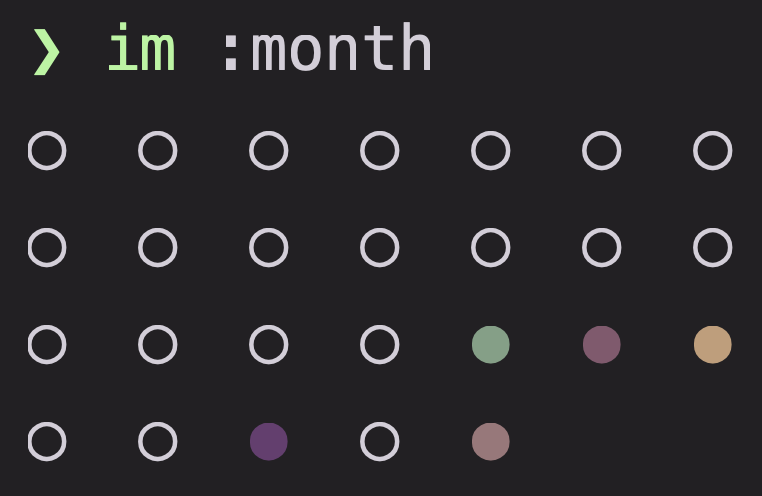
im :month pet_cat cat_food_spend wins
# reflect and repeat
im still alive . i think- Log moods and journal entries in simple, natural syntax.
- Today view: show a ordered summary of all that you have logged and planned today -- an interactive, auto-generated daily note.
- Grid view: Display your mood, task and tracker histories as dots.
- Moods are colored by how much they match to various emotions or topics you have configured.
- Change the topics, timespans, and filters, and watch as interesting patterns emerge.
- Task Management: Support for oneshot, recurring tasks and scheduled tasks.
- Interactive views over upcoming / completed / due tasks.
- Full featured data model supporting priorities, subtasks, optional tasks, overdue tasks and multiple completions.
- Custom Trackers: Track custom metrics with configurable intervals, ranges and colors.

im — immediate mood, journal, and task tracker
Usage:
im <mood> [. [body]] log a mood (with an optional body)
im %<duration> start a timed session
im [-tracker [value]]... add one or more custom tracker records
im [link]... [entry] [link]... add new tracker records and task completions
linked to a new mood entry.
where:
entry := mood | %duration
link := -tracker [value] | +task [count]
im ! create a oneshot task (interactive)
im ! [+[parent_task]] <name> [@<time>] create a oneshot task
im ! %<duration> [name] create a recurring task (interactive)
im ! @ [<time>] [:<name>] [%<duration>] create a scheduled task (interactive if partial)
im +[task] [count] edit a task or update its completion state
All the previous subcommands support a trailing [<dots> [body]].
- <dots> is an argument of only .'s.
- If no body follows, `$EDITOR` will open for writing it.
- the number of dots then chooses which template the `$EDITOR` opens with (defined under [editor]).
Tasks are referred to (i.e. when editing or linking a oneshot to a parent or a mood),
by a single argument that begins with `+`, followed by either:
- the short id of the task (+7)
- an ordered sequence of query words that matches only one task name (+groceries)
- or nothing (+): pick interactively.
Views:
im @[date] today view
im @due[:t|:w] due view
(today / tomorrow / this week)
im @[:o|:O] pending tasks
im @done[:o|:O] completed tasks
(all / oneshot / recurring+scheduled)
Trackers and grids:
im :[week|month|year] [ids] dot-sequence tracker grid
ids: <tracker> or @<recurring name>
period defaults to "week"
Other:
im :config | :c [file] open the config in $VISUAL / $EDITOR
file: moods | colors
im - browse trackers
im :embed embed stdin lines (one vector/line)
im :color <mood> projected mood color diagnostic
im :clear [@<date>] clear all mood entries from a day
im :db prune delete completed and expired tasks
im :db backfill compute and persist missing mood embeddings
im :db doctor check tracker entries vs kinds; prune mismatches
Flags:
im -q | -v <command> quiet / verbose; flags go first
im --help | -h show this help
brew install Squirreljetpack/tap/imUnavailable
npm install -g @squirreljetpack/imRun im :config to open the configuration file in your $EDITOR or $VISUAL.
The default locations are in order:
~/.config/matchmaker/config.toml(If the folder exists already).{PLATFORM_SPECIFIC_CONFIG_DIRECTORY}/matchmaker(Generally the same as above when on linux)
im stores three types of objects:
- moods entries: which compute an embedding that captures their semantic meaning.
- tasks: oneshot, recurring, or scheduled.
- trackers: defined in your configuration.
Trackers are defined in your configuration (im :config); each [tracker.<name>]
section is logged through im -<name> <value> (no value for null trackers):
- Kinds:
text,integer,float,duration(strings like6m 30s),null(timestamp/count markers — requires an interval). interval = { anchor = "2026-01-01T00:00:00-04:00", span = "1 day" }bins entries into calendar slots. By default, a new log in a slot replaces the slot's previous entry;interval.cumulative = truekeeps every log and the slot's grid dot shows the aggregate.
im bundles a quant of nomic-ai/nomic-embed-text-v1.5 to categorize your entries. This was the most effective, reasonably sized approach tested out of several options. The size is a bit abnormal, but was pleasantly surprised with how much better it worked compared to my other attempts. If you have any interesting uses for an embedding model that im can help with, im open to them!
What it stands for is immaterial2.
Open to suggestions. Helping implement more filters, or a sensible configurable spec for exporting to markdown would be helpful. Documentation, always.
Footnotes
imcan also help you:- catalogue all the goals and hopes you never got around to
- all the tasks you missed the deadline for
- reinforce negative thoughts
- rationalize bad decisions
- realize that you don't actually have any thoughts interesting enough to write down.
important, immense, immaculate, importune, imagine all the people .. immolated♫ ↩