An replacement for UIActionSheet : block-based, customizable theme, easy to use with image or map
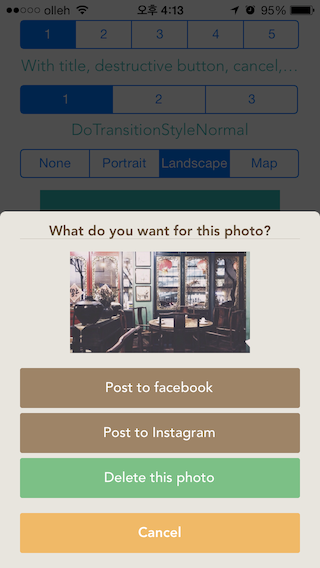
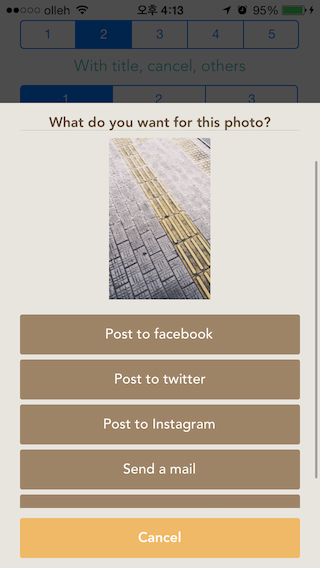
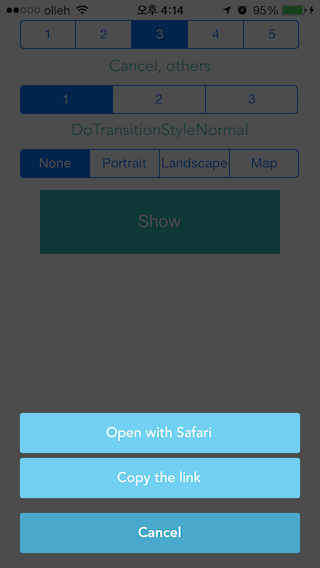
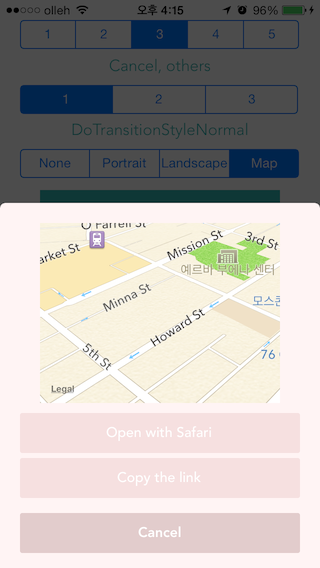


- iOS 7.0 and greater
- ARC
Code:
DoActionSheet *vActionSheet = [[DoActionSheet alloc] init];
// required
vActionSheet.nAnimationType = _sgType.selectedSegmentIndex;	// there are 3 type of animation// optional
vActionSheet.dButtonRound = 2; // with image
vActionSheet.iImage = [UIImage imageNamed:@"pic1.jpg"];
vActionSheet.nContentMode = DoContentImage;
// with map
vActionSheet.nContentMode = DoContentMap;
vActionSheet.dLocation = @{@"latitude" : @(37.78275123), @"longitude" : @(-122.40416442), @"altitude" : @200};
// launch DoActionSheet! - With destructive button, cancel button and title
vActionSheet.nDestructiveIndex = 2;
[vActionSheet showC:@"What do you want for this photo?"cancel:@"Cancel"buttons:@[@"Post to facebook", @"Post to Instagram", @"Delete this photo"]
result:^(int nResult) {
NSLog(@"---------------> result : %d", nResult);
}];
// launch DoActionSheet! - With title and without cancel button
[vActionSheet show:@"What do you want?"buttons:@[@"Open with Safari", @"Copy the link"]
result:^(int nResult) {
NSLog(@"---------------> result : %d", nResult);
}];
// customizable theme
#defineDO_BACK_COLORDO_RGB(232, 229, 222)
// button background color
#defineDO_BUTTON_COLORDO_RGB(158, 132, 103)
#defineDO_CANCEL_COLORDO_RGB(240, 185, 103)
#defineDO_DESTRUCTIVE_COLORDO_RGB(124, 192, 134)
// button text color
#defineDO_TITLE_TEXT_COLORDO_RGB(95, 74, 50)
#defineDO_BUTTON_TEXT_COLORDO_RGB(255, 255, 255)
#defineDO_CANCEL_TEXT_COLORDO_RGB(255, 255, 255)
#defineDO_DESTRUCTIVE_TEXT_COLORDO_RGB(255, 255, 255)DoActionSheet was created by Dono Cho.
DoActionSheet is available under the MIT license. See the LICENSE file for more info.