A fully customized and high-performance Neovim setup designed to boost productivity and provide an IDE-like experience inside the terminal.


- 🚀 Fast & Lightweight: Optimized for speed with lazy-loading plugins via
lazy.nvim. - 💡 Smart Completion: Advanced code completion with
nvim-cmp, powered by multiple sources. - 💻 Integrated Tooling: Built-in LSP, linting, formatting, and debugging support.
- 🎨 Beautiful UI: A clean and modern aesthetic with a custom color scheme, file icons, and status line.
- 🧩 Rich Plugin Ecosystem: A curated set of plugins for everything from Git integration to project management.
- ⌨️ Intuitive Keymappings: Sensible and easy-to-remember shortcuts powered by
which-key.
| File Tree | Editor |
|---|---|
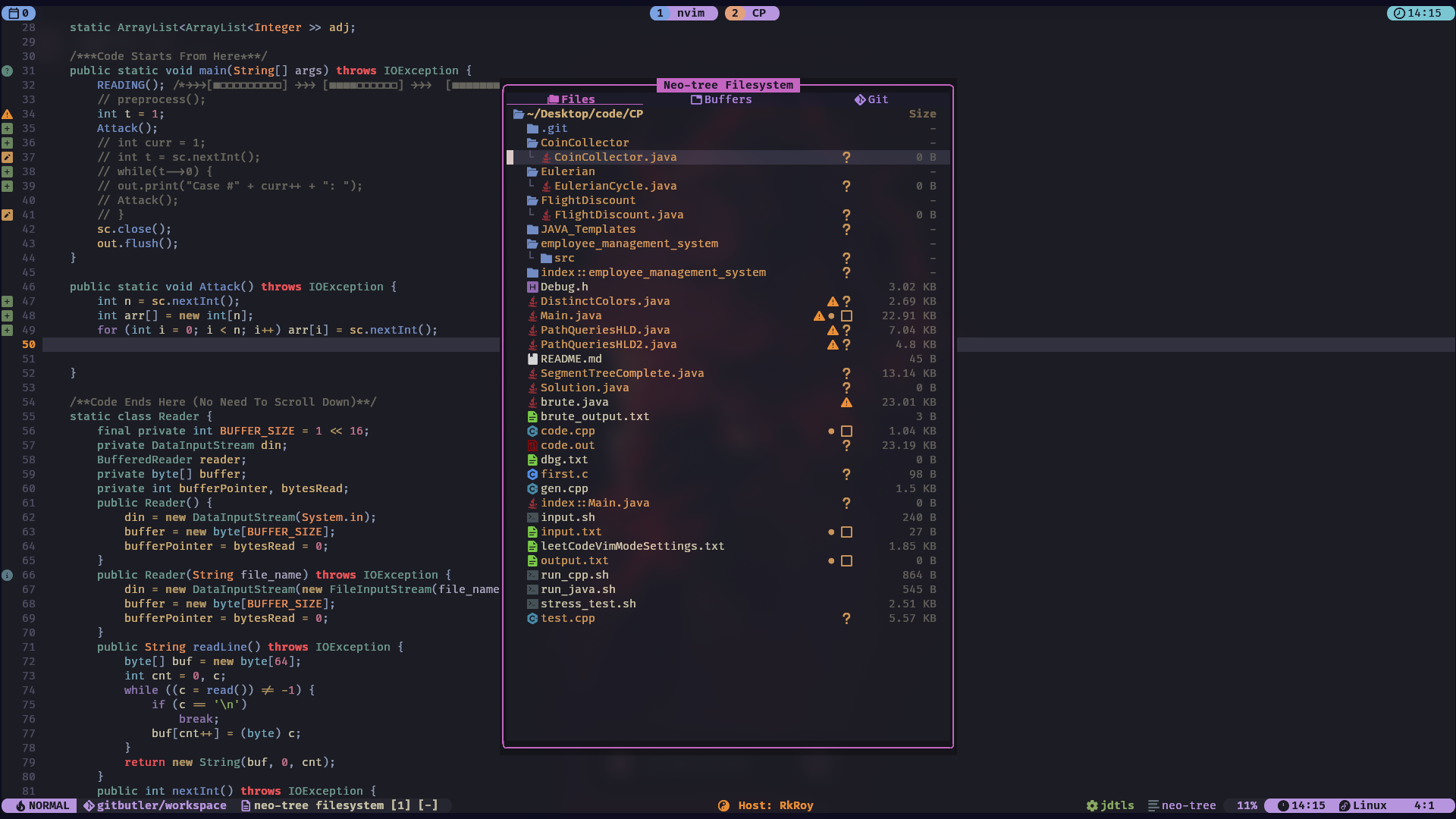 | 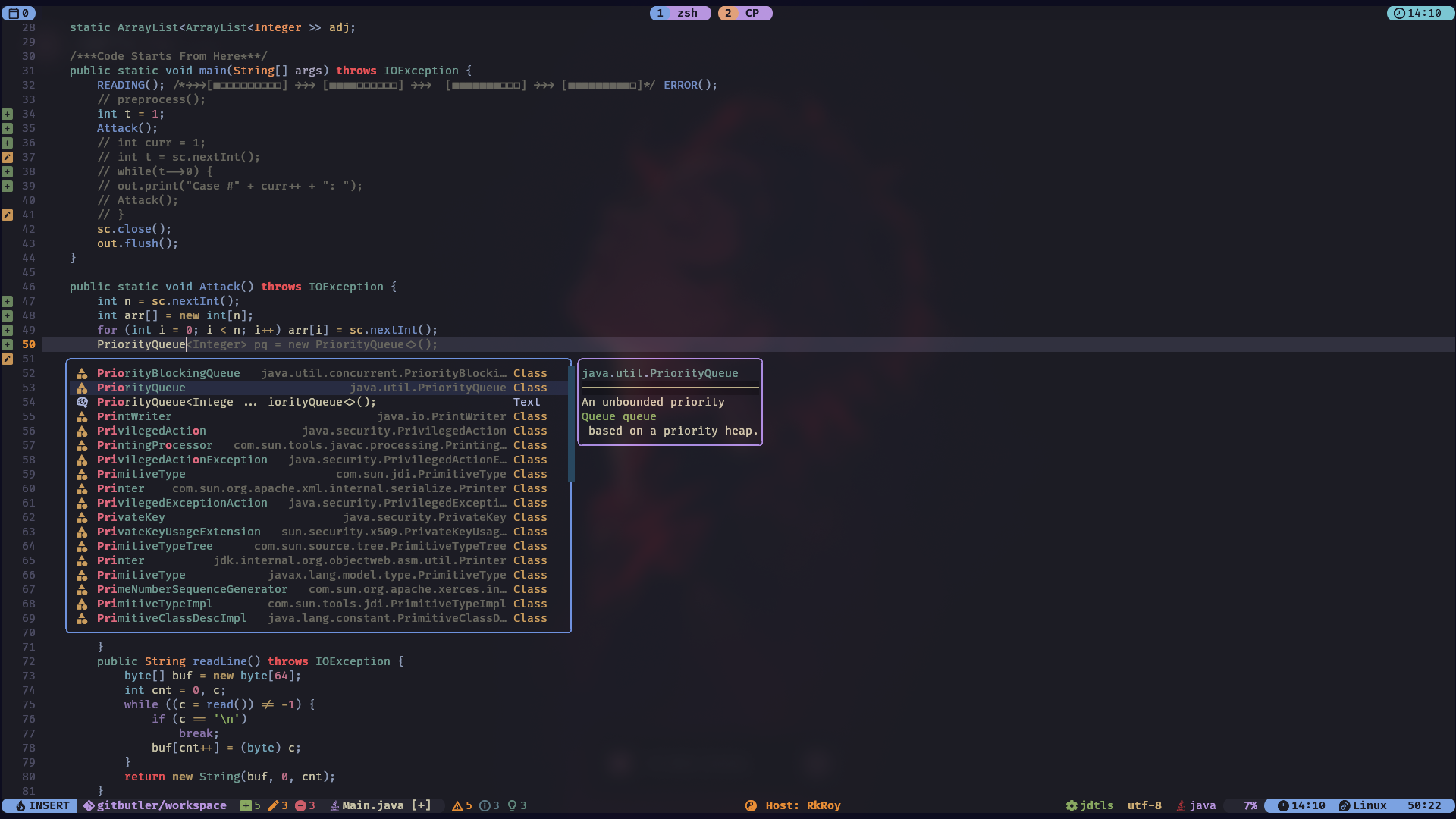 |
| Terminal | Terminal |
 | 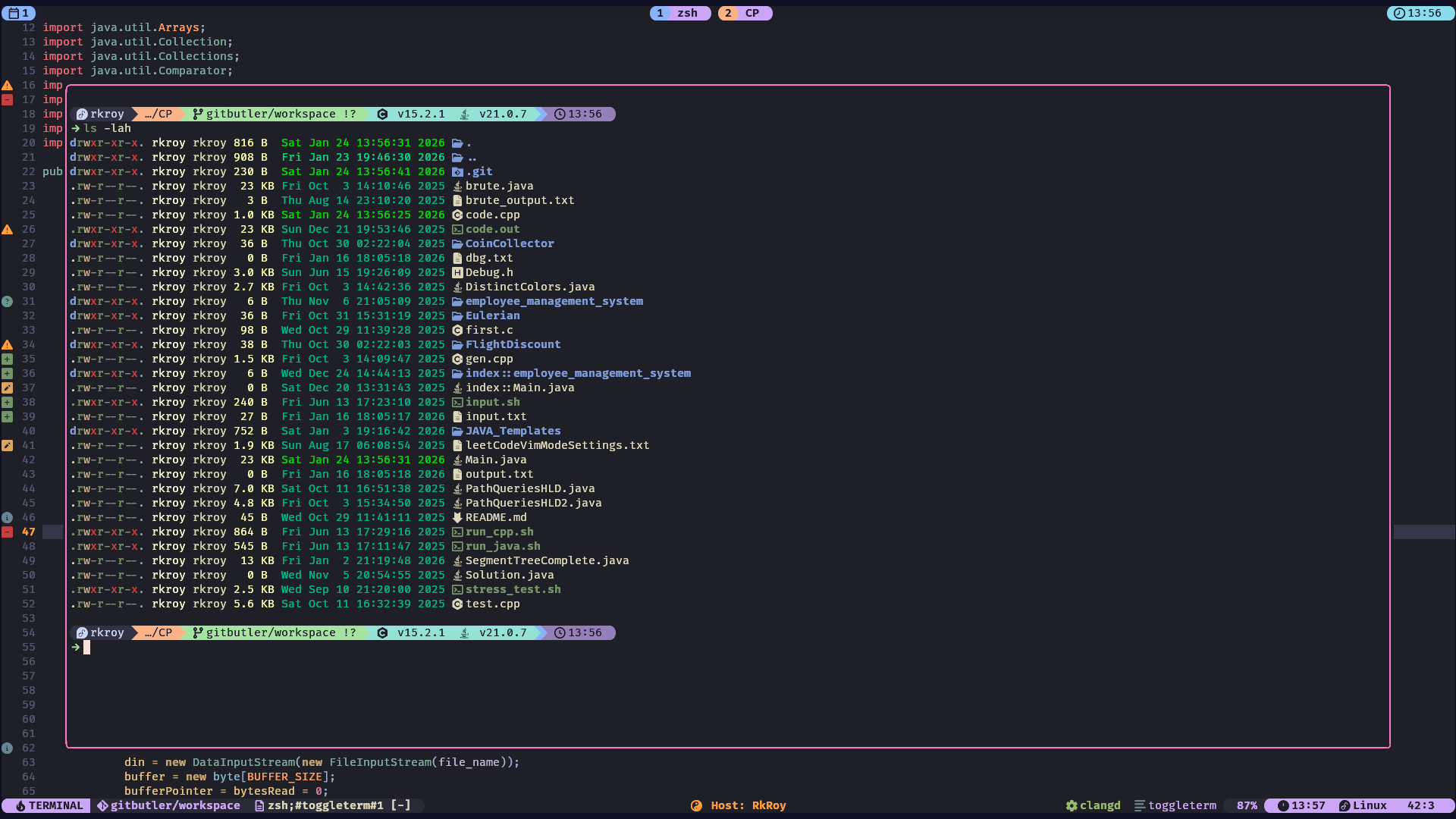 |
| Lazy Git | Editor |
 |  |
| Typr Stats | Telescope |
 | 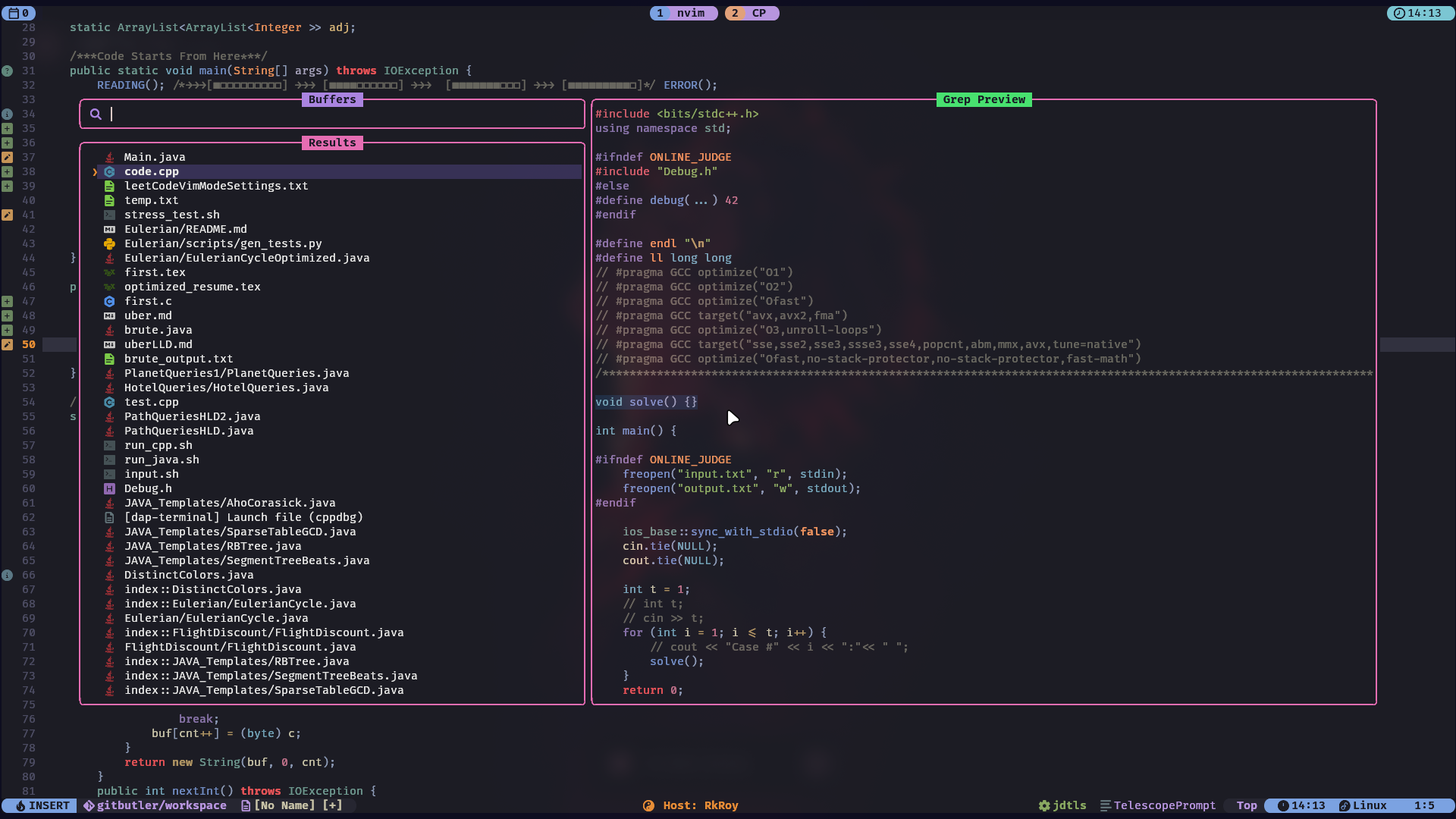 |
Before you begin, ensure you have the following installed:
- Neovim v0.8.0+
- Git
- A Nerd Font (for icons)
Clone the repository:
git clone https://github.com/RAJ8664/nvim-config.git
Run the installation script:
cd nvim-config
chmod +x install.sh
./install.sh
Start Neovim:
Open Neovim and the plugins will be installed automatically.
nvim
This configuration is built around a set of powerful plugins:
| Plugin | Description |
|---|---|
lazy.nvim | The plugin manager that powers this setup. |
Kanagawa.nvim | The primary color scheme. |
lualine.nvim | A blazing fast and beautiful status line. |
NeoTree.lua | A fast and feature-rich file explorer. |
bufferline.nvim | A sleek and functional buffer line. |
which-key.nvim | A popup that displays keybindings. |
telescope.nvim | A highly extendable fuzzy finder. |
nvim-treesitter | For advanced syntax highlighting and code parsing. |
dashboard-nvim | A fancy start screen for Neovim. |
| Plugin | Description |
|---|---|
nvim-lspconfig | The core LSP configuration plugin. |
mason.nvim | To manage and install LSPs, linters, and formatters. |
blink-cmp | The completion engine. |
nvim-lint | For asynchronous linting. |
gitsigns.nvim | Git decorations and hunks in the sign column. |
nvim-dap | A Debug Adapter Protocol implementation. |
| Plugin | Description |
|---|---|
auto-pairs | Automatically closes pairs of brackets, quotes, etc. |
comment.nvim | For easy commenting and uncommenting of code. |
indent-blankline.nvim | Adds indentation guides. |
flash.nvim | For quick navigation within the viewport. |
This configuration has built-in support for a variety of languages through nvim-lspconfig and mason.nvim. The following LSPs are configured by default:
lua_ls(Lua)clangd(C/C++)ts_ls(TypeScript/JavaScript)jdtls(Java)phpactor(PHP)tailwindcss(Tailwind CSS)htmlsqls
You can easily add more LSPs by modifying the lsp_config.lua file.
This configuration is designed to be easily customizable. Here are some of the key files you might want to edit:
lua/core/options.lua: General Neovim settings.lua/core/keymaps.lua: Global keymappings.lua/plugins/: Plugin configurations. Add or remove files here to manage your plugins.lua/plugins/lsp_config.lua: LSP and language server settings.
- Leader key is set to
space.
🚀 Core & Navigation
| Mode | Key | Action |
|---|---|---|
n | <C-s> | Save file |
i | <C-z> | Undo |
n | <C-a> | Select all |
n | <leader>sn | Save file without auto formatting |
n | <Esc> | Clear search highlights |
t | <Esc><Esc> | Exit terminal mode |
n | <C-h> | Move focus to the left window |
n | <C-l> | Move focus to the right window |
n | <C-j> | Move focus to the lower window |
n | <C-k> | Move focus to the upper window |
n | <Tab> | Next buffer |
n | <S-Tab> | Previous buffer |
n | <C-b> | NeoTree reveal |
🔍 Search & Discovery (Telescope / Flash)
| Mode | Key | Action |
|---|---|---|
n | <leader>sf | [S]earch [F]iles |
n | <leader>sg | [S]earch by [G]rep |
n | <leader>sw | [S]earch current [W]ord |
n | <leader>sk | [S]earch [K]eymaps |
n | <leader>sh | [S]earch [H]elp |
n | <leader>ss | [S]earch [S]elect Telescope |
n | <leader>sd | [S]earch [D]iagnostics |
n | <leader>sr | [S]earch [R]esume |
n | <leader>s. | [S]earch Recent Files |
n | <leader><leader> | Find existing buffers |
n | <leader>/ | Fuzzily search in current buffer |
n | <leader>s/ | [S]earch [/] in Open Files |
n | <leader>sn | [S]earch [N]eovim files |
n, x, o | s | Flash |
n, x, o | S | Flash Treesitter |
o | r | Remote Flash |
o, x | R | Treesitter Search |
c | <c-s> | Toggle Flash Search |
🛠️ LSP, Logic & Development
| Mode | Key | Action |
|---|---|---|
n, v | <leader>f | Format file or range |
n | gl | View diagnostics for current line |
n | <leader>q | Open diagnostic [Q]uickfix list |
n | <Leader>; | Pick symbols in winbar |
n | [; | Go to start of current context |
n | ]; | Select next context |
n | <leader>jc | Replace test case to input.txt |
n | <leader>jr | Run Java code |
n | <leader>jf | Run CPP code |
🐞 Debugging (DAP)
| Key | Action | Alt Key |
|---|---|---|
<leader>Dc | Debug: Start/Continue | <F5> |
<leader>Db | Debug: Toggle Breakpoint | <leader>b |
<leader>Dsi | Debug: Step Into | <F1> |
<leader>DsO | Debug: Step Over | <F2> |
<leader>Dso | Debug: Step Out | <F3> |
<leader>DB | Set Conditional Breakpoint | <leader>B |
<leader>Dt | Toggle Debug UI | — |
<leader>Dl | Run Last Configuration | — |
<F7> | See last session result | — |
🎋 Git Integration (Gitsigns)
| Mode | Key | Action |
|---|---|---|
n, v | <leader>hs | git [s]tage hunk |
n, v | <leader>hr | git [r]eset hunk |
n | <leader>hS | git [S]tage buffer |
n | <leader>hu | git [u]ndo stage hunk |
n | <leader>hR | git [R]eset buffer |
n | <leader>hp | git [p]review hunk |
n | <leader>hb | git [b]lame line |
n | <leader>hd | git [d]iff against index |
n | <leader>hD | git [D]iff against last commit |
n | <leader>gt | [T]oggle git show [b]lame line |
n | <leader>tD | [T]oggle git show [D]eleted |
🤖 Sidekick AI Integration
| Mode | Key | Action |
|---|---|---|
n, v | <leader>aa | Sidekick Toggle CLI |
n | <leader>as | Sidekick Select CLI |
v | <leader>as | Sidekick Send Visual Selection |
n, v | <leader>ap | Sidekick Select Prompt |
all | <c-.> | Sidekick Switch Focus |
n, v | <leader>ac | Sidekick Claude Toggle |
💻 Terminal
| Mode | Key | Action |
|---|---|---|
n | Alt + 1 | Toggle 1st ToggleTerm Terminal instance. |
n | Alt + 2 | Toggle 2nd ToggleTerm Terminal instance. |
n | Alt + i | Toggle ith ToggleTerm Terminal instance. |
This configuration was inspired by the many amazing Neovim users and plugin authors in the community. A special thanks to the creators of the plugins and tools that make this setup possible.