






A PostgreSQL plugin for Tabularis, the open-source database client.
This plugin connects Tabularis to PostgreSQL via a standalone Rust binary speaking JSON-RPC 2.0 over stdio, replacing what was originally a built-in driver compiled directly into the Tabularis application. It is byte-for-byte behaviorally identical to that built-in driver, proven by an 82-test parity suite that runs both drivers against the same live database and compares every response.
Requires Tabularis v0.20.0 or later. This plugin relies on the plugin runtime introduced in that release; it will not load on earlier versions of Tabularis.
- Features
- Screenshots
- Connection Configuration
- Supported PostgreSQL Data Types
- Installation
- How It Works
- Supported Operations
- Known Limitations
- Building from Source
- Development
- Changelog
- Maintainers
- License
- Connection — Host/port or connection-string connections, with SSL (
disable,allow,prefer,require,verify-ca,verify-full) viarustls. - Schema Browsing — Databases, schemas, tables, views, materialized views, routines (functions/procedures), and triggers.
- Column & Key Metadata — Column types (including enum labels and pgvector-style
extension types via
udt_namefallback), indexes (including composite/unique), foreign keys (including cross-schema). - Query Execution — Arbitrary SQL with pagination,
EXPLAIN/EXPLAIN ANALYZE, and multi-statement batches that share a single connection (soBEGIN/COMMIT, temp tables, andSETsurvive across statements). - Inline Editing — Insert, update, and delete rows directly from the Tabularis
data grid, with type-aware value binding (enum
CAST, UUID, JSON/JSONB, arrays, temporal types, BLOB wire format). - DDL Generation —
CREATE TABLE,ADD COLUMN,ALTER COLUMN(including implicit-cast-compatibleTYPEchanges),CREATE INDEX,ADD CONSTRAINT FOREIGN KEY, plus the corresponding drops. - View & Trigger Lifecycle — Create/alter/drop views, create/drop triggers, refresh materialized views.
- BLOB Support — Export a
byteacolumn to a file or preview it as a MIME-sniffed data URL. - Cross-platform — Pre-built binaries for Linux (x86_64/aarch64), macOS (x86_64/aarch64), and Windows (x86_64).
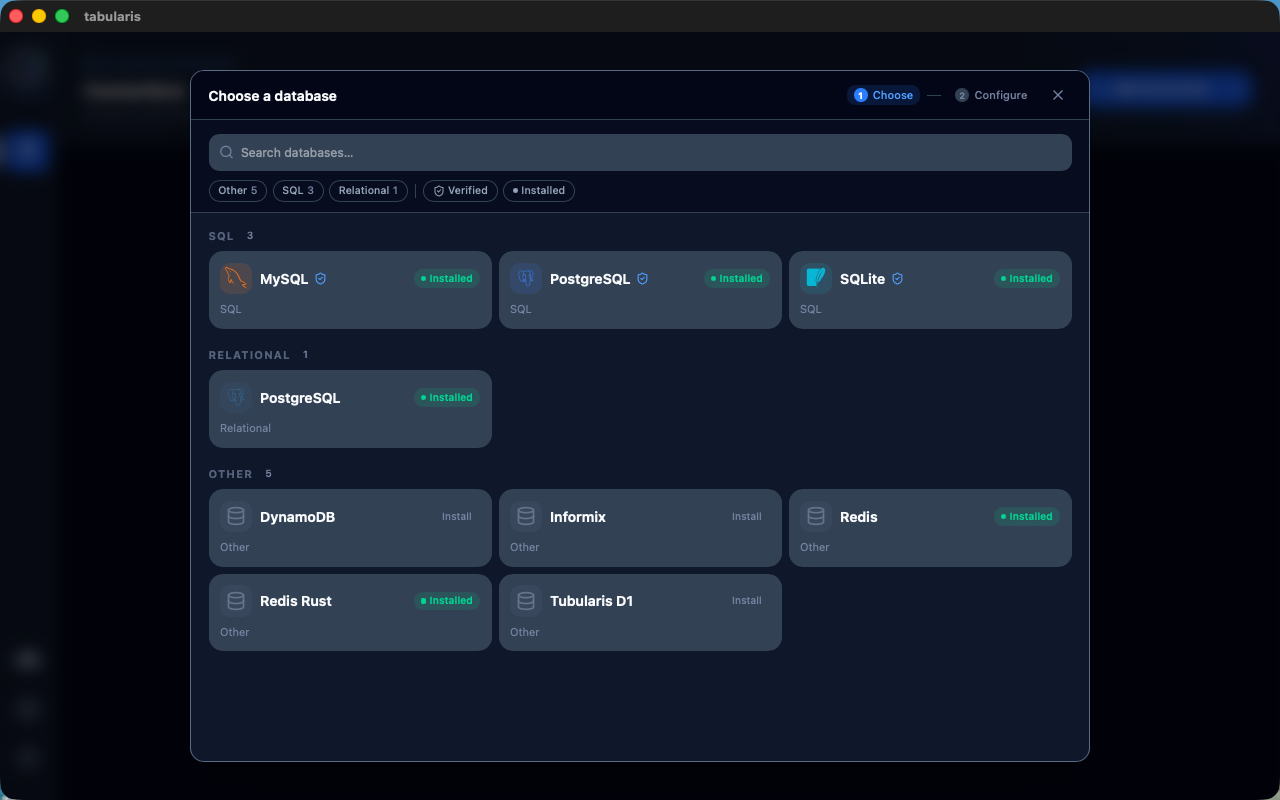 PostgreSQL in the database picker | 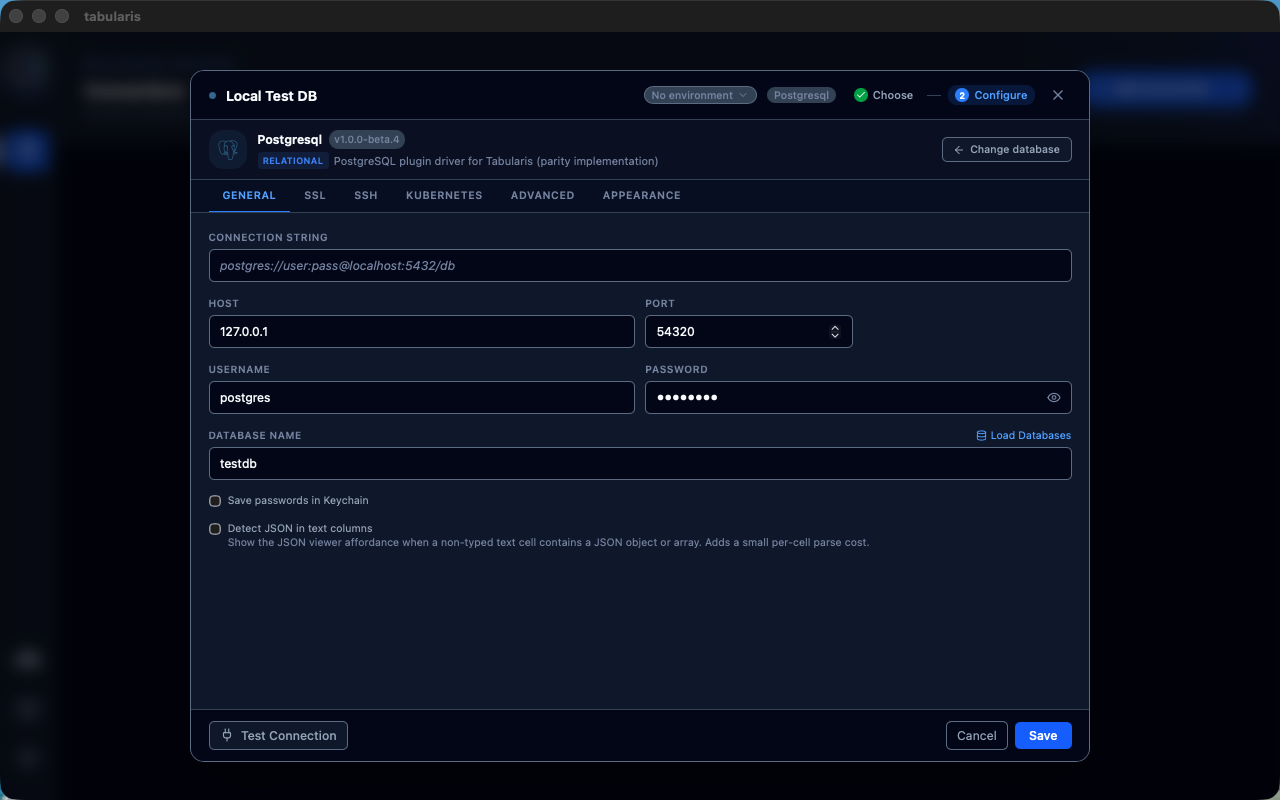 Connection configuration |
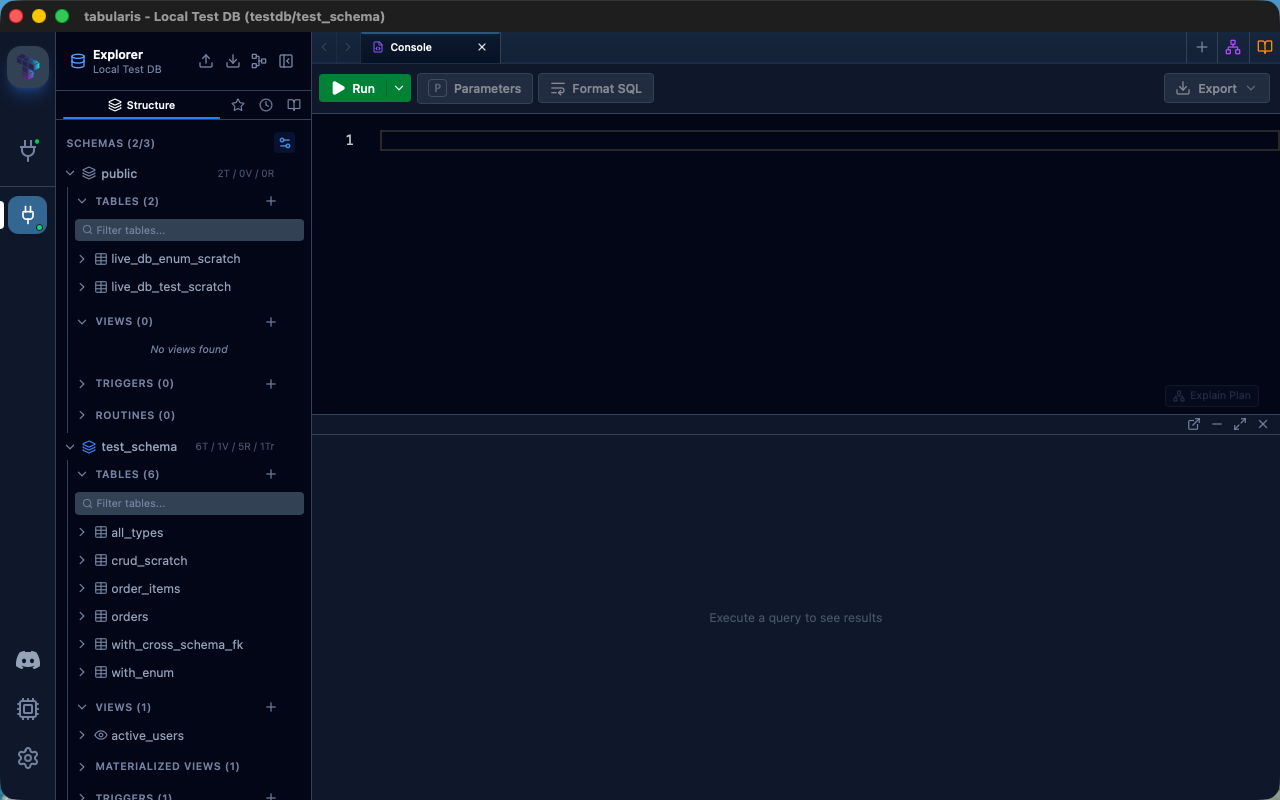 Multi-schema browsing | 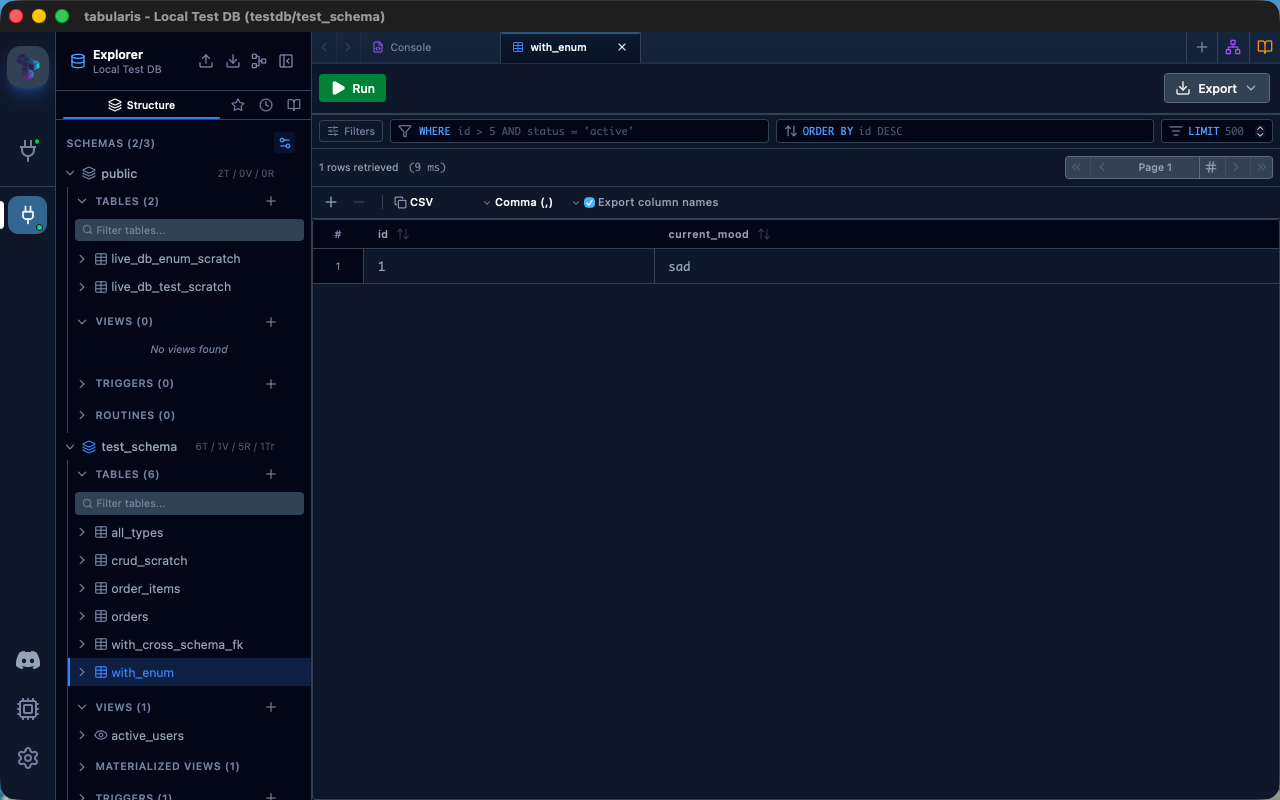 Data grid with enum support |
| Parameter | Description | Required |
|---|---|---|
host | PostgreSQL server hostname | Yes (unless using connection_string) |
port | PostgreSQL server port (default 5432) | No |
database | Database name to connect to | Yes (unless using connection_string) |
username | Database user | Yes (unless using connection_string) |
password | Database password | If required by the server |
ssl_mode | disable, allow, prefer, require, verify-ca, or verify-full | No |
ssl_ca | Path to a custom CA bundle PEM file. Required for verify-ca (platform roots aren't used for this mode); optional for verify-full, where it overrides the system trust store | No |
ssl_cert | Path to a client certificate PEM file, for servers requiring mutual TLS (e.g. Google Cloud SQL). Must be set together with ssl_key | No |
ssl_key | Path to the private key PEM file matching ssl_cert. Must be set together with ssl_cert | No |
connection_string | Full postgres://user:pass@host:port/db URL, as an alternative to the discrete fields above | No |
startup_script | SQL run on every new pooled connection (e.g. SET search_path = ...) before it's handed to a query | No |
| Category | Types |
|---|---|
| Numeric | SMALLINT, INTEGER, BIGINT, SERIAL, BIGSERIAL, REAL, DOUBLE PRECISION, NUMERIC, DECIMAL, MONEY |
| String | CHAR, VARCHAR, TEXT |
| Date/Time | DATE, TIME, TIMESTAMP, TIMESTAMPTZ, INTERVAL |
| Other | BOOLEAN, UUID, INET, CIDR, MACADDR |
| JSON | JSON, JSONB |
| Binary | BYTEA |
| Ranges | INT4RANGE, INT8RANGE, NUMRANGE, TSRANGE, TSTZRANGE, DATERANGE |
| Arrays | SMALLINT[], INTEGER[], BIGINT[], REAL[], DOUBLE PRECISION[], TEXT[], VARCHAR[], BOOLEAN[] |
This plugin is published on the Tabularium registry — the same one the DuckDB and Elasticsearch plugins ship through. Install it from Tabularis's in-app plugin browser: Settings → Plugins, search for PostgreSQL, and install.
If you point Tabularis at a different Tabularium instance via
tabulariumRegistryUrl in config.json, make sure that registry has
ingested this plugin's releases first.
Download the latest release for your platform from the Releases page — look for the most recent
1.0.0-rc.Ntag (releases through1.0.0-beta.10shipped on thebetachannel; new releases from1.0.0-rc.1onward ship on thercchannel — see Contributing: PR Titles & Versioning).Extract the archive.
Copy
postgresql-plugin(orpostgresql-plugin.exeon Windows) and.tabulariuminto the Tabularis plugins directory:OS Plugins Directory Linux ~/.local/share/tabularis/plugins/postgresql/macOS ~/Library/Application Support/tabularis/plugins/postgresql/Windows %APPDATA%\tabularis\plugins\postgresql\Restart Tabularis.
The plugin is a standalone Rust binary that communicates with Tabularis through JSON-RPC 2.0 over stdio:
- Tabularis spawns the plugin as a child process.
- Requests are sent as newline-delimited JSON-RPC messages to the plugin's
stdin. - The plugin connects to PostgreSQL using
tokio-postgres/deadpool-postgresand writes responses tostdout.
Connection pools are cached in-process, keyed by
host:port:database:user:startup_script plus every TLS param
(ssl_mode/ssl_ca/ssl_cert/ssl_key), so repeated calls against the
same target with identical connection settings reuse an existing pool
instead of reconnecting.
| Method | Description |
|---|---|
initialize / shutdown | Plugin lifecycle hooks called on load and unload |
test_connection / ping | Verify connectivity with a lightweight SELECT 1 |
get_databases | List databases on the server |
get_schemas | List schemas in the connected database |
get_tables | List tables in a schema |
get_columns / get_view_columns / get_materialized_view_columns | Column metadata for tables, views, and materialized views |
get_indexes | Index metadata, including composite and unique indexes |
get_foreign_keys | Foreign key metadata, including cross-schema references |
get_views / get_view_definition / create_view / alter_view / drop_view | View lifecycle |
get_materialized_views / refresh_materialized_view | Materialized view lifecycle |
get_routines / get_routine_parameters / get_routine_definition | Function/procedure metadata |
get_triggers / get_trigger_definition / create_trigger / drop_trigger | Trigger lifecycle |
execute_query / execute_query_batch / explain_query | Query execution, multi-statement batches, and query plans |
insert_record / update_record / delete_record | Row-level CRUD with type-aware value binding |
get_create_table_sql / get_add_column_sql / get_alter_column_sql / get_create_index_sql / get_create_foreign_key_sql / drop_index / drop_foreign_key | DDL generation and execution |
save_blob_to_file / fetch_blob_as_data_url | BLOB (bytea) export and preview |
A few RPC methods are registered but not yet implemented — they return a
"not implemented" error rather than real data: get_schema_snapshot,
get_all_columns_batch, get_all_foreign_keys_batch,
get_materialized_view_definition. Tracked in
#32,
part of the Phase 2
set of planned PostgreSQL-specific features (sequences, JSONB inline
editing, extension-aware types, and more).
- Rust (edition 2021)
just(optional, wraps the common cargo invocations)- A running PostgreSQL instance (for integration tests)
just build # debug build
just release # release build (what the GitHub Actions workflow ships)
Or directly with cargo:
cargo build --releaseThe binary will be located at target/release/postgresql-plugin.
just dev-install # build + copy binary and manifest into the Tabularis plugins dir
just uninstall # remove the installed pluginjust demo-db # postgres:16-alpine in Docker (postgres / password / testdb)
just demo-db-stopjust test# cargo test — unit tests for SQL builders, parsing, RPC
just lint # clippy -D warnings
just fmt # cargo fmt --allecho'{"jsonrpc":"2.0","method":"test_connection","params":{"params":{"host":"127.0.0.1","port":5432,"username":"postgres","password":"password","database":"testdb"}},"id":1}' \
| ./target/release/postgresql-pluginPR titles must follow Conventional Commits
(type: subject, type(scope): subject, or type!: subject for a breaking
change) — enforced by CI on every PR. Add a BREAKING CHANGE: footer to the
PR description for breaking changes that don't fit cleanly into the title.
Every PR also needs exactly one prerelease:alpha / prerelease:beta /
prerelease:rc / prerelease:stable label, so CI knows which release
channel to target when suggesting the next version. There's no default —
CI fails with a clear error if the label is missing, rather than guessing.
As of 1.0.0-rc.1, new PRs should use prerelease:rc, not
prerelease:beta. This repo tracks a builtin driver that keeps shipping
its own changes (see CLAUDE.md's "Parity gaps beyond SQL text"); waiting
for full parity before calling this release-ready meant an indefinite
beta line chasing a moving target. rc is the checkpoint instead: gaps
discovered after 1.0.0-rc.1 are tracked as issues/patches on the rc
line (rc.2, rc.3, ...) rather than reasons to hold the channel back.
| PR title type | Version impact |
|---|---|
feat | minor |
fix, refactor, perf | patch |
docs, style, chore, test, ci, build | none — no release suggested |
any type with ! or a BREAKING CHANGE: footer | major |
CI posts a comment on the PR suggesting the next tag/version based on the
title's type and the prerelease:* label — informational only, nothing is
tagged or released automatically (yet). The suggestion updates (and marks
the previous suggestion as outdated) only when the underlying
classification actually changes, not on every edit to the title text.
- Language: Rust (edition 2021)
- Database driver:tokio-postgres + deadpool-postgres
- TLS:rustls via tokio-postgres-rustls
- Serialization: serde + serde_json
- Async runtime: tokio
- Protocol: JSON-RPC 2.0 over stdio
- @aesslinger
Apache-2.0.