This package provides native integration between Unity and Antigravity IDE.
It is a fork of the legacy com.unity.ide.vscode package, patched specifically to recognize Antigravity IDE as a supported IDE. This solves the issue where Unity treats the editor as a generic text tool by:
- Automatically detecting
Antigravity IDE.exe,Antigravity IDE.appandantigravity-idepaths. - Forcing the generation of
.csprojand.slnfiles. - Enabling full IntelliSense support via OmniSharp.
Antigravity 2.0 (Google I/O, May 2026): Antigravity is now two separate apps. The standalone Antigravity app is an agent-orchestration tool with no code editor; Antigravity IDE is the VS Code fork you write code in. Version 1.1.0 of this package only registers Antigravity IDE. See Antigravity 2.0 split if Unity started opening the agent app instead of your scripts.
Because Antigravity is a VS Code fork, it cannot use the Microsoft "C# Dev Kit". To get IntelliSense working, you must:
- Install this package in Unity.
- Install the free-csharp-vscode extension (by
muhammad-sammy) inside Antigravity.
You can install this package directly via the Unity Package Manager using the Git URL.
- Open your Unity project.
- Go to Window > Package Manager.
- Click the + (plus) button in the top-left corner.
- Select Add package from git URL....
- Paste the following URL and click Add:
https://github.com/TermWay/unity-ide-antigravity.git
After installing:
- Go to Edit > Preferences > External Tools.
- Select Antigravity IDE from the dropdown.
- Click Regenerate project files.
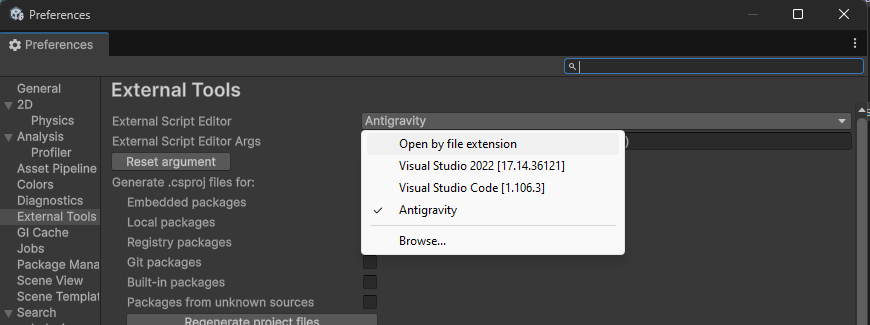
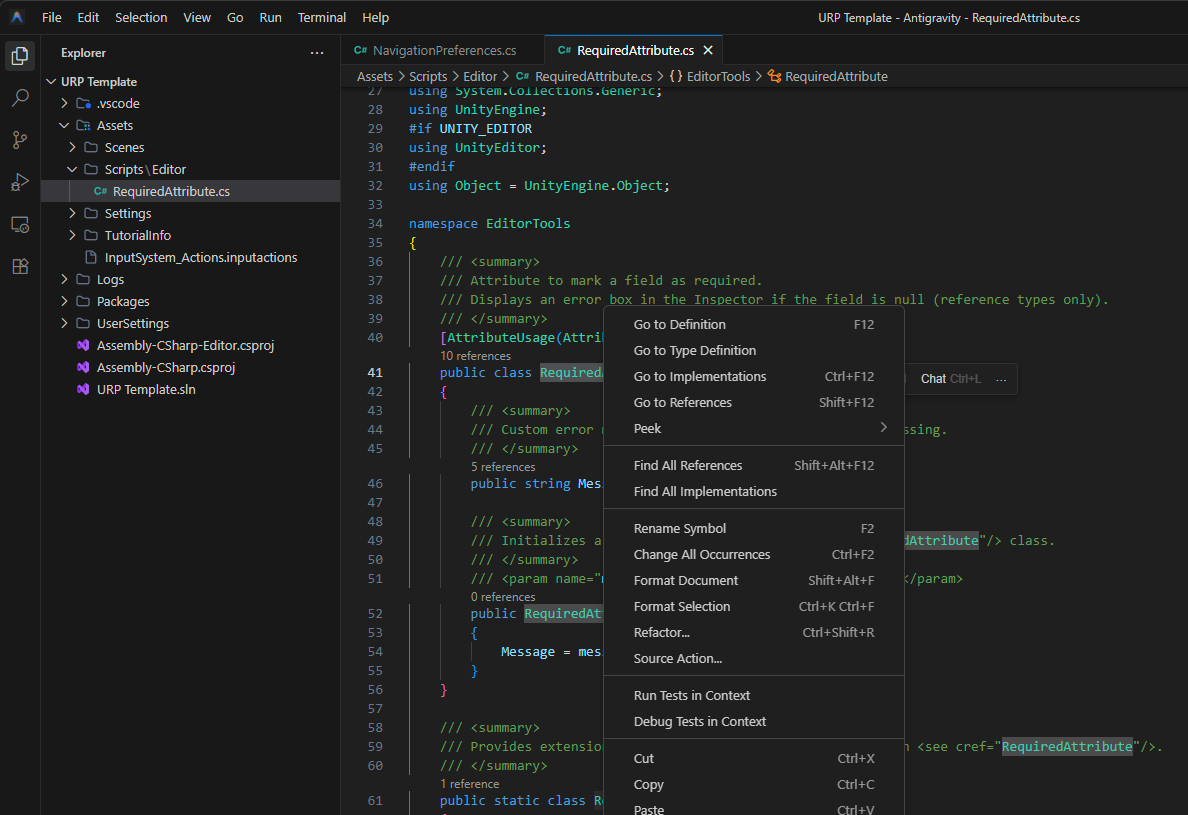
At Google I/O 2026 (May 19, 2026) Google split the Antigravity product line into two desktop applications that share the same VS Code-fork shell:
| Product | What it is | Default location (Windows) | macOS | Linux |
|---|---|---|---|---|
| Antigravity (2.0) | Standalone agent-orchestration app. Not a code editor. | %LOCALAPPDATA%\Programs\Antigravity\Antigravity.exe |
/Applications/Antigravity.app |
/usr/bin/antigravity |
| Antigravity IDE | VS Code fork. The actual code editor. This is what Unity needs. | %LOCALAPPDATA%\Programs\Antigravity IDE\Antigravity IDE.exe |
/Applications/Antigravity IDE.app |
/usr/bin/antigravity-ide |
Versions 1.0.x of this package matched the bare Antigravity executable, which after the split is the agent app. On machines that received the 2.0 update, Unity therefore launched the agent app's home screen on every script double-click.
Since version 1.1.0:
- Only Antigravity IDE locations are discovered. The bare
Antigravityapp is never listed in the External Tools dropdown. - A path chosen with Browse... must have an Antigravity IDE file name, and its
resources/app/package.jsonmanifestnameis verified, so the agent app is rejected even when selected by hand. - The dropdown entry is named Antigravity IDE (or Antigravity IDE - Insider), never the ambiguous Antigravity.
- Update the package in the Package Manager (the Git URL has not changed).
- Make sure Antigravity IDE is installed. The 2.0 agent app cannot be used as a code editor.
- If your External Script Editor was still set to the bare
Antigravityapp, the package switches it to Antigravity IDE automatically on the next domain reload and logs a message in the Console. If Antigravity IDE cannot be found, a warning is logged instead: install it and select Antigravity IDE in Edit > Preferences > External Tools. - Double-click a C# script. It should open in a window titled Antigravity IDE.
This project is licensed under the MIT License.
Copyright (c) 2025 Termway
This project is based on the Unity IDE VSCode package.
Original License: com.unity.ide.vscode@1.2 License