



SSH and SFTP client written in pure Dart, aiming to be feature-rich as well as easy to use.
dartssh2 is now a complete rewrite of dartssh.
- Pure Dart: Working with both Dart VM and Flutter.
- SSH Session: Executing commands, spawning shells, setting environment variables, pseudo terminals, etc.
- Authentication: Supports password, private key and interactive authentication method.
- Forwarding: Supports local forwarding, remote forwarding, and dynamic forwarding (SOCKS5 CONNECT).
- SFTP: Supports all operations defined in SFTPv3 protocol including upload, download, list, link, remove, rename, etc.
- Non-blocking Key Exchange: Automatically offloads heavy key exchange calculations (X25519, NIST Curves, DH) to background isolates on supported VM platforms, preventing the main UI thread from freezing during connection.
| ServerBox | NoPorts | DartShell | Naviterm | TealKit |
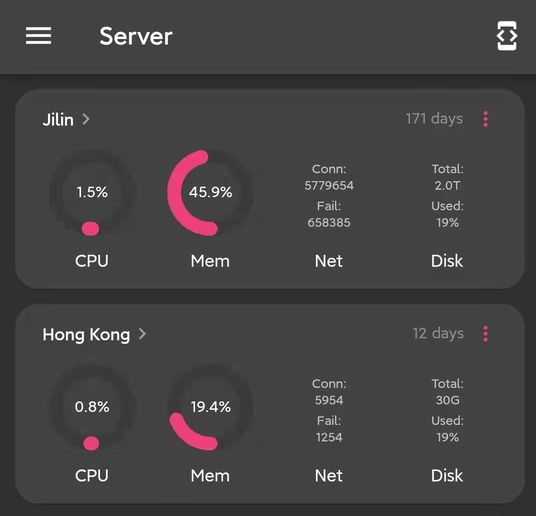 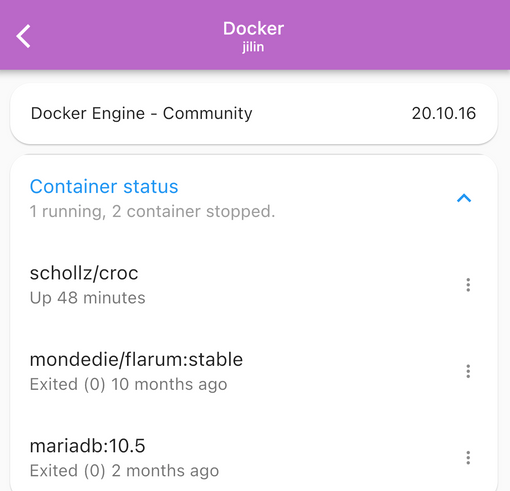 |  |  |  |  |
Feel free to add your own app here by opening a pull request.
# Install the `dartssh` command.
dart pub global activate dartssh2_cli
# Then use `dartssh` as regular `ssh` command.
dartssh user@example.com
# Example: execute a command on remote host.
dartssh user@example.com ls -al
# Example: connect to a non-standard port.
dartssh user@example.com:<port># Transfer files via SFTP.
dartsftp user@example.com
If the
dartsshcommand can't be found after installation, you might need to set up your path.
voidmain() async {
final client =SSHClient(
awaitSSHSocket.connect('localhost', 22),
username:'<username>',
onPasswordRequest: () =>'<password>',
);
}
Note:
SSHSocket.connect()uses native TCP sockets (dart:io) and is not available on Flutter Web / Dart Web. See Web support below for browser-compatible transport options.
SSHSocketis an interface and it's possible to implement your ownSSHSocketif you want to use a different underlying transport rather than standard TCP socket. For example WebSocket or Unix domain socket.
Direct native TCP sockets are not available in browsers, so this will fail on Flutter Web / Dart Web:
awaitSSHSocket.connect('host', 22);For web apps, use a custom SSHSocket transport over a browser-supported
channel (for example, a WebSocket tunnel/proxy to your SSH endpoint).
If your jump host or SSH gateway restricts client versions, you can customize the
software version part of the identification string (SSH-2.0-<ident>):
voidmain() async {
final client =SSHClient(
awaitSSHSocket.connect('localhost', 22),
username:'<username>',
onPasswordRequest: () =>'<password>',
ident:'MyClient_1.0',
);
}
ident defaults to DartSSH_2.0.
You can specify optional timeouts for the transport handshake and user authentication:
voidmain() async {
final client =SSHClient(
awaitSSHSocket.connect('localhost', 22),
username:'<username>',
onPasswordRequest: () =>'<password>',
handshakeTimeout:constDuration(seconds:15),
authTimeout:constDuration(seconds:15),
);
}
By default, these parameters are null (no timeout is enforced). Without these timeouts, the connection or authentication process could hang indefinitely if the remote server becomes unresponsive.
voidmain() async {
final shell =await client.shell();
// Attach local terminal streams only when a terminal is available.// GUI apps on Windows may not have stdin/stdout/stderr attached.final hasTerminal = stdin.hasTerminal && stdout.hasTerminal && stderr.hasTerminal;
if (hasTerminal) {
stdout.addStream(shell.stdout); // listening for stdout
stderr.addStream(shell.stderr); // listening for stderr
stdin.cast<Uint8List>().listen(shell.write); // writing to stdin
}
await shell.done; // wait for shell to exit
client.close();
}
Note: The stdin/stdout bridging above is for CLI apps. If your app is launched without a terminal (for example, double-clicking a Windows
.exe), skip the local stdio wiring and use your own UI/input pipeline.
voidmain() async {
final uptime =await client.run('uptime');
print(utf8.decode(uptime));
}
Ignoring stderr:
voidmain() async {
final uptime =await client.run('uptime', stderr:false);
print(utf8.decode(uptime));
}
client.run()is a convenience method that returns combined output bytes. Useclient.runWithResult()when you need separatestdout/stderrstreams and command exit metadata (exitCode/exitSignal).
To also access command exit metadata:
voidmain() async {
final result =await client.runWithResult('echo hello');
print('exitCode: ${result.exitCode}');
print('stdout: ${utf8.decode(result.stdout)}');
print('stderr: ${utf8.decode(result.stderr)}');
}Use example/run_flows.dart to test the main execution flows in one run:
run()runWithResult()execute()- optional
shell()via--shell
Run it with environment variables:
SSH_HOST=test.rebex.net SSH_PORT=22 SSH_USERNAME=demo SSH_PASSWORD=password dart run example/run_flows.dartRun shell flow too:
SSH_HOST=test.rebex.net SSH_PORT=22 SSH_USERNAME=demo SSH_PASSWORD=password dart run example/run_flows.dart --shellOn Windows PowerShell:
$env:SSH_HOST='test.rebex.net'$env:SSH_PORT='22'$env:SSH_USERNAME='demo'$env:SSH_PASSWORD='password'
dart run example/run_flows.dart --shellvoidmain() async {
final session =await client.execute('cat > file.txt');
await session.stdin.addStream(File('local_file.txt').openRead().cast());
await session.stdin.close(); // Close the sink to send EOF to the remote process.await session.done; // Wait for session to exit to ensure all data is flushed to the remote process.print(session.exitCode); // You can get the exit code after the session is done
}
session.write()is a shorthand forsession.stdin.add(). It's recommended to usesession.stdin.addStream()instead ofsession.write()when you want to stream large amount of data to the remote process.
Killing a remote process by sending signal
voidmain() async {
session.kill(SSHSignal.KILL);
await session.done;
print('exitCode: ${session.exitCode}'); // -> exitCode: nullprint('signal: ${session.exitSignal?.signalName}'); // -> signal: KILL
}
Processes killed by signals do not have an exit code, instead they have an exit signal property.
Waiting for exit status with a timeout
Alternatively, you can wait for the remote process to report its exit status or exit signal with an optional timeout using session.waitForExit():
voidmain() async {
final session =await client.execute('sleep 5');
// Wait for the exit status to be reported (or up to 10 seconds).final exitCode =await session.waitForExit(timeout:Duration(seconds:10));
if (exitCode !=null) {
print('Process exited with code: $exitCode');
} else {
print('Process timed out or was terminated by a signal');
}
}voidmain() async {
final serverSocket =awaitServerSocket.bind('localhost', 8080);
awaitfor (final socket in serverSocket) {
final forward =await client.forwardLocal('httpbin.org', 80);
forward.stream.cast<List<int>>().pipe(socket);
socket.pipe(forward.sink);
}
}voidmain() async {
final forward =await client.forwardRemote(port:2222);
if (forward ==null) {
print('Failed to forward remote port');
return;
}
awaitfor (final connection in forward.connections) {
final socket =awaitSocket.connect('localhost', 22);
connection.stream.cast<List<int>>().pipe(socket);
socket.pipe(connection.sink);
}
}voidmain() async {
final dynamicForward =await client.forwardDynamic(
bindHost:'127.0.0.1',
bindPort:1080,
options:constSSHDynamicForwardOptions(
handshakeTimeout:Duration(seconds:10),
connectTimeout:Duration(seconds:15),
maxConnections:128,
),
filter: (host, port) {
// Optional allow/deny policy.returntrue;
},
);
print('SOCKS5 proxy at ${dynamicForward.host}:${dynamicForward.port}');
}This currently supports SOCKS5 NO AUTH + CONNECT.
It requires dart:io and is not available on web runtimes.
Quick verification from your terminal:
curl --proxy socks5h://127.0.0.1:1080 https://ifconfig.meIf the proxy is working, this command returns the public egress IP seen through the SSH tunnel.
voidmain() async {
final client =SSHClient(
socket,
username:'<username>',
identities: [
// A single private key file may contain multiple keys.
...SSHKeyPair.fromPem(awaitFile('path/to/id_rsa').readAsString())
],
);
}voidmain() async {
// Test whether the private key is encrypted.final encrypted =SSHKeyPair.isEncrypted(awaitFile('path/to/id_rsa').readAsString());
print(encrypted);
// If the private key is encrypted, you need to provide the passphrase.final keys =SSHKeyPair.fromPem('<pem text>', '<passphrase>');
print(keys);
}Decrypting encrypted PEM files (especially those using secure key derivation functions like bcrypt with many rounds) is a CPU-intensive operation that can freeze the UI. In Flutter, you can offload this decryption to a background isolate using the compute function:
voidmain() async {
List<SSHKeyPair> decryptKeyPairs((String pem, String passphrase) args) {
returnSSHKeyPair.fromPem(args.$1, args.$2);
}
final keypairs =awaitcompute(decryptKeyPairs, ('<pem text>', '<passphrase>'));
}voidmain() async {
await client.authenticated;
print(client.remoteVersion); // SSH-2.0-OpenSSH_7.4p1
}voidmain() async {
final jumpServer =SSHClient(
awaitSSHSocket.connect('<jump server>', 22),
username:'...',
onPasswordRequest: () =>'...',
);
final client =SSHClient(
await jumpServer.forwardLocal('<target server>', 22),
username:'...',
onPasswordRequest: () =>'...',
);
print(utf8.decode(await client.run('hostname'))); // -> hostname of <target server>
}}
voidmain() async {
final sftp =await client.sftp();
final items =await sftp.listdir('/');
for (final item in items) {
print(item.longname);
}
}voidmain() async {
final sftp =await client.sftp();
final file =await sftp.open('/etc/passwd');
final content =await file.readBytes();
print(latin1.decode(content));
}voidmain() async {
final sftp =await client.sftp();
final output =File('local_file.txt').openWrite();
final bytes =await sftp.download(
'/remote/file.txt',
output,
onProgress: (bytesRead) =>print('downloaded: $bytesRead bytes'),
closeDestination:true,
);
print('download complete: $bytes bytes');
}download() and downloadTo() are opt-in convenience APIs built on top of the
existing stream-based behavior, so existing code remains fully compatible.
When to use each API:
- Use
sftp.download(path, sink)when you only have a remote path and want the simplest one-liner flow. It opens and closes the remote file for you. - Use
file.downloadTo(sink)when you already have an openSftpFile(for example you want partial downloads withoffset/lengthor want to reuse the same handle).
voidmain() async {
final sftp =await client.sftp();
final file =await sftp.open('/remote/file.txt');
final output =File('local_partial.bin').openWrite();
try {
// Download bytes [1024, 1024 + 4096) using an existing open handle.await file.downloadTo(
output,
offset:1024,
length:4096,
closeDestination:true,
);
} finally {
await file.close();
}
}
For high-latency links or large files, you can tune pipelining:
voidmain() async {
final sftp =await client.sftp();
final output =File('local_file.txt').openWrite();
await sftp.download(
'/remote/file.txt',
output,
chunkSize:64*1024,
maxPendingRequests:128,
closeDestination:true,
);
}voidmain() async {
final sftp =await client.sftp();
final file =await sftp.open('file.txt', mode:SftpFileOpenMode.write);
await file.writeBytes(utf8.encode('hello there!') asUint8List);
}Write at specific offset
voidmain() async {
final data = utf8.encode('world') asUint8List;
await file.writeBytes(data, offset:6);
}voidmain() async {
final sftp =await client.sftp();
final file =await sftp.open('file.txt', mode:SftpFileOpenMode.create |SftpFileOpenMode.write);
await file.write(File('local_file.txt').openRead().cast());
}voidmain() async {
final uploader =await file.write(File('local_file.txt').openRead().cast());
// ...await uploader.pause();
// ...await uploader.resume();
await uploader.done;
}Clear the remote file before opening it
voidmain() async {
final file =await sftp.open('file.txt',
mode:SftpFileOpenMode.create |SftpFileOpenMode.truncate |SftpFileOpenMode.write
);
}voidmain() async {
final sftp =await client.sftp();
await sftp.mkdir('/path/to/dir');
await sftp.rmdir('/path/to/dir');
}voidmain() async {
await sftp.stat('/path/to/file');
await sftp.setStat(
'/path/to/file',
SftpFileAttrs(mode:SftpFileMode(userRead:true)),
);
}voidmain() async {
final stat =await sftp.stat('/path/to/file');
print(stat.type);
// orprint(stat.isDirectory);
print(stat.isSocket);
print(stat.isSymbolicLink);
// ...
}voidmain() async {
final sftp =await client.sftp();
sftp.link('/from', '/to');
}voidmain() async {
final sftp =await client.sftp();
final statvfs =await sftp.statvfs('/root');
print('total: ${statvfs.blockSize * statvfs.totalBlocks}');
print('free: ${statvfs.blockSize * statvfs.freeBlocks}');
}- example/example.dart
- example/execute.dart
- example/forward_local.dart
- example/forward_remote.dart
- example/pubkey.dart
- example/shell.dart
- example/ssh_jump.dart
- example/sftp_read.dart
- example/sftp_list.dart
- example/sftp_stat.dart
- example/sftp_upload.dart
- example/sftp_filetype.dart
Host key:
ssh-rsarsa-sha2-[256|512]ecdsa-sha2-nistp[256|384|521]ssh-ed25519
Key exchange:
curve25519-sha256ecdh-sha2-nistp[256|384|521]diffie-hellman-group-exchange-sha[1|256]diffie-hellman-group14-sha[1|256]diffie-hellman-group1-sha1
Cipher:
aes[128|256]-gcm@openssh.comaes[128|192|256]-ctraes[128|192|256]-cbc
AES-GCM is currently available as opt-in via SSHAlgorithms(cipher: ...), and is not enabled in the default cipher preference list yet.
Example (opt-in AES-GCM with explicit fallback ciphers):
voidmain() async {
final client =SSHClient(
awaitSSHSocket.connect('localhost', 22),
username:'<username>',
onPasswordRequest: () =>'<password>',
algorithms:constSSHAlgorithms(
cipher: [
SSHCipherType.aes256gcm,
SSHCipherType.aes128gcm,
SSHCipherType.aes256ctr,
SSHCipherType.aes128ctr,
SSHCipherType.aes256cbc,
SSHCipherType.aes128cbc,
],
),
);
// Use the client...
client.close();
}
chacha20-poly1305@openssh.com is not supported yet.
Integrity:
hmac-md5hmac-sha1hmac-sha2-[256|512]
Private key:
| Type | Decode | Decrypt | Encode | Encrypt |
|---|---|---|---|---|
| RSA | ✔️ | ✔️ | ✔️ | WIP |
| OpenSSH RSA | ✔️ | ✔️ | ✔️ | WIP |
| OpenSSH ECDSA | ✔️ | ✔️ | ✔️ | WIP |
| OpenSSH Ed25519 | ✔️ | ✔️ | ✔️ | WIP |
- Fix broken tests.
- Sound null safety.
- Redesign API to allow starting multiple sessions.
- Full SFTP.
- Server.
RFC 4250The Secure Shell (SSH) Protocol Assigned Numbers.RFC 4251The Secure Shell (SSH) Protocol Architecture.RFC 4252The Secure Shell (SSH) Authentication Protocol.RFC 4253The Secure Shell (SSH) Transport Layer Protocol.RFC 4254The Secure Shell (SSH) Connection Protocol.RFC 4255Using DNS to Securely Publish Secure Shell (SSH) Key Fingerprints.RFC 4256Generic Message Exchange Authentication for the Secure Shell Protocol (SSH).RFC 4419Diffie-Hellman Group Exchange for the Secure Shell (SSH) Transport Layer Protocol.RFC 4716The Secure Shell (SSH) Public Key File Format.RFC 5656Elliptic Curve Algorithm Integration in the Secure Shell Transport Layer.RFC 8332Use of RSA Keys with SHA-256 and SHA-512 in the Secure Shell (SSH) Protocol.RFC 8731Secure Shell (SSH) Key Exchange Method Using Curve25519 and Curve448.draft-miller-ssh-agent-03SSH Agent Protocol.draft-ietf-secsh-filexfer-02SSH File Transfer Protocol.draft-dbider-sha2-mac-for-ssh-06SHA-2 Data Integrity Verification for the Secure Shell (SSH) Transport Layer Protocol.
- https://github.com/GreenAppers/dartssh by GreenAppers.
dartssh is released under the terms of the MIT license. See LICENSE.