Portable immediate mode UI library designed for tools and debug interfaces. Written in Haxe and Kha, used in ArmorPaint.
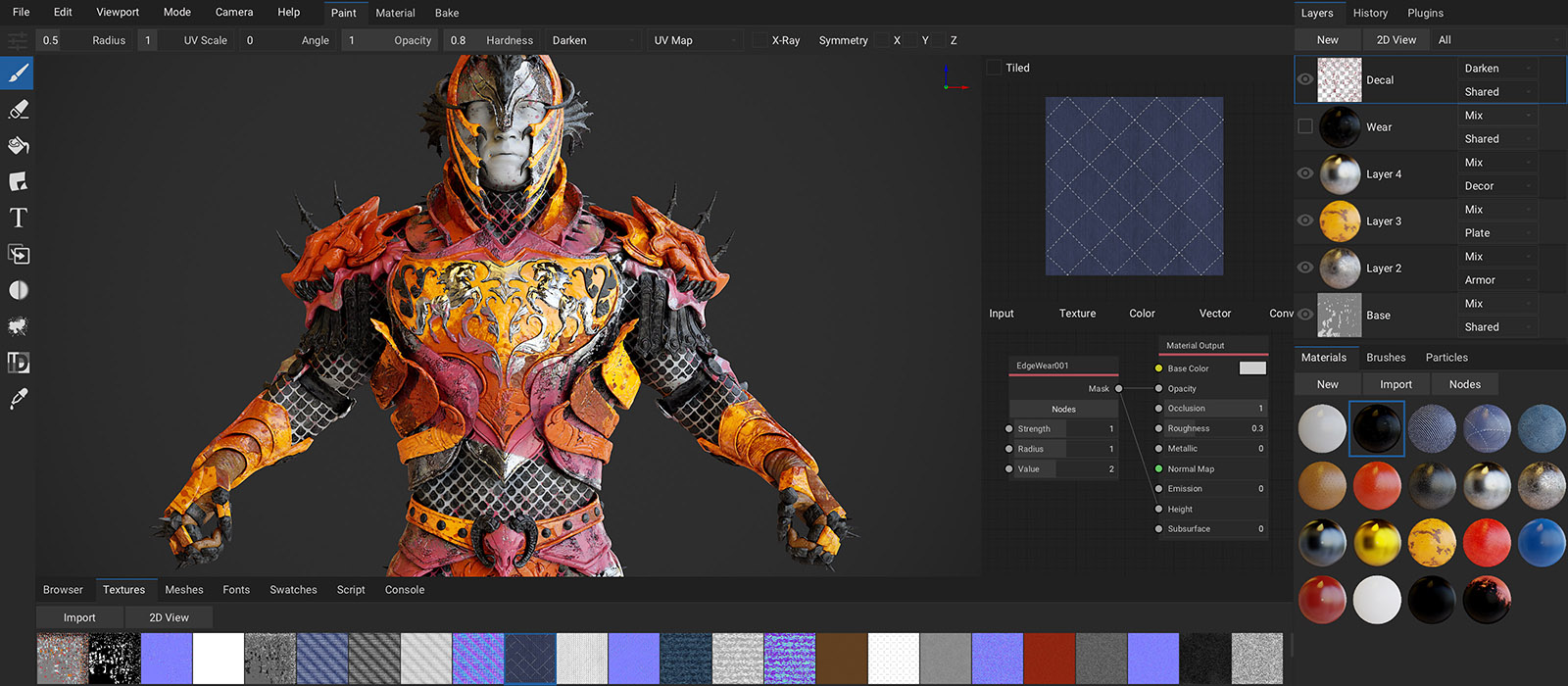
- Clone into your_kha_project/Libraries
- Add
project.addLibrary('zui');into khafile.js
// In init()varui=newZui({ font: myFont });
// In render()publicfunctionrender(frames:Array<Framebuffer>) {
varg=frames[0].g2;
g.begin();
// Draw your stuff...g.end();
ui.begin(g);
if (ui.window(Id.handle(), x, y, w, h, drag)) {
if (ui.button("Hello")) {
trace("World");
}
}
ui.end();
// Draw more stuff...
}functiontab(handle:Handle, text:String, vertical=false):Bool;
functionpanel(handle:Handle, text:String, isTree=false):Bool;
functionimage(image:Image, tint=0xffffffff):State;
functiontext(text:String, align=Left, bg=0x00000000);
functiontextInput(handle:Handle, label="", align=Left):String;
functionbutton(text:String, align=Center, label=""):Bool;
functioncheck(handle:Handle, text:String):Bool;
functionradio(groupId:Handle, pos:Int, text:String):Bool;
functioncombo(handle:Handle, texts:Array<String>, label=""):Int;
functionslider(handle:Handle, text:String, from:Float, to:Float, filled=false, precision=100, displayValue=true):Float;
functiontooltip(text:String);
functiontooltipImage(image:Image);
// Formatingfunctionrow(ratios:Array<Float>);
functionseparator(h=4, fill=true);
functionindent();
functionunindent();Id.hx - simple macros to generate handles
varstate=ui.check(Id.handle(), "Check Box");Ext.hx - prebuilt elements:
functioncolorWheel(...); // See examplesfunctionfileBrowser(...);
functioninlineRadio(handle:Handle, texts:Array<String>):Int;
functiontextArea(handle:Handle, align=Left):String;
Nodes.hx - drawing node systems
nodes.nodeCanvas(...); // See examplesCheck out examples/ folder. To run specific example, simply drop it's folder into KodeStudio and hit run. If you are having trouble compiling, clone latest Kha repository into your example folder (alongside the khafile.js). This will let KodeStudio pick up the most recent Kha.
Themes can be defined using TTheme typedef. Check zui.Themes class for example. Set ZuiOptions.theme when creating new Zui instance to overwrite default theme.
Check element for changes
varhcombo=Id.handle();
ui.combo(hcombo, ["Item 1", "item 2"]);
if (hcombo.changed) {
trace("Combo value changed this frame");
}
Force redrawing zui window on demand
functionrender(..) {
// Get window handlevarhwin=Id.handle();
// Force redraw - set each frame or whenever desiredhwin.redraws=1;
if (ui.window(hwin, x, y, w, h)) { ... }
}
Using render targets - prevent nested begin/end calls
g2.begin();
..
g2.end();
renderTarget.g2.begin();
..
renderTarget.g2.end();
zui.begin(); // Zui also draws to texture..
..
zui.end();
g2.begin();
..
g2.end();
Using Id.handle() in a for loop
// Id.handle() works at compile time// Call .nest() to get unique handle per iterationfor (iin0...3) Id.handle().nest(i);
// Or use new zui.Handle() directly
Set initial Id.handle() state
varh1=Id.handle({selected: true});
varh2=Id.handle({position: 0});
varh3=Id.handle({value: 1.0});
varh4=Id.handle({text: "Text"});Using the powerful render target system of Kha, it is possible to easily integrate the library into any scenario. Set ZuiOptions.autoNotifyInput to false when creating a new Zui instance. You can then manually process the input and render the resulting texture in any way you may need.
zui.onMouseDown(button:Int, x: Int, y: Int)
zui.onMouseUp(button:Int, x: Int, y: Int)
zui.onMouseMove(x: Int, y: Int, movementX: Int, movementY: Int)
zui.onMouseWheel(delta: Int)
Inspired by imgui.